In Chat – WordPress Plugin for users to chat (Social Networking)

This plugin allows your registered users to chat with each other. Online users are detected and shown in different color, making people to know who is online. This plugin do not requires any third party plugins or configurations, hence can be run on any common php & mysql server. Here are some of its main features…

—Very easy installation, just upload, activate and its done.
—Chat with multiple users simultaneously
—Animated emoticons are included and supported
—No server modification or 3rd party software is required
—Modern look and feel similar to facebook, google+ inline chat systems
—Lifetime Free Support and Updates

Download In Chat – WordPress Plugin for users to chat (Social Networking)

Automatic IceCat product information (e-Commerce)

This wordpress module makes it easy to maintain and update your wordpress webshop. All you have to fill in when you create or update a product/page is the Brandname, Model and/or EAN number. This plugin will lookup OpenIcecat with your username, password and preferred language, if the product is found this module will download the following items:

Product title (you can choose wether or not to update it)
Product description
On the node’s(product) page there will be a table with the specifications from that given product.
Example: Notebook cpu speed, memory, screen size, …

The module is continiously under development and new updates will be provided to you.

This module saves you alot of time, no more copy pasting and stuff like that. Fill in three fields and it will complete te product for you!

Works with IceCat and OpenIceCat!

Feature requests are welcome!

For the drupal version check out: http://codecanyon.net/item/automatic-icecat-product-information/3540950

Download Automatic IceCat product information (e-Commerce)

Bureau (Bootstrap)

Bureau Bootstrap skin is a lightweight corporate-style set of CSS styles which gives you all the power of Twitter Bootstrap powered by a unique look, enhanced features and usage examples.

You get all the features that make bootstrap framework so nice – grids, layouts, responsive design, menus, buttons, modals and everything else but Bureau skin also gives you these bonuses:

  • Changed look of typography blocks (hero unit, page headers, heading text, quotes, – see on the preview page, and compare it to default layout using the style switching feature).
  • Enhanced look of paging components with light 3D-effect (pagination, breadcrumbs, pager).
  • Completely different enhanced look of navigation elements (pills, tabs, stacked tabs, stacked pills, navlists). Stacked tabs, stacked pills, nav lists have icons now, which make them look nicer.
  • Restyled navbar with search input and dropdowns.
  • Tables have more strict look that makes it easier for the user to read through complicated sets of data.
  • New shapes, styles and color schemes for the default progress bars.
  • Fresh look of forms with light 3D-effect.
  • A brighter new look for alerts and buttons.
  • The base icon set is expanded to 220 icons with the help of Font Awesome.
  • Enhanced look for all javascript examples, and some extra javascript included by default.
  • Skin is pixel perfect.
  • Includes page templates.
  • All documentation included and online support on found issues provided.

Download Bureau (Bootstrap)

Support Ticket System (Help and Support Tools)

This is very simple support ticket system which is designed to support your customers who have purchased your products or services

This script is only suitable for people who do freelance work because this script has very limited features compared to full support system but I am happy to add more features to this system depending on the feedback from you

Admin Features
(1) Admin Can define products or services
(2) He can create ticket if customer contact him via phone
(3) Admin can see the status of the ticket and change it
(4) Admin can answer the ticket and customer will receive notification via email
(5) Admin can close and reopen the ticket
(6) Admin will be notified by email when new ticket is created by customer
(7) Admin will be notified by email when customer answer the ticket

Customer Features
(1) Customer Signup form
(2) Customer can create the tickets
(3) Customer will get notification via email once the admin answer the ticket and customer can log in to the system and answer the same question

Demo

Admin
http://supportmyshop.com/cc/supportticket/public/index.php/users/login
username: admin
password: password

Customer

http://supportmyshop.com/cc/supportticket/public/index.php/users/login
username : demo
username : demo

Download Support Ticket System (Help and Support Tools)

Custom Date Display Module for OpenCart (vQmod) (OpenCart)

No More Category Pages with a Single Product!

The Date Display Module for OpenCart (vQmod) is designed to offer an easy way for store owners to change the way dates and times are displayed globally across their storefront. Rather than having to manually edit the master language file for both the admin and the frontend, this module dynamically creates an easy way to modify the date format displayed in both sections, all from the standard Settings panel within the OpenCart administration.

Using standard & native PHP Date/Time notation (http://php.net/manual/en/function.date.php), store owners can easily change the date to be displayed in any format they desire. Once the Admin settings have been saved, returning to the Settings panel will reveal the current date & time in the chosen formats so that the store owners can see how the dates will be formatted across the system without having to manually check each location.

To see a demo display of how the dates are shown across the admin section, please navigate to the following URL and log in with the provided demo credentials. You will not be able to modify the settings panel with these credentials however, for the security of the demo system.

Utilizing vQmod for OpenCart, this module contains only a single file to be uploaded, and does not modify a single core file of the OpenCart system. Instead, using the vQmod system, it dynamically injects the necessary code into a cached version of the core files allowing for complete native functionality, while still maintaining the ability to update the OpenCart system without worry of overwriting any changes made by this plugin.

Requirements

This module was built and tested using OpenCart version 1.5.3.1, and vQmod version 2.1.6, and installed and tested on OpenCart version 1.5.4.1, and vQmod version 2.2.1. While there should be no problem using this module on previous version of OpenCart in the 1.5.x series, or vQmod in the 2.x series, we cannot guarantee any other specific combinations of software versions will be compatible. Should you have any issues installing or using this module, please contact us through our CodeCanyon author page so that we can offer any suggestions or fixes that may be required.

vQmod is absolutely required to use this module! Please make sure you have vQmod installed on your installation of OpenCart prior to attempting to use this module. vQmod is a free download.

What’s Included

Included with this module is a vQmod Module file which is to be uploaded to the XML folder of the vQmod installation.

Change History

Version 1.0.0 (current)

  • Initial software release

Download Custom Date Display Module for OpenCart (vQmod) (OpenCart)

OneMenu – Responsive Metro UI Menu (Navigation)

OneMenu Navigation Metro UI

OneMenu is a jQuery navigation menu plugin that is created for Metro UI themes. OneMenu supports responsive design, unlimited menus.

Features:

  • Responsive Design for Metro Themes
  • Unlimited Menus.
  • Unlimited Items in OneMenu.
  • Works on Aalmost Platforms.
  • Auto align items in Dynamic Grid.
  • Light weight.
  • Easy Customiztion.

Documentation

If you like to see the plugin documentation you can check it here: OneMenu Documentation

My Portfolio

OpenPanel – Open Unlimited Panel Any Where

Open Unlimited Responsive Panel Any Where

Responsive Shop Slider

Responsive Shop Slider

ScreenSlider – Responsive Touch Presentation

ScreenSlider-Responsive-Touch-Presentation

MetroBox – Responsive LightBox

Metro Tab jQuery

Metro Tabs jQuery

MenuStation – Unlimited Responsive Menu

MenuStation Unlimited Responsive Menu

MetroPanel – A New Navigator for Modern Sites

Metro Navigation Bar CSS

Download OneMenu – Responsive Metro UI Menu (Navigation)

Social Sprites Icons Widget (Buttons)

INTRODUCTION

Social Sprites Icons is a set of commonly used social icons that transition using CSS ease. This set is super lightweight and could easily be integrated into any website. There are two versions for the icons. One is the standard icon set, and the other is a mini set. On hover, the icons background color will change to the official color of the social network. All of the icons are in one sprite png that totals 26.1 KB.

social sprites

social sprites

Social Sprite Icons installed on SmartStart Theme.

PRIORITIZED CODE

Each themes come with its own customization for the sidebar and widgets. One of the most popular and heavily customized tag is .widget. Since each theme is styled differently, we cannot predict what preset will affect our buttons. With this in mind, we decided to take a different approach. Instead of attempting to reset the .widgets class, we prioritized our sprites list instead. Therefore, all of our lines of code in the stylesheet has ”!important” callout to provide you with un-intrusive code.

HOW TO USE

There is a “Thank You.pdf” file included with every file. Please read that file to learn how to use this widget.

DEMO & WATERMARK

You can view the live demo of this file by clicking ‘Live Preview’ from above. We also have a video of the file without the watermark available at http://www.screenr.com/Wa68.

On the demo you will see some white text over the buttons. Those are watermarks to prevent people from stealing the content. Sorry for the trouble this may have caused you.

FILE SUPPORT

If you require any support, please post in the comment section or look in the “Thank You.pdf” file included in the archive.

FILE UPDATE

Upload 1.0 – 12/10/2012

  • File Submitted for review.

Download Social Sprites Icons Widget (Buttons)

404 Error Logger + E-Mail Alerts & Export to TXT (Miscellaneous)

Detect dead links & start recording your 404-requests. After downloading and uploading this Script, please add the code displayed in the Documentation-file to your 404-site. Now the script should record every 404-request. In addition, the script is able to send E-Mail Alerts, export the list to TXT and much more…

Features:

1. Counts the 404-Hits with URL´s

2. Updates the “Last Hit”-Section on every 404-Request

3. Admin-Panel with Password Protection

4. E-Mail Alerts

5. No MySQL needed

6. Documentation included

7. Integrated Updatechecker

8. Valid HTML & Easy to install

9. Export to TXT

++ IMPORTANT: Very few Freehoster are blocking .htaccess by default. Ask them for further information. ++

Download 404 Error Logger + E-Mail Alerts & Export to TXT (Miscellaneous)

CatchyStrap Bootstrap Responsive Skin (Bootstrap)

Introducing CatchyStrap for Bootstrap


Thank you for taking a keen intrested in the catchystrap for twitter bootstrap. It’s a highly customised skin to help your projects and future products have a unique feel and touch.


Built for the lovers of design and beautiful web, hope you enjoy.

In this skin quite a number of things have changed and it comes with a quite a number of bonus files,

tired of the basic default bootstrap icons? yes, never mind i have covered you: there are over three unique sets of icons including IconSeets2, FamFamFam Icons and more

i have also included quite a number of addons:

  1.  more custom jquery scripts : mask plugin – ensure people type what you want to get, : fileupload – replace the obvious boring file and picture uploading form with a new intuitive uploader with quick preview
  2. also added is new buttons and more styling heavily done on the default elements to give you power over your projects.


Credits to:

FamFamFam Icons

IconSweets2

LED Icons

…and other respective holders

Get it, download it and enjoy.

Download CatchyStrap Bootstrap Responsive Skin (Bootstrap)

Barbie – A Bootstrap Skin (Bootstrap)

We build this skin keeping peace in mind & also to suits all your needs. A light color skin to suits your every need may it be anything it will fulfill all your needs.

Main Features –

  • Responsive layout
  • Clean & easy to use
  • Well documented CSS
  • Minified CSS
  • Cross-browser Compatible
  • Compatible with upcoming versions of Bootstrap
  • Easy to Customize
  • Ready to use Bootstrap components

Google Font we Used was Sanchez

Download it & Enjoy it !!!!!

Download Barbie – A Bootstrap Skin (Bootstrap)

FrameIt – Responsive WordPress Plugin (Sliders)

btn-twitterbtn-envatobtn-home

FrameIt – A Responsive WordPress plugin for frame and slide images

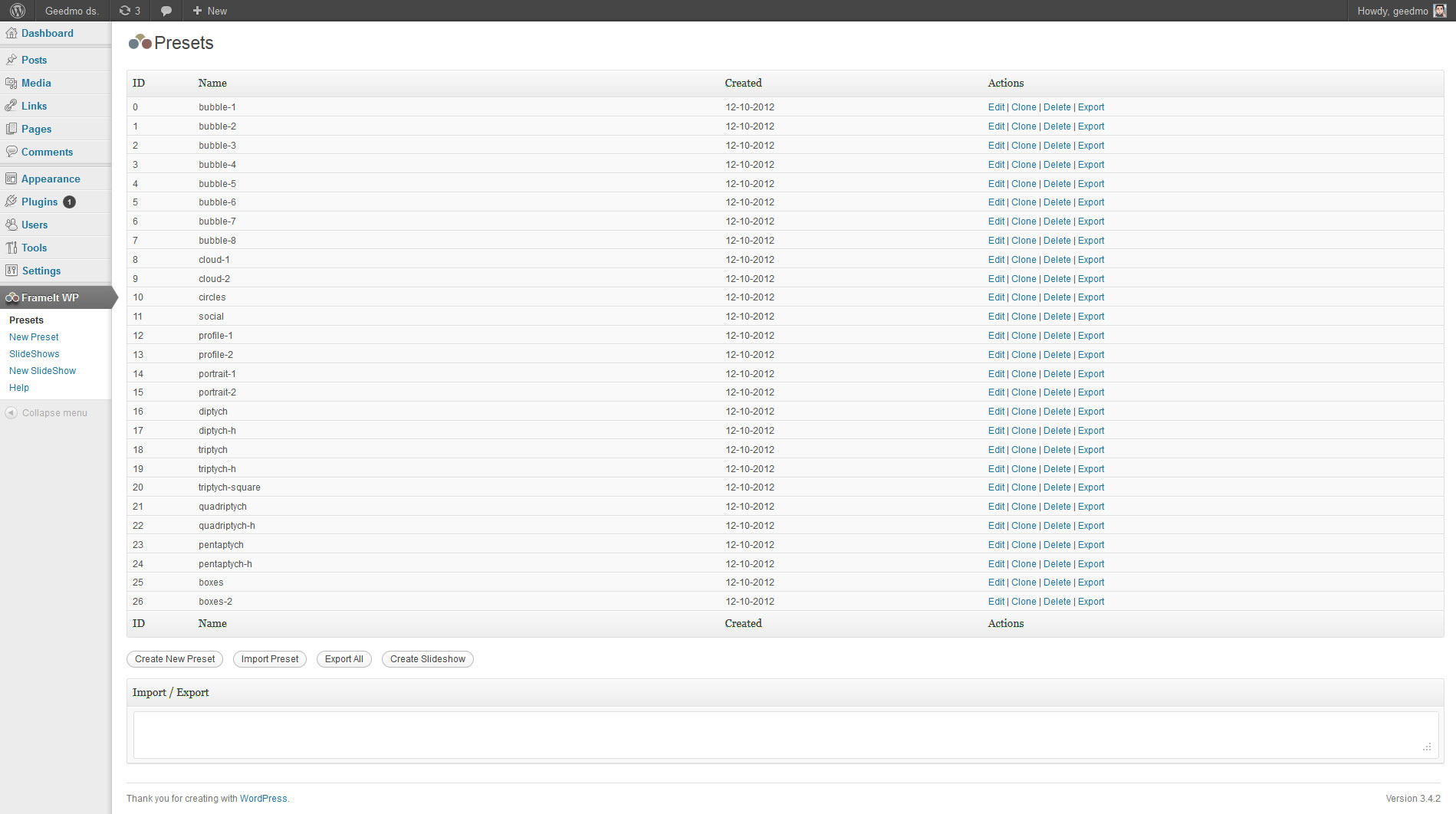
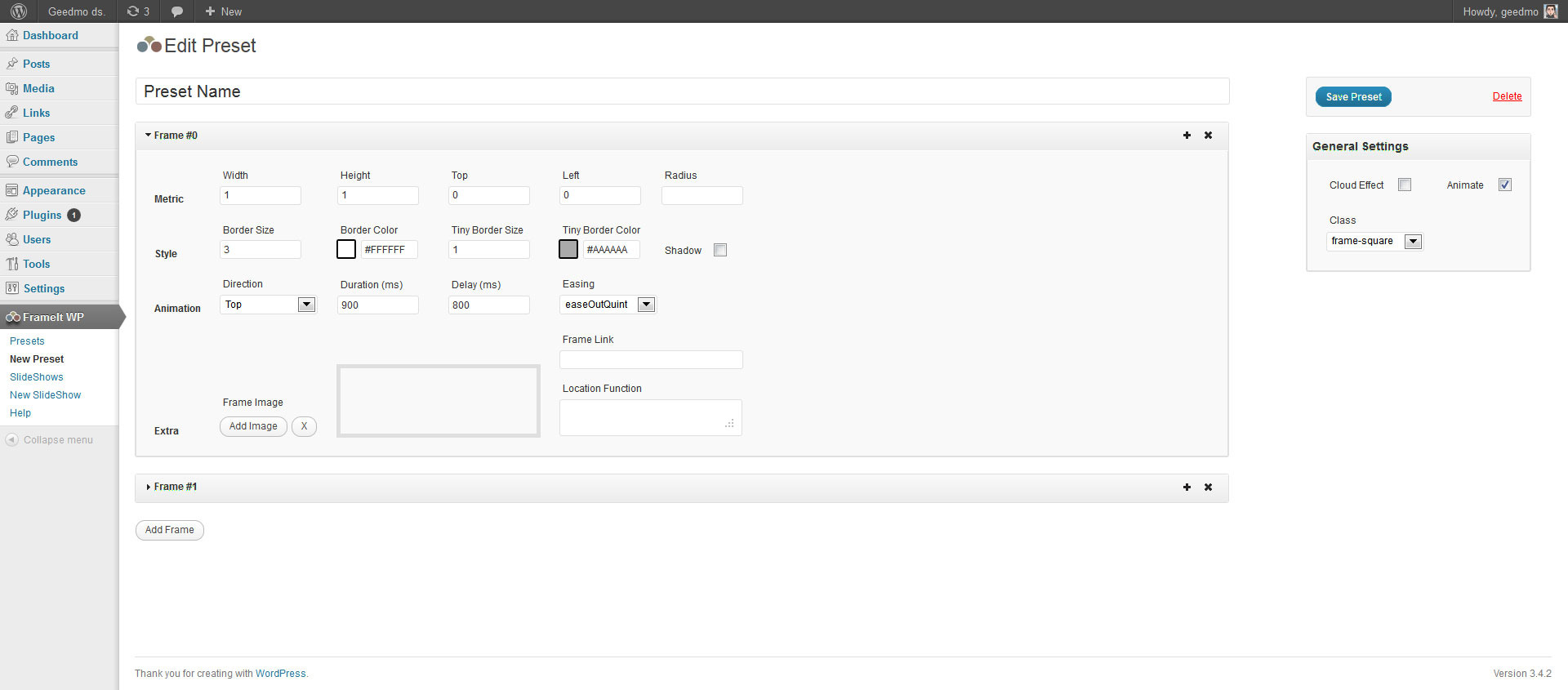
Frame your favorites landscape, squares or portrait images and animate them! You can create as many frames as you want or use the +25 presets included. Use separate images for each frame and add a link to eachone.

  1. Works on mobile devices, smartphones and desktop without loss functionality. This plugin is “responsive”, which means it’s 100% compatible with responsive web designs.
  2. Ready for use on presentations, personal web portfolios or simply, a scroll of images. FrameIt does all the work, you choose where to use.

jQuery Version

Features included:

  • Responsive and mobile Ready
  • Support for all majors browser
  • Fully customizable frames shapes with css classes
  • Fully configurable animation of the frames
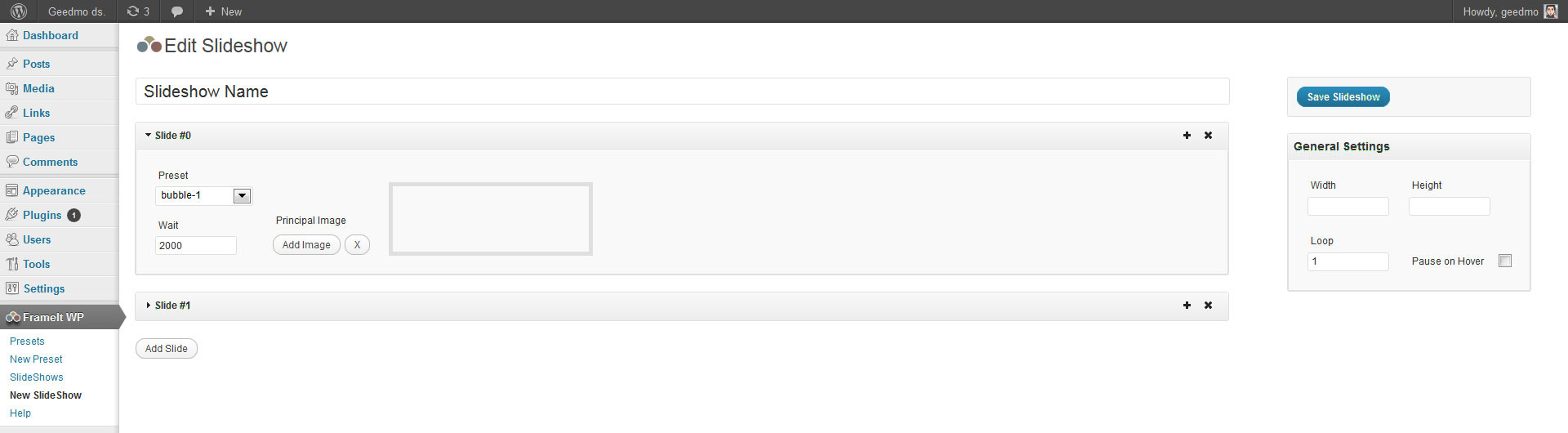
  • Auto slideshow with images
  • CSS3 double border effect
  • Separate images for each frame
  • Anchor frames. Follows any link you want
  • +25 presets for all images orientations
  • CSS3 Real Shadow Effects
  • CSS3 responsive background images (even on unsupported browser)
  • Powered by jQuery & CSS3
  • Shortcodes, accessed via the post/page editor
  • Sidebar Widget
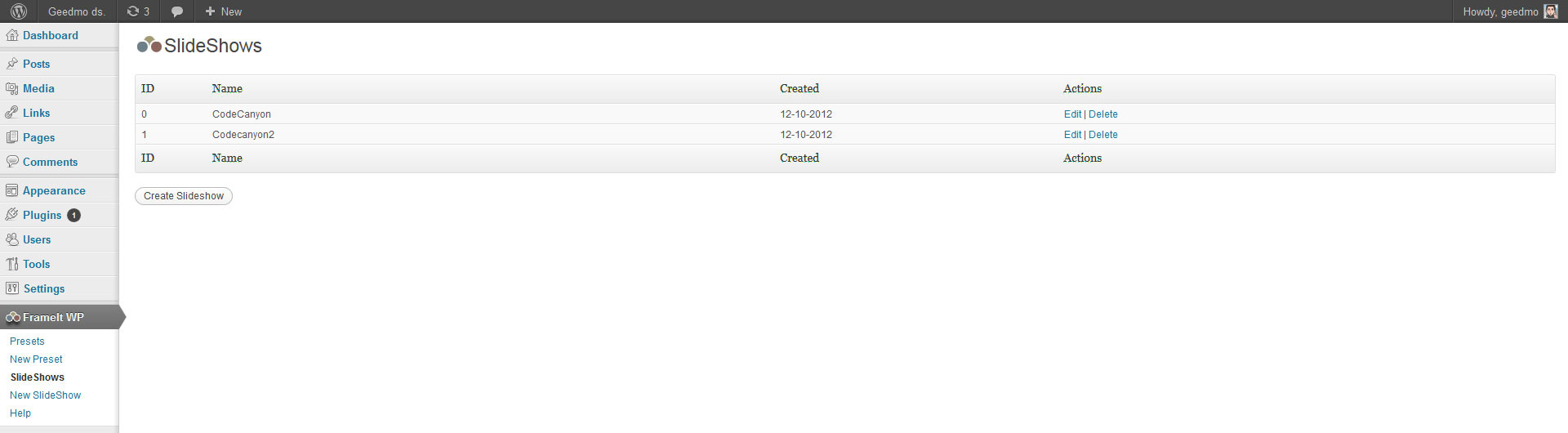
  • Unlimited Presets and Slideshows
  • Well organized settings page
  • Fully documented and explained

WordPress Admin Panels


Credits:

Download FrameIt – Responsive WordPress Plugin (Sliders)

Social Buttons for WP E-Commerce (WP e-Commerce)

This Social Buttons Plugin for WP E-Commerce helps add the Social Sharing Button like Facebook Recommend, Google +1, Twitter Share, Digg it, Pinterest and Reddit to Products Page. So the customers who want to share the product with their friends can easily do that.

You can also select what button you want to display on to Product or Blogs Posts and supports localization for facebook, google plus and twitter buttons.

Download Social Buttons for WP E-Commerce (WP e-Commerce)

Theme – Plugin and Backlink Checker (Utilities)

Wpsitespy: Theme – Plugin and Backlink Checker

Dear WordPress Website Owners

Every day lot of themes and plugins are getting developed and used on various sites.You will amazed that 90% of these themes and plugins are free to use.
But who knows where are they and how to download them and get them work.

—-You might have came across this questions

  • 1.You must have seen a website with a cool slider, or a interesting widget , or something which exactly you want your website to be , but you close it or save the link to show to your web developer ?
  • 2.Found an attractive design layout and want exactly like the one ?
  • 3.Want to know what your competitors are using to boost their site ?
  • 4.Want to check the backlinks and seo tools or plugins used by other websites ?
  • 5.And ofcourse want to save money on building such sites ?

How plugin works:
It’s a simple to use wordpress plugin which will ask you to enter the url of the website you want to search and it will show what theme it use, what plugins it use, and will show you the backlinks , who.is details of that site.And upon clicking on the search result it will take you directly to the plugin download link.

This plugin works both inside and outside the dashboard area.
Inside dashboard there is a option called wpsitespy , just click on it and explore it while you can use it on the front end by using a small shortcode [tp-fetch], it will show the complete working on the front page.

So you can even start you own site with that feature to attract visitors to come to your site for checking themes, plugins and backlinks.
For overall working please find the demo url and attached screenshots for reference.

Demo url : http://wpsitespy.com

Currently 58618710 sites are working are wordpress ,so start searching now with this must have plugin for your site.

You will be glad by watching the results that most of the big sites use free plugins, and even sometime your webdeveloper might be charging for a free plugin to you.

Flag Counter

Download Theme – Plugin and Backlink Checker (Utilities)

SpeedBall Pong (Games)

Features

  • Built entirely in JavaScript
  • 800×600 fixed resolution with a framerate of 60FPS
  • Built-in Scoring System which saves the players scores to a database and retrieves them for later viewing
  • Built in an OOP fashion for easy understating and quick changes
  • Quick and easy setup
  • All assets are preloaded the progress status being displayed to the user
  • It is compatible with all major browsers that support the HTML5 Canvas element (IE9, Chrome, Firefox, Safari, Opera) 
  • Contains a minified & obfuscated version of the JavaScript code
  • Each class file has every piece of code commented

Requirements

For this game to work you need to have:

  • an internet connection
  • a compatible browser that supports HTML5 Canvas element and has JavaScript enabled
  • a mouse for gameplay (a touchpad can be used for laptops)

Important!

For the scoring system to work you need to have a PHP enabled server and a database in which to save the results.

Any feedback is welcomed. If you liked the file please don’t forget to rate it. :)

Download SpeedBall Pong (Games)

Single Product Redirect Module for OpenCart vQmod (OpenCart)

No More Category Pages with a Single Product!

The Single Product Redirect Module for OpenCart (vQmod) is designed to create a more natural flow throughout an OpenCart storefront by eliminating the extra step commonly found when a category only contains a single product, and there are no further subcategories for the user to explore. This module also makes it possible to use Categories that would be displayed in the menu or navigation bar to link directly to a product, assuming however that there are no subcategories attached to that category.

Essentially, any time a request is made for a category level element, this module looks to see first if there are any subcategories. This is important because if there are more categories under the currently viewed category, we do not want to redirect the user away from being able to select the other subcategories. Once the user is in a last-level category (i.e. no more subcategories underneath it) the module then looks to see how many products are to be displayed. If there is only one product found, it automatically redirects the user seamlessly to the product page without first stopping on the category page.

As an example, if a storefront is selling computer repair services, they could create “Services” as a top level category. Then underneath “Services” they could create “Screen Replacement”, “Battery Replacement”, “Hard Drive Recovery”, or any other number of categories. Then they could create a single product in each of those subcategories so users can add the service to their cart and such. The front-end would then have the “Services” menu displayed with the subcategories that drop down from the menu. Clicking on any of the services would take the user directly to the service page to select options and add to cart, skipping to need to go to the “Screen Replacement” category page just to click on the “Screen Replacement” service item.

Utilizing vQmod for OpenCart, this module contains only a single file to be uploaded, and does not modify a single core file of the OpenCart system. Instead, using the vQmod system, it dynamically injects the necessary code into cached version of the core files allowing for complete native functionality, while still maintaining the ability to update the OpenCart system without worry of overwriting any changes made by this plugin.

Requirements

This module was built and tested using OpenCart version 1.5.4.1, and vQmod version 2.2.1. While there should be no problem using this module on previous version of OpenCart in the 1.5.x series, or vQmod in the 2.x series, we cannot guarantee any other specific combinations of software versions will be compatible. Should you have any issues installing or using this module, please contact us through our CodeCanyon author page so that we can offer any suggestions or fixes that may be required.

vQmod is absolutely required to use this module! Please make sure you have vQmod installed on your installation of OpenCart prior to attempting to use this module. vQmod is a free download.

What’s Included

Included with this module is a vQmod Module file which is to be uploaded to the XML folder of the vQmod installation.

Change History

Version 1.0.0 (current)

  • Initial software release

Download Single Product Redirect Module for OpenCart vQmod (OpenCart)