OneMenu – Responsive Metro UI Menu (Navigation)

OneMenu Navigation Metro UI

OneMenu is a jQuery navigation menu plugin that is created for Metro UI themes. OneMenu supports responsive design, unlimited menus.

Features:

  • Responsive Design for Metro Themes
  • Unlimited Menus.
  • Unlimited Items in OneMenu.
  • Works on Aalmost Platforms.
  • Auto align items in Dynamic Grid.
  • Light weight.
  • Easy Customiztion.

Documentation

If you like to see the plugin documentation you can check it here: OneMenu Documentation

Credits

My Portfolio

OpenPanel – Open Unlimited Panel Any Where

Open Unlimited Responsive Panel Any Where

Responsive Shop Slider

Responsive Shop Slider

ScreenSlider – Responsive Touch Presentation

ScreenSlider-Responsive-Touch-Presentation

MetroBox – Responsive LightBox

Metro Tab jQuery

Metro Tabs jQuery

MenuStation – Unlimited Responsive Menu

MenuStation Unlimited Responsive Menu

MetroPanel – A New Navigator for Modern Sites

Metro Navigation Bar CSS

Download OneMenu – Responsive Metro UI Menu (Navigation)

Social Sprites Icons Widget (Buttons)

social sprites

INTRODUCTION

Social Sprites Icons is a set of commonly used social icons that transition using CSS ease. This set is super lightweight and could easily be integrated into any website. There are two versions for the icons. One is the standard icon set, and the other is a mini set. On hover, the icons background color will change to the official color of the social network. All of the icons are in one sprite png that totals 26.1 KB.

video preview

social sprites

Social Sprite Icons installed on SmartStart Theme.

PRIORITIZED CODE

Each themes come with its own customization for the sidebar and widgets. One of the most popular and heavily customized tag is .widget. Since each theme is styled differently, we cannot predict what preset will affect our buttons. With this in mind, we decided to take a different approach. Instead of attempting to reset the .widgets class, we prioritized our sprites list instead. Therefore, all of our lines of code in the stylesheet has ”!important” callout to provide you with un-intrusive code.

HOW TO USE

There is a “Thank You.pdf” file included with every file. Please read that file to learn how to use this widget.

DEMO & WATERMARK

You can view the live demo of this file by clicking ‘Live Preview’ from above. We also have a video of the file without the watermark available at http://screenr.com/1jg7.

On the demo you will see some white text over the buttons. Those are watermarks to prevent people from stealing the content. Sorry for the trouble this may have caused you.

social sprites

FILE SUPPORT

If you require any support, please post in the comment section or look in the “Thank You.pdf” file included in the archive.

FILE UPDATE

Update 1.1 – 12/17/2012
This update adds the following features:

  • Ability to add 2 custom icons.
  • Option to select circle icons.

Upload 1.0 – 12/10/2012

  • File Submitted for review.

Download Social Sprites Icons Widget (Buttons)

404 Error Logger + E-Mail Alerts & Export to TXT (Miscellaneous)

Detect dead links & start recording your 404-requests. After downloading and uploading this Script, please add the code displayed in the Documentation-file to your 404-site. Now the script should record every 404-request. In addition, the script is able to send E-Mail Alerts, export the list to TXT and much more…

Features:

1. Counts the 404-Hits with URL´s

2. Updates the “Last Hit”-Section on every 404-Request

3. Admin-Panel with Password Protection

4. E-Mail Alerts

5. No MySQL needed

6. Documentation included

7. Integrated Updatechecker

8. Valid HTML & Easy to install

9. Export to TXT

Important: Some Freehoster are blocking custom 404-Pages by default. Ask them for further information.

Download 404 Error Logger + E-Mail Alerts & Export to TXT (Miscellaneous)

CatchyStrap Bootstrap Responsive Skin (Bootstrap)

Introducing CatchyStrap for Bootstrap

Check the LIVE Demo, be aware that some elements have been pulled off the live demo


Thank you for taking a keen intrested in the catchystrap for twitter bootstrap. It’s a highly customised skin to help your projects and future products have a unique feel and touch.

 VERY IMPORTANT:

  1. You might think that there is no difference between this version and the free version of the bootstrap, but there is i have introduced over 50+ new set of classes each with it’s own function, also introduced are a new set of notifications and new set of notification styles, some aren’t available on the demo preview.
  2. New button styles and more, so enjoy!

I have also bundled a new set of code snippets check em out:

Live Demo:

http://demo.simtabi.com/catchystrap/index.html

Code snippets demo:

http://demo.simtabi.com/catchystrap/examples/hero.html

http://demo.simtabi.com/catchystrap/examples/starter-template.html

I will also be updating with new sets of snippets and page templates to make your work easier.

Built for the lovers of design and beautiful web, hope you enjoy.

In this skin quite a number of things have changed and it comes with a quite a number of bonus files,

tired of the basic default bootstrap icons? yes, never mind i have covered you: there are over three unique sets of icons including IconSeets2, FamFamFam Icons and more

i have also included quite a number of addons:

  1.  more custom jquery scripts : mask plugin – ensure people type what you want to get, : fileupload – replace the obvious boring file and picture uploading form with a new intuitive uploader with quick preview
  2. also added is new buttons and more styling heavily done on the default elements to give you power over your projects.


Credits to:

  • FamFamFam Icons
  • IconSweets2
  • LED Icons

…and other respective holders

Get it, download it and enjoy.

Download CatchyStrap Bootstrap Responsive Skin (Bootstrap)

Barbie – A Bootstrap Skin (Bootstrap)

We build this skin keeping peace in mind & also to suits all your needs. A light color skin to suits your every need may it be anything it will fulfill all your needs.

Main Features –

  • Responsive layout
  • Clean & easy to use
  • Well documented CSS
  • Minified CSS
  • Cross-browser Compatible
  • Compatible with upcoming versions of Bootstrap
  • Easy to Customize
  • Ready to use Bootstrap components

Google Font we Used was Sanchez

Download it & Enjoy it !!!!!

Download Barbie – A Bootstrap Skin (Bootstrap)

FrameIt – Responsive WordPress Plugin (Sliders)

btn-twitterbtn-envatobtn-home

FrameIt – A Responsive WordPress plugin for frame and slide images

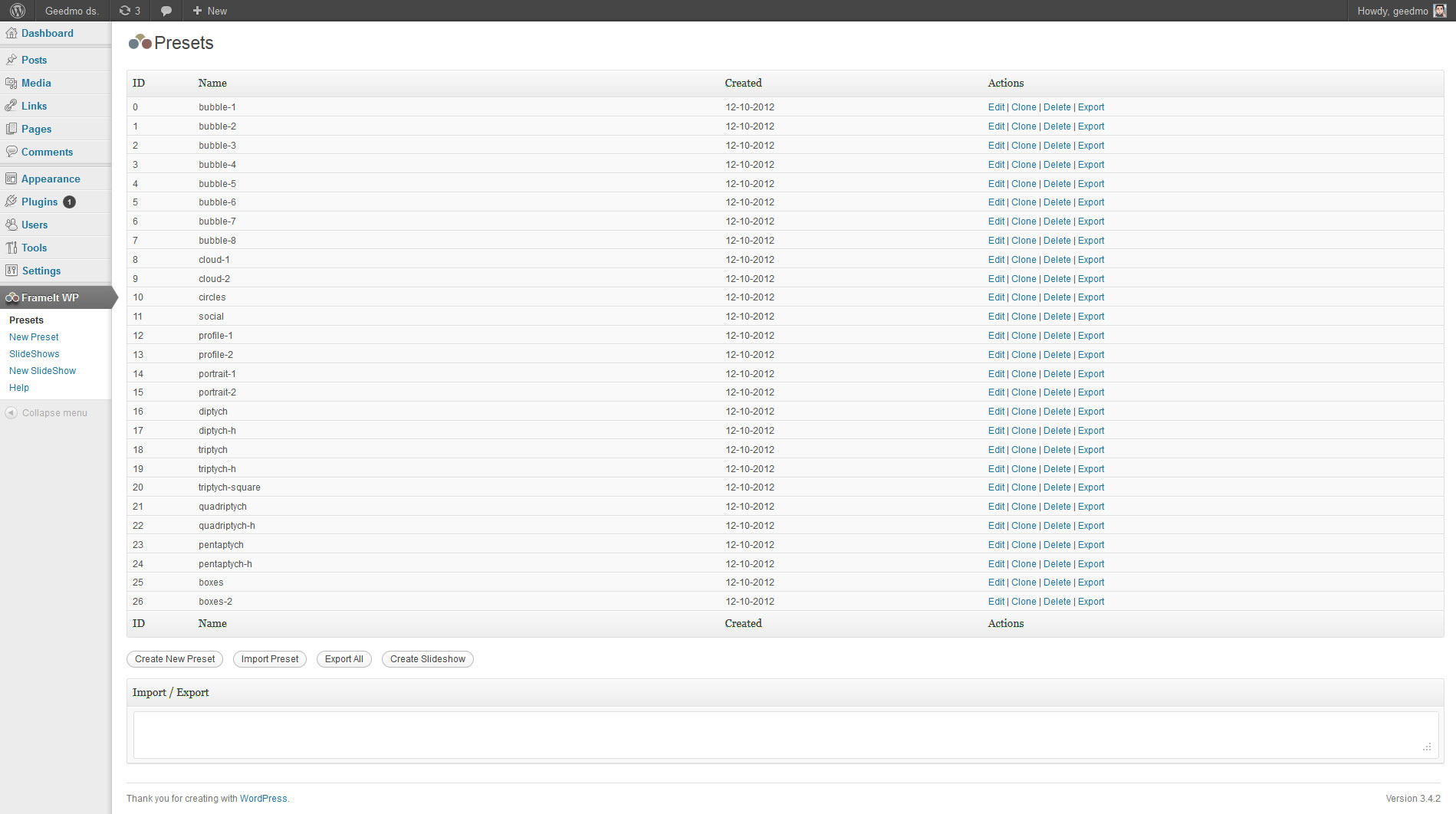
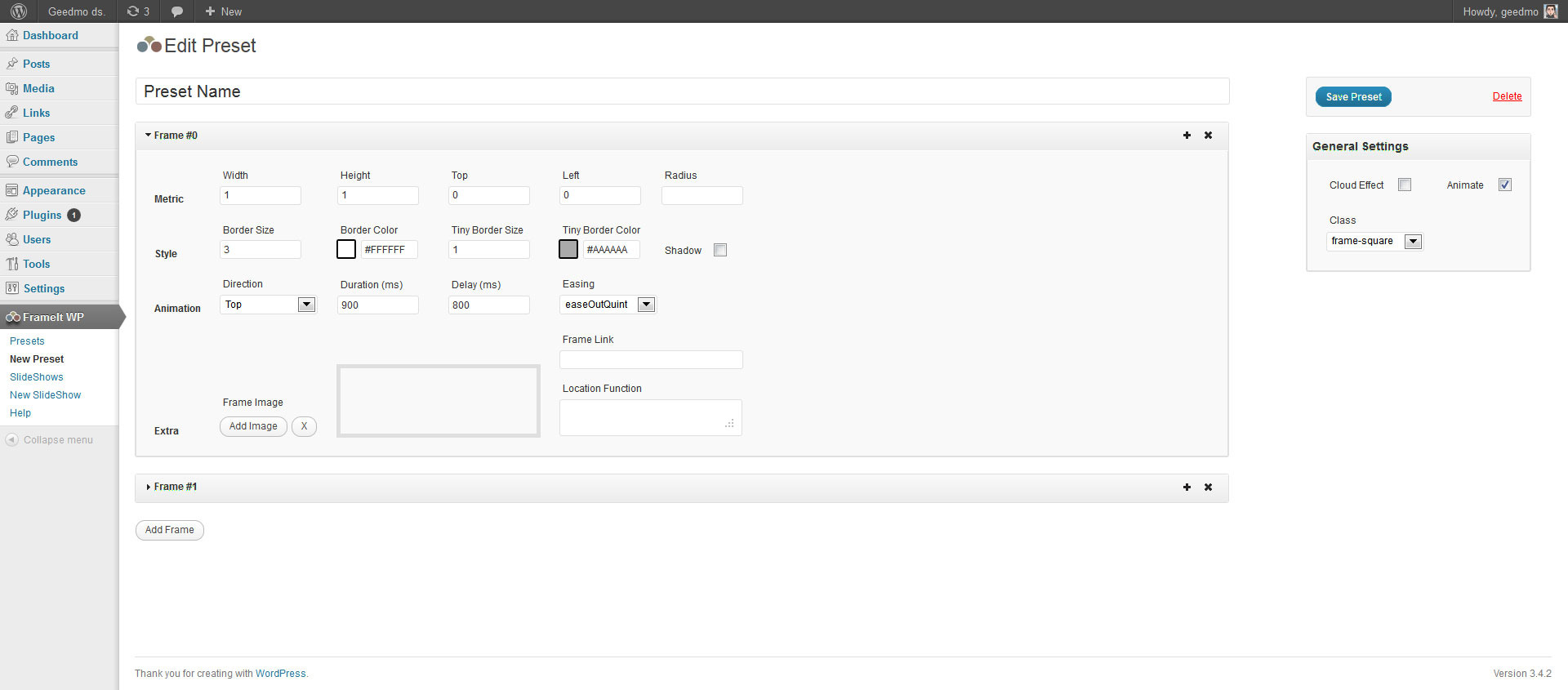
Frame your favorites landscape, squares or portrait images and animate them! You can create as many frames as you want or use the +25 presets included. Use separate images for each frame and add a link to eachone.

  1. Works on mobile devices, smartphones and desktop without loss functionality. This plugin is “responsive”, which means it’s 100% compatible with responsive web designs.
  2. Ready for use on presentations, personal web portfolios or simply, a scroll of images. FrameIt does all the work, you choose where to use.

jQuery Version

Features included:

  • Responsive and mobile Ready
  • Support for all majors browser
  • Fully customizable frames shapes with css classes
  • Fully configurable animation of the frames
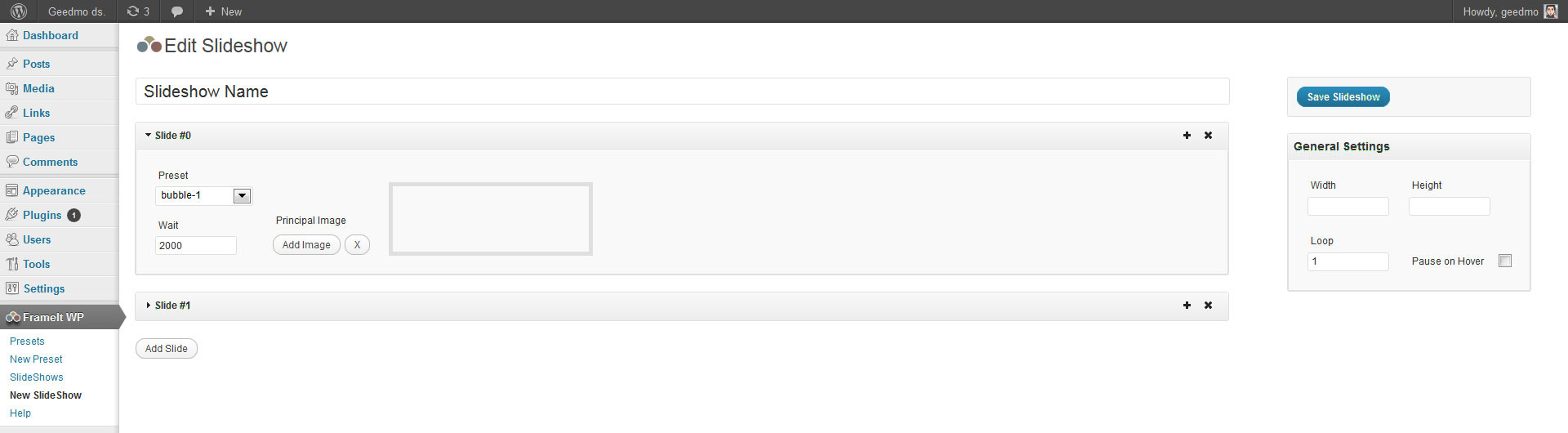
  • Auto slideshow with images
  • CSS3 double border effect
  • Separate images for each frame
  • Anchor frames. Follows any link you want
  • +25 presets for all images orientations
  • CSS3 Real Shadow Effects
  • CSS3 responsive background images (even on unsupported browser)
  • Powered by jQuery & CSS3
  • Shortcodes, accessed via the post/page editor
  • Sidebar Widget
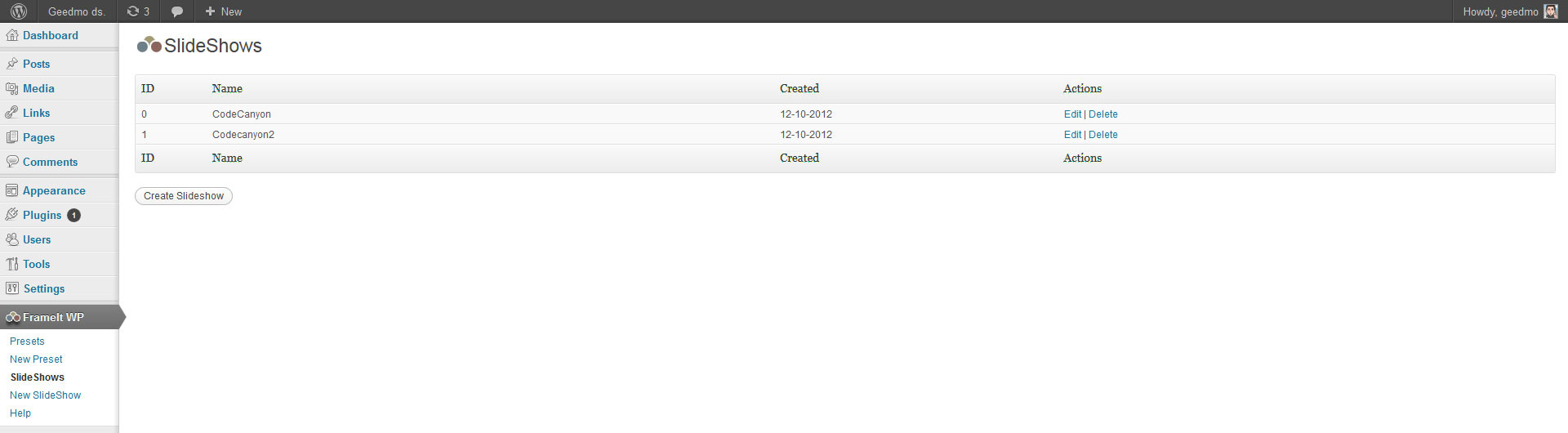
  • Unlimited Presets and Slideshows
  • Well organized settings page
  • Fully documented and explained

Video Preview

WordPress Admin Panels


Credits:

Changelog

1.1 – December 12 2012

  • ProgressBar stop animating when pauseonhover enable
  • BugFix: Location function not showed
  • BugFix: Images hidden by default

1.0 – December 11 2012

  • First release

Download FrameIt – Responsive WordPress Plugin (Sliders)

Social Buttons for WP E-Commerce (WP e-Commerce)

This Social Buttons Plugin for WP E-Commerce helps add the Social Sharing Button like Facebook Recommend, Google +1, Twitter Share, Digg it, Pinterest and Reddit to Products Page. So the customers who want to share the product with their friends can easily do that.

You can also select what button you want to display on to Product or Blogs Posts and supports localization for facebook, google plus and twitter buttons.

Plugins For WooCommerce


Payment Express Gateway for WooCommerce


AlertPay Gateway for WooCommerce


Skrill (MoneyBookers) Gateway for WooCommerce


WorldPay Gateway for WooCommerce


Network Merchants Payment Gateway for WooCommerce


Moneris US eSELECTplus Gateway for WooCommerce


Moneris CA eSELECTplus Gateway for WooCommerce


Flo2Cash Gateway for WooCommerce


Shipping Details Plugin for WooCommerce


QuickBooks(Intuit) Payment Gateway for WooCommerce


BeanStream Gateway for WooCommerce


Moneris Direct CA Gateway for WooCommerce


 Social Buttons for WooCommerce


eWAY AU Shared Gateway for WooCommerce


eWAY NZ Shared Gateway for WooCommerce


eWAY UK Shared Gateway for WooCommerce


eWAY AU Direct Gateway for WooCommerce


MOLPay Gateway for WooCommerce


DirectOne Gateway for WooCommerce


Quantum Gateway for WooCommerce


NabTransact Direct Gateway for WooCommerce


MyGate Gateway for WooCommerce


ZaakPay Gateway for WooCommerce


EBS Gateway for WooCommerce


Sisow Gateway for WooCommerce


SagePay Form Gateway for WooCommerce


SagePay Direct Gateway for WooCommerce


Paymill Gateway for WooCommerce


PayWay API (Westpac) Gateway for WooCommerce

Plugins For Jigoshop


AlertPay Gateway for Jigoshop


Payment Express Gateway for Jigoshop


WorldPay Gateway for Jigoshop


Network Merchants Inc Payment Gateway for Jigoshop


Shipping Details Plugin for Jigoshop


QuickBooks(Intuit) Payment Gateway for Jigoshop


BeanStream Gateway for Jigoshop


Moneris Direct CA Gateway for Jigoshop


Social Buttons for Jigoshop


Moneris Direct US Gateway for Jigoshop


eWAY AU Direct Gateway for Jigoshop


eWAY AU Shared Gateway for Jigoshop


eWAY NZ Shared Gateway for Jigoshop


eWAY UK Shared Gateway for Jigoshop


MOLPay Gateway for Jigoshop


DirectOne Gateway for Jigoshop


NabTransact Direct Gateway for Jigoshop


Quantum Gateway for Jigoshop


MyGate Gateway for Jigoshop


ZaakPay Gateway for Jigoshop


Quickpay Gateway for Jigoshop


Nochex Gateway for Jigoshop


EBS Gateway for Jigoshop


Sisow Gateway for Jigoshop


SagePay Form Gateway for Jigoshop


SagePay Direct Gateway for Jigoshop


Paymill Gateway for Jigoshop


PayWay API (Westpac) Gateway for Jigoshop


Payment Express (PxPost) Gateway for Jigoshop

Plugins For WP E-Commerce


AlertPay Gateway for WP e-Commerce


Moneris Direct CA Gateway for WP E-Commerce


WorldPay Gateway for WP E-Commerce


Payment Express Gateway for WP E-Commerce


Moneris Direct US Gateway for WP E-Commerce


QuickBooks(Intuit) Gateway for WP E-Commerce


Network Merchants Gateway for WP E-Commerce


MOLPay Gateway for WP E-Commerce


BeanStream Gateway for WP E-Commerce


Payment Express (PxPost) Gateway for WP E-Commerce


 Nochex Gateway for WP E-Commerce


Quickpay Gateway for WP E-Commerce


NabTransact Direct Gateway for WP E-Commerce


Quantum Gateway for WP E-Commerce


DirectOne Gateway for WP E-Commerce


eWAY AU Direct Gateway for WP E-Commerce


eWAY AU Shared Gateway for WP E-Commerce


eWAY UK Shared Gateway for WP E-Commerce


eWAY NZ Shared Gateway for WP E-Commerce


SagePay Form Gateway for WP E-Commerce


SagePay Direct Gateway for WP E-Commerce


Sisow Gateway for WP E-Commerce


PayWay API (Westpac) Gateway for WP E-Commerce


Social Buttons for WP E-Commerce

Download Social Buttons for WP E-Commerce (WP e-Commerce)

Theme – Plugin and Backlink Checker (Utilities)

Wpsitespy: Theme – Plugin and Backlink Checker

Version 1.1 Updated 17-12-2012

Features

Detect Theme

Detect Plugins

Detect Newsletter

Database Saving Option Along with Search

Updated documentation url: http://wpsitespy.com/wpsitespy_docu.php

Dear WordPress Website Owners

Every day lot of themes and plugins are getting developed and used on various sites.You will amazed that 90% of these themes and plugins are free to use.
But who knows where are they and how to download them and get them work.

You might have came across this questions

  • 1.You must have seen a website with a cool slider, or a interesting widget , or something which exactly you want your website to be , but you close it or save the link to show to your web developer ?
  • 2.Found an attractive design layout and want exactly like the one ?
  • 3.Want to know what your competitors are using to boost their site ?
  • 4.Want to check the backlinks and seo tools or plugins used by other websites ?
  • 5.And ofcourse want to save money on building such sites ?

How plugin works:
It’s a simple to use wordpress plugin which will ask you to enter the url of the website you want to search and it will show what theme it use, what plugins it use, what newsletter it use and will show you the backlinks , who.is details of that site.And upon clicking on the search result it will take you directly to the plugin download link.

This plugin works both inside and outside the dashboard area.
Inside dashboard there is a option called wpsitespy , just click on it and explore it while you can use it on the front end by using a small shortcode [tp-fetch], it will show the complete working on the front page.

So you can even start you own site with that feature to attract visitors to come to your site for checking themes, plugins and backlinks.
For overall working please find the demo url and attached screenshots for reference.

Demo url : http://wpsitespy.com

Currently 58618710 sites are working are wordpress ,so start searching now with this must have plugin for your site.

You will be glad by watching the results that most of the big sites use free plugins, and even sometime your webdeveloper might be charging for a free plugin to you.

* now shows all the plugin 
* database saving option added
* newsletter option added :now detects which newsletter site uses
* works with subdirectory and sub domains

Flag Counter

Download Theme – Plugin and Backlink Checker (Utilities)

SpeedBall Pong (Games)

Features

  • Built entirely in JavaScript
  • 800×600 fixed resolution with a framerate of 60FPS
  • Built-in Scoring System which saves the players scores to a database and retrieves them for later viewing
  • Built in an OOP fashion for easy understating and quick changes
  • Quick and easy setup
  • All assets are preloaded the progress status being displayed to the user
  • It is compatible with all major browsers that support the HTML5 Canvas element (IE9, Chrome, Firefox, Safari, Opera) 
  • Contains a minified & obfuscated version of the JavaScript code
  • Each class file has every piece of code commented

Requirements

For this game to work you need to have:

  • an internet connection
  • a compatible browser that supports HTML5 Canvas element and has JavaScript enabled
  • a mouse for gameplay (a touchpad can be used for laptops)

Important!

For the scoring system to work you need to have a PHP enabled server and a database in which to save the results.

Any feedback is welcomed. If you liked the file please don’t forget to rate it. :)

Download SpeedBall Pong (Games)

Single Product Redirect Module for OpenCart vQmod (OpenCart)

No More Category Pages with a Single Product!

The Single Product Redirect Module for OpenCart (vQmod) is designed to create a more natural flow throughout an OpenCart storefront by eliminating the extra step commonly found when a category only contains a single product, and there are no further subcategories for the user to explore. This module also makes it possible to use Categories that would be displayed in the menu or navigation bar to link directly to a product, assuming however that there are no subcategories attached to that category.

Essentially, any time a request is made for a category level element, this module looks to see first if there are any subcategories. This is important because if there are more categories under the currently viewed category, we do not want to redirect the user away from being able to select the other subcategories. Once the user is in a last-level category (i.e. no more subcategories underneath it) the module then looks to see how many products are to be displayed. If there is only one product found, it automatically redirects the user seamlessly to the product page without first stopping on the category page.

As an example, if a storefront is selling computer repair services, they could create “Services” as a top level category. Then underneath “Services” they could create “Screen Replacement”, “Battery Replacement”, “Hard Drive Recovery”, or any other number of categories. Then they could create a single product in each of those subcategories so users can add the service to their cart and such. The front-end would then have the “Services” menu displayed with the subcategories that drop down from the menu. Clicking on any of the services would take the user directly to the service page to select options and add to cart, skipping to need to go to the “Screen Replacement” category page just to click on the “Screen Replacement” service item.

Utilizing vQmod for OpenCart, this module contains only a single file to be uploaded, and does not modify a single core file of the OpenCart system. Instead, using the vQmod system, it dynamically injects the necessary code into cached version of the core files allowing for complete native functionality, while still maintaining the ability to update the OpenCart system without worry of overwriting any changes made by this plugin.

Requirements

This module was built and tested using OpenCart version 1.5.4.1, and vQmod version 2.2.1. While there should be no problem using this module on previous version of OpenCart in the 1.5.x series, or vQmod in the 2.x series, we cannot guarantee any other specific combinations of software versions will be compatible. Should you have any issues installing or using this module, please contact us through our CodeCanyon author page so that we can offer any suggestions or fixes that may be required.

vQmod is absolutely required to use this module! Please make sure you have vQmod installed on your installation of OpenCart prior to attempting to use this module. vQmod is a free download.

What’s Included

Included with this module is a vQmod Module file which is to be uploaded to the XML folder of the vQmod installation.

Change History

Version 1.0.0 (current)

  • Initial software release

Download Single Product Redirect Module for OpenCart vQmod (OpenCart)

Skrill Top-up for CubePoints (Membership)

Description

Skrill Top-up for CubePoints is a payment gateway plugin (for WordPress) that allows your CubePoints driven site’s users to top up their accounts via Skrill.

To understand Skrill Top-up for CubePoints plugin, first we would like to instroduce you: CubePoints, which is a point management system for sites running on WordPress. Users can earn virtual credits (points) on your site by posting comments, creating posts, or even by logging in each day. Install CubePoints and watch your visitor interaction soar by offering them points which could be used to view certain posts, exchange for downloads or even real items!

The Skrill Top-up for Cubepoints plugin offers a new way to ‘earn’ (actually to buy) points in CubePoints: your site’s users will be able to buy points using their Skrill accounts.

We created this module because the FREE CubePoints plugin is coming only with PayPal integration, which is good but their are a few types of website that are not allowed by PayPal. One of these types are sites that are related to sportsbooking. Skrill allows sportbooking site as well.

Skrill (Moneybookers) is one of the largest online payment providers offering more than 100 local payment options in more than 200 countries and territories worldwide. Currently over 135,000 merchants are using this payment solution. Skrill satisfies the need for consumers to have a safe means of paying online without revealing their financial details. Skrill is very cost effective and therefore a clear alternative to other payment providers and it has now over 31 million users.

Our plugin logs all the transactions in CubePoints, so your customers and your site admins can check the transactions at any time. It supports 35+ currencies like: USD, EUR, GBP, AUD, CAD, etc.

Who may use Skrill Top-up for CubePoints?

This module (plugin) is dedicated to CubePoints plugin users who want to give another way to their customers to top up their accounts: to buy credits (points).

First of all you will need

We recommend that you always use the latest versions.

Installation

Skrill Top-up for CubePoints is really easy to install so just follow the guide:

  1. Make sure that CubePoints plugin is already installed.
  2. Upload the `skrill-top-up-for-cubepoints` folder to the `/wp-content/plugins/` directory or install it from the repository
  3. Activate the plugin through the ‘Plugins’ menu in WordPress
  4. Now you may activate Skrill Top-up in CubePoints > Modules page

Settings page

Please click on CubePoints > Skrill Top-up submenu to reach the settings page of our plugin.

On the settings page you have to enter your Skrill Username (merchant email address), your Skrill Secret Word and there are few other settings, too (1st screenshot):

  • Description: Usually your website’s name
  • Logo URL: Recommended size/format: 200×50 / JPG/PNG
  • Status email: You may receive status updates to this email address
  • Currency: Select your desired currency from the list
  • Skrill item name: This will appear on the transaction in your Skrill account
  • Cancel URL: URL to direct your users when they cancel the payment.
  • Thank You URL: URL to direct your users when they complete the payment.
  • Price per point: Entering 0.05 would mean that $1 (or the currency of your choice) buys you 20 points.
  • Minimum points per purchase
  • Heading text: Text displayed above the buy form (2nd screenshot)
  • Buy button text: This value will be displayed on the ‘buy’ button (2nd screenshot).
  • Choose the default form type: You may select the default type and values of the purchasing form.

Displaying the purchasing form

In order to display the purchasing form in a page, use the following shortcode:

[cp_skrill] or [cp_skrill type='single'] `type` can be: single, list, link, any. (find types on 1st screenshot)

For your convenience, our plugin has a widget as well. (5th screenshot)

What is the process of purchasing credits from a user point of view?

  1. Logs in – the user must have an account on your site in order to use CubePoints and our plugin as well
  2. The user must select (or enter) the points he wants to buy then press Buy button on the purchasing page (you, the site administrator, has to create that, see F). Also he can use the widget if you added one.
  3. He will be redirected to Skrill’s secured site, where the user must continue the process: pay for the points from his Skrill account balance or credit card
  4. a) If the user payed for the points and everything went OK, he will be redirected to the Thank you page of your site and his newly bought credits will be added to his account immediately
    b) If the user cancelled the purchasing process, he will be redirected to the Cancel URL you added in the settings page

Languages

This plugin is translation ready and currently available in English.

Screenshots

  1. Skrill Top-up for CubePoints Settings page
  2. Points purchase form added to a page (widget on the left side as well)
  3. Redirected to Skrill
  4. Logged transaction entry
  5. Widget

Changelog

1.0

  • Initial release!

Download Skrill Top-up for CubePoints (Membership)

CSS3 Buttons Pack (Buttons)

The CSS3 Buttons Pack will add a stylish look to your website. You can use the library to make navigations, action buttons for your applications and much more. It is very easy to implement and has a detailed documentation. The buttons degrade nicely on older browsers.

Features

  • 20 color variations
  • 10 border radius styles
  • Different radius for each corner
  • 8 font sizes
  • 5 sizes
  • Font styles
  • Button grouping with border radius option
  • 217 icons
  • Works on links and buttons
  • Degrades nicely on older browsers

Support

  • Feel free to contact me if you have any questions regarding this item.

Download CSS3 Buttons Pack (Buttons)

TouchTooltip (Navigation and Menus)

Features

  • Touch devices support: iPad, iPhone, iPod touch, Android;
  • Pure CSS tooltips with fallback;
  • Easy to apply: just add class “ApplyTooltip” and fill title attribute;
  • 4 customizable sizes;
  • 8 positions;
  • 6 gradient style themes (even in IE7);
  • 13 Metro style themes from original guide lines;
  • Any HTML content with any CSS can be placed into TouchTooltip;
  • Easy to customize (for example: you need change only 3 values to create new gradient style theme);
  • Sass + Compass sources to customize everything;
  • Extends self functionality by JavaScript;
  • Lifetime support and updates;
  • Highly simple step-by-step manual.

Description

Please check Screenshots to see full description.

Credits

Download TouchTooltip (Navigation and Menus)

Forum Community (Project Management Tools)

This unique forum is designed for customers who love a simpler and less ornate
forums. For the convenience of the user post a topic or reply in the forum, I
integrate ckEditor which can be easily managed content. There is convenient and
practical admin panel.

Some features

  • Opportunity for avatars
  • Opportunity for signature
  • Included ckEditor
  • Admin edit/delete users,posts
  • Mods edit/delete users,posts
  • Search engine for posts
  • Rank manager
  • Raport manager
  • User private messages
  • Profile customs
  • Sample design
  • User profile statistic

User Rank Legend:
Administrator – You can read all the posts in the forum to edit, delete if necessary
lock locks the thread, can edit and delete user accounts, has full access to all the
features of the admin panel. You can edit ranks of users online and give them more
or less privileges.

Moderator – You can read all the posts in the forum to edit, delete if necessary
lock locks the thread, can not access the admin panel but can edit and delete user
accounts without administrator.

Member – You can post new topics and replies throughout the forum.

Banned – Unable to post new topics or replies, but you can examine them.

Online demo: http://me4onkof.byethost7.com/
Admin account: admin / admin

Download Forum Community (Project Management Tools)

PrivateContent – Mail Actions add-on (Add-ons)

follow on envato follow on twitter support

Note: this is an add-on. You must have at least PrivateContent v3.0 to use it.

Extend PrivateContent – Integrates e-mail

Mail Actions fills the last missing part of PrivateContent giving you a complete membership solution.
Integrates e-mails in each process and allow you to sync seamlessly users with MailChimp, the best way to manage newsletter campaigns.

Enable only what you need, each module can be used singly, the only thing you need is an E-mail.
Plus, each e-mail sent is fully customizable by you using the handy WP editor!

Verify users via mail

Till now you needed to enable manually users and wondering if their e-mails were not fakes. Now PrivateContent do it for you!

Enabling this module new registered users will receive an e-mail with a the link to a preset validation page.
It will take care of validating new users, enabling their accounts and branding them as verified.

Finally you can choose to block duplicated e-mails. The best way to build a great mailing list!

User and admin notifier

Until now the only way to check if new users subscribed was to check directly opening the website. Also for users, to check if their accounts were activated was to try the login.
For medium-to-large share websites it is very uncomfortable.

Mail Actions solve this problem, notifying to admin when a new user registers and notifying users when their accounts are enabled!
Optimizes your time and give a better experience to your users!

Password Recovery

The most requested feature for PrivateContent was a password recovery system. Finally it has come!

Users with an e-mail will be able to retrieve their passwords simply inserting the username in the login form.
You can also choose if the password sent via mail is the original one used by the user or a more secure new one automatically created.

Try live the password recovery here

MailChimp Sync

Finally, now you can do serious newsletter campaigns syncing PrivateContent users with your MailChimp account.
The procedure cannot be easier: simply create an API key and a list to use as PrivateContent users container!

Every user with a valid e-mail will be synced and, moreover, user categories will be synced.
You will be able to send targeted newsletters to one or more PrivateContent categories!

The syncing process can be managed manually or automatically, letting PrivateContent to do it each time a user is added or removed.

Walkthrough videos

To make this add-on easy for everyone there are videos explaining each step necessary to setup and use it:

Changelog

v1.01 – release date 12/12/2012

  • fixed: WP 3.5 compatibility issues
  • fixed: password recovery integration issue if module not active

v1.0 – release date 10/12/2012

Download PrivateContent – Mail Actions add-on (Add-ons)