All In One Gallery (Galleries)

All In One Gallery

“All In One Gallery” is a gallery for your all media files. The only thing you should is edit the “gallery.plist”.

“All In One Gallery” recognizes your all media files automatically and creates your gallery

Galery sayfan?za aa??daki kodlar? yazman?z yeterlidir. Hepsi bu kadar.

Write the following codes into the your gallery page. That would be enough.

showGallery    = [[ImageShow alloc] init];
[showGallery createThumb:self];

Features

  • Without any line codes.
  • Easy to use,
  • Professional design.
  • Strong documentation.

Supported File Types

Image Files

  • .png
  • .jpg
  • .jpeg
  • .bmp
  • .tiff
  • .tif

Video Files

  • .m4v
  • .mp4
  • .mov
  • .avi
  • and URL videos (youtube,http://…)

Automatically Icon Including (AIC)

It recognizes your files automatically and establishes descriptive images on your thumbnails icons.

For Example :

You may watch youtube How to Use link.


Note : include thumbnails PSD file.

Download All In One Gallery (Galleries)

Ideas! Interactive feedback and commenting system (Forms)

Engage with your Customers, manage your projects and todo list, offer a mini-support system, and more via Ideas! the interactive, AJAX based feedback and commenting system for WordPress.

IDEAS! CAN BE ADAPTED TO FIT ANY PROJECT!

The Ideas! plugin can be used to let your users submit ideas, track bugs, ask questions, or as a private support helpdesk, a teamwork project log, or anything. Because it offers customizable categories and post statuses, it can be adapted easily to fit in your project. The instant ajax interaction when posting an item or a comment makes it a breeze!

Ideas! plugin requires no coding. It is powered by WP Shortcodes to customize each instance of the plugin easily and give it its own ID!

IDEAS! SYSTEM FEATURES

  • Interactive multi-purpose feedback and commenting system
  • Guest posting
  • Modal + Inline version Included!
  • Custom Post Statuses (Open, Pending, Completed, etc.)
  • Admin E-mail Notifications to as many emails as you like (when someone post a new item)
  • Users can subscribe to items via email and receive updates
  • Shortcode Generator can be added to any page, with multiple options!
  • Users can vote up and down for items!
  • IP check to prevent multiple votes on same item
  • Allow guests to post comments instantly
  • Allow guests to post items instantly
  • Allow postings without e-mail required
  • Custom categories, can be used for anything other than Ideas, Bugs, Questions – Including category names and descriptions are fully customizable!
  • Works for so many projects. Not just feedbacks!
  • Requires no coding, easy to setup!

Download Ideas! Interactive feedback and commenting system (Forms)

Real 3D Cloud Gallery/Tags/Menu (Images and Media)

-= Flash version of this file is available here

Features

  • Real 3D.
  • Ten predefined templates.
  • Custom templates support.
  • Great for tags cloud and perfect for image gallery.
  • Works with modal window.
  • External control support.
  • Responsive.
  • Requires no knowledge to use.
  • Cross browser compatibility.
  • …and much more

You will get:

  • Ready to use files.
  • Superb step-by-step documentation.
  • Examples and ready-to-use templates.
  • All source code of the plugin…
  • ..and great 3D tags/menu/gallery on you homepage

Acknowledgements:

  • I would like to thank Malchev for nicely provided, absolutely amazing and extremely easy to work with, illustration which are used in preview. His great drawings of Africa and much more can be found here.
  • Enjoy!:)

Download Real 3D Cloud Gallery/Tags/Menu (Images and Media)

Complet iPhone App Project (Full Applications)

A complete design with a bold and dynamic.

In this starter kit you will find:

– Tabbar customizable.

– Opening of the facebook app.

– Automatic Dialing.

– Photo Gallery opening xml.

– Sharing pictures on social networks.

– Menu with customizable opening image server.

– Location map and route.

– Webview facebook, twitter, youtube.

– Form native contact by email.

PSD files for customization and reference.

Download Complet iPhone App Project (Full Applications)

FloatBar Plus for WordPress (Utilities)

jQuery based Floating Bars to Display anything on WordPress site

NOTE: Menu, Widgets and some of gradients are not compatible with IE9

Features

  • Fully compatible with IE 10
  • Unlimited FloatBars
  • Background Gradinets
  • Animation Customization
  • Multiple Positions
  • Drag n Drop Ordering of Elements
  • WordPress Menu Support
  • WordPress Widgets Support
  • Social Sharing Buttons
  • Social Bookmark Buttons
  • Search Form
  • Call to Action Message and Button
  • Page Selection
  • Custom Logo support
  • Import / Export Settings
  • Download FloatBar Plus for WordPress (Utilities)

    WordPress Background Scroll Plugin (Media)

    Description:

    • Set any html container or element background to scroll when the page scrolls.
    • Perfect for creating a unique Parallax effect.
    • Fully customizable parameters. Set distance, speed, easing of each scroll.
    • Super easy insertion. Simply add a class and background. Use the default parameters or set your own by simply using a couple data parameters inline.
    • No Shortcodes! No Plugin options to set. Use anywhere on your site! If it has a background simply add a class!
    • No limit to how many elements you can add scrolling to and each element has independent parameters – different speeds, distances and easing.
    • Merges the old jQuery Parallax plugin by Ian Lunn – http://www.ianlunn.co.uk/plugins/jquery-parallax/ with the Background Position Animation Plugin by Keith Wood – http://keith-wood.name/backgroundPos.html
    • Don’t just scroll your backgrounds animate them!

    Download WordPress Background Scroll Plugin (Media)

    PHP Weather Forecast Script (Miscellaneous)

    PHP Weather Forecast is an Ajax driven application which engage the user with features like HTML5 Geolocation, Nice preloader and fade-in animations for result sets and more. It has a unique clean design compatible with mobile devices as well (responsive).

    Demo: PHP Weather Forecast Script – Demo
    API Request Example: JSON API Request Example
    API Documentation: API Documentation

    Features:
    Features:

  • HTML5 GeoLocation with default location fall-back.
  • Ajaxed weather & forecast search results.
  • Animated preloader and fade-in effect for results.
  • Chart with the upcoming weather forecast evolution.
  • Both °C and °F format with mph & km/h wind format.
  • JSON API (location, temperature, conditions & more).
  • 5 days for each location, with clean descriptive icons.
  • Adsense ready (2 adspots available).
  • Super clean and unique design.
  • Cross Browser compatible, mobile & tablet responsive.
    and more…
  • and more…

    Download PHP Weather Forecast Script (Miscellaneous)

    Reset User Passwords for WordPress (Utilities)

    Reset User Passwords is a WordPress Plugin which is able to reset user passwords with just one click. For each user from the selected user role a new random password will be generated and a notification email will be sent to the user.

    This plugin is very useful if you have to change passwords for several users in a short time. Reasons for changing passwords could be:

    • You have migrated your old site to WordPress
    • Your WordPress site has been hacked
    • You have to change passwords because of other security reasons
    • or any other reason..

    On the plugin settings page you are able to adjust the following settings:

    • From Email Address – This allows you to change the default WordPress from email address “[email protected]” to “[email protected]
    • From Email Name – This allows you to change the default from email name “WordPress” to “YourComapany” or whatever you want
    • Email Subject – Define an email subject for password notification emails
    • Email Text – Compose your own notification content and use placeholders like username and password where ever you want
    • User Role – Reset passwords only for the selected user role.

    During the password reset process a cool progress bar shows the current progress and below the bar usernames of already processed users will be displayed.

    Changelog

    Version 1.0.0 (2013-03-27)

    • Initial release

    Download Reset User Passwords for WordPress (Utilities)

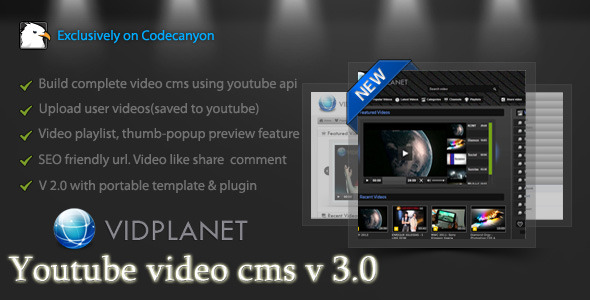
    Fancy Theme for Vidplanet CMS (Add-ons)

    This is a theme for the Vidplanet video cms. Please ensure you have purchased and installed the latest version of Vidplanet video cms before using this plugin.

    Keyfeatures :

    • User friendly UI.
    • All major browser compatible.
    • Social sharing features.
    • Home page video slider.
    • HD quality image thumbnail and duration.
    • Excellent user channel portfolio with videos.
    • Video category page.
    • Innovative playlist and thumbnail preview.
    • Wide video player (almost includes most of the screen width).
    • User registration and login skin.
    • Video upload skin.
    • Video viewing page have lots of spectacular features.

    Demo:

    http://vidplanet.net/product/product/fancy/preview/

    Easy Installation

    • Download and install vidplanet video cms in your server
    • Purchase this template and follow the easy installation instruction inside it’s documentation folder

    Support:

    Feel free to knock me for any support via PM. You may also hire me for your project or any customization at oDesk.


    Instant support:

    free counters

    Download Fancy Theme for Vidplanet CMS (Add-ons)

    Nova Gallery – Multimedia Gallery WordPress Plugin (Galleries)

    Check out HD video preview

    Standalone HTML5 Version Available Here

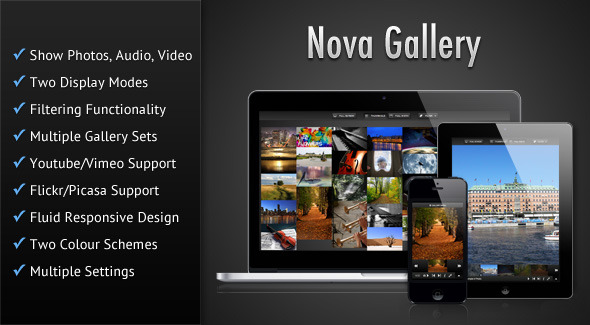
    Nova Gallery WP makes it easy to embed the Nova Gallery – Responsive HTML5 Multimedia Gallery, in your WordPress theme. It is a HTML5 multimedia gallery enabling you to showcase your photos/audio/video in a beautiful and sleek interface. You have the option of presenting your items in two different modes, which are a Thumbnail Grid and Full-width view, and you also have the option of switching between the two modes. You can have multiple sets/albums of items and can filter the gallery items based on file type or based on custom categories. The gallery allows you to showcase your Youtube/Vimeo videos and Flickr/Picasa photos from groups/sets/albums/collections. The gallery features a fluid responsive design and can fit in any screen size ranging from mobile phones to desktop browsers. The gallery also features touch-screen support and uses hardware accelerated CSS based animations wherever possible which results in smooth animations, that is especially noticeable in mobile devices.

    Try the gallery demos and resize your browser to see the responsive design of the gallery in action. Also check out the demos in your mobile devices such as iPad/iPhone or Android devices.

    The key features are:

    • Display photos, audio and video
    • Two display modes – Thumbnail Grid & Full-width. You can also switch between the two modes.
    • The Thumbnail Grid mode features a Masonry layout and you can control the spacing between items by applying margins through css,
    • The Full-width mode allows you to show the photos/videos stretched across the entire container or to shrink the item so that it can be viewed entirely without any cropping.
    • You can also have a slideshow of the items in the Full-width mode. This slideshow stops whenever the browser tab in which the gallery is displayed, goes out of focus (this feature only works in browsers that supports the HTML5 Page Visibility Api).
    • Plays audio and video natively in modern HTML5 browsers and switches over to Flash/Silverlight for older browsers by using Mediaelement.js.
    • Filter items, by file type or custom categories.
    • Supports multiple gallery sets or albums.
    • True HTML5 Fullscreen option in supported browsers.
    • Can embed Youtube and Vimeo Videos.
    • Show photos from Flickr and Picasa. Multiple options are provided to pull photos from Flickr/Picasa along with the option to cache the API data. No XML file is required when showing photos from Flickr/Picasa.
    • The gallery features a fluid responsive design to account for various screens sizes ranging from mobile phones to desktop browsers and can also be placed in a container of any width.
    • The gallery is mobile device friendly with touch screen support.
    • Hardware accelerated CSS animations have been used wherever possible resulting in smooth animations, which is most noticeable in mobile devices.
    • Handy keyboard shortcuts have been provided for easier navigation of the gallery.
    • The gallery items can also act as links to external pages
    • Two colour schemes – Dark & Light.
    • Create multiple galleries and manage them with the Gallery Manager.
    • Can host media files in services like Amazon AWS and then insert those file links in the gallery settings page.
    • The plugin allows you to upload media files through the WP Media Library, so you can use your previously uploaded files in the gallery too.
    • Thumbnails for the gallery are generated automatically if you choose to, or you can upload your own thumbnails.
    • Drag to sort gallery item order.
    • Easily embed galleries using a simple shortcode. Also shortcode for each gallery created, is visible in the Gallery Manager.

    Configurable options are:

    • If you show Youtube/Vimeo videos then you can choose to use the thumbnails provided by Youtube/Vimeo.
    • You can pull photos from Flickr by searching for a text string or tags. You can even pull photos from a specific user or a group, or a set or a collection of sets. You also have the option of choosing how many photos will be shown, how they will be ordered and also the sizes of the images that are pulled from Flickr.
    • You can pull photos from Picasa by searching for a text string. You can even pull photos from a specific user or an album, or a collection of albums. You also have the option of choosing how many photos will be shown, how they will be ordered and also the sizes of the images that are puled from Picasa.
    • Option to enable caching of Flickr/Picasa API response data to prevent crossing the limit set by these services. You can even set for how long the data will be cached.
    • Can mention a custom thumbnail image for the gallery sets. By default the thumbnail for the first item in the set is used to represent the set.
    • Autoplay audio and video when Lightbox opens in Thumbnail Grid mode.
    • Play audio and video files in a loop.
    • Store the volume level when player is closed, which is restored when player opens again.
    • Set the mode, i.e Thumbnail Grid or Full-width, which will be shown when the gallery first loads. Can also work with a single mode.
    • Option to show a particular category of items when the gallery first loads.
    • Shrink images in Full-width mode to fit the container when the gallery first loads.
    • Choose to show the thumbnails in Full-width mode when the gallery first loads.
    • Choose the animated effect for the items in Thumbnail Grid mode when it first shows. Available effects are fade, slide, fadeSeq, slidSeq and flipSeq.
    • Choose the animated effect for showing item captions/descriptions in Thumbnail Grid mode. Available effects are flip and fade.
    • Choose the animated effect for transition between items in Full-width mode. Avialable effects are fade, slide and flip.
    • Choose the animated effect for showing/hiding the Gallery Sets screen (home screen). Available effects are scale, fade and slide.
    • Show the gallery either spanning the entire width of the browser or the width of its parent container.
    • The gallery items can also act as links to external pages. You can choose to open the links in a new tab/window.
    • You have the option to shuffle or randomly order the gallery items each time the page is refreshed.
    • The gallery supports preloading of images in Full-width mode for smoother viewing. You can choose how many items at a time will load in the background.
    • You can start the slideshow in Full-width mode when the gallery first loads.
    • The time interval for which a particular item is visible during slideshow can be set.
    • Option to set the path for the gallery configuration XML file.
    • Option to detect mobile devices and serve them a separate XML file.
    • Option to hide the Gallery Menu
    • Option to hide the file type buttons in the Filter menu.
    • Option hide any of the available view modes – Thumbnail Grid or Fullwidth.

    Special Notes

    • Suitable jQuery based fallbacks have been provided for all CSS based animated effects for older browsers.
    • Also some of the modern HTML5 features such as Fullscreen and Page Visibility will only work in modern browsers.
    • The gallery script has been tested and is fully compatible with jQuery 1.9.

    More Items by CosmoCoder

    Nova Gallery - Responsive HTML5 Multimedia Gallery

    CCGallery - HTML5 Multimedia Gallery

    CCSlider - jQuery 3d Slideshow Plugin

    Download Nova Gallery – Multimedia Gallery WordPress Plugin (Galleries)

    Metro Banner (Miscellaneous)

    Metro Banner will help you to show information directly to the user point of view.

    This plugin is responsive and customizable. You can change the color, animation, position, add timeout, using as login and more.

    Uses:

    – Important information of your site or app
    – Suscribe to our RSS
    – Follow us on Twitter, Facebook…
    – Showing erros, alerts or special offers
    – Quick Login
    – Some page decoration

    When you buy Metro Banner, you will get a documentation, tutorials to learn how to do basic and interesting things, the demo site, and more than 100 different images!.

    This plugin has a big brother too:
    http://codecanyon.net/item/metro-notifications/3903495

    Browser Support

    IE8, EI9: Works, but no animation
    IE10: Fully support
    Chrome: Fully support
    Opera: Fully support
    Firefox: Fully support
    Safari: Fully support

    Tested in numerous mobile devices.

    Download Metro Banner (Miscellaneous)

    iGallery – Interactive WordPress Photo Gallery (Galleries)

    iGallery – Interactive WordPress Photo Gallery

    The iGallery is an interactive WordPress photo gallery plugin, best fit for creative and corporate portfolio websites, that lets you create beautifully animated galleries with a modern look and smooth animations.

    Features:
    -Drag and drop (easily build galleries, reorder groups and images through the drag and drop interface)
    -Create unlimited number of galleries
    -Settings for each gallery (thumb sizes, gallery gap, colors)

    Documentation
    Comprehensive documentation for iGallery. Browse the documentation, search for help topics, step by step guide on how to install and use iGallery. See Documentation, see admin Screen-cast.

    Download iGallery – Interactive WordPress Photo Gallery (Galleries)

    FileBox – Simple File Hosting Script (Loaders and Uploaders)


    FileBox is compact, reliable, and high performance file hosting engine that is not particular about server resources, and it is easy to install. Namely, you can set your own file exchange service just in 10 minutes.

    Key Features:

    • Entirely built on AJAX technology
    • Fully-functional and comfortable mobile version with WebApp support for iPhone
    • Built-in function to create static pages
    • It provides a high security and a reliable protection from the bulk loading of files
    • Huge and flexible configuration
    • Comfortable manage uploaded files
    • Easy install and upgrade
    • SMARTY-similar template syntax
    • Extensive documentation

    Requirements:

    • Apache (with mod_rewrite)
    • PHP 5.3+
    • MySQL 5+
    • PHP MySQL(or PDO-MySQL) Extension

    Download FileBox – Simple File Hosting Script (Loaders and Uploaders)