Unique Payment Pages (WordPress)

Unique Payment Pages is a self explanatory name. The plugin allows to handle unlimited number of payment pages on website. For example, you can accept payments from clients. Just create new page and send unique link to them. The link will be valid only for certain number of transactions (limited or unlimited). Each page has own e-mail templates (after successfull/failed transaction you can send e-mail to payer) and can be configured to accept flexible value payments (payer decides how much to pay). All transactions (including details) are stored in database and available to website owner. Unique Payment Pages is a convenient way to accpet payments through multiple payment gateways (PayPal, Payza/AlertPay, Skrill, Authorize.Net, InterKassa, EgoPay and Liberty Reserve) and keep transaction history in one place.

Features

  • Unique payment pages: unlimited number of payment pages with unique URLs.
  • Multiple payment gateways: accept payments via PayPal, Payza/AlertPay, Skrill, Authorize.Net, InterKassa, EgoPay and Liberty Reserve.
  • Fixed payment value: set fixed payment amount.
  • Flexible payment value: allow your clients to set their own payment amount.
  • Standalone or Embedded: you can create either stanalone or embedded payment pages.
  • Limit number of transactions: payment page can be valid for certain number of transactions only.
  • Transactions list: all transactions (including details) are stored in database and can be handled with ease.
  • Confirmation e-mail: send confirmation e-mail after completed/failed payments.
  • Modern payment form: CSS3 AJAX-driven payment form.
  • WYSIWYG-editor: edit page content using visual editor.
  • Easy to install: install and activate the plugin as any other plugins.
  • Translation ready: plugin might be translated to any language.
  • WordPress Best Practices: no any alerts from Plugin Check and WP_DEBUG.

Demo

Installation

  1. Install and activate the plugin like you do with any other plugins. Once activated, it will create a menu “Payment Pages” in left side column in the admin area.
  2. Click left side menu “Payment Pages >>> Settings” and do required settings. Set your payment gateways parameters, e-mail address for notifications, term & conditions, etc. Please look at the screenshot to see what kind of settings you can do there.
  3. If you want to use embedded payment pages, do not forget to insert shortcode [paymentpages] inside of the page, selected on “Settings” page.
  4. That’s it! Enjoy using the plugin.

Support

If you have problems regarding using the plugin, please contat me and I’ll help you.

Download Unique Payment Pages (WordPress)

Block Bad Words + IP + Links + Redirects (Add-ons)

Features

  • No modification required
  • No coding knowledge required
  • No modification to SQL or Server Files
  • Block Bad Words + IP + Redirects + Links
  • Works with wordpress, joomla, phpfox or any other PHP site

Installation

Just Copy and paste this line in your index.php

include('blockbad.php');

and you are done with installation part

Block Bad Words

You can block all the bad words on the fly.
Example

Chage it to

Features Of Bad Word Blocker
  • Works on the fly
  • New words can be added to the list
  • Activate-Deactivate on demand

Block Bad Links

You can block spam link from your all page on the fly. Example

Change it to

Features Of Bad Link Blocker
  • Blocks link(s) on the fly
  • Blocks a particular link and a domain
  • Ban some domain completely from your site
  • You can unban them later
  • Activate-Deactivate on demand

Block Bad IP

You can block bad IP or bad visitor from your site and redirect them to some other sites

Features of Bad IP Blocker
  • Support wildcard
  • Blocks IP range
  • Blocks Country
  • Unblock them later if you wish
  • Redirects them some other place
  • Activate-Deactivate on demand

Redirect Protector

If you site visitor visiting some other domain by clicking on an external link, you can give them a prior notice, “Hey you are visiting external link, you want to continue at your own risk or return back to us”

Change It to

Give them a notice

Features of Redirect Protector
  • Block all external redirect
  • Can white list some domains
  • Redirect as per your choice

Note:- It will not work with external comment system like disqus,facebook etc

Also check out a awesome plugin

Minify HTML Inline CSS/JS On Fly


Download Block Bad Words + IP + Links + Redirects (Add-ons)

Day/Night Login Page (Forms)

Day / Night Login Forms – has the net and unique design. In the kit you get 2 psd file with 3 forms. In two colors white and dark. As in the kit includes 4 style buttons. Thanks to the Day / Night Login Forms developers can save time and money on developing the design. And the designers can see an example of the correct organization of layers.

Used font family: Helvetica CE 55 Roman

Video Preview of This Item: http://www.screenr.com/N867

What will you find?

-Login form.
-Sign up form.
-Subscribe form.

Download Day/Night Login Page (Forms)

vbCache – vBulletin forum caching engine (Add-ons)

vbCache will dramatically reduce the server load as well as page load times on busy vBulletin installations by storing fully-rendered versions of popular forum pages in a cache and serving those cached versions instead of regenerating them each time. In tests server load and page load times have been cut in half on average and the visitor experience is much improved.

• Can reduce server load and page load times by half or more.
• This simple plugin saves you from having to purchase expensive hosting upgrades.
• Tested for vBulletin 4.1 and later.
• Automatically disabled for logged in users so forum regulars will still get freshest content
• Supports both regular file caching which is best for single servers, or memcached for clusters and cloud hosting
• Easy to install, requiring no coding or edits to vBulletin core files.
• Configured and ready to use out of the box for most installations.

Download vbCache – vBulletin forum caching engine (Add-ons)

Ultimate Paid Referral System (Forms)

What is Ultimate Paid Referral System?
Answer: It is the procedure to start your own earning website, as a side business or even multipurpose. This script will help you to earn money online and you can start your own MLM system. This script is totally based on MLM system. Time to time more features will be add on the basis of demand.
This script will allow to:
1. Register users on your website and you can pay signup bonus.
2. Users will get money on making referrals. You can set amount for per referral
3. Users can enter into lucky draws. (Price, prize money and date of lucky draw could be set by you.)
4. They can give payment request through their account when they reached minimum payout level. (Level can set by you)
Winners for lucky draws and amount crediting in users account can be done with one click only.
User even can request password, if forgets.
All E-Mail ads are registered will be genuine, as all the registrations would be email verified.

What are the features of this script?
Answer:
1. Login system with verified email ids.
2. Signup System
3. Forgot password recovery
4. Referral system
5. Admin panel
6. Lucky draws.
7. More Security
8. Fast support system
9. Users can earn money
10. Users can send payment request
11. Theme included (No need to design any theme)
12. Easy integration
13. Customized programing
14. Comments system for every code of line
15. Advertisements can be placed on any page, to earn maximum money
16. Profile pages included – Users can update their profiles easily
17. Users can see his/her down line
And several more…

Live Preview:
Member URL : http://pocketmantras.com/demo/paidreferralsystem/demo/user/

Username – demodemodemo
password – 123456789

Admin URL : http://pocketmantras.com/demo/paidreferralsystem/demo/user/admin/

Username – demoadmindemo
password – 123456789

More features would be added on the basis of demand.

I’m available 24*7 for support, contact me in-case if you need any support.

Download Ultimate Paid Referral System (Forms)

Prestashop Elastic Slideshow (Shopping Carts)

A module for prestashop, capable of displaying images to fit the resolution of your screen (the images are rescaled). The module is multi language, you can put different text, url and images for each language installed.

YOU NEED A RESPONSIVE OR ELASTIC THEME TO USE THE ELASTIC FEATURE. IF DONT HAVE A RESPONSIVE THEME, THE MODULE WORKS AS NORMAL SLIDER

One feature of this module is that it can be 5 carousels at the same time left_column, right_column, footer_, header_ and home_

The module support multistore feature, to add diffrent images for diffrent stores

In addition, the module allows you to configure the colors of the font, size, duration of the animations, edit each item in a simple and many more parameters.

Features:

  • Cross browser
  • Multilingual
  • Hook at same time in top, footer, left column, right column, home
  • Configure speed, transitions, colors, font

Download Prestashop Elastic Slideshow (Shopping Carts)

PDF Invoice Generator v 1.0 (PHP Scripts)

Invoice multiple pages

PDF Invoice Generator is a PHP class for creating invoices and was created to work with the famous class FPDF generating pdf’s.

Invoice multiple pages

Support :

  • PHP
  • JQuery
  • CSS3
  • HTML5
  • IE7+, Firefox 3+, Chrome, Safari, Opera

Features:

  • Create invoices in pdf
  • Translate text
  • Change color
  • Validates the inputs
  • Save in a folder all invoices generated
  • Invoice multiple pages

Download PDF Invoice Generator v 1.0 (PHP Scripts)

jQuery Message Box (Miscellaneous)

jQuery Message Box Plugin is a jQuery Plugin to replace the basic functionality provided by standard JavaScript alert() and confirm() functions.

This plugin provides Notification message and Callback message functionality. The notification messages arrives on screen in a seamless and natural way. They relay messages without disturbing our screen. It’s a quite nice way to report info or error to the user.

When a confirm box pops up, the user will have to select option “OK” or “Cancel”. But for more than two option we can use Callback Message Box.

It is a very simple, fast, attractive, and unobtrusive way to communicate with users. Also, this gives us complete control over style, content, and functionality. This JQuery plugin is very useful for developers who wants an attractive alert or dialog box. The ‘look and feel’ can easily be changed through the CSS and additional styles can easily be added by adding few lines of CSS.

The plugin is entirely customizable, hence we can change the required user action, the style and so on. We can change title text, message text and look according to message type.

Download jQuery Message Box (Miscellaneous)

iMetro (Full Applications)

Enjoy iOS apps with the taste of Metro design , iMetro is a set of applications for amateur programmers who are on the first steps of iOS developing . iMetro includes some gadgets that learn you how to work with Camera , Maps , GPS , touch and etc … [MORE GADGETS WILLL BE ADDED IN THE FEATURE UPDATES]. iMetro developed as Universal application so you can work with it both on iPad and iPhone or iPod Touch . Lets explain every tiles !

You will learn how to send email and attach a file for example a picture !

How interact with social APIs like Facebook and Twitter

Create simple and slick photo slideshow with beautiful effects

Send SMS or iMessage directly from app

Learn how to access to music library and play your songs .

Video player shows you how to play a movie or stream an online movie

In this part you will learn how to work with camera and capture images and import photos from library and share them in Facebook, Twitter or send via email and save to camera roll , and interact with touch , and learn how to pinch and zoom your images.

Work with Maps and learn how to use GPS to find your location , and change map styles.

It shows live dates !

Create a simple web browser with search engine , and bookmark

Displays battery status

Including PSD full layered

Universal – iPhone and iPad compatible

Some itesm like Music Player , battery status , camera , messages works only on real device. [MORE GADGETS WILLL BE ADDED IN THE FEATURE UPDATES]

Need More Cool iOS Apps ?

Try TurnThePDF and TurnThePhotos , a great PDF reader and photo album for your iOS applications :     \


Download iMetro (Full Applications)

Vertical CSS3 Menu (Navigation and Menus)

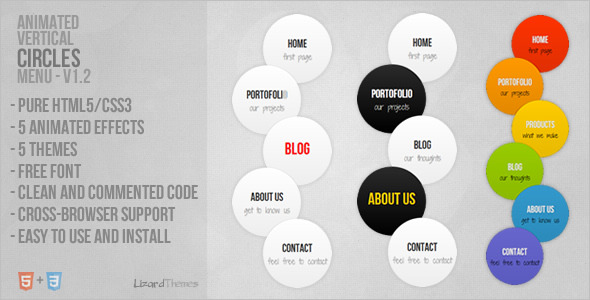
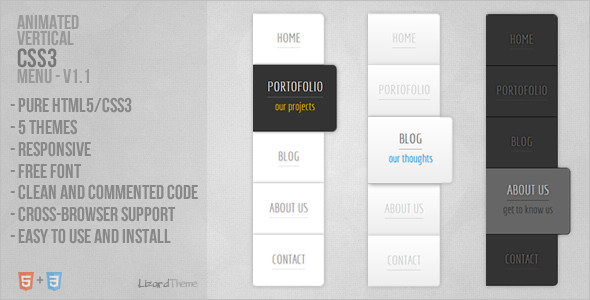
This is pure HTML5/CSS3 menu. Menu has HTML5 structure and works on all major browsers. Menu is easy to edit and integrate into any website.

Menu works (the main structure is 100% same) on Internet Explorer 9 and 8, but animation and some other CSS3 features do not work.

Video Preview on YouTube (Watch in HD)

See also

Download Vertical CSS3 Menu (Navigation and Menus)

WooCommerce Product Showcase DZS (WooCommerce)

WooCommerce Product Showcase

WooCommerce Product Showcase DZS is the ultimate plugin for displaying your WooCommerce plugins in a fashionable way. It’s based on shortcodes, but there is zero effort to understand how you customize it because there is a intuitive Shortcode Generator bundled that does just that for you.

WooCommerce Product ShowcaseFeatures

  • easy to install – install and get this plugin ready in less then one minutes.
  • four showcase galleries – choose from four modes
  • responsive – looks great from mobile to HD
  • shortcode generator – customize categories to show and others via the shortcode generator
  • CSS3 technology – this gallery uses cutting-edge css3 definitions to render awesome 3D effects in supporting browsers, the others will degrade gracefully
  • compatible with all major browsers, including IE – compatible from IE7 to IE10, Chrome, Safari and Firefox
  • SEO friendly – built with search engine optimization on mind from the ground up, the Testimonial Rotator uses non hidden valid html markup to build the widget
  • iPhone / iPad optimized – the galleries have been optimized for Apple touch devices
  • Android optimized – this component has been tested on Android 4.0 and works awesome

What do you get?

  • WooCoomerce Product Showcase DZS WordPress plugin – get creative!
  • documentation – extensive documentation on how to install & configure the plugin
  • free updates – even if the value of this gallery increases with upcoming updates, you will get them for free
  • free support – for installation via our support board -> http://digitalzoomstudio.net/support/


Download WooCommerce Product Showcase DZS (WooCommerce)

M Captcha (Forms)

M Captcha is new way to prevent spam by asking user to draw a randomly generated pattern. M Captcha is targeted for touch screen device as drawing a pattern on the touch screen is far easier than typing in the textbox. It works well on every major desktop and mobile browser. For device without touch screen, pattern can be drawn using mouse.

M Captcha shows a randomly generated pattern with 9 dots connected via different lines and arrows indicates that order of connected dots. User will require drawing similar pattern as shown in the Captcha image, by connecting dots in same order as shown in the Captcha image either by touching screen or using mouse.

Features:

  • Targeted for touch screen device as drawing on the touch screen is far easier than typing
  • Fully customizable, you can change the color of arrows, color of connecting lines, background color etc.
  • Very Easy to integrate
  • Well documented

Click here for live demo

Click here for online documentation

Credits:

http://9dotpatternlock.codeplex.com/

Download M Captcha (Forms)

PBipcheck – PHP Country Access Blocker (Miscellaneous)

Description:

The PBipcheck tool is a PHP country access blocker and can allow or deny the access to scripts, websites or web applications for visitors from specified countries. It is also possible to specify which bots and spiders can access the site and which are blocked (user agent check). The PBipcheck tool uses a database converter which downloads the GeoLite database from the MaxMind website and converts the data into an IP list which is used to check the access. The data which matches with the IP list is cached to speed up the process. It is possible to have different configurations for different websites or applications. The PBipcheck tool has a well written User Manual of 60 pages (2.1 MB – PDF format).

This script is for everyone who wants to restrict the access to his websites or applications for visitors from specific countries and also specific bots and spiders (You need to know how to upload files to your webhost and how to edit configuration files!)

Please check the User Manual, the Screenshots and the Online-Demo to get more information!

I hope you like this tool!

Included Tools:

  • Menu script to access the tools and logs
  • IP check script (function) to allow or deny the site access
  • Information page to display the status information (return array)
  • Database converter to download and convert the GeoLite database
  • Cache eraser script to delete an existing cache file
  • Two tiny example applications to show the integration of the tool

Features:

  • Block or allow the visitors from specific countries
  • Block or allow the bots specified in the configuration file
  • Exceptions for specified IP addresses
  • Very extensive user manual of 60 pages
  • The user manual covers the installation, configuration and use
  • Menu page with links to all the tools, examples and the manual
  • Database converter to convert the GeoLite data into an IP list
  • Converter downloads the GeoLite database from MaxMind
  • Script / function which can be included into your own projects
  • Information array returned by the function
  • Info page which displays the content of the information array
  • Cache eraser tool to clear the IP number cache
  • Logfile for allowed and/or denied access
  • Two small example applications are included
  • Examples show how to integrate the script into your own projects
  • Different configuration options (logging, exceptions, cache size…)
  • Different configurations can be used for different projects
  • Just exit the script if a visitor is blocked
  • Display an error (500 Internal Server Error) for blocked visitors
  • Forward blocked visitors to another URL
  • Matching results (allowed or blocked) are cached
  • Easy installation (upload/copy the files, set permissions)
  • Easy configuration (edit the configuration files)
  • Full source code available (PHP, HTML and CSS)
  • Low hard- and software requirements
  • No MySQL database needed

Requirements:

  • Linux, Unix or Windows based webserver like Apache
  • FTP access to your webserver (for installation)
  • Possibility to change directory/file permissions on host
  • ZIP compression and archive extension installed and enabled
  • FTP client application like Filezilla (for installation)
  • PHP version >= 5.2 installed
  • New webbrowser like Internet Explorer, Firefox or Opera

Integration:

The following PHP code is the example application 1 and shows, how easy it is to use this tool in your own projects:

<?php
chdir(dirname(__FILE__)."/check");
include("ip_check.php");
echo "Application 1 - Access allowed!";

Please read the User Manual to see more examples and how to use this tool in your own application!

Live Preview:

Here you can try the online demo: Online-Demo

Screenshots:

Here you can check the screenshots: Screenshots

Documentation:

Here you can read the user manual (2.1 MB – PDF format): User Manual

Support:

If you need support, please use the Contact Form on my Author Page and we are glad to help!

You can also use the Comments Page to submit a question!

Feedback:

If you like the script we would like to get your feedback on the Comments Page and maybe you could rate the script :-)

Versions (Updates):

  • 29.03.2013 – Version 1.5 – Initial release on Codecanyon

Download PBipcheck – PHP Country Access Blocker (Miscellaneous)

Baby ABC App for Titanium (Full Applications)

It Include Full Source Code for the Titanium App which can use for Child Educational purpose. It includes A to Z alphabets Images and Sound Files.
An amazingly easy & learning app for babies and kids. It build the basic character skills by visualizing and listening the sound of A to Z.

Download Baby ABC App for Titanium (Full Applications)