responsive SlideMe notifications (Miscellaneous)

responsive SlideMe notifcations is the first area notification in the web.

What Does It Do?

You can manage your notifications through this amazing plugin.

Features

– Load notifications in simplicity
– Delete notifications with callback function
– Personal icons

Version Changes

Current Version is: 1.0.0 (June 11. 2013).

Powered by Vicar

Download responsive SlideMe notifications (Miscellaneous)

Premium HTML 5 Game #2 – Physics Puzzle (Games)

This is a responsive pure HTML 5/Javascript game. No plugins are required to play and it is compatible with all modern desktop, tablet, and phone browsers.

Features

  • Full touch support when on mobile device. Mouse support on desktop/notebooks
  • IOS Retina Display Support – IOS Devices Only
  • Mobile first (phone or tablet) and scales to very large desktop screens
  • 10 levels included. Easily drag and drop graphics to create new levels. See tutorial here: – http://www.youtube.com/watch?v=c0_tq8PcagU
  • Full sound effects in supported browsers
  • HTML 5 and Javascript – no plugins
  • Cross platform – Runs on any HTML5 browser on any capable device
  • Customizable splash screen for each game
  • Full documentation
  • Original HTML 5 games exclusively on Code Canyon
  • Construct 2 source file included
  • 100% original graphics
  • Premium HTML5 Game 2

    Additional Notes

  • Included sound files will differ from the demo due to licensing restrictions
  • Game music licensed for use in the game thanks to http://incompetech.com/music/royalty-free/. Included sound effects (Different from preview) licensed for use courtsey of http://soundbible.com/


    Premium Game 1


    Game Pack

Download Premium HTML 5 Game #2 – Physics Puzzle (Games)

Team Showcase – WordPress Plugin (Interface Elements)

With this plugin you can display a set of pictures and information in different layouts. The main purpose of the plugin is to display team/staff members, but it can be used for other purposes.

It’s perfect to display the members of your staff, team or working force, even divided by categories or groups! You can also use it to display testimonials or other kinds of content that require an image and text!

You can display the entries in 4 different main ways

A Grid
The members will display in a responsive grid with the number of columns you set and with the information to the right, left or below the image, depending on your settings.

A Grid with Information on hover
The members will display also in a responsive grid, but the information will display when you hover the image.

A Table
A simple responsive table layout to display the members in a simple way.

With a Thumbnails pager layout
The thumbnails of the members pictures will display smaller and on click the bigger picture and information will display in a designated area. Very similar to a gallery functionality where you can navigate the content clicking on the small thumbnails.

You can customize and enhance the layout, with several layout options and pre-built styles.

Number of Columns
In the grid layouts you can choose how many columns you want to display. The Columns will be responsive and adapt in different screen sizes.

Image Shapes and effects
You will be able to choose if you want the images to display with squared corners, rounded corners or even circular shaped! In addition you can give them extra styles, like grayscale, image borders and shadow styles.

effects-images

Text Align
Simple text alignment options: center, right of left.

Composition
In the layouts where this option applies, you’ll be able to choose if the image will be above, to the right or to the left of the content.

Theme Presets!
In addition to the options above, you can choose a preset combination of options.

Examples

Future versions of the plugin will probably include more built-in styles and themes!

Filter by categories

You can group your entries by categories and display only a selected category or all of them! This way you can even have a list of your team/staff members by position or departments.

Single Pages for each entry!

You can choose if you want the entries to have a single page active or not! If you have the single page activated, you can choose if the entries in the layout will have a link to this single page or not!

Widget Ready!

The shortcode will work on widgets! Just copy the shortcode and include it in a text widget and the chosen layout will display in the widget!

Shortcode and PHP Function Generator!

It couldn’t be more easy to generate the necessary code to display the entries. Just go to the Shortcode generator, choose the settings you want and the shortcode and the php function that you can use will be generated and ready to copy and paste where you want! Shortcodes are to be used in posts, pages and widgets, while the php function will be necessary if you want to hard code the team showcase layout in your theme files.

The generator will make a preview of how the layout looks with the selected settings.

shortcodegenerator

Input fields for specific content

adinfo

When adding a new entry, you’ll have new fields for specific content. By default this fields are:

  • Free HTML – A text area where you can include HTML content. Can be used for example to include content that doesn’t fit the other input fields, or simply to place longer content like a tag line for the user.
  • Job Title – Name of the position of the team member, or department definition.
  • Email
  • Telephone
  • Location
  • Personal Website
  • Social Networks links (Twitter, Facebook, Google Plus, Linkedin, Youtube and Vimeo)

Advanced users are able to change this definitions, by changing the labels in a settings php file.

Custom Feature Name!

You don’t like this feature to be called ‘Members’? Go in the plugin settings and change it to whatever you want!

featurenames

Default Image sizes

You can change the default size of your images on the settings. This way, when you upload new images they will be resized to the specified dimensions.

Single Page Settings

When can choose if the single page feature will be active or not and what information you want to display on it! If your team member entry is connected with a wordpress user, you can display the latest posts, for example!

Other Settings

Other settings include the social icons size and shape and also if the email information has the mailto:email format or not.

Multi-use! Be creative!

Although this was built to better serve as a simple way to display team or staff member in your wordpress website, you can use it for other purposes! If you have a problem that requires a plugin that will display a list of images together with information, this plugin can be useful! You can for example create a list of products or services!

Credits

The plugin uses the awesome bxSlider to build the thumbnails pager layout and the Font Awesome Icons to display the small icons.
Demo pictures by ollyi, from PhotoDune.

Download Team Showcase – WordPress Plugin (Interface Elements)

WordPress TagPix – Image tagging tool (Interface Elements)

This is the WordPress plugin of my script Tagpix

With tagPix you can tag images and create realy nice tooltips. It’s pure developed with HTML/CSS/JS and don’t need a Database to work. When you finish with tagging just copy/paste the outputed code. Support all mayor browsers and work also on mobile devices.

Supported Tag types

  • Photo : Support images, just paste the link of your image.
  • Video : Support video files, just paste the link of your video from YouTube or Vimeo.
  • Music : Support music links, just share the link from soundcloud.
  • Text : Support text, type anything, HTML is also allowed.
  • Link : Support links, just paste your link, give it a description and select a custom icon.

Features

  • HTML : You can use any type of HTML tags under the Text and Link section.
  • Multimedia : Support popular services like YouTube,Vimeo and Soundcloud.
  • Icons : Setting custom icons for links.
  • Security : Secure your images and tags with a Password.
  • Browsers : Support all mayor Browsers out there.
  • Mobile : Support also mobile devices.
  • Responsive : All tagged images are responsive.
  • Updates : Free updates all the time.
  • Support : Free customer support.

Suported Browsers

  • IE (7,8,9,10)
  • Firefox
  • Chrome
  • Opera
  • Safari

Changelog

  • Vesion 1.0 released

Download WordPress TagPix – Image tagging tool (Interface Elements)

Ad Seller Pro (Miscellaneous)

Welcome to Ad Seller Pro,
A very powerful solution to advertising management.

Making it easy for you to place your own advertisements on any of your websites, or Sell Advertising to clients via Paypal.

Overview

Ad Seller Pro is designed to make advertising very easy for everyone who has the needs to display ads on their websites!

A fully intergrated Paypal system, which works across multiple domains, with Ads of multiple sizes, prices & durations.

Once you have Ad Seller Pro setup, It’s Simply Brilliant! :)

Key Features

  • Manage Your Ads.
  • Campaign Management.
  • Paypal Intergrated Payments.
  • Auto Expirations.
  • Users can Extend their Ad Listing.
  • Sell your Ads on Multiple Websites, Multiple Domains.
  • Sell Ads of Different Sizes.
  • Sell Ads of Mutliple Prices.
  • Sell Ads of Multiple Durations.
  • Sell your Ads for a Daily Rates AND Bulk Pricing!
  • Bulk Pricing enabled
    For Example: $5 for 7 days
    $9 for 14 days
    $20 for 30 days
  • Users can see when their Ads are about to expire and extend them.
  • Users can edit their Ads using their own specified password.
  • No User Logins Required.
  • Secure Admin Panel.
  • Admin can quickly create new Ad Campaigns and Adverts from the Admin Panel.
  • Only PHP Code has been used, to make it easy to customize.
  • Change the Price & Duration of Ad Listings.

Download Ad Seller Pro (Miscellaneous)

Rugby Formation (WordPress)

Rugby Formation lets you easily add a rugby formation inside your posts.

Plugin Features

  • The formation generated by Rugby Formation is responsive and fits the content of the desktop, tablet or phone version of your theme.
  • No matter which size you are using, the rugby field make use of scalable vector graphics and is always displayed in high resolution.
  • You can place the formation with the [rugby-formation] shortcode.
  • You can create your rugby formations directly inside your posts, simply add your players and edit the colors of your teams.

Quick Start

  1. Upload the Rugby Formation plugin to your blog and activate it.
  2. Click on the Rugby Formation menu, here you can set the vertical margin and select whether to enable the color picker or not.
  3. Create a new post or edit an existing post.
  4. Activate the Rugby Formation meta box on the top of the screen.
  5. Add your players and edit the colors of your teams.
  6. Add the rugby field inside the post by using the [rugby-formation] shortcode.
  7. Save and publish your work and visit the post to see the result.

Are you a Football Fan?

I’m selling on CodeCanyon a great football plugin, check out the Football Formation page.

Download Rugby Formation (WordPress)

Responsive Megamenu (Navigation)

Responsive Megamenu is a menu component based in CSS and Javascript code. It can be used like a dropdown navigation, megamenu navigation or both. It’s has a responsive and fluid layout.

Features

  • 11 Styles
  • Javascript/CSS3 effects
  • Grid system
  • Responsive layout
  • Fluid layout
  • Collapsible
  • Major browsers compatible
  • Easy to use
  • Easy to customize
  • Documented

Download Responsive Megamenu (Navigation)

WA Form Builder (Forms)

Capture user information from your site using this extremely user friendly form builder including features such as:

  • Create forms by simply dragging and dropping.
  • Use textfields, textareas, dropdowns, radio buttons and check boxes to capture information from your website.
  • Use an interactive visual editor on the front-end of your website to style your forms!
  • Activate the interactive tutorial when you need help.
  • All forms submited are stored and can be viewed from the plugin menu.
  • Configure your settings to insure users complete the neccesary fields in the correct format.
  • Specify email addresses to where form submitions are to be send.
  • Sends confirmation mails to the users completing a form.
  • …and many more!

Download WA Form Builder (Forms)

Litemap (SEO)

Litemap is an incredibly light-weight on-site sitemap generator.

Capable of paging hundreds of thousands of posts/pages, it gives you controls to list your blogs posts and/or pages alphabetically or by date published. Order ascending or descending.

Choose how man items you want to show per-page, and the style of paging you require (either Prev/Next links or Page 1 2 3 etc).

Finally, insert the shorttag [litemap] onto a page to show your sitemap.

Perfect for deep linking and more effective indexation for your WordPress blog.

Download Litemap (SEO)

Google Drive As WordPress CDN Plugin (Utilities)

“What Does It Do?”

The Google Drive As WordPress CDN (Content Delivery Network) Plugin automatically syncs your static files (like images)
to your own Google Drive Account.
From there the files are delivered to the users who visit your webpages.
This reduces the load of your webserver and can decrease page load time as well.

“How Does It Work?”

„Why Do I Need It?“

Version history

The current version is: 1.0 (Jun. 07 2013)
Click here for a full version history.

Notes:

Please note: There is a limit on how many requests you can make to your own Google Drive. If you’re over quota, the plugin cannot upload anything. You need the latest WordPress version as well as PHP 5.3 working on your webserver.

Licenses

Uses the Google API PHP client.

Download Google Drive As WordPress CDN Plugin (Utilities)

AgeLock – age validation PHP script (Miscellaneous)

AgeLock is an easy to use PHP script that can protect your websites PHP pages by intercepting a users and displaying a webpage asking them to either enter there date of birth, or click a button confirming that they are the correct age to access your sites content. Great for various types of websites; child only sites, alcohol related sites, gambling related sites, and adult content sites.

AgeLock Features

  • Easy installation
  • No database required
  • Great for child only and adult only websites
  • Set cookie to expire in days, hours, or on browser shutdown
  • Clear documented source code
  • SEO friendly
  • Responsive themes – great for mobile users!
  • Optional page redirection
  • Optional term and conditions section
  • Protects PHP pages

Great for child only and adult only websites
With AgeLock you are able to block users by setting minimum and, or maximum age limits on you sites users.

Easy installation?
Just copy the agelock folder to your website and follow the simple instructions in the documentation provided.

SEO Friendly?
AgeLock allows search engines like Google, Bing, Yahoo, Ask etc… to access your sites content without being intercepted. You can also allow certain IP addresses through without being blocked by AgeLock.

Responsive themes
AgeLock includes 3 themes and uses Twitters Bootstrap to enable responsive design which is great for mobile and tablet users.

Redirect
AgeLock can either redirect the user to the original page that they intended to access, or to a page on your site that you can set.

Two verification methods

  1. Simple Yes/No buttons
  2. dropdown date selector.

Easily switch date formats to whatever you wish; 28 Feb 2014, Feb 28 2014, 28 February 2014.

Download AgeLock – age validation PHP script (Miscellaneous)

WordPress 1-2-1 Live Chat Plugin (Utilities)

Industrial strength 1-2-1 live chat software configured into a WP Plugin. It allows you to add 1-2-1 live chat on your WordPress powered site. And it’s extremely simple to set up.

Due to its versatility it can be used to sell your services, Help People, on your squeeze pages or even your sales pages. Think about that for a minute, the customer may be one step from buying your product; they just need to ask you a question. You answer it and “Bang” you make the sale. Very powerful!

Remember it takes you time and money to get eyeballs in front of your product / service so you want to have the rate of non closures / sales reduced, this 1-2-1 live chat will help to push your closure / sale rates throw the roof.

Great Features:

Quick install as you would expect from a wordpress plugin

A One Time fee no costly monthly payments to make

You can set the chat to Online or Offline—If you’re Offline, then visitors can send a message to you… If you’re Online, then they can chat live with you
You’ll hear a beep on your computer when someone starts chatting with you
You can change the color of the 1-2-1 Live Chat skin to anything—very customizable
You can change the name of the 1-2-1 Live Chat
You can chat live with anyone who’s thinking of buying your product so you’ll explode your conversion rate
You can even engage with blog readers to build a relationship if you want
Visitors can leave their contact details if all operators are offline

Download WordPress 1-2-1 Live Chat Plugin (Utilities)

Tilting Side Scrolling Game – Promote Any Business (Games)

This is a native Android side scrolling game that uses the device accelerometer to control a plane. The aim of the player is to catch as many good items (balloons) as he can while keep away from dangerous items (bombs and towers). Includes AdMob.

Check out a Demo on Google Play.

What You Get

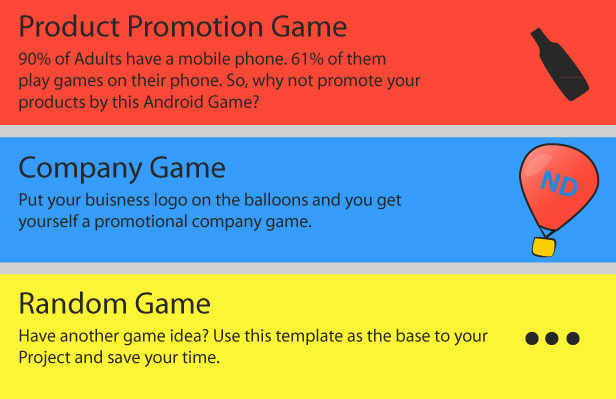
Thousand of Uses

Features

  • Includes AdMob – Make money from Ads easily.
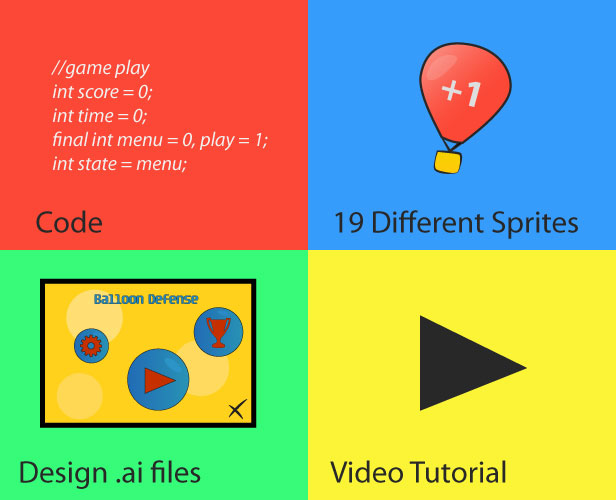
  • 19 Different Sprites Included – All sprites have their .ai or .psd file included for easy editing.
  • Infinite Scrolling – This is a never ending game. It continues until the player can’t handle anymore.
  • Boost Feature – The player can push a boost button during gameplay to speed up the plane.
  • Pause Feature – Player can pause game during gameplay.
  • Particle code Included – The clouds are generated ingame live with a particle code.
  • Video Tutorial Included – A narrated video tutorial is included for a quick start.
  • Top 10 High Scores – The game saves the top 10 High Scores on the user’s Device.
  • Uses Accelerometer – The device inbuilt accelerometer is used to detect tilting and move the plane.

Customisation

We can customise the App for you and give you the finished ’.APK’ file ready for distribution on Google Play. Contact us on [email protected]

Check out our Soundboard App


Download Tilting Side Scrolling Game – Promote Any Business (Games)

StarTube – YouTube Video Gallery Powered by jQuery (Media)

StarTube is a powerful yet easy to use video gallery based on the brand new StarTube jQuery Plugin. It’s a perfect choice if you wish to bring your favorite videos from YouTube to your website and display them nicely inside a categorized gallery. Developed in best practises of HTML5, CSS3, and Javascript.

Gallery Features

StarTube allows adding short description to the enclosed videos which makes it highly suitable for portfolio websites showcasing video shooting samples as well as personal video galleries.

Here is what you get:

\

  • Add unlimited number of videos to the gallery
  • Optionally group videos by categories
  • Assign videos to multiple categories to best match your gallery structure
  • Navigate using the keyboard as well as the on-page controls
  • Set custom player width and height values
  • Set the number of thumbnails to show per page in the navigation panel
  • Set the video quality for the YouTube player
  • Enable or disable continuous video loop
  • Lite and dark color schemes available to switch between for smooth design integrations
  • Optionally select a default video to load into the player
  • Optionally select a default active category tab
  • Smooth scrolling to the player when selecting a video for better user experience
  • Automatic video start upon clicking a thumbnail
  • Add a highlighted prefix to all video titles for brandability purposes
  • Show or hide top pagination links
  • Show or hide bottom pagination links
  • Read our detailed HTML documentation (included in the package) on setting up the gallery
  • Receive free support with the gallery setup and basic configuration
  • Benefit from the upcoming feature upgrades

StarTube jQuery Plugin

We are proudly introducing a brand new jQuery plugin called “StarTube” that does a great job in creating YouTube video galleries. Below is a summary of plugin controls allowing extended gallery customization options:

controls: true,        // show next and back video browsing arrows, default is "true" 
details:  true,        // show video details line under the title, default is "true" 
cats:     true,        // group videos by categories, default is "true" 
all:      true,        // show "All" videos link, default is "true" 
navabove: true,        // show top pager navigation links, default is "true" 
navbelow: true,        // show bottom pager navigation links, default is "true" 
keys:     true,        // enable keyboard navigation, default is "true" 
loop:     true,        // enable continuous play, default is "true" 

width:    675,         // video player width
height:   380,         // video player height
cat:      0,           // initial active category ID, optional
video:    '',          // initial video ID, optional
prefix:   '',          // global prefix string for video titles
sep:      ' - ',       // title prefix separator
quality:  'default',   // video quality (default, small, medium, large, hd720)

thumbs:   20,          // video thumbnails per page
pages:    10           // max number of pages to show in paginator

Browser Compatibility

StarTube has been tested with the major web web browsers, including:

  • Google Chrome
  • Internet Explorer 7+
  • Safari
  • Firefox
  • Opera

Package Information

Please read our detailed HTML documentation included in the download package on setting up the video gallery. If you experience difficulties with any of the settings, or wish to make custom changes to the default layout, feel free to contact us and we’ll kindly give you the right directions to do so.

This software product is sold exclusively here on CodeCanyon. Please do not download it from elsewhere.

Download StarTube – YouTube Video Gallery Powered by jQuery (Media)