Sesamo – Bootstrap Skin (Bootstrap)

Sesamo – Bootstrap Skin

Sesamo can be used on any site built or to be built with the Bootstrap framework. With easy installation, just dropping the skin files in your project folders, and easy customization thanks to the LESS files included and the ThemeSwitcher to generate custom themes colors ready to use and without code knowledge.

This skin is based on a flat style with more spaced components. There’s no overwritten rules or bloating CSS, making a lightweight skin as Boostrap is itself.

There is also included a custom and exclusive jQuery plugin to bring nice animations to your websites.

This skin is ideal for personal and blog websites that requires components with a modern style and smooth transitions.

Features

  • Bootstrap 2.3.2
  • Bootstrap 3 RC1
  • Components animations
  • Custom Theme Switcher
  • Separate CSS Styleshet for easy color customization
  • Retina Ready Icons by Font Awesome 3
  • Google Font Raleway
  • Flat styled elements
  • CSS3 transitions improvements
  • Pure CSS components (no images)
  • Extended components
    • Fade Carousel
    • Carousel captions
    • Stacked Tabs
    • Accordion icon switcher
    • Typeahead for Bootstrap 3
  • Clean Template to use as start point
  • LESS files included
  • Well documented
  • .. and all the Bootstrap’s great features

Credits

Plugins and others stuff included

Changelog

1.0 – Aug 11 2013

  • Initial release

Download Sesamo – Bootstrap Skin (Bootstrap)

Complex Cube World Servers List (Add-ons)

 
This is a transformation plugin for Complex Minecraft Servers List, so you need to make sure you got that script before you purchase this one!

Demo: Cube World Servers List
Demo User: admin
Demo Password: admin

Features

  • Dynamic banners for each server
  • Search function
  • Filter function by Country, Category
  • very easy install
  • complex managing system
  • admin panel and user panel
  • adsense ready with 2 units, top and bottom
  • changeable pagination on the servers list
  • nice design built with bootstrap
  • servers list management with admin panel
  • search option to find the servers you are looking for more easly
  • live stats banners with embed codes for each server
  • votes option to decide what server is the best
  • Special Requirements

  • Make sure your webhost have the ports for CubeWorld (default: 12345) opened on PHP Sockets.
  • GD Library and » FreeType library
  • Recommended Host:Link

    Download Complex Cube World Servers List (Add-ons)

    Radio v2 – Radio App for iPhone iOS6 (Full Applications)

    The perfect solution for your music streaming content.

    App Features

    • No programming skills needed
    • very easy to customize over one file
    • Display album and song title (metadata)
    • Tutorial included
    • Plays music in background (when device is locked or app is closed)
    • Facebook and Twitter integration
    • Airplay – Play your songs wireless
    • High quality user interface
    • Layered PSD for Customisation
    • Retina support
    • iOS6 / Storyboard
    • this application can stream almost all format: ACC , ACC + , PLS , MP3 , M3U …

    Example of streaming link directory

    http://www.shoutcast.com/

    http://www.listenlive.eu/

    No Mac? Need Support?

    Please contact me via my email [email protected]

    Download Radio v2 – Radio App for iPhone iOS6 (Full Applications)

    Custom Select for Twitter Bootstrap 3 (Miscellaneous)

    This is a jQuery plugin extending the functionality of Twitter Bootstrap 3. It allows you to
    turn a default select input field into an element completely matching the style of Twitter Bootstrap 3 with one line of JavaScript.

    Benefits

    • applies Twitter Bootstrap 3 style to a select input field
    • preserves native select input field behavior (you can use GET or POST methods to submit the selected value)
    • easily styleable
    • by default uses Twitter Bootstrap3 button styling and field sizing classnames, but this can be easily overridden by using custom ones
    • accessible – supports keyboard tabbing very well (gaining and loosing focus)

    This plugin requires

    • jQuery JavaScript library
    • Twitter Bootstrap 3 front-end framework

    Download Custom Select for Twitter Bootstrap 3 (Miscellaneous)

    Eye Catcher (Advertising)

    Colorful Eye Catching Bar (Set the Bar into any Color or Set your own Background Image) to catch the attention of your visitors in your WordPress site using this Plugin. You can display the Notification Message on this Bar for Members/Guests, Display in Home Page/All Pages/Pages By ID, on Top/Bottom of the site, 32 types of easing effects to the Eye Catching Bar and Notification Message etc. Show the Bar in Collapsed/Expanded state On Page Load.

    Super Customizable Eye Catching Bar.

    Features

    • Eye Catcher can be set to any Color or use any Background Image
    • Notification Message Text can be shown in any Color
    • Custom Notification Messages based on the Referrer
    • Show the Bar to Member/Guest, Home Page/All Pages, Top/Bottom of the site
    • Choose whether to Scroll, Alternate or Slide the Notification Text and also 32 types of easing effects to show the message in the Eye Catching Bar
    • Select the Marquee Direction, Font Size, Font Color etc for the Notification Text
    • Eye Catcher Bar’s Color, Background Image, Target URL on Click, Color, Height, Border Color etc can be set
    • Button’s Text in Collapsed and Expanded state, Color, Height, Width, Position from Left etc can be set
    • Show the Eye Catching Bar On Page Load in Collapsed or Expanded state
    • List of Easing Effects for Eye Catcher Bar and Notification Message
      • Linear
      •    
      • Swing
      •    
      • easeInQuad
      •    
      • easeOutQuad
      •    
      • easeInOutQuad
      • easeInCubic
      • easeOutCubic
      • easeInOutCubic
      • easeInQuart
      • easeOutQuart
      • easeInOutQuart
      • easeInQuint
      • easeOutQuint
      • easeInOutQuint
      • easeInExpo
      • easeOutExpo
      • easeInOutExpo
      • easeInSine
      • easeOutSine
      • easeInOutSine
      • easeInCirc
      • easeOutCirc
      • easeInOutCirc
      • easeInElastic
      • easeOutElastic
      • easeInOutElastic
      • easeInBack
      • easeOutBack
      • easeInOutBack
      • easeInBounce
      • easeOutBounce
      • easeInOutBounce

    Support

    If you have any problems or need help for this Plugin, don’t worry we are there. Register and open a support ticket on our site or email to [email protected]

    Download Eye Catcher (Advertising)

    Measurement Conversion – WordPress Plugin (Add-ons)

    Measurement Conversion is a powerfull WordPress plugin designed especially for cooking sites with recipes. It will help your visitors to quickly convert measurements of the recipe’s ingredients without leaving your page. With a simple click on the unit, the user can choose a different unit to which the value can be converted to.

    As a bonus, there is a small standalone converter which you can insert anywhere on your site, to let your visitors make their own conversions.

    Covered units:
    – weight: kg, g, lb, oz
    – volume: litre, ml, cup, tablespoon, teaspoon, pints, fl oz
    – temperature: Celsius, Fahrenheit

    It uses Google API for the conversions through AJAX calls.

    Be friendly with all your visitors, no matter from where they are or what metric system the use :)

    Planned for next updates:
    – Button for visual editor for easier shortcode insertion
    – Full internalization support

    Download Measurement Conversion – WordPress Plugin (Add-ons)

    SourceBaker – Custom Rich Android Webview Template (Templates)


    Production Features

  • Open and editable source
    SourceBaker produces a editable template instead of a precompiled apk, this way you can customize and add everything you want.
  • Unlimited updates and generations
    SourceBaker remembers your previously entered details, this way you can quickly make an edit and re-generate your application.
    App templates are generated within a matter of seconds! And you only need to import your template, and without having to edit even a single line of code, you can produce an application ready for publishing!
  • Template Features

  • Customized theme color
    Give your apps a personal flavour, with a custom theme color for the actionbar and dialog title.
  • Smart Rate my App
    A smart rate my app dialog that will display after x days or x launches, and a there will not be asked for a rating if the app has ever crashed.
  • Smart SplashScreen
    Display a SplashScreen while your app’s webview is loading. You can just use your current transparent logo as SplashScreen.
  • One million push notifications per month with Parse
    Notify your users about new content with push notifications from Parse, you will get a free 1 million pushes a month!
  • Admob
    Make some money, just enter your admob id and you are ready to go. Ofcourse, you can disable ads at any time.
  • Google Analytics support
    Track your app, find out at how many installs you have, what day of the week you have to most users and even more.
  • Navigation and loading bar
    A thin and stylish loading bar that will automatically hide when the page is done loading, and navigation buttons (home, back, forward).
  • HTML video and geolocation
    Display HTML 5 video (Including youtube) and get your users location with HTML5 geolocation.
  • NOTE: HTML5 video fullscreen has to be done manually by setting width and height at 100 percent.

  • Build in download manager
    Use download functions in your application, set a directory to download the files to, a “confirm” dialog and a “done” dialog.
  • About dialog
    An native about dialog, with HTML support for markup.
  • Intergrated social features
    Share a custom text containing your apps name, and the url the user is currently viewing (example: I was using MyApp and I came across: http://urlthatsinthewebview.com check it out!)
  • Open exteral apps (Youtube, Store, Mail, etc.) from Webview.
    Open apps from your webview, let user open the mail app with your mail-adress, let your user call you with one click. Open a play store product page or a Youtube video in the native app, etc.
  • Orientation handler
    Your WebView does not restart on orientation change (normally it does).
  • Save password
    Show a “do you want to remember this password” dialog after submitting login forms on your website, and automatically load the login data on next visit.
  • Smart page title
    You page title will be your apps name, followed by a ”: ” followed by the page title. This way you can easily show to the user where they are.
  • No internet connection dialog
    Show a dialog that will inform the user in case there is no internet connection available.
  • Custom package name
    You app will have a custom package name, so no hasseling with package name changing!
  • Official Design Guidelines
    We made this template keeping the official android style regulations in mind, though being compatible with previous versions!
  • Panel Features

  • Rich documentation
    Setting up your pc, importing, customizing, error solving and publishing. It’s all described with screenshots in our rich documentation.
  • Mobile and tablet compatible
    Our whole site, including everything, has a responsive layout. Compatible with all tables and smartphones. Ready for mobile development with apps like AIDE, or if you would like your documentation on a second screen.
  • Reliable and fast servers
    All our servers are located in the UK, and we have selected the best hosting packages with unlimited bandwidth for ultimate speed and accessibility.
  • Premium support
    If you can not find your answer in the Documentation or our Community FAQ, we will be there for personal support.
  • Questions

    Still having some questions? No problem! Contact us at [email protected] or at the contact form provided by Codecanyon.

    Unlimited policy

    We mentioned unlimited support and unlimited updates and re-generations, note that a fair use policy applies. If our unlimited policy is being abused, we might change unlimited support & generations to 1 year unlimited support & generations, if this happens you will get a 2nd year free.

    Changelog

    Initial release
    

    Download SourceBaker – Custom Rich Android Webview Template (Templates)

    Bit Fly: Copter Mode – iOS UIKit Game (Games)


    For a lot of requests from your dear customers, I made a game same as Jetpack Joyride with happy and light graphic!

    Game play introducing

    The bee doesn’t have balance and you must getting balance by successive taps, it’s interesting.but not same as Tip Tap , same as Jetpack Joyride Or iCopter

    What is difference between Bee Copter and Bit Fly: Copter Mode?
    just graphics are different!

    Bee Copter : BEE COPTER

    Some Descriptions

    • EASY TO EDIT!! This game coded with Objective-C and Cocoa Touch framework without any OpenGL codes.
    • I used that and managed UIViews, UIViewImages, UILabels, UIButtons for my visual objects.
    • For Plans (designed with flowers and moons) I used simple Tile Map System with 2D arrays.
    • All the Image files that included, I designed them and called Philips’s graphic. you can use them in your other projects too.
    • It’s a good sample for Basic of game making without any professional game engine.
    • I putted the most of objects on the Main UIViewController directly and it’s a good way for avoid confusion.
    • I made a simple Explosion Particle system (firework particles system with stars), again best sample for understanding how particles are working.
    • I tried to use not perfect coding, because it’s a simple game for amateur game makers.
    • If you have problem or you needed to know that how codes are working you can send a message to me.I’ll help you.

    EASY TO EDIT

    As you know, I have coded this game with UIKit, ANY OPENGL CODES!!!
    So you can changed the graphic too easy!

    FILES INCLUDED?


    1 – PSDs

    • THEMES
    • CHARACTER
    • ICON
    • OTHERS…

    LAYER MODE

    2 – XCODE PROJECT

    THEMES

    Features

    • iPhone 5 Supported
    • Game Center Supported
    • Local Achievements
    • Full UIView Elements Used Without Any OPENGL Codes
    • Simple Tile Map system used
    • 10 different backgrounds
    • Send Score on Twitter
    • Explosion Particle System Used ( Used in Game Over )
    • PSD files included
    • Full Game and ready to upload and sell
    • Full Support In comment with screenshot If It needs!

    Download Bit Fly: Copter Mode – iOS UIKit Game (Games)

    CodeIgniter CRUD – Data Management System (Database Abstractions)

    Description

    CodeIgniter CRUD – Data Management System is a powerful Create-Read-Update-Delete (CRUD) generator package for CodeIgniter.
    You can intergrate it with your CodeIgniter application and saved the development time. CodeIgniter CRUD – Data Management System is very easy to use.

    Features

    • Form elements support: Textbox, Date,Datetime, Autocomplete, Textarea, Editor, Checkbox, Radio, Selectbox, tag, file
    • Auto detect mysql field type (date, datetime, timestamp, time….)
    • Join table support
    • Anti sql inections
    • Anti-XSS
    • Anti-CSRF
    • Upload file and image
    • Theme support
    • CKEditor support
    • Date and Datetime picker support
    • Auto sortable columns
    • Auto Pagination
    • SubQuery support
    • Callback function support
    • Easy definition validate

    Requirements

    • PHP5+
    • MySQL5+
    • gd extension

    Changelog

    2013-08-10 - Version 1.0
    - Initial release.
    

    Download CodeIgniter CRUD – Data Management System (Database Abstractions)

    GalleryBox – Magento Lightbox Extension with Zoom (Magento Extensions)

    GalleryBox is a magento extension allow to show up the images gallery for product in a wonderful Lightbox.

    Features :

    • Available in 7 Wonderful Themes
    • Highly and well customizable
    • Compatible with all browsers (IE6+, Chrome, Safari, Firefox, Opera…)
    • Possibility to add a Zoom effect on mouseover at Lightbox (Available only with Elegant Theme choice)
    • Configurable Slideshow effect
    • Option to give an auto resize for the lightbox
    • No coding experience is required

    Live Demo:

    Admin ( User Name: gallerybox / Password: gallerybox0 )

    Frontend

    Download GalleryBox – Magento Lightbox Extension with Zoom (Magento Extensions)

    Strapslide – Responsive Bootstrap Slider Plugin (Sliders)

    Strapslide is the ultimate premium Bootstrap Slider Plugin offering the capability to show images, videos and captions paired with simple, modern and fancy 3D transitions. Even more important, it is fully responsive and mobile optimized and can take on any dimensions.

    Why is strapslide so awesome?

    • Unlimited Customizability
    • jQuery 1.7 – jQuery 2.x Supported
    • Based on Bootstrap
    • CSS3 Transition library
    • Touch Enabled
    • Responsive
    • Pause on Hover
    • Dynamic Pagination
    • Keyboard Navigation
    • Tons of Features
    • FullScreen Support
    • HTML5 Support to play self hosted videos
    • Animation of each Caption element
    • Powerful CSS Transitions with jQuery FallBack
    • Adapts to Bootstrap spans
    • Add Unlimited amount of Captions
    • Turn on/off on Hover Stop function
    • Turn on/off on Touch function
    • Set Fullscreen YouTube and Vimeo Videos
    • Easy Align of Captions
    • Change Speed of Transitions
    • Set per slide Link and Target
    • Set Start time and speed of Captions
    • Set End time and speed of Captions
    • Set different End and Start Transitions of Captions
    • Set link per Captions
    • Add YouTube and Vimeo Captions

    Download Strapslide – Responsive Bootstrap Slider Plugin (Sliders)

    EasyLogin – User Membership System (Forms)

    EasyLogin is a simple to configure user membership system for your website but with tons of features. Integrate this awesome script in your website in just few minutes.

    Demo: http://demo.hazzardweb.net/easylogin (use admin & admin for full permissions)
    Docs: http://demo.hazzardweb.net/easylogin/docs
    How to video: http://youtu.be/dD_Y7SM_0ZQ

    Features:

    • AJAX Driven System – All of the form are submitted with AJAX to minimize page refreshes and for a better user experience.
    • Modal System – All actions are made via dialog prompts so you don’t have to redirect users to a specific page to login/sign up or change any settings of their accounts.
    • Login & Sign up – Login or create a new account.
    • Facebook & Google+ OAuth – Use your Facebook or Google+ account to login/sign up without completing any form.
    • Email activation – Users have to activate their accounts via a email activation link.
    • Password recover – Request a email recover link to reset your password.
    • Account Settings – Change your account information or other settings.
    • Profile Pictures – Upload a image from your computer or use your Webcam to take a picture for your profile avatar. You can use Gravatar or if you have logged with your Facebook or Google+ account you can use the profile picture from those.
    • User roles – Users can have the role of a simple user or an admin.
    • Admin Control Panel – View, edit, delete users via a simple admin interface.
    • Email System – Send emails to users in no time via the Admin Control Panel.
    • PHPMailer – with your server email or even with your Gmail account.
    • User Meta System – Build in functions that allows you to add new fields for users.
    • Easy to translate – Change all of the script translations in few minutes.
    • JavaScript Templates – All of the modals are rendered wiht JavaScript templates, so you can make any changes in no time.

    Requirements: PHP 5.1, MySQL, cURL (only if you use Facebook & Google+), OpenSSL (only if you use Gmail Mailer)

    Want more ?
    Want something that’s not here ? Leave a comment or send me a message !

    ChangeLog

    1.1 (12/08/2013)

    • Better file organization
    • Fixed delete user bug in ACP

    1.0 (11/08/2013) – Initial Release

    Download EasyLogin – User Membership System (Forms)

    Social Gallery Shortcodes WordPress Plugin (Galleries)

    Social Gallery [shortcodes] is the latest plugin available from Epic Plugins. It has been written to be a hand in hand fit with the Social Gallery Photo Viewer and the Social Gallery add-ons.

    What is Social Gallery [shortcodes]?

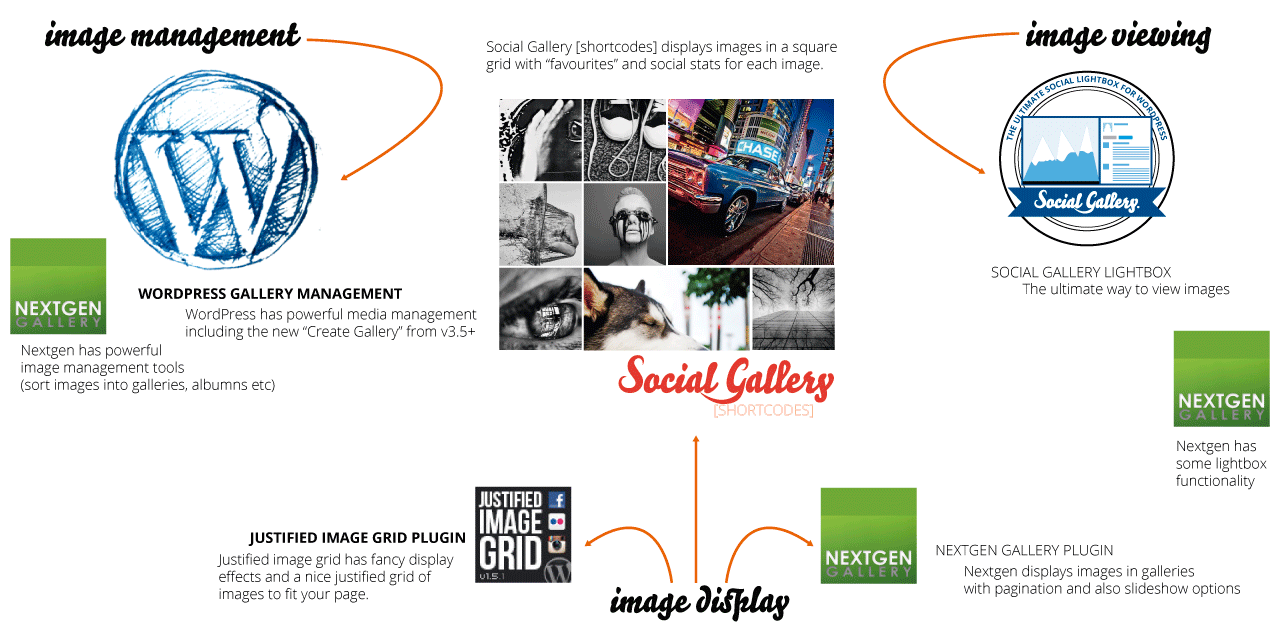
    Social Gallery [shortcodes] is an image display plugin, this means it seamlessly links in with image management plugins such as the built in WordPress Media Library or NextGen. The plugin can then be used with any image viewer plugin, such as the awesome Social Gallery, or more standard viewers such as fancybox, or other lightboxes. The following image shows the three main areas of how you can use images on your site and where each of the plugins fit in.
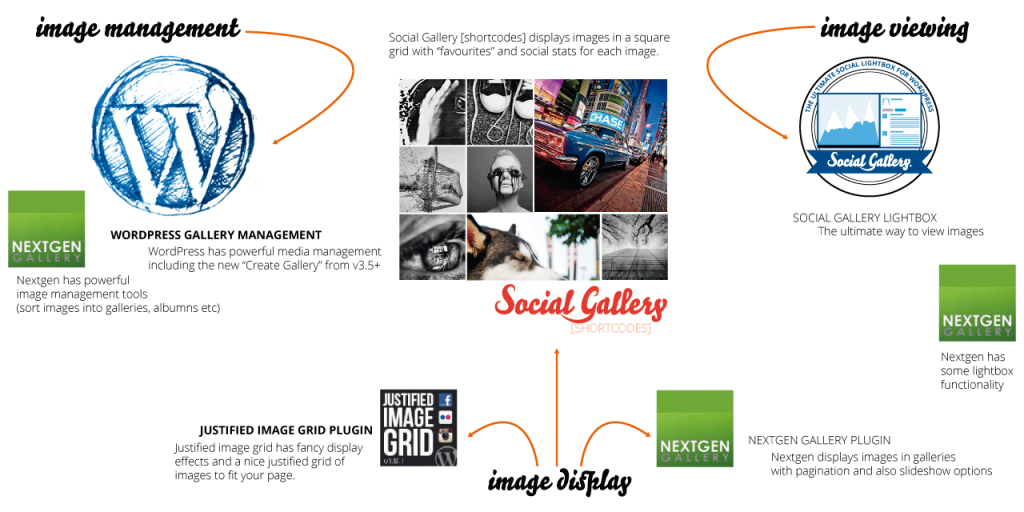
    image-functionalityPlugin Display Features

    Screen Shot 2013-08-08 at 20.54.48

    Gallery Display (greyscale)

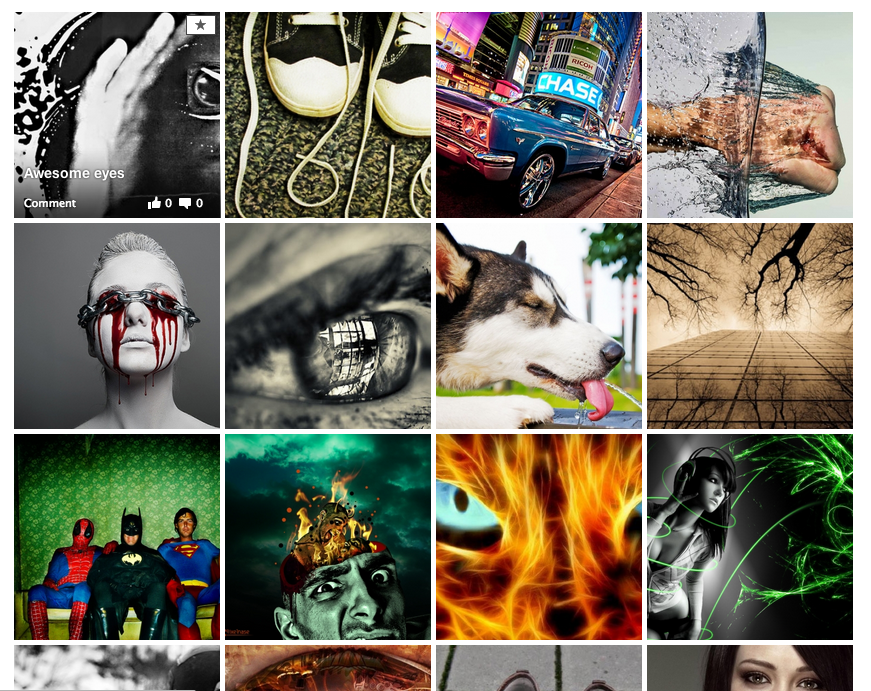
    WordPress media library with a greyscale overlay effect for the images. This setting displays the images in greyscale and they come to life in colour upon hover. If a user marks an image as favourite it is shown larger and in colour to them. Click the image for the example.

    • Greyscale effect
    • Brings images to life
    • Favourites are shown large
    • Favourites are shown in colour
    • Favourites are saved per user

    Shortcodes:

    [socialgallery ids = '1,2' gray = 'true']

    where ids are the id of your images, or if using NextGen

    [nggsocial id = 1 gray = 'true']

    where id is the id of your nextgen gallery
    Screen Shot 2013-08-08 at 20.54.48

    WordPress Gallery (colour)

    WordPress media library with full colour images. If a user marks an image as favourite it is shown larger to them. Click the image for the example.

    • Beautiful full colour
    • Dazzle your visitors
    • Favourites are shown large
    • Favourites are shown in colour
    • Favourites are saved per user

    Shortcodes:

    [socialgallery ids = '1,2']

    where ids are the id of your images, or if using NextGen

    [nggsocial id = 1]

    where id is the id of your nextgen gallery
    Screen Shot 2013-08-08 at 20.54.48

    Image effect on hover

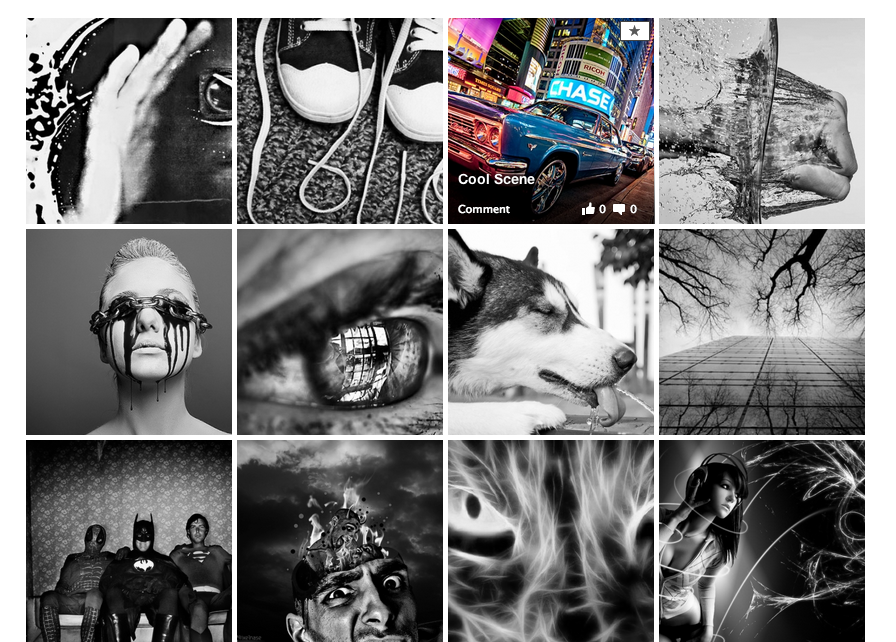
    On hover the images display the name of the image and the social stats (how many likes and comments the image has had). It also displays the “favourite” icon to allow users to mark images as favourite

    • Live social stats per image
    • Image title displayed
    • Link to the image page
    • Light up if greyscale effect
    Allow users to mark their favourite

    The plugin allows your users to mark which images are their favourites and these will be remembered by the plugin and displayed to them in their own special way.

    favourite1
    Screen Shot 2013-08-08 at 20.54.48
    favourite2
    Screen Shot 2013-08-08 at 20.54.48

    “Your Favourites”

    Screen Shot 2013-08-08 at 20.54.48

    Have a page displayed to your users showing them their favourite images.

    • User favourites gallery
    • Perfect for a profile page
    [sgfavourites gray = 'true']

    for greyscale or

    [sgfavourites]

    for colour.

    Social Sharing Features

    The plugin is ram packed with lots of cool social sharing features. It displays you live social stats for each of your images and lets you easily like and comment on images in each gallery. It is also built with the Social Gallery Photo Viewer plugin in mind to enable even greater sharing and liking of your images.
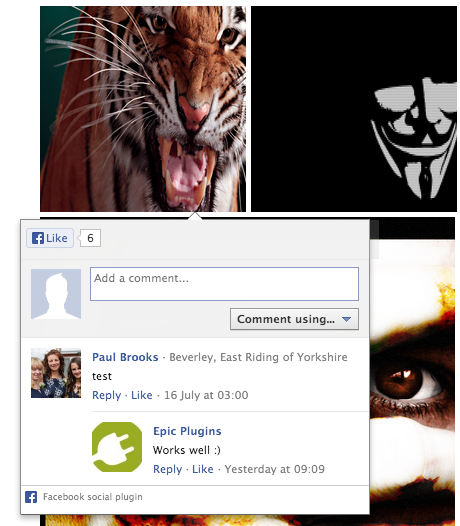
    Screen Shot 2013-08-08 at 20.54.48

    Facebook Comments without leaving the gallery

    Click the like or comment icon and have the ability to make comments on the images right there on the gallery, simple and easy.

    • Get more likes and comments
    • Social proof drives even more likes
    • Increase traffic to your site
    • Make comments without leaving the gallery
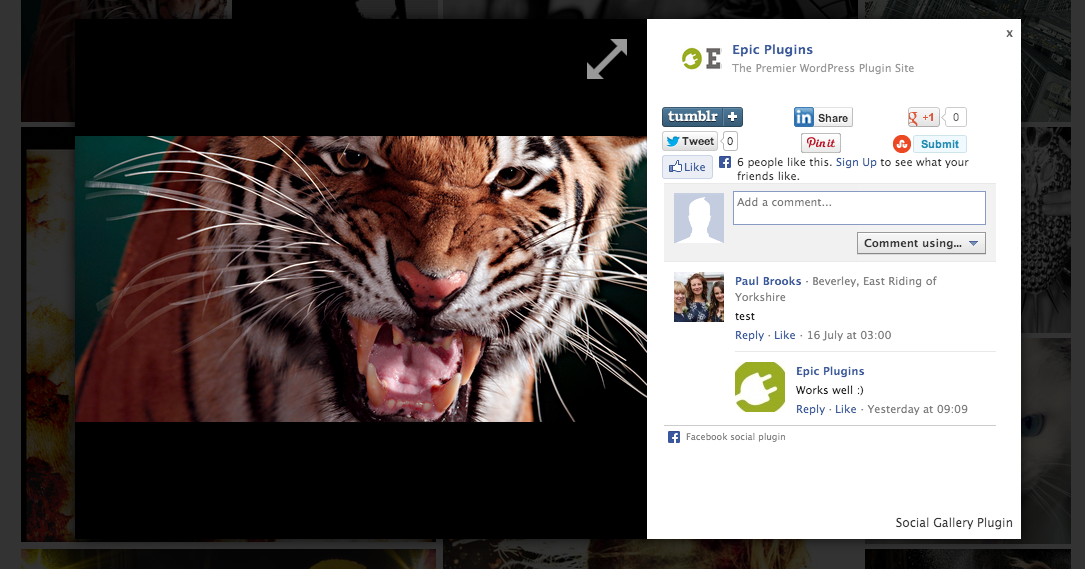
    Screen Shot 2013-08-08 at 20.54.48

    Seamless integration with Social Gallery Photo Viewer

    The plugin is built with the Social Gallery Lightbox in mind, a user can click on your image and the likes and comments are displayed to them to allow them to easily make further comments and have extra Social feautures like tweeting and pinning images

    • Social Gallery [shortcodes] links in with the Lightbox
    • Over 20,000 users of the ligthbox plugin enjoy more viral images
    • Give your visitors the complete social experience

    Special Features

    The plugin wouldn’t be an Epic Plugin if it didn’t have some special features. As mentioned above the plugin can be used to store favourite images of your users. To be able to know who is who, the best way is to ask your users to register to your website. This plugin makes it super easy and it will BOOST your website membership.
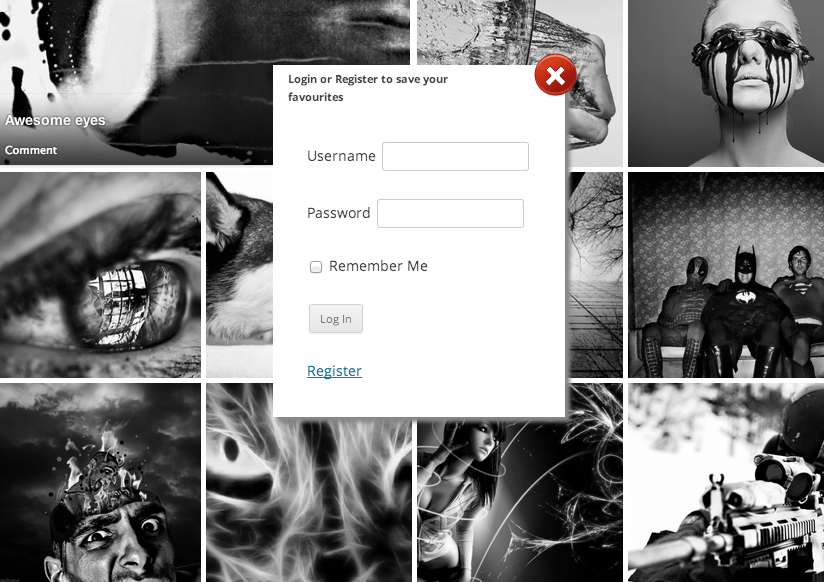
    Screen Shot 2013-08-08 at 20.54.48

    Modal Sign up form

    Want more members to your site? More leads? more people to follow you and increase the size and reach of your site? Social Shortcodes helps you get there.

    • To save favourites users are asked to sign up
    • Boost membership
    • Widen your reach (email campaigns)
    • Provide extra features for your members
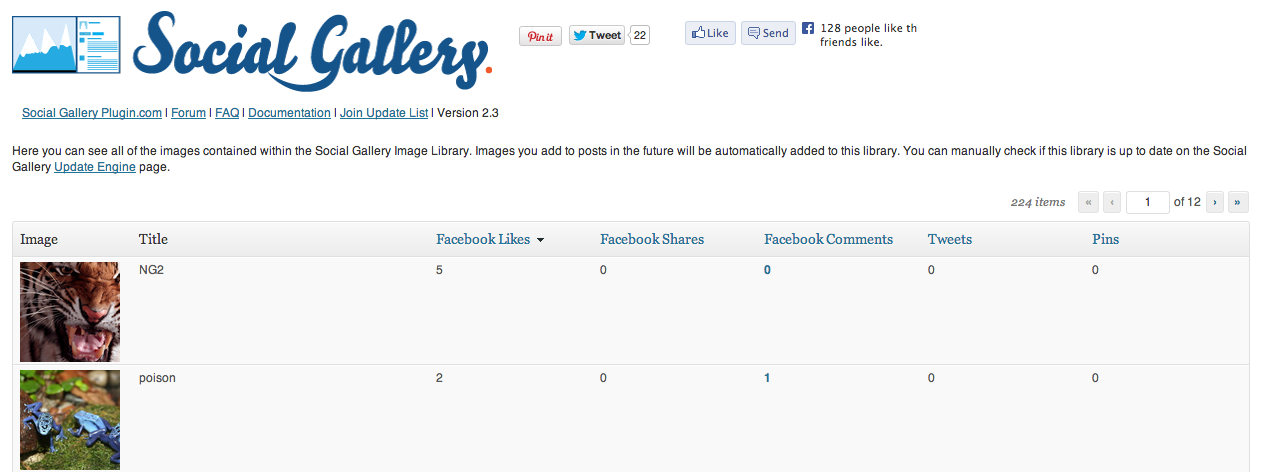
    Screen Shot 2013-08-08 at 20.54.48

    Boost your Social Stats

    Easily manage your social stats of the images. Improve the social stats using the on screen social stats included with the shortcodes plugin.

    • Order your social stats
    • See likes, comments, pins, tweets
    • Requires Social Gallery Lightbox plugin
    • Requires Social Stats Add on

    Compatible with NextGen Gallery

    social-gallery-and-nextgen-gallery-compatible.png

    The plugin is designed to work with the popular NextGen gallery plugin. Display your nextgen galleries using a simple shortcode based on your NextGen gallery ID.

    Admin Features

    The social shortcodes plugin allows you to view which images are your users favourites.
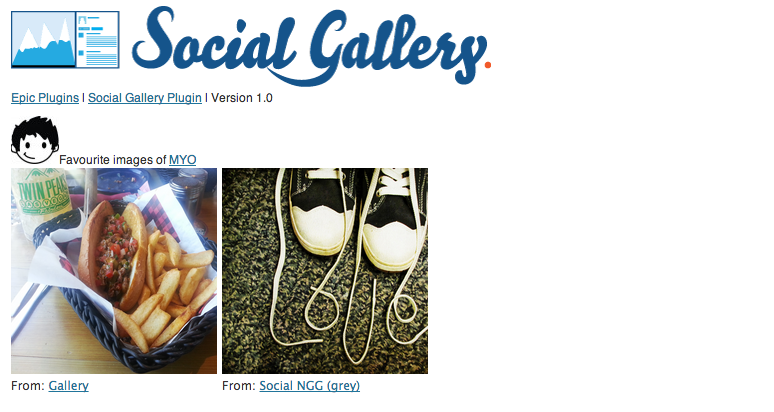
    Screen Shot 2013-08-08 at 20.54.48

    Users favourites

    Allowing your users to mark their favourites also gives you the ability to track via the admin panel which images they like along with links to the gallery page they like the image on.

    • User favourites information
    • Link to gallery

    sg-buy

    Plugin feature list

    • Live social stats on each image
    • Facebook comments on the gallery without leaving the page
    • Responsive layout (change the browser size)
    • isotope masonry
    • perfect grid (no gaps)
    • Stats update via jQuery call to Facebook after page load
    • Greyscale cross browser support
    • NextGen compatible
    • Social Gallery Lightbox compatible
    • WordPress Gallery compatible
    • 3 super easy shortcodes, [socialgallery ids = ’’], [nggsocial id = ’’], [sgfavourites]
    • greyscale variants
    • WP user favourites stored
    • WP user admin management view your users favourites

    Change Log

    v1.2
    Fixes some CSS bugs
    Improves NextGen compatibility
    Includes auto update core for future updates
    
    v1.1
    initial CodeCanyon release
    Adds greyscale
    Adds user favourites
    Adds admin features
    
    v1.0
    pre release beta version
    

    Download Social Gallery Shortcodes WordPress Plugin (Galleries)

    Royal 3D Carousel (Sliders)

    Why buy Royal 3d Carousel?

    Fully responsive 3D carousel that allows to display media or HTML content with an unique and original layout. It’s perfect for presentations, for anyone who wants to obtain a great impact on their visitors.

    Two available display types: responsive / fixed and fluid width.

    Packed with tone of options allowing you to control the layout of your 3D carousel in the way that pleases you the most.

    Fully Responsive & Mobile Optimized (Smartphones & Tablets).

    Support for old browsers like IE7 and IE8, on older browser that don’t support CSS3 the carousel will be displayed in 2D mode.

    Support for images and HTML content.

    Support for multiple categories and each category can have it’s own set of thumbnails.

    Fast CSS3 & JavaScript engine.

    Original media lightbox that we have coded, with image, vimeo, youtube or iframe support. The lightbox can be used when a thumbnail is clicked to display media content.

    Royal 3D Carousel can be used in any type of HTML page including WordPress, at this link there is a demo page running in WordPress (Please note that this is NOT a WordPress plugin!, the carousel must be installed manually with html code and the content uploaded with a ftp client, we have included a tutorial about how to install it in WordPress).

    Three skins along with the PSD files included!

    Detailed Documentation included!

    Example pages included!

    Download Royal 3D Carousel (Sliders)

    RobotBlogger – Article Publisher for WordPress (Utilities)

    RobotBlogger – Article Publisher WordPress plugin creates posts from your imported articles and publishes them to your blog according to your settings and schedule. Your site gets regularly updated with new content completely on autopilot.

    How RobotBlogger Can Help You Blog Efficiently and Profitably

    It’s a well-known fact that in order to rank high in the Search Engines, you need to regularly update your blog with relevant content. But even if you have the content available – you’ve been collecting hundreds and hundreds of PLR articles for years – you just don’t have enough time to manually add those articles, one by one, to your blogs. Now, with the Article Publisher you can grow your blogs completely on autopilot!

    RobotBlogger – Article Publisher lets you mass import articles – as many as you wish – and schedule them to be posted regularly to your blog even years into the future. Just imagine your site will now get updated with your custom or PLR articles according to your settings and schedule without you lifting a finger. Your site’s visitors will return to your blog to read your updates, and search engines will come to index your site regularly due to fresh posted content.

    You can create as many publishing projects as you want, posting articles into specified blog categories. Check posting status of each project, monitor scheduled project content, manage the content to be published easily.

    Features

    – Import multiple ZIP archives with articles
    – Define how often and how many articles should be published
    – Input tags to be used with the posts
    – Specify categories where articles should be added
    – Define Start and End dates for your publishing project
    – Manage scheduled content, preview, edit, or delete

    Download RobotBlogger – Article Publisher for WordPress (Utilities)