WP Secure – Hide The Fact And Speed Up Your Site (Utilities)


If this plugin is useful, could You please help me rate it? it will be a big encouragement to improve for me

WP Secure Pro (WPS) is a WordPress plugin, which can be use to hide the fact and Speed Up Your Site.

  • Hide and hash Default path (Theme and Plugins path).
  • Hide and lockdown backend.
  • Minify and hash CSS path.
  • Minify and hash JS path.
  • Minify HTML.
  • Cache.
  • Translatable
  • One click Install/Uninstall

WP Admin

[Old] http://wp-secure.wpoffice.net/wp-login.php => Not found
[Old] http://wp-secure.wpoffice.net/wp-admin/ => Not found
[New] http://wp-secure.wpoffice.net/wp-admin/?secret=1234
[New] http://wp-secure.wpoffice.net/wp-login.php?secret=1234
Rewrite author url
[Old] http://wp-secure.wpoffice.net/author/admin/
[New] http://wp-secure.wpoffice.net/user/admin/

Minify, remove theme Informations and hash theme stylesheet path

http://wp-secure.wpoffice.net/caches/1e056d2b0ebd5c878c550da6ac5d3724.css

Minify and hash All JS library loaded, No one can get your script.

http://wp-secure.wpoffice.net/caches/8b3bac12926cc1d9fb5d68783376971d.js
http://wp-secure.wpoffice.net/caches/593906af0d138e69f49d251d3e7cbed0.js

Remove Junk

  • Remove readme.html http://wp-secure.wpoffice.net/readme.html
  • Remove license.txt http://wp-secure.wpoffice.net/license.txt
  • Remove Feed Links
  • Remove Feed Links Extra
  • Remove RSD Link
  • Remove Wlwmanifest Link
  • Remove Index Rel Link
  • Remove Parent Post Rel Link
  • Remove Start Post Rel Link
  • Remove Adjacent Posts Rel Link
  • Remove WP Generator (WP Version)
  • Remove WP Shortlink
  • Remove NoIndex
  • Remove Admin Bar
  • Remove Script/Style version

easy to enable/disable all options in admin page.

Demo

Settings


Changelog

Ver 1.1 – 08/12/2013

- [New] Minify and hash JS path (All JS loaded in theme and plugins).
- [Fix] hook into get_template_directory() filter to change default path.
- [Fix] Minify HTML.
- [Fix] Update all available paths (Theme and plugins).
- [Fix] Load plugin path and hash plugin's metakey (as md5).

Ver 1.0 – 08/10/2013

- Hide WP Admin/WP Login (domain.com/wp-admin) with custom message or leave for 404 page default.
- Hide Theme path
- Hide Plugin path.
- Hide Includes path.
- Hide Uploads default path, by default its domain.com/wp-content/uploads, now its domain.com/[your folder].
- Rewrite WP Ajax path, eg: domain.com/ajax.php
- Minify and hash CSS path.
- Minify HTML.
- Rewrite author page, eg: domain.com/author/admin ==> domain.com/[your new]/admin
- Hook into switch_theme to notice admin re-save the setting after switch the theme.
- Translatable
- Clear cache.
- One click unistall/install.
- Remove readme.html http://wp-secure.wpoffice.net/readme.html
- Remove license.txt http://wp-secure.wpoffice.net/license.txt
- Remove Feed Links
- Remove Feed Links Extra
- Remove RSD Link
- Remove Wlwmanifest Link
- Remove Index Rel Link
- Remove Parent Post Rel Link
- Remove Start Post Rel Link
- Remove Adjacent Posts Rel Link
- Remove WP Generator (WP Version)
- Remove WP Shortlink
- Remove NoIndex
- Remove Admin Bar
- Remove Script/Style version

Download WP Secure – Hide The Fact And Speed Up Your Site (Utilities)

FormMapper Address Autocomplete with Geolocation (Forms)

An advanced jQuery plugin that utilizes the Google Maps API’s Geocoding and Places Autocomplete services. You simply provide a single input field that lets you search for locations with an autocomplete dropdown. Optionally: you can add a map container that will display an interactive map with drag and drop location finding capabilities and a form that will be populated with the complete address details including the latitude and longitude coordinates.

Although the demo site is built on the bootstrap framework it is just for demonstrative purposes and is not required for the .formMapper() to work. You could integrate the.formMapper() plugin into practically any theme, template, webpage…etc.

Installation is quick and simple to do and the files include 10 awesome examples of various uses and configuration methods to use the plugin.

Be sure to checkout the various demos to see some of the options and variations of this extremely versatile and useful plugin.

The Basic Use

You can find a demo of the Basic Use here: http://cre84.me/formmapper/index.html

When you begin typing a location a dropdown of matching locations will begin to appear. Just keep typing until you see the desired location and then select it from the list. The remaining details will be completed for you and if you include additional form elements or a map container they will be filled in with the appropriate content.

Auto-Geolocate

You can find a demo of the Auto Geo-locate here: http://cre84.me/formmapper/geolocate.html

Most of the demo pages have a big blue button that says, “Try and find me” on it. If you click that button the site should first ask for your permission to locate you (if you haven’t already approved it) and then the site will automatically attempt to find your location, as close as possible and map it and fill in the form.

You could also choose to request the user’s location as soon as the page loads instead of waiting for a button to be clicked. If the user’s location is found the .formMapper() will run, the form address elements will be filled in, and the map will be shown.

Multiple Results

You can find a demo of the Multiple Results here: http://cre84.me/formmapper/multiple.html

Sometimes a search will return multiple results if a specific location is not given. For instance if the input given was only “Paris” google would return the following locations:

  • Paris, France
  • Paris, TX, USA
  • Paris, TN 38242, USA
  • Paris, IL 61944, USA
  • Paris, KY 40361, USA

By conguring the form slightly you can handle multiple results.

Draggable

You can find a demo of the Draggable Marker here: http://cre84.me/formmapper/drag.html

This example includes the option for the marker to be draggable and each time the marker is dragged the map zooms in a little more until it reaches the set maximum zoom level.

Points of Interest (POI)

You can find a demo of the POI Search here: http://cre84.me/formmapper/poi.html

In addition to being able to fill in the form by entering an address, you could also search for the location of a Point of Interest (POI). It could be the name of a place like: Graceland, the Highest Mountain, the Nashville Parthenon, the White House … or even the house from A Christmas Story (as seen below). The address will be generated for that POI.

Google will return the results that it finds for any location search. It could be an address, a POI, just a zip code, the name of a business, …just about anything you could find on Google.

More Details

You can find a demo for More Details here: http://cre84.me/formmapper/details.html

You can include additional Address Component Types. Some searches can return additional information such as the location’s name, phone number, website, etc. Just remeber different searches return different results. A search for the White House returns the below additional results:

Limit Area

You can find a demo for Limit Area here: http://cre84.me/formmapper/bounds.html

In this demo the option was set to limit the map to a certain area and the results will give priority to that region. The option to only locate establishments was also set in this example. So if a user was to search for “Ford” the top result would be The Ford’s Theatre if the area was limited to Washington DC.

If you would search for “Ford” without limiting the area the top result would probably been a Ford Dealership or a street/city named Ford.

Limit Country

You can find a demo for Country Limit here: http://cre84.me/formmapper/country.html

Just like limiting the search to a certain region you can limit a location search to give priority to a country.

The settings in the Limit Country demo enables if you were to search for a location search like “Google” your results would be found in India rather than California like you might expect.

Find

You can find a demo for Find shortcut here: http://cre84.me/formmapper/api_call.html

The find shortcut makes it easy to load a location with a single command.

The location to search for can be just about anything you can search for on google. Address, Zip/Postal Code, Company Name, a POI, … etc.

Demo Contact Form

The final example can be found at: http://cre84.me/formmapper/demo.html

This page is unique in the fact that it has multiple variations of .formmapper() items.

There is the usual form on the left that searches for a location and fills in the input items and has a smaller map included.

Then there is the demo contact form on the right with a map that displays the location of the restaurant (as shown below.) The map is generated by the .formMapper() plugin but is not attached to any form (since you wouldn’t want to change the display of where you can be found.)

The third .formMapper element on the page is found in the contact form itself. If you would like to gather your visitor’s location you can provide a single field with a simplified autocomplete method of entering an address instead of adding multiple fields for Address, City, State, Zip/Postal Code, Country…etc.

This particular use of the formMapper() plugin does not update a map and does not have a list of form inputs for the various address components. However, if you fill out the form and click submit (it will not send the email in the demo)  it will just display the email content for you to view.

By adding a list of hidden fields that each have address component names the form will have the various address items inserted without being visible to the end user and will be able to be sent along with the other (visible) form elements.

Possible options that can be included in the .formMapper()

  • bounds (Whether to snap geocode search to map bounds)
  • country (Results will give priority to results found in the selected country)
  • map (A selector, a jQuery object or a DOM element that will contain the map)
  • details (The container that should be populated with the form data)
  • detailsAttribute (The attribute’s name to use as an indicator)
  • useViewport (Should map zoom to the google suggested viewport)
  • location (Location to initialize the map on. If not set the map will be blank until a location is entered)
  • satelliteOnZoom (Switch to satellite view when zoomed in.)
  • findme (If set the page will ask the user to access their geolocation and automatically fill in details based on the result)
  • mapOptions (Options to pass to the google.maps.Map constructor)
    • You can see the full list of options at http://code.google.com/apis/maps/documentation/javascript/reference.html#MapOptions
      • zoom (initial zoom level)
      • minZoom (the smallest zoom level the user is allowed achieve with the controls)
      • maxZoom (the maximum zoom level the user is allowed achieve with the controls)
      • scrollwheel (allows zooming with mouse scrollwheel or not)
      • panControl (allows dragging the map to a new location or not)
      • mapTypeId (the type of map to display: roadmap, satellite, etc.)
  • markerOptions
    • draggable (determines if location should be able to be determined by dragging and dropping the marker at the desired location)
  • maxZoom (the maximum zoom level to zoom in to after a geocoding response not by the controls)
  • types (an array containing one or more of the supported types for the places request)
  • blur (triggers on blur event)
  • dragged (default state of marker to determine if map should zoom in steps)

In addition to simplifing your form’s address input for your site’s visitors there are so many uses for this plugin.

  • Admin panel that requires input of event locations
  • Websites that need to get lat & lng coordinates
  • Business search
  • Registration website
  • the list could go on and on…

Thank you for checking out my item! If you have any questions let me know.

Be sure to follow me either here on this site or on facebook to be updated when I post new items!

http://5bucksite.com/

Download FormMapper Address Autocomplete with Geolocation (Forms)

YTT – YouTube Tracking Panel (Miscellaneous)
YouTube Tracking is a WordPress plugin that tracks various youtube video properties like users, subscribers, rating, likes, comments etc. This script comes handy if you are providing/selling youtube likes, subscribers, comments, views, etc. Interface is very simple to understand, simply add, wait and watch. Script is in very low file size and less resource consuming.

Download YTT – YouTube Tracking Panel (Miscellaneous)

Social Image Share viral traffic (Images and Media)

Social Image Share Viral Traffic

Increase Traffic to Your Website with Viral Image Sharing – By simply adding a catchy, provocative, funny, interesting, ridiculous, image to your site and giving visitors an easy way to share it.
Your visitors can Share images photos to Facebook Tagged Hi5 Twitter Orkut Hotmail Gmail Yahoo Pinterest Forums websites blogs e-mail and more!
You can also use this as a coment scrap site

Social Image Share is a Giant viral traffic builder – 8 Loading Effects – Grid masonry pages
Unlimited Images, jpg png gif and Animated gif
Viral Image Share and Return page! – add spots for easy monetizing

Share tools and embed codes for Facebook Tagged Hi5 Twitter Orkut Pinterest Forums websites blogs and more.

Get More Likes, Shares, Subscribers, Followers (and Customers)
Also great for Photographers, Illustrators and Artists who want to show there work and visual arts to the world

Well placed add spots for easy monetizing (make also money)
This script scans your given image folders and make grid responsive pages, no more coding, no more adding thumbnails just upload the images to your folder (DONE)

Features:

No database, No coding
Runs on domain or subdomain (sub folder)
Scans a given folder containing images and build pages from it.
Support jpg png gif images also Animated Gif
Accept Images of any dimensions
Responsive Grid
Viral Share and Return page When a link or image is posted to friends they will be redirected and return to this page! Also visitors of friends if they click on it. – If you send the image to one friend you can get 10 – 100 or even more visitors back.
Share to over 300+ social networks and websites: facebook twitter tagged hi5 on mouseover.
jQuery page loader on the share and return page.
Show and Hide embed code on image click and link
Upload unlimmited images to your folders
8 ready to go pages and image folders Easy to add more pages and image folders.
Easy to modify menu (in the config-file).
Scroll back to Top button
8 CSS Effects you can give all pages one and the same effect or eats page a different effect
Cool Moushover tiptool effect
Embed code for social networks forum HTML and a share link
Well placed add spots for easy monetizing to earn money
Easy install just edit one config-file upload and go.
Ready to go design, just replace the logo
Free Updates

And even more… in the next update

Install

1. Open set-config.php and follow instructions!
2. Upload to your main or sub folder (FTP)

Done visit your site and enjoy

requirements

No special requirements only php

Note: the images in the demo site are not included in the package

Download Social Image Share viral traffic (Images and Media)

ResponsivePreviewer (Miscellaneous)

Say Hi to ResponsivePreviewer v 1.0

Version 1.0 of this amazing plugin enhances WordPress native preview functionality. You no longer have to open a new tab in your browser to preview a change in a post or page. Instead, just click the new Preview-tab and you will instantly be shown a preview of your edited post/page. You can easily switch between popular device resolutions such as iPhone, Samsung Galaxy, iPad. No more resizing your window to see how responsive your site is.

It has never been easier to preview your responsive content in WordPress! You don’t need any coding skills at all, this plugins just works out of the box.

Features

  • Preview any post, custom post or page directly in the editing area.
  • Preview how content looks in many different mobile devices.
  • An extra tab let’s you preview your entire page in a responsive manner.
  • NO reloading of pages or new browser tabs. It works with AJAX.

Check out these other great plugins by IVEO to enhance the responsive experience for your visitors.

WordPress Menufication – Fly-out navigation made easy

Menufication – Responsive jQuery Flyout Navigation

Download ResponsivePreviewer (Miscellaneous)

Chatty – Simple Live Chat Plugin for WordPress (Utilities)

Chatty – Simple Live Chat Plugin for WordPress

A simple standalone WordPress Live Chat plugin.

Unlimited numbers of chats per website (both unique and shared)!

Features

  • Unlimited chats
  • Unique/shared chat’s
  • Simple to use
  • No external API necessary, completely standalone
  • Auto-detection and formatting of links
  • Css3 emoticons – no images
  • Works and looks nicely on responsive themes too
  • Dedicated support and regular updates from a plugin author

Download Chatty – Simple Live Chat Plugin for WordPress (Utilities)

Responsive CSS3 Pricing Tables for WordPress (Miscellaneous)

Simple and unique style pricing tables now implemented as WordPress plugin. Styles to choose are Light and Dark, with possibility of choosing 16 different colors for each of the style. No images needed, pure css and html files. Fully responsive and adapted for all grid systems.

Hello! Be in touch with us


Tables Style

CSS3 pricing tables Description

16 Color Variations

CSS3 pricing tables Description

Fully Responsive

CSS3 pricing tables Description

Features

  • Fully Responsive
  • Dark and Light Styles for Pricing Tables
  • All grid systems
  • 16 different colors for each style
  • Pure Css and HTML
  • No images needed
  • CSS3 Tooltip
  • CSS3 Transition hover effect
  • Columns 1/5 1/4 1/3 1/2
  • Gracefully degraded in older browser

For Questions and Help?

For any help or to report a bug, contact us from our profile.

Download Responsive CSS3 Pricing Tables for WordPress (Miscellaneous)

Musician – A Music Band Android App (Templates)

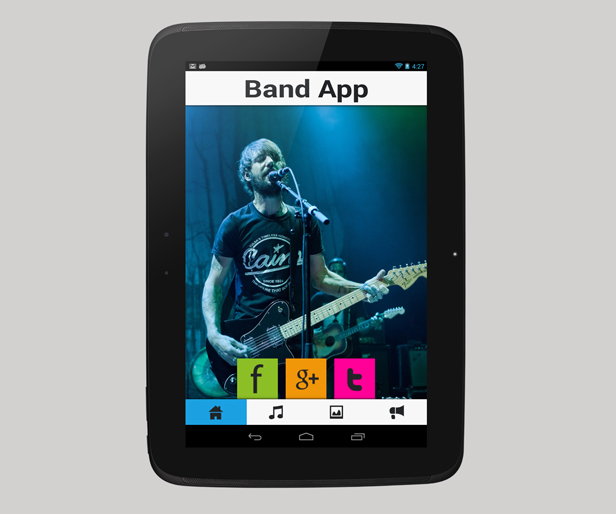
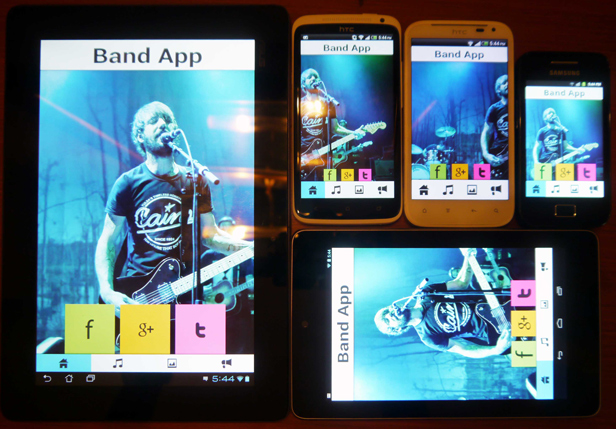
Have a band? This is the Perfect Android App for your group. All content in the App is managed via an Admin page that you can access via your Internet Browser. Running on an Android Platform, this App connects to the Admin page and loads all data for your fans. The App can also work without an Internet Connection.

Check out a Demo of the App or a demo of the Admin Page

The Android App


A clean, responsive, very easy to use app for your fans to view. The App depends on the server to get it’s contents but it also has the feature to save all contents on the Android device once the user loads it for the first time.

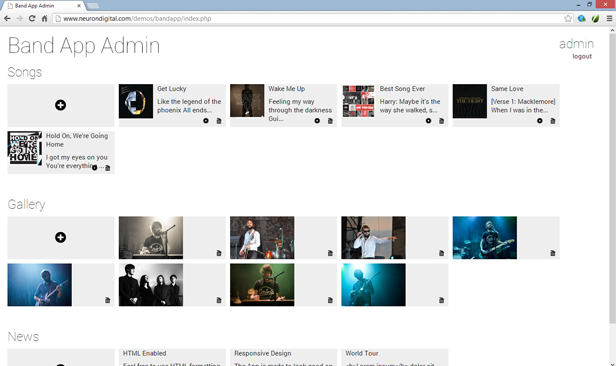
The Admin Page


A Clean metro inspired Admin page, with password login. The administrator can upload images, Lyrics, News directly from the editor. Lyrics and News are HTML Enabled, so you can choose to include links in your text.

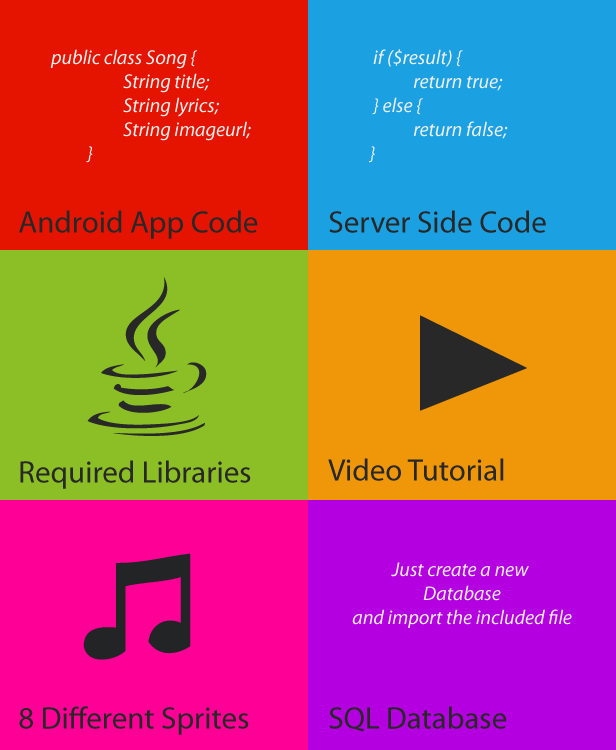
What’s Included

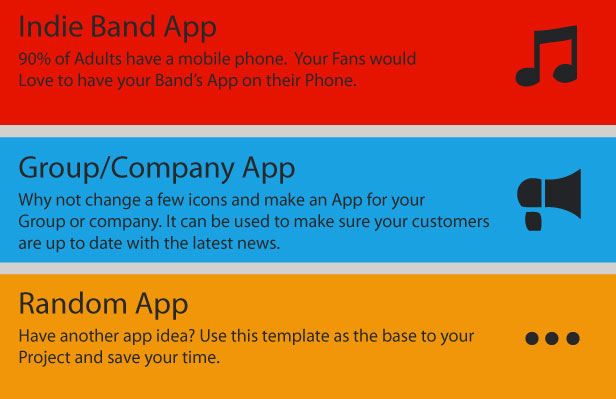
Perfect for the following Applications

Tested on Multiple Devices

Customization

Like the the idea but don’t want to set everything up yourself? We can customise the app and set-up the server for you. Contact us on [email protected] or visit our website on www.neurondigital.com

Features

  1. Facebook Integration
  2. Twitter Integration
  3. Google+ Integration
  4. Clean and responsive design
  5. Very easy to use
  6. Responsive Metro inspired Admin page
  7. Thousands Of Uses – This is not just a Band App. You can choose to use it for your company, group or any other Application you like.
  8. Upload images directly from Admin page
  9. HTML Enabled – Your news and Lyrics are HTML enabled, so it is possible to include Links and formatted text in your text.

Check out our other Apps


Download Musician – A Music Band Android App (Templates)

InfinityDolphin (Skins)


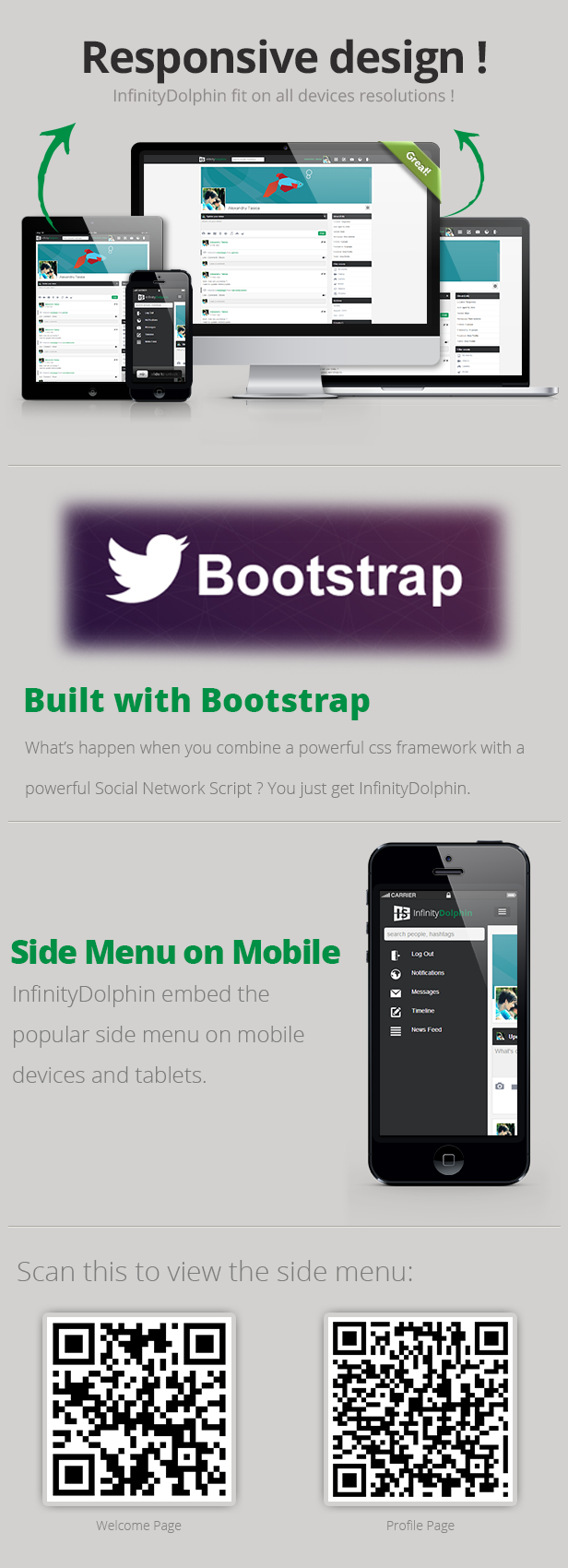
InfinityDolphin is a premium theme for phpDolphin, an intuitive, modern and powerful social network platform. This theme is 100% responsive ! InfinityDolphin will fit on any desktop, laptop, tablet or phone. The big feature of this theme is the Bootstrap core.
InfinityDolphin is built with the powerful CSS framework, Bootstrap.


Features

  • Compatible with phpDolphin 2.1
  • Built with Bootstrap (yes, InfinityDolphin is the world first theme for phpDolphin built with Bootstrap, the powerful CSS framework)
  • Built with clean flat design
  • RETINA READY (InfinityDolphin look good even on a retina display)
  • 100% Responsive (InfinityDolphin fit very well on any display)
  • Side Panel (on mobile phones or on low resolutions tablets)
  • … and many more

Download InfinityDolphin (Skins)

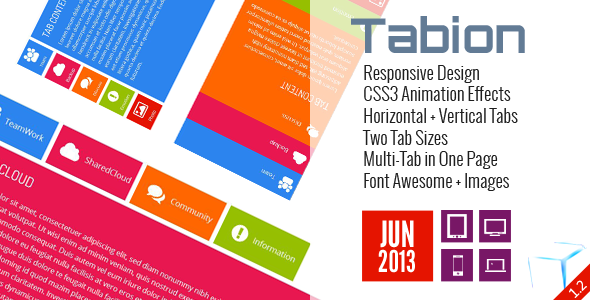
Tabion jQuery – Modern Responsive Tab Accordion (Navigation)


Tabion jQuery – Modern Responsive Tab Accordion

Tabion jQuery – Modern Responsive Tab Accordion is a small jQuery plugin that is used to create modern Tab with powerful features. Supports Responsive Design, Swipe to change Tab Content, Left and Right keys to change Tab Content, Combine AJAX and Inline Content, CSS3 Animation Effects, Integrated Font Awesome, AutoPlay/Pause/Resume and a lot of CSS option to customize…

Features:

  • Responsive Design.
  • Support both Horizontal and Vertical Tab.
  • Support Click, Swipe and Keypress to change content.
  • Support Multi Tabs in the same page.
  • AutoPlay/Pause/Resume with Delay Time for each Content.
  • Combine Ajax and Inline Content.
  • CSS3 Animation Effects.
  • Support Icon Images and Icon Fonts.

Documentation

If you like to see the plugin documentation you can check it here: Tabion jQuery Documentation

Support

If you have any question or feature request or bug report please email me. After purchase please rate and leave me some feedback to improve this item. Thank you!

My Portfolio

Navion – Metro Navigation Menu Accordion Switcher CSS

Navion - Metro Navigation Menu Accordion Switcher CSS

Tabion CSS – Metro Tab Accordion Switcher

Tabion CSS - Metro Tab Accordion Switcher

TileBox – Modern Responsive LightBox CSS

TileBox - Modern Responsive LightBox CSS

TabLooper – Responsive Loop Tab Metro UI

TabLooper - Responsive Loop Tab Metro UI

OneSlider – Responsive Slider With Interactive Content

OneSlider - Responsive Slider With Interactive Content

Rainbow Background Full Screen jQuery Plugin

Rainbow Background Full Screen jQuery

OneMenu – Responsive Metro UI Menu

OneMenu - Responsive Metro UI Menu

OpenPanel – Open Unlimited Panel Any Where

Open Unlimited Responsive Panel Any Where

Responsive Shop Slider

Responsive Shop Slider

ScreenSlider – Responsive Touch Presentation

ScreenSlider-Responsive-Touch-Presentation

MetroBox – Responsive LightBox

Metro Tab jQuery

Metro Tabs jQuery

MetroPanel – A New Navigator for Modern Sites

Download Tabion jQuery – Modern Responsive Tab Accordion (Navigation)

Bubble Tooltip Animated jQuery Plugin (Navigation)

With this jQuery plugin you can:
You can use this item to highlight some areas of your site by adding tooltips(using the wizard mode with autoscroll enabled )
– add tooltip to any html tag(by adding title tag – title tag will be replaced with the plugin tooltip too keep the compatibility just in case javascriptis disabled)
– add a wizard of tooltips
– add a custom function for where the tooltip finish
– set the animation duration
– customize/create themes from js or css file
– automatically rotation of the bubble

In this jQuery plugin is included and a wordpress plugin version( you can view a preview here: https://www.youtube.com/watch?v=_j_8MbYQYRc)

Any question/problems will be solved in no more then 8hours
The zip file contains: documentation, example, the main.js file and a compressed javascript version.

Download Bubble Tooltip Animated jQuery Plugin (Navigation)

FlatDB Flat-File DB Library (Database Abstractions)

FlatDB is a PHP library that provides a convenient way to use flat-files as a storage engine aka a database. It provides everything that you’d expect from a fully shipped DB solution, such as table support and a normalize interface to deserialize/serialize it’s models.

Screencast: http://drops.frontender.ch/K0JX/2rnaXUie

Features

  • well documented, full phpDocumentor coverage
  • easy to extend with own storage types
  • normalized access through interfaces
  • flush/purge databases
  • add/drop/rename tables
  • add/copy/delete/update/rename records
  • supports plain, JSON, Neon and YAML storages
  • generates human readable output
  • and a lot more…

Changelog

Version 1.0.0 / 10.08.2013

  • initial release

Download FlatDB Flat-File DB Library (Database Abstractions)

Facebook Panel – Showcase your Facebook Profile (Social Networking)

Facebook Panel – Showcase your Facebook Profile – absolutely easy to use WordPress plugin that enables you to add a beautiful Showcase of your Facebook Account / Profile to your website.

Features

  • Pulls in your profile and banner images
  • Links to your Facebook profile page
  • Displays the current fans number
  • Show/Hide the panel by clicking on its icon on your site.
  • Shows your latest Facebook posts
  • Shows your latest Facebook feeds (Fans posts on your wall)
  • Full support for all major browsers
  • News and Updates right on your plugin settings page
  • Working fully on Ajax calls (no additional loading time on your site)
  • No need for AccessToken or Facebook login infos
  • Use some history fonctionalities to work faster
  • Chose your panel’s font from the top 100 fonts on GoogleFonts
  • Create a theme especially for your site (background colour, shadow colour,…) , use it share it on our themes store.
  • Choose a theme from our growing themes store right on your plugin dashboard.
  • Customize your panel animations.
  • Choose a language from your settings page or even request one using our support services and it will apear right on your setttings choises
  • We will support and assist you ASAP using our Support Services

Requirements

  • WordPress 3.0+
  • PHP 5.2+
  • CURL Activated (it is the case in major hosting services)

Future Plans

  • Future updates, to support even more networks and additional features
  • Faster response (faster hosts, direct request)

Documentation

\

1 – Visit our support centre any time and submit a ticket about your problem and we will help you as soon as possible.

2 – Put your Facebook page “username” and if you don’t have one just put your page id number


\

3 – Set your entry type : if you want to pull posts or feeds using the panel

4 – Set your entry number

5 – Chose a font from the top 100 fonts on Google fonts and check the sample right away.

6 – Choose an available theme from the drop down if you want to create a theme for your site just visit our Themes store through the link.

\

Set your theme colours using the dropdown and the colorpicker click the execute button on the colour picker and check the theme sample on the right , when you finish just add a name to your theme and click “Request the theme!” we will review the theme and make it available on your setting dropdown within few hours. Then you can go back and use it as you wish.

7 – Customize your plugin look by choosing the animation that you like

8 – Chose your language or request a new one , and we will make it apear automaticly on your settings page ASAP


\.

Support

If you have any further questions or you need support using or configurating this script, feel absolutely free to open a support ticket at my support site . You can also use this items comments section for any presale questions. I will do my very best to help and assist you as quick as possible, You can also contact me directly using my email [email protected]

Download Facebook Panel – Showcase your Facebook Profile (Social Networking)

DMCA Notifier – Fight for your right! (Miscellaneous)

Follow QBKL on FacebookFollow QBKL on TwitterFollow QBKL on EnvatoQBKL's Website

Fight evil at the source with DMCA Notifier!

Authors have rights and in today’s world, not many people care about copyright, about the value of work and hours put in developing a product, writing a book, shooting a photo or a movie. Unfortunately, fighting online piracy is a war too big for some, but fear not! While we can’t stop the sites that propagate download links for our works, we can deactivate those links at the source thanks to DMCA notifications and claims!

DMCA Notifier includes DMCA contact information for more than 110 file sharing websites, hosting websites, social media sites, video, photo and audio sharing websites.

We’ve added a default DMCA notification email that includes all required statements and reference to DMCA law and similar laws from EU, UK and FR for impact.

All you need to do is set up your contact information and simply paste the infringing links and each HOST’s box and your notification campaign will start. No more sending emails by hand to each service provider! No more copy-pasting email text and looking through email archives! No more headaches!

DMCA Notifier

Don't forget to rate!

Important:

  • Please read the documentation before usage;
  • While extensive, we do not claim the websites archive to be complete. We’re more than happy to update it with valid sharing websites that you know to be prone to infringing files. Please use the contact form for this.
  • For suggestion and improvements please use the comments section

Thank you!

Thank you for your interest in DMCA Notifier and looking forward to your comments and ratings!

Download DMCA Notifier – Fight for your right! (Miscellaneous)