
Ben is C# application that allows you to control your computer very easy. Imagine you tell your computer “Open Codecanyon” and then computer will do it for you. Imagine you can add thousands of commands in just three easy steps, with no need of any skills in programming. Then you can say out loud these commands or typing them and the computer will perform this actions. Finally, imagine that you are sitting in the car and write via Skype to Ben – “Make me a coffee” and when you get home, the coffee is ready! Imagine the possibilities…
Category: code
download PHP, ASP.NET, Java and Javascript from CodeCanyon – the marketplace for code scripts and snippets.Javascript, Java, Program, Code, Snippet, Script, Dev, Development, Codebase, MySQL, Class, Widget, System, CMS
Mega Keyword Generator (Miscellaneous)
This software is very useful for those who are website designer or Search engine optimization specialist or even those who has a website.
With this software you can create millions of keywords without spending lots of time and only by few clicks.
Also if you have a website like wordpress that every day you update it with lots of posts this software can assist you to add unlimited keywords to your posts.
If you are planning to purchase this product please don’t forget to rate it.
Download Mega Keyword Generator (Miscellaneous)
Jalendar – Premium Calendar and Events Plugin (Calendars)


Jalendar
Jalendar.js is premium jQuery plugin for calendar and events. You can use this plugin for show and add your events.
This calendar has unlimited colors, 3 languages like English, Espånol and Türkçe and two sizes.
Features
- Live Add Event
- Live Remove Event
- Unlimited Colors
- Support Three Language (Türkçe, Espånol and English [More Coming Soon])
- One .js file for calendar and events
-
Used Two Google Fonts;
- Fugaz One
- Roboto
- You can add events you defined before
- Small and medium calendar size
- IE9, IE10, Firefox, Chrome, Safari, Opera Compatibility
- Simple Installation
About Design

Next update with more languages and more adding panel theme — Coming Soon

19 AUG — v1.0 Released
Download Jalendar – Premium Calendar and Events Plugin (Calendars)
Paper Grid – Team, Services and Content Grid (Interface Elements)
Paper Grid is a content grid plugin for WordPress. It is extremely light weight, but it’s also very flexible and powerfull, you can edit pretty much anything from the intuitive admin interface.
You can use it to showcase your team, or your services and products or any other type of content. You can select images, icons, change colors and do much more. Content Grid frontend css file is only 5KB and javascript file is only 2KB so your website performance will remain intact.
Features
- Very Flexible
- Responsive
- Intuitive Admin Panel
- Lightweight
- Any number of columns
- Custom Colors
- Google Fonts
- Social Network Icons
Requirements
- PHP 5.2+
Download Paper Grid – Team, Services and Content Grid (Interface Elements)
Uonline – A PHP Class to Count Online Users (Miscellaneous)
Uonline is a PHP Class to calculate visitors online on your website. Uonline manages the database with the latest uses coming on you website. It is designed to work fast as possible.
Key Features
- Page wise record managed.
- Keep Records of each page.
- Keep Records of all users on your website
- Just two lines of code for each file.
Requirements
- PHP 5.x+
- Mysq 5.x+
- You must know how to echo an variable in PHP
Don’t Forget to check out demo
Installer Provided
We have provided an installer for installation of databases files. So you don’t’ have to worry for installation process.
Download Uonline – A PHP Class to Count Online Users (Miscellaneous)
DOMTalk – PHP Chat support full websocket (Help and Support Tools)
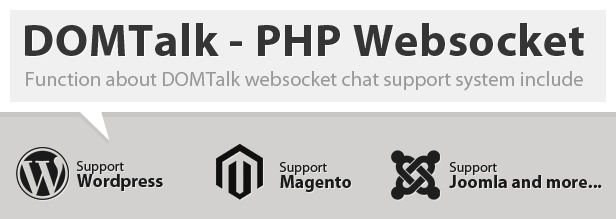
- No need database require
- Send email if admin offline
- Notification if browser not active
- Fully PHP websocket server
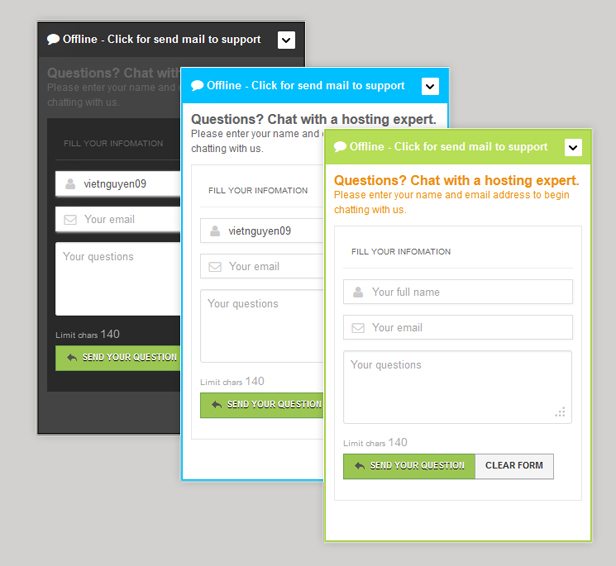
- Standalone live chat box
- Simple include in html page
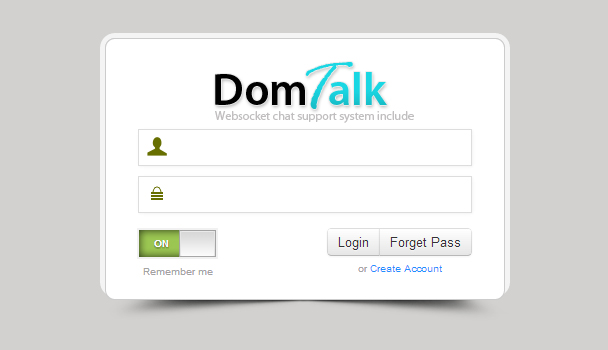
- Professional admin page
- Easy to use for customer
Live preview
Demo home page: http://socket.clnase.org
Demo admin page: http://socket.clnase.org/domtalk_admin
Admin username: admin
Admin password: 123456
Support your problems
If you have problems, questions, idea contact me via email [email protected]
Thank you for using my product
Best regards.
Counter this page
Download DOMTalk – PHP Chat support full websocket (Help and Support Tools)
Freelancer HQ : Client and Project Management App (Project Management Tools)
Freelancer HQ is a simple, easy to use, powerful and secure client and project management application. You can easily manage all of your clients, staffs, projects, proposals, invoices, estimates, expenses, recurring invoices, payments, support tickets and lot more very easily or Add staffs to manage any/all aspect of the application.
Application Features
Dashboard
- Dashboard Page : As soon as you login you see this page, It shows you a chart containing accounting information (invoices created, payments received) for the current year.
- Messages : In this section you can see list of all the messages you have received, As well as send new messages to existing clients and staffs.
- Calendar : In this section you can see all events created for the current month as well as easily add, modify and delete existing events. You can easily use the events system as an Appointment manager.
- Notes : As the title says, If you want to write down anything you want to remember, Or any idea that comes to your mind, Just add it here and you can easily add and manage as many notes as you want.
- Manage Account : Here you can easily manage all of your account information details, Like name, email, password, address information, profile image and more.
- Logout : Clicking on this like will delete your session and you’ll be logged out of the application.
Accounts
- Clients : You can easily add and manage all of your clients from this section, You can click on client to view more information about the client, Along with the list of all projects, proposals, invoices, estimates, expenses, payments, support tickets, files, writeboards added for that client.
- Staffs : You can easily add and manage different staffs with different permissions here. You can have a staff who can only see and manage support tickets or staffs only for adding and managing invoices.
- Companies : You can create different companies, upload logos and while adding clients/staffs you can assign these companies to their account.
Work
- Projects : You can easily create and manage projects from this section. After creating a project, you can assign invoices, payments, support tickets, files, writeboards to the project.
- Proposals : Proposals are similar to projects, You can add simple information about the proposal, select client, etc But you won’t be able to add invoices or payments. You can easily convert proposals to project.
Accounting
- Invoices : In this section you can create and manage all of your invoices, You can add any number of items, payments to invoices. Invoices can be emailed to client as pdf, downloaded as pdf and printed as well. You can easily add comments on invoices as well.
- Recurring Invoices : Recurring Invoices are same as invoices, But here you can select the option to recreate the same invoice whenever you want (like recreate invoice __ day/week/month )
- Estimates : As the title says, Here you can create estimates for projects and once approved you can convert them to invoices.
- Expenses : In this section you can keep track of all your expenses, This is really helpful while paying taxes.
- Payments : Everytime client makes a payment, you can add it here along with the payment method client used, total amount paid and if the payment is still processing.
Helpdesk
- All : In this page you can see the list of all the support tickets created till date.
- New : Here you can only see the new tickets that have been created.
- Answered : Here you can see all the tickets that have been answered by you or the staff.
- Solved : Here you can see all the tickets that have been marked as solved. You can easily make it unsolved if its not solved.
- Important : Any ticket containing the word “important” in its tags will be displayed here.
File Manager
- All Files : Here you can see a list of all the files you have uploaded, You can easily view those files, download them, directly email them to the client, add comments and do more.
Writeboards
- All Writeboards : Here you can see all the writeboards you have added, You can easily assign writeboards to clients or projects or both.
Tools
- Services : Here you can add a list of all the services you provide, This will be visible to clients in client section.
- Password Manager : Keeping track of all your passwords is hard thats the reason we implemented this feature, Here you can easily add your existing passwords or create new passwords for your accounts.
- Backup Database : It’s important to backup the application database from time to time such that if anything happens you can easily revert back without losing much. Here you can easily database backups, download them as well as delete them.
Settings
- General : This contains general settings of the application like company name, slogan, timezone, currency, email, phone, invoice prepend field and more.
- Options Manager : Project status, ticket status, invoice status, payment methods, file types, service duration… All these options are generated dynamically. Here you can easily add/remove the options you need.
These features should easily allow you to keep track of all the important things you need all from one place, And if you have even a little knowledge of PHP, you can easily add/remove the features.
Application Demo
You can find the application demo at http://app.freelancerhq.com/, No need to enter email address or password, You can see the option to login as Admin, Client or Staff in the login page itself.
Application Support and Updates
If you encounter any errors just contact me via my profile http://codecanyon.net/user/zxnetworks and i will answer your request as soon as i can.
I am in the process of creating a section on my website where you can easily signup and create tickets, view frequently asked questions and more. I will add the link here as soon as i am done.
You will be able to download updates for the application from there as well.
If you have any feature request please add it in the comments section here.
Thank you
Thanks for taking your time to look at this application, If you want to purchase it please go ahead, If you have already purchased it please don’t forget to rate it.
Download Freelancer HQ : Client and Project Management App (Project Management Tools)
All-In-One Flipboard Integration Plugin (Social Networking)
An all-in-one solution for your website’s Flipboard integration. Includes: Optimized Flip-It, Optimized RSS Feed, [flipit] shortcode.
For more information you can visit http://www.netgrid.it/wordpress-flipboard-plugin/
Download All-In-One Flipboard Integration Plugin (Social Networking)
WMF – Mobile First WordPress Shortcodes (Utilities)

For Live Test: http://wmfdemo.webbudesign.com/wp-admin
Username: demo
Password: demo
WMF Shortcodes for WordPress will save you lots of time working on the TinyMCE. You can create complex layouts with our shortcodes. Easy to use and edit. For Developers: You can use your site themes with purchase Exclusive license. And code customization is very easy.
WMF Shortcodes support Bootstrap 3.0. WMF WordPress Shortcodes are coded with Mobile First system. So it support 3,2,1 columns on mobile devices.
Also we added a Twitter Feed shortcode for you. This system supports latest Twitter API system.
Shortcode List
- Columns
- Dropcaps
- Highlights
- Notifications
- Label & Badges
- Seperators
- Accordions(Collapse)
- Font Icons
- Tabs
- Buttons
- Button Groups
- Google Map
- Tables
- Videos
- Progress Bars
- Twitter Feeds
Credits
- Bootstrap 3
- jQuery
- jQuery UI
- FontAwesome
- Respond JS
- Iris Color Picker


Download WMF – Mobile First WordPress Shortcodes (Utilities)
Huyai Facebook Events Promoter (Social Networking)


Huyai Facebook Events Promoter
Huyai Facebook Event Promoter is a WordPress Plugin that
enables you to display Facebook events on your website, and granting your visitors the ability to invite their Facebook Friends, RSVP and to share your event without leaving your website. There is also a guestlist that you can use to manage your guests
Features
- Invite Facebook Friends
- RSVP a Facebook Event
- Multiple Guestlists
- Featured Event Widget
- Latest Event Widget
Download Huyai Facebook Events Promoter (Social Networking)
Custom Module Position Creator (OpenCart)
This extension adds 3 new positions to place your modules.
1:- Menu Over
2:- Menu Under
3:- Footer
Requirements
1:- You need VQmod 2.3.0 to use this extension. If you don’t have this installed please see: Vqmod Homepage
Installation
1:- Unzip and copy the content in the root of your OC installation.
Features
1:- Can place modules over the top menu.
2:- Can place modules under the top menu.
3:- Can place modules under the footer.
Notes
1:- No files or database fields are modified.
2:- It works on multistore sites.
3:- Available in english only
4:- To remove the extension simply delete the previosly copied files
5:- Tested on opencart 1.5.3.1, 1.5.4.1 and 1.5.5.1
Demo of the module:- http://polapainz.com/demo1/
For more info, issues report, suggestions or features request please Email:- [email protected]
Download Custom Module Position Creator (OpenCart)
iTunes api – Search and display widgets (Miscellaneous)
With these two widgets you can display content from the iTunes appstore realtime on your site.
With the search widget you offer your site visitors a functionality where they can directly search the appstore.
After clicking on the app title in the widget, the visitor will be directed to the app page where all the information about the app is displayed.
Tradedoubler support is added in the download links, so you can also make real money with this widget. Only change the account-ID with yours.
Visit our support site for a live demo.
Download iTunes api – Search and display widgets (Miscellaneous)
WordPress Live Chat with Web- & Windows Clients (Utilities)
Visitor Demo: http://visitorchat-wordpress.clientengage.com/
Admin Demo: http://visitorchat-wordpress.clientengage.com/wp-admin
The ClientEngage Visitor Chat for WordPress is a fully-featured real-time chat for your WordPress websites. A clear and simple web-based administration allows you to conveniently
chat with your visitors. And best of all: Visitor Chat for WordPress comes with a Windows-based client out-of-the-box. Without having to visit the Visitor Chat’s
admin-interface you will be notified from your Windows tray and can start chatting straight away!
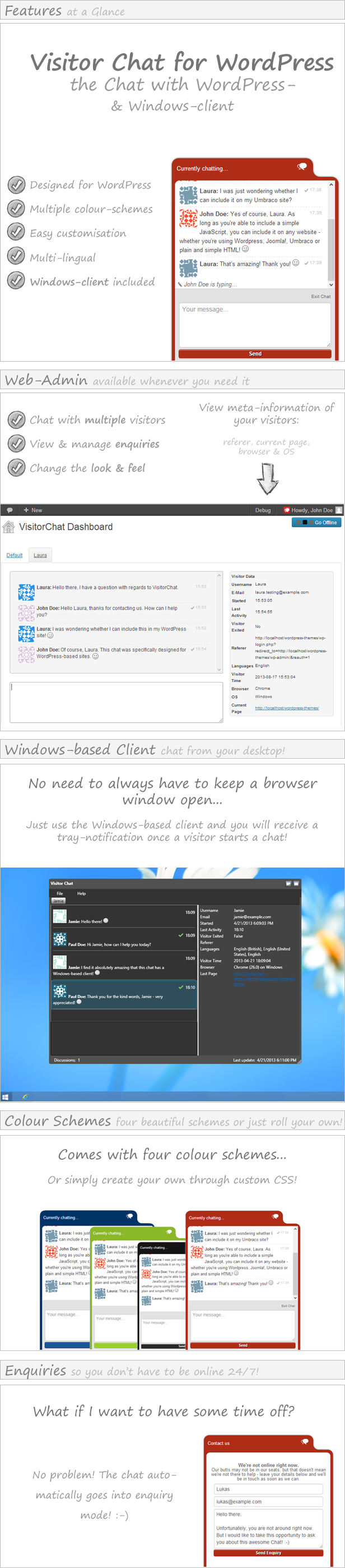
Functionality Overview
|
Fully-Featured Live Chat for your WordPress Website
|
Windows-based client included
|
|
|
Adaptable Templates & Translations
|
Easy Integration & Use
|
Multilingual Interface
ClientEngage Visitor Chat was built with internationalisation in mind: currently, you can select from English as well as German.
System Requirements
In order to be able to use ClientEngage Visitor Chat, you must fulfil the following system requirements:
- WordPress 3.3
- PHP with a version of greater than PHP 5
- MySQL with a version of greater than MySQL 5 (i.e. with InnoDB support)
- Enough server-resources for the number of concurrent chatters you expect
System requirements of the Windows-based client
- .NET4 Framework (will be installed if not already available)
- Windows XP, Windows Vista, Windows 7, Windows 8
A note on server performance
This chat system employs AJAX technologies and does not rely on WebSockets for its communication. This means that anyone can run Visitor Chat, as long as your server fulfils the requirements outlined below. However, this also means that this system is not intended for heavy-duty use: so don’t build the next Facebook and try to have 10m people use this at once. That being said, on average server-specifications, there is nothing stopping you from having 10-15 concurrent conversations.
A note on chat-styles
The chat looks beautiful across all modern platforms and browsers.
However, the chat-box may look “out of place” if you have CSS styles on your website that affect whole tags (such as “div {margin:50px;}” or “span {padding:50px;}”).
In such cases, you may have to edit the Chat-Style for that particular website to override your styles.
Changelog
17/08/2013:
    - Public release of ClientEngage Visitor Chat v1.0.5
Looking for a stand-alone PHP Live-Chat?
If you are looking for an advanced PHP live chat script to supercharge your client-interactions, then come right this way to have a look at the ClientEngage VisitorChat- an advanced PHP support chat script.
ClientEngage VisitorChat – a PHP-based Chat With Windows Client
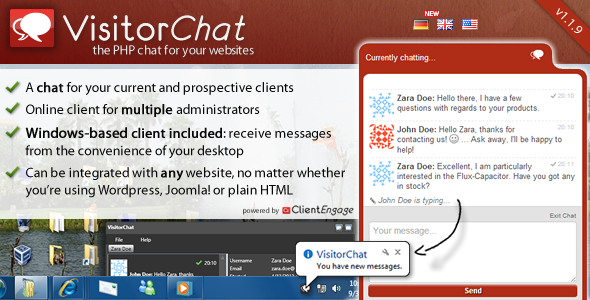
The ClientEngage Visitor Chat is a fully-featured real-time chat for your websites. A clear and simple web-based administration allows you to conveniently chat with your visitors. And best of all: Visitor Chat comes with a Windows-based client out-of-the-box. Without having to visit the Visitor Chat’s admin-interface you will be notified from your Windows tray and can start chatting straight away!
Do you closely work with your clients?
If you are looking for an advanced project management script to manage your client-interactions, then come right this way to have a look at the ClientEngage Project Platform – an advanced PHP project management script.
ClientEngage Project Platform – PHP Project Management
This particular project management script cuts-down on all the bloat that tends to make project management a nuisance. Instead, the ClientEngage Project Platform focuses on the tools you need to really get close to your customers in those crucial stages of your relationship. This will delight your clients – not only with your end-product but the whole lifecycle of getting there. So, if you are looking for project management in PHP, then the ClientEngage Project Platform is for you.

Download WordPress Live Chat with Web- & Windows Clients (Utilities)
Stock Manager Advance 2 with Point of Sale Module (PHP Scripts)
Stock Manager Advance is php based web application that help you to manage your stock. Update stock, purchase and sales from anywhere, Office, Home, Warehouse or on the go. You only need internet connection for it.
Stock Manager Advance has built-in Invoice and Inventory System. Invoice System has Tax and Discounts. These will be really helpful to apply taxes and discounts automatically and the ability to generate invoice from quotation.
Responsive Theme with 3 styles, Calender to add events and daily/month sales and tax amounts. Advance and Improved reports for Overview, Stock Value per warehouse, custom sales and purchase reports.
Now you can manage multiple warehouses with Stock Manager Advance.
Re-designed the POS Module for better Performance, User Interface and Usability.
Languages
Currently, the following languages are available (Fully or Partially)
.
English, French, Indonesia, Thai, Spanish, Romanian, Spanish,
Brazilian Portuguese, European Portuguese and Czech.
If you need to add your own language that will be very easy too.
Role: username / password
Owner: [email protected] / 12345678
Admin: [email protected] / 12345678
Purchasing staff: [email protected] / 12345678
Sales staff: [email protected] / 12345678
Viewer only user: [email protected] / 12345678
Download Stock Manager Advance 2 with Point of Sale Module (PHP Scripts)
WordPress Video Chat With Unlimited Room! (Widgets)
Video Chat is an optimal communication solution for your WordPress Site (with NO FFMEG required and Bandwidth FREE). Tinychat offers and webchat client supporting several hundred of users. Also support multiple users broadcasting
webcam and private chat. This plugin incorporates this in to your wordpress blog/ site and gives your visitors
the ability chat, and share there experience of your site!
*1 Click Easy Install!
- FREE!
- Webcam
- Private Chat
- Text chat
- 100’s of users
- FREE!
- Can limit to registerd users
- Select Moderator roles
- Easy to use!
Requirement:
WordPress 2+
Feel free to report any and all bugs you may find! I Am Here To Help You!