WP e-Commerce Amazon Affiliates-WordPress Plugin (WP e-Commerce)


WP e-Commerce Amazon Affiliates – WordPress Plugin is a product that allows you to import Amazon products in your WP e-Commerce store in no time!

One time setup in just couple of minutes using wordpress platform and import products directly from amazon in just a flash! How would you like to import thousands of products from amazon in your WP e-Commerce store in just minutes?

With our WP e-Commerce Amazon Affiliates – WordPress Plugin you can bulk import hundred of products from Amazon store in just a flash.

Also you can import products into a certain category! With this feature you can import multiple products at once on your WP e-Commerce Store in just minutes! Search by keywords, select the products that you want, and click import! It doesn’t get any easier!

We’ve developed a new module called Advanced search and Bulk Import.
What’s so special about this module? Well you can browse trough All Amazon’s product categories , subcategories and so on.
Also depending on category, you can search products by Brand, Condition, Manufacturer, Maximum Minimum price, Merchant Id , Product minimum percentage off and of course by Bestsellers, Rank, Sales flag, and so on.
After that you can bulk import 10 products at a time, with a limit of 10 pages per category.

Here are the main features of our latest plugin:

  • Import Amazon products from any Amazon location ( Available countries: United States, United Kingdom, Deutschland, France, Japan, Canada, China, Italia, Espana, India)
  • Add multiple affiliate ID’s (International Amazon Associates / Globalisation)

    What this means exactly? For example : If your visitor is coming from the UK they’ll get the product link to Amazon.co.uk, if they’re visiting from the FR they’ll get a link to the same product on Amazon.fr and so on

  • 90 Days Cookie

    With this feature, when a user is redirected to amazon, the product is automatically added to cart and kept there for 90 days

  • Add your affiliate custom settings (affiliate ID and Access/Secret Keys)
  • Bulk import hundred of products into your website in just a flash! You can import products with Amazon category or import in custom category.
  • Select how many images to import for each product
  • External checkout using Amazon cart system
  • Products synchronisation module – keep your Amazon products up to date! & Synchronisation Log also
  • Framework based on modules manager (you must activate the modules in order to show up/ work)
  • SEO for images names – Get Product Title or Random number
  • In Config Module you can setup if you want to import prices only from Amazon or other sellers as well
  • Default publishing mode for products – Set as published or draft
  • You can now add hundred of products at once into your store by ASIN codes!
  • Also, you can backup your current amazon store products by ASIN as well!
  • Amazon Customer Reviews Tab
  • Frequently Bought Together Products

What you will need in order to use the WP e-Commerce Amazon Affiliates – WordPress Plugin :

Server requirements :

  • SOAP class OR XML via HTTP Request
  • PHP version : 5 +

What containts the package that you downloaded :

First of all please, using WinRar unzip the package that you downloaded, don’t try to install the whole archive as plugin on wordpress because it won’t work.

  • A folder called Plugin that contains a zip archive that you must install as plugin on WordPress
  • User manual

Download WP e-Commerce Amazon Affiliates-Wordpress Plugin (WP e-Commerce)

Code Shop (eCommerce)

Code Shop is a powerful WordPress plugin, which allows you to sell coupon/voucher/license codes directly on your website. It handles payments through multiple payment gateways (PayPal, Payza/AlertPay, Skrill/Moneybookers, Authorize.Net, InterKassa, EgoPay, BitPay and Stripe) and can be easily integrated into WordPress pages using shortcodes. Code Shop is the easiest and perfect way to distribute coupon/voucher/license codes and monetize website.

Features

  • Sell coupon/voucher/license codes on website: use this plugin to sell codes on your website.
  • Unlimited number of campaigns: distribute unlimited number of coupon/voucher/license codes.
  • Multiple payment gateways: PayPal, Payza/AlertPay, Skrill/Moneybookers, Authorize.Net, InterKassa, EgoPay, BitPay and Stripe.
  • Multiple currencies: use any currencies supported by payment gateways.
  • Accept cryptocurrency – bitcoin: bitcoin payments are accepted through BitPay.
  • Accept major credit/debit cards – Visa, MasterCard, American Express: credit/debit cards are accepted through Stripe.
  • Fixed price supported: set fixed price of coupon/voucher/license codes.
  • Flexible price supported: let your customers set their own price for coupon/voucher/license codes.
  • Free coupons supported: you can distribute coupons even for free.
  • E-mail delivery: coupon/voucher/license codes are sent by e-mail.
  • Modern payment form: HTML5 + CSS3, AJAX-ed payment form.
  • Content editor: insert any HTML-content inside of payment box.
  • Shortcode driven: insert shortcodes like [codeshop id="XXX"].
  • Easy to install: install and activate the plugin like any other plugins.
  • Translation ready: plugin might be translated to any language.
  • WordPress Best Practices: no any alerts from Plugin Check and WP_DEBUG.

Demo

The best way to understand the idea of Code Shop is to see live example. Click “Live Preview” or visit demo link. On demo website you can purchase or/and download coupons.

Installation

  1. Install and activate the plugin like you do with any other plugins. Once activated, it will create a menu “Code Shop” in left side column in the admin area.
  2. Click left side menu “Code Shop >>> Settings” and do required settings. Set your payment gateways parameters, e-mail address for notifications, etc.
  3. Click left side menu “Code Shop >>> Campaigns” and create at least one campaign.
  4. Click left side menu “Code Shop >>> Codes” and add coupons/vouchers/license codes to campaigns.
  5. Take shortcode from “Code Shop >>> Campaigns” and paste one into your post/page. The shortcode is like that: [codeshop id="XXX"].

That’s it! Enjoy using the plugin.

Support

If you have problems regarding using the plugin, please contact me and I’ll help you.

Download Code Shop (eCommerce)

FireGrid for WordPress (Utilities)

FireGrid is also available as a Javascript plugin, check out the FireGrid official page here in CodeCanyon.

FireGrid is a new WordPress plugin for web designer able to generate an horizontal grid and a vertical grid that overlap a website.

When you are starting a new project enable FireGrid and select the proper horizontal and vertical grid, FireGrid is able to save your selection with cookies, therefore you can refresh the page, close your browser or restart your machine without losing your selection.

A fire icon allows you to turn on and off the grid whenever you want, for example you can enable FireGrid to check the alignment of a specific element on the screen, then by clicking on the fire icon you can turn off the grid to work on the CSS with FireBug or the Chrome Developer Tools and then you can turn on again the grid to verify your work.

Credits

FireGrid includes the Jquery Cookie plugin, licensed under the MIT license.

Download FireGrid for WordPress (Utilities)

opencart ajax brand filter (OpenCart)

OpenCart Ajax Brand Filter

“OpenCart Ajax Brand Filter” is the best module for opencart and customer can easily search product by brand name or Manufacture name, it is ajax module so need to page refresh when search by brand name and easy Alphabet system.

“OpenCart Ajax Brand Filter” compatible for version 1.5.3.1, 1.5.4, 1.5.4.1, 1.5.5.1, 1.5.6

Online Documentation

Check The Demo

Module Features

  • Easily add modules from admin
  • Nice serach by Brand Name
  • Easily Find the product
  • Anytime Support

Frontend Preview

brand search

manufacture search

Admin Preview

admin view

Admin Access

http://ocmodules.pluginbuilder.com/admin
username: mfdemo
password: mfdemo

Download opencart ajax brand filter (OpenCart)

Easy Responsive CSS (Miscellaneous)

Esay Responsive CSS is a jQuery plugin by use of this plugin you can make your site responsive without use of media queries.

Usually we have to write multiple lines for one class in media queries CSS and its make different effect for each resolution. This process is little bit complicated. This plugin help you to make this process easy.

Features

  • Write responsive CSS with some easy step without use of media queries.
  • By use of this jQuery plugin, we can make easily responsive website.
  • Useful for HTML beginner and useful for create admin templates.
  • Customizable mode setting
  • Responsive Grid, Navigation, Form and other examples with detail.
  • Easy to use
  • Compatible with all major browsers
  • Easy Integration
  • Full support and complete documentation

Download Easy Responsive CSS (Miscellaneous)

Multi Purpose Media Boxes – Responsive Grid (Images and Media)

Multi Purpose Media Boxes – A Responsive Grid of
Images, Youtube / Vimeo Videos, Iframes and HTML

Everything you need in a Media Grid!

This is a HTML | CSS | JQuery Fully Responsive Portfolio in a pinterest style with a lightbox. It will adapt to the width of its container so you can put it anywhere and you can put anything inside the boxes. Also you don’t have to load all the images at once (for performance purposes) so you can specify the number of images to load when it first load and the number of images to load when you click the “load more images” button.

The navigation filter bar is generated automatically from the categories you specify to each image.

What You Can Do:

  • Use it like in the live preview to show your posts with images, Youtube / Vimeo videos and a caption box below.
  • Use it as a gallery (only showing images).
  • Use it as a Youtube / Vimeo grid (only showing videos).
  • Use it as a text grid (only showing HTML text).
  • Put anything inside the boxes, each box is independent so you can put in one box just an image, in another a Youtube video, in other one a Vimeo video and a box caption below, etc. make any combination you want!

When you have categories, and if you select a category through the navigation bar, the plugin will look and find if there still more images from that category to load and if there is more images to load it will show the “load more images” button, then when you click on it it will load more images only from that category (according to the “imagesToLoad” option).

Features:

  • Fully responsive grid and lightbox
  • Lazy Load Feature
  • The Lightbox Support images and iframes of any dimensions and it will keep the right proportions
  • The filter navigation bar is generated automatically from the categories you specify to each thumbnail
  • Set the number of images to load at start and when you click the “load more images” button
  • Support thumbnails for the grid only to the images you want to improve performance
  • Fully Responsive Grid and Lightbox
  • Full width, the grid will adapt to the 100% of its container if you set the width of each column to ‘auto’
  • You can specify a static width for each column or specify number of columns
  • When specifying the number of columns you can set the minimum width for each column
  • CSS3 Effects
  • Direction aware hover effect
  • Lightbox with slideshow (play, pause, auto-play)
  • Easy implementation
  • Compatible with Twitter Bootstrap
  • Bootstrap is not be required
  • Deactivate and Activate Features through Javascript Options
  • You can link to another page when you click in a thumbnail
  • Free Technical Support

You can take a look to the documentation HERE

Download Multi Purpose Media Boxes – Responsive Grid (Images and Media)

JoDe Timeline – Flexible Content Timeline (Miscellaneous)

JoDe Timeline is a flexible timeline interface plugin for WordPress. It is extremely light weight, but it’s also very flexible and powerfull, you can edit pretty much anything from the intuitive admin interface.

You can use it to showcase simple text poups, or add custom HTML and turn it into team showcase, or your services and products or any other type of content. You can select shapes, decorations, change colors and do much more.

Features

  • Very Flexible
  • Intuitive Admin Panel
  • Lightweight
  • Any number of timeline items
  • Custom Colors
  • Multiple popup events
  • Multiple popup shapes
  • Multiple popup decorations
  • Responsive

Requirements

  • PHP 5.2+

Download JoDe Timeline – Flexible Content Timeline (Miscellaneous)

Kabude jQuery – Animated Mega Menu (Navigation)

Kabude jQuery – Animated Mega Menu

  • jQuery + CSS3
  • If you like Kabude, please dont forget to rate…

Features

  • 02 STYLES
  • 11 COLOR SCHEME
  • 25 ANIMATION EFFECTS
  • ICON SUPPORT (240+)
  • CROSS BROWSER
  • FREE FONT
  • EASY CHANGE COLOR
  • EASY CHANGE ANIMATION EFFECTS
  • FREE UPDATE
  • DOCUMENTED

Inside Pack (Folder)

  • Icon
  • Text
  • Document

Support

Please send me an email to : [email protected]

Change Log

  • 25 September 13 – Version 1.0
    • Initial Release

See also

His – Animated Mega Menu


Download Kabude jQuery – Animated Mega Menu (Navigation)

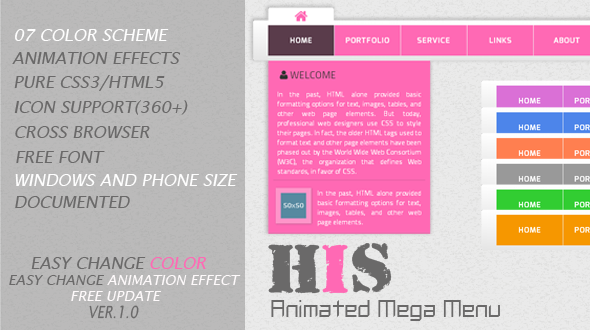
His – Animated Mega Menu (Navigation and Menus)

His – Animated Mega Menu

  • Based in Pure CSS3
  • If you like His, please dont forget to rate…

Features

  • 7 COLOR SCHEME
  • 25 ANIMATION EFFECTS
  • PURE CSS3/HTML5
  • ICON SUPPORT (240+)
  • CROSS BROWSER
  • FREE FONT
  • EASY CHANGE COLOR
  • EASY CHANGE ANIMATION EFFECTS
  • FREE UPDATE
  • DOCUMENTED

Support

Please send me an email to : [email protected]

Change Log

    • 24 September 13 – Version 1.0
      • Initial Release

    See also

    Pofi jQuery – Responsive Animated Menu


Download His – Animated Mega Menu (Navigation and Menus)

flipinja – A WordPress Plugin To Flip Posts (Miscellaneous)

flipinja is a WordPress plugin that turns your post to a set of flip-able pages just like Flipboard. It simply adds a button on top of your posts for your readers to click and switches to reading mode, where they can easily flip the content with their fingers in mobiles or by scrolling in computers. It hides all the sidebars and other stuff in the page and moves the focus back to your content. This is why it’s called reading mode.

Download flipinja – A WordPress Plugin To Flip Posts (Miscellaneous)

opencart oneshot cart empty (OpenCart)

Opencart OneShot Cart Empty

“Opencart OneShot Cart Empty” is the best module for Empty the Cart of unwanted products by OneShot. Empty Cart just one click.

“Opencart OneShot Cart Empty” Module has no Admin Panel. It is Plug & Play Module. Just Add to Cart and Empty full Cart from Mini Cart or Cart Detail Page of Frontend. It is compatible for version 1.5.3.1, 1.5.4, 1.5.4.1, 1.5.5.1, 1.5.6

Online Documentation

Check The Demo

Module Features

  • Empty Cart just one click
  • Empty for both Mini cart & Cart page)
  • VQMOD Solution
  • Just Plug & Play
  • Anytime Support

Frontend Preview

cart_page

mini_cart

Download opencart oneshot cart empty (OpenCart)

New Order Notification SMS/Text Message (Magento Extensions)

Receive an instant notification by text message (SMS) every time a new order is placed with your Magento store.

This extension will automatically send a notification to an unlimited number of phone numbers after an order is placed with your store.

Setup and configuration of this extension only takes a couple of minutes. An introduction video showcasing the installation of the extension is available here: http://youtu.be/GXur2IFY7hw

This extension requires a free Twilio account. Twilio (twilio.com) is a service that allows to send text messages over the internet. Instructions on how to create your free Twilio account are included in our instruction video.

Download New Order Notification SMS/Text Message (Magento Extensions)

Like Dislike Counter WordPress Plugin (Utilities)

Like Dislike counter plugin allows to integrate Like, Dislike Button into your WordPress website to allow your visitors to like and dislike pages, posts, custom post types and comments anonymously. Its very simple to use. Users even don’t have to write a single line of code to setup this plugin. It counts unique likes/dislikes for post/pages/comments.

PRO Plugin URL: Like Dislike Pro Plugin Url

PRO Plugin Demo URL: Like Dislike Pro Demo

Go PRO: Like Dislike Go Pro
Pro Features

Great Interface.
Ajax feature to update the data without reloading.
Visitors do not have to register or log in to use the Like Button.
Like-Dislike on Page, Post, Archive Pages and Comments.
Like Dislike count for Page, Post, Archive Pages and Comments.
Compatible with WP version 3.0 & above.
Easy Backend.
Clean Design.
Compatible with Multisite.
Added automatically (no Code required).
Template code ready.
Custom Like-Dislike Texts.
No Back Link needed.
Widget to show 'Most Liked' & generate more traffic.(Pro Version)
10 pre-designed Templates.(Pro Version)
Freedom to Upload Custom Icon Set.(Pro Version)
Different Appearance Settings for Comments & Pages.(Pro Version)
24 x 7 Premium Support.(Pro Version)
Shortcode to show like dislike buttons within content.(Pro Version)
Enable/Disable for Post Page, Archive Pages(Tags,Authors,Category,Date etc.) and Comments.(Pro Version)
Display different iconts for Post/Page and Comments.(Pro Version)

Download Like Dislike Counter WordPress Plugin (Utilities)

WASP Anti-Spam (Utilities)

This plugin will protect your wordpress site by sending a unique url to the end user in each main action is doing across your wordpress site:
Register, Comment, Contact (Contact form 7)

To make the protection stronger the site all so integrate reCaptcha to the register, Login, Comments.

Example: you are a spammer you register to the site getting a verify url to your inbox, you say to yourself I DID IT TIME TO COMMENT AND SPAM !!! you writing your spam comment ….BOOM a message saying:
“verify email has sent to your email your comment will not shown just after you verify your self.”
OK no problem nothing bad happen…
WRONG ….WASP Anti-Spam will wait for a specific time and will search for unverify comments and users and will block ip addresses and emails :-)

This is just a small example from many scenarios WASP will protect you.

Here are all the amazing and detailed features:
• Unique!!! User comment will not shown until user click a unique url in his email! Up to date verify of valid email address!
• New user Activation By Email
• Resend activation option
• Block verify users from change their E-mail address (and then spam), even by role!
• Auto learn mode
• Auto delete spam comments
• Auto Delete unverified users
• Recaptcha protection to: register, login, comment (even by role)
• Built ban systems to protect register and comments systems.
• Ban directly from comments list.
• Protect contact form 7
• Customize plugin email messages from the admin panel !
• Import and export function to keep the plugins safe.
• International ready, with a lot of languages all ready translated (machine translation)
• Seamless integration to wordpress API and UX

And all of this just for initial release :-)

Still thinking ? no problem, test it yourself by login with this credentials:
user: test
password: test
Test Site: http://wpdevplus.com/wp-login.php

Credits:
admin page class – http://en.bainternet.info
qTip – http://craigsworks.com/projects/qtip/

Download WASP Anti-Spam (Utilities)