Prestashop Orders List Improved (Prestashop)

Features:

– Show order details in order list using ajax
– Delete orders
– Show complete customer name
– Show shipping address

This module reduce the time you spend working with orders. It allows you to see order details in the orders list. Also allows you to delete each order and change the customer field in order to appear complete name. Please, see pictures.

Download Prestashop Orders List Improved (Prestashop)

Ajax Add to Cart with Amazing Favicon Notification (Magento Extensions)

Magento Extension : Ajax Add to Cart with Amazing Favicon Notification allows to add products to the shopping cart with nice favicon notification directly from the products listing and the product details pages without reloading page.

This magento extension developed by Magento Certified Frontend Developer.

Live Demo:

Admin ( User Name: ajax / Password: ajax1234 )

Frontend : add some products to cart

Features

  • Animated favicon notification when product added to cart (Works on Chrome, Firefox, Opera)
  • Customizable badge for favicon notification
  • Works with all product types : Simple, Grouped, Configurable, Virtual, Bundle and Downloadable product
  • No coding experience is required

Download Ajax Add to Cart with Amazing Favicon Notification (Magento Extensions)

mgMiniMap – jQuery MiniMap Plugin (Miscellaneous)

see the forest for the trees

Magnoliyan Minimap or mgMiniMap is Photoshop Navigator Panel like jQuery plugin. Say you have a page which long content goes out of the visible part of the browser’s window – viewport. mgMiniMap shows minimizes and simplified preview of the full page content with clearly marked draggable viewport. While you scroll the page, minimap automatically updates the preview. Also, while you drag the viewport frame, the original content gets scrolled as well.

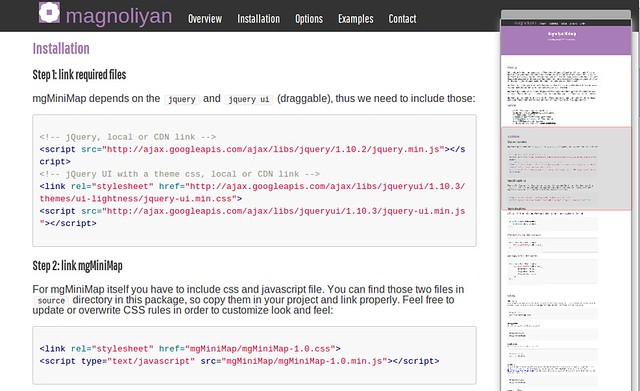
Magnoliyan MiniMap Screenshot
mgMiniMap can be applied either to the window object or any scrollable element. For example, you can apply it to a div which content exceeds its dimensions.

mgMiniMap automatically updates its preview when original content gets resized, but also you can manually call its update method when, let’s say, the original content dynamically updates.

mgMiniMap suits perfectly in use cases like: Web apps for managing complex workflows, drag and drop components, but can work nice in any page as a fast visual navigation tool.

Minimap Features

  • HTML5 Canvas based fast rendering
  • Works in browsers without canvas support
  • Realistic page preview
  • Draggable and resizable navigator panel
  • Auto-update on the original content resize
  • Easy CSS based customization
  • Ability to select elements for faster rendering

Download mgMiniMap – jQuery MiniMap Plugin (Miscellaneous)

AB Testimonial WordPress Plugin (Utilities)


AB Testimonial WordPress plugin is a great tool to show your clients testimonials. You can display testimonials in any post or page content, or Text Widget simply by pasting shortcode in it. Testimonials will be displayed as slider with several sliding effects. Autoplay is supported by default and there are two different testimonial styles to choose from. You can select testimonial category to show and also limit number of displayed testimonials.

Let your clients submit testimonials via frontend Ajax form with image uploader. After submission testimonials are pending until you approve them in WordPress admin in easy to use testimonial management.

Features

  • Testimonial jQuery Slider
  • Autoplay option
  • Two Testimonial Styles
  • Simple Testimonial Management Interface
  • Let Your Clients Submit in Front End
  • Ajax Frontend Testimonial Submission
  • Display Testimonials on any Page, Post or Text Widget
  • Display Testimonials from selected category
  • Shortcode Powered
  • Custom Post Type
  • Fully Responsive
  • Translation Ready
  • Major Browser Supported
  • Valid HTML5
  • Documentation
  • Customer support
  • Easy to use

Please Rate

If you like our work please rate it.

Download AB Testimonial WordPress Plugin (Utilities)

WordPress Booster – Caching Plugin (Utilities)

This plugin provides only fastest and simplest caching of your wordpress site and nothing else.

You don’t need to do any actions but install the plugin and one click of “Cache All Pages”

This cache works by creating a static html file for every page cached and then serving that page up first, meaning for cache pages apache only has to serve up static html files, no need to run any PHP or make any database calls.

Main Features

Page/Post level cache management

Manage Caches based on time created

Check if page using cached content.

Download WordPress Booster – Caching Plugin (Utilities)

JigoShop Amazon Affiliates – WordPress Plugin (Jigoshop)


JigoShop Amazon Affiliates – WordPress Plugin is a product that allows you to import Amazon products in your JigoShop store in no time!

One time setup in just couple of minutes using wordpress platform and import products directly from amazon in just a flash! How would you like to import thousands of products from amazon in your JigoShop store in just minutes?

With our JigoShop Amazon Affiliates – WordPress Plugin you can bulk import hundred of products from Amazon store in just a flash.

Also you can import products into a certain category! With this feature you can import multiple products at once on your JigoShop Store in just minutes! Search by keywords, select the products that you want, and click import! It doesn’t get any easier!

We’ve developed a new module called Advanced search and Bulk Import.

What’s so special about this module? Well you can browse trough All Amazon’s product categories , subcategories and so on.
Also depending on category, you can search products by Brand, Condition, Manufacturer, Maximum Minimum price, Merchant Id , Product minimum percentage off and of course by Bestsellers, Rank, Sales flag, and so on.
After that you can bulk import 10 products at a time, with a limit of 10 pages per category.

Here are the main features of our latest plugin:

  • Import Amazon products from any Amazon location ( Available countries: United States, United Kingdom, Deutschland, France, Japan, Canada, China, Italia, Espana, India)
  • Add multiple affiliate ID’s (International Amazon Associates / Globalisation)

    What this means exactly? For example : If your visitor is coming from the UK they’ll get the product link to Amazon.co.uk, if they’re visiting from the FR they’ll get a link to the same product on Amazon.fr and so on

  • 90 Days Cookie

    With this feature, when a user is redirected to amazon, the product is automatically added to cart and kept there for 90 days

  • Add your affiliate custom settings (affiliate ID and Access/Secret Keys)
  • Bulk import hundred of products into your website in just a flash! You can import products with Amazon category or import in custom category.
  • Select how many images to import for each product
  • External checkout using Amazon cart system
  • Products synchronisation module – keep your Amazon products up to date! & Synchronisation Log also
  • Framework based on modules manager (you must activate the modules in order to show up/ work)
  • SEO for images names – Get Product Title or Random number
  • In Config Module you can setup if you want to import prices only from Amazon or other sellers as well
  • Default publishing mode for products – Set as published or draft
  • You can now add hundred of products at once into your store by ASIN codes!
  • Also, you can backup your current amazon store products by ASIN as well!
  • Amazon Customer Reviews Tab
  • Frequently Bought Together Products

What you will need in order to use the JigoShop Amazon Affiliates – WordPress Plugin :

Server requirements :

  • SOAP class OR XML via HTTP Request
  • PHP version : 5 +

What containts the package that you downloaded :
First of all please, using WinRar unzip the package that you downloaded, don’t try to install the whole archive as plugin on wordpress because it won’t work.

  • A folder called Plugin that contains a zip archive that you must install as plugin on WordPress
  • User manual

YOU MAY ALSO LIKE SIMILAR AMAZON PRODUCTS:


Download JigoShop Amazon Affiliates – WordPress Plugin (Jigoshop)

WP eCommerce Custom T-Shirt Design Studio (WP e-Commerce)

View The Online Documentation

Check The Demo

eCommerce Custom T-Shirt Designer

“eCommerce Custom T-shirt Designer” plugin is a WordPress eCommerce Plugin which is used to design or customize on T-shirts by adding logo or text. By this plugin customer can design the t-shirt as per their need such as Add Text, Number or Logo by different Font Types, Color, Font Size, Alignment and drag the design in any position of front and back side of T-shirt. Customers are able to design their own t-shirt and they can upload a logo to different positions of t-shirt or can select existing logo from the sample items.

“eCommerce Custom T-shirt Designer” plugin has some excellent features and very easy to install or setup. “eCommerce Custom T-shirt Designer” plugin is more flexible and compatible with many existing plugins in the WP repository. This Plugin is fully customizable. Users can easily configure the plugin into the new or existing WordPress eCommerce sites. This plugin is compatible up to WordPress Version 3.6.1 and WP eCommerce Version 3.8.12.1.

Features of eCommerce Custom T-Shirt Designer:

  • Shoppers can upload their own design image or logo to print on t-shirt while shopping.
  • Add Text or Number on the t-shirt product.
  • Can select an Image/logo from the existing logo/images to put on the t-shirt.
  • Change the Color, Size and Style of the Text or Number.
  • Place Text or Images by drag in any positions of the t-shirts front or back.
  • Shows Preview mode of the T-shirt as designed.
  • Multilingual Support.
  • Shoppers can add to cart same product with customization or without customization and price will be different for that purpose.
  • Shoppers can view the customized product (text or uploaded image with position) from checkout page.

Admin Features of eCommerce Custom T-Shirt Designer:

  • 6 (Six) Types of Popup themes available with preview.
  • Admin can customize “Popup Title”, “Add to cart text” with text color and “Design button” name with text color & font size.
  • Admin can Enable or Disable “User logo upload” option.
  • Admin can upload some “Sample Logo” for the customers and highest 5 logo will show to the frontend. Admin can select best 5 uploaded logos from “Sample Logo List” menu.
  • Admin can Select/Deselect the T-shirt Design option for all products or some special products. It will be better to set 210×285 sized dimension for T-shirt image.
  • Admin can Add custom design price with products original price and it is mandatory to Add this field.
  • Admin can set the “Preview background color” and it will be better to add same color as like products color.
  • Admin should upload back image of T-shirt.
  • Admin can view the customized products with details and print the product from Dashboard > Store Sales > Sales Log Details > Item Ordered > Design.

Download WP eCommerce Custom T-Shirt Design Studio (WP e-Commerce)

CloudFlare Manager (Miscellaneous)

CloudFlare Manager integrates your blog with the CloudFlare platform.

Major features in CloudFlare Manager include:

  • Show real IP in your blog.
  • Block selected country to access your blog.
  • Whitelist IP to access your domain name.
  • Blcklist IP to access your domain name.
  • Purge entire cache for your domain name.
  • Purge single file URL for your domain name.
  • Check your domain name analytic.
  • Check your domain name latest visitor IP.

Download CloudFlare Manager (Miscellaneous)

Back to Simplicity – Clean CSS3 Menu (Navigation and Menus)

Back to Simplicity – Clean CSS3 Menu

A Pure HTML5/CCS3 Simplistic Clean menu, with responsive design, Icon fonts and more!

  • Unlimited colour possibilities
  • No Images
  • 360+ Icon options
  • Easy to integrate
  • No Javascript/jQuery
  • Full Documentation
  • Clean commented code

Only two main files needed, a CSS file and an HTML file. Extremely lightweight clean code which can be easily added to any website. This is not a WordPress Plugin (Yet!).

The icons are done using a font called Typicon, meaning you can fully animate, customize and change the colour of the icons. There are only two changes to be made to change the colour scheme within the CSS file. Full documentation can be found within the ZIP.

!! Please be aware no animations will work within Internet Explorer 7 & 8!

Version History

Version 1.0
+ Initial Release

Support

Support offered via comments section of this item. Please leave a detailed description of the problem you are having and i’ll do my best to help you correct it :-)

Noticeable Mentions

  1. Typicons
  2. Documentor 2.0

Download Back to Simplicity – Clean CSS3 Menu (Navigation and Menus)

Google Product Rich Snippets Pintere Rich pins (OpenCart)

4 in 1 Rich Snippets: Breadcrumb, Product Offer, Product Review/Ratings & Pinterest Rich pin
This VQmod provides both a machine-readable and a human-readable version of product content. It is friendly for google to recognize.

Specific machine-readable values for the following Google Product tags:
—product price, stock status, sku, itemCondition

Specific human-readable values for the following Google Product tags:
—breadcrumb for product and category page
—product name, image, description, reviews and ratings

Specific human-readable values for the Pinterest Rich pins tags:
—Site name, Favicon, Product Name, Availability, Price, Currency

Pinterest Rich pins Plug-in Extension: Make it easy for pinners to buy your stuff. Product pins include real time pricing, availability, and where to buy.

OpenCart currently uses AJAX to load the content of the Reviews which cannot be indexed by search engines. With this extension, search engines can index product reviews which is important to SEO.

Tested on 1.5.0 to 1.5.5.1 default template. If you use a custom theme that does not work with this mod, please contact me. Easy to install, simply install the vqmod and upload the XML file to your vqmod xml folder.

DEMO:
http://www.target409.com/samsung-syncmaster-941bw

To check the google rich snippets markup, use the structured data testing tool:
http://www.google.com/webmasters/tools/richsnippets?q=http%3A%2F%2Fwww.target409.com%2Fsamsung-syncmaster-941bw

To check the Pinterest Rich pins markup, use the Rich pins validator:
http://developers.pinterest.com/rich_pins/validator/?link=http%3A%2F%2Fwww.target409.com%2Fsamsung-syncmaster-941bw

Installation Instructions
Easy VQMOD install. Also, installation instructions included.

Download Google Product Rich Snippets Pintere Rich pins (OpenCart)
Super Store Finder – Multi Categories Add-on (Add-ons)

Super Store Finder – Multi Categories Add-on

This is an add-on for Super Store Finder application that allows administrator to choose and assign multiple categories for each store. Super Store Finder is a multi-language fully featured PHP/Javascript/MySQL Application integrated with Google Maps API v3 that allows customers to locate your stores easily. Packed with Geo Location, Google Street View and Google Maps Direction your customers will never be lost again getting to your locations.

Main Features

  • Allow administrators to choose and assign multiple categories for each store in Super Store Finder
  • User friendly bootstrap multi-select feature
  • No page refresh upon selecting multiple categories
  • Easy to understand user guide included

Installation Instructions

  • Notice for Super Store Finder Multi Categories Add-on:

a. You need to purchase Super Store Finder prior to using this Add-on
b. Be sure to backup your existing files and database before performing the steps below

1. Alter cat_id column in stores table to varchar(255) in your database, run below SQL command:

ALTER TABLE stores CHANGE cat_id cat_id varchar(255);

2. If you’re using the standard version (non-responsive) extract and replace content within superstorefinder.zip to your installation folder

3. If you’re using responsive version, extract and replace content within superstorefinder_responsive.zip to your installation folder.

4. You’re done!

Multi Categories Demo Instructions

  1. Login to administrator
  2. Edit a store from the store list or Add a new store
  3. Select multiple categories for a particular store
  4. Save the store details
  5. Search the store via frontend to view the results

Support and Inquiries: http://codecanyon.net/user/highwarden

Download Super Store Finder – Multi Categories Add-on (Add-ons)

Responsive YouTube Captcha (Forms)

Responsive YouTube Captcha

Responsive YouTube Captcha is the next evolution of captcha! Give your users something other than boring text captchas while getting your videos viewed and get your message across!

Features

Features

  • Responsive Youtube Captcha system
  • Full Admin Panel
  • You set the captcha words and the videos
  • Set the minimum watch time!
  • Uses a custom easy to change encoder, anti tamper and anti bot proof.

Download Responsive YouTube Captcha (Forms)

iOS7 Style Font Icons – WordPress Plugin (Utilities)

Awesome iOS7 style font icons give you fully scalable vector icons that can instantly be customized using CSS. Customize the size, color, shadow, and anything else CSS has to offer.

Features

  • Choose from 382 iOS 7 style icons
  • Improve user navigation experience with visual cues
  • Customize each icon with CSS
  • High quality retina icons
  • Simple WordPress plugin
  • Cross Browser Compatibility ( Including IE7 )

Awesome iOS7 style icon fonts for WordPress is a new and simple way to include iOS 7 style icons on your site.

No need to worry about pixelated images or fiddly psd files, now everything is done via WordPress text editor. Visually choose your icon of choice with the simple icon picker.

Icons are retina, high definition and look crisp in any size.

Retina Ready High Resolution vector icons

All icons are retina ready. They can be stretched to infinite size to view on a webpage.

Compatible with Font Awesome CSS Classes

Making the swap from Font Awesome easy.

IE7 Compatible

Fully compatible with Internet Explorer 7.

High Resolution vector icons

Fully scaleable vector icons that look perfect in any size.

Any Size & Unlimited Colors

Make infinite combinations of size and color on the icons depending on your need using CSS.

Easy to use shortcode & HTML code

Place Awesome iOS7 style font icons almost anywhere with the <i> or <span> HTML tags. Easy to use documentation included.

Cross-browser Compatible icons

Icons work perfectly in all the modern browsers, making your icons look exactly the same on any browser.

Download iOS7 Style Font Icons – WordPress Plugin (Utilities)

Ditty Image Ticker (Galleries)

Quick Links


Ditty Image Ticker 1.0.0

This plugin requires Ditty News Ticker to be installed.

Ditty Image Ticker is a multi-functional image display plugin. Easily add multiple images to your site either through shortcodes, direct functions, or in a custom Ditty News Ticker Widget.

Create a dynamic display of unlimited images on your site with a multitude of settings. Display images in a scroller, rotator, list, or widget. Please refer to the Ditty Image Ticker help page for in depth descriptions of all settings.

Different ways to use this plugin

  • Create a scrolling list of images
  • Create an easy image rotator with multiple options
  • Create an image list widget
  • Scroll your favorite images across the top of your site!

What’s NEW from Metaphor Creations:


Update Log

= 1.0.0 =

  • Initial upload of Ditty Image Ticker.

Download Ditty Image Ticker (Galleries)

