Image Cropper & uploader for wordpress (Media)

Note about support: all support requests about related to “Image cropper” are answered only in comments or on email.

I look forward to your comments on the work of the plugin

Plugin for wordpress and very easy to install

Plugin’s performance capabilities

The Image Cropper Plugin is created for a more convenient cropping of an image in a browser before sending it to the server.

  1. Plugin allows to crop large-size images that do not fit your screen.
  2. Plugin allows to set a necessary size of an image, e.g. 400×300
  3. It is possible to switch on or off multiloading of files, it allows to upload one image or several images at a time.
  4. It allows to send extra $_POST data to the server together with loading of an image.
  5. It is possible to drag files on the loading pushbutton.
  6. It allows to set a max size of an image by width or by height.
  7. Plugin allows to set your own styles at hover or focus

How work the other plug-ins download and cropping images?

  1. Upload photos to the server using the standard boot
  2. After uploading photos you can meet plugin that allows you to crope the image but
    it does not cut it on the fly(immediately) and finds coordinate X and Y, the width and
    height and sends them back to the server and the server that had received the data
    (x,y,width,height) loads the images into the memory, checks it, cut it and than saves and
    gives the results of the work to the browser.

How Image cropper works?

  1. Call the plug on the block, for example Upload image You
    can also drag image and throw them into the block if included the parameter drop: true
    when plugin is initializing.
  2. If the crop: true then after the image selection screen appears window with proposal to
    mark necessary area and cut it, I want to note that the image will not load, it has loaded
    into the browser from your computer and will not send.
  3. For your convenience it is made two fields for width and height, you can point width and
    height you need into them.
  4. Mark the area you need on the photo and click Cut than the selected area with photowith
    other parameters ( tipe, size…) will send as a view POST request to the address you had
    indicated , but if you will click Ignore the image will send without cutting, that is to say
    in the whole format.
  5. Server receives incoming data and stores your image in the format you want.

Additions:

– want you to pay attention if the image is very large it is reduced to the available size
of the window your web browser but the size of the image when it is cutting remains
unchanged it allows you to work with large formats, for example: 6000×4000.

– Also the system with the indication of the maximum size of the photo realized in the
plagin, for example, you want to limit your users with upload images no more than
1200px in width, than you should point the parameter maxWidth: 1200 plugin will check
the image size itself, and if it is more you specified, the image will automatically reduce
proportionally without losing of the quality, to 1200 in width.

Example:
you specified maxWidth: 1200 user loads the image in size200px width and height to 1600px
Eventually the image will reduce without losing of quality to the size of width 1200px
height: 874px, great, is not it? The same principle will work on maxHeigh, you can specify
two parameters at once and maxWidth and maxHeight.
Plugging s parameters:

v1.0 – Basic settings

  1. url: ’/upload.php’ – indicates the way the data will be send to
  2. name: ‘file’ – is responsible for the name of $_POST variable, e.g. php: $_POST[‘file’]
  3. multiple: true – permits or forbids loading of more than 1 file
  4. ratio: [‘1/1’, ‘4/3’] – can set the aspect ratio selection (You can change the cropping)
  5. data: {} – sends additional data with the cropping of an image, format json for example id: 1
  6. drop: true – permits drag&drop of files
  7. crop: true – allows cropping of images
  8. maxWidth: false – is responsible for a max size of an uploaded image, e.g. if you set 1200 and the original size is 1600, an image will shrink proportionally untill the size of 1200 by width.
  9. maxHeight: false – is responsible for a max size of an uploaded image, e.g. if you set 1200 and the original size is 1600, an image will shrink proportionally untill the size of 1200 by height.
  10. hoverClass: ‘hover’ – is the category of CSS styles that is activated when is hovered upon.
  11. focusClass: ‘focus’ – similarly to hoverClass but is actived when is focused at.
  12. onChange: – callback function is activated when you choose an image, it calls back 3 parameters, file – the file itself, ext – the file extention, render – base64 code of an image, it is used in the src attribute beside <img /> tag.
  13. onSubmit: – callback function is activared when you confirm cropping of an image, it calls back the same parameters as onChange file, ext and render
  14. onComplete: – callback function returnes the element – the very element upon which the plugin is summoned, ext – the file extention, response – the server response, render – base64 code of an image.


Download Image Cropper & uploader for wordpress (Media)

Quick Quote (Magento Extensions)

Quick Price Quote is a very light and easy to use Magento extension for price quote.

Adding a price quote option in your Magento store can increase your sales especially if you sell expensive products or product with a lot of custom options.

It will add an ‘GET QUOTE’ button near to the standard ‘BUY NOW’ button. When customers click on it a simple menu will open where the customer must enter just his/her name, email address and tel number.

You will automatically receive an email with customer and product details. From Magento backend you will be able to make a price offer to the customer for the asked product and product options. All you have to do is login in the backend, choose one of the quote inquiries, modify the price and click ‘SEND QUOTE’.

The customer will get an email with all product details, normal price and your special quote price. You can change the template of the email from Magento backend.

Watch the video preview!

Documentation pdf HERE

Download Quick Quote (Magento Extensions)

Woocommerce SEO Robot (WooCommerce)

Woocommerce SEO Robot

This is a Woocommerce extension that allows meta tags to be added to your product pages and main store page. Careful observation has shown that meta tags are a great part of SEO and used by major search engines.

Here’s the concept :
Configuring your meta tags on your product pages and main store page leads to high ranking by search engines with the tendency to appear frequently in search results.
The more frequent your store/product/site appears on search engines,the more potential buyers you get.
Potential buyers somehow turn to real buyers and you get to rake in more sales :)

Download Woocommerce SEO Robot (WooCommerce)

Woocommerce Product Barcode & QR Generator (WooCommerce)

As we know, now all mobilephone/smartphone is builtin with QR (Quick Response) and Barcode Reader, Woocommerce Product Barcode & QR allow you to generate Barcode and QR for every woocommerce product, you do not need to upload image, font or any.

Woocommerce Product Barcode & QR always and automatically generate Barcode/QR for every woocommerce product you posted, so your customer will easy to reach to your product and get more sales from it.

Features

  • No API key needed
  • Auto generate Barcode/QR for every Product
  • Easy to setup and customization
  • Very well Documentation with image
  • And Much…

Download Woocommerce Product Barcode & QR Generator (WooCommerce)

phpSocial – Open source Social Network Platform (Social Networking)

By phpSocial can create your own social network with specificities that code is open you can modify it as you wish for. All Site Content is translated only 1 file. In Puckett who purchase includes Bulgarian and English. Includes also the admin control panel and website is under administration and only one system administrator that is created when the script is installed.

Sharing features

  • Share your status (emoticons coming soon)
  • Share photos (ajax uploader)
  • Share videos (support more then 30 video portals: youtube, metacafe, vimeo and more…)
  • Share movies (search in imDB movie title and replace it with link to imDB and original title if not detect system paste only movie title)
  • Share music (support only 4shared and get embed code to listen song)
  • Share place (support google maps, get image from google and show in site)

Other features

  • Responsive design (but i create mobile version)
  • Ajax photos preview
  • jQuery plugins integrated crop, resize and more…
  • Cover resize and select position
  • Photo resze and select position
  • User profiles
  • User private chat (messages)
  • User follow/unfollow her/his friends
  • User notifications
  • After user registration GeoIP detect her/his location
  • Feed filters
  • Friend suggestions (system show you some users)
  • Birthdays today (show if your friends have a birthday today)
  • and more… test it here.

You can preview admin panel here.
Admin account: admin / admin (not system administrator)

Download phpSocial – Open source Social Network Platform (Social Networking)

CSS3 Scroll (Navigation and Menus)

Version 1.0:
- Initial release.

Features

  • Pure CSS3
  • Supports Webkit Browsers, fallback to default scrollbar.
  • Supports IOS and Android
  • Supports Window, Div and Iframes.
  • 5 Different Themes.
  • Easy Customisation
  • iContact Compatible
  • Well Documented

Support:

  • We love what we do and we do this 24/7. If you experience any issues or have no clue how it works, we’d like to help you out. You can contact us by e-mail – [email protected].

You can hire me

Download CSS3 Scroll (Navigation and Menus)

UberSlider – Layer Slider WordPress Plugin (Sliders)

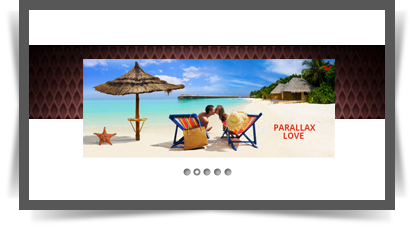
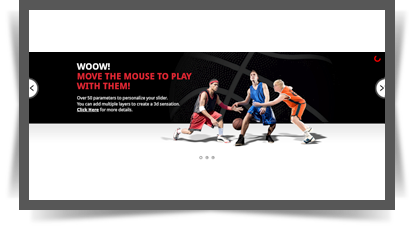
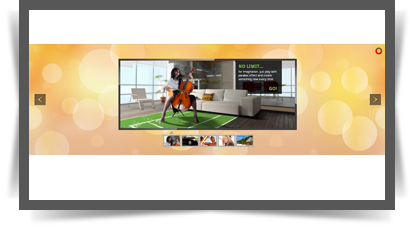
UberSlider – Layer Slider WordPress Plugin contains 4 versions: Classic, Perpetuum Mobile, Mouse Interaction and Ultra. Each of these 4 versions has 2 skins (bullets & thumbs) and can be used as Fixed Dimensions or as Full Width. It allows you to easily create powerful sliders with animated layers (text layer or images layer), making the slider very easy to setup and maintain. Please check the video tutorials for each product and the live preview to convince yourself of its quality.

\

\
\


\
IF YOU NEED ONLY THE JQUERY PLUGIN FOR THIS PRODUCT, YOU CAN DOWNLOAD IT FROM HERE: http://codecanyon.net/item/parallax-slider-responsive-jquery-plugin/3217681


Parallax Effect – Full Collection of Sliders includes 4 types of sliders:

– Classic
– Perpetuum Mobile
– Mouse Interaction
– Ultra

NEW: From these sliders you can create, in minutes, sidebar banners.


\CLASSIC

\

video tutorial

Step 1: Installation – http://www.youtube.com/watch?v=sp7TvIDlnVs
Step 2: Create a Slider – http://www.youtube.com/watch?v=vXOkiXm4vYo
Step 3: Add Layers – http://www.youtube.com/watch?v=YgZl1qgcFPs
Step 4: Manage Multiple Sliders – http://www.youtube.com/watch?v=lWJNfu3iTQA

Features

  • touch screen navigation support for mobile
  • responsive design. Available parameter to disable responsive behaviour
  • 2 predefined skins: bullets & thumbs
  • layered elements: permits almost unlimited number of layers, images or texts.
  • animated text from any direction: top, bottom, left and right. CSS and HTML formated
  • external url link parameter for each slide
  • target parameter: _blank or _self
  • width & height parameters
  • autoplay parameter
  • loop parameter
  • show/hide controllers parameter
  • show/hide bottom thumbs parameter
  • circle timer parameters for color, dimensions, transparency
  • you can include YouTube, Vimeo & HTML5
  • you can insert multiple instances in the same page with the same skin or using a different skin.
  • detailed help documentation included.


\ PERPETUUM MOBILE

\

video tutorial

Step 1: Installation – http://www.youtube.com/watch?v=6jFX2iy94p0
Step 2: Create a Slider – http://www.youtube.com/watch?v=tXqhbJOQFJ0
Step 3: Add Backgrounds and Layers – http://www.youtube.com/watch?v=fdj6CysHflI
Step 4: Manage Multiple Sliders – http://www.youtube.com/watch?v=7KIoY2ZyX8E

Features

  • touch screen navigation support for mobile
  • responsive design. Available parameter to disable responsive behaviour
  • 2 predefined skins: bullets & thumbs
  • layered elements: permits almost unlimited number of layers, images or texts.
  • animated text from any direction: top, bottom, left and right. CSS and HTML formated
  • perpetuum move: define multiple backgrounds elements that can have a perpetuum move. For each background you can enable or disable this behavior.
  • continuous move for layers: you can choose which layer will move continuously between 2 positions just by setting additional parameters
  • rotary motion for layers: you can choose which layer will rotate just by setting additional parameters. This feature is working for all browsers, except IE7 & IE8
  • width & height parameters
  • external url link parameter for each slide
  • target parameter: _blank or _self
  • autoplay parameter
  • loop parameter
  • show/hide controllers parameter
  • show/hide bottom thumbs parameter
  • circle timer parameters for color, dimensions, transparency
  • you can include YouTube, Vimeo & HTML5
  • you can insert multiple instances in the same page with the same skin or using a different skin.
  • detailed help documentation included.


\ MOUSE INTERACTION

\

video tutorial

Step 1: Installation – http://www.youtube.com/watch?v=tTigpPwYM6k
Step 2: Create a Slider – http://www.youtube.com/watch?v=o-6XPW0SLvI
Step 3: Add Layers – http://www.youtube.com/watch?v=jOiS_NJksGk
Step 4: Manage Multiple Sliders – http://www.youtube.com/watch?v=ZcHCskZKPK4

Features

  • touch screen navigation support for mobile
  • responsive design. Available parameter to disable responsive behaviour
  • 2 predefined skins: bullets & thumbs
  • layered elements: permits almost unlimited number of layers, images or texts.
  • animated text from any direction: top, bottom, left and right. CSS and HTML formated
  • mouse interaction: by moving the mouse over the slider, the elements will react. Available parameter to disable this behavior.
  • continuous move for layers: you can choose which layer will move continuously between 2 positions just by setting additional parameters
  • rotary motion for layers: you can choose which layer will rotate just by setting additional parameters. This feature is working for all browsers, except IE7 & IE8
  • width & height parameters
  • external url link parameter for each slide
  • target parameter: _blank or _self
  • autoplay parameter
  • loop parameter
  • show/hide controllers parameter
  • show/hide bottom thumbs parameter
  • circle timer parameters for color, dimensions, transparency
  • you can include YouTube, Vimeo & HTML5
  • you can insert multiple instances in the same page with the same skin or using a different skin.
  • detailed help documentation included.


\ ULTRA

\

video tutorial

Step 1: Installation – http://www.youtube.com/watch?v=9WHqEeyyhxg
Step 2: Create the Slider, Add Backgrounds & Layers – http://www.youtube.com/watch?v=0BzTCOMY9M4
Step 3: Manage Multiple Sliders – http://www.youtube.com/watch?v=HbGv0EDsQZo

Features

  • touch screen navigation support for mobile
  • responsive design. Available parameter to disable responsive behaviour
  • 2 predefined skins: bullets & thumbs
  • layered elements: permits almost unlimited number of layers, images or texts.
  • animated text from any direction: top, bottom, left and right. CSS and HTML formated
  • asynchronous move for backgrounds: Define multiple backgrounds elements that can have an asynchronous move, customizable through parameters.
  • width & height parameters
  • external url link parameter for each slide
  • target parameter: _blank or _self
  • autoplay parameter
  • loop parameter
  • show/hide controllers parameter
  • show/hide bottom thumbs parameter
  • circle timer parameters for color, dimensions, transparency
  • you can include YouTube, Vimeo & HTML5
  • you can insert multiple instances in the same page with the same skin or using a different skin.
  • detailed help documentation included.


\

\

\

Keywords: parallax effect, layer slider,
content slider, caption, fluid, gallery, image, jquery, mobile, ios, plugin, resizable, responsive, slider, slideshow, swipe, touch, wordpress plugin

If you need additional information don’t hesitate to contact us at [email protected]. We’ll try to answer you as quickly as possible.

Enjoy!

Download UberSlider – Layer Slider WordPress Plugin (Sliders)

WordPress Custom Emails (Utilities)


A Product by Flipper Code

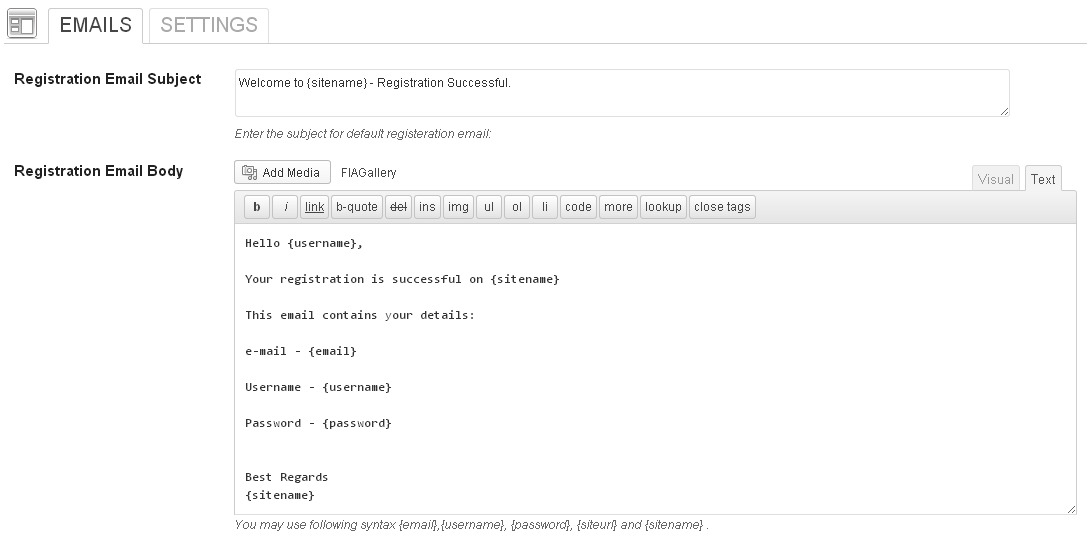
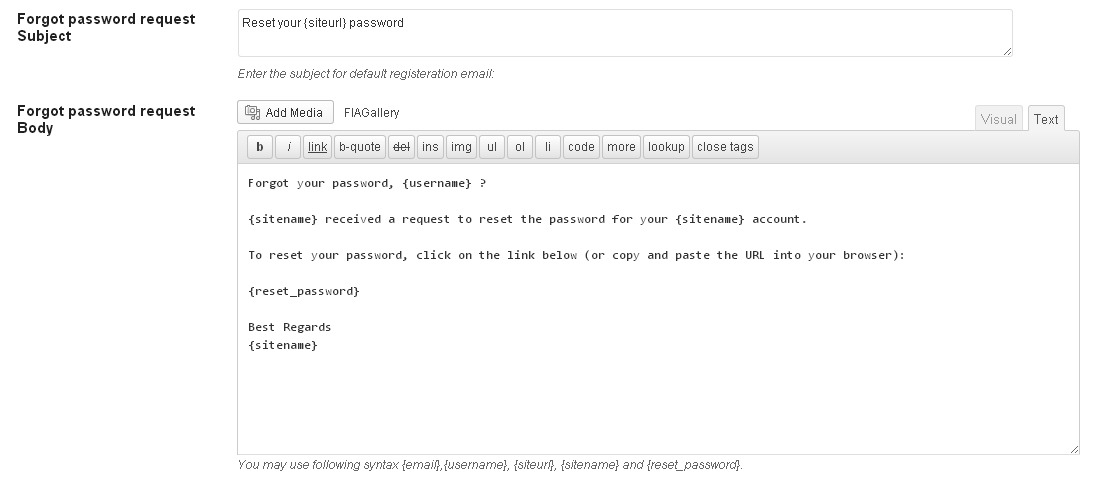
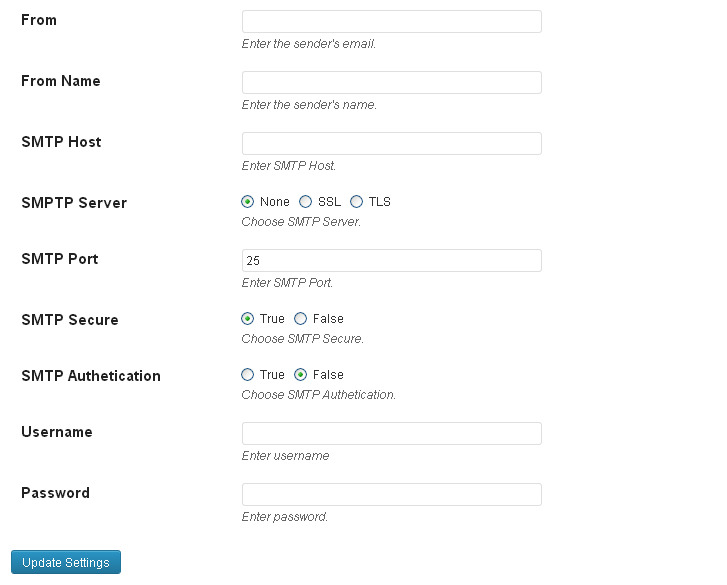
WordPress Custom Emails is a wordpress plugin to give you ability to control your default wordpress emails subject and body. Even a non-programmer can use it easily to define email language. Easy way to change sender’s name and email information and configure SMTP settings to send a secure email using your wordpress website.

Who Need This Plugin?

If you’re interested to customize default wordpress emails yourself using backend, This plugin is for you. If you want to change From Name and From Email in the email, This plugin is for you. If you want to enable SMTP settings, This plugin is for you.

For any help, feature request or to report a bug, you may contact me anytime And please rate this item as per your experience with it.

Download WordPress Custom Emails (Utilities)

jQuery Image Randomizer v1.0 Plugin (Images and Media)

Introduction:

Image Randomizer is a jQuery script that will generate a random set of images each time a webpage is loaded or refreshed. Just specify few basic user settings, inject few HTML lines into your webpage and that’s it. The plugin is designed for maximum adaptability with minimum setup requirements even for the casual user.

System Requirements:

jQuery v1.9.0 (Included) or higher versions. Get the latest version of the library here

Basic familiarity with javascript and HTML coding

Key Features:

  • Easy setup and configuration, even for the casual user
  • Display plain or linked random images or a mix between the two
  • Built-in missing image error handling
  • Development version with heavily commented code included
  • Production optimized version of the plugin included
  • Complete User Guide included along with a functional sample webpage to help you setup the plugin fast and easy

Thank you for your visit

Download jQuery Image Randomizer v1.0 Plugin (Images and Media)

.P12 to .PEM (Mac)

This is a Application to quickly convert them P12 files to a PEM file.
PEM files are used for sending push notification.

How Easy is it?

This can be done in 3 click.

1- Find .P12 path
2- Locate where you want .PEM file to get saved at.
3- Press ( Combine Certificate ) DONE.

Requirements

xCode.

I have a question

Feel free to comment on this item if you have any questions or need support, or you can contact me on [email protected]

Download .P12 to .PEM (Mac)

T-Shirt Designer – WordPress Plugin (WordPress)

T­shirt Designer is the tool you have been looking for! You can create
now your own t­shirt generator directly on your website. Works
with any kind of product and can be integrated in minutes.
Check the demo:
Demo

HTML/CSS/JS version

Features

  • Add unlimited shapes, images and texts
  • Let the user add custom texts to the product
  • Colorizable Text using colorpicker
  • Change the Color, Size and font of the Text
  • Let the user drag, move or remove Elements
  • Google font API Loader
  • Add unlimited custom fonts from google Font or other services
  • Users can upload their own design image or logo to print on t-shirt
  • Shows Preview of the T-shirt as designed
  • users can Choose there favorite Tshirt Color from collection
  • Export Tshirt design as PNG, BMP or JPG
  • Prind Tshirt Design

SUPPORT

Detailed documentation is included, it’s super easy to use but if you still need support you’re always welcomed to ask your question in the item details comments section.

Download T-Shirt Designer – WordPress Plugin (WordPress)

Cream Soda jQuery News Ticker (News Tickers)

Cream Soda jQuery Ticker is an ultra light, responsive, plug and play component that you can drop straight into your website.

Out of the box, jQuery Ticker looks professional, with clean styling and elegant sliding animations. This version of Cream Soda jQuery Ticker supports three modes; vertical, horizontal and mini.

There are also a whole host of customisation options, which can be easily extended with a little CSS know-how.

If you do encounter any trouble, we offer a full support service and endeavour to provide solutions for all of your questions!

Key Features

We are adding to the News Ticker all the time, so if there’s a feature you need that isn’t available, drop us an email and we’ll try to include it in our next release.

  • Responsive
  • Cross Browser Compatible
  • Light & Ultra Customisable
  • Minimal coding required
  • Three ticker types (Vertical, Horizontal & Micro)
  • Custom Animation Options
  • Custom CSS Options
  • Highlight featured items
  • Excerpt/Truncate Options
  • Navigational Buttons
  • Supports imagery
  • Auto play options
  • Smart pausing and interaction options
  • Accepts static content or XML/RSS feed content
  • Custom links from each item
  • Custom link targets
  • Manage item lengths

Simply include the JS/CSS and you’re good to go.

Download Cream Soda jQuery News Ticker (News Tickers)