Logos Showcase Pro – Grid – Carousel – Perspective (Images and Media)

Logos Showcase Pro contains 4 versions: Grid, Carousel (one by one), Carousel (Group) and Perspective. The last 3 versions have 2 skins: black & white. It allows you to easily display on your website: logos, clients, partners, sponsors, brands, portfolio items… you name it.


\

\
\


\GRID

\

Features

  • touch screen navigation support for mobile
  • responsive design – available parameter to disable responsive behaviour
  • tooltip – available parameter to activate/deactivate the tooltip.
  • border – you can set the border size and border color for active and inactive image.
  • grayscale – available parameter to activate/deactivate the grayscale.
  • external url link parameter for each image
  • target parameter: _blank or _self
  • multiple js options from where you can customize the plugin.
  • you can insert multiple instances in the same page.
  • detailed help documentation included. Also, all the examples present in the preview are included in the download .zip


 

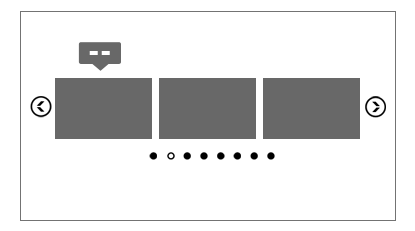
\ CAROUSEL

\

Features

  • touch screen navigation support for mobile
  • responsive design – available parameter to disable responsive behaviour
  • tooltip – available parameter to activate/deactivate the tooltip.
  • border – you can set the border size and border color for active and inactive image.
  • grayscale – available parameter to activate/deactivate the grayscale.
  • auto-play – you can define the time (in seconds) until the auto scroll will take place. If you set it 0 the plugin will not auto play.
  • external url link parameter for each image
  • target parameter: _blank or _self
  • multiple js options from where you can customize the plugin.
  • you can insert multiple instances in the same page with the same skin or using a different skin.
  • detailed help documentation included. Also, all the examples present in the preview are included in the download .zip



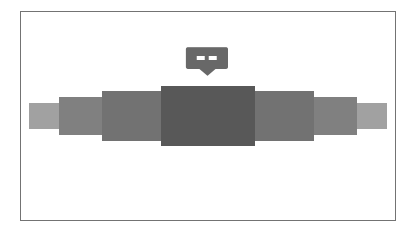
\ PERSPECTIVE (and ONE BY ONE CAROUSEL)

\

Features

  • touch screen navigation support for mobile
  • responsive design – available parameter to disable responsive behaviour
  • tooltip – available parameter to activate/deactivate the tooltip.
  • border – you can set the border size and border color for active and inactive image.
  • grayscale – available parameter to activate/deactivate the grayscale.
  • auto-play – you can define the time (in seconds) until the auto scroll will take place. If you set it 0 the plugin will not auto play.
  • external url link parameter for each image
  • target parameter: _blank or _self
  • multiple js options from where you can customize the plugin.
  • you can insert multiple instances in the same page with the same skin or using a different skin.
  • detailed help documentation included. Also, all the examples present in the preview are included in the download .zip



\

\

\

Keywords: carousel, client, clients, grid, graycale, logos, logo, partners, responsive, showcase, sponsor, sponsors, tooltip, portfolio, perspective

If you need additional information don’t hesitate to contact us at [email protected]. We’ll try to answer you as quickly as possible.

Enjoy!

Download Logos Showcase Pro – Grid – Carousel – Perspective (Images and Media)

WooCommerce Advanced Edit Customer User Profile (WooCommerce)

  • Give your Customer Users the ability to Edit all their User Profile information right from the My Accounts page. Name, Surname, Email address are now be editable in the the same way that the Billing and Shipping Addresses are.
  • If you’re using ‘Register using the email address for the username’ our plugin will automatically update the username to reflect a change in the user’s email address. No more old email addresses as the customer’s username! This is an essential add-on to the popular and awesome ‘Email Address as Username’ WooCommerce setting.
  • Now use WooCommerce and custom User fields to capture much deeper and more valuable information about your customers from within the My Accounts page in WooCommerce.
  • Add as many custom fields as you like using WordPress’s standard hooks and filters methodology.
  • The field types can be set to required, email address validated, password, etc.
  • Fully compatible with the popular Advanced Custom Fields.
  • Fully customize the look and feel using the WooCommerce templating system. Simply add our available templates into your theme.

Download WooCommerce Advanced Edit Customer User Profile (WooCommerce)

Login & Sign Up Forms (Forms)


  • CSS3 Responsive Login & Sign Forms
  • Four Colors Included
  • Forms Multi column Support
  • Fixed Forms
  • Modal Forms
  • Tooltips Included
  • Social Network Integration
  • Full Responsive
  • & Many More

Inside Pack

  • Folder Fixed Forms
  • Folder Modal Forms
  • Read_me.pdf

Icons Used in Project – 59$ Value
IcoMoon Ultimate Font

FONT USED IN PROJECT (Free Font) –
Font Open Sans

Rate it if you like … Enjoy…!!! :)

Download Login & Sign Up Forms (Forms)

Christmas Card with Sleigh (Canvas)

This year Christmas will be magical as a music box! Show your customers how you cherish with this elegant Christmas card. Effects are many, many animations with a beautiful and pleasant music. And you still control the sleigh of Santa Claus!

You can see the animation on the tablet and phone, because the card was made with html5. Fully touuch! The arts are included, are 2-color cards and even has a help file.


Thanks for visiting! If you have any questions, or just want to say hi, leave your comment.

Don’t forget to rate

I very much hope you enjoy =)

Download Christmas Card with Sleigh (Canvas)

Shortcodelic – WordPress Plugin Bundle (Interface Elements)

A plugin bundle

Shortcodelic actually is a plugins bundle, because puts in the same plugin lots of features that serve to create a cutting edge theme, with slideshows, tabs, accordions, comparative tables, advanced Google maps, progress bars, font icons etc.

How it works

Shortcodelic provides two kinds of shortcodes: one kind is a “simple” shortcode, where all the values that the plugin needs to print something on the frontend are passed as values of the shortcode itself:

[shortcodelic-progress unit="%" percent="25" barcolor="#34b96c" trackcolor="#eeeeee" style="pie" linewidth="20" size="130" animate="2000"]Design[/shortcodelic-progress]

The other kind is different, because all the values the plugin needs to print the result on the frontend are stored in the custom fields of the post/page where you generate the shortcode itself:

[shortcodelic-slideshow slideshow="2"]

In this case the only value that the shortcode passes is the ID of the slideshow (“2”). The only things that the plugin needs to print the result are the ID of the shortcode and the ID of the post (if not specified the ID of the post will be taken from the post itself).

If you want to take a particular shortcode generated on a post or page and display it on a different page, you only need to copy and paste the shortcode from the shortcode generator box, where is also specified the ID of the post:

[shortcodelic-slideshow postid="42" slideshow="2"]        

In this case you can display a particular shortcode on all the pages, despite of the page or post you used to generate it. Just remember that, if you delete the post/page where you taken your shortcode from, you will delete the values of the shortcode too.

What’s included

Shortcodelic comes with PixGridder page composer, a premium WP plugin available on CodeCanyon (click here).

It provides a useful admin panel to set the default settings, compile custom CSS etc.

Shortcodes

  • multi layer slideshows, with many effects, drag & drop preview, CSS3 acceleration, touch events, full-width and full-screen option
  • tabs and accordions, with responsive layout
  • responsive data and pricing tables
  • advanced Google maps, with custom styles, custom multiple markers, streetview option available, routes available
  • carousels to display image and content (from posts too)
  • font icons from Fontello.com
  • animated tooltips
  • progress bars and pies
  • infinite custom button generator
  • infinite text box generator

Download Shortcodelic – WordPress Plugin Bundle (Interface Elements)

FlickrViewer (Galleries)

OVERVIEW

FlickrViewer is a full native iPhone app to search, list and view Flickr images.

This app is using native user interface (not WebView) so it provides clean and fast user experience.

You can sort the search results by Relevance, Upload Date and Interesting.

You can share the images with iOS built in options (Facebook, Twitter, Flickr, Mail, SMS).

Really easy to setup, just copy/paste the code and use your custom search terms.

FEATURES

– Search, list and view Flickr pictures
– Fullscreen image viewer
– Sort results by Relevance, Upload Date and Interesting
– Share images (Facebook, Twitter, Flickr, Mail, SMS)
– Clean, native user interface

REQUIREMENTS

– Xcode 5
– iOS 7
– ARC

USAGE

1., Open up your View Controller file where you want to use FlickrViewer and add the following import to the top of the file:

#import "SelectFlickr.h" 

2., Then paste the following inside your code:

SelectFlickr *selectFlickr = [[SelectFlickr alloc] initWith:@"Brad Pitt"];
[self.navigationController pushViewController:selectFlickr animated:YES];

3., Compile and run.

SAMPLE CODE

You can find sample usage code in TableMenu.m.

SCREENSHOTS

Check screenshots and video for visual details.

https://vimeo.com/78924985

Download FlickrViewer (Galleries)

Frontend Upload (Utilities)


Documentation


Support


Contact


Facebook

Frontend Upload is a a complete uploading plugin solution for WordPress. It can satisfy all your uploading needs. As the name states, it is aimed for frontend uploading, but it can also work wherever you might need!

It’s fully customizable through a great backend settings manager and it works via AJAX.

You can use it anywhere on your wordpress website using shortcodes or php functions. For more information check out the documentation

Download Frontend Upload (Utilities)

Opencart Fast Checkout (OpenCart)

Opencart Fast Checkout

1. Management checkout in admin panel.
2. More flexible and fast checkout for customers
3. Forgot about more steps for buy a product.
4. Easy integration and configuration in your checkout.
5. Practical design and comfortable for your checkout.
6. Fast login and registering account on checkout page.
7. Multiple billing and delivery addresses.
8. Beautiful interface and flexible integration in your site.
9. Easy for use.
10. No required vqmod!!

You can see demo store for one step checkout :
Front: http://webbusinesstemplates.com/fastcheckout/
Admin: http://webbusinesstemplates.com/fastcheckout/admin
Admin user: demo
password: demo

If you need some assistance with the install process or if you have any questions, please contact us, we’ll be glad to help you!!!

Download Opencart Fast Checkout (OpenCart)

Quick View & Zoom Plus for Opencart (OpenCart)

Quick View & Zoom Plus module allows to display products quickly anywhere on
your site. Especially this is integrated cloudzoom extension
which allows to see the product images clearly the most, so you easily
bring your products closer to customers. So it not only helps improve
website usability and speed loading but also makes your store friendly and
more professional!

Download Quick View & Zoom Plus for Opencart (OpenCart)

Beti jQuery – Responsive Mega Menu (Navigation)

Beti jQuery – Responsive Mega Menu

  • JQUERY + CSS3
  • If you like Beti, please dont forget to rate…

Features

  • 06 COLOR SCHEME
  • 60+ ANIMATION EFFECTS
  • JQUERY + CSS3
  • ICON SUPPORT (360+)
  • CROSS BROWSER
  • FREE FONT
  • FULLY RESPONSIVE
  • EASY CHANGE COLOR
  • FREE UPDATE
  • DOCUMENTED

Support

Please send me an email to : [email protected]

Change Log

  • Version 1.0
    • Initial Release

Of this family

BETI jQuery – Accordion Menu


Download Beti jQuery – Responsive Mega Menu (Navigation)

Grid Gallery with Custom Links Pro (Galleries)

If you have WordPress gallery of images and need to link them to other pages, this plugin is for you.

  • Displays images in a grid.
    Live Preview
  • Responsive.
    Live Preview
  • Mobile friendly.
  • Easy to add to any page or post.
    Live Preview
  • You can add captions and long description to each of the images.
    Live Preview
  • You can add internal or external links to images and captions.
  • Crossfade on Hover and other visual effects.
    Live Preview
  • Fully customizable to match your WordPress theme.
    Live Preview

On Line
Documentation and Live Previews

Perfect plugin to create:

  • Sponsor links page.
  • Portfolio page.
  • Recipes page.
  • Products page.
  • Restaurant menu page.
  • File downloads page.
  • Navigation page.
  • Categories page.
  • External links page.

Features

  • Responsive when used with responsive theme.
  • Easy to add to any page or post. Just insert a shortcode.
  • Integrated with Media Library. It uses WordPress gallery for upload and image management.
  • Not limited to thumbnails. You can select any image size from your Media Library.
  • Images can have different sizes.
  • Unlimited number of images. Add as many images as you wish.
  • You can add captions and long description.
  • A few text layouts to choose from.
  • Image frames, drop shadows, cross-fade on hover and other visual effects.
  • Support for multiple Grid Galleries on a single page.
  • You can add custom JavaScript, to track clicks on outbound links.
  • Mobile friendly. Tested in all major browsers and mobile devices.
  • Highly customizable from the back-end. For full control, you can add custom CSS.
  • Translation Ready.
  • Guaranteed support. We always do our best to help and give support when needed.
  • Regular plugin updates. Grid Gallery with Custom Links Pro is always tested with the latest version of WordPress.

Installation

This plugin requires
Media Library Custom Fields
to be installed.

Media Library Custom Fields is our free plugin available for download from WordPress Plugins Directory. It’s tested and fully compatible with Grid Gallery
with Custom Links Pro.

Grid Gallery with Custom Links Pro
Installation Instructions

Download Grid Gallery with Custom Links Pro (Galleries)

Moncoco-ChristmasCalendar – Cool App for iOS (Full Applications)

Christmas Calendar is a Cool iPhone app – Christmas Calendar.

It is compatible with iOS 7.x and runs on iPhone 5 / 5S / 5C and iPod Touch 5th generation. Requirements to open the project : OS X 10.8 And Xcode 5.0

Christmas Calendar Features v1.0

  • Images : load your images with Feed RSS-XML to select each photo you want to offer to your user ! Amaze users with your HD and stunning pictures !
  • Share : the background can be shared. Increase your traffic with Social Networks ! Facebook and Twitter
  • Easy configuration : you don’t have experience with code or Objective C ? Great because you give you a very cool documentation
  • Clean code : if you are more advanced you can easily edit and change Christmas Calendar’s code. We made it clean.
  • Support : Our team is providing support under 24 hours to help you get the work done.

This app use a very cool flat design with very funny color and cool animation with snow :). Enjoy

I’m going to make a lot of update, so if you have any idea leave a comment !

Download Moncoco-ChristmasCalendar – Cool App for iOS (Full Applications)