Hello, I want to sell my android space shooter game.
Its really nice game. You can put game on Google play store and generate revenue.
It is easy to re-skin app.
Blancer.com Tutorials and projects
Freelance Projects, Design and Programming Tutorials
download PHP, ASP.NET, Java and Javascript from CodeCanyon – the marketplace for code scripts and snippets.Javascript, Java, Program, Code, Snippet, Script, Dev, Development, Codebase, MySQL, Class, Widget, System, CMS
This script is made to be similar to classic pinboard in your home.
Groups sharing is possible only with registered users on Pinboard. User should enter valid email address, script then checks if email is valid and if user with that email exists. After that, confirmation email is sent to your friends email address and if he or she accepts your shared group then your group will appear in his/her ‘Shared tab’. Now both of your can add or remove tasks but only owner of group can delete whole group.
In settings dialog you can change name, last name, email, password and avatar.
Background images are also changeable. Click on your username and select ‘Background’ option. You are presented with 6 background images but you can upload your own as well.
You can view received or sent messages in ‘Messages’ dialog. When message is opened you can reply directly by clicking on ‘Reply’ button. Also, all messages are removable so if you inbox becomes cluttered you can clean it up.
All users have their own profile page where other users can see their basic information like: avatar, name, last name, email address and date when they registered.
Profile search, which you can find at top of Pinboard, will help you finding your friends on Pinboard. After you found desired profile, you can send a message to that person or share a group.
More coming soon…
Plugmatter Feature Box: The Simplest Way to Feature Your Priority Products, Grow Email List, Get Sales.
With our WP Plugin, you can create an attention grabbing feature box opt-in in seconds without writing a line of code!
Feature Box is an email subscription box below the header but just above the main content. You can build your email list, get more sales or can even feature your top products.
Well, Feature box lets you highlight your most important products or services and helps you properly advertise it on your website. It also collects email addresses of your visitors – all with absolute ease!
There are two to create a feature – hire a professional designer to do it for you OR you can simply buy Plugmatter Feature Box and create one for yourself in few minutes. With much lesser cost of course!

Plugmatter Feature Box plugin comes with professionally designed and editable templates that can fit your website’s design. You can edit almost every element of the template – from images to headlines to button texts, etc. In short, you can change everything!

Plugmatter Feature Box allows you to target your mobile audience as well. Regardless of what device your audience uses, you can always use the Feature Box to build that email list or to highlight your top products.

Want to pass on a video message? Don’t worry! Plugmatter Feature offers a well-designed video template that you can use to better-connect with your audience. All you have to do is few clicks to convert your video template into a powerful marketing tool.

In case, you would like to use your own, custom-designed template, you can still use Feature box plugin. All you have to do is – copy+paste your custom design code in our custom template section. You get to use all the other features of the plugin without any hassle.

With Plugmatter Feature Box, you can create different feature boxes for different pages of your website. From posts, to pages and archives, you can target every corner of your website. By showing a unique message on each section, you can puruade your visitors even easily!

Wouldn’t it be easier to convert your audience when you have a dedicated feature box for a specific post? You can have a custom message displayed on the feature boxes that match with your page or post content. Or if you don’t want an opt-in box on a page, you can completely disable it.

Don’t you think a smaller yet powerful opt-in box would be helpful to grow your conversion? Of course it would. Now, you can create a mini-feature box that can be conveniently displayed throughout your website. The best part? It fits right on the header to grab instant user attention.

What’s the best way to grow your conversion? Split-Test. Plugmatter Feature Box allows you to effortlessly split test between two feature boxes and gives you advance analytics to understand what’s working and what’s not.

Plugmatter Feature Box works with current versions of all the leading browsers including Google Chrome, Mozilla Firefox, Apple Safari, Internet Explorer, etc. Though we do not claim that it would work with older versions of the browsers, you can certainly try it out if you’d like.
Yes, of course. You can upgrade your tool any time from your download area. Just login into your account and upgrade it to a higher package.
To learn how to use Plugmatter Feature Box Plugin, checkout our User Guide
you can get it in App Store:https://itunes.apple.com/us/app/sms-group-text-free/id683105294?mt=8
Feature:
SMS Group Text is a powerful yet easy-to-use application for sending SMS text messages to large and small groups of people.Simply tap on the list or group name and you are ready to send! And if you need to send the same message many times, just save it as a template and pick it later to auto populate the text of your message.
· Flat UI
Professional design ,simple and clean.
· Easy Use
Professional developers, easy to use.
· Fast & Quick send mode
Click a button then send group text.
· Text template
Send the same message many times, just save it as a template.


Distinctive Post Wall is simple to use yet very powerful. You can control which elements you wish to show (title, comment count, excerpt etc) as well as social sharing and a built in like feature.
With Distinctive Post Wall you can display all your posts, or choose a specific category or tag to display instead – you also show them in a random order if you wish! Please note, is it only possible to use one post wall per page at present.
As you you would expect, Distinctive Post Wall is fully responsive too, just try the demo and see.
WP Security Pro, a comprehensive, easy to use and well featured WordPress security plugin. WordPress itself is a very secure platform. However, it helps to add some extra security and firewall protection to your site by using WP Security Pro plugin that enforces a lot of good security practices.
In most of the time WordPress attacks are a result of plugin vulnerabilities, weak passwords, and obsolete software. WP Security Pro will hide the places those vulnerabilities live keeping an attacker from learning too much about your site and keeping them away from sensitive areas like login, admin, etc.
WP Security Pro plugin will take your website security to a whole new level with it’s best WordPress security features and techniques and combines them in a single plugin. Thereby ensuring that as many security holes as possible are patched without having to worry about conflicting features or the possibility of missing anything on your site. It reduces security risk by checking for vulnerabilities, and by implementing and enforcing the latest recommended WordPress security practices and techniques.
You can make your website basic secured by one-click activation of most features. As well as if you are experienced user, you can activate advanced features for better security to protect any site.
Below is a top list of the security and firewall features offered in this plugin:
Logos Showcase WordPress plugin contains 4 versions: Grid, Carousel (one by one), Carousel (Group) and Perspective. The last 3 versions have 2 skins: black & white. It allows you to easily display on your website: logos, clients, partners, sponsors, brands, portfolio items… you name it.




IF YOU NEED ONLY THE JQUERY PLUGIN FOR THIS PRODUCT, YOU CAN DOWNLOAD IT FROM HERE: http://codecanyon.net/item/logos-showcase-pro-grid-carousel-perspective/6081010

Installation – http://www.youtube.com/watch?v=B0DH3T0LN5E
Plugin Settings and Playlist Overview – http://www.youtube.com/watch?v=DSDwjV02EcU
How To Create a Grid Showcase – http://www.youtube.com/watch?v=bAFo-o9eOXg
How To Create a Carousel (Group) Showcase – http://www.youtube.com/watch?v=7Jwa5o4FuU8
How To Create a Carousel (One-by-One) Showcase – http://www.youtube.com/watch?v=pnB1OwDa9AQ
How To Create a Perspective Showcase – http://www.youtube.com/watch?v=u9DOCPhkWgE
 GRID
GRID

Features
CAROUSEL
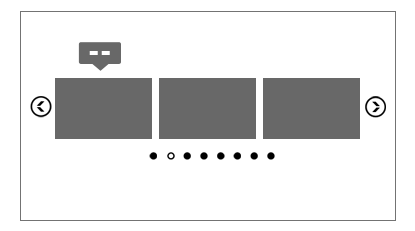
Features
PERSPECTIVE (and ONE BY ONE CAROUSEL)
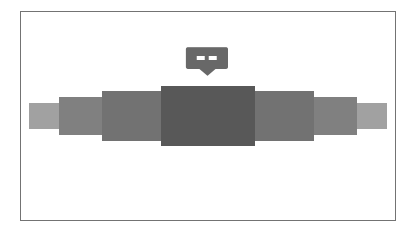
Features

Keywords: carousel, client, clients, grid, wordpress, logos, logo, partners, responsive, showcase, sponsor, sponsors, perspective, portfolio, plugin
If you need additional information don’t hesitate to contact us at [email protected]. We’ll try to answer you as quickly as possible.
Enjoy!
Web developers are working hard towards implementing web accessibility standards. In practice, this means that websites are required to be written and maintained such that they do not discriminate against users with disabilities, WAIM plugin is an easy way to add an implement some accessibility options to your website content, such as: magnifying specific areas, changing text appearance and many more. This plugin can be easily applied to a content container That will create a nice and easy accessibility toolbar That will allow your costumers to dynamically use different functionalities that makes your content more friendly even for users with disabilities. Waim is a great tool for blogs, articles and many more.
If you need additional information don’t hesitate to contact us at [email protected] – We’ll try to answer you as quickly as possible.


Inside Pack
Icons Used in Project – 59$ Value
IcoMoon Ultimate Font
FONT USED IN PROJECT (Free Font) –
Open Sans
Note:: IE9 Don’t support CSS3 Transform
Rate it if you like … Enjoy…!!! 
This is pure HTML5/CSS3 social bar. Social bar works on all major browsers. Social bar is easy to edit and integrate into any website.
Social bar works (the main structure is 100% same) on Internet Explorer 9 and 8, but animation and some other CSS3 features do not work.
Available icons:
Icons: Fontello
Mouse slide to select the soldier – Control the soldier to run and firedestroy the enemy
·Best to use chrome to play
“D&H” Manager Remainder is a powerful system that never let you forget to renew domains or hostings accounts, by sending emails and sms * to admin (and for future will store all DNS, IP, PASSWORDS info.)
If you have more than one domain, and use different hosting services, you know how difficult is to keep in mind what domain where is stored, and what dns and ip need to input in every hosting services, also the domains have one expiration date, and hostings have different….
I did this for me, and help me so mutch, so for now you can use it and keep all your domains/hostings websites accounts alive.
It is very easy to install. Just input once the cpanel username, password and forget about. The rest part of work will be done by D&H Reminder Manager.
D&H Remainder Manager will check every day at inputed hour the status of each domain/hosting expiration date, and if is = 30 days left, or 7 days left or today expire, will send an email and (or) sms to inputed mail address and cell phone with allert message from template.
Automatically make cron jobs, with correct cron command, just by one click.
Also have a powerful auto-install system, that can help you to avoid install headpain.
That’s all.
The 30-days, 7-days and today expire alert to email & sms
Send alert to ADMIN Email address
Send SMS alert to more than 200 countries Cell number
Send allert to specified address or cell *
Print report Domain/Hosting status
Email message template with tags
SMS message template with tags
Easy create MySql database
Auto create crontab
Secured admin login
Easy Set Cron Jobs
Responsive design
Easy to implement
Easy to use
DNS data stored for each domain/hostings*
* this and many other features will come in future versions


Sky Mega Menu for WordPress is a clean, responsive solution for creation beautiful site navigations. The drop down relies only on CSS/XHTML and comes with 3 mobile versions, different positions, 9 beautiful color schemes, a search box and much more.
Powerful admin panel
The plugin comes with an easy to use admin panel to modify the menu settings easily.

Drag and drop menu builder
Build your menu easily with WordPress’ powerful menu builder.

Several mobile versions
You can choose most suitable responsive version for you: icons, stack or switcher.
Different Positions
Can be positioned at any side of the screen and can be regular or fixed.
Unlimited Number of Levels
Menu has no limit for nested levels and all of them will be displayed correctly.
Beautiful CSS3 Animations
There are 3 animation effects based on pure CSS3: scale, slide and fade.
9 Color Schemes
Each color scheme has it’s own css file, that can be easily modified for creation your own colors.
Responsive Design
A fully responsive layout that adapts perfectly for all device resolutions like mobiles, tablets and desktops.
369 Vector Icons
Includes beautiful iconic font Font Awesome, created by Dave Gandy.
Retina Support
Optimized to support the high quality and crisp graphics on retina screens.
HTML5 and CSS3
Take full advantage of modern web technologies. Semantic HTML markup and standards compliant CSS.
Cross-Browser
Tested on Windows (Chrome, Firefox, Opera, IE9, IE10), Mac (Safari, Chrome, Firefox, Opera), iOS (iPhone, iPad) and Android.
Documentation
Extensive step-by-step guide to help you with usage and customization.
Lifetime Support
To get support please send me an email through the contact form on my profile page.
Free Updates
Products get maintained with improvements and bug fixes.
DHTML News Ticker & DHTML NewsScroller are tow professional highly configurable javascript news ticker and content slider Components.
1:
DHTML News Ticker:
– Provides an easy method for delivering news and other information.
– Allows some HTML tags for news items.
– Runs multiple html news ticker on one web page .
– Adjustable effect speed and pause delay between items.
– Easy building, testing and installation.
– It supports 7 transition effects.
– Supports images.
– Full customizable font characteristics.
– Requires no Javascript knowledge to create html ticker, javascript marquee, and text fader.
2:
DHTML Text Scroller:
DHTML Text Scroller is a .Net Component that allows you to design your text scroller in a few minutes and instantly see the results.
DHTML Text Scroller is a highly configurable vertical text scroller and vertical news ticker.
Creating the text scroller will take a few minutes using the DHTML Text Scroller Component.
This text scroller features smooth scrolling, URL links, configurable background color, and basic html tags.
This is a cross-browser text scroller.
You can easily configure the text scroller simply by changing the customizing colors, text, and dimensions by using DHTML Text Scroller Component Property.
EstateVue’s WordPress IDX plugin gives real estate agent websites and brokerages access to the most powerful, easy-to-use, and cost effective IDX-enabled product available on the market today. Real estate agents and brokerages will now be able to leverage SEO friendly, mobile responsive tools to showcase their properties like never before. The technology is quick to install, fully customizable, and beautifully designed. Enjoy custom IDX property widgets on any page of your site, including map search, saved custom searches, and more… To see a full list of features please visit: http://www.estatevue.com/features/.
For full instructions on how to install the WP plugin please visit: http://www.estatevue.com/installation-guide/.


