ezMobi Site Builder (Miscellaneous)

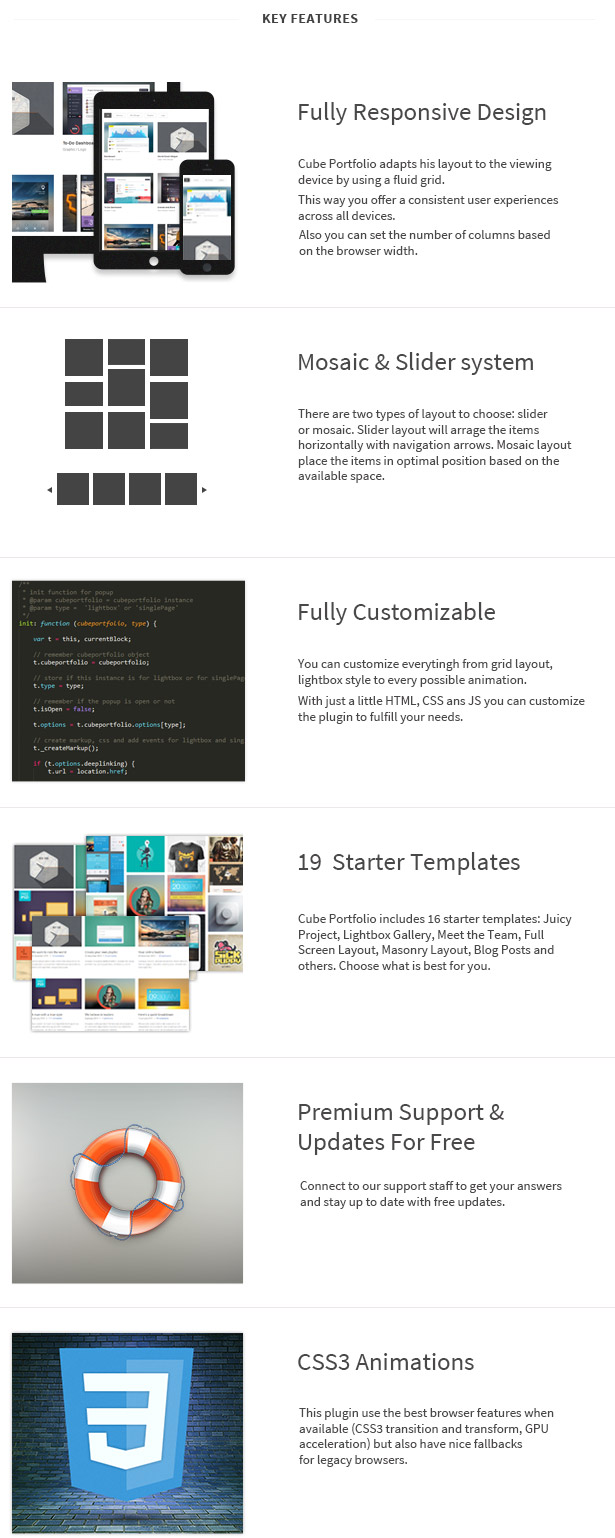
Create beautiful and professional mobile websites in minutes. Either you need it for commercial or personal purpose, this will help in all cases. ezMobi is a PHP/Mysql application which allows you build unlimited mobile websites with unlimited pages and complete with all the basic functions required. Choose from the available themes or customize the colors of existing themes. You will be able to sell the mobile websites to your clients too as this application allows you to download the full mobile website after customization. You can upload the mobile website to any hosting server which supports PHP.

FEATURES

Create unlimited pages
Opt-in forms and generate leads
Contact and inquiry forms
Create custom forms
Mobile landing pages
In page SEO features
Upload unlimited gallery images
Variety of themes and colors
Upload unlimited slider images
Customize the design and colors
Icons selection and logo upload
Google analytics
Social icons
Click to call button

And many more features inside.

Demo: http://www.ezmobi.co/app/
User: xvBgSq48f
Pass: xvB]g}S@q48f

Download ezMobi Site Builder (Miscellaneous)

Professional ProProxy – AutoUpdate (Windows)

This application is based on an API.
With this software you can download real-time list of good proxies.
Besides their proxies and port, do you have details of the country of which the speed of navigation, power and type of proxy hide.
A list can be exported in four general forms, so you can easily manipulate the file lists.
– All time table
– Proxy: Port
– Proxy
– Port
These proxies list updated every minute a international database.
Every time you give the search will occur proxies updated in the last minute.
You can manipulate and use proxies for personal purposes.

Proxy Server
A proxy or proxy server is basically another computer which serves as a hub through which internet requests are processed. By connecting through one of these servers, your computer sends your requests to the proxy server which then processes your request and returns what you were wanting. In this way it serves as an intermediary between your home machine and the rest of the computers on the internet. Proxies are used for a number of reasons such as to filter web content, to go around restrictions such as parental blocks, to screen downloads and uploads and to provide anonymity when surfing the internet.

Why Use a Proxy?

If you are wanting to surf the web anonymously then proxies can provide you with a means to hide your home IP address from the rest of the world. By connecting to the internet through proxies, the home IP address of your machine will not be shown but rather the IP of the proxy server will be shown. This can provide you with more privacy then if you were simply connecting directly to the internet. There are number of proxies that can provide you with service. You can find a list of these simply by typing “Proxy List” into any search engine. There are some proxies which are free and some which charge money, the choice is up to you but we have found that the paid proxies are more reliable, faster and more secure.

How to Setup a Proxy

Most internet browsers can be setup to run through proxies in just a matter of minutes.
Internet Explorer Proxy Settings

Click Tools
Click Internet Options
Click the Connections Tab
Click LAN settings
Check the “Use a proxy server for your LAN” box
Enter the IP Address of the Proxy Server and the Port Number
Click OK
Go to WhatIsMyIP.com to check for proxy

FireFox Proxy Settings

Click the FireFox Button(The button in the upper left corner)
Click Options
Click Options in the new tab
Click the Advanced Tab
Click Settings
Click Manual Proxy Settings
In the HTTP Proxy Box enter the IP Address of the proxy server and the Port number
Click OK
Go to WhatIsMyIP.com to check for proxy

Google Chrome Proxy Settings

Click the Customize and Control Button(Button with the wrench picture in upper right corner
Click Under the Hood
Click Change proxy settings
Click LAN Settings
Check the “Use a proxy server for your LAN” box
Enter the IP Address of the Proxy Server and the Port Number
Click OK
Go to WhatIsMyIP.com to check for proxy

Safari Proxy Settings

Click Safari
Click Preferences
Click Advanced
Click Change Settings
Check the Web Proxy(HTTP) box
Enter the IP Address of the Proxy Server and the Port Number
Click Apply Now
Go to WhatIsMyIP.com to check for proxy

Proxy Detection

Are you truly hidden? We do provide proxy detection at WhatIsMyIP.com. If your proxy is setup correctly you will see it’s IP address on the homepage and you may receive a message that a proxy was detected. It is impossible to detect all proxies. We may not detect your proxy but that does not mean that other sites can’t.

Download Professional ProProxy – AutoUpdate (Windows)

Go To Top Component (Miscellaneous)

Go To Top Component:

  • 12 difference graphic
  • Easy to use on: web, CMS, e-shop, mobile apps
  • You can add your own graphics
  • Mobile device compatible
  • All browsers compatible
  • You can also use different graphic on different webpages(each subsite can have different graphics) or part of your mobile app

UPDATE:

  • You can control when the graphic show off

Flag Counter

Download Go To Top Component (Miscellaneous)

Cube Portfolio – Responsive jQuery Grid Plugin (Images and Media)

Cube Portfolio is a powerful jQuery plugin that provides beautiful animated filtering, custom captions and it’s perfect for portfolios, galleries, team members, blog posts or any other ordered content.

It plays nice with your existing HTML and CSS, making it a great choice for dynamic and responsive layouts.

You can customize the plugin with just a little HTML and CSS to fulfill your needs.
Cube Portfolio include more than 20 settings to control every aspect of the plugin.

Full Features List:

  • Responsive & centering layout
  • Fully customizable: more than 20+ options
  • You can add unlimited number of items
  • You can add items usign AJAX
  • Responsive built-in lightbox with support for images, youtube and vimeo.
  • Built-in single ajax page with support for any HTML
  • 6 starter templates
  • 10 animations for item grids
  • Filter by categories: group your entries by categories
  • Support for dropdown filtering
  • 11 different caption animation types
  • Load more support
  • Display videos in your gallery from vimeo, youtube
  • Detailed and clean documentation with examples
  • Using CSS Animation with fallBack to jQuery
  • Lazy Loading function
  • Use with any HTML content
  • Supports all major browsers
  • Keyboard navigation for lightbox and single page details
  • Seo friendly
  • Full width support
  • Powerfull API : init, destroy, filter, appendItems, showCounter
  • Adjustable speed, transition, easing and effects for each caption
  • Multiple portfolios on the same page
  • Support for inline content
  • Animated blocks
  • Easily customizable via CSS file
  • Constant support and upgrades

Change log

v1.0 – 10 Dec 2013

  • initial release

Images in preview (not included in package): Paul Flavius Nechita, Tiberiu Neamu, Cosmin Capitanu

Download Cube Portfolio – Responsive jQuery Grid Plugin (Images and Media)

Personalized banner (increasing CTR up to 3 times) (Miscellaneous)

This plugin generates personalized banner with a certain user’s name, increasing its CTR up to 3 times, as everybody likes to be addressed by name.

Due to this, users are ready to grow fond of banners. :)

Video demonstration

It shows up when a user enters a comment on the website, and therefore it doesn’t take up too much space on the website and it isn’t influenced by “banner blindness”.

The Efficiency and Advantages

What is an average CTR of the banner embedded in the page? It’s very cheerless, even concerning beautiful banners, for example with attractive girls. And it’s not desirable to put up aggressive banners which occupies half of the page because of the responsibility before users.

But! There is a better way out. CTR of this banner is above usual three times as much. Moreover triple CTR doesn’t clutter up the page with banners!

Here are the graphics confirming this.

You are able to change all the styles, greeting texts, and, of course, a picture and an advertising link.

Start making money on your advertising right now!

Video demonstration!

Download Personalized banner (increasing CTR up to 3 times) (Miscellaneous)

Desktop Locker – Secure With Password (Windows)

Desktop Locker – Secure With Password
This program allows you to set a password quickly.

The software runs after turning off the computer, even if it came from another user.
Beauty and the interface is simple to use.

At first you just need to set the password and rolling elements.

This software is designed to be secured in a safe and fast computer at home or at work.

For the interface to be more elegant, you can set security panel and invisibility, between 1 and 100.
Panel desktop security is full, is black and displays the number of wrong passwords entered.

Simple, elegant and useful for those who truly needs.

Download Desktop Locker – Secure With Password (Windows)

WordPress Quick Read Plugin (Utilities)

Your visitors might be looking for such a feature! By quickread plug-in, provide fast and quick access to your website content for your visitors You will be able to show your commercial next to your contents and provide better interactivity.

Support Forums
|
Video Preview
|
Live Demo

Features

  • Open Source
  • Very clean code
  • Install on your own WordPress and start to use it
  • Cute skin (fully customizable)
  • Commercial appearence and management
  • Social network appearance and management
  • Can deactivate the QuickRead for 768px or Lower Screen resolutions
  • QucikRead button configuration:
    • Button position
    • Button width
    • Button color
    • Button font color
    • Button font size
  • Pop-up (modal window) options; “Show all” or “Limit Characters”.
  • Pop-up (modal window) theme options:
    • light_rounded
    • dark_rounded
    • light_square
    • dark_square
  • QuickRead appearance option (On Homepage, Page, Single, Catagories).

Limitations

  • The Plugin works with WordPress only
  • Plug-in only works with thumbail featured websites

How it Works?

Download WordPress Quick Read Plugin (Utilities)

ApPHP Hotel Site Light (Miscellaneous)

ApPHP Hotel Site Light is a powerful hotel management and online booking/reservation site script. This script is the fully functional PHP solution to manage small to medium size of hotels, holiday flats or guesthouse. Our hotel reservation system allows you to start online reservation and customer management in minutes. It has been specially designed to simplify the task of hotel booking online.

Administrator can manage room types, hotel rates and booking options. Powerful administrator panel and online reservation manager at the back-end includes invoices and reports functionality. Visitors of Hotel Site will be able to search rooms availability with an online booking reservation system. They also could view rooms inventory, check availability and book reservations in a real-time.

The Hotel Site script is an excellent tool for:

  • Online hotel management and reservation
  • Can be used on any website offering bed & breakfast
  • Hotel reservation system with real time availability
  • Automated booking engine for Multiple Hotels
  • Integration booking engine with existing site

A Short List of Features

  • Multi-Hotel support
  • Hotel management
  • Rooms and Room Types management
  • Default and weekly day prices for rooms
  • Bookings management and history
  • Bookings statistics
  • Reporting module
  • Admin booking possibility
  • Integration with external sites
  • Admins/Clients management
  • Powerful Administrator Control Panel
  • Email Templates management
  • Rooms availability calendar
  • CMS for pages with WYSIWYG
  • iPad, Tablet and Smartphone Compatibility
  • Multi-Language support
  • Right-to-Left Languages support
  • Multi-Database support
  • Multi-Currency support
  • Dynamic price calculation
  • Clients registration and login
  • Confirmation to members for a booking
  • VAT calculation by countries
  • 2(two) free embedded CSS templates
  • Various Prepayment Methods:
    » PayPal, 2CO payments and On-line orders
    » Authorize.NET, Pay on Arrival orders
    » Bank Transfer orders
  • Embedded Modules & Components

Additional Info:

Download ApPHP Hotel Site Light (Miscellaneous)

Smart bbPress nVerify (Forums)

Plugin Home Page
Support Forums
Follow on Twitter
Video on Youtube

Plugin Information

This plugin is created for all authors selling products through Envato Marketplaces and using WordPress with bbPress plugin to provide support for customers. Using Smart bbPress nVerify, you can set up forums protection so that users are required to enter valid purchase code for your Envato products. You can assign one or more products to individual bbPress forums. Plugin requires use of WordPress version 3.3 or newer and bbPress plugin version 2.3 or newer.

Plugin stores purchase codes users entered, and each code needs to be entered only once, and later visits to support forum will automatically verify that code exists. This way, verification process is not intrusive on your customers and doesn’t require using code with every visit.

Plugin uses Enavto API to verify purchase codes.

Control how forums restrictions are applied

Control how forums restrictions are applied
You can restrict access to forums using three options: restrict access to forum (hides even the list of topics in protected forum), restrict access to new topic form (user can see list of topics, but form is not available) and restrict access to actual topic content.

Simple form for entering purchase code

Simple form for entering purchase code
Restriction screen shows list of products assigned to a forum (so the users know which plugin license they need), and you have one field to enter purchase code and button to verify it. Depending on the verification (done through AJAX) user will see error or success message. If code is verified, page will refresh and show protected content. If the Envato API is not responding for some reason (maintenance on Envato), message will be displayed and user should wait before attempting verification again.

Restriction templates can be customized

Restriction templates can be customized
Default templates plugin has to display restriction message, also show the user step by step information on how to get the purchase code. All templates plugin have can be overriden by the theme so you can customize further the way those pages look like.

Administration panels with list of users with purchase codes

Administration panels with list of users with purchase codes
On plugins panel in the administration, you can see list of all users with registered purchase codes. You can filter the list by product and sort it by user ID or username. You can see all the information aboout each purchase code.

Other Plugin Features Included

  • Auto revalidation of purchase codes in case the purchase is refunded or reversed.
  • Restrict use of one purchase code for one user account.
  • Control user roles that will have unrestricted access to protected forums.
  • Allow items from more than one Envato author for individual forums.
  • Support for Multisite WordPress mode

System and WordPress Requirements

  • WordPress 3.3 or newer
  • bbPress plugin for WordPress 2.3 or newer
  • PHP 5.2.4 or newer

Disclaimers

  • Plugin depends on the templates loading system in the core of bbPress plugin. If you use some other system to replace bbPress templates loading and control, you will need to adjust that to work with Smart bbPress nVerify.
  • Plugin stores purchase information into database connected to users on your support forum. This means that your customers must register for an account on your website to access support forum.

Changelog

Version 1.0 / 2013.12.11.
  • First version

Download Smart bbPress nVerify (Forums)

Manufacturers Filter for OpenCart. (OpenCart)

Manufacturers Filter for OpenCart

This module provides the easiest way to filter results by the included Manufacturers in OpenCart.
Adds layered navigation by category and options.

The module automatically create a Manufacturers filter by product in that category.

Features:

  • show/hide search button
  • set use checkbox or no use checkbox
  • set categories when filter will be display
  • select manufacturers will be display
  • extremely simple to use product filter
  • plugin is ready to translate
  • filter products in a certain category by products options
  • OpenCart default theme styling
  • easily customizable styling

Demo
Admin demo | login: demo | pass: demo
Admin: http://demo.btechunit.eu/admin/index.php?route=module/manufacturers_filter
Store: http://demo.btechunit.eu/


Please use the comment section for general questions, feedbacks etc… only. For error related and for more complex problems, please use [email protected]

Download Manufacturers Filter for OpenCart. (OpenCart)

Indeed Custom Login Page (Utilities)

Official Website: wpindeed.com

Custom Login Page will allow you to make the login page provided by WordPress a part of your website. Customize your logo and your login form to best fit the template of your website. Create and manage multiple templates. Be prepared for those special occasions and create templates for X-mas, Halloween, or Fashion Week… only your imagination is the limit.


What is P&C&R Listing Posts for WordPress?

Indeed Custom Login Page for WordPress is a great plugin that will allow you to customize the default WordPress page (found at http://yourdomain.com/wp-login.php). With this plugin you will be able to integrate your design into the log in page provided by default with WordPress.

There are a total of 11 sections you can setup for your template with over 46 individual options. You can change the background and color of the entire page, change the default WordPress Logo and it will automatically replace the link to www.wordpress.org. You can set a background image and color to the entire box (that includes the logo, the log in form, the links to forgot password, and return to your website). Change the background image or color for the actual log in form. change the style (size, color, bold and italic attributes) for the labels of each element (links, input fields, submit button).

One of the most important feature of the Indeed Custom Login Page is the ability to store multiple templates. With this feature you can store for example the template for the log in page for special occasions (like X-mas, or Easter, or Fashion Week).

You can see more on Plugin Website Page: http://wpindeed.com

In the Future…

This plugin is already in use on some of our regular clients websites and we know that the next think they want is to have a nice preview system for the templates. As far as we are concerned this is the next feature we want to include, if you have any suggestions please let us know.

Requirements

If you want to use this plugin, all you need to do is install WordPress 3.5+, and install the plugin.

List of Features

  • Background image URL for the entire page
  • Background image for the entire page repeat options
  • Background image for the entire page position vertical and horizontal
  • Background color for the entire page
  • Background image URL for the center box
  • Background image for the center box repeat options
  • Background image for the center box position vertical and horizontal
  • Background color for the center box
  • Background image URL for the log in form
  • Background image for the log in form repeat options
  • Background image for the log in form position vertical and horizontal
  • Background color for the log in form
  • Logo URL
  • Text color for the Username and Password fields’ labels
  • Bold option for the Username and Password fields’ labels
  • Italic option for the Username and Password fields’ labels
  • Size option for the Username and Password fields’ labels
  • Background color for the Username and Password fields
  • Text color for the Username and Password fields
  • Bold options for the Username and Password fields
  • Italic option for the Username and Password fields
  • Text Color for the Remember me label
  • Bold option for the Remember me label
  • Italic option for the Remember me label
  • Text size for the Remember me label
  • Background color for the Submit Button
  • Background Hover (mouse over) color for the submit button
  • Text color for the submit button’s label
  • Text hover color  for the submit button’s label
  • Bold option for the label of the submit button
  • Italic option for the label of the submit button
  • Text size for the label of the submit button
  • Text color for the footer links
  • Text hover color for the footer links
  • Bold option for the footer links
  • Italic option for the footer links
  • Text size for the footer links
  • Background color for the info message
  • Border color for the info message
  • Text color for the info message
  • Bold option for the info message
  • Italic option for the info message
  • Text size for the info message
  • Background color for the error message
  • Border color for the error message
  • Text color for the error message
  • Bold option for the error message
  • Italic option for the error message
  • Text size for the error message

Download Indeed Custom Login Page (Utilities)

Smart Speech Bot (Windows)

Smart Speech Bot allows the user to interact with the computer using only the voice.

It builds upon the Windows Speech Recognition libraries.

The program listens for a single word: “Computer.”
When the users calls the computer, it will answer with “Yes?”.
After the computer answers, the user is free to try any question and the Speechbot will try to find the answer on the Internet.

The voice recognition relies on Windows Speech Recognition, so this should be trained independently. The accuracy of the recognition
depends solely on the configuration of the Windows Speech Recognition.

Some examples of commands:

  1. Computer! -> Yes? -> Who is Albert Einstein?
  2. Computer! -> Yes? -> Locate London.
  3. Computer! -> Yes? -> What is the biggest country?
  4. Computer! -> Yes? -> What is the square root of pi?
  5. Computer! -> Yes? -> What’s a cookie?
  6. Computer! -> Yes? -> Define “word”.
  7. Computer! -> Yes? -> Google market share.
  8. Computer! -> Yes? -> 1000 + 123456.
  9. Computer! -> Yes? -> Wikipedia
  10. Computer! -> Yes? -> Notable events in 1960.

Download Smart Speech Bot (Windows)

SocialStrap – Social Networking Platform (Social Networking)

SocialStrap – Social Networking Platform

Main Features

  • User profiles with four user roles (anonymous, guest, user, subscriber, reviewer and admin)
  • Follow system with 4tier connections
  • Groups and Pages
  • Search for Users, Groups, Pages, Personal Timeline or All Posts
  • Posts with four levels of privacy
  • Post Youtube videos
  • Hashtags and search for hashtags in Posts
  • Private messaging system
  • RealTime Notifications and email Notifications
  • User’s Timeline displaying posts from followed people
  • Images and Albums with image resampling upon submitting
  • Comments on posts and images
  • Advanced friend suggestions
  • User Badges
  • Share on Facebook or Email
  • Invite Friends and Referral system
  • Emotions and Games
  • CrowdSourced Reports and Review Reports (users can report posts, comments, messages, profiles and images)
  • Facebook Authentication and Login
  • ReCaptcha antibot service integration
  • Responsive MobileFriendly design based on Bootstrap v3
  • 12 Preinstalled bootstrap Themes
  • Single-file translations
  • SEO customization and additional <head> code
  • Banner Slots and custom Message of the Day
  • Custom Logo and Background Image
  • Profile and Cover Image resizing, cropping and rotation
  • Friendly URLs for all Profiles (users, pages and groups)
  • Admin panel for app management and administration

App settings and add-ons screencast: http://www.screenr.com/UvTN

System Requirements

  • Apache, IIS7 or Nginx web server
  • PHP 5.3 or higher
  • PDO and GD PHP Extensions installed
  • Linux or Windows server
  • Read and Write permissions for all files inside main folder

Ducumentation: http://live.socialstrap.net/documentation.pdf

Technology

  • PHP 5.3+, with Apache2, IIS7 or Nginx web server
  • Zend Framework v1.12
  • Bootstrapv3 with custom Themes and Layouts supported
  • PDO Database Driver
  • SMTP or PHP mail() email adapters
  • Blowfish-based password protection with MD5 fallback (phpass lib)
  • Local Filesystem or Cloud Storage (for user images, Amazon S3 Addon – Sold separately)
  • Database-Driven PHP Session
  • Powerful Add-on system based on “Mediator Pattern” and hooks

Updates

Version 1.0 (git: 34903e2)

Download SocialStrap – Social Networking Platform (Social Networking)

Joomla Admin Branding (Administration)

Admin Branding is a pioneer and very popular system plugin to replace all Joomla default icons both on front-end and back-end (admin area). It’s easy to use and highly customizable. Works with any Joomla template and need no knowledge of coding.

How to Configure:

After installing the Plugin, go to Admin settings of the plugin and just select option you like, customize your brand and enjoy. You will never need another Admin branding plugin again.

Key Features:

  • A System Plugin to Brand or Customize Your Joomla Site’s Admin
  • Branding for both Front-End and Back-End
  • Light Weight Plugin that Works with all Template
  • Works for all Joomla Versions (1.5 – 3.x)
  • Full control to style-match with your Joomla site
  • Flexible and Easy to Use
  • Control for Own Logo Size Width and Height
  • Background Image control: Adjust Vertical and Horizontal Position
  • Padding of Header
  • Full Control for Text and Background Color
  • Footer Branding
  • Custom Lock Image and On/Off
  • Custom Site and Login Logo
  • Replace Default Joomla with your own Logo Everywhere

Customer Reviews:

Excellent plugin !!!
I think it is a must have plugin for designers and everyone. – gfakas

This is a must have plugin for designers. Provides consistent branding for the login and administrative backend. This plugin is fast & easy to use. – Hello Design Studio

Download Joomla Admin Branding (Administration)

Flying Ajax Live Contact (OpenCart)

Flying Ajax Live Contact is an important part of every website. A contact form is very helpful in giving your visitors a way to contact you. The visitors can easy contact you any where on site.
In addition this plugin have a beautiful effect and fancy, it will bring satisfaction to visitors.
And that is definitely visitors will come back next time.
So it not only helps improve
website usability but also makes your store friendly and
more professional!

Download Flying Ajax Live Contact (OpenCart)