Ultimate Youtube Shortcodes (Social Networking)

Summary

The WordPress Ultimate Youtube Shortcodes Plugin is a wordpress plugin that helps wordpress site users integrate youtube videos into their wordpress websites.
Some of the functionalities include

  • Displaying a youtube video to a page or post via shortcode
  • Playing a random video from a playlist
  • Displaying a video gallery from a playlist
  • Displaying a video gallery from a channel
  • Pagination for the video galleries
  • Responsive Design
  • Prettyphoto modal popup integrations

Shortcodes

Single video display – [yt_video video_id=”_czasv7ttbw” width = “600”]

  • video_id – The id of the video you would like to display
  • width – You can set the width of the video thumbnails. The height will be relative to the width using the default 16:9 ration

Random video from playlist – [yt_pl_random playlist_id=”PLcUqU6VQ2mu_bo9iiUMc1QYstrpvcJd-G ” width = “600”]

  • playlist_id – This is the id of the playlist you’d like to play a random video from
  • width – You can set the width of the video thumbnails. The height will be relative to the width using the default 16:9 ration

Channel Videos Gallery – [yt_gallery profile=”apple” header=”off” video_per_page=”20” width=”280”]

  • profile– This is the id or name of the channel you would like to show on the wordpress website.
  • header – This is an on or off setting that when set to ‘on’ displays the channel header which includes the logo, total channel video views, total subscribers and the channel description.
  • video_per_page – this sets the number of videos you would like be shown per page.
  • width – You can set the width of the video thumbnails. The height will be relative to the width using the default 16:9 ration.

Playlist Videos Gallery – [yt_playlist playlist_id=”PLCMKuX6VjTYrrF_qVw-6EvCom_339ae5X” width=”244”]

  • playlist_id – The id of the playlist you would like to display
  • width – You can set the width of the video thumbnails. The height will be relative to the width using the default 16:9 ration

Upcoming features/shortcodes in the next release

  • Creating gallery from selected videos
  • Playing random video from channel

Support and Documentation

Please drop us a line on [email protected] with any questions you may have, full documentation is included with the program to help you with your projects.


Download Ultimate Youtube Shortcodes (Social Networking)

Coder – Advanced Theme & Plugin Editor (Utilities)

Coder – Advanced Theme & Plugin Editor is a must-have plugin for every single WordPress developer and designer.

This plugin turns the poor old-school WordPress theme & plugin editor to a fancy full-featured editor with rich development tools & features.

Some of the editor features are:

  • Emmet integration to provide you with the best snippet support and ultra fast coding experience.
  • Error-proof – If you save a file with a fatal error that breaks the administration, the last working version will be returned, and you will be notified that you have an error in your code.
  • Ajax save without reloading the page.
  • Fullscreen editor.
  • A ton of useful shortcuts (for example CTRL + F – Search; CTRL + H – Search & Replace; F11 – Full Screen; CTRL + S – save; CTRL + L – go to line and many others).
  • Highlight matching parentheses
  • Over 25 color schemes.
  • Search, find & replace, search by regular expressions & specify case sensitivity.
  • Support for all languages (PHP, MySQL, HTML, CSS, JS, LESS, SASS).
  • Multiple undo & redo.
  • Multiple cursors and selections
  • Automatic indent and outdent.
  • Code folding – collapse & expand.
  • Drag and drop text using the mouse.
  • Huge documents handling without performance issues.
  • Friendly user interface.
  • Line wrapping.
  • Live syntax checker for JavaScript & CSS.
  • Cut, copy, and paste functionality.

You can now comfortably edit WordPress theme & plugin files while having an experience similar to your favorite code editor.

Download Coder – Advanced Theme & Plugin Editor (Utilities)

Clix Recent Ads (WordPress)

Revolutionary Plugin Spies on Your Competition and Shows You the Latest Paid to Click Ads That Will Give You an Unfair Advantage in Business

Have you ever wondered how some ads just seem to be a hit with prospective customers. You keep seeing them being displayed and thought to yourself how/what are the owner doing to be so successful

This spyware wordpress plugin:

Installs very quick and is easy to use
Makes it easy to spy on your competition
Gives you insight into what Ads are working Now!
Very first Pay to click spy tool Giving You an Edge

There is now no need to scratch your head and wonder this great spy tool will do the heavy lifting for you. Once you see what ads are working you could –

Copy the award winning ads and grab a piece of the traffic
Use the award winning URL’s to drive traffic using Pay Per View [PPV]
Tactics

The information can be updated anywhere from 1 Hour – 24 Hours. This Cron Job is set up in your WP Admin panel using one click. So no need to worry about CPanel set up!

What happens is the software goes out to Clixsense dot com [PPC] and within about one minute brings back a list of the ads that are running.

Download Clix Recent Ads (WordPress)

Flip Carousel and Coverflow for WordPress (Sliders)

A plugin help you to add carousel or coverflow to your post/page via shortcode.

followrss

Features

  • Optional to display the carousel in normal or coverflow.
  • Support batch upload, and convert the large image to small thumbnail via PHP automatically, help you to add the content quickly and keep the content load fast too.
  • Works fine in the small screen device.
  • Multiple and unlimited carousel or coverflow instance in your WordPress.
  • Optional 2 sides content (front and back) in the normal carousel mode.
  • Built in social link option, include twitter, facebook, google+, github, pinteres, dribbble, skype, linkedin, youtube, vimeo, instagram and email.
  • Social icon can be circle, square, or round square.
  • Optional flip vertical or horizontal.
  • Live preview in the backend, what you see is what you get.
  • Optional padding between each item.
  • Optional arrow and pagination offset.
  • Compatible with latest jQuery and latest WordPress.
  • Enqueue the js and css only when needed. Keep WordPress page size smaller.
  • FAQ and source code are included in the package. Free update in the future.

Recommendation for you

Image Map HotSpot WordPress Plugin:

hotspot

Credit

jQuery http://jquery.com
jcarousel http://sorgalla.com/jcarousel/
flipster http://brokensquare.com/Code/jquery-flipster/demo/
Great shots from http://www.flickr.com/photos/markjsebastian/
icons: http://rog.ie/blog/free-social-media-icons

Download Flip Carousel and Coverflow for WordPress (Sliders)

Latest Images Widget for WordPress (Widgets)

The Latest Images Widget plugin by WP Prestige allows you to display, in any widgetized area, thumbnails of the featured images of your most recent posts.

The widget has five settings that can be altered to your specific requirements:

Title
Number of Images
Post Category
Post Type
Number of Columns

Title

The Title setting allows you to set the title of the widget. Where this title displays relative to the widget, or whether it displays at all, depends on the WordPress theme you are using. However, most themes will display this title just above the images.

Number of Images

The widget allows you to select the number of images to display. The images shown are the images that were set as the “Featured Image” for the posts in the category and/or post type chosen. The images appear in reverse chronological order, starting with the most recent post.

Post Category

This setting allows you to input the category of posts from which to pull the featured images.

Post Type

The Post Type setting offers a drop down list that allows you to choose which post type to display images from. The drop down will consist of the default “Post” post type (posts created using the “Posts” section in the WordPress admin panel) as well as all other custom post types present.

Number of Columns

The Number of Columns setting offers a drop down list that allows you to choose in how many columns the images will display on your site. You can choose between two, three and four columns. Be sure to adjust the Number of Images setting accordingly, to get the perfect look.

Download Latest Images Widget for WordPress (Widgets)

Basic Thread Manager (Forms)

Basic Thread Manager v1.3 in Windows Forms

Powerful, fast and very intuitive library for managing threads and task that needs to be done asynchronously

What this software can do ?

Basic Thread Manager manages all kind of your task, long processes and time-undefined jobs running in C# apps in a very friendly and simple way.
Basic Thread Manager is library converts standard, synchronized methods (running the same thread with application) to asynchronized (running in separate threads). This get rid of “Application not responding” effect and give to our app new and fresh brief look.

What can this do for me ?

  • Manage all kind of your task (class methods)
  • Display cool window with very configurable progressbar (and window also)
  • Redirect all progress data to your own progressbar or whatever you have eg. console, textbox etc.
  • Use many events like OnThreadWorkerStart or OnThreadWorkerEnd and so
  • Breathe stress relief…

What else ?

  • Window has ability to hide into tray
  • You can say once and for all goodbye to “Application not responding” screen!

What are the advantages ?

  • Very high performance
  • Simple to use and distribute
  • Sample APP with multiple demos inside
  • Support

What do you get in this package ?

  • Full source code of Basic Thread Manager
  • Full source code of Live testing tool called Basic Thread Manager Sample App
  • Very well documented code
  • Project files with Visual Studio 2010
  • Compiled DLL and EXE files
  • DLL’s with PDB files – Project debug files
  • Xml comments (Intellisense)

How to use it in your project ?

In short you need to write few lines of code!

var sgt = new BasicThreadWorker();
sgt.Maximum = 1000000;

sgt.ThreadMethod = delegate
{
    for (int i = 0; i < sgt.Maximum; i++)
    {
        sgt.ReportProgress(i);
        Console.WriteLine(i);
    }
};

sgt.Start();

Take a look into online documentation

That’s it, happy coding!

Flag Counter

Download Basic Thread Manager (Forms)

Ads Managment Platform With Full Analysis – v1.1 (Project Management Tools)

SpotWay, clever ads manager with fully Analisys

What can do SpotWay for you?
SpotWay is a clever ads manager, that helps webmasters and web developers creating, managing and analyzing ads into websites.
Using it, it will increase considerably the execution time of adding ads on websites.

You can manage multiple ads on multiple website with One Time Install!

Features

Easy install
Quick and easy install on your server in 3 steps, check out the documentation file or the platform use video.

Easy Ads Managment
Create and install ads on your page in a few clicks. Installing ads has never been so easy.
Multiple ads rotation
You can add multiple ads into a Spot and they have a rate of 50% to show up.
Campaign Management
You can create campaigns and add ads there to easily make analisys on multiple criteria.
And lots more …
Check www.getspotway.com for more info!

Preview Password:
Username: admin
Password: admin

Download Ads Managment Platform With Full Analysis – v1.1 (Project Management Tools)

MediaFans – Share photos, GIFs and videos (Images and Media)

Description

With MediaFans, you can Create your own community of friends and Share photos, videos and GIFs, easy and simple.

The application can be configured to be open to everyone, or only those who are registered.

It is easy to configure and NOT requires much resource to the server.

Users can upload their pictures, GIF or Videos, browse the photos of other users, comment, chat with other users in real time, and more.

Furthermore, this optimized so that the search engines do track every page of registered users, as well as all the photos.

Features

Here are some of its main features:

  • Share photos, GIFs and videos.
  • Live Chats, Messages, Comments.
  • Notifications on likes, comments, following, and chat.
  • Likes, hashtag, emoticons in chat y comments.
  • Multileguage system.
  • Theme System.
  • Responsive Design.
  • Optimized for SEO.
  • Demonstration Page

    You can see the application running at the following address:

    http://www.MediaFans.info

    Maintenance Area Options

    General Settings: To configure the more general aspects of the application.
    Manager Users: Section that is used to manage user accounts.
    Languages: In this option you can choose default language of the system.
    Themes: In this option you can choose default theme of the system.
    Manage Ads: To configure the areas of advertising. These areas are advertising 200×200 pixels.
    Pages: To enter the content to different pages of the website.

    Download MediaFans – Share photos, GIFs and videos (Images and Media)

    JSONViewer – A User Friendly Data Viewer (Miscellaneous)

    Visualize JSON files with ease.

    The best way to visualize data. JSONViewer is a user friendly, easy to use, lightweight, vanilla JS script written in OOP syle. You can use this script to visualize those ugly JSON text files in an interactive pleasant way

    Features overview:

    Take a glance at what this item has to offer:

    • Select and highlight items (provides an interactive way of seeing what item is currently selected/hovered)
    • Depth control for rendering (build JSON tree only to a certain depth and expand members only to a certain deph)
    • 4 built-in themes (there are a range of themes you can choose from, both in vertical and horizontal layouts). More themes will be released in the future.
    • Customizable (you can customize how the JSONViewer looks and works to a certain level through options passed to the constructor).
    • Easy to use (just a line of code to turn some ugly JSON to a beautiful representation).
    • Multiple instances on the same page (you can have as many instances as you like on the same page without any conflicts).
    • Extra feature: JSONPane – add more control to your data. JSONPane is a widget that adds more functionality by:
      • containing the JSONViewer inside a scrollable area and providing UI for the JSONViewer
      • buttons to expand and collapse members and their children by one click
      • scrollers indicators – these appear on the top and left of the pane to help navigate when the space in thight
      • breadcrumb like navigation – the path of a selected member is shown in breadcrumbs style and you can navigate upwards (useful for very large, branched JSON files)
      • copy to clipboard button – any selected member or the entire JSON file can be copied to the clipboard as plain JSON text
      • expand to the whole screen button – expand the pane to the entire screen and above everything else
    • Extensive documentation provided (all the code is commented and comes with YUI Documentation files). Design sheets are provided to see what’s the structure of the JSONViewer and JSONPane DOM representation in case you want to fork the code or build your own themes
    • Plain JavaScript written in OOP style (it’s independent of any JS framework out there)
    • Works in all major brosers out there, including Internet Explorer 8 and above. Also works in mobile browsers.

    Usage example

    or

    Other items

    From CodeCanyon

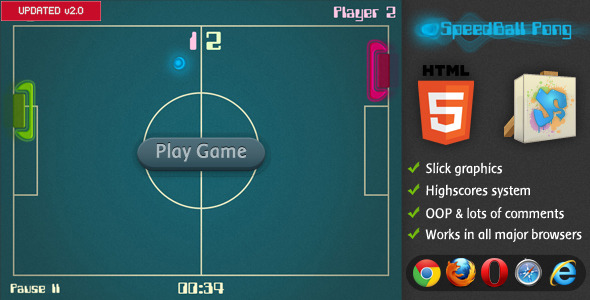
    SpeedBall Pong – HTML5 Game

    From ActiveDen

    AS3 Spectrum Analyzer with 16 Presets

    9 Advanced Tiled Backgrounds

    From AudioJungle

    Download JSONViewer – A User Friendly Data Viewer (Miscellaneous)

    QuestionCaptcha – The User Friendly Captcha (Forms)

    QuestionCaptcha is simple PHP library that is easy to integrate into your php forms and provies you with Turing test – based captcha protection. It is based on your own defined questions that users need to answer to pass the form.

    You can use exact string matches, number ranges and even REGULAR EXPRESSIONS!!!! This may look very simple, but it is a killer feature of my captcha. Check the live demos to see it in action!

    One question can have more right answers (useful for example for numbers – 50 and fifty are both corrent answers on question “How much is 60-10?”).

    Download QuestionCaptcha – The User Friendly Captcha (Forms)

    AutoPilot Video Search Engine Plugin (Media)

    The AutoPilot Youtube Video Search Plugin automatically search the videos from the Youtube using their API and Show the result in your wordpress website and your websiet users can click on those Video to view them on your website.

    This whole system is handsfree, You just have to do some settings in the plugin settings and then system will work on autopilot. It also Auto Update with latest videos from youtube.

    You can easily integrate this plugin to your existing wordpress website to adding new content and extra features.

    It will work for any type of Languages Keywords and Niche and Locations.

    Features

    • Automatically search video from the YouTube api into WordPress ™ based website.
    • Support Almost all languages around the world.
    • Will Provide Video Content for any niche or keyword
    • Will easily integrate into your existing or new website.
    • You can easily create a custom niche with our help of built in shortcodes
    • It will open the video in New page. Creating a extra content page for your website.
    • It will definitely boost your website Search Engine and Content Quality.
    • It is very Lightweight. No need to import or update anything.
    • Create Custom Keywords niche pages with no of video on them.
    • Set the dimensions for your videos.

    Search Form ShortCode

    If you want to add Search Form in any page. so that your user can search from it.

    List of Videos Short Code ShortCode

    If you want to add List of Videos in the your wordpress website Pages or Posts. You can easily use the Simple Shortcode with keywords for which you need the Videos to auto fetch from the Youtube.

    Search Form and Video List Widget

    If you want to add Search Form in any page. so that your user can search from it.

    Sources and Credits

    • WordPress
    • Youtube for their Awesome API: www.youtube.com

    Logs

    • Plugin Released : 28/12/2013

    Download AutoPilot Video Search Engine Plugin (Media)

    Smart Content nVerify (Utilities)

    Plugin Home Page
    Support Forums
    Follow on Twitter
    Video on Youtube

    Plugin Information

    This plugin is created for all authors selling products through Envato Marketplaces and using WordPress to publish tutorials or documentation for customers. Using Smart Content nVerify, you can set up protection for posts (tutorials, guides, documentation…) from both default post types (posts, pages) and custom post types so that users are required to enter valid purchase code for your Envato products. You can assign one or more products to individual posts.

    Plugin stores purchase codes users entered, and each code needs to be entered only once, and later visits any protected posts will automatically verify that code exists. This way, verification process is not intrusive on your customers and doesn’t require using code with every visit.

    Plugin uses Enavto API to verify purchase codes.

    Plugin is compatible with Smart bbPress nVerify plugin (available here), and purchase code stored for users are shared between two plugins. This makes using both plugins easier, and users don’t need to enter codes to access forum and posts content controled by both plugins.

    Control protection for individual post types (default and custom)

    Control protection for individual post types (default and custom)
    For each public post type (default and custom) you can set up method of protection and list of user roles that will have unrestricted access. Post types registered by bbPress will not be shown here, since they are handled by Smart bbPress nVerify plugin and due to very different method of how protection templates loading is handled.

    Administration panels with list of users with purchase codes

    Administration panels with list of users with purchase codes
    Plugin adds metabox for entering Envato items for each post (belonging to protected post types). You also have extra column displaying assigned items, and support for posts bulk editor. With bulk editor you can assign (or remove) codes to more than one product in the same time.

    Simple form for entering purchase code

    Simple form for entering purchase code
    Restriction screen shows list of products assigned to a post (so the users know which plugin license they need), and you have one field to enter purchase code and button to verify it. Depending on the verification (done through AJAX) user will see error or success message. If code is verified, page will refresh and show protected content. If the Envato API is not responding for some reason (maintenance on Envato), message will be displayed and user should wait before attempting verification again.

    Restriction templates can be customized

    Restriction templates can be customized
    Default templates plugin has to display restriction message, also show the user step by step information on how to get the purchase code. All templates plugin have can be overriden by the theme so you can customize further the way those pages look like. You can create templates for each post type to make further customizations.

    Administration panels with list of users with purchase codes

    Administration panels with list of users with purchase codes
    On plugins panel in the administration, you can see list of all users with registered purchase codes. You can filter the list by product and sort it by user ID or username. You can see all the information about each purchase code.

    Other Plugin Features Included

    • Auto revalidation of purchase codes in case the purchase is refunded or reversed.
    • Restrict use of one purchase code for one user account (highly recommended and enabled by default).
    • Allow items from more than one Envato author for individual posts.
    • Support for Multisite WordPress mode, works with individual blogs in the network.

    System and WordPress Requirements

    • WordPress 3.3 or newer
    • PHP 5.2.4 or newer

    Disclaimers

    • Plugin hooks into WordPress content and comment loading filters. This works fine, but for total control you can also use manual method by modifying teheme templates, as explained in the Developers Guide.
    • Plugin stores purchase information into database connected to users on your website. This means that your customers must register for an account on your website to access protected posts.

    Changelog

    Version 1.0 / 2013.12.30.
    • First version

    Download Smart Content nVerify (Utilities)

    MySlider Constructor (Sliders)

    Visual designer of sliders for your website. In the visual mode, you can create advertising sliders with animation effects and photo albums. Can be easily integrated with any CMS (not used database).

    Features:

    – Select the font, size and color of the text.
    – Convenient resizing, color and transparency of blocks.
    – Fast uploading images with the ability to resize the image without changing the aspect ratio.
    – Selection and speed of animation effect.
    ??????? ????????? ??????????? ??????? ? ????? ???????????????.
    Unlimited number of slides and layers.
    Possibility of localization (translation into different languages??). Includes English and Russian.
    Easy integration with any CMS (do not use a database).
    Correct works in all modern browsers (IE8 +).
    Detailed instructions for configuring and using the English and Russian languages.

    Download MySlider Constructor (Sliders)