Epic Birthdays Social WordPress Plugin (Social Networking)

  • Easily make your website go viral
  • Build your mailing list in an epic new way
  • Get your website link onto a users wall on their birthday (the busiest day of their wall)
  • Send your visitors a happy birthday email (with marketing opportunities)

The Epic Birthdays Social WordPress Plugin is the latest plugin available from Epic Plugins. What does it do? It allows you to add a simple call to action for a visitor to add their birthday to your website.

Viral Nature as more and more add birthdays

Once a visitor adds their birthday, they are asked to login to Facebook and the site asks for their information – it then logs the information and posts a message to their Facebook Wall, their friends see this message and may also add their own birthday and the social reach of your website expands.

Screen Shot 2014-01-11 at 17.30.46

Email Building – The Social Way

Through the mailchimp integration the user can be subscribed to your email list for marketing purposes. You can choose double opt in our simply subscribe anyone who adds their birthday to your site. Simple. A powerful yet simple way to start growing your marketing list. Send affiliate offers on their birthday, special gifts and much much more through the use of your list building skills.

Screen Shot 2014-01-11 at 17.28.33

Epic Birthday Messages

Then, here comes the epic part. On a daily basis the plugin will check for any birthdays, and if there are any birthdays it will send the user a happy birthday email and also post a birthday message onto their Facebook Wall.

Someones Facebook Wall is visited by the most people on their Birthday. Get a link to your site in amongst the Birthday messages and make your site more likely to be visited

Screen Shot 2014-01-11 at 17.36.21

The whole demo website is built around the WordPress plugin you are currently interested in. How Epic is that?

Birthdays Page Creation

The plugin creates a special “Birthdays” page which acts as the root for the birthdays added to the site, people can browse around and see who has added their birthdays.

Check out the Birthdays page on the demo to see what is automatically created for your site when you install this plugin.

Screen Shot 2014-01-11 at 17.45.39

Plugin Features: version 1.0 11 January 2014

    • Fully Facebook Integrated
    • Super Simple to Setup and Use
    • Easy Viral Nature.
    • Mailchimp integration
    • Birthdays Social Network “Root” pages
    • Viral Image of your choice

 

Download Epic Birthdays Social WordPress Plugin (Social Networking)

Ultimate Résumé (Utilities)


About

Ultimate Resume is a plugin that makes it possible for you to create your online Curriculum Vitae (CV). It is powered by shortcodes and is written with Bootstrap 3 markup.

Font Awesome 4 is integrated.

Multiple display options trough shortcodes.

Drag and drop ordering for the 3 integrated custom post types.

We always use WordPress best practises to make sure that no code is used unless necesary.

Extensive Documentation

Visit the documentation page.

All shortcodes and settings is documented here.

Support

Support is offered through the comments until our private support forum is up and running.

Download Ultimate Résumé (Utilities)

Autoresponse Pro – Email Autoresponder Plugin (WordPress)

Autoresponse Pro is a email marketing plugin that allows you to capture leads with optin forms and send email newsletters instantly with a drag and drop editor

WE designed Autoresponse Pro becuase we did not have the flexibility we needed with our current email marketing solutions.

EMAIL SENDING OPTIONS:
You can send emails via a broadcast, You can Schedule a email on a certain date Or you can set a autoresponder to send out the emails at any time interval you choose.

Emails can be sent via any SMTP service provider including Sendgrid, Mailjet SMTP.com and many more. We also work with GMAIL SMTP services and Amazon SES.

Emails sent via Autoresponse pro end up in the primary tab on the gmail inbox If you follow email marketing best practices.

We have created a email marketing email builder that allows you to customize your email newsletters any way you wish. One click and drag and drop makes this a very versatile solution. Now Gmail turns emails ON by default you can really up your game with our Newsletter Builder.

Inside the builder you will find a shortcode system that enables you to personalize your emails. You can include First Name, Last Name, Full Name Or their email address. You can also add in your unsubscribe links with this feature and can customize the text that appears on that link.

LEAD CAPTURE OPTIONS:
Autresponse Pro allows you to collect leads and stores their information inside the WordPress database. You can send emails to these leads in anyway you wish.

We also offer automation between lists, So you can remove users from one list and add them to another when they sign up to a new web form. You can actually sign users up to multiple lists from one web form as well so if you want to have a list for promotions and a list for product updates you can do this with Autoresponse Pro.

You can make manual adjustments and remove users or manage your subscribers from the subscribers page inside the plugin.

You can also import and export your whole user lists via CSV files. making it drop dead simple to fine tune your list and make changes on the fly.

OPTIN FORM OPTIONS:

Our optin forms are completely responsive. and you can even insert them on external sites with the html form code we provide with each form you setup.

The optin forms we provide also allow you to either redirect a user after they sign up or stay on the same page BUT they switch out the content of your optin form with anything you wish. optin forms are usually placed in prime locations on your site and the users that have subscribed to your forms do not need to see them again so why not put a banner or promotion in that space.

BACKING UP OPTIONS:
Scared of losing your list?
Not anymore, With Autoresponse Pro you can use it as your primary or secondary Autoresponder service. You have probably heard of services like Aweber or get response shutting down accounts without warning and leaving you without access to your email contacts. Well this is where Autoresponse Pro can help.

You can use us as a go between so when a user signs up to your Autoresponse Pro list they get added to your WordPress database and then you can send the details to your third part service like Aweber or any other autoresponder service you may use.

This gives you peace of mind that you always have a backup of your contacts even if your autoresponder service shuts you down.

CONCLUSION
Autoresponse Pro is designed for speed and effective marketing. when you create a new email list, a web form is automatically created. We still have many improvements to make to this platform so buy now and joining a development team that innovates instead of copying.

With your purchase you will receive the Autoresponse Plugin and PDF documentation. Videos Tutorials are in progress and we should have them ready for you very soon.

Download Autoresponse Pro – Email Autoresponder Plugin (WordPress)

Who Is Online (Prestashop)

Who is online in real time

This little tool is discreetly integrated into your back office and warn you with a small sound alert each newcomer to your shop by clicking on the icon located next to the number of visitors online you will reach a console detailing all online visitors and their local information.
Feel free to test the module by going to the demo store.

Demo account:
Login : [email protected]
Password : whoisonline

feature:
Real-time analysis of visitors to the shop
Sound alert for new entrants
Detailed information about visitors
IP visitor
Operating system
browser
Hostname
Current page
Reference Page
page views
Date and time of arrival
Time spent at the store
Id visitorcustomer
Id Customer
Name
Email client
Line to the customer record back office (1.5 only)
Location of visitors
Screen Resolution
Geolocation map
Compatible multi store
Showing the store during the visit

Update

  1. Improved visual cart
  2. Adding table followed links
  3. Added statistics
  4. Enable disable statistics
  5. Page summary statistic + followed links
  6. Visualiation basket on the Stats page
  7. Cleaning the database
  8. Automatic Redimenssionnement the window
  9. Refactoring code

Documentations
EN : http://work.prestaspirit.fr/whoisonline/readme_en.pdf
FR : http://work.prestaspirit.fr/whoisonline/readme_fr.pdf

Download Who Is Online (Prestashop)

Power Posts – WordPress Extension Pack (Miscellaneous)

Power Posts Plugin is a helpful Extension WordPress Pack for customizing your website, make it look like professional with custom title presets, social buttons and sliders (Facebook, Twitter and Google+), easy polls creation (in the articles or as widgets), vast choice of Theme Customization options (site title and tagline, menu, hover menu, comment box, sidebars) (fonts, sizes, shadows), Facebook comments. Power Posts Plugin offers you 16 ready theme layouts presets and ready social configs. You can install 657 new fonts and use intuitive and quick advanced title settings. Power Posts Plugin is very universal, lets you to customize any WordPress Theme.

Features included

  • easy, intuitive installation
  • fast configuration
  • vast choice of fonts
  • statistics tool
  • extra font sizes
  • ready layout presets
  • ready social presets for sliders (Facebook, Twitter, G+)
  • Facebook, Twitter, G+ share buttons
  • social settings (stream, faces, header, language, border colour, rounded corners)
  • Facebook comments
  • polls as widget or inside post
  • full theme customization (site title and tagline, menu titles, hover menu titles, all sidebars)
  • setting new fonts, presets, colours, rounded corners, comment box customization, CSS
  • data import and export between two or more WordPress
  • great support


Download Power Posts – WordPress Extension Pack (Miscellaneous)

Custom Background and Banner for WooCommerce (WooCommerce)


If this plugin is useful, could you please help us to rate it? it will be a big encouragement to improve for us.

WooCommerce Custom Background and Banner

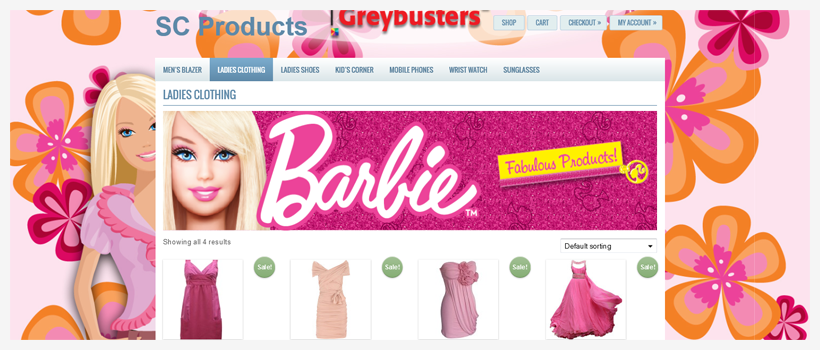
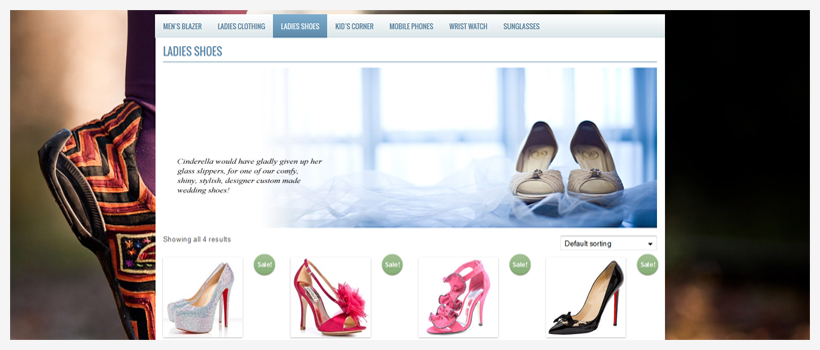
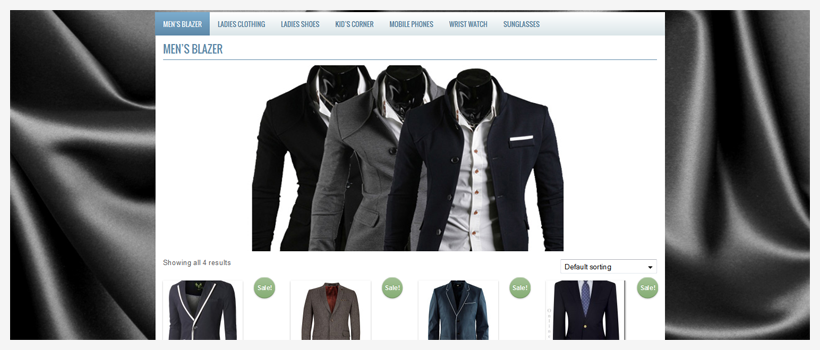
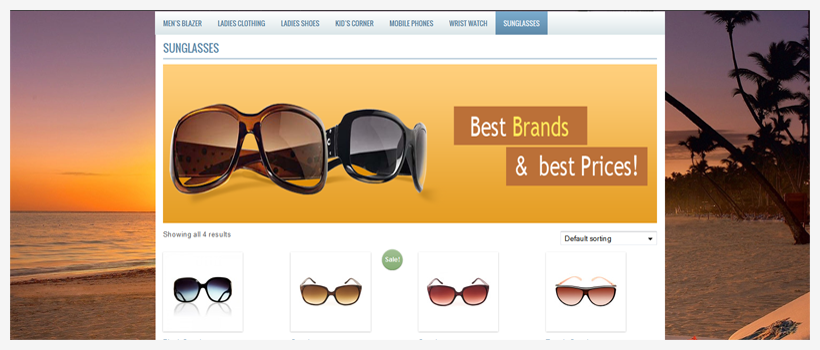
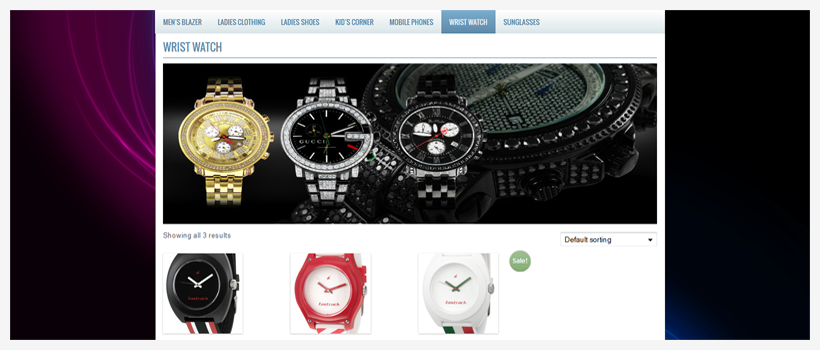
“WooCommerce Custom Background and Banner” is a WP WooCommerce plugin allowing users to set “Custom Backgrounds” for individual categories and/or individual products of WooCommerce products. This plugin can also create “Category Banner” for individual category of WooCommerce products.

If you decorate each category page or products page with custom banner and background image then it adds a more intimate flavor for different products to encourage the visitors to purchase the products, thus it increases the sale.

“WooCommerce Custom Background and Banner” is an easy way for making your website lucrative and unique.

Admin can add “Background Image and/or Banner” from WooCommerce Products Category option and can set “Background Image” from WooCommerce Products Metabox area.

Responsive Plugin

This plugin is fully responsive and it will work with any responsive wordpress themes.

Background on Product Category

Easily add “Background Image” for WooCommerce Product Category page from WooCommerce Products Category option.

Banner on Product Category

Admin can also set “Product Banner” for WooCommerce Product Category page from WooCommerce Products Category option.

Background on Individual Product

To present the product unique way admin can set “Background Image” for individual product from WooCommerce Products Metabox area.

Product Page Background

To distinguish the Product page from other pages it is also possible to set “Background” on WooCommerce default Product Page.

Front View ScreenShoots:

Kid’s Products

Ladies Products

Ladies Products

Men Products

Mobile

Sunglasses

Wrist Watch Products

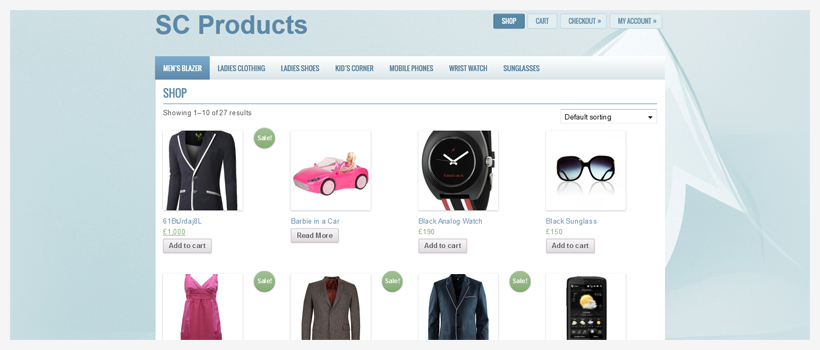
Products Page

Features

  • Admin can upload and set “Category Background”.
  • Admin can upload and set “Category Banner”.
  • Admin can set the “Category Banner Height”.
  • Admin can set “Product Background Option” from WooCommerce Products Metabox area.
  • Design each category and product individually.
  • Full customization options.
  • Easily add background options on a category/product basis.
  • Easy installation.

Download Custom Background and Banner for WooCommerce (WooCommerce)

Screen Capture Guru (Windows)

Screen Capture Guru is here, so why should you worry about taking advanced screen shots of your desktop as well as webpages ?

Want to know more ?

Screen Capture Guru is a awesome tool that let’s you take full screen, active region, manual screen shots and also screen shots of webpages.
Taking Screen shots was never so fun before.

Features at a glance :

Capture Full screen shots.

Capture Active region screen shots.

Capture custom Region/Manual screen shots.

Capture Screen shots of web pages.

Save to various formats such as Jpg, Bmp, Png and Gif.

Fast, Flexible and Portable

Life time support through email and tickets.

Still thinking ?

Then just watch the video preview or the screen shots to know more…

Download Screen Capture Guru (Windows)

Category Subdomain Pro (SEO)

This plugin convert your category into sub domain.

Need Help

Benefits of using this plugin:

Multiple Websites– Each subdomain is considered a separate website, with each website having it’s own Google PageRank. PageRank is Google’s way of letting you know how important of each page of your website. Better-SEO

Total Web Domination – By having multiple websites, you have more opportunity to show up multiple times in a search engine results page, therefore pushing other websites down the page and achieving “Total Web Domination”

Local Control – The people running the local business can have control over their own content.
They would have control over their subdomain website to post a new photo each week.
Local Optimization of each page – Because the subdomain has the word, every page of this site is automatically associated with business in that word.

Promotion of Main Domain – because each subdomain has the main domain in it’s URL, it ties all subdomain sites back to the main domain, which would have more corporate information and promotion of each subdomain.

Internal and External Linking – Google gives websites better PageRank if there are external websites linking to pages of your website, or links within your website, to other pages of your website. In the case of multiple subdomain websites you would cross-link the sites to help each site get better Ranking in Google. As of the summer of 2011, Google considers all linking between subdomain websites, to the main domain or other subdomains an internal link.

Features:

  • Convert Category into Sub-Domain
  • Specifically Exclude Category to be Sub-Domain
  • Category Archive page
  • Single Post Structure within Sub-Domain

Support Forum:

\

Like Us on Facebook:

\

Download Category Subdomain Pro (SEO)

Collapse – HTML5 Game (Games)

About the Game:

Collapse – HTML5 Game

This is a match 3 game and you have to match 3 or more tiles of the same color with each other and destroy them. every few seconds a row of new tiles will drop from top of the screen and you have to match and destroy them as soon as possible. As you progress, tiles will drop faster and when your screen is full, you will lose!

How to Play:

For playing this game, you can use touch in mobile devices or mouse in computers.

Features:

» HTML5 Game
» Supports Touch
» Works On all HTML5 Browsers
» Can be Used in Mobile Devices & Websites
» Easy to Personalize the Game’s Appearance
» High Resolution

We will be happy to hear your ideas and opinions about the game, so if you like write a comment or send it to our e-mail:
[email protected]
And if you liked it, don’t forget to rate it!

Come & See Our Website: www.01Smile.com

Flag Counter

Download Collapse – HTML5 Game (Games)

CSS Fixed and animated Sidebar (Navigation and Menus)

Pure css fixed sidebar with six different skins.

Features :

  • 6 Skins :
    • black
    • darkblue
    • green
    • lightblue
    • orange
    • pink
  • Pure Css
  • Works on all major browsers
  • Clean & simple design

CSS Fixed and animated Sidebar

Credits :

If you like it, please, don’t forget to rate it CSS Fixed and animated Sidebar

Download CSS Fixed and animated Sidebar (Navigation and Menus)

VineScope Clone (Social Networking)

Features:

Built using the best framework in the market. Best performance

Search: Search for vines
Vine: Change vine with next and right keys.
Navigate: Navigate through all added vines.
Categories: Manage vines in categories.
Theme: Easy to add or customize theme (You get one theme in purchase).
Vine Views: Vine unique views and watched views.
Popular: link to watch popular vines.
Features vines: 5 most popular vines are listed in right box.
Latest Vines: 5 Recent vines are listed in right box.
Random vine: A button on the top navigation for random vine selection.
Comments, Facebook comments integrated easy setup from admin panel. share and like buttons: Maximize your traffic via social networks.
5 Ads spot: For easy ad setup.
Admin panel: Manage site setting and approve/reject sent vines.
Vine submit form: User can send you vines, and the form automatically fetches data from given link.
SEO: Supports SEO friendly urls.
Contact: Contact page
Report: Vine report page.
Social: Share and like buttons.
CMS: Easy to add/delete static pages with WYSIWYG editor
Admin: Unlimited admin users.
Logo: PSD of logo included so if you would like to change the name.

Auto install and Ready to go.

Subscribe to RSS Feed
Follow me on Facebook
Follow me on ThemeForest
Follow me on Twitter

Live Preview:

http://www.vineclone.com

Admin Demo:

http://www.vineclone.com/cmspanel/login

Username: admin
Password: admin

Important Notes:

  • You must have an App ID for share function works on Facebook! Please read the Documentation about how to get yours.

Requirements:

  • jQuery 1.8.2 and up
  • PHP 5.2 and up
  • Facebook App ID for share on this platform
  • Mod_rewrite

Download VineScope Clone (Social Networking)

Winter Olympics Pack for Layered Popups (Add-ons)

Winter Olympics Pack is a set of pre-defined Winter Olympics multi-layer popups (10 pieces) for Layered Popups WordPress Plugin and Layered Popups Script. With this pack you can make your website more attractive, festive and enjoyable. This pack is dedicated to Winter Olympic Games, Sochi 2014. Use these popups as a start point for your creativity and build your own popups. It’s easy!

IMPORTANT! Make sure you installed Layered Popups WordPress Plugin or Layered Popups Script.

Package Content

Winter Olympics Pack contains 10 pre-defined multi-layer popups (files are named as olympic-01.txt, olympic-02.txt, etc.). Import them into your Layered Popups installation.

Demo

Please visit official Winter Olympics Pack – Layered Popups demo page and check out 10 Winter Olympics popups.

Installation

  1. Make sure you installed Layered Popups WordPress Plugin or Layered Popups Script.
  2. Go to WP dashboard or script admin area.
  3. Go to “Popups” page.
  4. Click “Import Popup” button and select desired popup file (files are named as olympic-01.txt, olympic-02.txt, etc.).
  5. Unblock newly imported popup.
  6. Enjoy!

Credits

  1. XXII Olympic Winter Games [images]
  2. Amaranth [font]
  3. Snow [image]

Download Winter Olympics Pack for Layered Popups (Add-ons)

Simple 3D Coverflow (Sliders)

What is Simple 3D Coverflow ?

Simple 3D Coverflow is a fully responsive media 3D coverflow plugin that allows you to display media content with an unique original layout from a 3D perspective. It’s perfect for any kind of presentation, for anyone that wants to deliver a great impact on their visitors. It runs on all major browsers and mobile devices like iPhone, iPad, IOS, Android and Windows 8. Also supports unlimited categories and each category can have any number of thumbnails. The datalists are loaded from a simple HTML markup.

Simple 3D Coverflow main features:

Responsive / Fluid layout with autoscale function.

Mobile and desktop optimized (iPad/IOS demo).

Scroll and swipe functions for the desktop and mobile devices.

Mouse Wheel support – navigation with mouse wheel scrolling.

Keyboard support – the left and right arrows can be used for navigation through the thumbnails.

Optional Categories Menu.

Support for unlimited categories and each category can have any number of thumbnails.

The option to start at a specific category.

Customizable thumbnails size and topology geometry.

Optional playlist and playlist window selector.

Customizable hover effect for the side thumbnails.

Customizable description text for the center thumbnail.

Dynamic or static tooltip for the center thumbnail.

Customizable controls – each button and scrollbar component can be changed.

Customizable reflection for the thumbnails.

Optional and customizable Shadow Box Gradient for the thumbnails.

Custom action for the thumbnail click.

Powerful API included.

You can include multiple instances on the same page.

Slideshow autoplay.

Responsive / Fluid layout for the coverflow Lightbox.

Image, youtube, vimeo, iframe lightbox support.

Zoom and panning support for lightbox images.

Optional lightbox slideshow button, time and autoplay.

Customizable border and background for the lightbox.

Lightbox keyboard support – the left and right arrows can be used for navigation.

Two skins included along with the psd files.

Detailed documentation and sample files.

Special notes:

When viewing the coverflow on a mobile browser the scrollbar is automatically disabled, the swipe functionality taking its place.

On IE the coverflowXRotation and coverflowYRotation do not work. This affects only preset 9.

The coverflow also has a setting to limit the maximum number of thumbnails only on mobile devices, separately from the pc, for performance reasons. This is an optional feature it can be disabled but we advice to leave it active because it will increase the performance on mobile devices.

The skin is constructed from png files.

Download Simple 3D Coverflow (Sliders)