PayPal PRO Payment Terminal WordPress (eCommerce)

PayPal PRO Payment Terminal WordPress is a wordpress plugin designed to make it easy for you to accept payments and subscriptions on your wordpress site. You can create services (one-time or recurring, with trial periods) and assign them to payment buttons which then can be placed anywhere on your site. There are 42 pre-set button designs for you to choose from, or you can use our button generator and create your unique personal button. We’ve also added 369 FontAwesome icons which can be placed on the buttons.

Another great feature which we’ve added is “Sync from PayPal” option. Let’s say you subscribed a customer to monthly payments through our plugin. Usually, the next customer charge (in a month or etc) would not appear in your application, however, by adding “sync from paypal” functionality – you can easily load transactions based on date filter, which are not recorded in your database. So, by syncing – you will have all customers recurring charges in one place. This will allow to add proper reporting tools a bit later to this product.
Please keep in mind that this is first version. We will be happy to hear your suggestions and ideas for improvements.

Features

+ securely accept credit cards information without storing it on your server
+ accept payments on any page / post
+ one time payments
+ recurring payments
+ trial periods
+ unlimited services addition
+ super easy installation
+ transactions viewer with filters.
+ filter transactions by date period
+ sort and search transaction list
+ sync transactions from paypal (recurring transactions will appear in wp admin if synced)
+ 42 pre-set button designs
+ very customizable button generator (adjust colors, select button corners, edit text, add icon, icon color)
+ 369 button icons (by fontawesome.io)
+ create services (one-time payments, recurring payments)
+ assign services to buttons or
+ pre-set button payment amount or
+ let your customers enter their own amount on checkout
+ optional comments field (turn on/off per button)
+ optional lightbox popup (tunr on/off per button)
+ user buttons as shortcodes OR as a widget (Widget allows to display generated button)
+ option to cancel recurring subscription from within wordpress admin (with notification to client/customer)
+ credit card type guesser
+ javascript credit card validations
+ php credit card validations (for no-js fallback)
+ new payment confirmation email for administrator with full customer information (except sensitive card information of course)
+ “payment received” confirmation email for customer
+ easy switch between Test environment and Live environment

+ much more to come (we have several ideas for this product, and we’re always open for suggestions from you guys!)

Changelog

17 March 2014
Initial release



Need product support?

Support for any of our products is offered ONLY through our support forum. Please do not post support questions here
under the item comments. This is reserved for pre-sales questions. If you have purchased this product and now have
questions, please follow the link below.

View Support
Policy
| Visit Our Support Forum Now ยป

Download PayPal PRO Payment Terminal WordPress (eCommerce)

WooCommerce Product Colorizer (WP e-Commerce)

About the Extension

WooCommerce Product Colorizeris a plugin for WooCommerce which allows customers to preview your products in virtually any color you can think of. Instead of taking multiple photos of products in different colors,
simply generate the new product preview based on one neutral colored stock image. Customers can then select from different color previews on the product page.

Please rate our items

What WooCommerce Product Colorizer does

  1. This plugin requires that you generate a “mask” for your product. A mask is a clear .png outline of your white colored product. The mask can be generated in photo editing
    software, such as Photoshop or GIMP.
  2. The plugin works by coloring in the clear mask as it’s sitting over the static product preview, presenting the appearance of a different colored product.
  3. It also allows for the inclusion of a “background image”, which can include an element on a product that is not affected by color changes. For example, if you featured a white t-shirt
    with a black logo in your product preview, the logo, being the “background image”, would not be affected by any color changes, and it would remain the same color.
  4. For further information please refer to : this site. This link covers the process of generating different colored previews that this plugin is using.

Installation

  1. Connect to your server’s FTP

  2. Copy the “optart-woocommerce-product-colorizer” folder from the zip into the “wp-content/plugins” directory

  3. Login to your WordPress administrator panel

  4. Click the “Plugins” tab and you will see your newly installed plugin – activate it.

Usage

Click here to watch the YouTube tutorial

  1. Navigate to your website’s WordPress Admin panel.

  2. Make sure WooCommerce and the Colorizer plug-in are installed and activated.

  3. In the left panel of the admin page, select “products” underneath “WooCommerce”.

  4. After selecting products, the menu should expand with more options underneath. Select “Attributes”.

  5. The Attribute page is where you can define the colors that you would like your products to be. Select the
    “Product Colorizer Color” Attribute that was automatically generated when you installed and activated the plugin.

  6. Once you’re brought to the “Add New Product Colorizer Color” page, enter the desired information about the color, and
    using the color selector, click on the color you would like to preview the product as. Then, select the
    “Add New Product Colorizer Color” button underneath the color selector.

  7. Continue to repeat the previous step until you add each color you would like to show previews of.

  8. On the left admin panel under “Products”, select the “Products” page. Select the product that you would like to generate colored previews of and open that product’s page.

  9. On the right hand side of the page you should now see two empty photo boxes underneath the regular Product Image, “Colorizer Mask Image” and
    “Colorizer Background Image”.

  10. The “Colorizer Mask Image” and the “Colorizer Background image” need to be created according to this guide.

  11. Once both of these images are created, select “Upload/Add Image” and upload them to the respective space.

  12. Underneath the product description on the product page, you should see a box with tabs on the left side. Select the drop-down box labeled “Product Data” and change it to “Variable product”.

  13. On the left side of the box, you should see a column of tabs. Select the “Attributes” tab.

  14. Upon selecting this tab, a drop-down box will appear. Select the drop-down box, select “Product Colorizer Color”, and then select the “Add” button.

  15. After selecting “add”, more options will be generated. The “Values” field will appear and this is where you select the colors you
    previously generated that you would like this product to be displayed as. You can choose individual colors by selecting each one,
    or you can select “select all” to choose all the colors.

  16. Select the box “Used for Variation” and “Visible on the product page”, then select the “save attributes” button to save the attributes. Then, select the “Variations” tab on the left side of the box.

  17. Select the “link-all variations” button. Selecting this will generate more boxes that contain data about each color you added on the attributes tab. Add a price to each one of these boxes in the “Regular Price” field.

  18. Select the “Update” button under publish. This will update the product and now you should be able to select colors on the product page.

  19. Repeat these steps for each product you would like to have different colored previews on.

WooCommerce Product Colorizer In Action

Switching back and forth between live previews of shirt colors.

The color attribute selection page.

Change log

  • v1.0 – initial release

Download WooCommerce Product Colorizer (WP e-Commerce)

Varicolored- CSS3 Responsive E-com Mega Menu (Navigation and Menus)

Features:

  • 100% responsive mega menu
  • Multicolored beautiful menu
  • CSS3 animation has been used for effects
  • Ultimate design and clean code
  • No javascript or images used
  • Six Columns grid based
  • Multi-level & Multi-column drop down menu
  • Easy to integrate
  • Font Awesome icons

Download Varicolored- CSS3 Responsive E-com Mega Menu (Navigation and Menus)

Magic Tweets (Miscellaneous)

“Magic Tweets” is a jQuery plugin that convert a simple DIV, into a Twitter touch enabled timeline or create a custom comment line.

Main Features

– Touch enabled
– Auto scroll on milliseconds
– Easy to set up.
– Multiple plugin call at the same time enabled.
– No need to touch any single line of the PHP file
– To get tweets, internet connection is required.
– For custom comments internet is not necessary.
– No Token or autentification to twitter is required.
– Works with a twitter user name.

If you need more information about this plugin, read the following documentation that I create for this project.

http://sistematicocr.com/MagicTweets/doc/

Download Magic Tweets (Miscellaneous)

Fun Game – Flappy Desk – iAd – AdMob (Games)

If you Like this App, please don’t forget rate it!

Flappy Desk is a fun Flappy Birds game like. Make money with this app : iAd version and Admob version.

It is compatible with iOS 7.x and runs on iPhone 5 / 5S / 5C and iPod Touch 5th generation. Requirements to open the project : OS X 10.8 And Xcode 5.0

FlappyDesk Features v1.0

  • Two XcodeProject : One with iAd and another one with AdMob !
  • Cool idea for a Flappy birds game like.
  • Make some easy cash with iAd and AdMob :).
  • Easy configuration : you don’t have experience with code or Objective C ? Great because you don’t need any programming skill to configure FlappyDesk app
  • Good code : you can easily edit and change FlappyDesk’s code if you are good in development.
  • Support and documentation : FlappyDesk comes with a tutorial. Our team is providing a really quick support

Enjoy

I’m going to make a lot of update, so if you have any idea leave a comment !

Download Fun Game – Flappy Desk – iAd – AdMob (Games)

Google Maps with Infowindow-Slideshow (Images and Media)

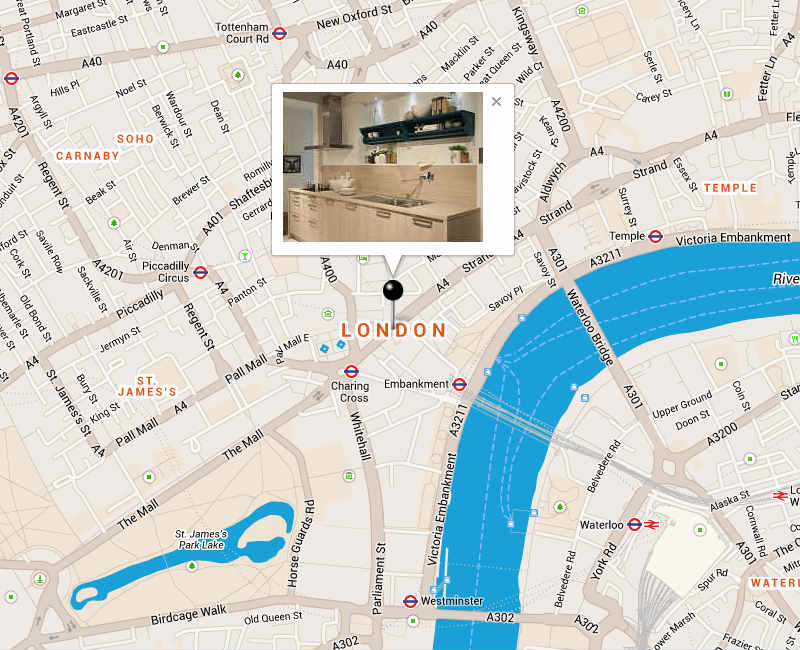
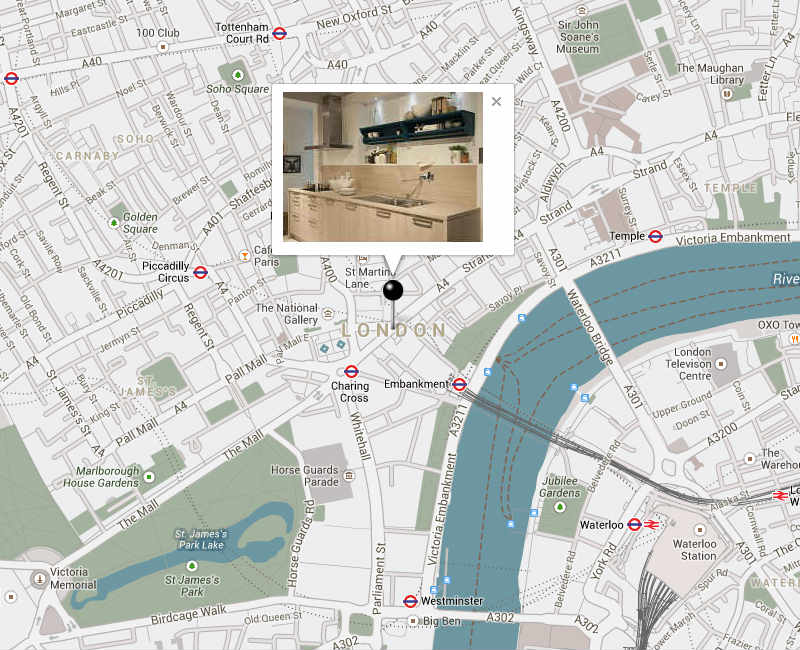
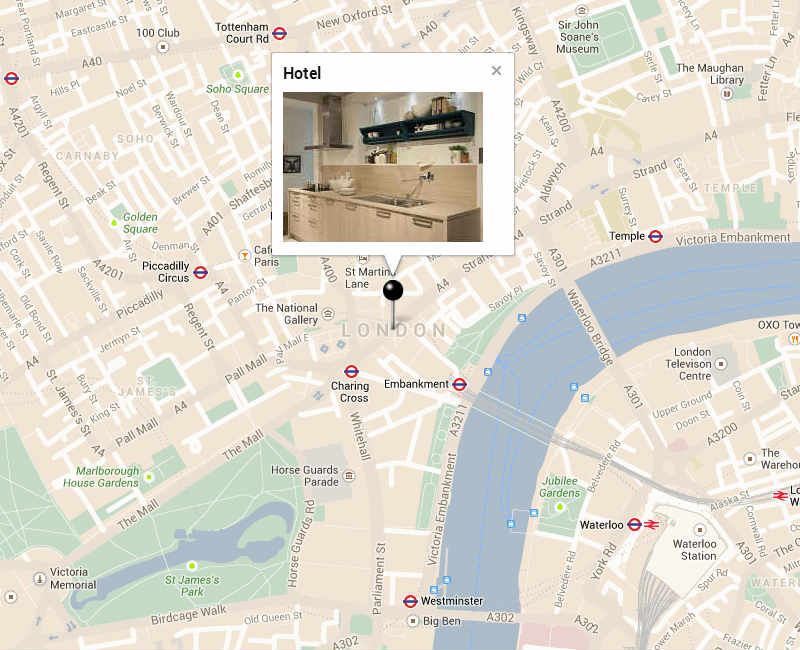
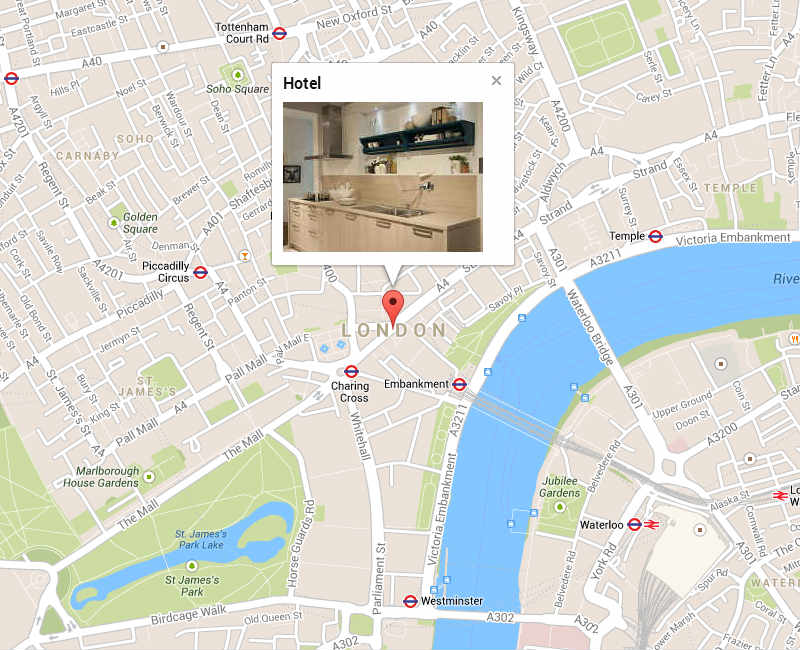
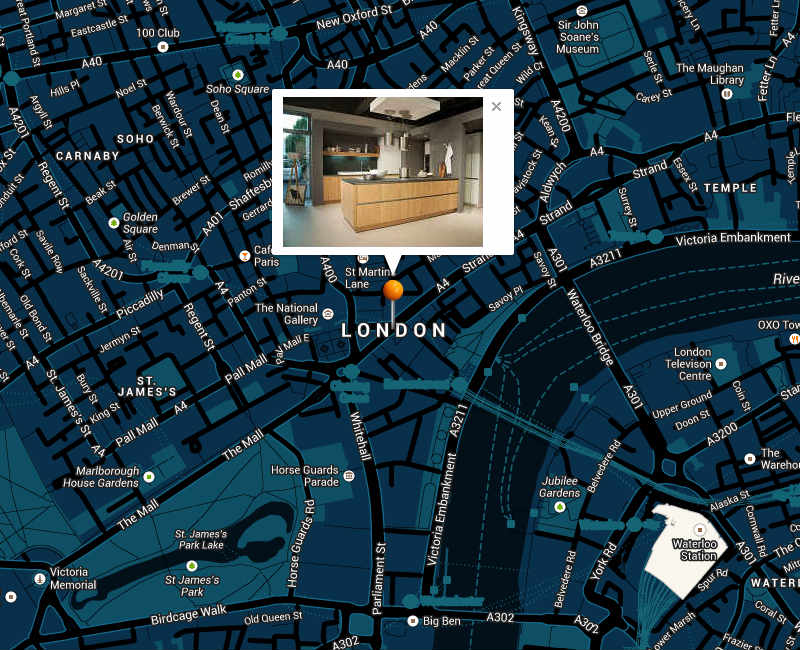
Colored Google Maps with Infowindow and Slideshow

Features:

  • Colored Google Maps with infowindow and slideshow
  • Easy to integrate
  • Easy to customize
  • No API key needed
  • Slideshow with autoplay (the slideshow starts when the page is opened)
  • You can set the animation type of the slideshow (fade or slide)
  • You can set the speed of the slideshow
  • Banner rotator with hardware accelerated touch swipe support
  • jQuery powered slideshow
  • 7 colorful themes for Google Maps, but you can also use the standard Google Maps color theme
  • All Google maps are responsive (but you can also integrate Google Maps with Slideshow in a non-responsive website)
  • All Google Maps example with always centered marker (also when browser is resized; important for responsive maps)
  • Same usage as the standard Google Maps
  • Custom marker icon (or you can use the standard Google Maps maker icon)
  • Compatible Browsers: Internet Explorer (IE7 and higher) Firefox, Safari, Opera, Chrome; works on iPad, iPhone and other mobile devices
  • Google Maps example with custom infowindow with text and slideshow
  • Google Maps example with custom infowindow with text and picture
  • Google Maps example with custom infowindow and picture
  • Google Maps example with custom infowindow and text
  • Google Maps example without infowindow (but with a colorful styled theme)

If you like Google Maps with Infowindow-Slideshow, please rate it Thank you very much!

Do you need more colorful themes for Google Maps?

Have a look at Colors for Google Maps

Colors for Google Maps contains:

  • 29 colorful themes for Google Maps
  • 6 unicolor skins for Google Maps
  • 8 one color skins for Google Maps

All Colors for Google Maps themes can easily be used in Google Maps with Infowindow-Slideshow

Download Google Maps with Infowindow-Slideshow (Images and Media)

Sliding Post Navigator (Widgets)

Sliding post navigator is a widget, which when placed into right/left sidebar will appear when reading a post and automatically create a quick navigation using its “heading” types of titles. It will give the reader easy to access navigation through your post with smooth animated effects!

It’s fully customizable through the settings. Includes features such as: color/background/font/ color change; size of the font/padding/width of the box change and much more.

Download Sliding Post Navigator (Widgets)

Original Hover Effects (Animations and Effects)

You can use the product list or image list for your website.You can easily use this effects.

Pure CSS
Without JavaScript or jQuery
Easy to use and customize

Zoom In / Zoom Out
Rotate Right / Left
Rotate / Scale
Rotate X / Rotate Y / Rotate Z
Image Opacity
Layer Hover
Transition

If you like it,don’t forget to rate it

Flag Counter

Download Original Hover Effects (Animations and Effects)

AS3 Talking Avatar library for Starling (Mobile)

Supported devices:

on any Android or iOS devices that supports Air apps :) plus Starling desktop apps

Files Included:

  • .as3proj (FlashDevelop AIR sample project)
  • .as (source codes)
  • Five sample vector avatars
  • asDoc type Documentation

check out the none-starling version here

Sample Android App


with using this little but cool library, you will be able to initialize a talking avatar in your Starling Air mobile projects. You will be able to choose from current available avatars in your “bin” folder and insert your own voice .mp3 file and then addChild the Avatar class anywhere in your project and you’re done.

     import com.doitflash.utils.avatar.StarlingAvatar;
     import com.doitflash.utils.avatar.AvatarEvent;

     // set Class variable
     var _avatar:StarlingAvatar;

     // initialize a _holder. avatar will be addchilded in _holder.
     // _holder must have a specific width and height so we create a new Shape() in the _holder
     var _holder:Sprite = new Sprite();
     var rect:Shape = new Shape();
     rect.graphics.beginFill(0xf64a5f, 1);
     rect.graphics.drawRect(0, 0, 400, 600);
     _holder.addChild(rect);
     _holder.x = 100;
     _holder.y = 100;
     this.addChild(_holder);

     // initialize the StarlingAvatar
     _avatar = new StarlingAvatar();

     // add a listener to be notified when the avatar is loaded
     _avatar.addEventListener(AvatarEvent.LOADED_AVATAR, onLoadedAvatar);

     // add a listener to be notified when the mp3 file is loaded
     _avatar.addEventListener(AvatarEvent.LOADED_VOICE, onLoadedVoice);

     _avatar.holder = _holder;
     _avatar.avatarUrl = "WomanAvatar.swf"; // set the address to the avatar graphic you'd like to use
     _avatar.voiceUrl = "test.MP3"; // set the address to the mp3 file which you like to use for lip-syncing

     // call this method and load the avatar graphic begins
     _avatar.loadAvatar();

     private function onLoadedAvatar(e:AvatarEvent):void
     {
             // call this method and load the mp3 file begins
             _avatar.loadVoice();
     }

     private function onLoadedVoice(e:AvatarEvent):void
     {
             trace("sound length: ", e.param); // mp3 length is based on miliseconds

             // use this listener to be notified when the mp3 playback is finished.
             _avatar.addEventListener(AvatarEvent.SOUND_PLAY_FINISHED, onPlayComplete);

             // call this method and the mp3 file starts playing
             _avatar.play();
     }

     private function onPlayComplete(e:AvatarEvent):void
     {
             trace("onPlayComplete");
     }

     // call this method to pause the mp3 file while playing and it returns the millisecond position of the sound.
     // you can use this position to play the mp3 again and start from where it was paused.
     // var position:Number = _avatar.pause();
     // _avatar.play(position);
     //
     // call this method to stop the sound.
     // _avatar.stop();

     // When you're done with this class, call this method to clean up the memory.
     // _avatar.dispose();

we used the DMT library for dynamically generating textures to be used in Starling: https://github.com/XTDStudios/DMT


Download AS3 Talking Avatar library for Starling (Mobile)

Snipped Code Snippet Gallery and Marketing App (Miscellaneous)

Snipped is an online application built in PHP/MySQLi, jQuery and Bootstrap for saving, storing, organizing, and sharing snippets of code.
Designed as a code snippet gallery for web designers and web developers, and anyone else who is using and learning to code websites will find Snipped essential in their craft.
Snipped is a complete site, ready to install and run out of the box. Great for marketing and selling ad space.

Snipped Features
Live Demo
Demo Accounts
Demo Login
View Documentation
Feedback, Help and Support

Snipped Requires PHP 5.x and MySQLi.

Change Log:

March 2014
- Initial Release

Download Snipped Code Snippet Gallery and Marketing App (Miscellaneous)

Snappy+ Advance SNAPCHAT clone (Android)

Snappy+ is an advanced clone of SNAPCHAT for android platform it supports not only

PICTURES but also VIDEOS and TEXT MESSAGES can be shared very easily.

Demo APK : https://www.dropbox.com/s/n2arw4b79pd6ln2/Snappys.apk?dl=0

FEATURES

+ Supports VIDEO share.

+ Supports TEXT MESSAGE share.

+ Supports PICTURE share.

+ Includes Interstitial & Banner AdMob Ads – Make money from Ads easily.

+ Rate Feature – Users can easily rate your app on the Google Play by just clicking the menu option.

+ Parse backend – very easy to use & manage.

+ Very very easy to modify – Everything need to be changed is in ApplicationConstants.java” file.

+ Very easy to RESKIN – A document is included which will guide you to create a new app out of it very easily.

Download Snappy+ Advance SNAPCHAT clone (Android)

Reversi – iPhone game (Games)

Reversi is fully native game application for iPhone.

Reversi is strategy board game for 2 players, you can play this games versus other player or versus your iPhone. Game is played on 10*10 board and goal of game is to have most tiles of your color at end of game.

Package contains iPhone project with Retina (high resolution graphics) support.

Reversi features:

  • fun gameplay
  • play against other play or iPhone
  • tap to put your tile
  • action sounds (.wav)
  • easy to add your own images and sounds
  • non-Retina & Retina support
  • no 3rd Party libs/frameworks
  • and much more…

Application is ready for build and upload to iTunes store.

Thanks for purchase!

Download Reversi – iPhone game (Games)

Flappy Bug : iPad – AdMob, iAD (Games)


If you are looking for iPhone version, you can buy that here : Buy

Strong Offer

One of the buyer, bought one of my game called , Bee Copter! and it was No 5 and then it went to No 3 on the Appstore.

See the news on toucharcade.com : Flappy Bee


I’ve had lots of requests from you dear customers to design a game like Bee Copter’s gameplay with obstacle! here you are! Enjoy it! It’s better than flappy bird , because flappy bird just has hard obstacles , but there are new obstacles and flower too, so it’s so much better than flappy bird!

Game play introducing

The bee doesn’t have balance and she wants to collect the flowers to make honey, but there are some obstacles and you should help her.


Some Descriptions

  • EASY TO EDIT!! This game coded with Objective-C and Cocoa Touch framework without any OpenGL codes.
  • I used that and managed UIViews, UIViewImages, UILabels, UIButtons for my visual objects.
  • For Plans I’ve used simple Tile Map System with 2D arrays.
  • All the Image files that included you can use them in your other projects too.
  • It’s a good sample for Basic of game making without any professional game engine.
  • I putted the most of objects on the Main UIViewController directly and it’s a good way for avoid confusion.
  • I tried to use not perfect coding, because it’s a simple game for amateur game makers.
  • If you have problem or you needed to know that how codes are working you can send a message to me.I’ll help you.

EASY TO EDIT

As you know, I have coded this game with UIKit, ANY OPENGL CODES!!!
So you can changed the graphic too easy!

FILES INCLUDED – iAD & AdMob Both Implemented , separated folder and you can choose between them


1 – PSDs

  • THEMES
  • CHARACTER
  • ICON
  • OTHERS…

LAYER MODE

Features

  • Game Center Supported
  • Full UIView Elements Used Without Any OPENGL Codes
  • Simple Tile Map system used
  • Send Score on Twitter
  • PSD files included
  • Full Game and ready to upload and sell
  • Full Support In comment with screenshot If It needs!

Setup the Game

  • 1) Find the “-Info.plist” in the project,then click on it!
  • 2) Find “Bundle identifier” row,then double-Click on the value
  • 3) change the “com.philips.”’s value to your own domain

Setup the GameCenter

  • 1) Find defined.h file then open it
  • 2) change the “k_game_center_domain”’s value

Setup the AdMob

When you decided to upload the game on the Appstore, follow the steps! because the app can has access to the Real ADS, not Test ADS! by doing this, you will active real ADS.

* 1) Find defined.h file then open it
* 2) change the “k_adMob_ID”’s value
* 3) goto the “GameViewController.m” and find ”- (GADRequest *)request” function,then comment this line.

 request.testDevices = @[ GAD_SIMULATOR_ID ];

Download Flappy Bug : iPad – AdMob, iAD (Games)

Minesweeper – iPhone game (Games)

Minesweeper is fully native game application for iPhone. Goal of this game is to clear minefiled without detonating a mine.

Minefield consist of 100 tiles (10 rows * 10 columns), at start of game 10 tiles are randomly selected as mines. Tapping on one tile clears all nearby empty tiles and shows numbers on tiles that are near mines. Each number shows how many mines are there on 8 nearby fileds. Player should mark all 10 mines in order to win a game, if player taps on mine game is lost. Player can choose between clear option and bomb option to clear tile or to mark it as bomb (mine).

Minesweeper features:

  • fun, well known gameplay logic
  • options to clear tile or mark it as bomb
  • action sounds (.wav)
  • easy to add your own images and sounds
  • non-Retina & Retina support
  • no 3rd party libs/frameworks
  • and much more…

Application is ready for build and upload to iTunes store.

Thanks for purchase!

Download Minesweeper – iPhone game (Games)