Contactos – Contact Management iOS App (Utilities)

Contactos is very user friendly app that help user to manage their contacts in very simple way.

It has a unique feature of uploading the contact list via excel sheet. Its very easy to create the group wise contact list. You just have to create the contact list with their group names in the excel sheet and upload it using this app. You will find your contact list is imported to this app and now its easy to copy it to your iPhone address book.

See how simple it is to use and keep your contact list both at your iPhone and your pc in case of emergency. Try it to know more about this app so that you can also take benefit of it. :)

  • Update, modify and maintain your contacts easily and conveniently on your computer using Excel, Open Office or any other Excel-compatible application.
  • You can now export iPhone contacts to an Excel file which can then be imported to Outlook Contacts directly
  • You can organize your contacts into groups easily on a spreadsheet and also assign a contact to multiple groups.
  • You can delete the contacts or even whole group on your choice.
  • Manage the contact details in a very friendly manner.
  • User can copy selected contacts to Contacts address Book anytime.
  • can search any contact using search bar in “Contacts” view.

Download Contactos – Contact Management iOS App (Utilities)

Woocommerce Color or Image Variation Select (WooCommerce)


check our Documentation

Convert your normal variable attribute dropdown select to nicely looking color or image select. You can display images or color in all common size. Display them in round or circled mode.

Plugin comes with easy to use admin UI which will allow you to set color , image or other options in no time .

Download Woocommerce Color or Image Variation Select (WooCommerce)

Clinic / Pharmacy Management System Pro (PHP Scripts)

Clinic / Pharmacy Management System is a web-based solution that helps clinics to streamline there clinic and pharmacy / Stock management efficiently resulting in higher efficiencies and faster patient turnaround time.

For Enterprise Hospital Administration and Management System Visit:- http://techdynamics.org/ehas.php

This web application supports cloud and can access it from any device for its stunning UI and Functionality .

The Clinical Management System is intended for the complete streamlining of the clinic and business operations, a one system solution for delivering optimal patient treatment flow and complete documentation of the treatment outcomes.

Features

1.Responsive UI
2.Support any type of Databases
3.Easy Export / Import of Data
4.Very Simple to Install / No Configurations Required
5.Easy to Manage

Functionality / Modules

1.Patient Registration.
2.Patient EMR
3.Patient History Management
4.Patient Report Generation / Export to CSV/PDF Ect.
5.Patient Billing History.
6.Patient Due Management
7.Patient Pathology Payments
8.Patient Pharmacy Management
9.Stock Management
10.Stock Addition / New Stock analysis
11.Medicine Audit
12.Pharmacy Stock usage Analysis
13.Pharmacy Patient Distribution Analysis
14.Pathology Due Management
15.Pathology Agents Mangement
16.Pathology Share Calculation
17.Expense Management.
18. Refund Management
19.Clinic Analysis
20.Revisit Patient Management
21. Overview Patient Department.
22.Search Patient By date.
23.View Under Stock Medicines
24.Pharmacy Bill Management
25.Lab Tests Expenses Management

Demo Link:-http://techdynamics.org/aspc/


Admin : Administrator
Pass: Administrator

Download Clinic / Pharmacy Management System Pro (PHP Scripts)

Don’t Step The White Title – Clone, Admob (Games)

An addicting game that tests your reflexes against time and movement. Test your speed and accuracy with this simple and fun game!

Start
Tap to begin and then tap on the black blocks to follow the 50 steps toward the goal.
The quicker you tap, the faster the path moves!
Tap on a white block and the game is over.

Time Attack Mode
Test your speed to see how fast can you complete 50 steps to the goal?

Long Run Mode
Measure distance advanced in 10 seconds. and if complete 50 steps,add 10 seconds.
display your steps and to begin a countdown of 10 seconds.

*
– GameCenter High Score.
– Highest Design.
– Support Device:
+ iPhone, iPod 3.5inch
+ iPhone, iPod 4 inch
+ iPad
+ iPad Rentina
– iOS 5.0 and above.
– Share on Facebook, Twiter.
– Cocos2D 2.x
– Xcode 5.0.2

Support Admob ads


report high score to GameCenter.

Include Document to help.


It comes with Layer PNG images

Support:
We provide support within the comments section. So when you have questions, we’re here to answer. So let’s get the new top list app code!

Update is FREE!

Get this code and start making money!

How to Setup:

A. Quick Setup

There is no setup.
Just open the DontStep.xcodeproj and you will be on your way.
1 prerequisite is that you have XCode version 5.0.2 installed one you mac.

B. Basic Configuration

1. Open DontStep.xcodeproj

  • Change CFBundleIdentifier “com.iMadeLab.” to your app name ID (example: com.YouGame.)

2. Open Prefix.pch file

  • Change admob id to show Ads: #define PUBLIC_ID and PUBLIC_IPAD_ID @”your_admod_id” to your admob ID for iphone and ipad
  • Change : #define APP_STORE_DES @”” description when share on Facebook, Twitter
  • Change Rate URL: #define APP_STORE_LINK @”” share on Facebook, Twitter and url to open Rate on appstore
  • Change : #define APP_STORE_IMG @”” image will show when share on Facebook, Twitter
  • Change #define LEADERBOARD_ID @”com.iMadeLab.laderboard_id” to your leader board id Gameceenter
  • Change #define LEADERBOARD_TIME_ID @”com.iMadeLab.laderboard_id” to your leader board id Gameceenter
  • Change #define TIME_LONG_RUN to your max time for Long Run mode (secon)
  • Change #define STEP_ATTACK max step need to win

3. Open Info.plist file

  • Change CFBundleName: to your app name
  • Change CFBundleIdentifier com.iMadeLab.DontStep to your app Bundle Identifier
  • Change FacebookAppID to your app Facebook ID
  • Change FacebookDisplayName to your name app
  • Change CFBundleURLSchemes fb236928019829649 to your app id facebook above ( have ‘fb’ before )

4. And Done

C. Ready Submit to Appstore

Facebook SDK:


You must install facebookSDK to your computer.
remove facebookSDK.framework on project. And re-add it to project

Download Don’t Step The White Title – Clone, Admob (Games)

Social Tooltip Buttons (Buttons)

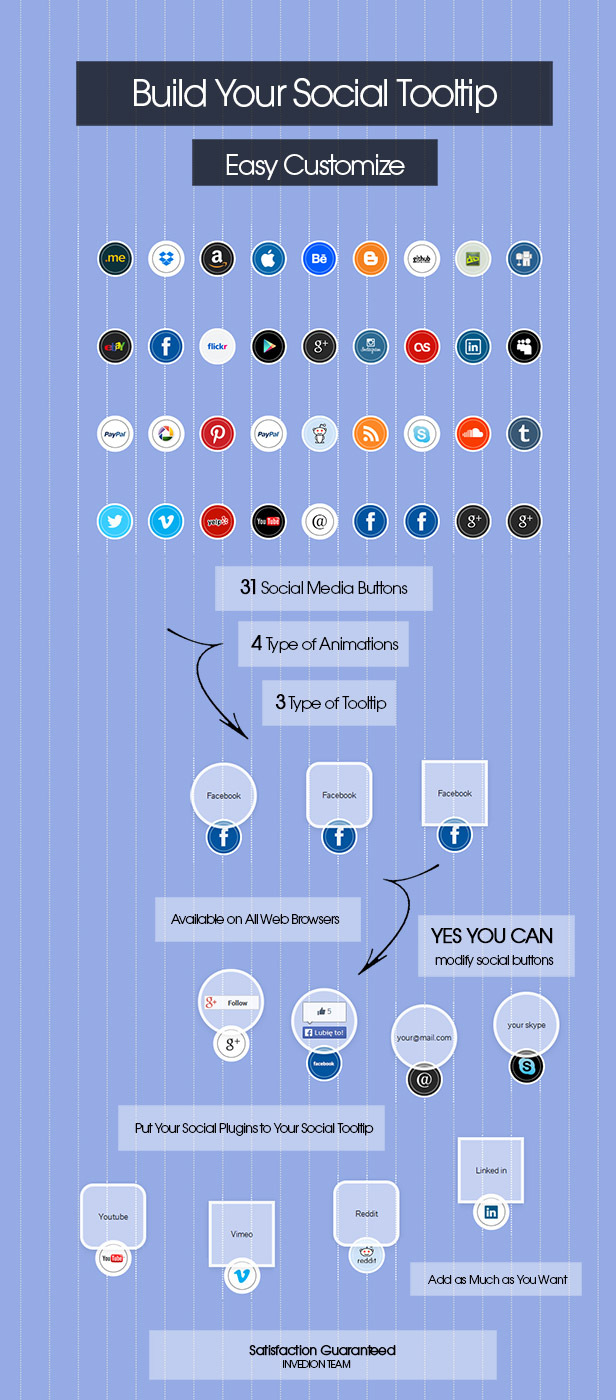
Build your own Social Media Tooltips…

Key features:

  • Only HTML and CSS – easily editable (no javascript).
  • Unique and beautiful design.
  • 31×2 Social Media Buttons includes.
  • 4 Type of Animation.
  • 3 Type of Toolfip.
  • Put whatever you want into any tooltip.
  • All browsers support.
  • Easy to Modify.
  • You Can Easy Create More.

Everything you see you get

Download Social Tooltip Buttons (Buttons)

WordPress GeoIP Plugin (Utilities)

WordPress GeoIP Plugin

This plugin detects the country where your visitors are coming from and lets you manage different post and page contents based on that detection through a complete set of shortcodes. Your visitors can also select their own country, or any other country, if they want to see those contents.

WordPress GeoIP also provides a complete API that developers and advanced users can take advantage of, such as a number of functions, hooks and tools for synchronization with other plugins. This way, the API can be used as a helper for your e-commerce plugin of choice (WP e-Commerce and WooCommerce synchronization are built-in), to collect statistics based on country detection, to automatically localize your website, and any other country-related functionality you can think of.

Features

  • Automatic country detection based on the visitor’s IP address.
  • Easily switching from one country to another.
  • Capability to keep a list of countries that you want to support.
  • A complete set of shortcodes to show specific contents based on country detection.
  • Info about country detection in your admin bar.
  • Built-in synchronization with WP e-Commerce country settings.
  • Built-in synchronization with WooCommerce country settings.
  • For advanced users, a number of functions, hooks and tools for synchronization with other plugins.
  • Localization file (POT) to translate the plugin to any language.
  • Contextual help tab with complete information about how to get started, how to use shortcodes and functions, and how to extend by using our hooks and synchronization tools.

Download WordPress GeoIP Plugin (Utilities)

Funny Slideshow : Complete Funny Website with Ads (Images and Media)


Credits

I wanted to put a little part in my item description to let you know what are the plugin I used to create Funny Slideshow and also to thank the guys who made them for free.

  • CodeIgniter which is the awesome PHP framework which is used to run Funny Slideshow. If you are a PHP developer, I really recommend you to give it a try!
  • Bootstrap 3 is a well known “front-end library” used to make a website responsive easily.
  • Animate.css is the CSS library used along with the jQuery plugin Wow.js for the animations.
  • FontAwesome is the cool icons library used everywhere in the Funny Slideshow theme.
  • MiniColors is a jQuery Color Picker plugin. In Funny Slideshow, it is used in the design tab of the admin panel.
  • Vegas is the jQuery plugin used to make the background slideshow of the homepage.
  • Typehead.js is the jQuery plugin used for the autocomplete feature when you want to put a featured stuff on your homepage.

Follow Me

Envato
Envato

Download Funny Slideshow : Complete Funny Website with Ads (Images and Media)

Clean Modern Pricing Table (Pricing Tables)

Clean Modern Pricing Table

Fallow Envato
Fallow Twitter

Clean Modern Pricing Table

This is a clean and modern pricing table.

Free fonts used in design:
Lato – free for download at: http://www.google.com/fonts/specimen/Lato

There is a PSD version of this design available for download at this address:
http://graphicriver.net/item/pricing-table/7422931?WT.ac=portfolio&WT.seg_1=portfolio&WT.z_author=REDPENCILMEDIA

For any questions and customization request please contact me via contact form. Please rate the file if you like it.

Thank you

Download Clean Modern Pricing Table (Pricing Tables)

Pure CSS Pricing Table (Pricing Tables)

Pure CSS pricing table, Simple and easy to customize.

Features :

  • 6 colors :
    • violet
    • yellow
    • orange
    • red
    • green
    • blue
  • .dark & .light version
  • Pure Css
  • Works on all major browsers
  • Flat, responsive design
  • Bootstrap compatible
  • LESS files included
  • Well documented
  • Very easy to customize

Credits :

Download Pure CSS Pricing Table (Pricing Tables)

KWoo Integration (WooCommerce)

It’s hard to get customers but it’s harder to keep them, so you must keep them informed about your business. For this Kwoo Integration has been created, a plugin that integrates your WooCommerce Customers and your news systems Knews.

Features included

  • Subscribe automatically all your WooCommerce customers to newsletters at checkout. To test it follow the instructions:
    1. Add your favorite product to cart.
    2. Fill in the Checkout form with an email.
    3. Mark the option “Subscribe to our newsletters” which is right next to the button “Place order”.
    4. Place order.
  • Apply your coupons to a Mailing List. To test it follow the instructions:
    1. As Admin, find that email in Dashboard\K-news\Subscribers.
    2. Go to “Coupons”.
    3. Add new one coupon.
    4. Find a “Usage Restriction” tab.
    5. Select a “Email Restrictions” field.
    6. Write, for example, “[email protected]” in this field. The number before ”@knews.local” is the ID of an Open Mailing List.

Upcoming Features

  • Import WooCommerce customers into subscription list.

Installation

  1. Add the plug-in using wordpress admin, find or upload it, via website or FTP.
  2. Activate it.
  3. No additional setting needed.

Languages

  1. English.
  2. Spanish – es_ES.
  3. You can translate it to other languages using WPML. Only has a few translations.

Compatibility

Requirements

Changelog

1.1.0 – April 15, 2014

  • Added a Setting Page.
  • Added “Coupons to Mailing List” feature.

1.0.0 – January 23, 2014

  • First Release

Download KWoo Integration (WooCommerce)

Hospital Shift and Patient Manager (Full Applications)

Hospital Shift and Patient Manager is a handy app that can be used by a doctor to keep track of
his patients or a person responsible for a hospital shift.

Features

  • Password protected
  • Add shift details
  • Add Patient details
  • View shift list and/or details
  • View week’s shifts
  • View month’s shifts
  • Sort shifts by date
  • View patient list and/or details
  • Filter shifts by day
  • View patients by shift
  • Sort patients by date
  • Sort patients by name
  • Change patient details
  • Create file with shift details
  • Create file with patient details
  • Mail file
  • Easy navigation with navigation drawer
  • Designed for mobile phones up to tablets
  • From HoneyComb up to KitKat
  • Local storage(no need for server)
  • Easy to expand
  • Photoshop files included

Well documented.
Use comment’s section for support or send an email [email protected]

Download Hospital Shift and Patient Manager (Full Applications)

Content Manager for WordPress (Utilities)


Follow us on CodeCanyon
RSS
YouTube chanel
Follow us on Twitter
Find us on Facebook
Google Plus

Content Manager for WordPress

Create custom responsive layouts and fill them with content

Creating custom responsive layouts is a just a few clicks job. Once your layouts are created fill them in with content of your own chose – tons of ready to use shortcodes with a lot of customization options, sidebars, custom and imported shortcodes too. Edit your layouts and content in the front-end of your site, no need to go to WordPress admin area.

No coding, all done in a very intuitive interface!

How It Works

  • Create a new page
  • Go to OTW Grid Manger metabox and create a layout
  • Place your content in the layout

Create Responsive Layouts

Creating custom responsive layouts in your pages and posts is just a few clicks job with the OTW Grid Manager. No coding is required. It is all done in a very easy to use drag & drop interface.

Some of the features of OTW Grid Manager:

  • Responsive layouts
  • Save/Load templates
  • Drag & drop interface – re-arrange rows, columns, shortcodes
  • Clone, resize, edit, delete
  • Tons of shortcodes with interface

Edit Your Layouts in the Fron-end of Your Site

The OTW Front-end Grid Manager allows you to edit and re-arrange your layouts while you are in the front-end of your site. No need to go to your WorPress admin area. It’s much easier and faster.

Insert Sidebars in Your Layouts and Pages/Posts

Use existing sidebar and insert them in your layouts build with OTW Grid Manager. Sidebars list can be found in the items lists with all the shortcodes.

Another option is the OTW Content Sidebars that will allow you to add sidebars on the left and/or right the layouts you just created. You can also use this component to add sidebars on the left and/or right of your content editor.

Shortcodes with Interface

Save time and build pages quicker. 40+ ready to use shortcodes come with this plugin. Each shortcode has a very easy to use interface that helps you quickly build a very complex piece of content(shortcode). While creating the shortcode you have a preview where you can see what you are building before saving it. Once a shortcode is created it can easily be edited or cloned.

List of Shortcodes

  • Button
  • Icon Link
  • Info Box
  • Dropcaps
  • Quote
  • Highlight
  • Abbreviation
  • Tabs Layout
  • Content toggle
  • Accordion
  • FAQ
  • Contact Form
  • Services
  • About us
  • Image style
  • Unordered list
  • Ordered list
  • Divider
  • Social Icons
  • Tweet
  • Twitter Follow
  • Twitter Stream
  • Digg
  • Facebook Like button
  • Facebook share button
  • Facebook Like box
  • Share on Linkedin
  • Google +1 Button
  • Message box
  • Content box
  • Clients
  • Testimonials
  • HTML Editor
  • Plain Text
  • WP Embed Content
  • Blog Author Info
  • Flickr
  • Post Tabs
  • Editor content
  • WordPress Widgets
  • OTW Sidebar
  • Imported Shortcodes
  • Custom Shortcodes

Insert Shortcodes Anywhere

Shortcodes can be easily built and inserted anywhere in your site:

  • In the WYSIWYG content editor of your pages/posts – once the plugin is activated you have a new button in the editor called “Insert OTW Shortcode”
  • In OTW Grid Manager – once you create your page layout fill it with content – shortcodes
  • In any sidebar – use the “OTW Shortcode Widget” in your widgets section. Drop it in any sidebar and choose a shortcode from the list.
  • Template files – place any shortcode in any template file by using the WordPress do_shortcode function.

Create Custom Shortcodes

Custom Shortcodes are an easy way to add your own shortcode that you will be able to use in the OTW interface along with the other OTW shortcodes. You will be also able to place them in your page/post content editor and anywhere in your template files too.

Create new shortcode, select your controls, label them, rearrange them. Then you will see your shortcode in the shortcodes list, working with the shortcodes interface. Again no coding is required.

Import Shortcodes from Other Plugins and Your Theme

Import shortcodes from other plugins and your theme so you can use them in the Content Manager plugin interfaces. For example you have a [mygallery] shortcode that generates a gallery and you want to use that gallery in a custom page layout created with the Content Manager plugin. Import that shortcode so you can have it in the interface along with the other OTW shortcodes.

Unlimited Styling

The plugin will follow your theme styling for the main html tags so whatever you create with the plugin fits your theme design.

If you need to further style here are your options:

  • Each shortcode has it’s unique CSS class that can be used to style all shortcodes of the same type.
  • Create a new class for each instance of a shortcode in its interface so you can style shortcodes individually.
  • Create and load new skins within your WordPress admin area.

Translation/Localization

This plugin comes Localization/Internationalization ready. It is following WordPress I18n standards. It can be easily translated or localized in other languages different than English. We have included .po/.mo files.

Interface and Performance optimizations

  • Fits well into the core WordPress design
  • Optimized performance for large WP installations
  • Ajax based operations so you don’t have to wait on pages to refresh
  • Live preview
  • Updates

    If you have any suggestions on how to improve this item please let us know! We will seriously consider any suggestion and add it to item’s update list

    Ratings

    If you like this item please consider rating it as a way of supporting consistent improvements.
    Note: If you are rating below 5 stars, please contact us. We’ll try to do our best to assist or fix all your points of criticisms.

    Changelog

    Version 1.0(10.04.2014)

    • Initial release

    Download Content Manager for WordPress (Utilities)