Smart Photo Gallery (Galleries)

Turn native WordPress galleries into Smart Photo Galleries with albums, fullscreen mode and 3D transition effects. Unlimited scalability, compatible with all major browsers, responsive, retina and touch friendly. Use latest technologies like CSS3 and Vector Icons.

Features

  • Use native WordPress shortcode
  • Built-in Shortcode Generator
  • Amazing Fullscreen and Image Slider Mode
  • Easy Gallery Albums
  • Fully Responsive Layout
  • CSS3 Transition Effects
  • FontAwesome Vector Icons
  • Support Touch Devices Like iPhone/iPad or Android
  • Retina Friendly
  • Highly Customizable

Shortcode Example

Simply wrap any existing shortcode tag with [smart-photo] shortcode open and close tags to bring awesomness to your WordPress Galleries.

[smart-photo]


[/smart-photo]

Default Layout

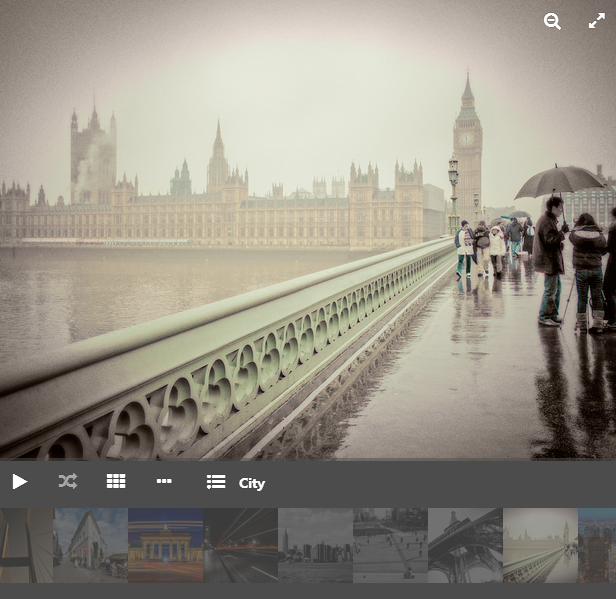
Default Smart Photo Gallery Look

Support

Feel free to post comments on this plugin or send us e-mail via our profile contact form if you have any questions.

Please give us 5 stars if you like this plugin. Your feedback is much appreciated.

Download Smart Photo Gallery (Galleries)

Creative Player – PHP Script (Images and Media)


Creative Music & Video Player


  • Auto create playlist from folder(s) of mp3 files
  • Shoutcast (Internet Radio)
  • SoundCloud (user tracks, single track, user favorites, user groups)
  • Youtube (single video, playlist video)
  • Official FM (single track, playlist tracks, project tracks)
  • Added 5 skin for Player
  • Add media albums (songs, videos or both of them)
  • Add files with ftp
  • Scan folder for music and video
  • Add files with direct link
  • Read ID3 tags and fill them automatic
  • Play in all pages with Ajax
  • Show items lists
  • Paging items
  • Show music comments
  • Share on social networks like facebook twitter google+
  • Show recommended musics in comments page
  • Keyboard navigation
  • Ability of change admin path
  • Advance theme setting
  • Ability of resize or optimize images automatic
  • Ability of set default setting from admin
  • Drag and Drop : You can play your own music or video by Drag and Drop of covers.
  • PalyList : Users can create playlists with their favorite names and add or remove music and videos from the list.
  • Favorites : users can add music and videos to their favorites.
  • Full Responsive Design : With this feature you will not have any problem watching the player in different devices because player has the capability to adapt with every resolutions .
  • Resize : You can resize Player to four different modes.
  • Admin Panel : use Admin Panel to add music or video to the player.
  • Easy Installation : Just download the file and read documents.
  • Optimized for Android : This script has been tested with Android 4.0, 4.1 , 4.2 and 4.3 and it works very well.
  • Browser Compatibility : This script is compatible with most browsers, including IE 8 +,fire fox ,chrome ,opera , safari
  • HTML5: mp3, mp4 (AAC/H.264), ogg (Vorbis/Theora), webm (Vorbis/VP8), wav
  • Flash: mp3, mp4 (AAC/H.264), rtmp, flv

please don’t forget to rate it \\\\\ and add it to your favorites.


Admin Panel

login

administrator panel

Download Creative Player – PHP Script (Images and Media)

ID3 tag manager (Windows)

ID3 tag manager

This document is an informal standard and replaces the ID3 tag manager.3.0
standard [ID3 tag manager]. A formal standard will use another revision number
even if the content is identical to document. The contents in this
document may change for clarifications but never for added or altered
functionallity.
Distribution of this document is unlimited.
Abstract
This document describes the main structure of ID3v, which is a
revised version of the ID3 tag manager informal standard [ID3 tag manager] version
2.3.0. The ID3 tag manager offers a flexible way of storing audio meta
information within the audio file itself. The information may be
technical information, such as equalisation curves, as well as
title, performer, copyright etc.
ID3v is meant to be as close as possible to ID3 tag manager.3.0 in order
to allow for implementations to be revised as easily as possible.
1. Table of contents
Status of this document
Abstract
1. Table of contents
2. Conventions in this document
2. Standard overview
3. ID3 tag manager overview
3.1. ID3 tag manager header
3.2. ID3 tag manager extended header
3.3. Padding
3.4. ID3 tag manager footer
4. ID3 tag manager frames overview
4.1. Frame header flags
4.1.1. Frame status flags
4.1.2. Frame format flags
5. Tag location
6. Unsynchronisation
6.1. The unsynchronisation scheme
6.2. Synchsafe integers
2. Conventions in this document
Text within ”” is a text string exactly as it appears in a tag.
Numbers preceded with $ are hexadecimal and numbers preceded with %
are binary. $xx is used to indicate a byte with unknown content. %x
is used to indicate a bit with unknown content. The most significant
bit (MSB) of a byte is called ‘bit 7’ and the least significant bit
(LSB) is called ‘bit 0’.
A tag is the whole tag described in this document. A frame is a block
of information in the tag. The tag consists of a header, frames and
optional padding. A field is a piece of information; one value, a
string etc. A numeric string is a string that consists of the
characters “0123456789” only.
The key words “MUST”, “MUST NOT”, “REQUIRED”, “SHALL”, “SHALL NOT”,
“SHOULD”, “SHOULD NOT”, “RECOMMENDED”, “MAY”, and “OPTIONAL” in this
document are to be interpreted as described in RFC 2119 [KEYWORDS].
3. ID3 tag manager overview
ID3 tag manager is a general tagging format for audio, which makes it possible
to store meta data about the audio inside the audio file itself. The
ID3 tag described in this document is mainly targeted at files
encoded with MPEG-1/2 layer I, MPEG-1/2 layer II, MPEG-1/2 layer III
and MPEG-2.5, but may work with other types of encoded audio or as a
stand alone format for audio meta data.
ID3 tag manager is designed to be as flexible and expandable as possible to
meet new meta information needs that might arise. To achieve that
ID3 tag manager is constructed as a container for several information blocks,
called frames, whose format need not be known to the software that
encounters them. At the start of every frame is an unique and
predefined identifier, a size descriptor that allows software to skip
unknown frames and a flags field. The flags describes encoding
details and if the frame should remain in the tag, should it be
unknown to the software, if the file is altered.
The bitorder in ID3 tag manager is most significant bit first (MSB). The
byteorder in multibyte numbers is most significant byte first (e.g.
$12345678 would be encoded $12 34 56 78), also known as big endian
and network byte order.
Overall tag structure:

| Header (10 bytes) |

| Extended Header |
| (variable length, OPTIONAL) |

| Frames (variable length) |

| Padding |
| (variable length, OPTIONAL) |

| Footer (10 bytes, OPTIONAL) |

In general, padding and footer are mutually exclusive. See details in
sections 3.3, 3.4 and 5.
3.1. ID3 tag manager header
The first part of the ID3 tag manager tag is the 10 byte tag header, laid out
as follows:
ID3 tag manager/file identifier “ID3”
ID3 tag manager version $04 00
ID3 tag manager flags %abcd0000
ID3 tag manager size 4 * %0xxxxxxx
The first three bytes of the tag are always “ID3”, to indicate that
this is an ID3 tag manager tag, directly followed by the two version bytes. The
first byte of ID3 tag manager version is its major version, while the second
byte is its revision number. In this case this is ID3v. All
revisions are backwards compatible while major versions are not. If
software with ID3v and below support should encounter version
five or higher it should simply ignore the whole tag. Version or
revision will never be $FF.
The version is followed by the ID3 tag manager flags field, of which currently
four flags are used.
a – Unsynchronisation
Bit 7 in the ‘ID3 tag manager flags’ indicates whether or not
unsynchronisation is applied on all frames (see section 6.1 for
details); a set bit indicates usage.
b – Extended header
The second bit (bit 6) indicates whether or not the header is
followed by an extended header. The extended header is described in
section 3.2. A set bit indicates the presence of an extended
header.
c – Experimental indicator
The third bit (bit 5) is used as an ‘experimental indicator’. This
flag SHALL always be set when the tag is in an experimental stage.
d – Footer present
Bit 4 indicates that a footer (section 3.4) is present at the very
end of the tag. A set bit indicates the presence of a footer.
All the other flags MUST be cleared. If one of these undefined flags
are set, the tag might not be readable for a parser that does not
know the flags function.
The ID3 tag manager tag size is stored as a 32 bit synchsafe integer (section
6.2), making a total of 28 effective bits (representing up to 256MB).
The ID3 tag manager tag size is the sum of the byte length of the extended
header, the padding and the frames after unsynchronisation. If a
footer is present this equals to (‘total size’ – 20) bytes, otherwise
(‘total size’ – 10) bytes.
An ID3 tag manager tag can be detected with the following pattern:
$49 44 33 yy yy xx zz zz zz zz
Where yy is less than $FF, xx is the ‘flags’ byte and zz is less than
$80.
3.2. Extended header
The extended header contains information that can provide further
insight in the structure of the tag, but is not vital to the correct
parsing of the tag information; hence the extended header is
optional.
Extended header size 4 * %0xxxxxxx
Number of flag bytes $01
Extended Flags $xx
Where the ‘Extended header size’ is the size of the whole extended
header, stored as a 32 bit synchsafe integer. An extended header can
thus never have a size of fewer than six bytes.
The extended flags field, with its size described by ‘number of flag
bytes’, is defined as:
%0bcd0000
Each flag that is set in the extended header has data attached, which
comes in the order in which the flags are encountered (i.e. the data
for flag ‘b’ comes before the data for flag ‘c’). Unset flags cannot
have any attached data. All unknown flags MUST be unset and their
corresponding data removed when a tag is modified.
Every set flag’s data starts with a length byte, which contains a
value between 0 and 128 ($00 – $7f), followed by data that has the
field length indicated by the length byte. If a flag has no attached
data, the value $00 is used as length byte.
b – Tag is an update
If this flag is set, the present tag is an update of a tag found
earlier in the present file or stream. If frames defined as unique
are found in the present tag, they are to override any
corresponding ones found in the earlier tag. This flag has no
corresponding data.
Flag data length $00
c – CRC data present
If this flag is set, a CRC-32 [ISO-3309] data is included in the
extended header. The CRC is calculated on all the data between the
header and footer as indicated by the header’s tag length field,
minus the extended header. Note that this includes the padding (if
there is any), but excludes the footer. The CRC-32 is stored as an
35 bit synchsafe integer, leaving the upper four bits always
zeroed.
Flag data length $05
Total frame CRC 5 * %0xxxxxxx
d – Tag restrictions
For some applications it might be desired to restrict a tag in more
ways than imposed by the ID3 tag manager specification. Note that the
presence of these restrictions does not affect how the tag is
decoded, merely how it was restricted before encoding. If this flag
is set the tag is restricted as follows:
Flag data length $01
Restrictions %ppqrrstt
p – Tag size restrictions
00 No more than 128 frames and 1 MB total tag size.
01 No more than 64 frames and 128 KB total tag size.
10 No more than 32 frames and 40 KB total tag size.
11 No more than 32 frames and 4 KB total tag size.
q – Text encoding restrictions
0 No restrictions
1 Strings are only encoded with ISO-8859-1 [ISO-8859-1] or
UTF-8 [UTF-8].
r – Text fields size restrictions
00 No restrictions
01 No string is longer than 1024 characters.
10 No string is longer than 128 characters.
11 No string is longer than 30 characters.
Note that nothing is said about how many bytes is used to
represent those characters, since it is encoding dependent. If a
text frame consists of more than one string, the sum of the
strungs is restricted as stated.
s – Image encoding restrictions
0 No restrictions
1 Images are encoded only with PNG [PNG] or JPEG [JFIF].
t – Image size restrictions
00 No restrictions
01 All images are 256×256 pixels or smaller.
10 All images are 64×64 pixels or smaller.
11 All images are exactly 64×64 pixels, unless required
otherwise.
3.3. Padding
It is OPTIONAL to include padding after the final frame (at the end
of the ID3 tag), making the size of all the frames together smaller
than the size given in the tag header. A possible purpose of this
padding is to allow for adding a few additional frames or enlarge
existing frames within the tag without having to rewrite the entire
file. The value of the padding bytes must be $00. A tag MUST NOT have
any padding between the frames or between the tag header and the
frames. Furthermore it MUST NOT have any padding when a tag footer is
added to the tag.
3.4. ID3 tag manager footer
To speed up the process of locating an ID3 tag manager tag when searching from
the end of a file, a footer can be added to the tag. It is REQUIRED
to add a footer to an appended tag, i.e. a tag located after all
audio data. The footer is a copy of the header, but with a different
identifier.
ID3 tag manager identifier “3DI”
ID3 tag manager version $04 00
ID3 tag manager flags %abcd0000
ID3 tag manager size 4 * %0xxxxxxx
4. ID3 tag manager frame overview
All ID3 tag manager frames consists of one frame header followed by one or more
fields containing the actual information. The header is always 10
bytes and laid out as follows:
Frame ID $xx xx xx xx (four characters)
Size 4 * %0xxxxxxx
Flags $xx xx
The frame ID is made out of the characters capital A-Z and 0-9.
Identifiers beginning with “X”, “Y” and “Z” are for experimental
frames and free for everyone to use, without the need to set the
experimental bit in the tag header. Bear in mind that someone else
might have used the same identifier as you. All other identifiers are
either used or reserved for future use.
The frame ID is followed by a size descriptor containing the size of
the data in the final frame, after encryption, compression and
unsynchronisation. The size is excluding the frame header (‘total
frame size’ – 10 bytes) and stored as a 32 bit synchsafe integer.
In the frame header the size descriptor is followed by two flag
bytes. These flags are described in section 4.1.
There is no fixed order of the frames’ appearance in the tag,
although it is desired that the frames are arranged in order of
significance concerning the recognition of the file. An example of
such order: UFID, TIT2, MCDI, TRCK …
A tag MUST contain at least one frame. A frame must be at least 1
byte big, excluding the header.
If nothing else is said, strings, including numeric strings and URLs
are represented as ISO-8859-1 [ISO-8859-1] characters in the
range $20 – $FF. Such strings are represented in frame descriptions
as <text string>, or <full text string> if newlines are allowed. If
nothing else is said newline character is forbidden. In ISO-8859-1 a
newline is represented, when allowed, with $0A only.
Frames that allow different types of text encoding contains a text
encoding description byte. Possible encodings:
$00 ISO-8859-1 [ISO-8859-1]. Terminated with $00.
$01 UTF-16 [UTF-16] encoded Unicode [UNICODE] with BOM. All
strings in the same frame SHALL have the same byteorder.
Terminated with $00 00.
$02 UTF-16BE [UTF-16] encoded Unicode [UNICODE] without BOM.
Terminated with $00 00.
$03 UTF-8 [UTF-8] encoded Unicode [UNICODE]. Terminated with $00.
Strings dependent on encoding are represented in frame descriptions
as <text string according to encoding>, or <full text string
according to encoding> if newlines are allowed. Any empty strings of
type $01 which are NULL-terminated may have the Unicode BOM followed
by a Unicode NULL ($FF FE 00 00 or $FE FF 00 00).
The timestamp fields are based on a subset of ISO 8601. When being as
precise as possible the format of a time string is
yyyy-MM-ddTHH:mm:ss (year, “”, month, “”, day, “T, hour (out of
24),, minutes, ”:”, seconds), but the precision may be reduced by
removing as many time indicators as wanted. Hence valid timestamps
are
yyyy, yyyy-MM, yyyy-MM-dd, yyyy-MM-ddTHH, yyyy-MM-ddTHH:mm and
yyyy-MM-ddTHH:mm:ss. All time stamps are UTC. For durations, use
the slash character as described in 8601, and for multiple noncontiguous
dates, use multiple strings, if allowed by the frame
definition.
The three byte language field, present in several frames, is used to
describe the language of the frame’s content, according to ISO-639-2
The language should be represented in lower case. If the
language is not known the string “XXX” should be used.
All URLs [URL] MAY be relative, e.g. “picture.png”, ”../doc.txt”.
If a frame is longer than it should be, e.g. having more fields than
specified in this document, that indicates that additions to the
frame have been made in a later version of the ID3 tag manager standard. This
is reflected by the revision number in the header of the tag.
4.1. Frame header flags
In the frame header the size descriptor is followed by two flag
bytes. All unused flags MUST be cleared. The first byte is for
‘status messages’ and the second byte is a format description. If an
unknown flag is set in the first byte the frame MUST NOT be changed
without that bit cleared. If an unknown flag is set in the second
byte the frame is likely to not be readable. Some flags in the second
byte indicates that extra information is added to the header. These
fields of extra information is ordered as the flags that indicates
them. The flags field is defined as follows (l and o left out because
ther resemblence to one and zero):
%0abc0000 %0h00kmnp
Some frame format flags indicate that additional information fields
are added to the frame. This information is added after the frame
header and before the frame data in the same order as the flags that
indicates them. I.e. the four bytes of decompressed size will precede
the encryption method byte. These additions affects the ‘frame size’
field, but are not subject to encryption or compression.
The default status flags setting for a frame is, unless stated
otherwise, ‘preserved if tag is altered’ and ‘preserved if file is
altered’, i.e. %00000000.
4.1.1. Frame status flags
a – Tag alter preservation
This flag tells the tag parser what to do with this frame if it is
unknown and the tag is altered in any way. This applies to all
kinds of alterations, including adding more padding and reordering
the frames.
0 Frame should be preserved.
1 Frame should be discarded.
b – File alter preservation
This flag tells the tag parser what to do with this frame if it is
unknown and the file, excluding the tag, is altered. This does not
apply when the audio is completely replaced with other audio data.
0 Frame should be preserved.
1 Frame should be discarded.
c – Read only
This flag, if set, tells the software that the contents of this
frame are intended to be read only. Changing the contents might
break something, e.g. a signature. If the contents are changed,
without knowledge of why the frame was flagged read only and
without taking the proper means to compensate, e.g. recalculating
the signature, the bit MUST be cleared.
4.1.2. Frame format flags
h – Grouping identity
This flag indicates whether or not this frame belongs in a group
with other frames. If set, a group identifier byte is added to the
frame. Every frame with the same group identifier belongs to the
same group.
0 Frame does not contain group information
1 Frame contains group information
k – Compression
This flag indicates whether or not the frame is compressed.
A ‘Data Length Indicator’ byte MUST be included in the frame.
0 Frame is not compressed.
1 Frame is compressed using zlib [zlib] deflate method.
If set, this requires the ‘Data Length Indicator’ bit
to be set as well.
m – Encryption
This flag indicates whether or not the frame is encrypted. If set,
one byte indicating with which method it was encrypted will be
added to the frame. See description of the ENCR frame for more
information about encryption method registration. Encryption
should be done after compression. Whether or not setting this flag
requires the presence of a ‘Data Length Indicator’ depends on the
specific algorithm used.
0 Frame is not encrypted.
1 Frame is encrypted.
n – Unsynchronisation
This flag indicates whether or not unsynchronisation was applied
to this frame. See section 6 for details on unsynchronisation.
If this flag is set all data from the end of this header to the
end of this frame has been unsynchronised. Although desirable, the
presence of a ‘Data Length Indicator’ is not made mandatory by
unsynchronisation.
0 Frame has not been unsynchronised.
1 Frame has been unsyrchronised.
p – Data length indicator
This flag indicates that a data length indicator has been added to
the frame. The data length indicator is the value one would write
as the ‘Frame length’ if all of the frame format flags were
zeroed, represented as a 32 bit synchsafe integer.
0 There is no Data Length Indicator.
1 A data length Indicator has been added to the frame.
5. Tag location
The default location of an ID3 tag manager tag is prepended to the audio so
that players can benefit from the information when the data is
streamed. It is however possible to append the tag, or make a
prepend/append combination. When deciding upon where an unembedded
tag should be located, the following order of preference SHOULD be
considered.
1. Prepend the tag.
2. Prepend a tag with all vital information and add a second tag
at
the end of the file, before tags from other tagging systems. The
first tag is required to have a SEEK frame.
3. Add a tag at the end of the file, before tags from other tagging
systems.
In case 2 and 3 the tag can simply be appended if no other known tags
are present. The suggested method to find ID3 tag manager tags are:
1. Look for a prepended tag using the pattern found in section 3.1.
2. If a SEEK frame was found, use its values to guide further
searching.
3. Look for a tag footer, scanning from the back of the file.
For every new tag that is found, the old tag should be discarded
unless the update flag in the extended header (section 3.2) is set.
6. Unsynchronisation
The only purpose of unsynchronisation is to make the ID3 tag manager tag as
compatible as possible with existing software and hardware. There is
no use in ‘unsynchronising’ tags if the file is only to be processed
only by ID3 tag manager aware software and hardware. Unsynchronisation is only
useful with tags in MPEG 1/2 layer I, II and III, MPEG 2.5 and AAC
files.
6.1. The unsynchronisation scheme
Whenever a false synchronisation is found within the tag, one zeroed
byte is inserted after the first false synchronisation byte. The
format of synchronisations that should be altered by ID3 encoders is
as follows:
%11111111 111xxxxx
and should be replaced with:
%11111111 00000000 111xxxxx
This has the side effect that all $FF 00 combinations have to be
altered, so they will not be affected by the decoding process.
Therefore all the $FF 00 combinations have to be replaced with the
$FF 00 00 combination during the unsynchronisation.
To indicate usage of the unsynchronisation, the unsynchronisation
flag in the frame header should be set. This bit MUST be set if the
frame was altered by the unsynchronisation and SHOULD NOT be set if
unaltered. If all frames in the tag are unsynchronised the
unsynchronisation flag in the tag header SHOULD be set. It MUST NOT
be set if the tag has a frame which is not unsynchronised.
Assume the first byte of the audio to be $FF. The special case when
the last byte of the last frame is $FF and no padding nor footer is
used will then introduce a false synchronisation. This can be solved
by adding a footer, adding padding or unsynchronising the frame and
add $00 to the end of the frame data, thus adding more byte to the
frame size than a normal unsynchronisation would. Although not
preferred, it is allowed to apply the last method on all frames
ending with $FF.
It is preferred that the tag is either completely unsynchronised or
not unsynchronised at all. A completely unsynchronised tag has no
false synchonisations in it, as defined above, and does not end with
$FF. A completely non-unsynchronised tag contains no unsynchronised
frames, and thus the unsynchronisation flag in the header is cleared.
Do bear in mind, that if compression or encryption is used, the
unsynchronisation scheme MUST be applied afterwards. When decoding an
unsynchronised frame, the unsynchronisation scheme MUST be reversed
first, encryption and decompression afterwards.
6.2. Synchsafe integers
In some parts of the tag it is inconvenient to use the
unsychronisation scheme because the size of unsynchronised data is
not known in advance, which is particularly problematic with size
descriptors. The solution in ID3 tag manager is to use synchsafe integers, in
which there can never be any false synchs. Synchsafe integers are
integers that keep its highest bit (bit 7) zeroed, making seven bits
out of eight available. Thus a 32 bit synchsafe integer can store 28
bits of information.
Example:
255 (%11111111) encoded as a 16 bit synchsafe integer is 383
(%00000001 01111111).

Download ID3 tag manager (Windows)
Booki – A booking plugin for WordPress (Calendars)

A modern booking plugin for WordPress. This plugin allows you to setup appointments or reservations with time that adapts to customers timezone.

You can make payment via PayPal or simply book and pay later. You’ll be able to set individual costs per day or by the minute/hour.

There is no limit to the type of appointments or reservations you can create, if you can think it, you can make it. This is partly thanks to a built-in form builder sported by the plugin “out of the box”.
Both the front-end and the back-end are responsive, but don’t take our word for it.

Check out the demos:

+Front end demo.
+backend demo

Demo resets every 1 hour and it is also limited in what can be done.

No outlandish claims. No pseudoscience. Just straightforward, perfectly balanced booking application at an unbeatable price.

  1. Make reservations
  2. Make appointments
  3. Time adapts to customers timezone
  4. PayPal payments and refunds. Additionally customize your PayPal page with custom logo and styling
  5. Cart system for purchasing multiple bookings. Include in your pages via shortcode or widget
  6. Include a booking in your pages via shortcode or widget
  7. Include booking “listings” with thumbnail and description along with search filter via shortcode or widget
  8. Customer views complete booking history
  9. Customer can cancel booking
  10. Customer can settle unpaid bookings directly from their control panel
  11. Customer can make booking and pay later (gets an invoice)
  12. Admin can create up to the minute bookings
  13. Admin can include/exclude specific days or time when creating a booking
  14. Set separate costs by the day or time periods
  15. Add extra billable items to your bookings whose cost adds up to the booking total
  16. Admin and Editors can Approve bookings
  17. Admin and Editors can Cancel bookings
  18. Admin can refund bookings
  19. Admin can receive email when bookings are paid for
  20. Admin can receive email when new bookings are made
  21. Create discount coupons and email to user directly
  22. Mass create discount coupons and export to MailChimp along with user info
  23. Create new bookings and email them to a new/existing user directly
  24. Solicit payment by sending invoices for unpaid bookings
  25. Customize the various email messages the system sends out to customers
  26. Supports 24 jQuery UI calendar themes out of the box. Additionally make calendars flat and borderless or add your own theme
  27. All templates can be customized by uploading only the changed template directly to the themes folder
  28. Supports only English out of the box but you can provide your own translation as .po files
  29. Export bookings, users and coupons separately to CSV files
  30. Booking statistics of total bookings, total amount earned, total discounts given, payments made count, payments pending count, refunds count and view bookings, sales and refunds made in the last 3 months.

Download Booki – A booking plugin for WordPress (Calendars)

Mood App – iAD + AdMob (Full Applications)

If you Like this App, please don’t forget rate it!

MooD is design mood app for iPhone. With iAD and AdMob make some money !

It is compatible with iOS 7.x and runs on iPhone 5 / 5S / 5C and iPod Touch 5th generation. Requirements to open the project : OS X 10.8 And Xcode 5.0

MooD Features v1.0

  • Cool Flat design – great color.
  • iAD – AdMob : Very cool to monetize your app !
  • This app works with iAD and AdMob at the same time ! If iAD doesn’t load, AdMob load ! Like that you are going to win more money :)
  • Easy to use !
  • Easy configuration : you don’t have experience with code or Objective C ? Great because you don’t need any programming skill to configure MyCar app
  • Good code : you can easily edit and change MooD code if you are good in development.
  • Support and documentation : MooD comes with a tutorial. Our team is providing a really quick support
  • Code with 0 ISSUE !!
  • You can win a lot of money with this app. Why ? Because people come back each day to put their today’s mood ! So think about the ads :)

Enjoy

I’m going to make a lot of update, so if you have any idea leave a comment !


Download Mood App – iAD + AdMob (Full Applications)

DroidMarket – marketplaces app with CMS (Full Applications)

DroidMarket is a marketplaces application template that run under Android platform and come with server build on php framework included. This will help you build your own mobile marketplaces application faster. With many great features.

Demo APK

Full Features

  • Admob support
  • Admin Panel buid on top php framework codeigniter
  • Allow user sigup via facebook
  • Allow user submit product, manager profile, change password…
  • Admin can manager user, product, categories, county.
  • Translate to all language.
  • Support multiple currency.
  • Support actionbar with appcompat library v7.
  • Support “pull to refresh” product.
  • Facebook fanpage with webview
  • Well document user guide

Admin Panel Demo

Please access admin panel from here
username: staff
password: staff

Credit

Download DroidMarket – marketplaces app with CMS (Full Applications)

Custom Business Card Design for OpenCart (OpenCart)


If this plugin is useful, could you please help us to rate it? It will be a big encouragement to improve for us.

Custom Business Card Design for OpenCart

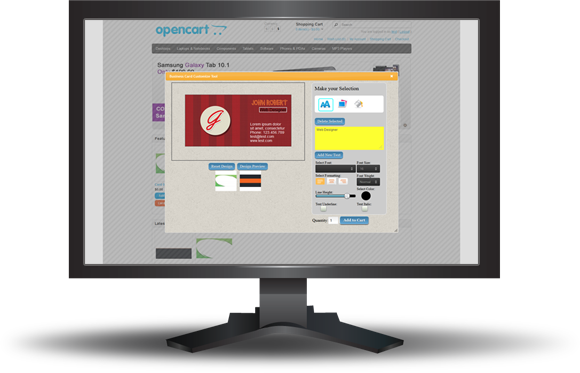
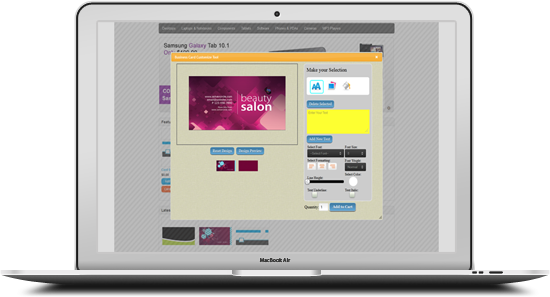
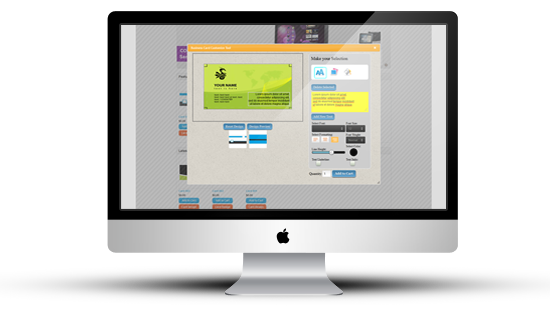
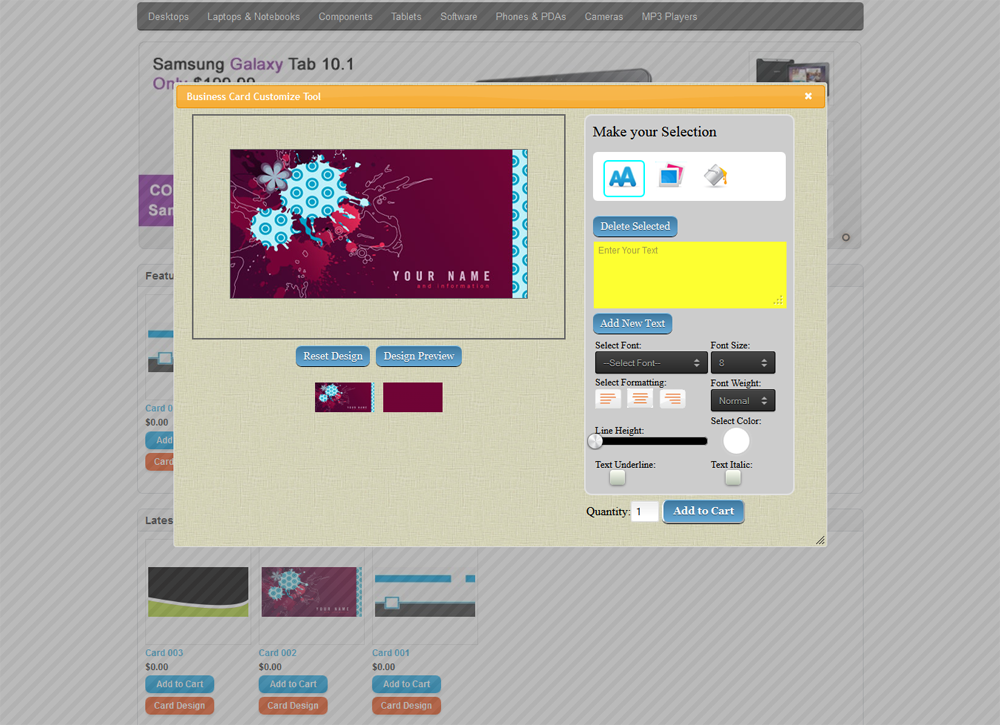
“Custom Business Card Design for OpenCart” module is an open cart module which is used to design or customized business card. By this module customer can design the business card as per their need such as add Name, Designation, Address, Contact Details, Logo and Images by different types of Color, Font, Size and Format. User can also change the Background of Business Card and Add to Cart with Variation Options from Popup. User can upload multiple images and drag the image and text on different positions.

“Custom Business Card Design for OpenCart” module has some excellent features and very easy to install or setup. No need to replace files or others actions just upload the setup folder to the directory and hit the URL (www.yoursitename.com/setup). It is one click setup.

“Custom Business Card Design for OpenCart” module is more flexible and compatible with many existing modules in the OpenCart repository. This Module is fully customizable. Users can easily configure the module into the new or existing OpenCart websites.

Module View

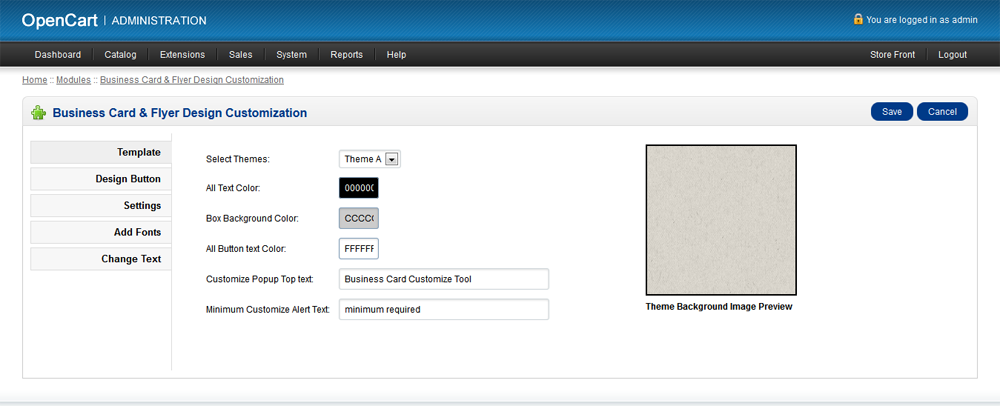
Admin Settings

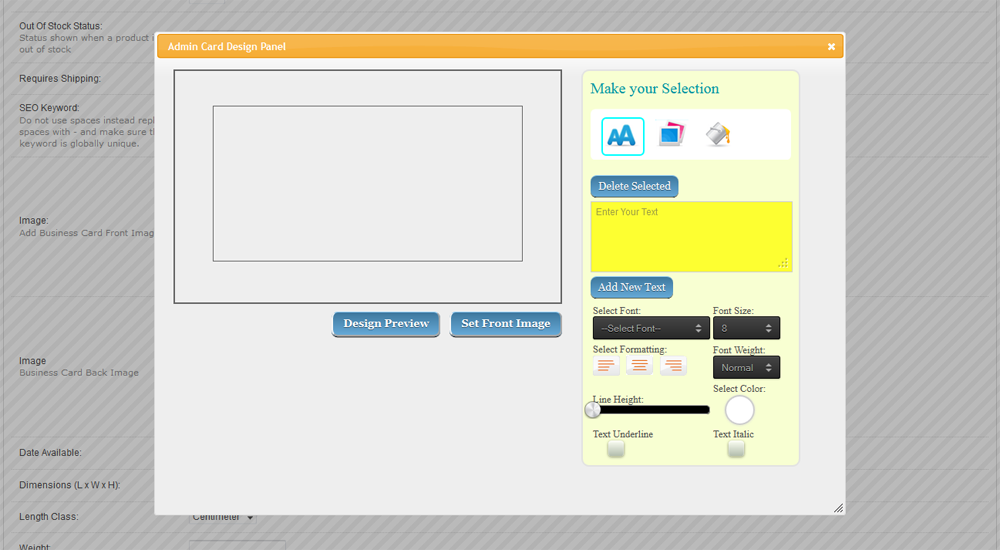
Admin Pre Design

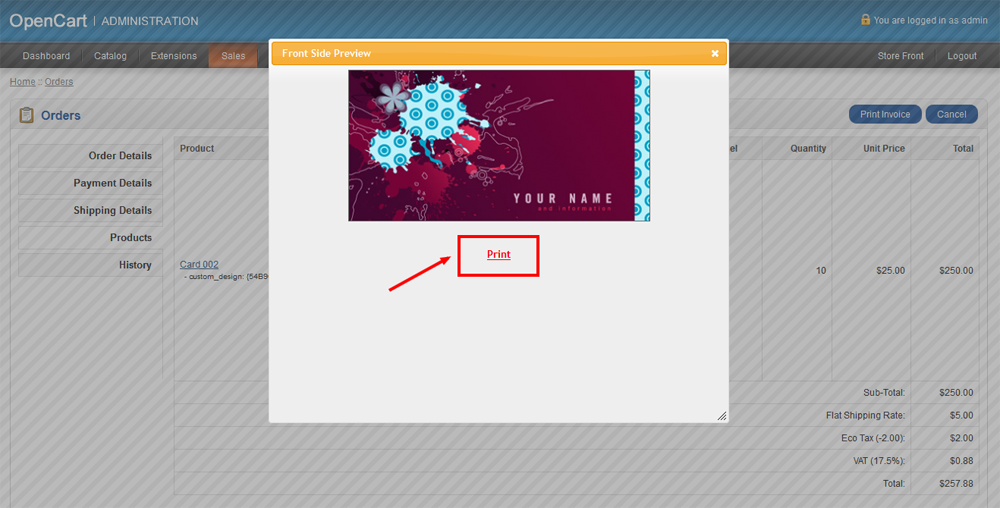
Print from Admin

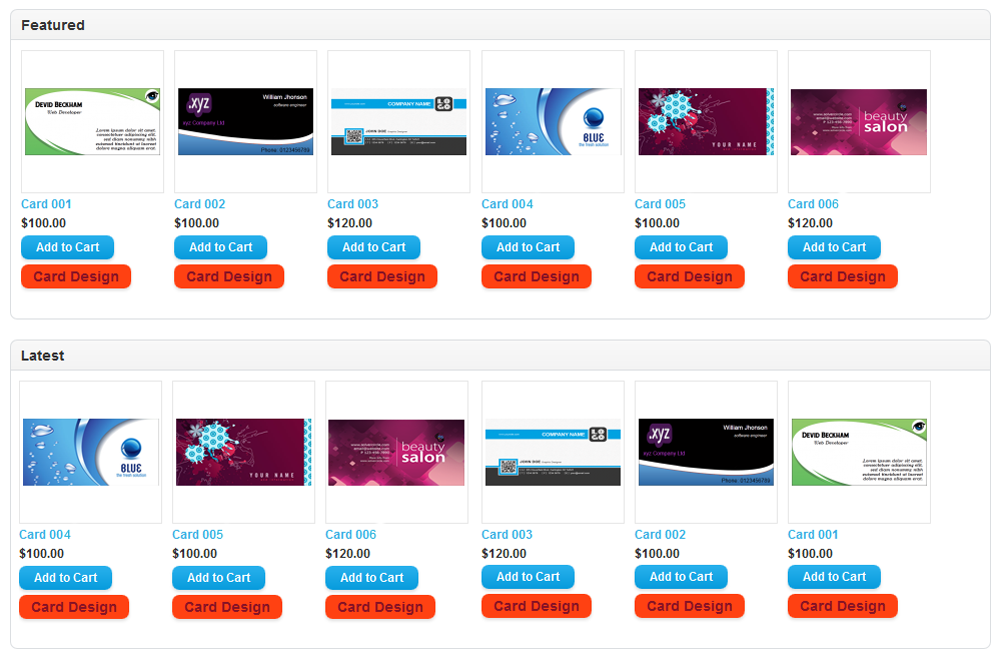
Design Samples

Product Page View

Module Features

  • Shoppers can upload their own design, image and company logo on Business Card while shopping.
  • Add Name, Designation, Address, Contact Details, Logo and Images on the Business Card.
  • Change Text Font, Font Size, Alignment, Font Weight, Line Height, Text Underline, Text Italic and Text Color.
  • Place text or images in Both Sides of the Business Card.
  • Text and Images can be moved and placed/positioned on anywhere on the Business Card.
  • Shows preview mode of the Business Card as designed.
  • Multiple Text and Multiple Image can be added on the Business Card.
  • Shoppers can add to cart same product with customization or without customization and price will be different for that purpose.
  • Shoppers can view the customized product (text or uploaded image with position) on the popup by clicking the “Design Preview” icon or from his own account (Order History > view).
  • Admin can printout the designed business card from the order details page (Sales > Orders > Products) of admin panel.

Admin Features:

  • 9 (nine) types of popup themes available with preview.
  • Admin can customize all text color of the module.
  • Admin can set “Box Background Color” of popup.
  • “All Button text Color” also customizable.
  • Customize Popup title from Admin.
  • Admin can set “Minimum Customize Alert Text”.
  • Admin can set the Design button “Link Text”, “Link Font Size”, “Link Font Bold”, “Link Text Color”, “Allow Button Style” and “Button Background Color”.
  • Admin can show or hide “Design Link” for all pages or some selected pages and modules (ex. Featured Module, Bestseller Module, Latest Module, Product Details Page, Search Page, Category Page etc.) from “Settings” Tab.
  • Admin can upload fonts from “Add Fonts” Tab of Admin panel.
  • Admin can change all the text of Popup from “Change Text” Tab of Admin panel.
  • Admin can select/deselect customize option and set the “Custom Price” and “Minimum Customize Quantity” from Catalog > Products > Insert > Custom Design Tab for each product.
  • Admin can set Front and Back image of Business card from Catalog > Products > Insert > Data tab.
  • Admin can view and print the customized product from Sales > Orders > View > Products.

Download Custom Business Card Design for OpenCart (OpenCart)

CSS Animator for Visual Composer (Add-ons)

Add Awesome CSS Animations to ANY Theme

CSS Animator is a Visual Composer add-on that allows you add over 40 animations to Visual Composer elements in your WordPress site.

You can have your elements unfold, spin, twirl, flip, slide elastically and plenty more. You can also change the duration and starting time of each animation so that you can chain them together to achieve awesome effects.

CSS Animator was built specifically for easy usage in Visual Composer, and fits excellently in VC’s drag and drop interface. Adding CSS animations is just as easy as dragging your elements inside a CSS Animator element.

Works great with any theme

View the demo site and open your mind to the possibilities. The demo site showcases all available animations and features.

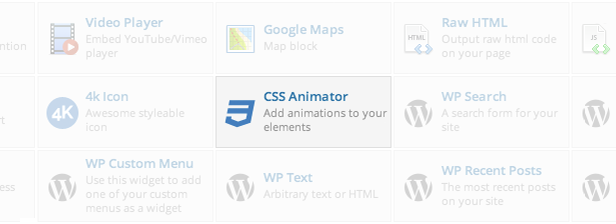
After You Install CSS Animator, a New Element Will Be Available in VC

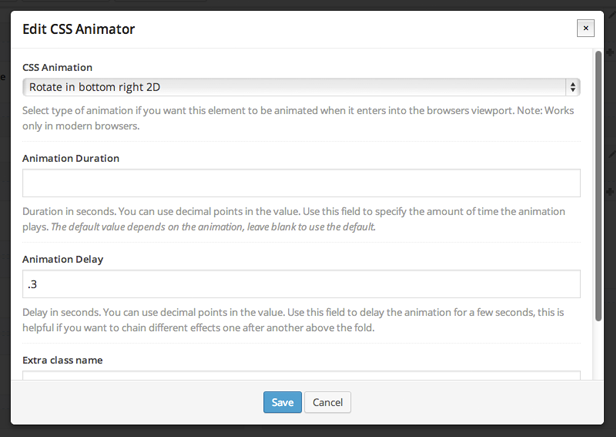
Select & Modify Animations in the Intuitive VC Interface

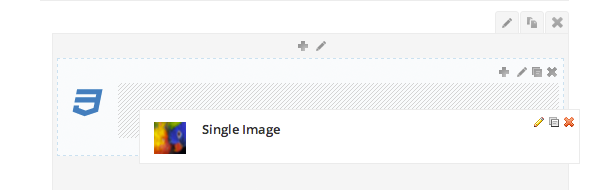
Then Drag Your Elements into the CSS Animator Element

And you’re done!

Full Feature Set

  • WordPress plugin
  • Visual Composer Addon
  • 40 CSS Entrance Animations, for your every need
  • 7 CSS Loop Animations, to grab attention
  • Animate single or multiple elements
  • Adjustable animation duration & delays
  • Chain animations together, using delays for maximum effect
  • Doesn’t bloat your site, only the css of the used animation group are enqueued
  • Uses CSS keyframes for animations, be on the cutting edge
  • Integrates well with Visual Composer
  • Simple interface
  • Very easy to use
  • Includes full detailed fields

To ThemeForest WP Theme Developers

If you want to include this as a feature in your themes, CSS Animator cannot be embedded. You can however include the plugin zip file in your release as long as you purchase an extended license. Be sure to let me know of your theme so we can feature it here!

Check out Our Other Visual Composer Addons

Download CSS Animator for Visual Composer (Add-ons)

Multi file downloader (Network / Connectivity)

Multi file downloader App is an app for download any kind of file from a webserver. It is design for iPhone 3.5 and 4 inches and also for iPad. It works in both portrait and landscape mode.

Screens

+ In App File Listing
– List the downloaded files
– Delete one/all files

+ Updates Listing
– List available files from webserver (json) – php file included
– Thumbnails are loaded in an asynchronous mode for a better user experience
– Download one/multiple file(s)
– Display the download progression

Features:

– Universal App template (iPhone/iPad)
– ARC – iOS 7.x compatible – XCode 5.0 project
– Storyboards
– Localized
– Asynchronos downloads (thumbnails & files)
– Portrait and landscape
– PNG & PSD files included
– PHP script file included

Note:

– Images are not included in the zip file (use your own)
– Other resources are included

Download Multi file downloader (Network / Connectivity)

PicPuzzlonia (Games)

PicPuzzlonia is fully implemented iOS game for iPhone. The game is a jigsaw puzzle type , means you can play with pictures by joining the pieces. Complete the game by successfully completing all the pieces to their right place to complete the picture. Take photos from phone’s gallery or directly from camera or from default 50 beautiful pictures and you have the option to break the picture in pieces from 9 to 100 pieces. Share you score with your friends on facebook,twitter or via text message. At any stage if you think that puzzle is difficult you can always take help from hinting feature.

– Flat design

– iAd

– The game mechanics are like the popular game Picture Puzzle

– Easy to customise the UI

– Easy to customise the Game Mode

– Share via Facebook, Twitter or Text Message

– Outstanding Graphics and Sounds effects.

– Game Hint

– Puzzle photos from camera, gallery or puzzle library.

– Saved game in database.

Download PicPuzzlonia (Games)

WordPress Image Hover Showcase (Advertising)

Increase social sharing to boost your website traffic with WordPress Image Hover Showcase. This plugin allows you to easily add social share icons on every images you’ve added via wordpress editor. You can also add custom button for any downloadable links, marketing links, buy now button or any url target you want! The hover supports the native wordpress image title for you to add custom title too! A full control settings option is also provided for configuration to match your theme.

Want to add image hover on your sidebar? This plugin provides a widget for you to add the image hover on every sidebar you want. Yes yes, you can use it for promotional purposes or even as image ads hover. Go out of the box and utilize the unlimited possibility for this plugin ;)

Features

  • Add image hover easily with the use of powerful tinyMCE toolbar plugin provided
  • Native WordPress Image Title Support
  • Full control of social icon visibility
  • Fully customizable button
  • Fade, Slide Up, Slide Down, Slide Left and Slide Right Hover Effects
  • Full support for alignleft, alignright, and aligncenter!
  • Responsive Images Support
  • Powerful Sidebar Widget
  • Highly customizable
  • Social Share Buttons :
    • Facebook Share Icon
    • Twitter Share Icon
    • Linkedin Share Icon
    • Pinterest Share Icon
    • Google+ Share Icon
    • Digg Share Icon
    • Delicious Share Icon
    • StumbleUpon Share Icon

You may also like :

Download WordPress Image Hover Showcase (Advertising)

HTTP_R File Request Class (Miscellaneous)

HTTP_R File Request Class Version 1.0

The HTTP_R class is a simple PHP class what allows you to request external or local files with ease, the class has four file request methods plus a auto detect method. The auto detect method detects what file request method can be used on your host and then uses it to request the data, the auto detect method is ideal to use if you’re not sure your host supports curl, file_get_contents, or other request methods.

Example Using Envato API:


// Require the class.
require 'HTTP_R.class.php';

// Request & decode the data.
$request = HTTP_R::M0('http://marketplace.envato.com/api/v3/user:j4ke.json');
$decode  = json_decode($request, true);

// Return the wanted data.
echo $decode['user']['username'] . ' has made ' . $decode['user']['sales'] . ' sales.';

Updates:

Updates are free to anyone who has purchased this item with any type of license.

Change Log:

  • N / A

Support:

Feel free to suggest new features, ask questions, and anything else related to this item by sending me a PM or commenting on this item. If you have purchased this item and like it please remember to rate it.

Download HTTP_R File Request Class (Miscellaneous)

Youtube Slider (Miscellaneous)

Item Description

Youtube Slider is the easiest way to get a list of Youtube videos and create an slider that is touch enabled, responsive and customizable via parameters.

Features

1- Touch enabled.

2- Responsive.

3- Has a lot of properties to change.

4- Tutorials, documentation, min file ready.

5- Retina display and high resolution ready.

6- No configuration required, just add the reference and call the plugin.

7- No need PHP, JSP, ASP or any server side coding.

Documentation

Please, take a minute to read the documentation first.
http://sistematicocr.com/YoutubeSlider/doc/

Download Youtube Slider (Miscellaneous)

Social Media Signs (Windows)

WHAT ARE SOCIAL SIGNS?

Social Signs is a QR Code Generator for your Social Media Profiles. The QR Code is created on noticeable and recognisable social network branded PDF templates, which you can print and display on your shop window, door or counter. Customers, visitors and passers-by, will notice the sign and scan the QR Code with their smartphone to go directly to your social profile where they can click the like or follow button, leave feedback or refer friends to your business.

WHAT DOES IT DO?

You can get a like and follow button for the real world! Most websites have a like or follow button that you can click, now businesses can take that feature to the real world by placing a Social Sign with QR code that is linked to your social profile. Your customers simply use their smartphones to scan the code to like or follow.

SOME FEATURES

  • Simple and easy to use, no fuss. Just create, print and display
  • Choose from all the popular social media networks
  • Prints a QR Code that links directly to your social profiles
  • Works with any smartphone that can scan QR codes

WHY USE SOCIAL SIGNS?

When customers scan the QR Code to visit your social profile, they’ll be able to click the like or follow button to show loyalty to your business or products. They can also refer all their friends, leave recommendations or feedback for you to read and act upon.

SOME BENEFITS

  • Turns foot traffic into social traffic to increase followers and referrals
  • Let people access your social profile without a computer
  • Scan and go – no searching for your social profile online
  • Build customer referrals, relationships and brand loyalty

WHO USE SOCIAL SIGNS?

Social Signs can be used by any business premises that serve the public, such as:

Banks, Bars & Clubs, Bakery Shops, Beauty Salons, Bookshops, Chemists, Computer Shops, DIY Stores, Electrical Stores, Estate Agencies, Fashion Retailers, Florists, Furniture Stores, Game/Music Shops, Gift Shops, Grocery Shops, Gyms, Hotels, Jewellery Shops, Liquor Stores, Mobile Phone Shops, Museums & Galleries, Restaurants & Cafes, Shoe Shops, Sports Shops, Travel Agents and many others.

Here are some comments from business owners:

“It’s hard to get your name out there. That’s why word-of-mouth is so important to us. These Social Signs are an absolute MUST for any clothing retailer interested in promoting their range through social media.”

– Clothing Store

“We love to promote our Twitter page for whats hot in the oven. Theres no need for customers to search or forget our social profile anymore as these signs make it easy for anyone to just scan the code, follow us and go!”

– Bakery Shop

“The Social Signs has helped us build brand loyalty, visibility and recognition with social media!”

– Estate Agency

“They get customers to come back! These social signs drive more foot traffic and encourage customers to re-engage with you again and again!”

– Restaurant

“These signs has drawn in more members and provided our social profiles a larger following. The signs only take up a small space but makes a BIG IMPACT!”

– Gym

“The social posters are eye-catching as we’ve seen many customers stop by the window to scan the code. These things really work!”

– Florist

“Just printed our Social Signs! Great idea and brilliant product, will be recommending them to our business clients who would benefit from their use.”

– Bank

HOW DOES SOCIAL SIGNS WORK

Customers and passing trade can use their mobile to scan the QR code on the Social Sign to visit your social profile page where they can like, follow or tell friends about your business. It’s simple and effective marketing.

  1. Enter your business name.
  2. Select the social network (e.g Facebook, Twitter, Google+ etc).
  3. Enter your username and click print.

The PDF template will ready to print (A4 size, 300dpi). Display on your shop window, door or counter for customers to scan.

WHEN TO USE SOCIAL SIGNS?

SOCIAL FOLLOWING

Socialize your foot traffic at your business premises or event by creating a “Like us” or “Follow us” Social Sign that linked to your social media profile. Your prospects or customers can simply scan the QR code with their smartphone to visit your profile to like, follow or refer friends/colleagues.

SOCIAL REFERRALS

Turn your existing customers into Referral Marketers, spread interest about your products and immediately begin attracting new customers to your business by creating a “Share us” Social Sign for Facebook, Twitter or Linkedin.

SOCIAL PROMOTIONS

Boost sales and turn your existing customers into a free marketing team by creating a “Get a Coupon” or “Get a Deal” (via Facebook, Twitter or Groupon) Social Signs. Generate and use the Social Coupon link that request users to share your marketing message on Facebook or Twitter to claim the discount.

SOCIAL REVIEWS

Have loyal customers? Turn them into brand advocates by creating a “Review us on Yelp” Social Sign. They can scan the QR code on the sign to visit your Yelp listing to leave a positive review about your business.

SOCIAL BOOKINGS

Generate more bookings or reservations and gain new customers by creating a “Book via Facebook” or “Twitter” Social Signs. The tool allows you to generate a Social Booking link that request users to share a marketing message on Facebook or Twitter to access your booking form.

SOCIAL SUPPORT

Offer social support over Facebook or Twitter to build customer relationships, loyalty and turn customers into social advocates of your business by creating a “Get Support via Facebook” or “Twitter” Social Sign. You can use any hashtag e.g. #AskBusiness or #BusinessSupport.

SOCIAL PHOTOS

Build Social Proof and promote your venue or event by creating a “Share your photo” Social Sign for Twitter, Facebook or Instagram. Customers simply scan the code to post their photo with your Hashtag when they visit. For example they can share a photo of their new outfit at a clothing store, their new hairstyle at a Salon or a fun moment at activity centre etc.

SOCIAL CHECK-IN

Let customers check-in and see which of their friends are nearby with a “Check-in on Facebook” Social Sign. So they can meetup friends at an event, for a shopping sale or group deal.

THERE ARE MANY MORE USES!

Download Social Media Signs (Windows)

Puerto – Responsive Flat Buttons (Buttons)

Puerto – Responsive Flat Buttons: is pure HTML5/CSS3 flat buttons. Buttons has HTML5 structure and works on all major browsers. Buttons is easy to edit and integrate into any website. CSS is separate from HTML and is well commented. Buttons has 8 similar layout and 16 colors, each theme can be used separately without any connection with the others. Buttons also has beautiful CSS3 animations.

Buttons works (the main structure is 100% same) on Internet Explorer 9, 8, 7 … and a lot of old browsers but animation and some other CSS3 features do not work.

If you encounter any errors please contact me or leave a comment, and I will fix them as soon as possible.

  • 16 Color Schemes
  • 8 Types of view
  • Pure HTML5 + CSS3 (No images, no icon dependancy)
  • Beautiful CSS3 Animations
  • No Javascript and jquery
  • Free Font Icons Used (Fontawesome icon)
  • very flexible and easy to use
  • Clean design and code

Download Puerto – Responsive Flat Buttons (Buttons)