Disk Audio Player For WordPress (Media)

Disk Audio Player is a WordPress plugin to display html5 audio player in your website with unlimited color options and playlists with scrollbar.

Main Features

  • HTML5
  • Responsive
  • Retina Ready (Font Icons)
  • Work on Desktops / Tablets / Phones
  • Unlimited Color Options
  • Playlist with Adjustable Scrollbar
  • Easy to Use
  • Poster Images
  • Multiple Instances
  • External Link (Buy, Download, Info)
  • Keyboard Control
  • Free Updates and Support

Download Disk Audio Player For WordPress (Media)

Facebook Twitter Responsive Application (Social Networking)

Facebook Responsive Twitter Application Broadcast your tweets to a larger audience by adding a Twitter Tab to your Facebook page and on Mobile access. This app seamlessly and simply connects your Facebook and Twitter accounts, giving page visitors easy access to your latest tweets – including replies, retweets and favorites – while maintaining any links, hashtags and mentions that appear on your timeline.

Features Included

   The application complies with all Facebook terms and conditions.

   Application is 100% responsive and works on every mobile devices.

   Easy access to replies, retweets and favorites.

   Custom headers can be added with front view.

   Seamless parsing of links, hashtags and Twitter usernames within text.

   It is not necessary to be logged on to Facebook in order to access the Admin Control Panel

   Full support for the following browsers: IE8, IE9, IE10, Chrome, Safari, Opera, Firefox

Front End Demo

https://www.facebook.com/customtwitterapp/app_1452682934973377

Admin Demo

https://twitter.sheensol.com/admin
User: admin
Password: admin786

Updates and Change Log

05/28/2014 – Version 1.0

  • First release of Facebook Twitter Responsive Application


Download Facebook Twitter Responsive Application (Social Networking)

Dicom Shipping Method for WooCommerce (WooCommerce)

The Dicom Shipping Method plugin for WooCommerce will get real-time rates from Dicom. The plugin work with domestic and International package. Works with any dimensions and any weight units.

Features

  • NEW Box Packing feature, add boxes and it will calculate which box and how much box to use.
  • Works with any dimensions units.
  • Ship using your negotiated rate for Dicom.
  • 3 way’s of handling the shipping, Per Item, Weight of all items and Box Packing.
  • Choose which shipping methods to show in the checkout.
  • Rename default shipping method to suit your needs.
  • Add handling fee to one or multiple shipping methods
  • Auto update, future updates will be available directly from WordPress interface FREE.

Shipping Services

  • Ground
  • Air
  • USA

Changelog:

v1.0.0 – May 27 2014

  • First release

Download Dicom Shipping Method for WooCommerce (WooCommerce)

Dicom Express Shipping Method for WooCommerce (WooCommerce)

The Dicom Shipping Method plugin for WooCommerce will get real-time rates from Dicom. The plugin work with domestic and International package. Works with any dimensions and any weight units.

Features

  • NEW Box Packing feature, add boxes and it will calculate which box and how much box to use.
  • Works with any dimensions units.
  • Ship using your negotiated rate for Dicom.
  • 3 way’s of handling the shipping, Per Item, Weight of all items and Box Packing.
  • Choose which shipping methods to show in the checkout.
  • Rename default shipping method to suit your needs.
  • Add handling fee to one or multiple shipping methods
  • Auto update, future updates will be available directly from WordPress interface FREE.

Shipping Services

  • Ground
  • Air
  • USA

Changelog:

v1.0.0 – May 27 2014

  • First release

Download Dicom Express Shipping Method for WooCommerce (WooCommerce)

JS Flip Book Creator (Images and Media)

What is Flip Book-Creator?

This is an online solution for Design Flip Books with custom Backgrounds, Motives and Texts.

Flip Book-Creator Highlights:

• Design a Book with unlimited Pages
• Custom Background Colors and Images
• Unlimited Normal & Curve Text on each Page
• Add Unlimited motives on each Page [Support SVG Format]
• Upload unlimited motives on each Page[Support SVG Format]
• Convert Text to QR-Code on Designs
• Copy and Paste Design Elements
• Powerfull Color Tools
• Drawing Tools
• Using Google Fonts as Custome List via XML
• Save and Load the Design with a Design-Code without using a Database
• Print the Design
• Share the Design on Facebook
• Set user uploaded image as page Background-Image
• Navigation to all Book Designed Pages
• Optional Water-Logo on Page Designs
• Optional Save Designs Local on User Computer
• Optional usage as Free Book Creator or Calculate Book Design Price with order

Good to Know:

• After saving your Design, you will recieve an Email including your DesignCode, next time you can load Your Design including all detailed properties like Prices, Backgrounds, etc.. and continue working on it untill final version, then you can order this, Print-Designer be able to save your name, email and Address and loading this on next time for your convenience.
• For Flip Effect, we’ve used free jQuery Booklet Plugin from William Grauvogel, this part can be replace with other plugins, however you need to prepare a new feed function for your plugin.

General Help Instruction

How add my Motives?

For this just drop your Motives inside images/motives, xml file will update Automatic.
Motives can be in PNG or SVG formats.

What about Google Fonts?

• Using Custome Google fonts in xml/fonts.xml[More details on Google Font setting will be found underGeneral Help Instruction]

What about Payment Method?

PayPal Payment and Bank Transfer already implemented on Order Confirmation Email Admin Tool for generating a FlipBook without WaterLogo after Customer Payment Confirmation:
If you want to use Flip Book Creator selling Custom Design Books, you need to set WaterLogo on your Tools to protect the designs, after user payment confirmation, you can Generate a new version without Water-Logo via BookGenerator.php[with One Click] and send the Book-URL to customer for his usage.

Requirements
• PHP5 Server

• Browser JavaScript Enabled

Browsers Compatibility

• Firefox

• Chrome

• Safari

• Opera [NO SVG Support]

• IE9 [NO SVG Support]

Credits

• jQuery

• Fabric.js
• PrintThis.js
• html2canvas.js
• jQuery Booklet Plugin

Related Products:

Download JS Flip Book Creator (Images and Media)

jQuery Audio Player (Media)


Follow me on CodeCanyon


Subscribe to RSS Feed

Features

  • Works on desktop, iPhone, iPad and Android
  • Responsive
  • Social Buttons
  • Slider control
  • Playlist control
  • Works with Handlebars templates
  • Fully customizable styles
  • Annotated source code
  • Solid documentation

Browser Compatibility

  • Internet Explorer 9+
  • Firefox
  • Chrome
  • Safari
  • Opera

jQuery Compatibility

  • Works with jQuery from version 1.7.
  • Works with jQuery 2.x versions.

Download jQuery Audio Player (Media)

WordPress Contact Forms Plugin (Forms)

Check out the demo’s and video tutorials to see what this plugin is all about!

WP Form Generator is the new way to generate WordPress contact forms anywhere on the fly within your website. This plugin makes creating a form easy and fun, you won’t believe how easy it is to create your first form. Within a few clicks you will have your elegant form up and running!

Functionality & Features

  • Compatible with WordPress 3.5 or later
  • Compatible with WPML
  • Generate elegant forms on the fly anywhere within your website
  • Create forms without knowing HTML or PHP
  • Text, Textareas, Dropdowns, Checkboxes, Radiobuttons, File upload or Hidden fields
  • Allow users to upload specific file extensions
  • Use multiple forms on a single page or post
  • Let users answer questions/fields one by one (good for surveys)
  • Disable or Enable Captcha
  • Validate fields to require specific data from the submitter
  • Custom error messages for each field
  • Send submitted form data via email
  • Enter multiple recipients for both Admin and Confirmation emails
  • Optionally set recipients based on field values
  • Add additional email Headers like Cc or Bcc
  • Set up your own HTML email template or just send simple Plain text
  • Retrieve any field anywhere inside your email template(s) or email subject(s)
  • Exclude specific fields from being send to the submitter (confirmation email)
  • Custom confirmation/autoreply after a successfully submitted form
  • File uploads, included in the email and saved to the server
  • Option to use SMTP (by default uses WordPress wp_mail function)
  • Easy user interface
  • Import/export forms across websites
  • Fast Support for everyone

Colors & Styling Features

  • Square + Rounded theme
  • Create grouped fields for complex form layouts
  • Fully customize your form colors with easy to use color pickers
  • Add custom CSS via the plugin settings
  • Add any extra HTML or Shortcodes between or next to fields
  • Responsiveness to fit on all devices
  • Changelog

    2014 June 1th – Version 1.0.0

    - Initial release!

    Download WordPress Contact Forms Plugin (Forms)

    Yoututbe PlayList App (Full Applications)

    Our Support
    Gmail
    Facebook
    Twitter
    Follow us on Envato

    This is Android Application for Youtube PlayList App. this apps support for one Youtube PlayList and multiple PlayList also.PlayList added through
    admin panel,so update PlayList without update apk in playstore. The application is specially optimized to
    be extremely easy to configure and detailed documentation is provided.you can create your own youtube playlist application.

    Features

    Demo Admin Url:

    http://viaviweb.in/envato/youtube_playlist_demo/

    Username:admin
    password:adminq1w2

    List Of PlayList:

    http://viaviweb.in/envato/youtube_playlist_demo/api.php

    Android Side

    1. All Device Combability(Responsive Design)
    2. Display Single and Multi Playlist
    3. PlayList Selection Mode
    4. Play/Pause Video
    5. Check Network Availability
    6. Admob Integrated (with google play service lib)
    7. Start App Integrated
    8. Admob and Startapp both Standalone Package(i.e 2 package,one is for admob and other is startapp)
    9. Remote Json
    10. Easy Admin panel

    Admin Side

    1. Simple and Attractive Admin Panel
    2. Display Total Number of PlayList
    3. Easily Add PlayList Name and PlayList Id
    4. Edit and Delete PlayList PlayList Id
    5. Json Service

    What You Get:

    1. Full Android Source Code
    2. Full Php Code of Server Side
    3. Full Document with Screen Shot

    \

    Download Yoututbe PlayList App (Full Applications)

    Logos Showcase for Visual Composer WordPress Plugi (Add-ons)


    Logos Showcase for Visual Composer is a premium WordPress plugin build to display and manage your logos and clients in many ways as a grid or as a slider. You have multiple special themes and effects that will help you to show your logos in so many different look.

    You can manage your logos by grouping into separate categories based on your demand. With Logos Showcase – Visual Composer Plugin for WordPress you will get what you want without any line of code. All you need to do is to generate de shortcode selecting your desired options to display, pick a favorite theme and select a CSS3 effect. Choosing the desired predefined effect for your logo group was never easier.

    10 Special Themes

    We have built different responsive themes ready to display your logos on any resolution and device. The themes are mobile ready and can be changed very easy.

    25 Image Logo Effects

    We have set 25 image effects that are both edgy and appealing. Try them all. Use the one you like best and fit for your logos.

    Effects are JavaScript Free being developed based on CSS3 technology. So, Logos Showcase Plugin will not create and conflict issue with other plugin installed into your WordPress website.

    4 Display Options

    Pick individual fields for each logos group. You can display and activate the Full Name, the External Link and the ToolTip Description. You can add tooltips on each logo image and including a custom content.

    Slider Showcase

    You have 10 features to build your desired logos slider. All the options are very easy to change and user friendly. Display your logo as a carousel slider with some transition effects and nav buttons.

    Other Logo Features:

    • Slideshow options
    • Inside Logo Page ready
    • Responsive & Columns structure
    • CSS3 Effects
    • Logos Management

    Over all

    Logos Showcase for Visual Composer plugin is the most advanced and shiny plugin developed to display your logos in so many ways. In just few minutes you will have an active and special list of logos.

    In the Future…

    Logos Showcase for Visual Composer plugin is already in use on some of our regular clients websites and we know that the next think they want is to have a nice preview system for the templates. As far as we are concerned this is the next feature we want to include, if you have any suggestions please let us know.

    Requirements

    If you want to use Logos Showcase for Visual Composer plugin, all you need to do is install WordPress 3.5+, and install the plugin.

    Download Logos Showcase for Visual Composer WordPress Plugi (Add-ons)

    Vimuse – HTML5 Media Player (Media)

    Vimuse HTML5 Media Player is a jQuery plugin that allows you to play both audio and video in a modern and sleek interface. You can choose to play your own audio/video files or videos from Youtube/Vimeo or even Shoutcast streams. The player features a fluid responsive design and can fit in any screen size ranging from mobile phones to desktop browsers. The player is also optimized for retina and touch screens and provides the feel of a native app.

    Vimuse plays audio/video using HTML5 in supported browsers and fallbacks to Flash in older browsers. You can pass only a mp4 file for video and mp3 file for audio or pass all the necessary formats for the widest possible support of native HTML5 playback. Whatever you choose to do the player will work in both modern and old browsers (with suitable fallbacks where necessary).

    The key features are:

    • Play video and audio files.
    • HTML5 playback with Flash/Silverlight fallback.
    • Playlist data is passed through JSON.
    • Special layout for audio-only mode.
    • Play videos from Youtube/Vimeo.
    • Pull videos from Youtube user, playlist or search query.
    • Pull videos from Vimeo user, album or channel.
    • Play Shoutcast streams and show track info and cover-art.
    • Extract audio info from ID3 tags – cover, track, artist, album.
    • Build playlist by scanning folder for mp3 files.
    • Several layout options.
    • Player API functions and events.
    • Mobile, retina and touch screen optimized
    • The player features a fluid responsive design to account for various screens sizes ranging from mobile phones to desktop browsers and can also be placed in a container of any width.
    • Two colour schemes – Dark and Light.

    Configurable options are:

    • Playlist can either comprise of both audio and video or can only contain audio with a corresponding special layout for the main player area.
    • Option to have autoplay of media.
    • Can set the volume during initialization (or change later with player API).
    • Option to turn on playlist shuffle when the player loads.
    • Option to show/hide the playlist when the player loads.
    • Choose to have auto-progression of playlist as each media finishes playing.
    • Option to show download links to media files.
    • Option to show file-type icons (audio, video, radio) in the playlist.
    • Can choose to show delete buttons in the playlist.
    • Option to show item durations in the playlist.
    • Can make the playlist sortable.
    • Can choose to stop playback when the tab/window in which the player is embedded loses focus. This feature only works in browsers that support the HTML5 Page Visibility API.
    • The playlist can be at the bottom, left or right of the main player.
    • If the playlist position is set to “bottom” then option to set a max-height for it or just let it have auto-height.
    • Option to show thumbnails for the media in the playlist.
    • Can choose to show audio item details, such as cover-art, track, artist, album, in the main player area when “audio-only” mode is chosen.
    • Option to show cover-art when audio-only mode is chosen.
    • Option to show track details in audio-only mode.
    • Can choose to show the auxiliary control-bar beneath the main player.
    • Option to fix the main player at the top when scrolling the playlist. This option is only effective when the “bottom” playlist position is chosen.
    • Can specify the url to the json file containing the playlist details.
    • Option to extract information from mp3 id3 tags, such as cover-art, track, album, artist, duration. You can also of course provide all this information yourself, in which case this option should be disabled.
    • Option to pull cover-art for the currently playing track in a Shoutcast stream.
    • Can set the polling interval during which the track information for a Shoutcast stream will be refreshed.
    • A playlist caching option is provided. This is very useful when pulling videos from Youtube/Vimeo or extracting ID3 info or scanning folders for mp3’s, because the entire generated playlist is stored in the cache thus resulting in substantially faster loading of the player. Can also mention the interval after which the cache will be refreshed.
    • Option to build playlist by scanning a folder for mp3 files.
    • Option to detect mobile devices, so that they can be served special low resolution videos. The details for these low resolution videos have to be mentioned in the playlist json.
    • Can specify the source from which Youtube videos will be pulled (user, playlist or search query). Option to also specify the number of videos that are to be pulled.
    • Can specify the source from which Vimeo videos will be pulled (user, album or channel). Option to also specify the number of videos that are to be pulled.

    Special Notes

    • Autoplay option will not work in mobile devices. This is disabled by device manufactures.
    • Player volume setting will not show up or work in Android devices. You have to control the volume through the device’s own volume buttons.
    • Also some of the modern HTML5 features such as Fullscreen and Page Visibility will only work in modern browsers.
    • The player script has been tested and is fully compatible with jQuery 1.9+. and also jquery 2.0+.
    • If you have any query regarding any feature of the player before purchasing then please post your query in the comments section and I will get back to you as soon as possible.

    More Items by CosmoCoder

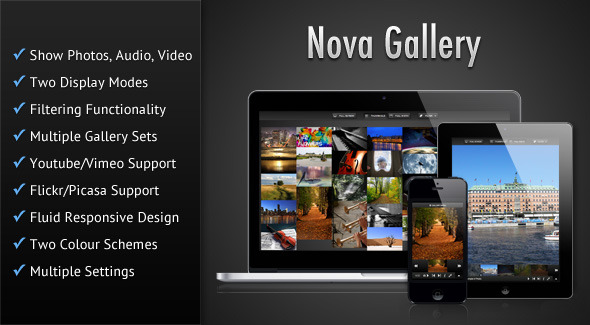
    Nova Gallery - Responsive HTML5 Multimedia Gallery

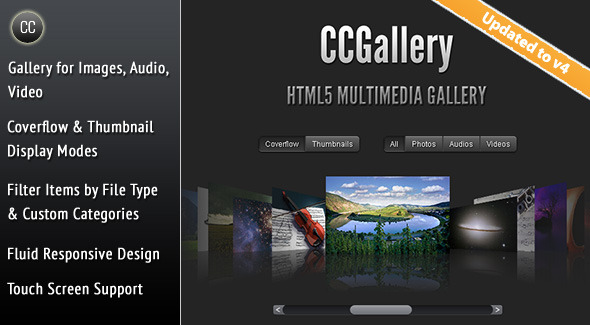
    CCGallery - HTML5 Multimedia Gallery

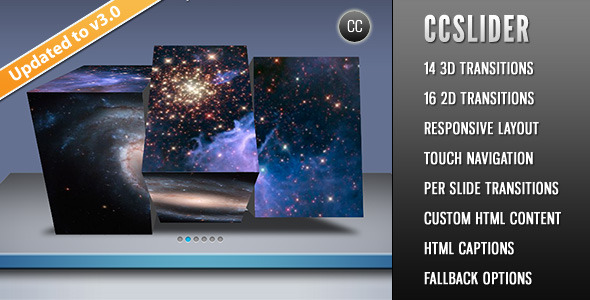
    CCSlider - jQuery 3d Slideshow Plugin

    Download Vimuse – HTML5 Media Player (Media)

    Flappy Bee – HTML5 Game (Games)

    About the Game:

    Flappy Bee – HTML5 Game

    Another Flappy game! In this game you control a flappy bee and like always (!), you have to tap the screen and avoid obstacles as you move forward. This game also have leaderboard and includes some social network related features like inviting friends via Facebook and etc.

    How to Play:

    For playing this game, you can use touch in mobile devices or mouse in computers.

    Features:

    » HTML5 game
    » Supports touch
    » Works on all HTML5 browsers
    » Can be used in mobile devices & websites
    » Easy to personalize the game’s appearance
    » Easy to personalize the game’s sounds
    » Includes leaderboard (high score) feature
    » Includes social networks related features
    » Auto-resize (responsive)

    We will be happy to hear your ideas and opinions about the game, so if you like write a comment or send it to our e-mail:
    [email protected]
    And if you liked it, don’t forget to rate it!

    Come & See Our Website: www.01Smile.com

    Download Flappy Bee – HTML5 Game (Games)

    CodeMatics Testimonial Slider (WordPress)

    Testimonials are very important for your business or brand. You want to know about client’s experience about your business and people want to know about your from client’s experience before making any decision about you.

    Slider testimonial is a recent development of Codematics which provides support for users and client testimonials on your website. This is highly customizable plugin where you can add and edit everything you need to change according to your needs.

    This plugin helps you to embed testimonials in slider format in your website. You can add testimonials according to category and in slider form. Everything is custom in our slider testimonial, testimonials related to your category will be shown in slider format.

    You can add client’s name
    You can add customer’s company name and link to customer
    You may add client’s photo OR link URL
    You can add link to read more
    You can create multiple sliders
    You can display recent testimonials
    You can add testimonials in reverse order; latest first

    This plugin provides you the functionality to embed testimonials anywhere you want to put. You can add this in your widgets, you can add with the help of shortcode, and you can add it with template tag. Codematics Testimonials Slider is almost compatible with every browser in the market. So feel free to add it.

    Transitions

    You can add following animations to your testimonials

    Scroll Horizontally
    Fade
    Cross Fade
    Cover
    Uncover Slide

    How to Install

    Uzip the codematics-testimonial-slider.zip folder.
    Upload the testimonial-slider folder to your /wp-content/plugins directory.
    In your WordPress dashboard, head over to the Plugins section.
    Activate Testimonial Slider.

    Features of Codematics Slider Testimonials

    Responsive Design
    Easy to install and use
    Custom post type as a Testimonial
    Easy shortcode insertion
    Widget Support
    No Web Development or design knowledge is needed
    Preview in admin panel
    HTML tags support
    Slides can be linked to testimonial details (if available)

    Support in WordPress Forum

    If you have any query regarding our plugin or need any support. Feel Free to contact us

    Download CodeMatics Testimonial Slider (WordPress)

    Live Match Commentary Script (LMCS) (Miscellaneous)

    Live Match Commentary Script (LMCS) is a PHP script to implement live soccer match commentary feature to the websites.

    It comes with powerful administation panel to commentate match and control front end.
    jQuery AJAX functions are used to check if there is an update on front end.
    It is possible to differentiate match comments with the different comment types such as “goal”.
    Every match player has a timeline so when the user looks next to player name, he/she can see if that player scored a goal or got any card or if he substituted with another player.
    The users can access commentary page even if the match has finished.

    Admin Panel Features

    • All pages are password protected
    • Admin can edit access credentials
    • Admin can manage teams
    • Admin can manage team players
    • Admin can manage matches
    • Admin can select players for match
    • Admin can commentate match
    • Admin can control player timeline (goal, substitution, cards)
    • Admin can change match status
    • Admin can adjust match time to sync with the real match time

    Front End Features

    • Users can see list of matches
    • Users can access live match commentary
    • Users can see match commentary even if the match has ended

    Online Demo

    You can access online demo with the following links:

    Please use following credentials to login admin panel:
    username: admin
    password: password

    Please note that no changes are allowed in the demo mode.

    Documentation

    Live Match Commentary Script (LMCS) comes with full documentation.
    From the installation to the usage you will feel like home.

    Online documentation is also available.

    Script Requirements

    • PHP 5.2 and above
    • MySQL 5.0 and above

    In today’s technology, any modern web hosting company can provide you these requirements.

    Support

    If you have a bug report or an improvement idea, feel free to comment about it.
    I will try my best to provide you a good support.
    I would also appreciate if you have time to review or rate the application too!

    Thanks!

    Download Live Match Commentary Script (LMCS) (Miscellaneous)

    EasyStore – Product & Iphone, Ipad App With Panel (Full Applications)

    All documentation and information have Documentation folder, if you have any question please contact with me. Later you can rate my app and me Please ;) We are here every time for help you ! Thank you for purchasing and voting.

    Download EasyStore – Product & Iphone, Ipad App With Panel (Full Applications)