This Opencart extension matches currencies and languages, and shows currencies to customer according to it. And also it sets default currency according to language.
Category: code
download PHP, ASP.NET, Java and Javascript from CodeCanyon – the marketplace for code scripts and snippets.Javascript, Java, Program, Code, Snippet, Script, Dev, Development, Codebase, MySQL, Class, Widget, System, CMS
Angels Saga (Games)
Support iAD.
Report high score to GameCenter.
How Use My App ?
You just have to copy and paste the code on your xcode project and you are Ready ! For know how to do it, just read the cool documentation and see the demo app !
The code:
Cocos2D ver 2.x
GameCenter integration
Leaderboard support
iPhone 5 wide screen support
iOS support on iOS 6+.
Runs on iPhones, iPads and iPods.
It comes with Layer PNG images
if you Like this App, please don’t forget rate it!
Enjoy
I’m going to make a lot of update, so if you have any idea leave a comment !
Download Angels Saga (Games)
Opt-In Panels (PHP Scripts)
With this script you can easily add floating opt-in panel to your websites and stick it to any window edge. Opt-In Panels has modern AJAX-ed subscription form to collect users’ names and e-mails. It works with most popular autoresponders, such as MailChimp, AWeber, GetResponse, iContact, Campaign Monitor, Mad Mimi. Make your website more attractive and boost number of subscribers with ease.
This is standalone version of the script. Panels can be easily integrated into any website. All you need to do is to add several lines of code.
For WordPress-driven websites try Opt-In Panels – WordPress Plugin.
Demo
Please visit this page and check out demo panels.
Admin Panel Demo
You can try admin panel:
URL: http://halfdata.com/pluto/optin-panels/
Login: admin
Password: admin
Features
- Floating subscription panel: add floating subscription panel to website.
- Unlimited number of panel: create as many panels as you need (IMPORTANT! You can add only one opt-in panel to webpage).
- 12 screen positions: stick floating panel to any window edge.
- 80+ settings options: customize your Opt-In Panel through admin dashboard.
- 100+ Font Awesome icons: use any of 100+ icons for button and tab.
- Subscription form: AJAX-ed name/e-mail subscription form.
- Extended e-mail address validation: check MX records according to the host provided within the email address.
- Autoresponders supported: MailChimp, AWeber, GetResponse, iContact, Campaign Monitor and Mad Mimi supported.
- Responsive design: Opt-In Panels looks nice on small screen devices.
- Auto-expanse option: Opt-In Panels might be automatically expanded with defined delay.
- Auto-close option: Opt-In Panels might be automatically collapsed after successful subscription.
- Remember the state: Opt-In Panels rememebrs the state for each visitor.
- Intro content supported: insert any HTML-content above subscription form.
- Conclusion supported: insert any HTML-content below subscription form.
- Image as a tab: set any image as a tab.
- Color customization: easily customize the color of any element.
- Admin notification: automatically notify administrator about new subscribers.
- Thanksgiving message: automatically send thanksgiving message to new subscribers.
- CSV Export: list of subscribers can be exported as CSV-file to be used with any newsletter systems.
- Secure admin panel: create and handle panels through secure admin panel.
- Cross domain access supported: you can install script on one domain and use it with unlimited number of domains.
Installation
Let’s imagine that you have website http://www.website.com/ and you want to install there.
- Create folder
optin-panels(use any other name) in root of your domain. Once created it can be reached by URL:http://www.website.com/optin-panels/ - Make sure that folder
optin-panelshas permissions0755and php-files0644. - Edit
inc/config.phpand set MySQL database parameters. - Go to admin panel
http://www.website.com/optin-panels/using default login/password (login:admin, password:admin), configure script, create panels and set “default” panel on Settings page. - Read
How To Usesection in admin panel.
How to use
- Make sure that your website loads jQuery. If it does not, just add this line into
headsection:
<script src="//ajax.googleapis.com/ajax/libs/jquery/1.10.2/jquery.min.js"></script> -
Add these lines into
headsection, belowjQuery(before</head>tag):
<link href="http://www.website.com/optin-panels/css/perfect-scrollbar-0.4.6.min.css" rel="stylesheet" type="text/css">
<link href="http://www.website.com/optin-panels/css/font-awesome.min.css" rel="stylesheet" type="text/css">
<link href="http://www.website.com/optin-panels/css/style.css" rel="stylesheet" type="text/css"><script src="http://www.website.com/optin-panels/js/perfect-scrollbar-0.4.6.with-mousewheel.min.js"></script>
<script src="http://www.website.com/optin-panels/js/uop-jsonp.js"></script>
Requirements
- PHP version 5.2 or greater
- MySQL version 5.0 or greater
- jQuery version 1.7 or greater
Support
If you have problems regarding using the script, please contact me and I’ll help you.
Download Opt-In Panels (PHP Scripts)
WordPress Display Bar (Miscellaneous)
WordPress Display Bar – WordPress plugin for managing and displaying news/reviews type line items in your theme
WordPress Display Bar (wpdisplaybar for short) is a WordPress plugin that allows you to display and manage news item (along with links) anywhere on your WordPress site.
For example, this plugin will help you maintain a list of links to product announcements/reviews on your homepage, or showcase featured articles. These items are dynamically stored in the database and you can manage them through the WordPress admin. The plugin comes with several preconfigured styles and is customizable via CSS.
Features
- Dynamically manage entries through WordPress admin
- Place anywhere in your WordPress theme
- Comes with multiple styles (default, dark, blue, green, etc.)
- You can apply your own custom style
Changelog
1.0 – May 30 2014
- Initial version and documentation completed
Download WordPress Display Bar (Miscellaneous)
King MEDIA (Images and Media)


Features
- Image Upload & Share From Url , Youtube, Vimeo, Vine, Instagram, Metacafe, DailyMotion Videos
- Comments for Media
- Facebook Comments
- Responsive Layout
- User Profile & Points
- Tags or Category System
- Super Easy Installation
- Full Admin Panel
- Moderate Guest Submissions
- Social Share Buttons
- Search for Media
- Seo Url
- Much More…
Requirements
- PHP 4.3 or later, PHP 5.x for all functionality.
- MySQL 4.1 or later, MySQL 5.x for best performance.
Download King MEDIA (Images and Media)
Network Connection Checker (Network / Connectivity)
Network Connection Checker may be used from both the Users and the Developers, it can check for active network connection and/or data transfer availability and give you FeedBack about its Type.
The app Support:
– Wifi.
– Mobile Data.
– Mobile MMS.
– Bluetooth Data
– Ethernet Data.
Documentation included.
Use comment’s section for support or send me an email from my Profile
Download Network Connection Checker (Network / Connectivity)
XCommander (Utilities)
XCommander is a multi talent file manager. Perfect for quick editing, managing files and on-site development.
Features
– Full keyboard support ala Midnight or Total-Commander
– Multi tab
– Code editor with auto-completion for CSS,PHP and Javascript
– Multi selection
– Advanced search
– Drag’n drop for copy, move and upload into any panel
– Standard actions : Edit, Move, Rename, Info, Delete,Compress and Download
– Sandbox modus for PHP and HTML files
– Code editor with CSS hot reload
– 2 image editors : Pixlr and Aviary
– View Word, Excel and Powerpoint files with Zoho
– Enhanced security
Soon: support for lots cloud services
Required
– PHP 5.3
– Linux based server, no Windows support right now.
– Supported browsers : Chrome, Firefox and maybe Opera.
Controls : Keyboard
F2 : Rename
F4 : Edit file
F5 : Copy (If main window is open, the destination is set automatically)
F6 : Move
F7 : Create directory
F8 : Delete
F9 : Create file
CTRL/CMD + ENTER : Open selection in main window
BACKSPACE (Firefox) : Go back in history
SHIFT + BACKSPACE (Chrome) : Go back in history
DEL : Delete selection
CTRL+W (Firefox) : Close last window
SHIFT+W (Chrome) : Close last window
SHIFT+UP/DOWN : Multi-Selection
CTRL+A : Select all
CTRL+C : Copy selection to clipboard
CTRL+X : Cut selection to clipboard
CTRL+V : Paste selection
CTRL+S : Save current editor’s content
CTRL+F : Open search
Controls Editor
Ctrl-F / Cmd-F : Start searching
Ctrl-G / Cmd-G : Find next
Shift-Ctrl-G / Shift-Cmd-G : Find previous
Shift-Ctrl-F / Cmd-Option-F : Replace
Shift-Ctrl-R / Shift-Cmd-Option-F : Replace all
Controls : Mouse
Right-Click : Open context menu
CTRL : Enable copy mode for drag and drop
Uploading : Simply drag files from your file manager into the file panel
Video
– Fast introduction : http://www.youtube.com/watch?v=SbX0pYtm7S8&feature=youtu.be
Download XCommander (Utilities)
Canonical URL Module (Prestashop)
Description:
This module adds the canonical link tag between the HEAD tags of your site PrestaShop.
Merchant Benefits:
This is a tag to place the top will do what is called the “canonicalization”. Clearly, there is an established process to select the best URL when there are several to a page. A small example that you already have to meet:
– http://www.monsite.fr
– http://monsite.fr
– http://www.monsite.fr/index.php
From a user point of view, all these URLs refer to the same page. But technically speaking, it is expected to lead 3 different URLs to different content. Via the canonicalization process, the engine will be able to choose the best URL, as you tell it yourself.
Features:
– Generates the link tag caninical on all pages of your site
– Easy to use, simple installation module simply
– Your site will be better referenced on Google
– You will have less errors duplicated content
Download Canonical URL Module (Prestashop)
PDF Product Catalog for WooCommerce (WooCommerce)
Summary
PDF Product Catalog for WooCommerce is a WordPress/WooCommerce plugin
that lets users of your WooCommerce store download its complete product catalog in PDF (or per category) with
a single click. PDF catalogs are generated based templates and can be customized extensively via the Admin panel
allowing you to change templates, colors, text and visibility of elements (e.g. Price, SKUs, Variations etc). It
comes with 5 PDF templates but you can create your own to suit your needs with simple HTML and CSS.
Features
- Widget for PDF Download Buttons
- 5 PDF Catalog Templates included.
- Create your own PDF templates in HTML.
- Generate per Category PDF and/or Complete Store catalog.
- 4 pages of admin options to fine tune your catalog content and design.
- Tested with stores with more than 1000 products.
- Pure PHP Solution (no need to install any plugins / does not use external services).
- Hide / Show catalog elements (e.g. SKU, descriptions, prices).
- Upload your own logo.
- Customize catalog text.
- Include product images in catalog.
- Support for product variations.
- Customize colors from Admin Panel.
- Hyperlinks in PDF for each product
- Caching for increased performance (catalogs are only generated once)
- Automatic page numbering.
- Header / Footer on each page.
- Send PDF to browser or force download option.
- Customise which categories appear in catalogs.
- Full Documentation included.
- Tested with WordPress 3.8, 3.8, 3.9 and WooCommerce 2.1.x
Sample PDF Output
The following are a few sample PDFs created using this plugin.
Download PDF Product Catalog for WooCommerce (WooCommerce)
.Net Web Protection (Content Management)
Intro
This project aims to create practical web protections using html implementation logic and helps developers to manipulate their web pages on the fly before rendered. Protections that are represented in this library are highly useful while developing dynamic websites in both Asp.Net WebForms and MVC applications.
How to start?
In WebForms
- Add a reference to the files “ProtectionCore.dll” and “WebFormsProtection.dll”.
- Replace “PageName : System.Web.UI.Page” with “PageName : Core.Web.ProtectedPage” in class declaration line.
- Start using “Protection” field in the Page_Load event. You can try “Protection.DisableRightClick();” as an example.
In MVC
- Add a reference to the files “ProtectionCore.dll” and “MVCProtection.dll”.
- Add “using Core.Web;” statement to the top of the page.
- Add “[Protected]” attribute to Controller or Action you want.
- Start using “this.Protection()” extension in the Controller or Action. You can try “this.Protection().DisableDragDrop();” as an example.
Also in the Views you can add ”@using Core.Web” to page and use HtmlHelper extension. Example: ”@Html.Protection().SessionLink(“/Home/About”,randomLink: true, isPage: true)”, this will create a random link for the specified action.
P & S
You will find solutions for your many problems in this library. Here are a few of them.
-
Problem: In WebForms, when I create a route similar to “Category/Name” and route to a file like “
/Categories.aspx”, which are in different paths, I have to apply server path for each link in page, including image, script and css links.
Solution: LinkFixer implementation is exactly for this issue. No matter in which path the running page is, it finds all links on the page and replaces them with new relative urls according to the current url of the page.
Problem: I want to copy-protect my images. What are my options?
Solution: Well, depending on protection level you need, there are great in-built protections for images. You can disable right click and drag & drop functionality for images.
Problem: I need advanced image protection so users cannot steal images from source code.
Solution: There is ImageSliceProtection which converts your image into pieces of images and replaces all instances of that image on the page with a table of image pieces. This prevents your enemies from developing bot programs for your images. Note that you may need to fix small css issues, since table tag may conflict with your template’s design.
Also ImageWatermarkProtection will easily watermark your images with a single line of code. Slice protection would not work if user simply takes a snapshot of screen, however you can use watermark and slice protection combined to apply highest security for your images.
Problem: I am writing articles on my website and don’t want them to be copied.
Solution: TextSelectionProtection will stop users selecting your text so they cannot copy. However advanced users can get it from source code. You might want to give a look into TextImageConversion, which converts your label control into an image, making impossible to copy the text on your page.
Problem: I want to keep absolute download count for my “program.exe” file. However some users share the path of this file and not the page to download.
Solution: By using LinkProtection, you will get what you want. On your download page, you can easily create a temporary session link and let user download it. This link can only be used on the client once he navigates to download page, so you can keep records of downloads. LinkProtection can be used for many more intentions like single usage or expiring links for music and video files.
Problem: My index page has a very heavy loading with many connections to database. How can I make it faster?
Solution: If your page content does not change too often, PageCaching implementation is perfect for you. Once its registered, it will save content of the page and show it from cache for the specified amount of time without loading.
Problem: Page size is too big. Is there any way to compress page?
Solution: Near using gzip response, you can decrease page size by 20-25% with using WhiteSpaceCleaner. It will simply remove all unneeded space and line return characters from the page and decrease your response page size.
The best part of this library is that it is very easy to customize. See HtmlImplementation class in documentation to learn how to create your own implementation with few lines of code. Instead of tweaking your every pages html or server code one by one, use this library to have your hand on all your pages at once.
Hope you like it.
Download .Net Web Protection (Content Management)
Custom Login & Access WordPresss Plugin (Membership)


Custom Login & Access Plugin Features
-
Style Default WP Login Page
-
Add Login, Register, Forgotten Forms To a Page
-
Front End Profile Edit
-
Modal Login and Register Forms
-
Restrict Front End Access For Non Logged In Users (block specific pages, posts, post types, categories, taxonomies or all content)
-
Restrict WP Dashboard Access For Subscriber Level Users
-
Redirect User After Login And Logout
-
Allow Users To Set Their Own Password During Registration
-
Create Custom New User Registration Email
-
Set Match Captcha For Login , Register and Forgotten Forms
Changelog
Version 1.0 (30/05/14)
- Initial release
Download Custom Login & Access WordPresss Plugin (Membership)
Pogo Animated Slider Creator (OpenCart)
Sliders can be a great way to showcase products and engage the users of your site. Creating animated sliders manually is a laborious and time staking task. Further more it requires technical knowledge of HTML, CSS and Javascript. Luckily with the Pogo slider creator you can create animated sliders with ease! Our drag and drop, WYSIWYG interface gives you total control over the design, animation, timings and overall functionality of the slider. It also gives you the flexibility to create static banners from the same module. The Pogo slider creator lets you create modules that work in every page and in every content section. Slider are fully responsive and fluidly adapt to any screen size, from a wide screen monitor to a smart phone. So what are we waiting for? Get started creating incredible sliders today!
Features
- WYSIWYG
- Fully functional previews your slider at any time
- Multi-lingual support
- Works across all layouts and content areas
- All Google Fonts loaded automatically
- Total layer control, design, positioning, transitions and timings
- Images automatically resized based on slider size
- Individual transition for each slide
- Layer timings
- Powered by a custom jQuery plugin
- Responsive, works across all devices and screen sizes
- Can also create static content blocks
- Ajax powered, switch between and save sliders with out any need to refresh the page.
Download Pogo Animated Slider Creator (OpenCart)
WooCommerce Sell Individually (WooCommerce)
WooCommerce Sell Individually is a WooCommerce Extension Plugin using which you can sell your products individually. It works by restricting the buyer to add only one product at a time to the cart. When another product is added the cart is emptied and the last chosen product will get added. This Plugin is useful to those who want to sell a product individually i.e. one product per order. It works for all Product types. Sell Individually Plugin is Translate ready and WPML Compatibility.
Features
- Sell Your Products Individually at Cart Level i.e., One Product per Order
- Error Message in cart if more than one product is added
- Works for all Product Types
- Translate Ready
- WPML Compatibility
- Simple and Easy to Use
Support
If you have any problems or need help for this Plugin, simply contact us by Comments or Register and open a support ticket on our site.
Updates
Download WooCommerce Sell Individually (WooCommerce)
NOO Menu – WordPress Mega Menu Plugin (Menus)




Confused by the intricate user interface of the menu plugin you are using? Had to read the entire document but still not figure out how to customize menu as you want? Save your time and brain cells with NOO Menu – a kick-ass Mega Menu Plugin that you can learn how to use BY GLANCE.
NOO Menu is a revolutionary menu plugin that allows you to customize almost everything in a super interactive and intuitive admin interface.
Features

Support resources
If you need technical support by our team, please submit question using our contact form
Don’t forget to keep update with our latest news and releases at:


Download NOO Menu – WordPress Mega Menu Plugin (Menus)
Product Carousel Pro (OpenCart)
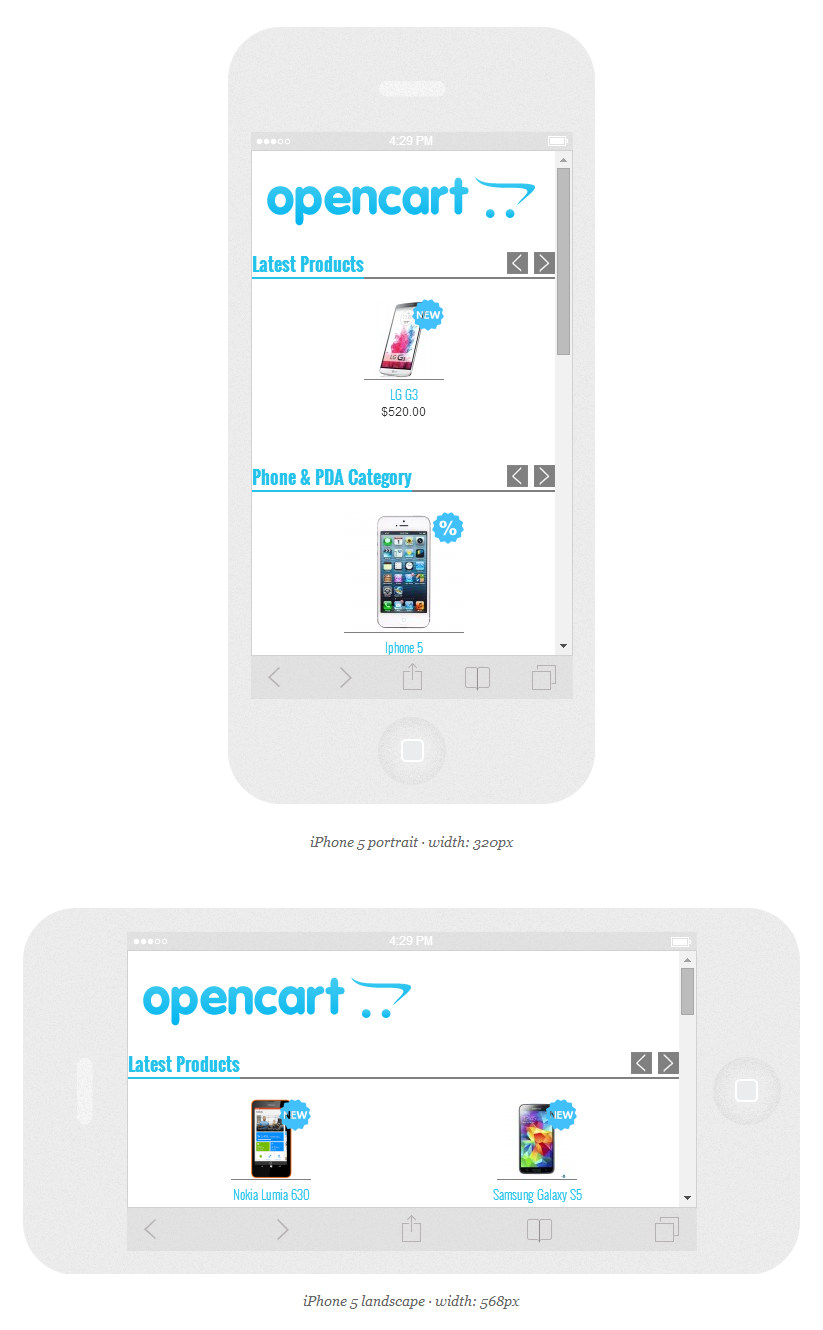
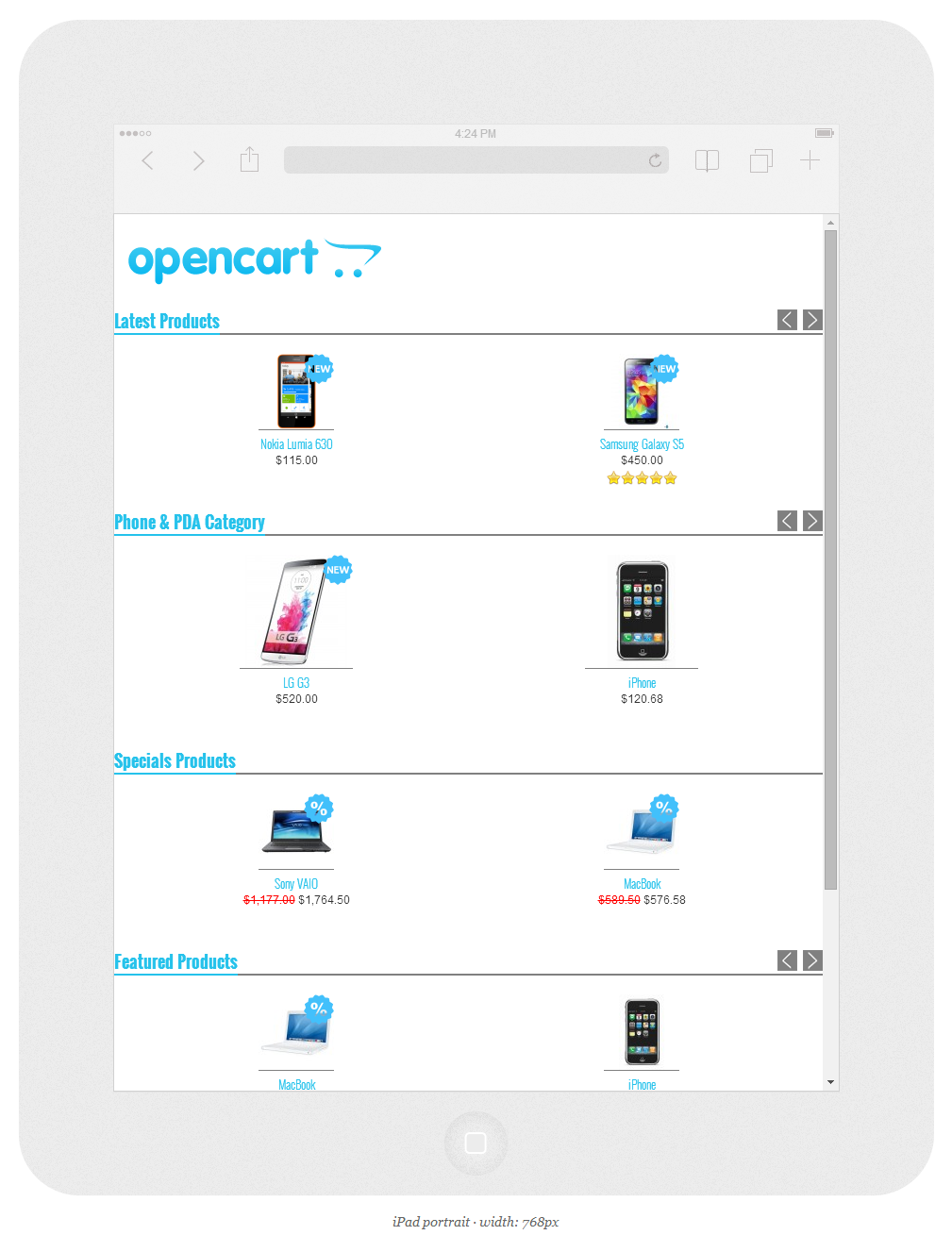
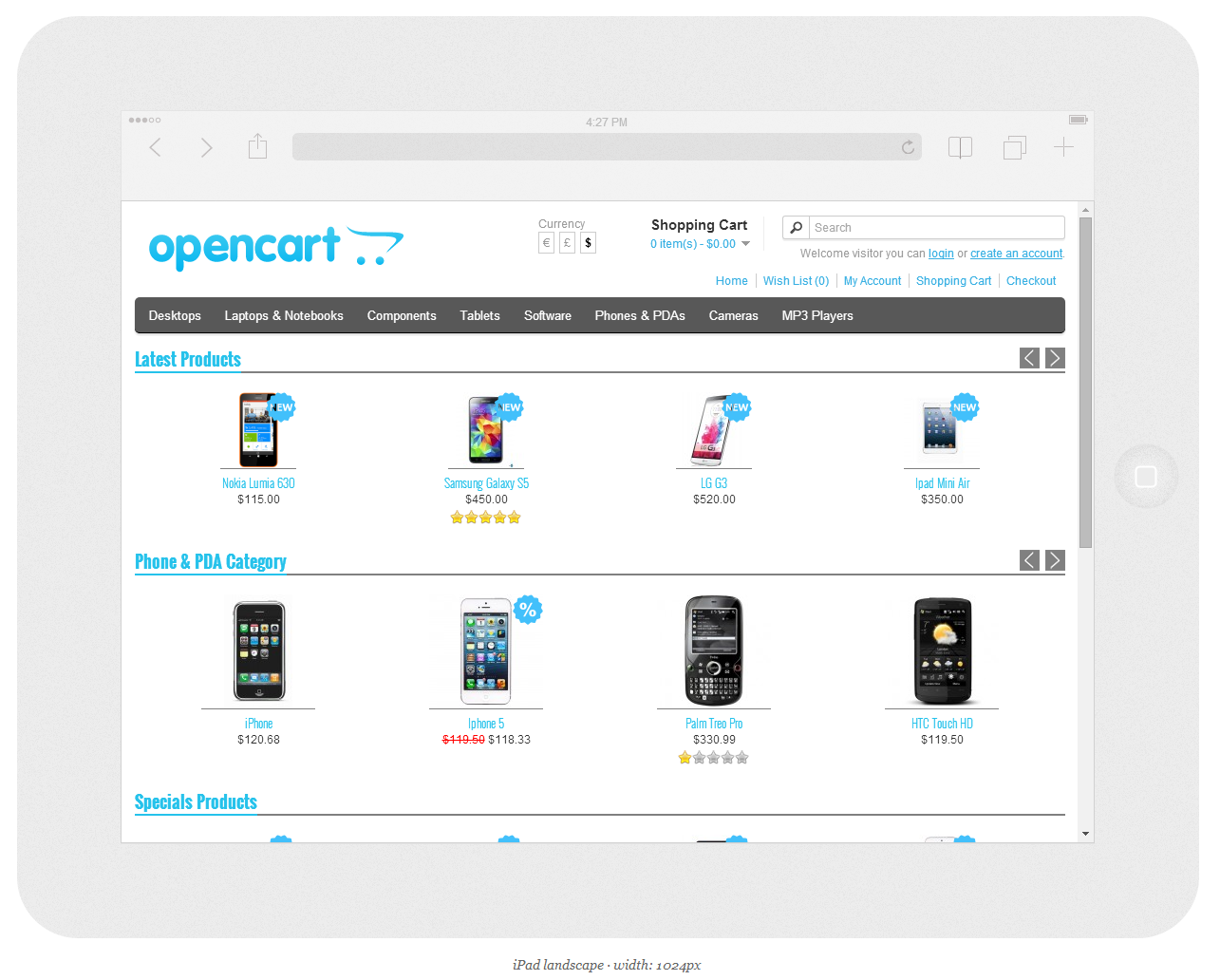
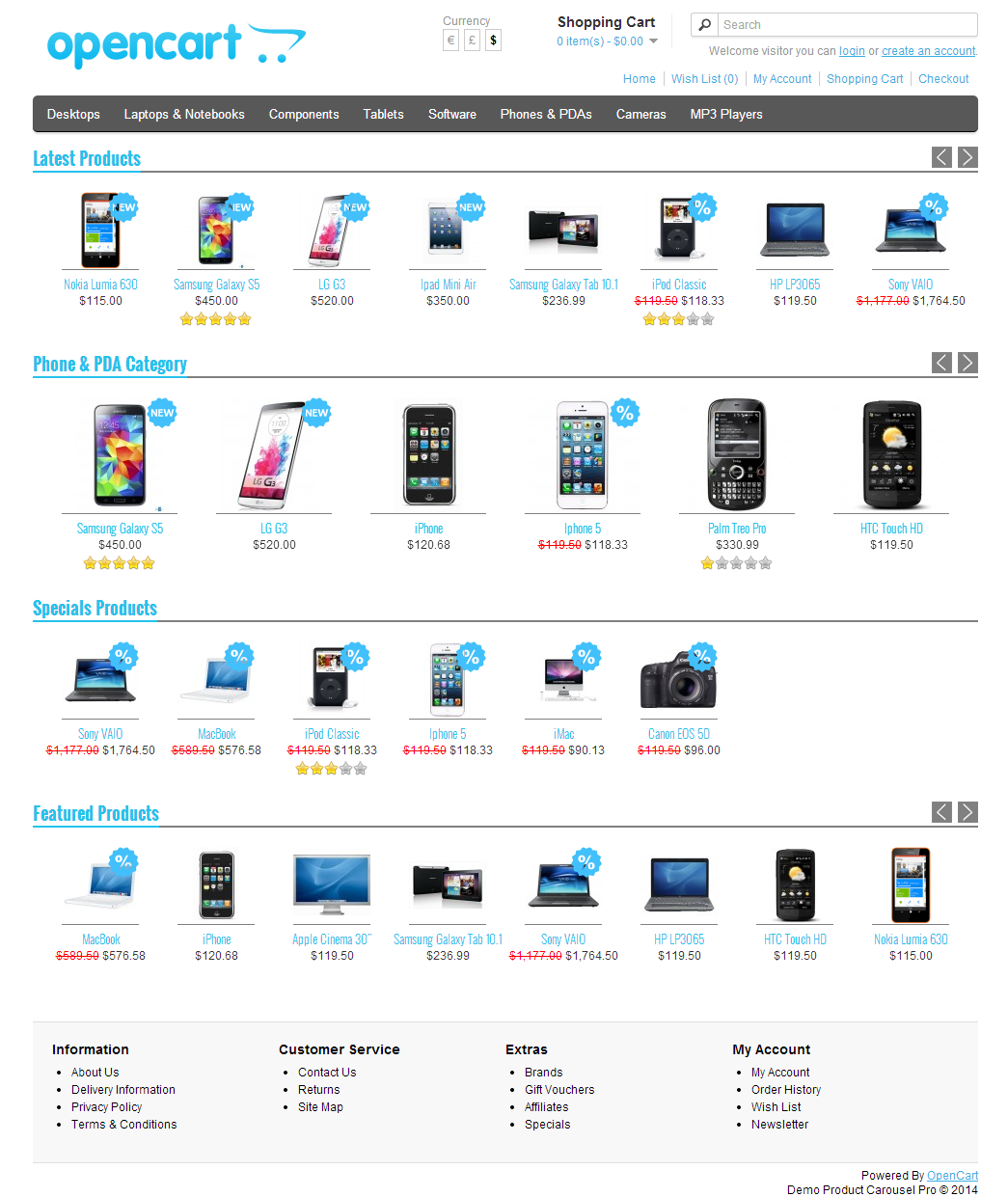
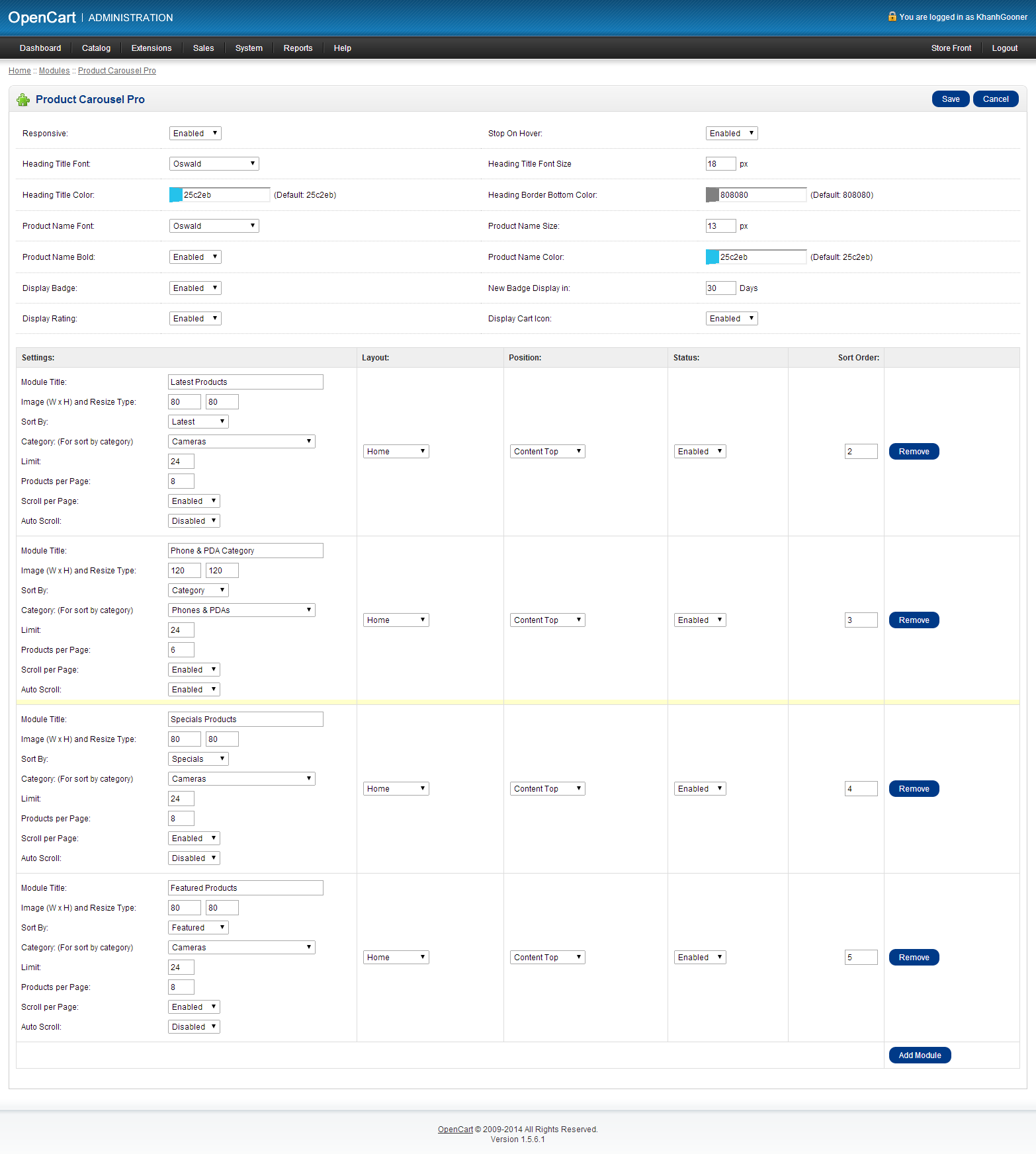
Product Carousel Pro is a plugin for opencart, allows you to create module responsive carousel products. This plugin can be customized easily with possible options.
You are able to establish module that display products as follows: latest, best seller, special, featured or category. The carousel supports touch devices for swipe to scroll through the products.

FEATURES
- Support responsive for mobile & tablet device.
- Sale & new badge display.
- Mobile & tablet touch.
- Display Product by:
- Latest
- Featured
- Specials
- Best Seller
- Category (Selection)
- Set General Setting:
- Responsive.
- Stop On Hover.
- Heading Title Font.
- Heading Title Font Size.
- Heading Title Color.
- Heading Border Bottom Color.
- Product Name Font.
- Product Name Size.
- Product Name Bold.
- Product Name Color.
- Display Badge.
- Display Rating.
- Display Cart Icon.
- Set Module setting:
- Module title.
- Image size.
- Sort by : Latest, Featured, Specials, Best Seller, Category (Selection).
- Category (For sort by category).
- Limit.
- Products per page.
- Scroll per page.
- Auto scroll.
DEMO
Home : http://demo.premieropencart.com/product-carousel-pro/
Admin : http://demo.premieropencart.com/product-carousel-pro/admin
RESPONSIVE DESIGN
SUPPORT
If you have any questions about this extension, please feel free to contact with me via email : [email protected]. Thanks so much!