Funny Faces – HTML5 Game (Games)

“Funny Faces” is a HTML5 puzzle game . The goal of the game is to clear all the grid, matching two or more faces of the same color. The user loses a life if a single face is clicked.

Please beware that sounds are DISABLED ON MOBILE DEVICES to avoid compatibility issues.

More info into help file (see documentation).

HOW TO PLAY:
Click or touch a face to remove it

MAIN FEATURES:

  • Mobile compatibility with IOS, Android and Windows Phone
  • Fully compatible with all browsers that support HTML5 canvas
  • Auto-resize to fit various screens
  • Language localization

MORE GAMES

Stone of Pharaoh

Drive Your Car

The Running Champion

Pet Party Columns

Bubble Shooter

Apples

Battleship Minesweeper

Flappy Ball

Sweety Mahjong

Gold Miner

Memory Art

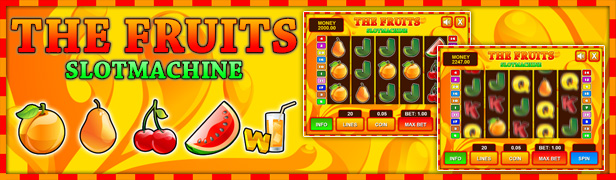
Slot The Fruits

Slot Ultimate Soccer

BlackJack

Download Funny Faces – HTML5 Game (Games)

Facebook World Cup Quiz Contest Application (Social Networking)

Facebook FIFA Quiz Contest Game Application is designed for brands those want to get more fans on their pages and users engagement, Assemble fans and go viral as fans love to play and win prizes. Engage your fans with a FIFA 2014 Quiz contest that helps grow your brand awareness and increase fans. Incentivize users to PLAY Quiz and WIN amazing and worthwhile prizes. Admin can monitor all the users and their results and choose winners etc

Features Included

   The application complies with all Facebook terms and conditions.

   Increase Newsfeed visibility

   Cheat-free scoring mechanism

   Highly sharable user-generated content

   Add any number of questions

   Ability to add and use any of your own quiz images and answer images.

   Custom header and footer of the app.

   Custom images, logos and prizes

   User Friendly and robust admin

   It is not necessary to be logged on to Facebook in order to access the Admin Control Panel

   Full support for the following browsers: IE8, IE9, IE10, Chrome, Safari, Opera, Firefox

Front End Demo

https://www.facebook.com/worldcupquizapp/app_807471809264640

Admin Demo

http://fifa.sheensol.com/admin
User: admin
Password: admin786

App Documentation

Documentation


Download Facebook World Cup Quiz Contest Application (Social Networking)

Dima – Skin Switcher (Miscellaneous)

What is Dima – Skin Switcher?
: DIMA-SS is a powerful plugin build using jQuery and AngularJS. For web designer and developer.

What can I do with DIMA-SS?
With DIMA-SS, you will be able to show your website templates in all the styles you prefer. Give your customer great experience with DIMA-SS, let them try any styles, colors, patterns or backgrounds they like.

Who need this Plugin? : Web designer and developer.

Build using : jQuery – AngularJS – CSS3 – HTML5.

Can I use it with WordPress?
Yes you can use it with any CMS

Dima-Skin Switcher has two deferent styles dark and light style, you can customize most of the things either by changing styles (css or scss) file.

FEATURES

  • Two styles (dark and light style )
  • SCSS included
  • jQuery MiniColors included
  • Example included
  • Unlimited Styles
  • Unlimited colors
  • display your grids system
  • customization are saved using cookies
  • Compatible with most modern browsers (IE8 and higher)
  • Well commented
  • Well Documentation

\

VERSION 1.0 / 2014.06.09.

  • First Release

Download Dima – Skin Switcher (Miscellaneous)

WP Flat Visual Assistant Creator (Miscellaneous)

PRESENTATION

Create easily your own flat and responsive visual assistants on your wordpress website .
An helper (assistant) is a sequence of text, tooltips and dialog windows that guide the user, even through the different pages of the site.
It can be launched automatically upon arrival on a page (once or every time), or when the user clicks on a specific element.

Each step can be configured with many parameters (eg : ask the user to click a link).
Try the demo to understand what can be done with !

Video tutorial here : http://youtu.be/h68C0P8eK94

Create an assistant on the admin side : http://youtu.be/YFlQZaAX8T4 (quick demo)

WHAT IS IT FOR ?

With this plugin, you can guide your customers through the different stages of your website.
It may be useful for e-commerce, for example.
You can also use it to attract the attention of users or information on a specific page or functionality of the site.

Now works on admin side: you can guide your customers on the backoffice.

FEATURES

  • Flat & responsive
  • Works on frontend or wordpress admin
  • Fully manage Helpers and Steps
  • Customize colors, step and helpers settings
  • Steps can be tooltip, dialog or texts
  • Visually assign a step or an assistant to an element of the site
  • Fast & easy import / export data tool
  • Reactive support !

GETTING STARTED

  • Upload, install and activate the plugin
  • Configure your colors in settings
  • Create your helpers and steps.

UPDATES

2014-06-13 :

  • Now works on the admin side !

If you like this plugin, remember to vote !

Support

If you need help, contact me from my envato profile

Follow me


Google+


Google+

Plugins


\


\

Plugins


Google+


Google+


Google+


Google+


Google+


Google+

Bootstrap plugins


bootstrap plugins

Download WP Flat Visual Assistant Creator (Miscellaneous)

Bootstrap Responsive Css3 Price Table (Pricing Tables)

It’s price table built on bootstrap which is the most popular css framework for webdesign. It maintains the elegant design styles. Ten different versions are added to this. Its features:

  • Bootstrap compatible
  • Flat & elegant design.
  • All major browsers supported.
  • CSS3 but no js required.
  • 10 different versions are included.
  • Easy cutomizable.

Download Bootstrap Responsive Css3 Price Table (Pricing Tables)

Visual Attributes – WooCommerce Variable Products (WooCommerce)

Overview

Visual Attributes is a WooCommerce extension that enhances variable products replacing the attribute dropdown with images, icons and color swatches so you can pick each attribute by clicking on a visually descriptive element.

Enhance the user experience in your store by giving them the ability to simply click visual elements instead of clicking the attribute menu, read the attributes and only then select the desired one.

Visual Attributes is also good for mobile devices since your users can just tap the element instead of launching the disruptive select interface in iPhone and Android.

Features

  • Use images, icons and color swatches to select product attributes in variable products
  • Font icons for crisp visualization in retina or other high density display
  • Choose from Genericons or Font Awesome icon font libraries
  • Specify to show visual attributes only on mobile, desktop or both
  • Supports custom product attributes and taxonomy attributes
  • Easily customizable through visual controls
  • Write custom styling directly in the plugin settings to have your settings always safe during updates.
  • Enter custom JavaScript directly in the plugin settings and keep them safe during updates.
  • Developers can benefit from the JavaScript events included
  • Fully translatable
  • Complete spanish translation included
  • Good documentation and prompt support

Adding Visual Attributes

You can add images, select icons and specify colors right in WooCommerce Product Data panel. The panel is completely integrated with product custom attributes and taxonomy attributes.

Access the support forum

Assistance is provided exclusively through the support forum.

Support forum

If you need help, come to the support forums!

See Also

Fullscreen Touch Product Gallery for WooCommerce

Fullscreen Touch Product Gallery for WooCommerce

Product Slider Carousel for WooCommerce

Product Slider Carousel for WooCommerce - CodeCanyon Item for Sale

Allground – Responsive Fullscreen Backgrounds for WordPress

Allground - Responsive Fullscreen Backgrounds for WordPress

AllSlider – Responsive Slider Carousel for WordPress

AllSlider - WordPress Responsive Slider Carousel - CodeCanyon Item for Sale

Alldion – Responsive Accordion for WordPress

Alldion - Responsive accordion for WordPress - CodeCanyon Item for Sale

Download Visual Attributes – WooCommerce Variable Products (WooCommerce)

Candyland – Infinite Jumper with Google Play Games (Games)

Follow us

follow_envato get_support

How To Play

Click/Touch on “Play Game” and choose you character, then click/touch the “OK” button (between the two arrow buttons). If you are at the game screen click/touch “Start” and the game will start. Note the player jumps automatically if he lands on a platform. You just need to move right/left.

On Computer

  • Use the arrow keys left & right to move left and right

On Mobile

  • The game uses the tilt sensor to control the player. Tilt your Smartphone/Tablet left to move left, and right to move right

The Game

The menu and startscreen

shot_4 shot_3 shot_5


You can simply slide to all menus. Use the Up/Down arrow buttons to move back to the home screen.

The Game

shot_1 shot_2 shot_6

The game has an integrated pause menu with two options

  • Toggle Sounds
  • Toggle Ads (can be combinate with a “Remove Ads” perk which can be bought with In App Purchase)

Also included is a level end message showing you your highscore (Highscore also well be sent to a online Highscore list if the player loggs in with a google account by clicking the Leaderboard Button at the homescreen)

What’s included?

  • Construct 2* Files (HTML5 and CocoonJS (w. Leaderboard) Version)
  • All used graphics and Game Asset
  • Jump Sound
  • PSD Files (for Menu only)
  • Link to docs (also a lot of comments in the Construct file)
  • Link to the support forum (You need to verify your purchase)
  • HTML5 Files

Note: You need at least the Personal Version of Construct 2 to open the file. You also need to update your CocoonJS plugin in order to use the Leaderboard function. Check out our Docs here.

Global features

Export to all platforms thanks construct 2 from scirra and CocoonJS from Ludei!

logo


Support

We provide a ticket support forum for our customer only. Check the Support tab above to get to the support forum.

Questions & Suggestions?

Feel free to comment our item. We will respone as soon as possible :)

Stats

Flag Counter

Download Candyland – Infinite Jumper with Google Play Games (Games)

Opencart – Drag & Drop Product Image Upload (VQMOD (OpenCart)

Drag & Drop Product Image upload (VQMOD):

This module will help you easily upload images by just dragging & dropping.


Features :

  • Simple upload process
  • Multiple image upload at a time
  • All necessary validations
  • Easy image delete
  • Set/change image path easily
  • Drag & Drop image sort order
  • No core file changes
  • Easy installation


Installation : (VQMOD required)

  • Download the package and add all the package files to relevant folders including xml file in VQMOD folder
  • Change the path according to your ADMIN folder name in multiple_images.xml file in vqmod/xml folder.


Note : The module is supported in firefox and google chrome browsers only.


DEMO :

http://ocmodules.nlitewebs.com/admin/
user: demo
pass: demo


Support :

Free design changes according to your site template.


Contact details:

Email : nlitewebs (at) gmail (dot) com


Cheers

Download Opencart – Drag & Drop Product Image Upload (VQMOD (OpenCart)

Magento Gift Card Extension (Magento Extensions)

The Magento Gift Card Extension is a great way for you customers to buy gift cards to present to their friends and family. Friends and Family who receive these cards can use them to pay for the products they purchase at your store.

Overview:

The Gift Cards Magento Extension is one way to give your customers a personalized experience at your online store. Customers can create gift cards of certain value at your store and give them to their friends and family. They can later on use these Gift Cards to pay for the purchases they made at your store.

Traditionally, gifting your loved one’s something meant endless wandering about stores and malls to find something perfect. The online gifts trend is rapidly catching on. The Gift Cards Extension allows users to create cards in three forms – either Physical, Virtual or a Combination of the two. A customer ordering a virtual gift card gets a code in their email that can be used at the time of payment for purchased products. A Physical Gift Card can be exported for printing. Whenever a gift card is created, the unique code that is generated can only be redeemed by one customer.

Store Admins must create a Gift Card Code Pool which can be used by customers. These codes are unique with a specific format. One code is permanently assigned to a gift card as soon as the card is created.

The Gift card Extension is extremely lightweight fulfills the task with minimum obstruction.

Features for Customers

  • Gift cards of different values can be created either from a dropdown or by entering a preferred amount from a range.
  • Gift cards that are purchased can be used by customers to make payments or can be gifted to others.
  • Gift Cards can be scheduled for a certain date.
  • Gift codes can be redeemed to a credit balance and can be used as a payment method during checkout.
  • Tracking of gift codes is made easy.
  • Easy to check and manage gift codes quickly.
  • After purchase, Magento automatically adds the gift code to a customer’s card list.
  • Gift cards can also be used as a discount during checkout.
  • Gift cards can be sent either via email or via Post.

Features for Customers

  • Admins can create gift cards for selling products.
  • Admins can also generate gift codes for customers or they can import gift codes that can be used offline.
  • The gift Codes are either a specific pattern or could be random.
  • The quantity for the gift cards and the unique code can be configured by admins.
  • Auto email is generated and sent to card recipients and to customers.
  • Admins can also configure the content that will be displayed on the gift cards product page.
  • Admisn can set values for the gift card products – they can show either a dropdown, a fixed amount or a price range for the customers to select from.
  • The status for the vouchers is automatically updated so that admins can easily keep track.
  • Requires no manual configuration.
  • Easy installation.
  • Meets Magento programming guidelines.
  • 100% open source. Show according to catalog or shipping price rule.

Magento Edition Compatibility:

Our Magento Testimonials Extension is compatible with Magento: 1.4.0.0, 1.4.0.1, 1.4.1.0, 1.4.1.1, 1.5.0.1, 1.5.1.0, 1.6.0.0, 1.6.1.0, 1.6.2.0, 1.7.0.0, 1.7.0.1, 1.7.0.2, 1.8.0.0, 1.9.0.0, 1.9.0.1

Download Magento Gift Card Extension (Magento Extensions)

Animated Social Media Icon Collection 2014 V1 (Edge Animate Templates)

Even if you have never used Adobe Edge Animate, and you are a web designer or a programmer, you can download a trial version directly from adobe and have these beautiful icons exported as CSS, html and JavaScript in a second. Simply replace the URL you wish to open and publish! It’s that easy!

This is a 3 state animate social media icons large collection 2014 by Skilltech.co for Adobe Edge Animate to be used in muse or for web. You can generate html, css and javascript to use for your website or .oam files for Adobe Muse by simply publishing the project in Adobe Edge Animate.

Simply pick the icons you need and insert your own links. This is a 2014 new social media icon collection from Skilltech.co . All the icons are animated with a cool modern glow effect and change color on ‘mouseover’ state. On ‘mouseout’ the animations go back to their initial state. Animations loop while you are hovering over the icons.

This huge social media icon set contains the following icons: Facebook, Twitter, Google+ (Google Plus), LinkedIn, Instagram, Behance, YouTube, Tumblr, Skype, Share, Vimeo, Flickr, Stumbleupon, Yahoo, Soundcloud, Dribble, Myspace, Deviant Art, Blogger, Vine, Dropbox, Apple, RSS, WordPress, Drupal, CSS3, HTML5, Windows, Android, PayPal, Skrill (Moneybookers), Amazon, Quora, Foursquare, Forrst, Internet Explorer, Google Chrome, Mozilla Firefox, Opera, Safari, iCloud, Reddit, Evernote, Yelp, Digg, Path, Github, Adobe illustrator, Adobe Muse, Adobe Edge Animate, Adobe Photoshop, Adobe After Effects, Adobe Creative Clous, Adobe Premiere Pro, Adobe Flash, Adobe InDesign, Adobe Dreamweaver, Adobe Fireworks, Adobe Lightroom, Sony Vegas, Sony Sound Forge, CorelDraw, Propellerheads Reason, Steinberg Cubase and FL Studio.

To sum up, in this collection you have all the major social media icons, adobe icons, internet browsers icons, app icons, audio production software icons, web design software icons, OS icons, Payment processor icons, major brand name icons.

Be one step ahead of your competition. You’ll win attention with these eye-catching icons. Make your website dynamic, fun, interactive and enjoyable. Boost your website visually and have your visitors engage with you, be among the first in the world to have this collection. You can find it here exclusively.

Make sure you check back in for our next production.
Skilltech.co Team

Download Animated Social Media Icon Collection 2014 V1 (Edge Animate Templates)

vEmbed – WordPress Automatic Video Embed Library (Media)

What is vEmbed (Video Embed)?

vEmbed is an automatic video embed library for WordPress sites that supports over 20+ popular video sharing sites. It’s a tool that would aid you when you want to embed videos in your post by just pasting its video URL without needing to copy & paste its embed code. It saves you the time for hunting its embed code!

How does it work?

A simple video URL will be converted into a video embed-ready code.

Turn this:
https://www.youtube.com/watch?v=RB-RcX5DS5A

Into embed-ready code:
<iframe width="560" height="315" src="//www.youtube.com/embed/RB-RcX5DS5A" frameborder="0" allowfullscreen></iframe>

WordPress Supports

By default, WordPress supports only 10 video providers:

  1. Blip
  2. DailyMotion
  3. Flickr
  4. Funny Or Die
  5. Hulu
  6. Revision3
  7. Viddler
  8. Vimeo
  9. WordPress.tv
  10. YouTube

vEmbed Supports

With vEmbed plugin installed, there are over 17 video providers more and that is a total of 27 video providers supported! You can easily vlog (video blog) without any interruption finding the video embed code for the video URLs you want to be embedded in your post.

  1. Archive.org
  2. Break
  3. CollegeHumor
  4. DivxStage
  5. Kickstarter
  6. Live Leak
  7. Metacafe
  8. MovShare
  9. Myspace (Video)
  10. Novamov
  11. NowVideo
  12. Snotr
  13. TED Talks
  14. VideoWeed
  15. Vine
  16. Wistia
  17. Yahoo Screen

Adding more video providers in the next updates and you can suggest what video providers to support.

Built-in Shortcode

Utilizes the existing WordPress shortcode:

Built-in Widget

Responsive Embedded Video

Changelog

Version 1.0 on June 15, 2014
 - Initial Release

Download vEmbed – WordPress Automatic Video Embed Library (Media)

HD HTML 5 GAME 1 – Action Platformer (Games)

Fully responsive, action-packed, with premium graphics and sounds.

Updates

6/14/14 | Performance Enhancements
6/14/14 | FIXED Player Health Bug

Features

  • HD Gameplay (1920 X 1080)
  • 2 Bonus Games
  • 12 Levels (More coming soon!)
  • Fully responsive. Scales to phones, tablets, and desktops
  • Touch or Mouse
  • Advanced C2 Development (For easy exporting to other platforms)
  • C2 Source Files included
  • Completely customizable, swap graphics or modify source file
  • New levels added weekly. Regular Updates (Free for life)
  • Export to all major platforms (requires C2)

    • IOS*
    • Android
    • Windows 8 & RT
    • Windows Phone 8
    • Windows Desktop
    • Mac Desktop
    • Linux Desktop
    • Blackberry 10
    • Firefox Marketplace
    • Tizen
    • Facebook
    • Chrome Web Store
    • Amazon Appstore

Gameplay

Use arrow controls or on-screen touch controls to move. Use “A” to shoot or touchscreen control.

Credits

All graphics and sound files are properly licensed for this game only. You may modify the game files but you may not redistribute any graphics or sounds separate from the game.

Background Music: “Mistake the Getaway” Kevin MacLeod (incompetech.com) Licensed under Creative Commons: By Attribution 3.0 http://creativecommons.org/licenses/by/3.0/

Please rate 5 stars if you purchase the game. Thanks!

Download HD HTML 5 GAME 1 – Action Platformer (Games)

LiqPay 2.0 Payment Gateway for WooCommerce (WooCommerce)

LiqPay 2.0 Payment Gateway allows you to accept payments via liqpay.com. Recently this payment service gets version 2.0 for its API, new and more convinient web interface and new currencies! Now it accepts: USD, EUR, UAH, RUB and GEL (Georgian Lari). LiqPay.com offers easily and quickly account creation and payment acceptance.

Some words about this plugin

  • Configuring of LiqPay 2.0 Payment Gateway for WooCommerce plugin takes only 10 minutes of your time.
  • English / Ukrainian / Russian translations (.po files included)

Questions, wishes and also support are provided at our support forum.

Download LiqPay 2.0 Payment Gateway for WooCommerce (WooCommerce)

JQuery-WikiNav (Navigation)

Overview

WikiNav is a jQuery plugin to create a wiki-style menu from all existing headings on your page.
With few lines of JavaScript code you can achieve an elegant menu for your documentation.

followrss

How does WikiNav work?

Normal flow is this.
You insert the content into a div with the class wiki-container.
Automatically a menu based on existing headers in the page with a tree structure is created.

Features

  • Easy Setup
  • Full jQuery & css compatible
  • Responsive Design
  • Animated Scroll To
  • Fast Plugin Support

Download JQuery-WikiNav (Navigation)