WooCommerce to Adobe Connect connector (WooCommerce)

Ever wanted to automate your selling of online webinars or courses on Adobe Connect? Well, it’s finally here: WooCommerce to Adobe Connect connector plugin!

This plugin will allow you to specify the course/meeting/webinar that you have created and setup in Adobe Connect (be it a hosted server or your own one as long as it runs version 8 or 9) and those who buy it online will be created as users and automatically added to that course/meeting/webinar in Adobe Connect! They will even have a welcome e-mail sent to them from Adobe Connect (if you choose so in the plugin settings) and also get all of their login details as part of the order confirmation e-mail that WooCommerce sends out once you set the order to “Completed”

Just install the plugin, provide your Adobe Connect server details and some WooCommerce optional settings and you are ready to sell!

Support is available via the comments section above.

Notes on gotchas with Adobe Connect:
The Enable Enhanced Security parameter should be unchecked in the Administration -> Account ->More Settings for this plugin to work

Perhaps it’s an undocumented feature or a bug, but the list of meetings is unavailable when this feature of Adobe Connect is enabled, although authentication of this plugin supports SSL and the process completes successfully. I will try to address this bug in future releases.

Download WooCommerce to Adobe Connect connector (WooCommerce)

Memento Viral Media Sharing Script (Images and Media)


Complete and easily managable viral media script


Demo preview

Viral Script Frontend features

  • Internet Meme Script (9GAG, imgur Clone)
  • User Registartion (Facebook & Google)
  • Post Upload ( Image, Video, Vine, GIF)
  • TV  Site integration for uploaded videos
  • Stop/Play GIF option
  • Word Censorship & Post Filter
  • Custom admin panel to manage registered users
  • Custom page and menu editor
  • Drag and drop option to create menu and sub menu
  • Multilanguage support with auto language converter and fine tuning.
  • Theme Support
  • Custom Widget Creator
  • Preloaded Hot and Trending Post Widget
  • Responsive Design (Works on any resolution devise)
  • Easy backup creator
  • Easy email text editor
  • Three different layouts
  • Three user types (Admin, Moderator, General)
  • SEO support

Admin features

  • Custom theme support
  • Settings for post approval & Word Filters
  • User Management
  • Custom widget management for sidebars
  • Custom plugin
  • Page creator & Menu Builder
  • Custom category management
  • Database backup support
  • Multilanguage support

Support

For presale question and after sales developer support, pls send your message to [email protected]

Flag Counter

Download Memento Viral Media Sharing Script (Images and Media)

Facebook Pinterest Responsive Application (Social Networking)

This Facebook Pinterest Responsive Application is designed for brands those want to get more fans on their pages and users engagement.
Increase your Pinterest followers by introducing your Facebook fans to your boards.
Add a preview of your Pinterest Dashboard on your Facebook Page and share your discoveries, collections and projects with your fans. Easily track and export exactly how many fans are viewing and liking your Boards.

Download Facebook Pinterest Responsive Application (Social Networking)

Sandywatch | Responsive HTML5 Countdown Canvas (Canvas)

Sandywatch is a fully responsive, creative, clean and mobile friendly coming soon / under construction innovative canvas animation. Sandywatch comes with three distinct themes and provides a nice admin interface for handling email subscriptions. This item also comes with a nice admin interface to handle email subscriptions.

Template Demo

Admin Dashboard Demo
Login: test
Password: test

Main Features

  • Unique HTML5 Canvas Sandywatch animation
  • Three distinct themes
  • Retina Ready
  • Optimized for mobile
  • Responsive and mobile friendly design
  • Custom countdown plugin
  • Simple to setup from the get go
  • AJAX email subscription with validation and support for
    • Various sql
      databases (SQLite, MySQL, PostgreSQL, SQLSRV)
    • Export to CSV files
    • Mailchimp Seamless Integration
  • Valid HTML5/CSS3
  • Gracefully degrades in older browsers
  • Responsive admin interface with subscriptions statistics

Credits

jQuery 1.10.2
Laravel
Twitter Boostrap
ChartJS
Bootstrap Datepicker
CSS3Pie
SyntaxHighlighter
Background Photos: 1 | 2 | 3 | 4

Download Sandywatch | Responsive HTML5 Countdown Canvas (Canvas)

Edge Animate Slideshow Mock-Ups (Slideshows)

Quickly display your designs and layouts into a digital device showcase. All you have to do is copy and paste. Best way to present your creations.

With the background image, which comes alive with the content of your work, you get a very elegant style with a strong visual identity.

Features

4 Versions Background :

Multi Animation :

  • Automatic animation
  • Manual animation
  • Animation speed (sec)
  • Transition unlimited easing

Easy Modification :

  • Click to open Smart Objet
  • Drag & Drop yours images
  • Copy and paste link project
  • Easy integration html


You do not have to touch the code.  All you need to do is place your images in the Smart Object.

open_smart_object

screen_and_mock_up_fhous


Add an image of presenter :

  1. Double click to open Smart Object for image presenter
  2. Place your image or import into the smart object
  3. Indicate 0px in the case of X and Y positioning = Your image is positioned perfectly
  4. Close and back to the main stage

open_presenter

presenter2


Result

presenter3


Go further
You can change the appearance of the display screen cinema. It’s easy and fun

advance_fonc


Sources and Credits

WATCH VIDEO TUTORIAL IN HD NOW

Download Edge Animate Slideshow Mock-Ups (Slideshows)

Paypal Balance for Prestashop (Prestashop)


Thank you to leave a rating and a review after purchase

Just below the download button

Demonstration

Demo Back Office
Username: [email protected]
Password: paypalbalance

Paypal Balance

Precautions
Before installing this module please check that your PHP version is greater than or equal to 5.3 without this precaution the module does not work.

Access all your transactions and your Paypal balance from your PrestaShop back office, finished incessant return to the Paypal website to check payments.

This module allows you to quickly view from your backoffice your Paypal balance and recent transactions on your Paypal account, you can check the successful settlement of an order.

You have access to more filters to narrow your search: Start Date – End Date – Email – Transaction ID – Classifications Transaction – Payment Status

The display takes the form of a table showing you the main useful information on payment, for more details on this transaction you can click on the id of the transaction to view the exact details of the transaction.

The module is very discreet and only displays a small icon at the top of your Paypal backoffice, just click on this icon to bring up the transactions.

FEATURES

  • Showing transactions  
  • Details of transactions  
  • Precise filtering of transactions 
  • Unobtrusive integration to back office 

Download Paypal Balance for Prestashop (Prestashop)

WooCommerce Currency Switcher (WooCommerce)

WooCommerce Currency Switcher – is a plugin that allows you to switch to different currencies and get their rates converted
in real time – a must have plugin for your WooCommerce powered online stored!

You can choose to get rates converted by either Yahoo, Google, Rate-Exchange and Appspot Aggregators or just by hands.
Currency Switcher is available as a widget and works in any widgetized area, for flexibility a shortcode option is also available.
On the front end, Currency Switcher can be presented in three different ways; ddslick, chosen and simple.

Look for the plugin documentation here.

ATTENTION!

In some cases some WordPress themes broke woocommerce hooks, so the plugin will not be able to work with such themes.
To prevent such situation BEFORE PURCHASE try this BLANK TESTER plugin which will show you is will the plugin work with your wp theme or not.
Install it and try – if all ok – BUY IT!!

Woocommerce Currency Switcher backend

Download WooCommerce Currency Switcher (WooCommerce)

WP Visitors Tracker (Utilities)

PRESENTATION

There are many great tools to get accurate statistics of your visits.
But have you ever dreamed of stand behind your users to track their progress on your website or online store ? Be able to understand their logic and follow the route taken through the pages ?

This plugin doesn’t make statistics : it records the main actions of your visitors and allows you to visualize their visits.

It was created to give you new ways to understand the route taken by your customers, to be able to optimize your site accordingly.

Click here to see a presentation video

HOW DOES IT WORK ?

If it seeks to replicate the operation of a camera, this plugin is not one: it’s impossible to make a real video capture of each visit to a website.
So, this plugin captures and saves the main actions of visitors, to replay the visit from the admin interface.
Visit automatically plays through the pages of the site. You can pause or navigate through the steps.
The screen resolution (mobile, monitor …) of visitors is recorded and reproduced on the screen.

FEATURES

  • Replay the visits of your users.
  • Identifies connected users.
  • You can navigate through the steps of a visit
  • Reproduces the screen resolution of the visitor
  • Optimize your database: option to delete automatically the old visits
  • Reactive support !

GETTING STARTED

  • Upload and activate the plugin
  • Click on the “Visitor Tracker” menu link to view the visits list
  • Click on “View the visit” to replay a visit

Support

If you need help, contact me from my envato profile

Follow me


Google+


Google+

Updates

2014-06-25

  • Automatic scrolling bug fixed
  • Visits can now be filtered by users or role

Plugins


\


\

\

Plugins


Google+


Google+


Google+


Google+


Google+


Google+

Download WP Visitors Tracker (Utilities)

Visual Composer Add-on – Timeline (Add-ons)

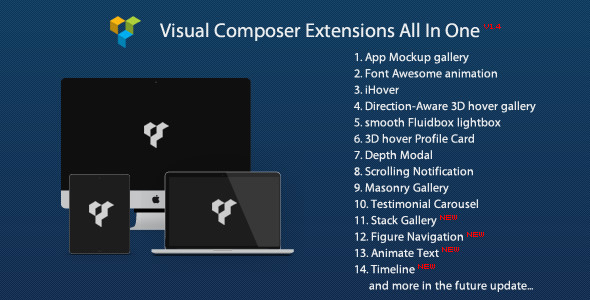
Note: you can get this extension from Visual Composer Extensions All In One. You do not have to purchase again if you purchased the All In One package before. And it’s recommended to purchase the All In One package which will contain other extension in the future update:

package

followrss

Add a retina and responsive Timeline to the Visual Composer, you can customize the content with a lot of flexibility, the avatar support icon or image.

Features

  • Optional content, date label, background, color, border color, title etc.
  • Support other VC shortcode, for example you can put the VC buttons inside the content.
  • Optional background image for the container, you can choose the image repeat or not.
  • Timeline avatar support Font Awesome icon or image.
  • Retina and responsive.
  • Optional background color for each block.
  • Extend the Visual Composer, work fine with the VC in a theme or as a plugin.
  • Compatible with latest jQuery and latest WordPress.
  • Enqueue the js and css only when needed. Keep WordPress page size smaller.
  • FAQ and source code are included in the package. Free update in the future.

Recommendation for you

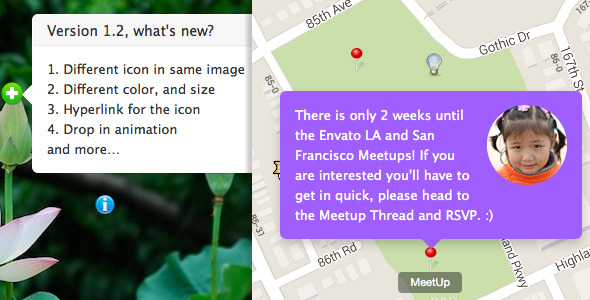
Image Map HotSpot WordPress Plugin:

hotspot

Credit

Prototype by http://codepen.io/codyhouse/pen/FdkEf add more options by me.

Download Visual Composer Add-on – Timeline (Add-ons)

Snapp Story – Picture Editor Full App Template (Full Applications)


Snapp Story – Full iOS App Template


Click here to watch Snapp Story Video Preview

Close clone of the popular SnapStory app for iPhone 4 and 5.
With Snapp Story you can apply cool overlays and current locations/date stickers to your pictures, take pics right away or just pick images up from your device’s Photo Library, apply nice filters to them and finally share them with your friends!


NOTE: If you planned to sell your reskinned version of Snapp Story for $$ and not for free on the App Store, or need us to add In-App Purchase into your reskinned version of Snapp Story to unlock additional Filters or Overlay images you made (or even if you need us to also make new ones for you), please first buy an Extended Licence, then contact us by our Profile’s contact form and we’ll get back to you asap.

FEATURES:

  • •XCODE 5.1 PROJECT
  • •ARC – iOS 7.x – XIB
  • •EASY TO CUSTOMIZE
  • •WORKS WITH APPLE’s CIFilters
  • •PINCH/MOVE OVERLAYS AROUND
    THE SCREEN
  • •SNAP PICTURES / PICK FROM
    LIBRARY
  • •ADD CUSTOM OVERLAYS TO
    YOUR IMAGES
  • •CORE LOCATION FOR CURRENT
    LOCATION

Have fun with Snapp Story, and don’t forget to rate this app if you like it!

Download Snapp Story – Picture Editor Full App Template (Full Applications)

Car Quiz + Ads Integrated (Games)

This is a source code of CarQuiz game.

Download a CarQuiz in Appstore
https://itunes.apple.com/us/app/car-quiz-guess-brand-logo/id884834897?ls=1&mt=8

Quick Setup

1) Open CarQuiz-Info.plist file and change CFBundleIdentifier com.alexstart.carquiz to your app Bundle Identifier (example: com.YouGame.)

2) Open CarQuiz-Prefix.pch and change your identifiers for every ad you want to use

For PlayHaven
#define PLAYHAVAN_TOKEN @”5638118c59d84411b5ccc0091932dc5a”
#define PLAYHAVAN_SECRET @”303424d45d4f4fb08e65350c0856270e”
#define PLAYHAVAN_PLACE @”game_launch”

For Chartboost
#define ChartsBoostsAppID @”523f3a2717ba474e39000008”
#define ChartBoostsAppSignature @”81a2d6e128228d66a4409fdde8befc0659b37f52”

For RevMob
#define REVMOB_ID @”5211c347aee3909ff5000003”

3) By default App code hasn’t brand logo images because of tradermark copyright and use 2 dummy images as example. You need to fill database file with your own images. Read setup manual for more details.

4) Ready submit to Appstore

Download Car Quiz + Ads Integrated (Games)

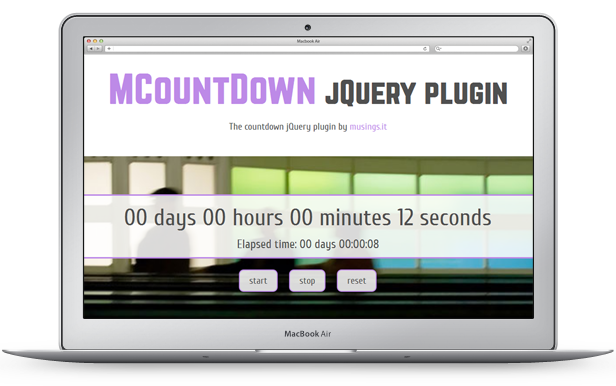
MCountDown – Responsive jQuery Countdown Plugin (Countdowns)

Showing a contdown on your website has never been so easy! MCountDown is super easy to setup, just take one of the examples provided and tune it to fit your needs. You can set up any countdown you wish by intuitively combining duration, endDate and startDate parameters. You can control and style any single element of the countdown: time units, labels, errors, … No javascript or jQuery knowledge is required.


MCountDown Unique Features

You can set up any countdown you wish by intuitively combining duration, endDate and startDate parameters:

  • Do you need a countdown of 60 minutes? Just set duration alone
  • Do you need a countdown to a target date starting now? Just set endDate alone
  • Do you need a countdown for 2 days, 6 hours and 30 minutes to a target date? No need for complicated calculation! Just set duration and endDate together
  • Do you need a countdown for 2 days, 6 hours and 30 minutes starting from a specific date? No need for complicated calculation! Just set duration and startDate together
  • Do you need a countdown to a target date starting from a specifica date? Just set startDate and endDate together

You can control and style any single element of the countdown: time units, labels, errors, …

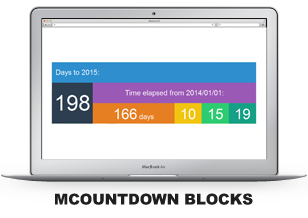
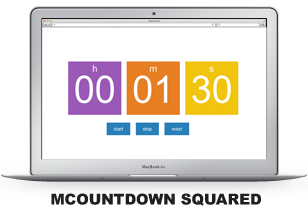
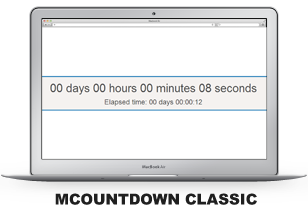
MCountDown comes with 5 different responsive layouts out of the box with 4 demos each

  • Layouts show you how much you can customize the aspect of your countdown to fit any website layout you want to create
  • Demos for each layout show you how to use the plugin parameters to build any kind of countdown you can imagine


MCountDown Characteristics

  • MCountDown is super easy to setup, just take one of the examples provided and tune it to fit your needs!
  • No javascript or jQuery knowledge is required, just follow the basic initialization steps in the documentation
  • MCountDown comes with a lot of useful options to fit every project need
  • MCountDown works well on all major browsers (Firefox, Chrome, IE, Opera) and also on mobile (both iOS and Android native browsers)
  • MCountDown is multi instance, you can set up as many counters as you wish on a single page
  • You can style almost any part of MCountDown as you wish all via CSS: no images needed! You can style all digits and labels separately, you can style error messages and of course you can use your own fonts!
  • MCountDown is responsive
  • MCountDown shows you descriptive and well formatted error message, if it is the case
  • MCountDown comes with 5 different responsive layouts out of the box (with 4 demos each!) and many more coming with new releases!
  • MCountDown comes with 3 bonus callback functions to be used as you prefer!
  • MCountDown comes with 12 bonus background blurred images (.jpg 1024×768) to enhance your countdown!
  • MCountDown offers you detailed documentation, free updates and friendly support
  • If you are a developer you can extend and customize MCountDown as you wish: the code is fully commented!

Want to go deep into more technical things? Explore MCountDown options!

Try out the live demo: http://mcountdown.musings.it!

Download MCountDown – Responsive jQuery Countdown Plugin (Countdowns)

Magento Customer Attribute Extension (Magento Extensions)

Collect data from customers effortlessly by adding attributes using the Customer Attribute Extension from Magento. Unlimited attributes can be created by adding fields to the registration page, and all this information can be easily viewed on the grid view for a Magento Admin. As a store owner, you can use this information for segmentation of customers according to certain attributes in order to provide your customers with better services. 

By installing this extension, store owners will experience the joy of better customer management.

This powerful tool can be used to gather customer attributes such as age, preferences and interests, receive documents etc.

Download Magento Customer Attribute Extension (Magento Extensions)

Magento Gift Card Extension (Magento Extensions)

The Magento Gift Card Extension is a great way for you customers to buy gift cards to present to their friends and family. Friends and Family who receive these cards can use them to pay for the products they purchase at your store.

Overview:

The Gift Cards Magento Extension is one way to give your customers a personalized experience at your online store. Customers can create gift cards of certain value at your store and give them to their friends and family. They can later on use these Gift Cards to pay for the purchases they made at your store.

Traditionally, gifting your loved one’s something meant endless wandering about stores and malls to find something perfect. The online gifts trend is rapidly catching on. The Gift Cards Extension allows users to create cards in three forms – either Physical, Virtual or a Combination of the two. A customer ordering a virtual gift card gets a code in their email that can be used at the time of payment for purchased products. A Physical Gift Card can be exported for printing. Whenever a gift card is created, the unique code that is generated can only be redeemed by one customer.

Store Admins must create a Gift Card Code Pool which can be used by customers. These codes are unique with a specific format. One code is permanently assigned to a gift card as soon as the card is created.

The Gift card Extension is extremely lightweight fulfills the task with minimum obstruction.
It is in line with the Magento Standard Workflow.

Outstanding Features For Customers:

  • Gift cards of different values can be created either from a dropdown or by entering a preferred amount from a range.
  • Gift cards that are purchased can be used by customers to make payments or can be gifted to others.
  • Gift Cards can be scheduled for a certain date.
  • Gift codes can be redeemed to a credit balance and can be used as a payment method during checkout.
  • Tracking of gift codes is made easy.
  • Easy to check and manage gift codes quickly.
  • After purchase, Magento automatically adds the gift code to a customer’s card list.
  • Gift cards can also be used as a discount during checkout.
  • Gift cards can be sent either via email or via Post.

Outstanding Features For Admins:

  • Admins can create gift cards for selling products.
  • Admins can also generate gift codes for customers or they can import gift codes that can be used offline.
  • The gift Codes are either a specific pattern or could be random.
  • The quantity for the gift cards and the unique code can be configured by admins.
  • Auto email is generated and sent to card recipients and to customers.
  • Admins can also configure the content that will be displayed on the gift cards product page.
  • Admisn can set values for the gift card products – they can show either a dropdown, a fixed amount or a price range for the customers to select from.
  • The status for the vouchers is automatically updated so that admins can easily keep track.
  • Requires no manual configuration.
  • Easy installation.
  • Meets Magento programming guidelines.
  • 100% open source. Show according to catalog or shipping price rule.

Our Gift Card view extension is compatible with Magento: 1.4.0.0, 1.4.0.1, 1.4.1.0, 1.4.1.1, 1.5.0.1, 1.5.1.0, 1.6.0.0, 1.6.1.0, 1.6.2.0, 1.7.0.0, 1.7.0.1, 1.7.0.2, 1.8.0.0, 1.9.0.0, 1.9.0.1

Download Magento Gift Card Extension (Magento Extensions)