BetterOptin – Stunning Popups for WordPress (WordPress)

Follow us on Envato
Follow us on Twitter
Join us on Facebook
ThemeAvenue Premium Support

An introduction to Better Optin

http://www.youtube.com/watch?v=tfSgqYZ6M1c

Make sure to watch in HD ;)

BetterOptin: The Visitors Friendly WordPress Popup Plugin

Ok. Popups usually convert better. But how annoying are they? Do you know how much you piss your visitors off? Actually yes, you do. How much does it annoy YOU when a site throws a popup at your face as soon as you land on it?

You know what? We’re just like you. We don’t like being harrassed when we browse the internet. That’s why we developed a new WordPress popup plugin: BetterOptin, a better way to use popups. And it converts even better!

Why is BetterOptin Better?

Not only because of its name obviously ;) Let me explain how it works and you’ll understand why it’s better right away…

The Problem

BetterOptin is based on a simple observation: people don’t like popups thrown at their face for no apparent reason.

Seriously, let’s say you land on a site after a Google search. Maybe you’ll like the site. Maybe you’ll enjoy reading the content and you’ll become a subscriber. But what happens with traditional popups is you’re asked to subscribe / like / download this / do that before even reading a sentense!

Some popup systems tried to change that by adding a delay before triggering the popup. But really? Will you be happier if a popup shows up in the middle of your reading? I don’t think so.

With BetterOptin, you stay away from all these bad impressions given to visitors and you keep your brand image unharmed.

Our Solution

BetterOptin Exit-Intent

With BetterOptin, you only ask people to complete an action (be it subscribing to your newsletter, downloading your e-book or else) at an appropriate moment. And this particular moment is when the visitor is about to leave without having completed the action first. This is called exit-intent.

BetterOptin is capable of detecting when the visitors leaves your site and will trigger the popup just then.

Your site WITHOUT BetterOptin

Meet John. John is browsing your site. He found it after searching for “increase traffic on my blog” on Google.

He is about to start reading the article he just found, and BOOM, a big popup appears covering all the content.

“F#ck!”, says John, “I don’t even know what the hell this article is saying.”

If you’re lucky, John will close the popup, read the article and then leave the site. Otherwise he’ll just close the tab. You lost him.

Your site WITH BetterOptin

Meet John. John is browsing your site. He found it after searching for “increase traffic on my blog” on Google.

He’s read a couple of article and finds the content very useful. You just gave him a few tips for traffic growth, and John wants to try it right away on his own blog.

John is about to leave your site and log-in his own to make a couple of changes and install the plugin you recommanded. He is dragging his cursor towards the “close tab” button, and BOOM, a nice designed popup asks his if he want to register to your newsletter.

Actually, he didn’t even know you had a newsletter, but your tips and tricks were good. So let’s subscribe!

Do You Care About John?

If you do care about John, you won’t bother him with thing he doesn’t want to do just yet! Wait for the appropriate moment, and only then you’ll get John in your list ;)

How Do I Create Popups?

Creating a popup can take as little as a minute, but it can also take a lot more time if you want to fine tune it.

The creation process is as follows:

1. Choose a template

Popup Template Selection

The plugin comes with 8 pre-designed templates that you can customize. If you know HTML, you can even create your own template (see below “Templating System“).

2. Customize the settings

Popup Settings

The popup behavior can be affected through various settings. For each popup, you’ll be able to decide:

  • How can the popup be closed,
  • For how long should a visitor NOT be bugged after he closed a popup,
  • The overlay color,
  • The overlay opacity
3. Choose where to display the popup

Popup Location

Define where the popup will show up (everywhere on your site, on a specific page…). This allows for very targeted campaigns (see below “Create Targeted Campaigns“).

And this is not limited to posts and pages! You can select any page from any post type you have on your site. This includes post types possibly added by other plugins.

4. Customize the popup

This is a big part of our pride! We have developed our own interface for popup customization. It is very simple and intuitive. It’s been intensively tested by real life users during a beta-test phase. To customize a popup element, just click it and all the available controls will instantly show up.

\

Create Targeted Campaigns

By mixing two features of BetterOptin, you can create highly targeted opt-in campains and optimize your sales. Let me explain…

The first important feature is that you can create a popup that displays on specific pages only. This will allow for a non-intrusive experience. For instance, you can create a promotional popup for one of your partners that triggers only on the guest post your partner wrote.

Now let’s go even further. The second interesting featured is the mailing list selection per popup (with MailChimp for now). So, still on the same popup, instead of sending the leads you collect to your general list, you can send them to a “Sponsor Interest” list, just for this popup.

See? You just created an extremely targeted popup!

Targeted Opt-In Campaigns

Can I Compare Popups and Identify the Best Ones?

We have developed an Analytics feature in BetterOptin that lets you see your overall performance during a specific period of time. You can also view the performance of each popup individually.

For each popup our Analytics tool will show you:

  • Number of impressions
  • Number of converisons
  • Conversion rate

\

Where Do My Leads Go?

That’s an important part right? Well, at the time, the plugin has two possible destinations for the leads you collect:

  • WordPress itself
  • MailChimp

Collecting Leads with WordPress

If you decide to keep your leads in WordPress, BetterOptin creates a custom role allowing you to easily identify users who subscribed through one of your popups. However, you can define any role you want as the default role. Anyway, you’ll always be able to find the users that came through a popup as we mark them with a user meta. You’ll never loose leads in your users list!

Collecting Leads with MailChimp

If you decide to go with MailChimp, just set your API key. We will then retrieve your lists. No need to look deep down into MailChimp to find the list ID!

Once you entered your API key and selected a destination list, you’re ready to create popups. But what if you want to send visitors who subscribed through one popup in a different list than the rest? Well, you can! And it’s pretty easy.

During the popup creation process (or when you edit an existing popup), you can select a specific list… for each popup! That’s a great thing isn’t it? Now you can build very, very targeted lists.

Technical Mumbo-Jumbo

Because every once in a while somebody asks for technical specifities, here is a little technical stuff…

Templating System

You know HTML? You’ll love what you’re about to hear…

One of the great advantages of BetterOptin is that we built it with a very, very simple templating system for popups. The plugin comes with 8 templates, but you can create your own. It only requires HTML. Just code the template as you would do for any HTML page, and add our “template tags” in data attributes. This will tell the customizer what he can or cannot customize.

Custom Table & Statistics API

In order to provide valuable insights without slowing down your site, BetterOptin uses a custom database table to save all the “hits”.

As working with SQL queries is not safe if done the wrong way, we developed an API within the plugin to let you easily and safely interact with the custom table. No need to write any SQL queries, our helper functions will do it for you. Of course the API uses the WordPress $wpdb object when working with the database.

Titan Framework

BetterOptin relies on Titan Framework to handle plugin options. This framework is built by expert WordPress developers and well maintained on GitHub.

Addons Compatibility

The beauty of BetterOptin (and a painful part for the developers ;)) is that it’s built around a flexible core, allowing for new features to be added as extensions of the plugin. This means that we will develop new features in the future, and, if you have the skills, you can do it too.

Roadmap

Wanna know what’s coming next in BetterOptin? Check out the roadmap. You can also vote for the ideas you like best.

Changelog

Version 1.0.0

- First stable version

\

Download BetterOptin – Stunning Popups for WordPress (WordPress)

Cart2CRM – Woocommerce and SugarCRM integration (WooCommerce)

Cart2CRM – Syn data between WordPress and SugarCRM Using Woocommerce Plugin.

Cart2CRM provide the ability to connect and sync customer data and order data between a WordPress (using the WooCommerce plugin) and a SugarCRM account.

Features:

  • SugarCRM Panel
  • Connection Settings
  • Integration
  • Field Mapping
  • Report


Download Cart2CRM – Woocommerce and SugarCRM integration (WooCommerce)

Wheres My Places (Full Applications)

Wheres My Places gives an edge in finding the most wonderful places surrounding you with a beautiful user interface. In details, such an application will provide you with all the available places near you with detailed information.

Also Wheres My Places acts as a great navigation tool by which you can find your way in a strange city or location. Especially it will be easier for you to find your wanted place thanks to the direction tool.

• You can easily find nearby clubs, hospitals, hotels, café, bars, banks, etc or any place you desire to look for
• Each location is attached with full details including address, images, rating, phone number, map direction, user review and distance from the place you are currently standing at.
• A great map direction tool with estimated time and distance is available to direct you how to reach your selected destination through streets. In other words, you will never worry to be lost in an unfamiliar location.
• The results may be sorted by distance or rating.
• All search results can be demonstrated in map.
• You can add any location to your Favorite list.
• You will be attracted by a nice-looking icon system.
• Google Voice is also available to support you in finding your places easier.

PLEASE REFER APPLICATION ON PLAY STORE:

https://play.google.com/store/apps/details?id=com.ypyproductions.wheremylocation

Download Wheres My Places (Full Applications)

WP Ajax Messages System (Utilities)

WP Ajax Messages System is a private messages system plugin for wordpress that allows you to interact with your wordpress users and according to user roles

  • Contacts based on users roles
  • Instant Filter Contacts
  • Instant Read Messages
  • Instant Send Messages
  • Instant Delete Messages
  • Built Using Bootstrap 3.X
  • Responsive

A PHP Version is available here: Ajax Messages System

Download WP Ajax Messages System (Utilities)

Scroll To Top Component (Navigation)

Scroll To Top Component:

  • 24 difference graphic
  • Easy to use on: any webpage, CMS (wordpress, joomla etc.), e-shop, mobile apps
  • You can add your own graphics
  • Mobile device compatible
  • All browsers compatible
  • You can control when the graphic show off
  • You can also use different graphic on different webpages(each subsite can have different graphics) or part of your mobile app

Download Scroll To Top Component (Navigation)

Adv Opencart Ajax Filter (OpenCart)

Adv Opencart Ajax Filter

Adv Opencart Ajax Filter filters products according to category, options, attributes, manufacturers, filters, tags and stock.

Demo

Please use direct demo site link for test. The filter is not working in iframe on Chrome Browser because of some reasons.
>> DEMO LINK <<

Main features

  • Fully ajax filter
  • Supports Check in stock
  • Supports Category
  • Supports Filters
  • Supports Manufacturer
  • Supports Options (option images)
  • Supports Tags
  • Supports Price (including discounts, specials, taxes)
  • Supports Attributes (multi-attributes, sliders)
  • Supports multi-language
  • Supports multi-prices
  • Seo-compatible
  • You can change easily colors of filter module and heading title via admin panel
  • It has option for AND / OR mode
  • You can select type of filter element as selects, check-boxes, radio, images, slider for attributes

Installation

  • Upload files in the “upload” folder to root directory of opencart site.
  • Open System->Users->User Groups page via menu and click “Top Administrator” edit link. Then give Access/Modify permission for ‘module/adv_ajaxfilter’ to ‘Top Administrator’ user group
  • Click install link in Extensions->modules page

Requirements

  • Opencart 1.5.x

Download Adv Opencart Ajax Filter (OpenCart)

ANpopup: Awesome Newsletter Popup for Everyone (News Tickers)

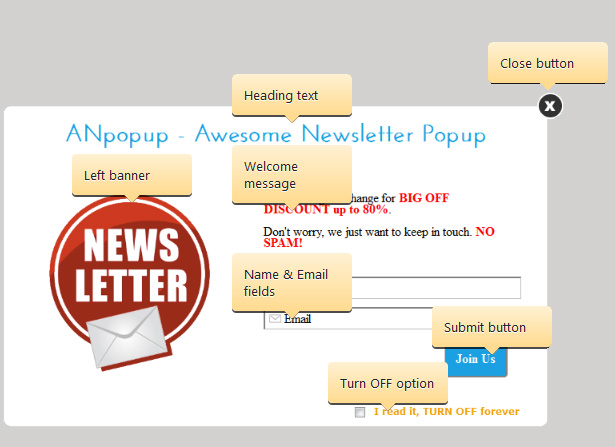
ANpopup (Awesome Newsletter Popup) for Everyone, Every site

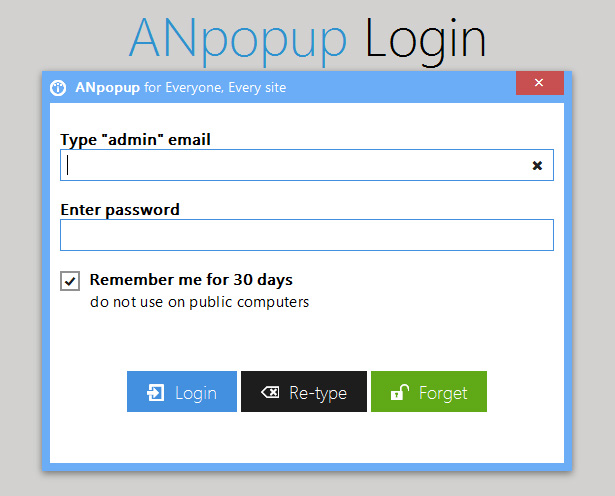
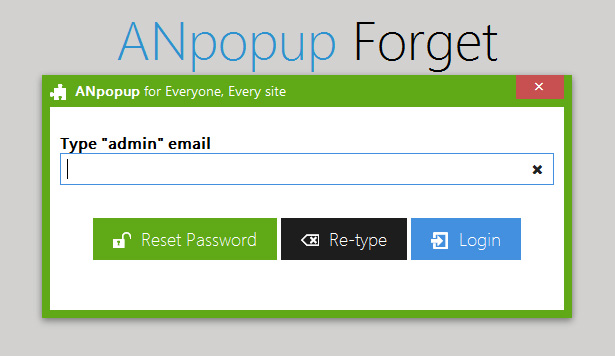
With ANpopup (by PreScriptZ.com), you may easy add a floating newsletter popup into any PHP-based web page, any WordPress theme (or all themes), any Joomla template (or all templates), any other PHP-based platforms: phpBB, Drupal, SMF, Opencart, Magento, Zencart, vBulletin, Xenforo, … with just 1 include statement.

ANpopup (Awesome Newsletter Popup) has many PROS

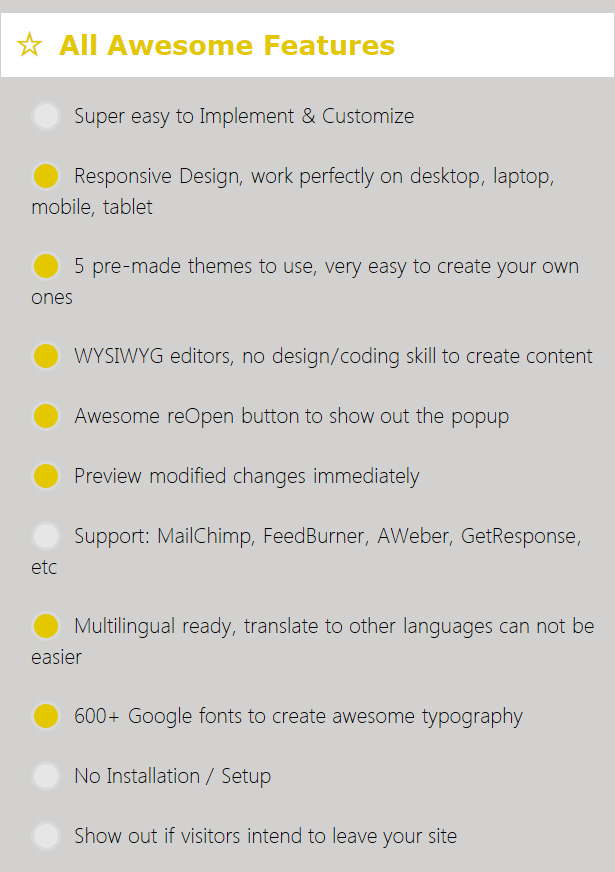
ANpopup has many PROS if compared with others: it has a reOpen floating button at bottom-right when the popup is closed; this reOpen button absolutely is able to impress your visitors with many animations & effects, make them click it many times to show your popup.

Go along with this reOpen button, ANpopup released with Show on Leaving feature, it would predict when your visitors want to leave your site, then show out the popup again. This feature is combination of actions, is going to be fired when one of functions occur:

  • Visitors wanna close window/tab
  • Minimize browser window
  • Change browser tab
  • Click on external links
  • Go to other websites by typing

Caution: if you’re using WordPress, let try ANpopup for WordPress

Customize Look & Feel Quickly and Easily

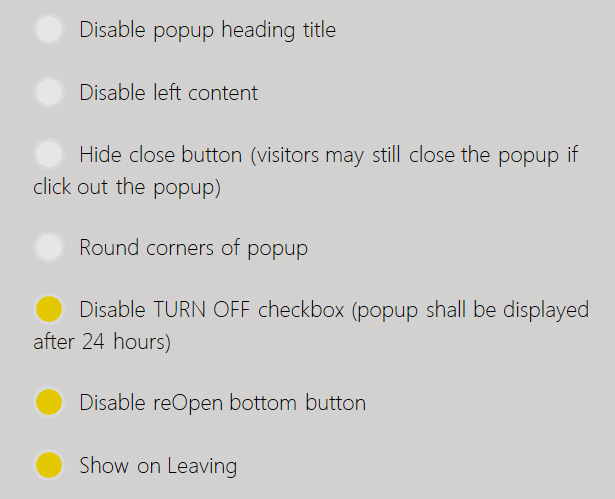
ANpopup has many features you can choose to enable/disable with just 1 click:

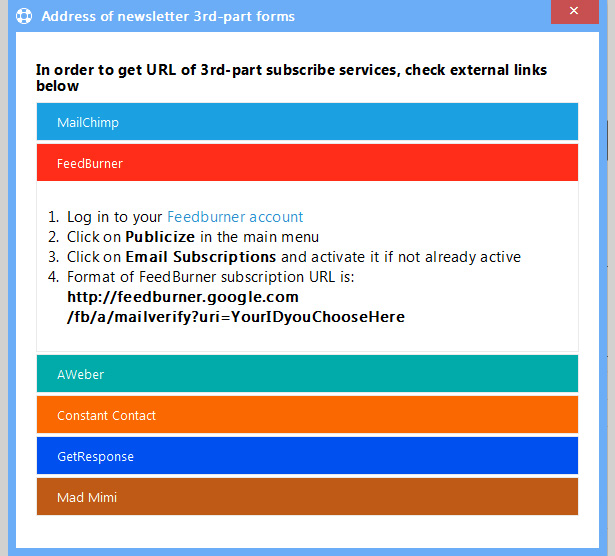
Easy connect to 3rd-Part Subscribe Services

Awesome Admin Control


Caution: if you’re using WordPress, let try ANpopup for WordPress

Changelog

07/17/2014 - v1.0.3
 - WordPress plugin released
 - Documentation released
 - fixed default theme to show popup better on very small screen sizes
 - Configs page works all screen sizes very well now
 - ability to enable/disable popup temporarily

07/07/2014 - v1.0.1
 - first release

Other exclusive scripts by PreScriptZ.com

pTemplate: Better PHP Code-HTML Design Separately

Awesome Mobile-based Business Solution

Flag Counter

Download ANpopup: Awesome Newsletter Popup for Everyone (News Tickers)

Facebook Find & Reveal Game Application (Social Networking)

Facebook Find & Reveal Responsive Application is designed for brands those want to get more fans on their pages and users engagement. Give fans a free promotional product/item in exchange for their email and other contact info. Offer your fans an interactive game screen to find the desired product inside the game screen on the hidden place. Promote awareness of your brand, increase fan appreciation and collect contact information as they claim.

Features Included

    The application complies with all Facebook terms and conditions.

    Application is 100% responsive and works on every mobile devices.
    Easy Exportable Contacts.
    Increase Brand awareness and followers.
    Custom game screen.
    Map the location of your item on game screen in admin.
    It is not necessary to be logged on to Facebook in order to access the Admin Control Panel
    Full support for the following browsers: IE8, IE9, IE10, Chrome, Safari, Opera, Firefox

Application Demo

http://demo.sheensol.com/revealapp/

Updates and Change Log

07/10/2014 – Version 1.0

  • First release of Facebook Find & Reveal Responsive Application


Download Facebook Find & Reveal Game Application (Social Networking)

BootStrap Online Quiz – Asp.Net C# (.NET)

BootStrap Online Quiz – C#/ asp.net – SQL Server 2008
=======================================================

  • 1. Create Unlimited Quiz MCQ / Comprehensive
  • 2. Create Unlimited Quiz MCQ / Comprehensive question in ever quiz
  • 3. Easy admin panel
  • 4. Dynamic Quiz time Set
  • 5. Result Sheet Crystal Report
  • 6. Mark Sheet / Certificate

BootStrap Online Quiz web application using Asp.net , C# with MSSQL Server 2008
Large scale ==> Online Exam management system
Responsive Templete

Download BootStrap Online Quiz – Asp.Net C# (.NET)

Reaction Buttons (WordPress)

The Reaction Button allow users to react your content but too lazy to type out an comment

Over time when only limited with 2 options original state monotonous: Like and Unlike, now you’ve got more options.

Once a user click on a reaction button, that’s means I can hear the complainers or cheer… Ex: OMG (Oh My God),LOL,WIN,SOCK,CUTE, WTF (Where The Funny or What the funny, etc…), This feature assumes that there are viewers, but are too lazy to type out an comment.

[+] Why choose?

1. Easy to install
2. Easy to use
2. Increased interest among viewers.

[+] Features:
1. React content with button.
2. List top reaction.
3. Show up any where with shortcode button.
4. Statistics react.

Download Reaction Buttons (WordPress)

Power Headline – Headline Split Testing (Add-ons)

Are you tired of guessing which title on your wordpress might be better? This plugin allows you to enter more than one title for any of your post, pages or custom pages. Then our system automatically finds out which title is getting the most clicks , and makes that one your permanent title.

This plugin has no effect on SEO at all. This is designed to help you get more clicks. This is the same technology used by multi-billion dollar websites which receive millions of hits everyday.

This Technology is used by websites such as:
Forbes , Financial News
UpWorthy , Entertainment
inDallas Magazine , Dallas Magazine

For Demo : Please look at the video preview.
If you need support , please register at http://GaireGroup.com , We are a Texas based company, and will respond to you in normal business hours 9 am to 5 pm Monday to Friday.

Updates:
July 12 – Plugin Released.
July 13 – Ablity to change the 48 hours to ANY time added..

Download Power Headline – Headline Split Testing (Add-ons)

Visual Composer Add-on – Medium Gallery and Ribbon (Add-ons)

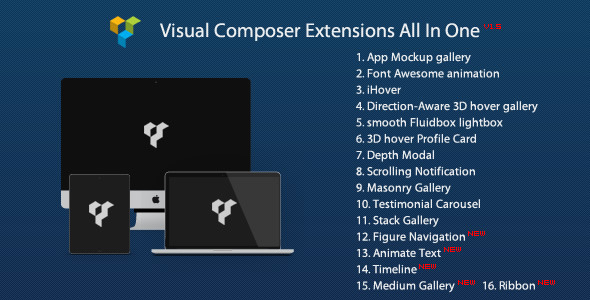
Note: you can get this extension from Visual Composer Extensions All In One. You do not have to purchase again if you purchased the All In One package before. And it’s recommended to purchase the All In One package which will contain other extension in the future update:

package

followrss

Add a responsive Medium style gallery, an image with ribbon to the Visual Composer.

Features

  • Optional layout of the Medium Gallery, you can manually set a string of numbers to specify the number of images each row contains in the gallery.
  • Optional gallery width, gutter, title and alt for the image in the Medium Gallery.
  • Optional ribbon label, ribbon link, position, ribbon background, ribbon color, image link etc in the Ribbon add-on.
  • Retina and Responsive.
  • Extend the Visual Composer, work fine with the VC in a theme or as a plugin.
  • Compatible with latest jQuery and latest WordPress.
  • Enqueue the js and css only when needed. Keep WordPress page size smaller.
  • FAQ and source code are included in the package. Free update in the future.

Recommendation for you

Image Map HotSpot WordPress Plugin:

hotspot

Credit

Fluidbox http://terrymun.github.io/Fluidbox/
Photoset Grid http://stylehatch.github.io/photoset-grid/

Download Visual Composer Add-on – Medium Gallery and Ribbon (Add-ons)

Azexo Composer Drupal page builder (Drupal)

Main about Azexo Composer:

  • front end drag and drop page builder
  • front end drag and drop content slider builder
  • front end drag and drop form builder
  • front end form submissions viewer

Azexo Composer is Drupal module for user friendly front-end content editing. It is based on jQuery, jQuery UI, Underscore and Bootstrap. The main difference from other solutions – Azexo Composer uses client JS for render of HTML to work faster and save server resources. It can be used for such tasks:

  • Azexo Composer is ready for making static landing pages by end users with default Bootstrap CSS (or you can use Bootswatch CSS or any custom Bootstrap theme).
  • Developers of Drupal themes can integrate Azexo Composer very easily, so their theme will be ready for simple editing by the end users.
  • Azexo Composer is ready for creating static content AJAX sites. Content can be loaded (via AJAX) when it will appear in user viewport.
  • In same cases Azexo Composer can be used by graphic designers, who do not have CSS skills, for creating Drupal sites for end users.

Download Azexo Composer Drupal page builder (Drupal)

OpenHours – Highlight your opening/closing hours (Calendars)

Highlight the current day of your timetable together with its status (based on your opening / closing hours) automatically.
No PHP, No framework, No DB needed.

  • 12 / 24 hours systems
  • multiple time slots
  • style the dynamic classes to your needs
  • as simple as a plugin can be !

Easy setup

  • add classes to identify your day(s)
  • add data-params to set your time slots
  • that’s it. Really!

Check our demo! We use Bootstrap and standard table elements to display the timetable, but OpenHours can be plugged on any source code.

A complete and easy documentation is provided to get you started in minutes!

Download OpenHours – Highlight your opening/closing hours (Calendars)

WooCommerce Conditional Featured Image (WooCommerce)

WooCommerce Conditional Featured Image

This plugin allows you to display a featured image of a product depending on what category the product is being viewed in.

Conditional Based On Categories

Select what category you want to set the condition for and then assign a featured image, when the customer views the product through the shop page, and the set category, the set featured image will be displayed.

Change Log

= 1.0 =
* Initial release!

Download WooCommerce Conditional Featured Image (WooCommerce)