
Category: code
download PHP, ASP.NET, Java and Javascript from CodeCanyon – the marketplace for code scripts and snippets.Javascript, Java, Program, Code, Snippet, Script, Dev, Development, Codebase, MySQL, Class, Widget, System, CMS
Daycare Manager (PHP Scripts)
Manage your daycare center with this application and get rid of ms excess and also save some trees! DaycarePro allows you to keep a register of children enrolled, billing, emergency contacts, individuals authorized to pickup with ability to upload their photo and set unique pin of each for safety of the children.
Features
– Keep a detailed profile of each child
– Record quick progress notes
– Track their medications
– Record allergies
– Generate invoices for the services of each child
– Track adults authorized to pick up the child (with photo upload and pin)
– Payment history for each account
– Track emergency contacts for the child
Support
http://icoolpix.com/support
(Visit to submit bugs, request features and anonymous comments or suggestions, For general comments, use evanto comments on this page)
Download Daycare Manager (PHP Scripts)
Form Framework Pro (Forms)


- Form Framework Pro
- Forms with multi column Support
- Icon font with over 1300 Icons
- Js Validation with Ajax Submition
- SMTP, Mail & SendMail Authentication
- Single Upload & Multiple Uploads
- Customized Notification Messages
- Dinamic Captcha Included
- Static Captcha Included
- Contact forms with Attachment
- Contact Forms with autoresponder
- Custom Email Template
- Integrate Database Option
- Multilanguage Option
- Sliders
- Placeholder plugin
- Masking Plugin
- Tooltips
- Datepikers
- Error, Success and Disabled States
- Pricing Tables with payment
- Paypal Payment Fomrs
- Stripe Payment Forms
- Multilanguage Option
- Full Responsive
- 24 Complete php and js forms ready to use
- Protection against SQL Injection, XSS, CSRF, Etc
- & Many More
Inside Pack
- form-comment
- form-contact-according-with-departments
- form-contact-multiple-administrators
- form-contact-with-duplicate-emails-in-database
- form-contact-with-google-maps
- form-contact-with-multiple-uploads
- form-contact-without-automessage
- form-contact-without-captcha
- form-contact-without-upload
- form-contact-with-single-upload
- form-event-registration
- form-feedback
- form-login-system
- form-newsletter
- form-order-services
- form-paypal-donation
- form-paypal-payment
- form-reservation-form
- form-review
- form-send-to-multiple-friends
- form-send-to-single-friend
- form-shortcodes
- form-stripe-simple-payment
- form-stripe-subscription
- Documentation
Icons Used in Project – 59$ Value
IcoMoon Ultimate Font
FONT USED IN PROJECT (Free Font) –
Font Open Sans
Rate it if you like … Enjoy…!!! 
Download Form Framework Pro (Forms)
Blobballs – Android game, Cocos2d-x. (Games)
Blobballs – Android game, Cocos2d-x.
Inflate all balloons and try to keep them up as prickles can burst them.
Google Play:https://play.google.com/store/apps/details?id=com.colideon.blobballz
Using Cocos2d-x.
Full C++/Java source code.
Runs on latest Eclipse.
Uses google-play-services.
Screenshot.

How to.

Find Us:


Download Blobballs – Android game, Cocos2d-x. (Games)
vCast Button for WordPress (Buttons)
Versatile Chromecast button that lets you send video from your WordPress powered website to your Chromecast. Configure once and done! Works with many existing players. Scans your WordPress website for video at the specified HTML tag(s). Simple, clean interface to configure source video and display options
Adds optimized chromecast functionlity to your WordPress website in less than 5 minutes!
Sends supported video found on the page to Chromecast in the background so there is no duplicate playback on your remote control device, just like when you visit youtube.com and cast a video. Minimize lag due to tab casting videos
A must if you want to send high definition video to the Chromecast from your webpage!
Integrates with your existing video player by simply placing and positioning an empty HTML element onto your existing player, then specifying this empty element as the container for the vCast button in the vCast plugin settings under the admin section in WordPress.
Frontend Features:
- Pops open media controls for playback of selected video on the Chromecast. Play/Pause/Seek all supported
- Video playlist for users to select a URL to cast from the list of detected media URLs
- Several options for configuring button placement including:
- Display button on WordPress posts containing detected media
- Display button next to detected media
- Display at specific location on the page specified via HTML
- Change cast button image to whatever image you want
- Change button background color to suit your existing player or website
- Degrades gracefully in Firefox, IE, and whenever the Chromecast extension is not installed
- Hardware-accelerated CSS3 transition effect for displaying media controls and playlist on devices
Backend Features:
Admin area is designed to be simple, yet powerful enough for developers
- Easy to use admin area with default WordPress style
- Media detection performed on client and will not slow down your website
- Specify multiple source tags containing video you want to send to the Chromecast
- Live vCast button preview when you preview your WordPress post before publishing
- Configure multiple video file extensions for detection
- Works with WordPress 3.3+ and PHP5
Requires Chrome browser with Chromecast extension on a PC or desktop computer. On Android smartphones and tablets, Chrome Beta for Android required. Chromecast functionality was only recently added to Chrome Beta for Android. See release of Chrome 35 for Android.
To cast your video from these mobile devices, you must press the cast icon that displays when the video is in fullscreen mode
Please note, vCast button plugin does not play video content that is not supported on Chromecast.
For a list of supported video that will playback on the Chromecast, please see supported media for Chromecast.
Download vCast Button for WordPress (Buttons)
WooCommerce SellMore (WooCommerce)
Using WooCommerce SellMore plugin, you can easily manage “Special Offer” promotion like Buy One Get One (BOGO). You can set promotion schedule by dates and days. The promoted products can be displayed right on the product page, so it will catch the attention of your buyers to directly purchase products which results more sales on your shop.
USAGE EXAMPLES
- Buy 1 Product A, Get 1 Free
- Buy 2 Product A, Buy another one at 50% off price
- Buy 2 Product A, Get 50% Discount for Each Purchase of Product B
- Buy 2 Product A, Get 25% Discount for Product B and Buy 3, Get 50% Discount
- and any similar rules
FEATURES
- Setup rules for offering products with discount
- Set promotion schedule by dates and days
- Display the promoted products with special price/discount on product page
- Select any products and categories to be included in the promotion
- Works for simple and variable product
- Set different discount based on purchase quantity
- Choose price adjustment method to calculate the product discount:
- Discount by Percentage (%)
- Discount by Amount
- Fixed Price
- Calculate the biggest discount based on purchase quantity
- Sort cart items so buyer can get optimal discount
- Quick edit rules for changing schedule dates or days
Download WooCommerce SellMore (WooCommerce)
Fresh Scrollbar (Miscellaneous)
Premium – Responsive vCard/Resume Manager (PHP Scripts)


Premium Responsive vCard/Resume Manager is a vivid, impressive and professional online vCard/Resume Manager, a beautiful Portfolio with sliding effect, resume and contact information with Google map.
It’s extreamly simple in configuration! Just download and install in a few minutes, No Technical Skills needed, you can update the contenst with very user friendly robust admin and show your online card to your friend, customer or employer in an interview by phone or tablet. Because vCard/Resume Manager is a responsive layout, you can view your website on pc as well as handheld devices. You can also link to your social profiles like facebook, twitter, youtube, skype googleplus etc 



Download Premium – Responsive vCard/Resume Manager (PHP Scripts)
Recipes full app (Full Applications)
This is a source code for a content based application. It might be a recipes app as this sample or whatever else you might like to try.
The app is .nib based, no +ads included. It has a side menu where you can find a search and favorites option.
The data is stored in a .plist file: testData.plist. There you can edit the images and the text for your content.
The app has a tableview that contains the main categories. When tapping on a category it expands the items from that category. When tapping on another category, it expands the items from that category while closing the first category. The expanding tableview makes the navigation easier without the need to go into another screen for eash sub category.
On the detail page for an item, there is a scrollview and a menu on the bottom that is used to add items to favorites or to go to the side menu. Also on the detail page there is an action button that opens a sharing sheet by: E-mail, Facebook, Twitter, Message. You can also print the items you want. And there is a feedback system that’s really useful.
The items from this source code are just for demo purpose so you might find recipes that are not in the right category. You will have to adjust the number or items for each category according to your needs.
Download Recipes full app (Full Applications)
MoonLight Forum System – WordPress Plugin (WordPress)


PHP/HTML VERSION OF THIS PRODUCT

For previewing our system, please login

For previewing wordpress side, please check out the screenshots.
MoonLight Forum system
MoonLight presents the most complete and easy to use bulletin board system ever!
Simply install the plugin on your WordPress website and start creating your own community
In simple terms:
It’s Easy -> Everything you need is just in place.
It’s Powerful -> Search/Manage/Reply/Post instantly.
It’s Beautiful -> It has superior typography and beautiful interface.
It’s Optimized -> SEO Friendly, Independent HTML Layout, OOP Codes that used the Forum System API.

Main Features
- Bootstrap 3.1
- HTML5
- 100% Responsive design
- SEO Optimized
- HTML5 semantic structure
- Cross-browser Compatible
- Completely independent HTML layout if you have ever needed to change your forum design
- Edit/active/inactive/add/remove moderators
- Edit/active/inactive users
- Display name option
- Registration Captcha code
- UTF-8 languages support
- Forgot password
- Users can also view their own topics independently and manage them
- Topics subscription
- Email subscription manager
- Edit/stick/lock/inactive/active/delete topics
- Edit/active/inactive/delete categories, forums, topics and posts
- Thank/edit posts
- Checkout the number of topic’s view
- Redirect forums, topics and posts
- Topics meta tags for a greater search experience and SEO
- Ajax and PHP Contact Form component
- Ajax Pagination component
- Extensive Documentation + descriptions for advanced users on how to modify the whole system’s skin!
Features as a WordPress Plugin
- Ability to connect your wordpress accounts with your MoonLight Forum System or set it independently
- Clever Moderators setup in connected mode
- Ability to have optional pages such as FAQ, About and Contact page for your support center
- Easily modify the pages’ contents right from your WordPress panel
- Enable/disable optional pages
- Reset to default settings
- Email templates variables
- Optional Contact form component
- Set to receive emails for different purposes
- Clean independent HTML layout. It doesn’t matter what WordPress theme you’re using, Forum system layout is independent and won’t get mixed up in your theme.
- Short URL generator, http://www.mysite.com/?forum=index
- So easy to use and setup! All you need is your forum’s URL, as soon as you install the plugin, you can use the generated URL and link to it anywhere on your website, it is redirected to your website forum.
How to install it
Installing the plugin is just like installing any other plugins on your wordpress website, after downloading the package, you can upload the plugin ZIP file by going to “Plugins/Add new” page of your WordPress admin panel. After uploading is done just activate the plugin and you will see that “Forum System” menu is added on your wordpress panel menu.
Go to the Forum System “Control” page and set the initial setting to get it started
Features from programming perspective
If you’re a PHP programmer or HTML web designer, it may be interesting for you to know how’s our files structure and what resources we have used
- OOP codes and following PSR
- Using Smarty for connecting HTML layout to PHP codes
- Forum API usage for connecting forum’s core to the main structure
- Used mySQLi method and fallbacks for previous versions of PHP
- query execution/Database communications
- Clean CSS and customized Bootstrap skin
- Well documented. Clean help files and comments everywhere!
- FontAwesome integration
- JQuery components
Privileges
Administrator (you): Can add/remove/inactive/active moderators, categories, forums, topics, posts and edit each of them. Also be able to inactive/active/edit/remove users. In simple terms, admin can do anything!
Moderators: Can add/remove/inactive/active categories, forums, topics, posts and edit each of them.
Users: Can add/remove/inactive/active/edit only their own topics and posts (of course if administrator or any of the moderators didn’t inactive them for him/her already). Users can only see anything which is active.
MoonLight Bootstrap Responsive Ticket System (Customer Supporting System)
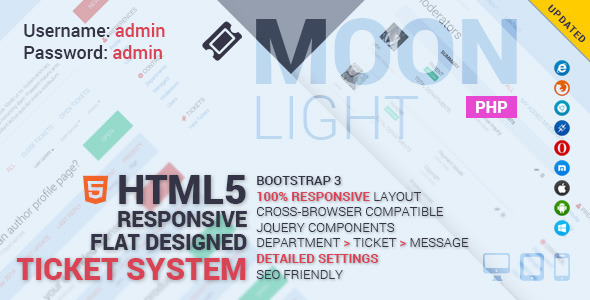
MoonLight Bootstrap Responsive Ticket System – WordPress Plugin
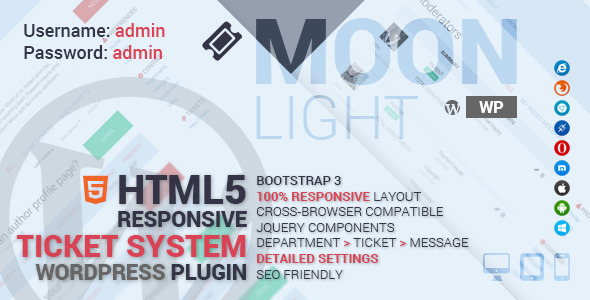
MoonLight Bootstrap Responsive HTML Forum & Helpdesk Template (2 in 1)
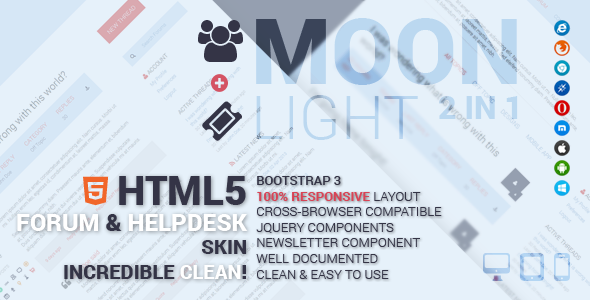
MoonLight Pure Bootstrap Skin (LESS & CSS)

MoonLight Multipurpose/eCommerce PSD Template (44 PSD)
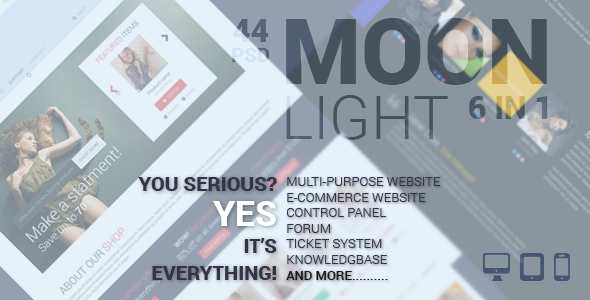


Download MoonLight Forum System – WordPress Plugin (WordPress)
MoonLight Ticket System – WordPress Plugin (WordPress)
PHP/HTML VERSION OF THIS PRODUCT
For previewing wordpress side, please check out screenshots.
MoonLight Ticket system
MoonLight presents the most complete and easy to use supporting system ever!
Simply install the plugin on your WordPress website and start supporting your customers
In simple terms:
It’s Easy -> Everything you need is just in place.
It’s Powerful -> Search/Manage/Answer at the same time.
It’s Beautiful -> It has superior typography and beautiful interface.
It’s Optimized -> SEO Friendly, Independent HTML Layout, OOP Codes that used the Ticket System API.

Main Features
- Bootstrap 3.1
- HTML5
- 100% Responsive design
- SEO Optimized
- HTML5 semantic structure
- Cross-browser Compatible
- Completely independent HTML layout if you have ever needed to change your helpdesk design
- Edit/active/inactive/add/remove managers/moderators
- Edit/active/inactive/remove users
- Display name option
- Registration Captcha code
- UTF-8 languages support
- Forgot password
- Edit/reply/delete tickets
- Edit each ticket’s department/Priority/content/subject
- Edit each reply of a ticket individually
- Secure file attachment
- checkout detailed information about each department/manager/moderator/user
- Filter tickets based on Departments/Status
- Sort tickets based on last update/Date opened/Priority
- Auto emails
- set to receive emails for different purpose and situations
- Ajax and PHP Contact Form component
- Ajax Pagination component
- Extensive Documentation + descriptions for advanced users on how to modify the whole system’s skin!
Features as a WordPress Plugin
- Ability to connect your wordpress accounts with your MoonLight Ticket System or set it independently
- Clever Manager/Moderators setup in connected mode
- Ability to have optional pages such as FAQ, About and Contact page for your support center
- Easily modify the pages’ contents right from your WordPress panel
- Enable/disable optional pages
- Reset to default settings
- Email templates variables
- Optional Contact form component
- Set to receive emails for different purposes
- Clean independent HTML layout. It doesn’t matter what WordPress theme you’re using, Ticket system layout is independent and won’t get mixed up in your theme.
- Short URL generator, http://www.mysite.com/?support=index
- So easy to use and setup! All you need is your support center’s URL, as soon as you install the plugin, you can use the generated URL and link to it anywhere on your website, it is redirected to your website support center.
How to install it
Installing the plugin is just like installing any other plugins on your wordpress website, after downloading the package, you can upload the plugin ZIP file by going to “Plugins/Add new” page of your WordPress admin panel. After uploading is done just activate the plugin and you will see that “Ticket System” menu is added on your wordpress panel menu.
Go to the Ticket System “Control” page and set the initial settings to get it started
Features from programming perspective
If you’re a PHP programmer or HTML web designer, it may be interesting for you to know how’s our files structure and what resources we have used
- OOP codes and following PSR
- Using Smarty for connecting HTML layout to PHP codes
- Helpdesk API usage for connecting helpdesk’s core to the main structure
- Used mySQLi method and fallbacks for previous versions of PHP
- query execution/Database communications
- Clean CSS and customized Bootstrap skin
- Well documented. Clean help files and comments everywhere!
- FontAwesome integration
- JQuery components
Privileges
Administrator (you): Can add/remove/inactive/active managers, moderators, users. Also can add/edit/assign/remove departments and view/add/edit/remove tickets and add/edit replies. In simple terms, admin can do anything!
Managers: Can add/remove/inactive/active their own added moderators, view/add/edit/remove their assigned department tickets and also view/add/edit replies.
Moderators: Can view/add/edit/remove their assigned department tickets and also view/add/edit replies.
Users: Can view/add/edit/remove their own tickets.
MoonLight Bootstrap Responsive Forum System

MoonLight Bootstrap Responsive HTML Forum & Helpdesk Template (2 in 1)
MoonLight Pure Bootstrap Skin (LESS & CSS)
MoonLight Multipurpose/eCommerce PSD Template (44 PSD)

Download MoonLight Ticket System – WordPress Plugin (WordPress)
Paid Content Packages (Membership)
Paid Content Packages WordPress Plugin allows you to bundle different pages, posts, categories, post types, taxonomies and post tags in multiple packages and sell them via PayPal subscriptions with multiple billing cycles.
This pluign comes with in-build Discount Coupons management, Affiliate Program and Various Reports to boost your sales.


Is your website content for sale? Do you want to bundle multiple pages, categories, post types, taxonomies or even tags in different packages and sell membership subscriptions? Do you want to promote your content with affiliate program and offer discount coupons?
If Yes, this is the plugin for you, which includes, paid content packages, discount coupons, in-build affiliate program and various reports to run and manage your paid content membership site easily.


Here’s a list of all features that comes with this plugin:
-
Multiple Content Packages
With this plugin you can create different paid content packages and include certain pages, categories, post types, taxonomies or even post tags in the packages and sell the bundle as a PayPal subscription membership plan.
Your clients can subscribe to multiple membership plans and get access to all the content you have listed under these packages. -
Various Billing Cycles
You can choose to sell your paid content package subscription with various billing cycles, such as One Time Payment for lifetime membership, Daily, Weekly, Fortnightly, Monthly, Quarterly, Half-Yearly, and Yearly billing.
You can choose if the subscription stays active till your clients cancel it from PayPal website or they subscribe again after the billing cycle is over. -
Trial Period for Packages
You can also choose to enable or disable a FREE or PAID trial period for each package.
Once the trial is over users can continue with the paid subscription by paying for the paid package subscription.
System will run a check on daily basis via WordPress Cron Job and revoke access for users when their subscription or trial period is over. -
Restrict trial sign-ups per IP address
You can choose to disable or enable multiple trial sign-ups based on IP address.
If disabled, user will not be able to sign-up for trial account from same IP address. -
In-built Discount Coupons Management
This plugin comes with a built-in discount coupon system which allows you to enable discount coupons for each package for a certain time and promote your content. -
In-built Affiliate Program
This plugin comes with an in-built affiliate program which you can enable with a simple shortcode on any page for your website.
Your website visitors or paid members can join the affiliate program and use their affiliate link (generated via shortcode) to send traffic to your website and keep track of
their performance and commissions earned from the front-end.
You can choose if your affiliates get commissions once per sale or every month till the client subscription is active.
You can set a schedule for commissions payout and pay your affiliates via PayPal or Wire Transfer (TransferWise.com) -
Various Reports to keep track
With this plugin you can keep a track of your sales, referrals and payouts by various reports, such as, Sales by month/year, Sales by packages, Sales by Users, Sales by Country, Referrals and Referring Traffic reports. -
Backend Subscription Management
You can easily add or remove user’s subscription for a package from plugin settings page.
This can be helpful when you promote your content by offering a free subscription or in case of refunds, you want to remove access to the content for certain users. -
Quick and Easy Setup
You can configure all required pages with various shortcodes and a sample package by just one click and then modify the content for each page as per your business model requirements. -
Restricted Content Messages
You can choose to display a custom message via WYSIWYG editor to users who have not paid for the subscription package and tries to browse paid content. -
Paid Content Preview
You can choose a number of characters of the paid content to be displayed before the restricted message is displayed instead of the paid content. -
Custom email messages
You can customize email headers such as from name, from email address and email messages with various variables to include user’s display name and package name with link they have purchased. -
Various Shortcodes for ease of use
Most of this plugin’s functionality is based on shortcodes which you can use on any page or post to generate subscription links, process payments, process orders, affiliate dashboard for signup and reports etc.
You can even choose to display or hide content based on user’s membership status or affiliate signup status. -
Various Widgets based on user membership status
This plugin comes with various widgets such as:
Members Only Content: This widget is only displayed to paid members of your website.
Non Members Only Content: This widget is only displayed to logged in users who have not subscribed to any package yet.
Affiliate Only Content: This widget is only displayed to logged in users who have signed up for the affiliate program.
Non Affiliate Only Content: This widget is only displayed to logged in users who have NOT signed up for the affiliate program. -
Localisation and Translation Ready
You can easily translate this plugin in your own language. Localisation includes all text in back end, front end and messages. -
Setup Assistant
This plugin comes with our unique Setup Assistant which will help you with step by step instructions to set up this plugin on your website and provide links to documentation page for further reading.
Download Paid Content Packages (Membership)
Blind Chess Train – HTML5 game. (Games)
Blind Chess Train – HTML5 game.
Practice for blindfold chess playing. Twelve exercises will develop your abstract thinking.
Exercises:
1. What is the color?
2. Two squares – are the same color?
3. Three squares – are the same color?
4. Two squares – are on the same diagonal?
5. Three squares – are on the same diagonal?
6. Can Knight move to …? (1 move)
7. Can Knight move to …? (2 moves)
8. Can Bishop move to … (2 moves)
9. Can King move to … (1 move)
10. Can Rook move? (Check)
11. Is this checkmate? (1 WRook)
12. Is this checkmate? (1 WQueen, 1 BKnight)
Demo: http://colideon.com/games/blindChessTrain.php
Package includes full source files: HTML5, Javascript, CSS, PHP, SQL.
Exercises

Question: Can Knight move to …? (1 move) b5 -> c7

Result

Video tutorial:

Find Us:
Download Blind Chess Train – HTML5 game. (Games)
Circle Hover Effects (Animations)
Description
Edge Animate projects with hover effect animations perfect for content (icons) in circles.
- 28 Edge Animate projects
- Uses icon fonts to display the icons
- Resolution independent graphics – pure CSS shapes, icon fonts or SVG
- Easy to customize colors, opacity of elements (with or without Edge Animate software), add new ones or just remove them
- Included:
- Edge Animate files (.an, JS, HTML)
- Icon fonts (for preview purpose)
- Documentation

Notes
- Icons are taken from “Foundation Icons” set made by ZURB. Public Domain CC3 license
- Icon fonts generated with “Fontastic” – free online icon font generator.
- The projects were produced using Adobe Edge Animate CC version 3.0.
Preview of Documentation

Customer support
- Documentation included (HTML)
- Additional support by e-mail or this site.
- I’m available to customise these files (at an additional cost). Mail me if you have any tasks.
- Contact e-mail: [email protected]
Ratings


