Translated language files from English to Finnish.
Get full PHP script from here:
http://codecanyon.net/item/king-media/7877877
Please report if there are problems.
Blancer.com Tutorials and projects
Freelance Projects, Design and Programming Tutorials
download PHP, ASP.NET, Java and Javascript from CodeCanyon – the marketplace for code scripts and snippets.Javascript, Java, Program, Code, Snippet, Script, Dev, Development, Codebase, MySQL, Class, Widget, System, CMS
Translated language files from English to Finnish.
Get full PHP script from here:
http://codecanyon.net/item/king-media/7877877
Please report if there are problems.
Developed animations for preloaders. For the connection does not require more effort, not required jquery.
In archive :
1)css file
2)documentation
3)example of use
Animation work in the following browsers:
1)IE 10+
2)Chrome
3)Opera
4)FireFox
5)mobile Safari
6)Android
Ultimate Backup is a PHP class which makes backup of your files and databases much easier.
Main features:
Usage is very simple, since the class is well written and documented. Names of methods are understandable, in addition we attach a file with usage example.
Trust in store – it’s a part of e-commerce where you need to be very careful. With our module you can display reviews added by default PrestaShop module productcomments. This simple module allows you to display reviews on homepage in carousel.
This is a good plugin for stores with many reviews, where you need to show customers how good products you are offering.
With this module sure you increase confidence in your store.





We offer customer support through our ticket support service. In order to use this service you will need to register with your Item Purchase Code. This is available from your downloads section on Envato.
Be sure to check out our faq’s section we may already have an answer for your question.
Please note: We do NOT provide support in the comments section of CodeCanyon
If you want to use Reviews Carousel in your theme and sell it please buy 1 extended license per 1 released theme. We are open for suggestions about using Reviews Carousel in your themes.
Version 1.0.0 - 04.08.2014
[+] First release
Editorial Note: This acquirable plugin contains a map of the United States.
English:
Our MAP-PLUGIN is an easy to install Joomla module. MAP-PLUGIN lets you display interactive maps of e.g. continents, countries or regions.
You can add markers, via drag and drop, and add tooltips in different languages. Tooltips, highlighting a certain place, enable you to show any HTML code – such as links, images, videos, etc. – in a seperate popup window.
MAP-PLUGIN is the alternative to using Google Maps. With MAP-PLUGIN you will be able to show more than thousand maps of the world. On this site you can download a SVG map of the United States only.
Configure map
After the installation configure the map in the configuration panel in Joomla. The configuration settings allow you to:
– Change the name of the map
– Specify the slug of the map
– Change dimensions, height and width
– Change the colours of the map elements
– Define the colours of the text
Add tooltips
You will be able to add tooltips to any maps. Adding tooltips includes:
– Add a specific label to tooltip
– Link tooltip to specific URL
– Change typeface, such as font-family and size
– Modify the font colour
– Modify the hover colour of each tooltip
– Switch tooltips on/off
Add tooltip pins:
The plugin allows you to add tooltip pins. With pins you can mark a special city or place, in which e.g. you company is located in. You will be able to:
– Specify coordinates
– Refer to a link with the tooltip pin
– Name the label
– Change the color of the tooltip pin
German:
Unser MAP-PLUGIN ist ein einfach zu installierendes Modul für Joomla. Das Plugin ermöglicht Ihnen die Einbettung interaktiver Karten, z.B. von Kontinenten, Ländern und Bezirken.
Markieren Sie Orte mit Markern (per Drag und Drop) und Tooltips. Sie können über die Tooltips sogar beliebige HTML-Inhalte, wie Links, Bilder, Video etc., in einem separaten Popup-Fenster darstellen.
MAP-PLUGIN ist die ideale Alternative zur Einbettung von Google Maps. Mit MAP-PLUGIN erhalten Sie Zugang zu mehr als 1.000 Karten aus der ganzen Welt. Auf dieser Seite können Sie eine SVG-Karte von den Vereinigten Staaten herunterladen.
Karten konfigurieren
Nach der Installation konfigurieren Sie die Karte im im Konfigurationsmenü von MAP-PLUGIN. Diese Konfigurationen können Sie vornehmen:
– Den Namen der Karte ändern
– Den Slug der Karte spezifizieren
– Die Größen-Dimension verändern
– Die Farbe der Kartenelemente ändern
– Die Textfarbe festlegen
Tooltips hinzufügen
Fügen Sie Tooltips zu beliebigen Karten hinzu. Folgende Änderungen können Sie vornehmen:
– Ein Label zu einem Tooltip hinzufügen
– Einen Tooltip zu einer URL verlinken
– Die Schriftart ändern
– Die Schriftfarbe festlegen
– Den Hover-Effekt ändern
– Tooltips an- und ausschalten
Tooltip-Pins hinzufügen
Das Plugin erlaubt das Hinzufügen von Tooltip-Pins. Mit Pins können Sie bestimmte Städte oder Orte markieren, z.B. Ihren Firmensitz. Folgende Möglichkeiten stehen Ihnen zur Verfügung:
– Koordinaten festlegen
– Einen Tooltip-Pin verlinken
– Ein Label hinzufügen
– Die Farbe des Tooltip-Pins verändern
Chronosly is designed to suit all users, designers, software developers and basic users.
Basic users, can apply a template and just upload events easily.
Advanced users, designers and developers, can take control of everything, make their own templates or edit the predefined ones with our editing Drag & Drop system.
With amazing functionalities and a wide selection of templates and addons to enhance features.
SocialKit is a Social Networking Platform that consists of various features including Live Chat, Pages, Groups, Messages, Stories, Comments, Likes, Shares, Notifications, #Hashtags, @Mentions, etc. It allows users to socialize with each other, share with their favorite community, connect with their favorite brands, artists, celebrities, and much more.
Quick Video Guide: Quick Video Guide
User Demo: User Demo
Admin Demo: Admin Demo
User Timeline: User Timeline
Page Timeline: Page Timeline
Group Timeline: Group Timeline
FAQs, How-To, Tips, and Guide can be found in the Support Section.
and much more. (see live demo)
and lots more. (see admin demo)
Requirements: PHP 5.4 or 5.4+, MySQLi and GD Library.
The Easy Store Locator extension is a right solution for the Magento Shop owners with an extensive network of their stores.Customers may look for stores of a particular store owner and receive detailed information about their location on the map. Store description and preview are also provided.
This extension will integrate your stores location easily with Google Maps. This way, your customers can come to their nearest located store, to benefit from your services / products.
With the Store Locator , you can list your stores, their map locations and have them displayed in a nice sliding manner with each store location click pointing to the map. This is a very helpful extension for every store who want to add their personal store page where they can add their address, Google map and store description.
Each store can be displayed with lots of information and attractive images giving customers any details they needed like opening hours, holidays and special working days, so the customers are able to choose the most convenient time to visit your physical stores.
Store are added by Country, State and City wise.
Our Magento Testimonial Extension is compatible with Magento CE:
1.9.0.1, 1.9.0.0, 1.8.1.0, 1.8.0.0, 1.7.0.2, 1.7.0.1, 1.7.0.0, 1.6.2.0, 1.6.1.0, 1.6.0.0, 1.5.1.0, 1.5.0.1

Royal Video Player WordPress Plugin is a powerful responsive video player for your wordpress website that can play, streaming videos from your server or Youtube videos. It only requires the mp4 format (the best and most used format on the web) and it will work on mobile devices and desktop machines no matter which browser is used including older browsers like IE8, this is made possible by incorporating four video engines into the Royal Video Player WordPress Plugin, basically it has built-in a HTML5 Youtube video engine, normal video engine, flash Youtube video engine and flash normal video engine. Royal Video Player WordPress Plugin supports unlimited playlists and each playlist can have unlimited videos. There are three type of playlists, the first playlist type is the normal type that allows to add mp4 or Youtube videos with a high degree of customization, the other two types can be created with a single data source URL that can be loaded from Youtube (Youtube playlist) or generated from a folder with video files.
Packed with a huge amount of features like responsive layout, shortcode generator, multiple playlists, external API, optional deeplinking, flexible skin, embed & share, facebook share etc, it makes it one of the best and most impressive video player available on sale.
Mobile and desktop optimized (IOS demo or Android demo).
FLASH fallback for older browsers that doesn’t support HTML5 video or for older browsers like IE7/IE8.
Only mp4 video file required.
Optional deeplinking (unique and shareable link for the current playlist and video).
Optional embed and share window.
Load any type of playlist through HTML markup, video folder or Youtube playlist, also mixed playlist with both youtube and mp4 videos can be created.
The HTML markup playlists can be created manually or generated from a database.
Support for unlimited playlists and each playlist can have unlimited videos.
Optional playlist and playlists window / categories selector.
Three type of hover effects for the playlists window / categories selector thumbnails.
Video description in tooltip form for the playlist thumbnail (this feature can be removed / added globally or individually for each video).
Optional playlist and playlists window / categories selector auto open (the player can start with the playlist or playlists window / categories selector visible or hidden).
The playlist can be positioned bottom or right.
Customizable thumbnails.
Optional video download button (this buttons can be removed / added globally or individually for each video).
Support for local, streaming from a server or Youtube videos.
Usage of the same Royal Video Player WordPress Plugin custom skin even for the Youtube videos.
Youtube video quality buttons selectors from the video control bar. The available quality rates will be displayed in a cool way so you can select the desired quality for the playing video.
The video player can play a HD video on desktop machines and a smaller video on mobile devices, this useful feature is optional, this means that the video player can play the same video source on all desktop machines or mobile devices.
Responsive layout.
Shortcode generator.
Optional video poster, the poster is visible when the video player is stopped plus support for two poster sources one for desktop machines and one for mobile devices. Please note that a single source can be used for both for desktop machines and mobile devices.
Multiples display types: responsive / fixed / fullscreen… click here to see the fullscreen preview.
Optional custom watermark logo. The logo can be set to hide with the control bar or to always be visible, also the logo position is customizable.
AutoHide controls bar, the video player can be set to autohide the controls bar after a number of seconds of inactivity.
The video controls bar can be showed or hidden when the video is stopped or it hasn’t started.
Click to play or pause, you can click on the video to play/pause the video.
Powerful API included with example files.
Double click fullscreen / normal screen.
Start volume value.
Autoplay, loop and shuffle.
Optional keyboard support.
Big play button.
Next and previous video buttons (optional).
Play / pause button.
Current and total time (optional).
Volume button (optional).
Volume scrubber (optional).
Shuffle and loop buttons (optional).
Embed and share button (optional).
Download video button (optional).
Facebook share button (optional).
Fullscreen button (optional).
Eight skins included with the psd files.
Detailed documentation and sample files included.
https://www.youtube.com/watch?v=n5p5xlsTmSw
The skin is constructed from png files.
When viewing the player on a mobile device the autoplay is set to false, the volume bar is disabled, when youtube videos are used the poster is disabled / hidden and the large custom play button is only available after the video starts playing.
When viewing the player on a mobile device or browser and the player is embedded using the embed code the fullscreen button doesn’t work if the browser doesn’t have fullscreen support, browsers like IE8/IE9/IE10 or some mobile browsers.
For support or customizations please contact us here.
Description
Homepage Products Manager allows, easily and quickly, to manage new and featured products.
Merchant Benefits
Allow to:
-manage new and featured products from catalog in back office;
-set as new products inserted in the past;
-highlight product, quickly, without set category manually;
-translate it easily;
-fine-grained selection of products to show in the home page.
Features
-new and featured product management;
-fully compatible with prestashop provided product management;
-fully integrated with back office;
-fully compatible with prestashop 1.5 and 1.6;
-easy to translate;
-lightweight, easy and quick to work with.
Pexeso alias Concentration or Memory game, also known as Pelmanism or simply Pairs.
Game for one or more players.
More in documentation online.
Note: Game generator and game management in live preview are not included. If you are interested in such full game generator, please feel free to use the generator code in live preview or leave me a note, I can provide you all code from this page.
Note: Game do not use server, it fully client-based, that’s why the results are not reliable, because without server supervision client can cheat.
Note: Images in live preview are not included.



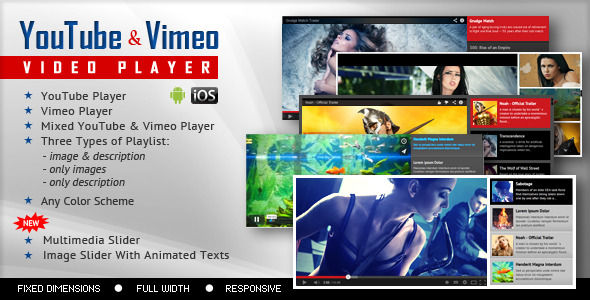
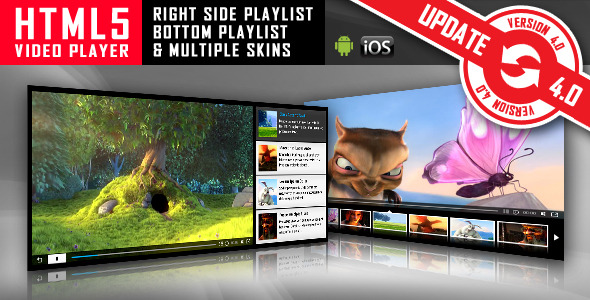
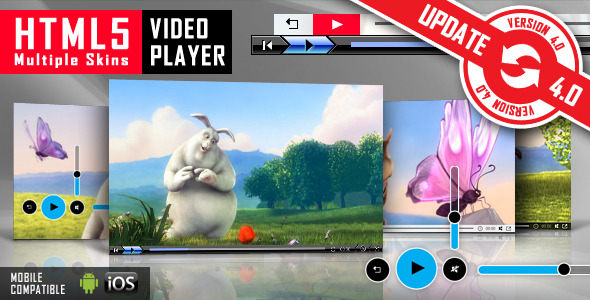
This HTML5 Video Player is ideal if you want a video player which will support YouTube, Vimeo and Self-Hosted videos.
Due to the fact that it has the option to be also used as a Full-Screen Video Background for your pages, it will allow you to create awesome
websites.
FEATURES:
 YouTube, Vimeo and Self-Hosted support
It plays YouTube, Vimeo and Self-Hosted video files. For YouTube & Vimeo all you need to use is the video ID
Responsive Design
The plugin is fully responsive, including images and videos and will adapt the browser/device resolution.
Mobile Compatible
It is compatible with IOS and Android operating systems.
Fixed Width/Full Width
You can use the plugin as a fixed width or as a full width video player
FullScreen video background
The plugin can be used as a full-screen video background for your website. The video will cover the entire screen without any black stripes
Texture Over Video
Optional parameter to add a texture over the images. In this manner you’ll not have to modify each image to add the texture.
Multiple Parameters
Over 30 js options from where you can customize your player, including: autoplay, loop, colors, dimensions, show/hide video controllers, randomize videos…
Border
For Fixed Width and Full Width version you have parameters to set the border width and color.
Bottom Navigation Positioning
You can position the bottom navigation to left, right or center.
Lightweight
The JS file has around 22KB
Free Updates
Once you’ve bought the product, you can download for free, from your account, all the updated versions.
Notes for IOS (restrictions imposed by Apple):
1. The autoplay will not work because IOS disables autoplay feature and it can’t be controlled from JS
2. On IOS, only for full-screen video background version, vimeo video will not auto-play and also, you can’t play it.
Keywords: html5, video, html5 video player, video player, autoplay, vimeo, ios, fullscreen, self-hosted, jquery, media, mobile, player, playlist, responsive, youtube
If you need additional information don’t hesitate to contact us at [email protected]. We’ll try to answer you as quickly as possible.
Enjoy!
Smart Video Playlists is a plugin made for WordPress 3.8, 3.9 and newer (and it will not work with older WordPress versions!) to create, edit and manage playlists with video files. Plugin implements advanced playlist editor for adding local (uploaded) or remote video tracks, playlists settings and information, terms for artist, genre or tags and extra heading content to be displayed above playlist.


Plugin adds custom post type for playlists and two more custom taxonomies (genre and artist).
On front end, plugin creates playlists archives with extra archives for individual terms, single playlists pages where you can see full playlist information, cover image, description and most importantly: player. Playlist player uses HTML5 Video support through MediaElement.js library (with fallback to Flash/Silverlight for older browsers). Plugin can show statistical information for tracks and playlist.
Plugin is fully responsive and tested with various mobile devices.

Plugin has 7 styles for playlists built in, and it can use one of two skins for player control. There are many more options to control the playlist including several options to control hiding tracklist. You also have options to disable some parts of the player control (volume, progress bar…).

This image shows all current controls player has. On top, it shows current track information. Actual player controls has buttons to load previous and next tracks, play/pause, shows current playe time and track length, has progress bar and volume control. Every element (with exception of play/pause) can be disabled. Each track in playlist can show statistics, and it has a button that can be used to download the track (both options can be disabled).

Playlists management is based on WordPress normal posts management. You can have unlimited number of playlists and they can share video tracks if needed. You can assign various terms to each playlist for filtering later.

You can upload video tracks directly using WordPress media manager, or you can add remote videos. You can assign images to each track any time.

Plugin adds archive pages for playlists, with extra archives based on playlists and terms. Also, implements pages with terms index for easier navigation in cases when you have large number of terms assigned to playlists.

Using AJAX, plugin logs how long each playlist and track is played. Every time playlist player is displayed, all it’s activity is saved to database. You can see full log with all playlists with filters, information on tracks played and time each track is played in each session.
Plugin needs 3 templates for theme to be able to display all the content generated by playlists and archives. Plugin includes own templates override loader. For most themes, you need to add templates specific to those themes (WordPress limitation, every theme has own layout and in most cases you can’t mix templates from different themes). Plugin has full PDF guide and 2 videos showing the process of creating templates.
Template creation process is fairly simple, but if you are not comfortable of doing that on your own, we offer you help in creating those templates. Just open new topic in our support forums, and we can assist with creating templates for your theme..
Plugin includes multiple template parts for everything, and it is easy to customize. Such customization requires knowledge of PHP and HTML. You can also expand plugins style CSS files to match closer to your theme.
If you use theme that has no templates and uses templates editors (Thesis, Headway…), we have information on that in PDF, but you need to also consult theme documentation to generate needed templates.
Plugin has built-in support for many themes. For these themes you can use plugin without any changes, for all other themes you can try plugin with generic themes, or create your own based on them.
Plugin has 2 widgets. One can show list of playlists (latest, random, with control over number of playlists and template). Second widget can embed playlist player for any playlist (or random) with choice of skin, layout and other options. Using shortcode you can embed playlist player into any post/page. You have extra options for playlist size and alignment.
HTML5 Video tag supports different video types and this support varies from browser to browser, it depends on device and OS. MP4 and WebM are currently most supported types with different devicesand browsers. But, if you use video file that is not widely supported, plugin uses MediaElement.js library that has automatic fallback and it can play almost any file on any device and in any browser using Flash or Sliverlight.
Plugin can work with YouTube videos, and you can add individual videos or import videos from YouTube playlist. This is disabled by default, and once you enable it, you need to set API Key for Google YouTube API V3. Plugin has few limitations in using YouTube videos:
Smart Video Playlists plugin will be updated overtime to improve YouTube support, depending on development of MediaElement.js library.
Plugin contains PDF user guide, developer guide, theme customization guide in the plugin package, inside the ‘docs’ directory. Check out this documents to get information on plugin options, usage and more.


