Gallerix II (Galleries)

Gallerix II is a WordPress plugin that can easily be used as photo gallery or portfolio. It’s your choice!

Gallerix II allows you to keep an eye on which photo or project is more liked or go in discussion with your viewers in the comments section under every image or project!

Highlight Features

– Change any font by using Google Fonts (Over 600 fonts)
– Fully Customizble: Dimensions, colors and font sizes
– 11 Different swap animations
– Responsive layout
– Allows viewers to like and comment your gallery posts
– Comments and ban lists
– 3 Different Wrapper types

Please note the images used in this preview are for demo purpose only and are not included in the package!

Icons by http://fortawesome.github.io/Font-Awesome/

Installation

From your Admin Panel go to Plugins -> Add New -> Upload -> Browse and pick the Gallerix II archive file.

Click “Install Now” button.

Click “Activate Now” after the plugin has been installed.

A new menu should now appear in your Admin Menu called “Gallerix II”.

Adding Categories

From your Admin Panel go to Gallerix II -> Categories -> Create New Category.

Enter category name and click “Save Category”.

Adding Posts

From your Admin Panel go to Gallerix II-> Posts -> Create New Post.

Fill the required information and click “Save Post”.

Displaying the plugin on the front-end

To display the plugin simply use the shortcode [gallerix2] in your post or page.

Shortcode examples:

[gallerix2] 

[gallerix2 cat=1,2,3]

Download Gallerix II (Galleries)

AngularJS Network Speed Tester (Miscellaneous)

WiseLoop AngularJS Network Speed Tester is an AngularJS module designed to offer a network bandwidth check against your internet server. Many server types are supported such as Apache HTTP, IIS, Node.js, nginx, Tomcat, Oracle HTTP, jetty and based on the download speed, it can also offer an estimation of internet cost that the user should pay for.

Other WiseLoop top software products:


Main Features

  • ping time measurement;
  • download speed test;
  • upload speed test;
  • optional comparison charts;
  • estimation of internet costs;
  • multiple server type support (Apache HTTP, Apache Tomcat, IIS, nginx, Oracle HTTP, jetty, node.js etc.);
  • cross-browser support;
  • localization support;
  • powered by AngularJS and Bootstrap;
  • customizable AngularJS UI directive included;
  • access to network speed measurement raw data for building own UI;
  • exhaustive documentation with many samples.

Requirements

  • An HTTP server that allows GET and POST calls;
  • A JavaScript enabled internet browser;
  • AngularJS 1.2.2 or newer;
  • Bootstrap 3 (CSS only).

A Basic Usage Sample


    <head>
        <link rel="stylesheet" href="angularjs-network-speed-tester/bins/lib/bootstrap/css/bootstrap.min.css"/>
        <script type="text/javascript" src="angularjs-network-speed-tester/bins/lib/angular/angular.min.js"></script>
        <script type="text/javascript" src="angularjs-network-speed-tester/bins/wl-ng-network-speed-tester.js"></script>
    </head>

        <div ng-app="wl-ng-network-speed-tester" wl-ng-network-speed-tester="" />
        <script type="text/javascript">
            angular.module('wl-ng-network-speed-tester').value('bins', 'angularjs-network-speed-tester/bins');
        </script>

Video Tutorials

Information

This software product is sold exclusively on codecanyon.net. Please do not download it from elsewhere.

free counters

Download AngularJS Network Speed Tester (Miscellaneous)

Prestashop Recommended-Products (Prestashop)

The module allows you to select by ID, different products will be displayed in the shopping cart the customer to encourage him to buy.

You can seleccioanar products by ID, and also set the number of products to display. These are shown as random.
The module allows you to set the width, height, background color, image type and enable or disable price, buy button, etc.

Multilingual
Cross Browser

Download Prestashop Recommended-Products (Prestashop)

NapTime – Anti RSI (Windows)

Main features.

And even more..

NapTime helps you to avoid gettings RSI when you’re working at your Windows computer.
You can set up a maximum of 120 minutes before the pause starts. The maximum duration of a pause is 60 minutes.
NapTime also supports the use of your ESC button (at your keyboard) to immediatly stop the pause when you need access to your PC.

Features:

  • Multi-language: English and Dutch supported, and help us translating via this link.
  • Set timer to countdown for next pause.
  • Set pause duration.
  • See the current date and time.
  • Enable/disable Emergency ESC key.
  • Enable/disable debug-mode.
  • Enable/disable to start at Windows boot.
  • See the status (how long it takes for the next pause, and how often you pressed the ESC key to stop the pause).
  • Start/stop the timer.
  • Check for updates.
  • Go to our support website.
  • Start the pause immediatly in debug-mode.
  • Requirements:

  • Microsoft .NET Framework 4.0 Client Profile.
  • At least 128MB RAM
  • An active internet connection to check for updates.
  • Download NapTime – Anti RSI (Windows)

    Responsive Tables (Layouts)

    What is this?

    This a ready mobile-first CSS solution for responsive data tables. It is also a configurable CSS mini-framework.

    Why use this?

    • CSS-only, no Javascript required
    • wide browser support, including IE8
    • mobile-first approach
    • list-based layout
    • predefined layout types: up to 12, up to 15, up to 30 columns, ability to easily add custom layout types
    • stackable information

    only desktop view is available on IE8, which is fine because IE8 is only used on desktop devices

    Please note: the suggested HTML structure is built with ul, li and other elements, but NOT with table element.

    What can be customised?

    • columns number
    • column widths
    • breakpoints
    • all colours and text styles
    • cell padding
    • borders (colour, thickness, presence/absence)
    • corners (border-radius)

    Extra

    This is normal and ready CSS solution, but for those who are in favor of CSS pre-processors, LESS source files are also included.

    Download Responsive Tables (Layouts)

    Google spreadsheet to chart wordpress (Utilities)

    Google spreadsheet to chart WordPress is a chart library plugin for your wordpress website. This plugin will enable you google spreadsheet to chart builder in your wordpress website.

    \

    You can change chart appearance like size, how many rows & column will display form your google spreadsheet & others settings. This plugin has super easy shortcode builder so you can easily embed any spreadsheet in your wordpress editor.

    \

    This plugin is totally wordpress shortcode powered. So, you can embed chart anywhere like page, post, widget also in your theme’s php files. Check its awesome features

    • Super easy Installation.
    • Unlimited chart in wordpress.
    • Chart directly form your google spreadsheet.
    • All Major browser supported.
    • Mobile, tablet touch supported.
    • Lovely colors.
    • Minimalist & lightweight.

    Download Google spreadsheet to chart wordpress (Utilities)

    NEX-Events – Drag & Drop WordPress Events Calendar (Calendars)

    nex-events- wp drag and drop events calendar admin previewnex-events- wp drag and drop events calendar online support

    nex-events- wp drag and drop events calendar features

    Drag and Drop

    Drag and drop events and 450+ icons right onto your calendar and move them into any dates

    nex-events- wp drag and drop events calendar

    Over 450 Retina Ready Font Awesome Icons

    Use over 400 font awesome icons in events and on your calendar

    Font Awesome icons are vectors, which mean they’re gorgeous on high-resolution displays.

    nex-events- wp drag and drop events calendar event icons

    Unlimited Calendars

    Create as many independent calendars as you need and find them using a calendar manager

    Recurring/Repeat Events

    Repeat events daily, weekly and monthly with inclusion and exclusion dates and lots of veriations

    Google Maps

    Use Google maps by simple providing an address to your event

    Responsive Design

    Works on all devices

    Custom Styling

    Change event style from per-format bootstrap colors, custom colors, icon and size

    nex-events- wp drag and drop events calendar  styling

    Daily events view

    Daily events view with draggable time slots

    WYSIWYG

    What You See (backend) Is What You Get (frontend)

    Fully Translatable

    Easily translate to any calendar into any language. You can have for example 5 calendars all in different languages

    AJAX Powered

    No page refreshing on either admin panel or browsing the calendar on your website

    Custom Week Start

    Set the week starting day to any day of the week

    Themes

    Includes Light and dark themes. More themes will become available for purchase (cheap)

    NO Coding Required

    You will not need to know any programming. You simply drag, drop and click

    What others are saying so far

    CodeCanyon says:

    Looks Amazing!

    Summary

    NEX-Events is a high quality and simple to use drag and drop events calendar. Drag over 450 font awesome retina-ready vector icons right onto you calendar. Repeat events daily, monthly or yearly with exclusion and inclusion dates with lots of variations.

    • Drag and Drop
    • Over 450+ Font awesome icons
    • Unlimited Calendars
    • Recurring/Repeat Events
    • Google Maps
    • Responsive
    • Custom event styling
    • Daily events view
    • Retina Ready Icons
    • WYSIWYG
    • Fully Translatable
    • AJAX Powered
    • Custom week start
    • Light and dark themes
    • NO Coding Required
    • Duplicate Event Function
    • Bootstrap integrated web elements
    • Cool Effects
    • Cross browser compatible
    • Cross browser compatible
    • Fun and easy to use admin panel, very very easy to use!
    • Includes Documentation

    One time purchase

    You only buy once and get the updates for free, always :)

    FREE Support

    We offer fast, free, friendly support which is available from our online ticketing system: Click here and get the help you need

    Follow Basix

    Follow us…there will be more plugins, themes, graphics, CSS files, JavaScript files, photos and even audio files!! Click here to follow Basix!

    Change log

    Version 1.0

    First release.
    

    Download NEX-Events – Drag & Drop WordPress Events Calendar (Calendars)

    Camera Notes – Type and Walk (Utilities)

    This application combines the best of both words; note taking and a live camera feed along with an amazing interface to create the ultimate experience of taking down notes on the go whilst seeing the world through your camera phone.

    So, how does it work?
    The user types out a note, whilst they are typing out this note in the background we do some magic and show a live video camera feed from their device (using the front facing camera) – so they can type and see what is ahead of them at the same time!

    What controls does the user have?

    • The user can turn off the camera at any time and just use it like a normal notes application (this is automatically done for devices without cameras).
    • The user can then take down one note which is automatically saved and can then be shared and exported.
    • The user can adjust the fond size to make it larger or smaller.
    • The user can turn the camera focus on and off

    Can I see a live FREE preview?
    Yes, yes you can: https://itunes.apple.com/us/app/camera-notes/id763290045?ls=1&mt=8

    Download Camera Notes – Type and Walk (Utilities)

    WP Background Takeover Advertisements (Advertising)

    The WP Background Takeover plugin for WordPress makes it easy to enable wallpaper advertisements on your site.

    Run wallpaper advertisements / homepage skins on your site just like the big fashion, gaming, tech, and gossip websites.

    MORE INFORMATION: http://www.wpsite.net/wp-background-takeover

    Why You Need WP Background Takeover Plugin

    1. Advertising – Display homepage takeovers or wallpaper advertisements on your website. Schedule them for as long as your advertisers request with automatic expiration. Make money!
    2. Promote Products – Use the high click-through rate (CTR) and visibility of homepage takeovers / background ads to drive traffic to specific products you want to promote.
    3. Get More Followers – Drive more traffic to your social media profiles to increase followers and likes. Guaranteed to boost your social engagement!
    4. Landing Pages – Test your landing pages by getting more traffic directly to internal pages. Get more leads by driving traffic to your contact page, or get more subscribers by leading visitors to subscribe to your newsletter.

    WP Background Takeover Plugin

    The WP Background Takeover plugin allows you to manage multiple background images that can be used for many various purposes (you can get very creative with this plugin!). We have included all of the necessary features to make sure that your website can become a marketing and ad revenue-generating machine. From scheduling, to style options, to assigning ads to custom post-types, you can manage multiple background takeover spots at once.

    Schedule Ads / Automatic Expiration

    You can schedule your ads as well as rate their priority from Low to High (in case multiple ad spots are competing for the background takeover at the same time). To schedule ads, simply provide the start and end dates.

    Display Ads on Any Post, Category, Page, or Site-wide

    Want custom advertisements based on a specific post or category? What about custom ads only for a specific tag or post type? Don’t fret because this plugin lets you select exactly where to display which background takeover advertisement. It also takes into account competing ads through a priority setting.

    Link to One or Two URLs

    This is the only background takeover plugin that allows you to link the left and right rails to distinct URLs. That’s right – click the left side and visitor is sent to URL-1, and click the right side and visitor is sent to URL-2. We’ve thought of everything to make your wallpaper ads super powerful!

    Control Background Styles

    You can set the background color displayed behind your advertisement, decide whether to have the image scroll with the page or remain fixed, and select background repeat options.

    BONUS: PSD Template to Create Your Own Background Takeover Ad

    You’ll be itching to create your own takeover ads once you see the power of this advertising plugin, so we created a simple PSD Template to make it easier. It’s FREE and included in the plugin zip file.

    Created by Experienced Webmasters

    We work frequently with large, high-traffic fashion, tech, and gaming blogs and some are running this very plugin. It simply works!

    We plan on adding more features to make Background Takeover advertising easy so don’t hesitate to purchase this premium plugin. If you have any issues, simply ask us on our support forum and we’ll handle it. Buy from trusted developers who stand behind their products.

    SUPPORT: http://www.wpsite.net/forums/forum/wp-background-takeover

    If you want to see what else we’re up to, check out http://www.wpsite.net – And don’t forget to rate this item the 5-stars that it deserves.

    Download WP Background Takeover Advertisements (Advertising)

    CHATO the REAL real-time chat plugin (Help and Support Tools)

    Current support chat plugins use MySQL databases and a continuous loop of Ajax calls to some server’s codes to keep the clients synchronized wish add significantly high traffic and pressure to your host and server a traffic that he might not be able to handle, and this old approach also limits the speed and the possibilities of these plugins and reduce their stability and reliability.

    Chato uses a bunch of technologies and API that where designed from the ground up with real-time communication in mind, it uses live connections to keep the clients synchronized and transfer the new data and changes within milliseconds and give you the possibility to provides the best costumers support experience

    Chato don’t use any third party server, wish keep your data safe and your usage monthly fees free, it create a link with our database and manage data synchronization ,everything in Chato is instant and in real-time : messages sending, widget look & behavior management …

    Chato features

    Chato features

    • Easy installation
    • Simple & User Friendly
    • Very Fast
    • Real-time behavior
    • No additional server pressure
    • Easy to Customize: Behavior, messages and design.
    • Secure
    • No need for MySQL database
    • Work with any type of website: Static ,Wordpress ,Joomla ,Drupal…
    • Great concept : A new approach and technologies
    • Reliable technologies: Based on Firebase and Google App Engine Technologies … A Big thanks guys.
    • Cross domain : manage different domain from one location
    • Cool design
    • Mobile Friendly Admin
    • All in one : Live chat, Offline Messages and conversations logs
    • Share you visitor navigation page.
    • Attention seeking animation
    • Unlimited usage : multiple guests at the time
    • And more …

    What is New ?

    • Everything… The new approach, the speed, the reliability and the control.

    Chato galerie

    Requirements

    • PHP 5.3+

    Documentation

    Try the plugin on

    See the documentation and the installation guide on leavy.cu.cc/tryit

    Future Plans

    The beauty of CHATO is that our developers didn’t fully discovered the possibility of this new approach (Some cool features are in the pipelines ).

    Download CHATO the REAL real-time chat plugin (Help and Support Tools)

    Short.ly – Premium URL Shortener (Miscellaneous)

    Features

    • No Installation – This script does not require any kind of installation, just upload the files to your server and you’re ready to go
    • No Database – No need for an external database (such as MySQL).
    • Lightning Fast – Due to the fact that no external database is used, loading times are extremely fast
    • Multi-Language – Translate the system into your language
    • Fully Responsive – The script looks good on all screen sizes
    • Ad Slots (Custom Size) – Earn money by displaying ads to your users. Additionally you can configure the script so you do not see any ads, only the users will. Ads can be disabled globally as well.
    • 2 Themes – Choose a theme that matches your taste
    • SEO Optimized – Get higher rankings in search engines
    • mod_rewrite – Generates clean url(s)
    • Flat-file based – Short.ly uses a flat file database of its own
    • Bot Protection – Users can only generate an url once every 30 seconds

    Support & Questions

    I offer free support to all buyers. Still, if you haven’t bought the script and want to ask me some questions, I will be glad to talk with you. Get in touch with me at [email protected]

    You may also post in the comments section, for questions regarding the script and its features, as well as feature requests :)

    Download Short.ly – Premium URL Shortener (Miscellaneous)

    OpenMes – Open Messages With Animation Effects (Images and Media)


    OpenMes jQuery Plugin

    OpenMes is a jQuery plugin that is used to create unlimited popups, lightbox, messages, notifications with a lot of animation effects, support text, images, videos and also complicated HTML code. Additionally, OpenMes allows to combine inline and AJAX content for best SEO and performance.

    # This is not a WordPress Plugin #

    Features:

    • Open Messages Anywhere in Your Sites.
    • Support Unlimited Messages.
    • Open Multi Messages in the same page.
    • Inline Content for SEO Purpose.
    • Support AJAX content with static and dynamic method.
    • Auto Open.
    • A lot of Animation Effects.

    Documentation

    Check OpenMes Documentation

    Support

    If you have any question or feature request or bug report please email me. After purchase please rate and leave me some feedback to improve this item. Thank you!

    My Portfolio

    Nuxion jQuery – Responsive UX Navigation Menu Bar

    Nuxion jQuery

    TileBox jQuery – Modern Responsive LightBox

    TileBox jQuery Responsive LightBox

    Tabion jQuery – Modern Responsive Tab Accordion Switcher

    Tabion jQuery - Modern Responsive Tab Accordion Switcher

    Tabion – Metro Tab Accordion Switcher CSS

    Tabion CSS

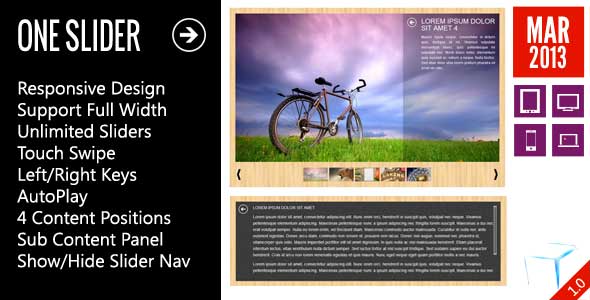
    OneSlider – Responsive Slider With Interactive Content

    OneSlider jQuery

    OneMenu – Responsive Metro UI Menu

    OneMenu - Responsive Metro UI Menu

    OpenPanel – Open Unlimited Panel Any Where

    Open Unlimited Responsive Panel Any Where

    ScreenSlider – Responsive Touch Presentation

    ScreenSlider-Responsive-Touch-Presentation

    MetroBox – Responsive LightBox

    Metro Tab jQuery

    Metro Tabs jQuery

    Download OpenMes – Open Messages With Animation Effects (Images and Media)

    Login and Signup Android Kit (Frameworks and Libraries)

    Login & Signup Android Kit is a android source code that let the developer to automatize the sign up and log in the user into their app. Signup and Login Android kit uses a MySQL database.

    Login & signup Android Kit uses HTTP or HTTPS protocols. PHP backend is provided to manage de users. All passwords are salted and hashed. User account is blocked for two hours if six wrong passwords are given.

    Login & Signup Android Kit includes “home”, “About of”, “Login”, “Signup” and “login sucessful” screen layouts highly custumizable.

    PHP back-end is highly customizable to let the developer chage the logic in the way he likes.

    Download Login and Signup Android Kit (Frameworks and Libraries)

    Easy Social Metrics Pro for WordPress (Social Networking)

    \

    Easy Social Metrics Pro is the Most Complete Social Metrics and Analytics
    plugin for WordPress that allows you to monitor how your content
    performs
    on major social networks
    . Easy Social Metrics Pro is designed to give you the information you
    need without unnecessarily complicating things. Easy Social Metrics Pro is made simple so
    you can deal with it even if you are absolute beginner.

    Easy Social Metrics Pro comes with build-in widget to display your top social posts with advanced customization options (take a look at Top Social Posts Widget display on our demo site).

    Easy Social Metrics Pro supports:

    • Facebook
    • Google+
    • Twitter
    • LinkedIn
    • StumbleUpon
    • Pinterest
    • Reddit
    • Vkontakte
    • Odnoklassniki
    • ManageWP.org
    • Xing
    • Buffer

    Did You Know How Important Can Be Social Metrics And Why You Need Easy Social Metrics Pro?

    Social media directly impacts your business’s search engine optimization efforts and search engines influence your social media presence.

    Social Shares Are the New Form of Link Building

    Link building has always been an important factor taken into consideration by search engines to determine whether other websites across the web deemed your website to be a quality source of information. For years businesses would apply various link building tactics both credible and illegitimate to garner more links to their website to gain higher rankings.

    Today, links are mainly achieved through developing original content that is in turn, shared across social media. Links to your content on Facebook, Twitter, LinkedIn, Google+ and other social networks help the search engines understand what websites are credible and should be ranked for what keyword phrases.

    For instance, a link that is tweeted many times as opposed to a link that was never tweeted, will have higher visibility in search engines since it is assumed it is better content because many have decided to share it with their social networks. Be sure to share your most compelling content on social media to not only gain traffic from your audiences on each channel, but from search engines over time. In the end, engaging with real people is what social media helps you do on a daily basis giving you the opportunity to build the trust of your audience overtime and hopefully some love on their favorite social network.

    Social Shares Speed Up How Quickly Content Gets Indexed

    Again, content shared across social media is taken into consideration by search engines as indication of quality information that should be ranked accordingly. The more links a page on your website has, the quicker the search engines index this content in the rankings. Since social media can help influence the amount of links a piece of web content receives in a shorter period of time, it can often speed up the process of indexation of the content in search engines.

    Content that has been extensively tweeted about can cut indexation time by 50%, while reducing the time it takes Googlebot to find your content from 2 hours to 2 seconds. The speed at which your content is indexed is affected by many factors such as how many people tweeted the content, the influence of the people who tweeted the content, and the time frame in which this content was shared.

    Social Shares Increased Ranking of Your Domain

    Overtime the more content that is shared about your website across social media, the more rankings your website will receive across the major search engines. Each piece of content shared publicly on social media increases the authority of your domain as a whole, driving traffic and credibility for the long-term success of your business.

    Google appreciates when a website is updated with fresh and relevant content often, which is also true when it comes to your social media accounts. If the social media profiles associated with your website are active with frequent, quality updates then the search engines take into consideration that your business is authentic, engaged, and valuable to readers.

    When You How Important Is Your Social Media Presence Do You Know How To Measure It?

    We created Easy Social Metrics Pro to help you measure your social media presence!

    With Easy Social Metrics Pro, you are able to measure how each site’s social signals are performing. With easy to use dashboard and reports you will now what needs to be improved in your social media presence and celebrate increase in traffic and have more keywords ranked!

    How Easy Social Metrics Pro Work?

    Just select content type you wish to monitor and social networks you wish to have information for and you are ready. Once activated
    plugin collects current social media presence and start updating information once a day automatically (you have option for manual update). After initial collect of
    data is completed you will have a report of your social media presence for selected content that you monitor.

    After one more day you will have
    access to dynamic of your social media presence change. Easy Social Metrics Pro provide a easy to understand color value mark – the best value is marked in green and the worst value is marked in red and all you need is to take action to turn reds into greens – it is very simple how you can increase social media presence and directly affect your SEO.

    Easy Social Metrics Pro provides you information for:

    • Full content social media presence with detailed information by social network and option to filter and sort
    • Detailed page/post period report by dates and social networks (report can be shown after enough data is collected since initial plugin activation)
    • Detailed period report by dates and social networks with detailed single date report (report can be shown after enough data is collected since initial plugin activation)
    • Simple and powerful dashboard to view current social presence dynamic
    • Top Social Posts Widget with advanced customization options to every aspect of data that is displayed on screen.

    All date and detailed reports requires data collected by Easy Social Metrics Pro. You will view dynamic or increase in this reports after at least 2 date updates are made after automatic update is activated.

    Download Easy Social Metrics Pro for WordPress (Social Networking)