SocialKit iOS App (Full Applications)

This APP is dedicated to SocialKit – Social Networking Platform

upload ALBUM upload AVATAR upload COVER

Support: We provide support within the comments section. So when you have questions, we’re here to answer. So let’s get the new top list app code!

How to Setup:

A. Quick Setup

There is no setup. Just open the My Social.xcodeproj and you will be on your way. 1 prerequisite is that you have XCode min version 6.1.1 installed one you mac.

B. Basic Configuration

1. Open My Social.xcodeproj • Change CFBundleIdentifier “com.iMadeLab.” to your app name ID (example: com.YouGame.)

2. Open ViewController.swift
• Change url
let url = “http://follow.demo.socialkit.net”
to your server url

3. That’s All And Done

C. Ready Submit to Appstore

Download SocialKit iOS App (Full Applications)

Chandra – Admin UI Kit (Bootstrap)

Chandra admin template is beautifully crafted admin template for back end applications.

It comes with both HTML and PHP versions

You can use it for any for any language like PHP, ASP, JSP, perl, ruby etc…

Features

Built with Bootstrap 3.3.1

Valid HTML 5 and CSS 3

6 color schemes

Different layout options

Multi level menu

40+ pages included

100+ components used

Boxed & Full width versions available

Fully Responsive

Form Elements

  • Form Validations
  • Different form layouts
  • Enhanced select boxes
  • Masked inputs
  • Date picker
  • Date range picker
  • Switch buttons
  • Sliders
  • Multiupload
  • Autosize textareas

Updates

We committed to provide an update for every week for first 3 months to make it a solid product with following features (many more will be added with buyer suggestions)

  • Front End Template
  • Angular/Backbone version
  • Laravel Version with working users management, blogs, news etc
  • Multiple Dashboard variations

CREDITS

UIFACES – Beautiful profile pics

UnSplash – Beautiful free stock photos

Download Chandra – Admin UI Kit (Bootstrap)

Woocommerce gift registry (WooCommerce)

A)Introducing to Woocommerce gift registry – top

The Woocommerce gift registry is an module that allows customers to create gift registry
for wedding, birthday, baby gift registry on your store. After fulfilled information about gift registry
customer can add items in your store to his gift registry. Customer can share gift registry via Facebook, Twitter, Google plus
and email to friends. Friends follows links and buy gifts for gift registry’s owner.
The plugin can send notification email about the gift order.
woocommerce gift registry flow
.

Features

The Woocommerce product label plugin includes a number of
features and benefits, perfect for your online store. Using this
WordPress plugin, you can efficiently:

  1. Customer can create /edit gift registry by enter registrant first name , lastname…
  2. Woocommerce gift registry module add link “Add to gift registry” below add to cart button
  3. Customer can add unlimited product on store to his gift registry.
  4. Customer can share his gift registry via Facebook, Twitter , Google plus
  5. Customer can use email form to invite friends to view gift registry and buy item
  6. Customer can manage/edit gift registry in my account page with ease
  7. Ability to send notification email after a gift giver buy products in gift registry
  8. Ability to automatically fill shipping address with registrant’ shipping address
  9. Ability to edit/ delete registry through admin panel

B) Guide to configure – top

You can access gift registry configuration by login in backend , click Woocommerce > Settings
then select Gift registry tab

Woocommerce gift registry module onfiguration page

Woocommerce gift registry module onfiguration page

All the configurable fields are self-explanatory

  1. Notify gift registry’s owner when someone buy gift : Check this checkbox to enable module send email to registry’s owner when someone buy gift. Note that it send email to the gift registry’s owner email
  2. Notify gift registrant when someone buy gift: Check this checkbox to enable module send email to registrant’s email when someone buy gift.
  3. Notify admin when someone buy gift :Check this checkbox to enable module send email to admin’s email when someone buy gift
  4. Email subject: You define notification email subject in this field
  5. Email content: You define notification email content here. You can use predefined variables {{buyer_name}},{{store_url}},{{store_name}},{{order_url}} ,{{order_items}}
  6. Not allow adding items to gift registry until fulfill shipping address: We highly recommend you check this checkbox.
  7. Social title: it will be used when customer share their gift registry
  8. Social textit: will be used when customer share their gift registry
  9. Social image url: will be used when customer share their gift registry. You enter a url of image here
  10. Share gift registry via facebook : check this to enable customer share gift registry via facebook
  11. Share gift registry via google plus: Enable this option allow gift registry’s owner share his gift registry via google plus
  12. Share gift registry via twitter:Enable this option allow gift registry’s owner share his gift registry via twitter
  13. Share gift registry via email: Enable this option allow gift registry’s owner share his gift registry via email

B)How customer use gift registry functionality – top

The module add a page name Gift registry to your website. You can
edit this page from admin panel to add information about your gift
registry program , policy …. but do not delete the short code in
this page. It will crash the functionality of module Gift registry page
Customer click on create gift registry, the module open my account page.
Gift registry add extra form in my account page , so customer can easy create /edit/manage gift registry

gift registry manage in my account page

Customer can enter the necessary information for his gift registry here.
After fulfilling the gift registry information and shipping address, customer can click on add to gift registry link on product page
to add items in his gift registry.
add items to gift registry

If customer has not fulfilled gift registry information and shipping address, he can not add the item in gift registry successfully.
He will see a notice after click add to gift registry link

Customer can easily manage his gift registry items in my account page
manage gift registry item in my account page

Customer can share his gift registry via Facebook or Twitter or Google plus from my account page.

If the customer clik on Email in share section. A form will appear to allow he
sending email. He will fulfill his friends email in the Recipient field.

The subject and content is automatically generated, he can edit these fields.
email share form

Example of received email
example of gift registry invited email

A friend can follow the shared link to view gift registry

public view of gift registry

Gift giver can enter quantity of item and click buy button.

After click buy button, he begins a session to buy gift for friends.
He can see this in cart page

gift giver cart page

He can view the gift registry that he are buying item for , or he can end gift giver session by click the link
on top of cart.
A giver goes through checkout process will see the page like this

gift giver checkout page
The shipping address is auto fulfilled with gift registry’s owner shipping address.

After an gift giver buy item, the module will send notification email to admin
and gift registry’s owner

and he will see the received item in his gift registry manage section.
\

C)How admin use gift registry functionality – top

Admin can view , delete, edit the gift registry from the gift registry panel


D) Road map – top

  1. Ability to change status active/in-active in admin panel
  2. Ability to let customer upload image for his gift registry
  3. Add search functionality for gift registry

If you have want the further features that is not supported in current version, do not hesitate to contact us.

Magenest

Download Woocommerce gift registry (WooCommerce)

Woo Bulk Product Reviews Import (WooCommerce)

Tired of seeing 0 reviews on your WooCommerce products?
This plugin will help you to add multiple reviews in one click. Simply create xml file with your reviews and ratings and hit Import…done is done!

Make your products look more competitive for your customers and google bot. Google will automatically crawl WooCommerce reviews and display it next to your product name in search.

You’re only 1 click away from getting more customers!

Download Woo Bulk Product Reviews Import (WooCommerce)

Pixel Zombies (HTML5 Game) (Games)

Pixel Zombies is a Zombie Smasher type arcade game.


Get it on Google Play

Features:

  • Mobile Optimized
  • 20 Levels
  • Pixelart
  • Ads Supported
  • Including Arts (PSD Files)
  • Autosave (Webstorage)
  • One Touch Control
  • Replayable Gameplay
  • Responsive
  • Playable in all platforms (Mobile, PC, etc.)
  • Including Constuct 2 file (.capx – all source)

-If you like the game and my support please don’t forget to rate. I really appreciate it.


 Follow Me

Download Pixel Zombies (HTML5 Game) (Games)

Picking Monkey Game With AdMob (Games)

About this game…

A bunch of bananas are hanged on the ropes. Even the monkey who is much talented in climbing seems to have no skill to cut the ropes. Let’s offer that poor monkey the bananas to the full by cutting the ropes.

The item is packed with AdMob template. You can exchange the AdMob Publish ID and make money only for you…

Please check out the demo.

Some Descriptions

  • This item is a java project on Eclipse. That project includes all resources of this game.
  • All the Image files and Sound files that included, you can use them in your other projects.
  • This item includes one game apk file.
  • This item includes two PSD files used making the resources of this game.
  • This item is very easy to reskin to other you want.

Features

  • Supports Android 2.1 onwards
  • Enable AdMob instantly
  • Uses cocos2d
  • 18 levles
  • Very funny

Download Picking Monkey Game With AdMob (Games)

Nimble Mermaid Game With AdMob (Games)

About this game…

There is a beautiful mermaid who travels under the wonderful sea. The talented mermaid goes on her way despite the offensive jellyfishes disturb her trip. Endlessly… endlessly…

The item is packed with AdMob template. You can exchange the AdMob Publish ID and make money only for you…

Please check out the demo.

Some Descriptions

  • This item is a java project on Eclipse. That project includes all resources of this game.
  • All the Image files and Sound files that included, you can use them in your other projects.
  • This item includes one game apk file.
  • This item includes three PSD files used making the resources of this game.
  • This item is very easy to reskin to other you want.

Features

  • Supports Android 2.1 onwards
  • Enable AdMob instantly
  • Uses cocos2d
  • Unlimited level
  • Very funny

Download Nimble Mermaid Game With AdMob (Games)

Corporate HTML5 Animated Banner 2 (Ad Templates)

edit html5 template in google web designer

This HTML5 Banner ad offers smooth and clean animation for you business campaign. It was made from Google Web Designer and can be published in Google Adwords with no hussle.

Note: Stock photo is not included.

Features:

  • 3 best high conversion sizes (728×90, 300×250, and 160×600).
  • Simple and easy to edit animation
  • Lightweight and fast to load
  • With Video Documentation
  • Compatible with Google Adwords and Doubleclick Studio

Download Corporate HTML5 Animated Banner 2 (Ad Templates)

Issue Master (Miscellaneous)

Issue Master is a WordPress plugin that provides bug tracking, issue tracking, and project management functions.

Issue Master allows to:

  • Enable effective and efficient collaboration on issue resolutions.
  • Assign responsibility and monitor progress from start to finish.
  • Define, categorize, tag and relate issues, projects, and members.
  • Deliver quick and easy access to the information needed.


    Features

    Easy Setup and Simple to Use

    After you install our plugin you will see our setup assistant which creates all the required pages, ready to use.

    Responsive Design

    Track issues and projects , anywhere , anytime , any device using the beautiful interface.

    Unlimited Projects / Unlimited Issues / Unlimited Members

    • Drag-and-drop admin interface for sorting, creating/saving complex filters, and ordering columns.
    • Contextual highlighting from issues.
    • Set issue priority, status, category, browsers and operating system and assign tags to better organize and categorize issue content.
    • Set project status and priority taxonomies.
    • Assign multiple issues to projects.
    • Projects may share issues.
    • Assign multiple members to projects.
    • Assign multiple issues to members.
    • Issues could be participated by many members such as test(qa) analyst, developer, business analyst, etc..

    Quick and Easy Issue Creation , Beautiful Twitter Bootstrap Forms

    User-friendly, ajax-enabled forms make it easy for people to quickly add issues. Create and search issues from backend and frontend.

    Custom Issue commenting system

    Custom commenting system separates issue comments from standard post/page comments. Issue Comments are displayed in a dedicated menu page in the admin area. In the frontend, threaded commenting is available and the latest comment is marked to better locate comment history.

    Custom Taxonomy Views for Issues, Projects and Members

    Custom taxonomy views are designed to better match all-around Issue Master user interface. Contextual coloring is used for priority taxonomy for faster finding of important issues.

    Role based content access Client and Manager areas

    Issue Master provides access to content based on a user’s role in your organization. A role defines a set of tasks a user is allowed to perform and is assigned to a user when he or she registers into the system.

    Project Managers can access all issues, projects and member profiles whereas Clients can only access to issues and projects assigned to or participated by them.

    Email Notifications

    Email notifications can be enabled/disabled or the email templates can be updated from the plugin specific settings page anytime. Builtin notifications are available for new issues and each comment addition.

    Sidebar and Dasboard Widgets

    The following sidebar and dasboard widgets are available.

    • Recent issues sidebar
    • Recent issue comments sidebar
    • Recent projects sidebar
    • Recent issues dashboard

    Translation Ready

    Issue Master can be translated into any language by editing issue-master-emd-plugins.pot and issue-master.pot files.

    Many more advanced features are available

    • File attachments for Issues.
    • Photo attachment for Members.
    • Import issues,projects and members from CSV.
    • Export existing issues, projects and members by creating a CSV file.
    • Settings Page with Glossary and Notification Setup.

    Check out Issue Master Demo and Documentation for details.

Download Issue Master (Miscellaneous)

CSS Gradient Generator (Miscellaneous)

This script allows you to create your own background with different shades of color compared to those of a color backgrounds usual boring and unprofessional.

Choose your favorite color and nuances of automatically will generate the CSS code that you’ll have to implement in your style sheet.

The script does not need database, but is installed in a simple and fast.

Support

For more support contact me for email via my profile.

Download CSS Gradient Generator (Miscellaneous)

WooCommerce View360 Gallery (Galleries)

Add 360 galleries anywhere you want – also to Your WooCommerce products.

Features:

  • 360 view and panorama
  • Woocommerce Integration
  • Drag and Drop Gallery builder
  • Mobile Gyroscope support
  • Mobile/touchpads support
  • no HTML knowledge required – easily create gallery with a costum made gallery
  • mobile devices ready
  • Speed settings
  • Auto Play Settings
  • Mouse wheel support
  • Custom actions to integrate in your own woocommerce templates
  • supports unlimited galleries
  • dedicated support team


Download WooCommerce View360 Gallery (Galleries)

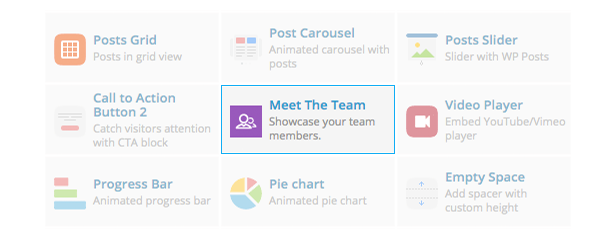
Meet the Team Shortcode for Visual Composer (Add-ons)

Try out Meet the Team in a live environment first before you buy

The Best Way for Your Site Visitors to Have Confidence on Your Team

Manage your team member profile pages using our Team Member custom post type, create multiple teams with our Team category / taxonomy, then list them down using in different layouts & designs.

Display your team in a grid or carousel, and in a vertical, horizontal or gallery design. We give you more power by allowing you to choose the styles and colors for your team gallery.

How to Use the Element

First, create your team members. Upload their photos & write up their profiles. Profiles are needed if you want visitors to read your team’s story.

Next, in any page that you have, just add a Meet the Team shortcode. That’s it!

Awesome Features

  • Create Team Member profiles,
  • Create Teams of members,
  • Add Twitter, Facebook, Google+ and Email icons on your team member listing,
  • Display a single or multiple members, or any number of specific members,
  • Display your team in vertical, horizontal and gallery designs,
  • Display your list in a responsive grid or responsive carousel,
  • Unlimited gallery overlay & font colors,
  • Easy to use shortcode,
  • Visual Composer Element included,
  • Well documented, and
  • Lightweight,
  • Cleanly coded in WordPress standards

Try out Meet the Team in a live environment first before you buy

Creating a WordPress Theme?

This is for you too! You can easily integrate Meet the Team inside your theme. Just create a single-team_member.php script in your theme to create specially formatted pages for team member profiles. More information on this from the documentation.

Having Trouble with the Plugin?

Head over to the support tab and check out the FAQs, or submit a support ticket!

Enjoying the Plugin?

Be sure to leave a rating and review and show us some love.

Check out Our Other Stuff

Video & Parallax Backgrounds For Visual Composer

CSS Animator add-on for Visual Composer

4k Icons add-on for Visual Composer

Updates

Version 1.0

* Initial release

Download Meet the Team Shortcode for Visual Composer (Add-ons)