Total Donations (WordPress)

Total Donations is an easy-to-use but powerful WordPress plugin for accepting donations online. Your donors can quickly contribute to your organization using an easy-to-use donation form while the administrative panels allow you to manage your progress bars, campaigns and tasks with ease.

View the Demo Here

An Example Usage

View the Documentation Here

Its features include:

  • Paypal payments
  • Easy Recurring Donations
  • Built-in Widget Progress Bar
  • Multi Email Notifications
  • Automatic Honoree and Thank you Emails
  • Drag and Drop Customize Donation Form
  • Customize Progress Bar
  • Report Tables
  • Add Offline Donation
  • Supports Multiple currencies
  • Export Report Data
  • Clean easy to use Ajax user interface
  • Responsive Design so you can check your donations on the go
  • Advanced Data Query Filters
  • FEC Compliant

Built with a focus on productivity and ease-of-use, Total Donations’ aim is to streamline both front-end and back-office tasks for your non-profit, church or political organization.

Download Total Donations (WordPress)

Authorize.Net Advanced Payment Terminal (Shopping Carts)

Description

Quickly and easily accept payments on your website using Authorize.Net and PayPal Standard. You can accept one time payments, recurring payments, and even create and send simple invoices that can be paid using the payment terminal. There is also a secure admin page where you can view and manage all of your payments, subscriptions, items, invoices, settings, etc.

Requirements

  • PHP 5.2 or higher
  • MySQL Database
  • cURL must be enabled (This is most likely already enabled on your server, but you can contact your hosting provider if you are unsure)
  • PDO must be enabled (This is most likely already enabled on your server, but you can contact your hosting provider if you are unsure)
  • SSL certificate installed (in order to process live transactions)
  • Authorize.Net merchant account

Features

  • Accept one time payments as well as recurring payments (subscriptions).
  • Specify the terms for recurring payments, such as length and interval, in the admin area.
  • Offer a free trial on subscriptions and specify the length of the trial in the admin area.
  • Customers can view and manage their own subscriptions online.
  • Create and send simple invoices that customers can view and pay online.
  • Multiple currency options make it easy to accept payments in your desired currency.
  • Accept all major credit cards directly on your website using your Authorize.Net account.
  • Accept payments through PayPal Standard. (enable/disable in admin)
  • Fully responsive design works and looks great on desktops, tablets and smartphones.
  • View and manage all payments and subscriptions in the secure admin area.
  • Allow customers to enter in a custom payment amount or show a list of pre-defined items for sale.
  • Generate unique URLs that allow you to have an item pre-selected on the payment page.
  • View and manage your items for sale in the secure admin area.
  • Option to show or hide the billing address fields. (enable/disable in admin)
  • Option to show or hide the payment description field. (enable/disable in admin)
  • Automaticly redirect non-http requests to https. (enable/disable in admin)
  • Intuitive javascript form validation and server-side validations.
  • Automatic credit card type guesser for a slick, intuitive user experience.
  • Email notifications for payments, subscriptions, and subscription cancellations are sent to the customer and the administrator.
  • Easily switch between production and sandbox environments in the admin area.
  • Fast one page installation wizard makes getting started extremely easy.
  • Built with modern technologies and resources while maintaining the highest quality standards.

Demo

Frontend
URL: http://demo.devinlewis.com/authorize-net-terminal/
Test Credit Card: 4111-1111-1111-1111, any future expiration, any 3 digit CVV

Admin
URL: http://demo.devinlewis.com/authorize-net-terminal/admin.php
Username: admin
Password: admin

Support/Installation

Please see the “Support” tab at the top of this page to see our support policies.
FREE installation is avaialable for this item. Contact us after purchasing to learn more.

Changelog

v1.0 – January 5th, 2015

  • Initial release

Download Authorize.Net Advanced Payment Terminal (Shopping Carts)

Blog Manager for WordPress (Galleries)


\\

Present your Blog posts in so many ways

Sometimes WordPress themes come with very limited blog options in terms of layout variation, styling options, content re-arrangement, etc.

Blog Manager for WordPress adds tons of blog functionality to your WordPress based website.

Create as many blog post lists as you like. This plugin comes with over 20 templates to choose from. Select list content, modify layout and style your list to get the content and the look you want. Place your lists anywhere in your site by using the list’s shortcode or a widget.

Over 20 templates to choose from!

Either use the default settings for each template or modify the whole list however you want.

  • Grid – Blog 1 column, 2 columns, 3 columns, 4 columns
  • Image left – Blog 1 column, 2 columns
  • Image right – Blog 1 column, 2 columns
  • Newspaper – Blog 2 column, 2 columns, 3 columns
  • Time line
  • Widget style – image left, image right, image top
  • Slider
  • Carousel – 3 columns, 4 columns, 5 columns
  • Carousel Widget style – 2 columns, 3 columns, 4 columns
  • Over 15 hover styles to choose from!

    Select a hover style for the images in each individual blog posts list you create. The Blog Manger plugin comes with over 15 hover styles to choose form.

    Select and re-arrange list item’s content

    For each blog posts list you can choose to show or hide the following content. You can also re-arrange it. It is all drag and drop, easy!

  • Title
  • Media
  • Media type icon
  • Meta data
  • Excerpt text
  • Continue reading
  • Social media icons
  • Another drag and drop interface will allow you to select what part of Meta data you want to show for a specific list. Data can be re-arranged too.

    Media Types

    Select media types for your blog posts

  • Image
  • Slider
  • Youtube
  • Vimeo
  • Soundcloud
  • Options when you create Blog Posts Lists

    Most of the settings have defaults so you can create lists within just a few minutes.

  • Select the posts for your list – categories, tags, authors
  • Choose template
  • Select and re-arrange list content
  • Select list options – order, pagination, link clicks, popups , excerpt length, hover style and much more.
  • Style your list – easy interface and custom css styling.
  • Add a list in your site

    Once you have created a list you can add it everywhere in your site:

  • In page/post content area (WYSIWYG editor)
  • In template files
  • In a sidebar
  • Every list has a shortcode you can use to add the list in a page/post content area or in a template file by using the do_shortcode WordPress function. The plugin comes with a widget that can be used to add any blog posts list in a sidebar.

    Pagination, load more, infinite scroll

    Blog Manager for WordPress offers 3 types of pagination for your blog post lists:

  • Regular pagination
  • Load more button
  • Infinite scroll
  • Styling

    Style your list using the plugin options or custom CSS

  • Plugin options – style title, excerpt, continue reading, choose background or border for the items in your list
  • Custom CSS – each list has it’s unique CSS class
  • Interface and Performance optimizations

  • Fits well into the core WordPress design
  • Optimized performance for large WP installations
  • Building lists is separate in groups
  • Ajax based operations so you don’t have to wait on pages to refresh
  • Live preview
  • Theme Authors and Developers – ThemeForest or elsewhere

    Include this item in your themes and give your users tons of Blog functionality. All you need is 1 extended license for each theme you put on the market and permission from the author which you get by writing us: http://themeforest.net/user/OTWthemes#contact

    Translation/Localization

    This plugin comes Localization/Internationalization ready. It is following WordPress I18n standards. It can be easily translated or localized in other languages different than English.

    Updates

    If you have any suggestions on how to improve this item please let us know! We will seriously consider any suggestion and add it to item’s update list

    Ratings

    If you like this item please consider rating it as a way of supporting consistent improvements.
    Note: If you are rating below 5 stars, please contact us. We’ll try to do our best to assist or fix all your points of criticisms.

    Changelog

    Version 1.0 (05.01.2015)

    • Initial release

    Follow us on CodeCanyon
    RSS
    YouTube chanel
    Follow us on Twitter
    Find us on Facebook
    Google Plus

    Download Blog Manager for WordPress (Galleries)

    Improved Variable Product Attributes – WooCommerce (WooCommerce)

    itempage

    Improved Variable Product Attributes for WooCommerce

    Improved Variable Product Attributes for WooCommerce is a plugin that extends the default variable product attributes. Improve your customer product selection, setup your shop attribute styles and never show the Out of stock option. Check the demo at this link.

    Seamlessly integrated with the WooCommerce interface

    Improved Variable Product Attributes for WooCommerce installs itself into WooCommerce interface. Find its options in the WooCommerce > Settings > Variable Product Attributes.

    Never show Out of stock options again!

    Combine attributes and show in stock and out of stock variable products. Never shot the nasty Out of stock option. Force uses to always get the Add to cart button and therefor improve your shop performance. This plugin pays for itself!

    Customize shop attibutes

    Unlimited customization! 3 Plain Text styles including border, background and round, Thumbnails as attribute terms, Colors as attribute terms and even custom HTML for each attribute. Unlimited options!

    Attribute style and order manager

    Reorder your shop attributes on the single page. Use the drag and drop customization manager to customize your attributes!

    Easiest installation ever!

    As all plugin from the Improved series this one also installs itself seamlessly in the WooCommerce interface and overrides default settings on installation. It will feel like it was always there at the first place!

    Works with EVERY template!

    Use it with any template. 100% all templates are supported! Fits responsively into your shop theme style.

    CHECK THE DEMO AT THIS LINK!

    Download Improved Variable Product Attributes – WooCommerce (WooCommerce)

    SEO Ad Template (Ad Templates)

    This animated HTML5 Ad is perfect to advertise a SEO company, your advertising agency or any other web related business.

    It’s made with Google Web Designer and comes in 3 standard banner sizes:

    • 300×250 px
    • 300×600 px
    • 728×90 px

    Very easy to edit, replace placeholder text and images with your own. The detailed documentation will show you how to edit all the elements.

    FEATURES:

    • Clean Layout
    • 3 Standard Sizes
    • Easy to Edit
    • CSS3 / HTML5 Animations
    • PNG Graphics
    • Google Web Fonts (Ubuntu)

    Check the Video Preview to see it live!

    THE 3 ICONS ARE FREE – LINK FOR THE DOWNLOAD IS INCLUDED IN THE DOCUMENTATION FILE!

    Download SEO Ad Template (Ad Templates)

    Before & After Image Slider for Visual Composer (Sliders)

    Try out Before & After in a live environment first before you buy

    The Best Way to Add before / after Image Slider to Your Site

    Create an awesome slider over to showcase your before & after photos with this easy to use element shortcode.

    Trigger the before / after slider on mouse hover, click & drag or via a scroll bar. You can also add arrows or a colored split border.

    The plugin is hardware accelerated and responsive, and it will adjust depending on your screen size. What’s more awesome is that it works blazing fast in mobile devices and becomes a touch and drag slider.

    This plugin is perfect for showcasing:

    • Make up or make over before & after photos,
    • Before & after shots of landmarks and places,
    • Photography or design before & after screenshots,
    • Website before & after redesigns,
    • And many more.

    The most unique thing is that this slider isn’t your typical vertical only or horizontal only before/after slider. We support angular / diagonal splits, a first in before / after sliders.

    How to Use the Element

    Just create a Before and After element:

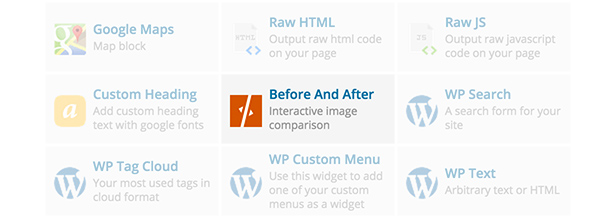
    Before & After Element in Visual Composer

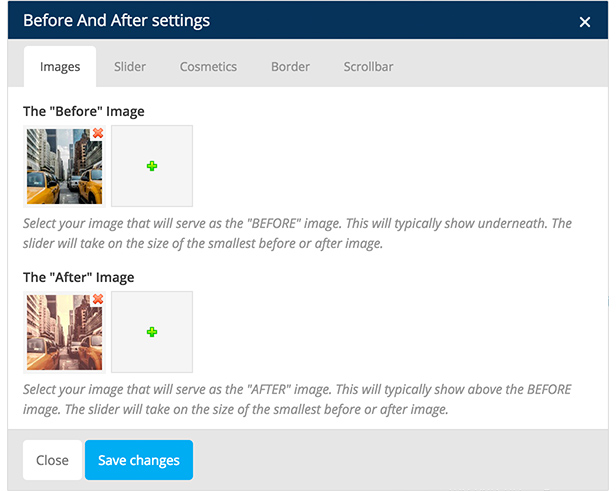
    Then in the settings, add a before photo and an after photo:

    Before & After settings

    That’s basically it. You can further change the settings to add a border, arrows and a scrollbar to your before/after slider.

    When checking out the before/after slider in touch devices, it’s automatically responsive and touch enabled. Best of all, the performance is fast in both iOS and Android devices.

    Awesome Features

    • Original vs new image comparisons,
    • Horizontal or Vertical splits,
    • Diagonal splits – a first in the industry,
    • Hardware accelerated speeds,
    • Responsive & touch enabled,
    • Customizeable border & arrow colors,
    • Scrollbars are available in the settings,
    • Easy to use shortcode,
    • Visual Composer Element included,
    • Well documented, and
    • Lightweight,
    • Cleanly coded in WordPress standards

    Try out Before & After in a live environment first before you buy

    To ThemeForest WP Theme Developers

    You can just include this item as a plugin which your customer can install and active along with your theme.

    If you want to include this item in your ThemeForest WordPress theme, please purchase an extended license and send me a message through my profile page.

    Live WordPress sandboxes are provided by the awesome WP Demo

    Having Trouble with the Plugin?

    Head over to the support tab and check out the FAQs, or submit a support ticket!

    Enjoying the Plugin?

    Be sure to leave a rating and review and show us some love.

    Check out Our Other Stuff

    Video & Parallax Backgrounds For Visual Composer

    CSS Animator add-on for Visual Composer

    4k Icons add-on for Visual Composer

    Updates

    Version 1.0

    * Initial release

    Download Before & After Image Slider for Visual Composer (Sliders)

    SwipeIt – Gallery HTML5 GWD Ad Banner (Ad Templates)

    Swipe able gallery Ad Banner is designed with Google Web Designer. And provided three most frequently used sizes in the market
    1. 160X600
    2. 300X250
    3. 728X90

    Perfect for your multipurpose offers and services. Attractive stage preview. Designed for Multipurpose Uses. Suitable for any kind of business.

    And the design of the ad banner is very trendy and catchy to users

    All files are included for buyers to edit content easily.. buyers can modify content easily according to their requirement with Google Web Designer.

    Feel free to contact me. Thank you

    Download SwipeIt – Gallery HTML5 GWD Ad Banner (Ad Templates)

    Scramble Game With Admob (Games)

    Scramble is a simple game in which you need to sort the scrambled word to make a meaningful word. If you guess correct word, you will get positive score, otherwise you will get negative score. This project use Fragments. One AdFragment can be used in multiple layouts to display banner ads. Interstitial ads are also used.

    Features:
    • Supports Android 2.3.6+
    • Admob integrated (Interstetial Ads + Banner Ads)

    To view Demo APK visit,
    https://play.google.com/store/apps/details?id=com.patsatech.convertor

    Download Scramble Game With Admob (Games)

    JMedia – WP Media Organizer (Miscellaneous)

    About Plugin

    Everybody loves to make things well organized. But in WP medias isn’t much organized. With this plugin you can adds to use categories in the wordpress media library. And also help with this plugin you can insert gallery into WP page or post using category with custom JMedia button.

    Features

    • Manage categories from media items
    • Add gallery to Page or Post from media category
    • Filter on categories when viewing, adding, creating, deleting from media
    • Change the Media Category of multiple items at once with bulk actions
    • Filter on categories in the media library
    • Filter on categories when adding media to a post or page
    • Filter on categories when creating galleries in the media library
    • Add gallery into Page or Post using our premade custom tinyMCE button.
    • Free updates …

    Download JMedia – WP Media Organizer (Miscellaneous)

    Duck Shooter – HTML5 Game (Games)

    Play It Now!

    Duck Shooter is an Arcade HTML5 Game. Move the scope and shot the ducks before they fly away from the screen!
    Use Arrows Keys on Desktop or GUI buttons if you are playing on mobile devices.
    The ZIP package contains the game with 1024×768 resolution that scales PROPORTIONALLY to fit the current screen device
    The game is fully compatible with all most common mobile devices.
    WARNING:
    Sounds are enabled for mobile but we can’t grant full audio compatibility on all mobile devices due to some well-know issue between some mobile-browser and HTML5.
    So if you want to avoid sound loading, please read the documentation
    Sounds can’t be enabled for Windows Phone as this kind of device have unsolvable issues with <audio> and <video> tag.

    Game Screenshoot


     Follow Us

     Contact Us

    MORE GAMES

    Ultimate Swish

    Katana Fruits

    Kickups

    The Running Champion

    Drive Your Car

    Galactic War

    Flappy Purupuru

    Flappy Ball

    Gold Miner

    Roulette 3D

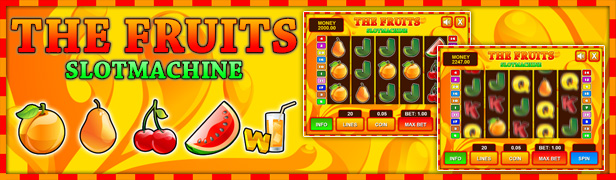
    Slot The Fruits

    Slot Ultimate Soccer

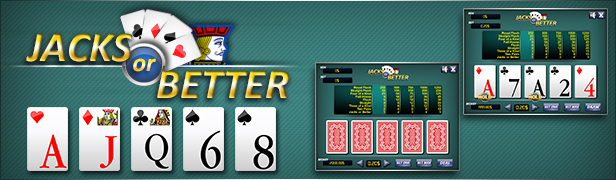
    Jacks or Better

    BlackJack

    All games

    Flag Counter

    Download Duck Shooter – HTML5 Game (Games)

    Tourism & Travel 2: Island HTML5 Ad Banner (Ad Templates)

    Tourism and Travel Ad Banner is designed with Google Web Designer. And provided three most frequently used sizes in the market
    1. 160X600
    2. 300X250
    3. 728X90

    Amazing snow fall animation banners perfect for your Tour Package offer.
    Designed for Multipurpose Travel Uses. Suitable for any kind of tourism business. Specially made for Tourism business.

    And the design of the ad banner is very trendy and catchy to users

    All files are included for buyers to edit content easily.. buyers can modify content easily according to their requirement with Google Web Designer.

    Feel free to contact me. Thank you

    Download Tourism & Travel 2: Island HTML5 Ad Banner (Ad Templates)

    PHP Soccer (Miscellaneous)

    PHP Soccer is a PHP class that allows you to easily generate soccer formations in your pages.

    If you have a website about soccer you can finally preview a match and show the possible lineups, review a match and visually represent the formations or talk about your perfect Real Madrid formation and get the opinions of your users.

    Basic Implementation

    With the Basic Implementation you will be able to create a generic soccer formation simply by adding the names of the players:

    //create an object of the PhpSoccer class
    $juventus = new PhpSoccer;
    
    //set the names of the eleven players
    $juventus->players = array('Buffon', 'Chiellini', 'Ogbonna', 'Bonucci', 'Asamoah', 'Marchisio', 'Pirlo', 'Vidal', 'Lichtsteiner', 'Morata', 'Tevez');
    
    //print the formation on the page
    echo $juventus->create();
    

    Advanced Implementation

    With the Advanced Implementation you will be able to create a soccer formation with a custom uniform for the goal keeper, custom uniforms for the standard players and a custom formation.

    //create an object of the PhpSoccer class
    $juventus= new PhpSoccer;
    
    //set the goal keeper uniform ( from 1 to 200 )
    $juventus->kuniform = 17;
    
    //set the standard player uniform ( from 1 to 200 )
    $juventus->puniform = 1;
    
    //set the formation, choose one of 11 formations: 4-4-2, 4-4-1-1, 4-3-3, 4-5-1, 3-4-3, 3-5-2, 3-5-1-1, 5-3-2, 5-4-1, 4-2-3-1, 4-4-2-D
    $juventus->formation = '3-5-2';
    
    //set the names of the 11 players
    $juventus->players = array('Buffon', 'Chiellini', 'Ogbonna', 'Bonucci', 'Asamoah', 'Marchisio', 'Pirlo', 'Vidal', 'Lichtsteiner', 'Morata', 'Tevez');
    
    //set the skin of the players ( w = white, b = black )
    $juventus->skin = array('w', 'w', 'b', 'w', 'b', 'w', 'w', 'w', 'w', 'w', 'w');
    
    //print the formation on the page
    echo $juventus->create();
    

    Create custom uniforms

    If you have Photoshop, with the PSD file included you will be able to create your own custom uniforms, watch the video below.

    Includes 200 different uniforms

    If you are without Photoshop or if you don’t have the time to create custom uniforms you can use the 200 included.

    Soccer Uniforms

    Includes the eleven most popular soccer formations

    By default you can select between these eleven popular formations and with a basic knowledge of PHP you will also be able to create you own formations. ( more information on how to create custom formations are available in the documentation )

    • 4-4-2
    • 4-4-1-1
    • 4-3-3
    • 4-5-1
    • 3-4-3
    • 3-5-2
    • 3-5-1-1
    • 5-3-2
    • 5-4-1
    • 4-2-3-1
    • 4-4-2-D ( 4-4-2 Diamond )

    Perfect for PHP beginners

    The PHP Soccer class is extremely easy to use and the documentation that comes with the product includes all the steps needed to install and use this script inside your website.

    Works great with desktop and mobile devices

    The soccer formations generated by PHP Soccer work great with both desktop and mobile devices and can be used inside both fixed and responsive themes.

    High quality design by Orange Box

    All the assets included in this product have been generated using the best soccer assets available in the market, The Soccer Set by Orange Box.

    The Soccer Set

    Requirements

    - PHP 5.x
    - jQuery 1.x or 2.x
    

    Are you a soccer fan?

    Create soccer standings with League Table for WordPress, one of the best-selling table plugins on CodeCanyon.

    League Table

    Download PHP Soccer (Miscellaneous)

    Winter Sale Shopping | HTML5 Banner Template (Ad Templates)

    Winter Sale shopping | HTML5 Banner Template is a beautiful set of animated banner templates for any shopping websites.

    Using Google web designer software you have the wide range of possibilities to edit this template according to your requirements.

    Features:

    • -3 standard sizes: -300×250 728×90 160×600
    • -HTML5/CSS3 effects;
    • -Easy to Edit;
    • -Google Web Fonts;
    • -Made with Google Web Designer;

    Package Includes

    • 3 HTML Ad template, ready to use
    • 3 PSD template
    • Easy to customize with Google Web Designer free software

    Download Winter Sale Shopping | HTML5 Banner Template (Ad Templates)