Gravity Forms Themes (Forms)

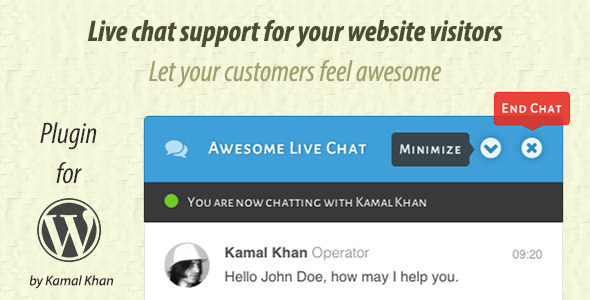
Gravity Forms Themes is a great plugin for those who need ready made themes for gravity forms.

Gravity Forms Themes comes with beautifully crafted 20 themes with the initial release and more themes will be released bi-weekly.

Styling your gravity forms has never easier, now you can simply set you FORM ID in the setting and choose the theme you like and it will automatically style your existing form with the chosen theme completely and you can include it anywhere on a post, page or a widget using our shortcode builder or widget builder, how awesome is that?

If you have any questions or problems, you can always email us at [email protected] and we will fix them for you in no time, we are really good at it.

Thank you for taking time and supporting us, if you like our plugin, please don’t forget to rate, Happy Styling.

Gravity Forms Themes

Download Gravity Forms Themes (Forms)

Optic Zoom – Realistic Glass Magnify jQuery Plugin (Images and Media)

Show your images with ultra-realitic zoom effect

Hover your mouse on image or touch it on touch devices to enable zoom mode. Magnifier has optic distraction effect to make it look more realitic and attract your guests.

Features

  • Realisitc optical distortion
  • Many styles of magnifier
  • Ultra easy initialization without any need to add css or js code
  • Easy customization with html attributes including:
    • Magnifier style
    • Zoom level
    • Magnifier size
    • and many more (described below)
  • Fully responsive
  • Touch enabled on mobile devices
  • Working on every modern browser
  • Click to zoom even more
  • Not changing anything on existing page – easy to add it to any type of page or shop

Download Optic Zoom – Realistic Glass Magnify jQuery Plugin (Images and Media)

Colorize Multipurpose HTML5 Ad (Ad Templates)

Colorize Multipurpose HTML5 Ad

It’s made with Google Web Designer and comes in 6 standard banner sizes:

  1. 180×150
  2. 300×250
  3. 300×600
  4. 728×90
  5. 160×600
  6. 468×60

Ad Features

  • CSS/HTML5 Animations
  • Replaceable Images
  • Built with Google Web Developer
  • Using Google Web Fonts
  • Easy to Integrate
  • Easy to Customize
  • Detailed Documentation

Please don’t forget to RATE

Download Colorize Multipurpose HTML5 Ad (Ad Templates)

StoryBook Template with Corona SDK (Mobile)

Overview

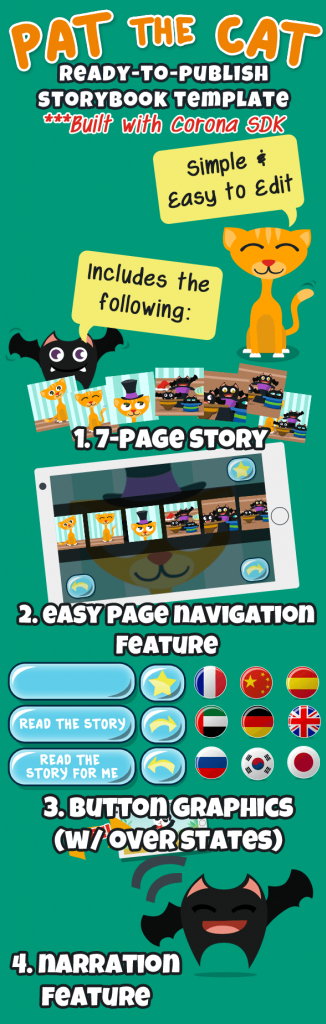
StoryBook Template is a template built using Corona SDK 2014.2511 and takes full advantage of composer and graphics 2.0. This template was built for non-coders and coders alike and is perfect for picture books, children books, learning books, or any type of book with photos.

This template features:

Page Transitions – a reader can go to the next page by swiping across the screen or pressing the left or right button.

Page Skip – a reader can skip to any page at any time by using the bookmark symbol on every page.

Unlimited Pages – you tell the template how many pages you want whether it’s 5 or 105.

Read to me – Does your story book have narration? Just set one variable to true, load in your audio files, and you’re all set! Don’t have audio files? No Problem! This template will convert (English only) your story to audio files. If your story is not in English, the documentation will walk you through on how to grab audio files from other services.

Language Support – Is your book in multiple languages? Just add the language to the template, and the reader will be shown a flag of their country of choice. Please note, this app will not auto translate your book for you.

Easy to Publish – If you’re not a coder, then this template is for you. At a minimum, you’ll need to change 1 line and that’s the number of pages your book has. If you are a code, the code comes well commented so you can make as many adjustments as you need.

Code – Clean and very well commented code.

Interface – Easy to use interface with big bold buttons and easy to swipe through pages
This template is available for any pricing plan of Corona: Starter and Up. Languages Supported are Chinese, English, Spanish, Arabic, Russian, French, Japanese, Korean, German, Turkish, Vietnamese, Italian, Polish, Dutch, Bengali. More available upon request.

2 Examples Ready

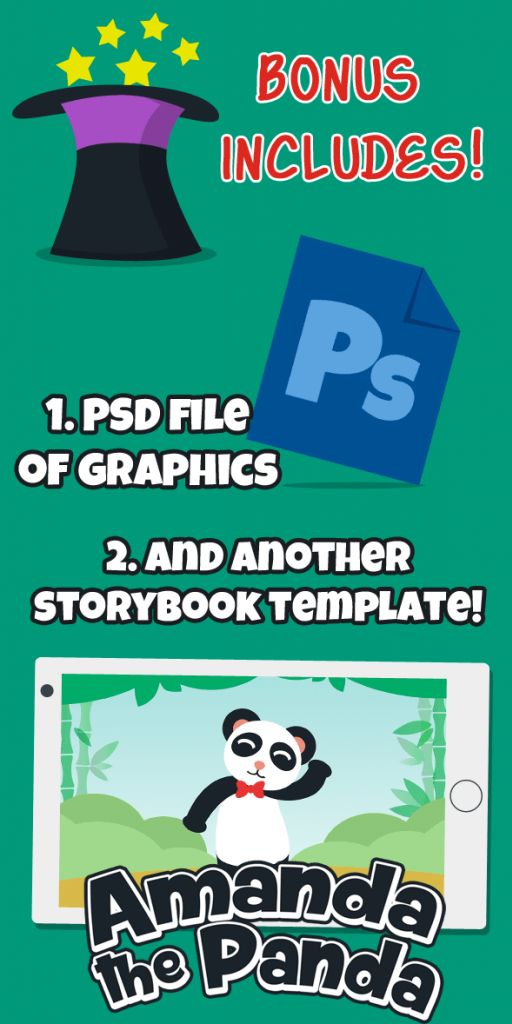
Learn by doing! This template offers 2 ready to publish templates that show you the full power of this app. The built-in stories of Pat the Cat and Amanda the Panda will show you how to utilize this app.

Both examples include the original PSD files so you can add on to the existing stories.

Download StoryBook Template with Corona SDK (Mobile)

Book Online Movies Tickets (Project Management Tools)

Book Online Movies Tickets


Book Tickets Online Movies is a PHP and MySQL application that is used to handle all transactions on the service provider cinema films, such as:

  1. Check the film that aired on this day.
  2. See the synopsis of the movie to watch.
  3. Place an order tickets online anywhere and anytime.

While the benefits of a software application or Book Online Movies Tickets are as follows:

  1. Users can order tickets online.
  2. Users can view the schedule of the film will be screened today.
  3. Users can see synopsis movie to watch first.
  4. Multi User: Administrator, Operator, and User.
  5. Administrators can create movie data, space, time slot, showtimes, and sell tickets directly.
  6. The operator can perform ticket sales directly or can help the user make booking tickets. In addition, the operator can see the history of ticket sales.
  7. Administrators can view reports ticket sales and see the financial statements.
  8. This software is equipped with a number of seating systems, for example if the seat number 1 already in the message it can not be booked again for space, showtimes and date.
  9. There are two prices for weekdays and weekends.
  10. Print admission.

Login as administrator

User : admin Password : demo1234

Download Book Online Movies Tickets (Project Management Tools)

PHP Recipe – PHP Functions Collection (45+) (Miscellaneous)

PHP Recipe is a HUGE collection of must have PHP functions, packed with more than 45 methods. It’s developed as a class with static methods, To make integration to your existing code-base super simple, Just drop it in and start using it immediately.

Methods:

  • Method to get Website Favicon
  • Method to get QRcode
  • Method to get File Extension
  • Method to get Gravatar
  • Method to get Twitter Share Count
  • Method to get Facebook Share Count
  • Method to get Facebook Likes Count
  • Method to get Google Plus Share Count
  • Method to get Pinterest Share Count
  • Method to get LinkedIn Share Count
  • Method to Create Link Tag
  • Method to Validate Email
  • Method to Validate URL
  • Method to read Rss Feeds
  • Method to convert Object To Array
  • Method to convert Array To Object
  • Method to convert HEX color code to RGB
  • Method to convert RGB to HEX color code
  • Method to Generate Random Password
  • Method to Encode text (simple)
  • Method to Decode text (simple)
  • Method to Check if request Is Https
  • Method to Check if request Is Ajax
  • Method to Check if Number is Odd
  • Method to Check if Number is Even
  • Method to Get Current URL
  • Method to Get Client IP
  • Method to Check if request Is Mobile
  • Method to Get client’s Browser
  • Method to Get client’s Location
  • Method to convert Number To Word
  • Method to convert Seconds To Text
  • Method to convert Minutes To Text
  • Method to convert Hours To Text
  • Method to Shorten String
  • Simplified Curl
  • Method to Expand Short Url
  • Method to Get Alexa Rank for URL
  • Method to Get Google PageRank for URL
  • Method to Get Tiny URL
  • Method to Get Keyword Suggestions From Google
  • Method to Search Wikipedia
  • Method to Build Notifications
  • Method to Auto Embed from youtube.com, blip.tv, vimeo.com, dailymotion.com, flickr.com, smugmug.com, hulu.com, revision3.com, wordpress.tv, funnyordie.com twitter.com, soundcloud.com, slideshare.net and instagram.com
  • Method to auto make Clickable Links
  • Method to Debug Variables

Download PHP Recipe – PHP Functions Collection (45+) (Miscellaneous)

Talking Dancing Cat Android App (Android)

Talking Dancing Cat Android App

Demo apk : https://www.dropbox.com/s/gx7vool7vb4iazy/TalkingDancingCat.apk?dl=0

About this product:
-This product is developed in eclipse SDK. You can do any customization with the code.
– You will create new app in few minutes if you have basic knowledge of java programming.
– App is integrated with admob. Admob will help you to earn revenue.

Features:

-splash screen.
-rate app.
-more app.
-share app.
-press on cat and talk anything,cat will reply in most funny voice.
-shake your phone to show dancing cat.
-Music and Sounds.
-easy to use.
-easy to customize the app.
-attractive UI
-Admob integrated.
-admob banner and intersitials ads.

What you will get :

– Full source code
– Step by Step documentation
– .apk file
– Screenshots.

Thanks.

Download Talking Dancing Cat Android App (Android)

Adv Opencart Recently Viewed Products (OpenCart)


Adv Opencart Recently Viewed Products

The extension shows recently viewed products by customer in a module. If there is no reviewed product, it shows the most popular products.

Demo

Main features

  • Detailed order page
  • Show or hide all parameters like addresses, order products etc.
  • Supports multi-language
  • User friendly
  • Easy to install
  • 6 mounts free support

Installation

  • Upload AdvOpencartRecentlyViewed.ocmod.zip file from Opencart extension installer page

Requirements

  • Opencart 2.x

Download Adv Opencart Recently Viewed Products (OpenCart)

Harmony – HTML5 Ad Template (Ad Templates)

These ads banners are best for your Matrimonial or Harmony websites. It is best for marketing of your online Matrimonial services. You can use it on Google Adwords and Google Dubble click for advertisement. These ads banners are designed using Google Web Designer tool. We have included all source codes. You can edit as your desires. You can edit by using Google Web Designer free tool.

Features:

1): 3 Stranded sizes included (300×250, 160×600, 300×600)

2): Fully customize able.

3): Created using Google Web Designer Tool.

4): HTML5/CSS3 Animated Banners

5): Source Code is included.

6): Well Documented.

7): Use Google Fonts.

If you need any help feel free to contact us by using our email.

Credits:

I've used the following image of Pixabay.com stock photos. Photo is not included, but link for photo download is included.

Female Cartoon Image

Please Rate us if you like our work.

Thanks!

Download Harmony – HTML5 Ad Template (Ad Templates)

Easy Responsive Product Slider Magento Extension (Magento Extensions)

Description

Easy Product Slider Magento extension enables store admin to show new,featured,most viewed,bestseller, or random products display on your Magento website in a vary handy and attractive way. Displaying products block on your site on either home page, category or product page will notify your visitors about the bestsellers, sale, offers, new or most reviewed products.A popular way to highlight items on your Magento site is to place them into slider with a products block.

With our extension you can easily manage Products Slider appearance. You can specify lots of options provided in admin panel for choose style of slider, number of products to display, navigation links, product title, product image, product price,compare link,buy now button and many more.

Extension Features:

  • Fully Responsive Slider, all device compatible
  • Easy to install and configure.
  • Choose what you’d like to show in slider and show/hide it easily – image, description, add to cart button, add to links, etc
  • Easy to install and customization for any type of Magento theme.
  • Setting up Title from the admin panel.
  • Siderbar position(left/right) setting in admin panel.
  • You can define number of products that you want to display in slider.
  • Display your Latest,Top Seller,Random,Most viewed or Featured products as slider.
  • All device working, no flash needed, fully based on Java Script.

How to Use Easy Responsive Product Slider?

For CMS pages you can use the following codes:
{{block type=”productslider/productsliderblock” name=”latest-product” template=”productslider/new-product.phtml”}}
{{block type=”productslider/productsliderblock” name=”feature-viewed” template=”productslider/feature-slider.phtml”}}
{{block type=”productslider/productsliderblock” name=”most-viewed” template=”productslider/most-viewed.phtml”}}
{{block type=”productslider/productsliderblock” name=”best_aff” template=”productslider/best-seller.phtml”}}
{{block type=”productslider/productsliderblock” name=”random-product” template=”productslider/random-product.phtml”}}

General Features

  • Easy installation
  • 100% open source
  • Meets Magento programming practices
  • Life time free updates

Installation

You can install extension by using Magento Connect, It allows you to install free as well paid Magento extensions. You can download extension zip from your order email, and follow the below instructions to install in to your Magento Store.

First you need to log into the Magento administrator area, and then go to System > Magento Connect > Magento Connect Manager. Here, login using the same login as for your Magento administrator area. Once logged in you will see two tabs: Extensions and Settings. In Extension Tab you can see a browse button, by which you can upload the extension zip you downloaded from your order email.

DEMO: http://demo5.vivacityinfotech.net/magento/index.php/easy-product-slider-magento-extension
Easy Product Slider by Vivacity InfoTech

NOTE:

Please logout and login back after installation of Extension, sometime Magento Cache having some issue.

Magento Versions Compatibility

Our Magento Testimonial Extension is compatible with Magento CE:
1.9.0.0, 1.8.1.0, 1.8.0.0, 1.7.0.2, 1.7.0.1, 1.7.0.0, 1.6.2.0, 1.6.1.0, 1.6.0.0, 1.5.1.0, 1.5.0.1

Version 1.0 - Jan 20, 2015
- 1. We have updated the CSS to display the border of Images.
- 2. Minor Bugs of CSS has been fixed, to support ul and li in the content.

Flag Counter

Download Easy Responsive Product Slider Magento Extension (Magento Extensions)

Vogue Spa – HTML5 Ad (Ad Templates)

Vogue HTML5 Ad

It’s made with Google Web Designer and comes in 3 standard banner sizes:

  1. 160×600
  2. 300×250
  3. 300×600

Ad Features

  • Ideal for Spa/Saloons
  • CSS/HTML5 Animations
  • Replaceable Images
  • Built with Google Web Developer
  • Using Google Web Fonts
  • Easy to Integrate
  • Easy to Customize
  • Detailed Documentation

Photo only for DEMO Purposes. Buy it from Photodune here : http://photodune.net/item/vogue-style-fashion-girl-with-trendy-caviar-black-manicure/6079240

Please don’t forget to RATE

Download Vogue Spa – HTML5 Ad (Ad Templates)

Mojdeh – WordPress eCard Solution (Add-ons)

Mojdeh is a WordPress plugin that converts galleries to a powerful greeting / eCard sending website. It’s based on the most popular WordPress gallery plugin NextGEN Gallery so far (we are planing to support more gallery plugins in next versions).
Background, Stamp, Audio/Music, Poem, Quote, Watermark text, Schedule, Multi Recipients and a lot more.

<< Credits at the end of the page >>


Full Features List:

MAIN FEATURES:

– Responsive Design
– Bootstrap 3 Framework
– Lightbox (Dialog box)
– WPML Compatible (WordPress Multilanguage)
– Live card Preview
– SMTP and phpmail support
– Dynamic Cards Images

USER FEATURES:

– eCard Background : User can choose a background for card page.
– eCard Audio/Music : User can select an audio or music for card.
– eCard Stamp : User can select a postage stamp for card.
– Watermark Text : User can input a text to add on the card image. (impossible to remove from card image)
—Watermark Text Font
—Watermark Text Size
—Watermark Text Possition
– Poem / Quote : User can select a famous quote or poetry for card.
– Message : This text will be on card image but it’s not a part of card image.
– User Uploads : Users can upload their own images to send as eCard.
– Multi Recipients : User can send an eCard to more than one recipients.
– eCard History : Users can see their sent eCards.
– Send a Copy : By selecting this option a exact copy of ecard will sent to sender email.
– Schedule : User can choose to send card immediately or choose a date & time.
– Preview : User can see a preview and edit it again before sending.

ADMIN FEATURES:

– Select Galleries : Admin can choose which galleries should be activated to use for eCards.
– WordPress Editor Button : Admin can add eCard galleries with a new button at WP editor.
– Shortcode Support : Admin also can add eCard galleries using shortcode.
– Max Recipients : Admin can set the maximum number of recipients or users.
– User Upload Size : Admin can set the maximum size of user uploads.
– eCards Customization : Admin can change the eCards title and contents. (advertisement for example)
—Tags : Admin can add some variables to Cards contents.
– eCard Statistics : Admin can see full eCards statistics.
– eCard Pieces : Admin can add or modify all eCard pieces to use by users. Backgrounds, Musics, Stamps, Poem, Quotes ..
– Detailed Documentations
– Support Center wth Tickets support
– Access to hand picked free graphics to use at site.
– Clean and Organized Codes to edit.
– User uploads : Admin can see all user uploads.
– eCards log : all cards that created.
– Sent log : Successful sent eCards
– SMTP Settings : Admin can set SMTP details (User/Pass/Ports)

Special Thanks to:
WordPress
NextGEN-Gallery.com
Scrollnav.com
FreePik.com
365psd.com

Credits:
Twitter Bootstrap
jQuery
moment
Bootstrap-select
colpick Color Picker
Bootstrap Datepicker
php mailer
SimpleImage
Simple PHP upload class
scrollNav.com .
Images and Vector Graphics designed by FreePik.com, or downloaded through FreePik.com from their partners.(365psd.com for example)
http://www.freepik.com/free-vector/abstract-cyan-polygonal-background_760784.htm
http://www.freepik.com/free-vector/arrow-labels-marketing-infography_716151.htm
http://www.freepik.com/free-vector/free-airplane-banner-vector-art_713527.htm
http://www.freepik.com/free-vector/paper-airplane-vector-design_714100.htm
http://www.freepik.com/free-vector/happy-valentines-day-with-hearts_760587.htm
http://www.freepik.com/free-vector/paper-airplanes-flying-seamless-pattern_757389.htm
http://www.freepik.com/free-vector/responsive-web-design-electronic-devices_713865.htm

– Mojdeh Social Pages –
https://www.facebook.com/mojdeh.ecard
https://twitter.com/cardplugin
https://www.linkedin.com/profile/view?id=393147750
https://plus.google.com/u/0/100750910982961437870
http://www.pinterest.com/cardplugin/
https://www.youtube.com/channel/UCkxMJqo1Kc9R-NyIVicobBg

Download Mojdeh – WordPress eCard Solution (Add-ons)

WooCommerce Gate2Shop Payment Gateway (Gateways)

This extension allows you to accept payments in WooCommerce via Gate2Shop.

Gate2Shop Provides online Payments to merchants worldwide helping them sell globally with the best conversion suited for the local users.

Features

  • Multi-Currency
  • Secure, Fast and Reliable Checkout Process.
  • Option to set Merchant Id.
  • Option to set Merchant Site Id.
  • Option to set Secret Key.
  • Option to set Item Name / Description.
  • Option to set Merchant Locale.
  • Option to set Your Success URL.
  • Option to set Your Cancel URL.
  • Option to set auto update order status after payment complete.
  • Accepts Major Credit Cards – Visa®, MasterCard®, American Express®, Discover®

Easy and Managable Extension Settings

  • Enabled – this setting will enable the gateway which will be used by customers to checkout.
  • Title – this setting will appear for the payments during checkout. this will be shown on the page- Order Received.
  • Description – this will appear under the setting – Title, during customer’s checkout.Please note that once environment is not “Production” a “Sandbox” notice will be shown.
  • Environment – this setting is used to post transactions to.
    You can either set this to:
    a) Production – if you are using Payment Gateway Production / Live Account
    b) Sandbox – if you are using Payment Gateway Sandbox / Test Account

Download WooCommerce Gate2Shop Payment Gateway (Gateways)

PHP Manga – Manga reader website solution (Images and Media)


What’s PHP Manga?

Are you planning to run an online manga (or manhua, manhwa, comics, komik) reader website with the easiest, fastest, friendliest and professional way?

We offer you our best solution, PHP Manga. PHP Manga, as its name, is a commercial php script developed by Huykhong based on PHP and built with WASD Framework. With this script, you can buy a manga reader site only in few blinks with our 5 minute installer (yes, 5 minute), you just have to create a database, fill in a form then GO, your site is ready for monetize! Other things that make PHP Manga on top of other competitors is Plugin and Theme system, do not limit your website with built-in feature, PHP Manga will provides you plugin and theme to make your website stays fresh, friendly and professional

Could I see it in action?

Yes, yes, of course. Here you are:
Front-end
Back-end (Admin dashboard) (Login credentials: admin/admin)

Why manga script?


What I need to make it work?

  • A license of this script :D
  • A computer with network connection
  • A php hosting
  • PHP version 5.3 or higher
  • One sql database on your host
  • 10 megabytes minimum free space on your host
  • file_get_contents available and enabled on your host

Download PHP Manga – Manga reader website solution (Images and Media)