This plugin allows your visitors to test their natural intelligence. The test is made up of 30 questions according to an international standardised test, which must all be answered within 30 minutes. All the questions are composed of graphical symbols and offer six possible answers, of which only one is correct. At the end of each test the user is informed of his/her approximate resulting IQ. As this measuring system is not standardised around the world, you can use the three most common testing versions using the British, European and American classification. The calculation is only approximate and the percentage deviation is up to 1.6%. The plugin is very resource efficient – all you need is around 10 MB of space on your hosting. The plugin is very easy to translate using the PoEdit software, which is commonly used for the WordPress system.
Category: code
download PHP, ASP.NET, Java and Javascript from CodeCanyon – the marketplace for code scripts and snippets.Javascript, Java, Program, Code, Snippet, Script, Dev, Development, Codebase, MySQL, Class, Widget, System, CMS
Popup Fire – Custom Popups for WordPress (WordPress)

Popup Fire
Popup Fire for WordPress is most effective way to convert visitors into subscribers. The Popup Fire plugin enables you to create custom designed optin forms without writing a single line of code.
Why You Need Popup Fire
- Convert website visitors into subscribers and buyers
- Target specific pages with different, relevant offers
- Double or triple your subscribers
- Build a massive email list for marketing purposes
- Test your promotions with A/B testing to optimize conversions
- Display custom popups on any page or post
- Increase your social engagement by gaining more followers
- Get visitors’ attention immediately
- Increase click-through rates to targeted pages
Templates Ready to Customize
We researched hundreds of popups and looked at all the metrics. Based on that extensive research, we were able to identify the most effective popup templates. Now you can choose any canvas template and have a custom popup running in just 60 seconds. Take a look at these templates.
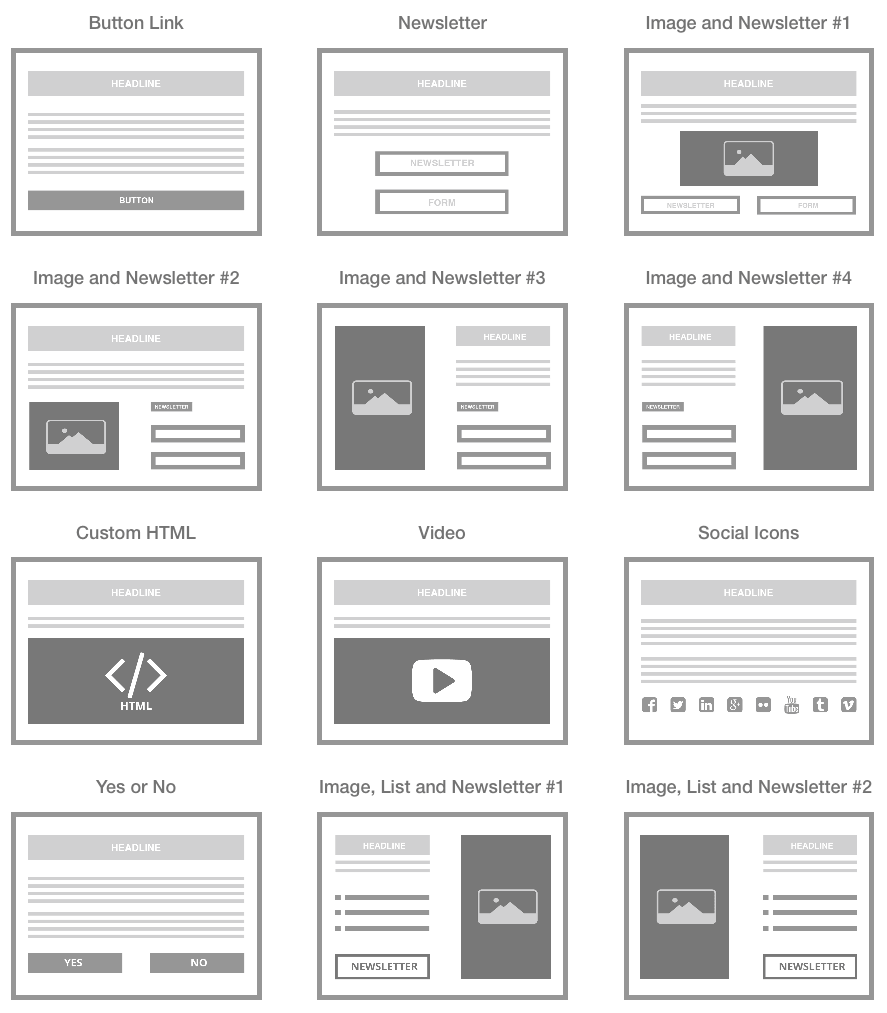
Schedule Popups / Automatic Expiration
You can schedule your popups to start and expire at a certain point. This lets you focus on your site rather than the administrative details of configuring popups for time-sensitive promotions or marketing campaigns.
Display Popups on Any Post, Category, Page, or Site-wide
Want custom popups based on a specific post or category? What about custom popup only for a specific tag or post type? Don’t fret because this plugin lets you select exactly where to display which popup.
A vs. B Testing
Similar to the other expensive options in the market, Popup Fire comes built in with A vs. B testing so that you can gather data on the best converting popups and continue to optimize. Data!
Popup Triggers
You can decide exactly when to show each popup giving you full control. Popups can be triggered based on the following:
- Timed Delay – set a short amount of time (i.e., 30 seconds) before a popup displays to the visitor
- Exit Intent – set a popup to display on when visitor is leaving the site
- Scrolling % – set a specific point on your page that visitor must scroll before the popup displays
Trigger by Referring Domain
Show a specific popup when a visitor comes from a specific domain. For example, if a visitor comes from Twitter, display a popup requesting they follow you on Twitter. WOW! Control!
Google Fonts Integration
Use any Google Font for your popup headline and body text. It’s ready!
Control Popup Styles
You can set the button color, background color, background image or pattern, and more.
Want More?
- Unlimited Popups: Create as many popups as you want.
- A/B Testing: Setup A/B testing campaigns and determine the optimal popup for your needs.
- Custom HTML: Use the HTML popup template and add any custom HTML you want.
- Use Shortcodes: Use any shortcode from another plugin inside the HTML template
- Ajax Form: Where appropriate, Popup Fire will use AJAX subscription form.
- Social Icons Supported: Link to your social accounts inside the social popup template
- Newsletter Services: MailChimp, Constant Contact, Aweber, Feedburner, and more coming soon. Don’t have a newsletter provider? No problem, just use the plugin to collect email addresses.
- CSV Export: If you use the plugin’s email collection, simply export all subscribers as a CSV file to be used with any newsletter systems.
- Different popup per page, post, custom post type: assign different popup per page, post or custom post type.
- Open Delay / Timed Delay: Trigger a popup with a timed delay setting.
- Exit Intent Trigger: Trigger any popup when user moves mouse pointer to the top of browser window.
- Page Scroll % Trigger: Trigger any popup to display when visitor scrolls down to a certain point on the page
- Pre-defined Popup Layouts: From 1 column to 2 column plugins, or video or more, we have a template for you.
- Popup Preview: Check our a preview of your popup right from the WP Dashboard.
- Responsive Design: Every template is responsive and will look right on a tablet or phone.
- Automatic Plugins Update: Receive plugin updates automatically like any other WordPress plugin.
- Easy to Install: Install and activate the plugin just as you would any other plugin.
Wait! Need More Reasons to Buy This Plugin?

Created by Experienced Webmasters
We work frequently with large, high-traffic fashion, tech, and gaming blogs and some are running this very plugin. It simply works!
We plan on adding more features to Popup Fire so don’t hesitate to purchase this premium plugin. If you have any issues, simply ask us on our support forum and we’ll handle it. Buy from trusted developers who stand behind their products.
SUPPORT: http://support.wpsite.net
If you want to see what else we’re up to, check out http://www.wpsite.net – And don’t forget to rate this item the 5-stars that it deserves.
Changelog
= 1.1.0 =
- Added two new templates

- Added actions hooks for before and after Heading and Footer
- Added support for oEmbed
- Added in a default image for all popups
- Added feature: Border color
- Added feature: Footer icon
- Added feature: Subscribe button icon
- Fixed styling bugs with images not being the correct size
- Fixed styling bugs with responsive layout
- Removed video.js library
- Cleaned up internal code
= 1.0.0 =
- Initial Release
Download Popup Fire – Custom Popups for WordPress (WordPress)
Meme Maker Plugin For Ninja Media Script (Add-ons)
Notice: This is an addon plugin for Ninja Media Script.
With this plugin you can enhance your existing “Ninja Media Script” with the functionality of MEME generator. This plugin enables a new tab of “meme” on the “upload” page. The meme generator comes with very advanced options.
Simply put the plugin folder into your plugins folder, activate the plugin from admin, and you are good to go.
Features:
- Add images from device
- Add unlimted “Text”
- Freehand drawing with pencil
- Draw circles
- Draw squares
- Single object selection
- Group objects selection
- Scale single/group objects
- Skew single/group objects
- Rotate single/group objects
- Change fill color
- Change background color
- much much more…
A new “meme” tab

A whole lot of advanced features


Download Meme Maker Plugin For Ninja Media Script (Add-ons)
2D Fighting Platformer Game Engine Capx (Games)
This Engine is a high quality 2D Fighting Game / Brawler Engine made with Scirra’s Construct 2. If purchased, you will get the full CAPX File, with all of the advertised game mechanics and the exclusive royalty free artwork. This high quality engine includes…
-A Smoothe Scrolling Camera System -High action 60 FPS Fighting / Combat System -Damage Particles on Collisions -Optimized Mouse / Keyboard and Full Gamepad Support -Challenging and Adaptive Enemy AI System -Projectiles, Melee Attacks, and More!
Download 2D Fighting Platformer Game Engine Capx (Games)
iTunesPortfolio – iOS8 Swift Project (Utilities)
With iTunesPortfolio you can showcase all your Apps on the App Store by simply adding your Name in the provided Settings File.
Everything is parsed in real time from the App Store API via JSON.
A custom image loader class caches all the icons and App Screenshots.
This Add On is prepared for all available Languages on the store.
Official App Store Badges in 37 Languages are included.
If the user uses your app in a language that isn´t supported by this script, it shows the english badge by default.
This Badges are vector graphics, so no worries about file sizes. Light weight and limitless scaleable.
Custom Transitions and Animations are also included.
User sees your list of Apps with App Icon, Localized App Name, Localized Category, Localized Price… can then tap on this List item and the area expands, shows then App Screenshots, App Description and a App Store Button that opens the local app store corresponding to the users local.
EVERYTHING is adjustable from within just ONE single Settings File.
Well Commented and clean structured.
Hide or show every single piece of information as you wish.
Entirely written in SWIFT and compatible to ALL available iOS Devices.
A MUST HAVE for every App Developer.
Download iTunesPortfolio – iOS8 Swift Project (Utilities)
SMS Sender (Project Management Tools)
Send sms from the web.
Full sms solution to send bulk sms to your contacts
- Create contacts
- Import contacts from excel
- Create groups
- Assign contact to several groups
- Send single sms
- Send bulk sms to group
- History & Log
- Easy configuration with Nexmo & Clickatel
- Connect to any SMS gateway with minimal configuration
Use demo / demo to checkout this great app
Download SMS Sender (Project Management Tools)
Advanced Domains and Hostings PRO (Project Management Tools)
Domains and Hostings Manager have now a PRO version. This mean you never forget to renew your domains and hostings accounts. Have many very useful and very easy to use powerful admin functions. Compatible with new TLDs. Can send SMS to over 200 countries thru TEXTMAGIC.COM gateway. You can set any other gateway, just adding api php line codes from wanted gateway, and set the login/pass/token on settings page. Auto extract and display whois info, name servers, expiration dates. CSV Impoert/Export databases. Print and Share by mail. etc…Just input domain name and email address. Thats it. Rest of job will be done by DHR PRO.
Download Advanced Domains and Hostings PRO (Project Management Tools)
adVideo Player – HTML5 Video Player with Ads (Media)
See demo from here: DEMO
adVideo Player – HTML5 Video Player main features:
- Advertising System
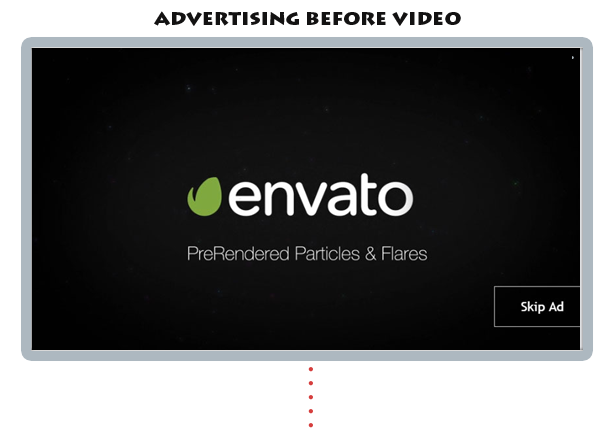
- You can show ad before video
- You can show ad in video like youtube
- Your ads can be adsense in video
- Only mp4 and m4v video supporting.
- Not need thumbnails. Its auto getting first second’s thumbnails
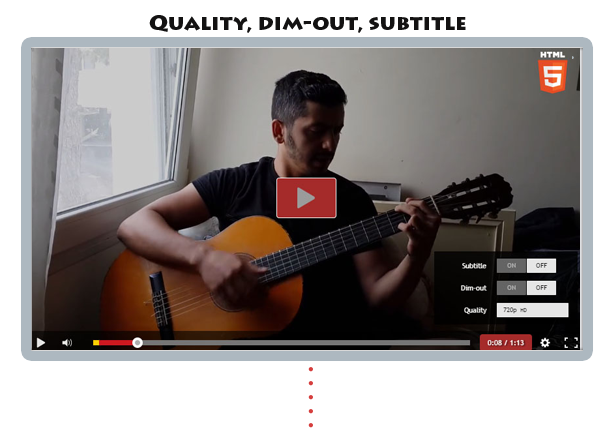
- The video player can play a HD video on desktop machines, this useful feature is optional, this means that the video player can play the same video source on all desktop machines.
- Optional custom watermark logo. The logo can be set to hide with the control bar or to always be visible, also the logo position is customizable.
- Optional watermark logo click. The logo can be set to open a window on click with a specific url.
- The video controls bar can be showed or hidden when the video is stopped or it hasn’t started.
- Click to play or pause, you can click on the video to play/pause the video.
- Start volume value.
- Optional keyboard support.
- Current and total time (optional).
- Volume button (optional).
- Loop buttons (optional).
- Fullscreen button (optional).
- Light button (optional).
- SUBTITLE plugin.
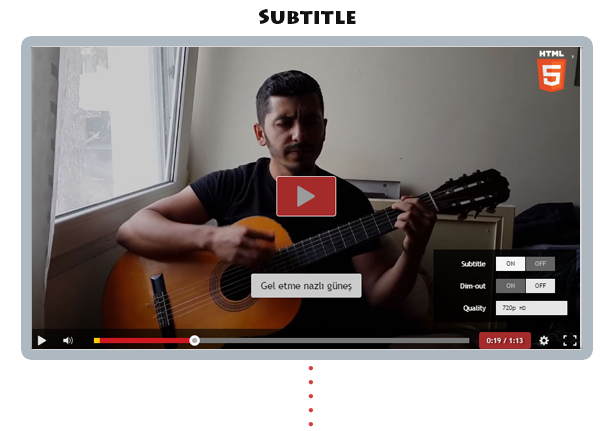
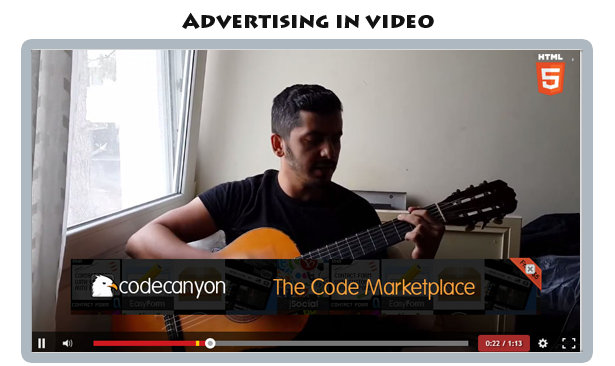
Download adVideo Player – HTML5 Video Player with Ads (Media)
RulesEngine (WordPress)
RulesEngine is a wordpress plugin used for defining rules for wordpress components such as Pages, Posts, Categories,
Themes, Widgets and URL Redirection.
RulesEngine follows “define once and use in many ways” strategy, which
enables admin to define the logical rule at once by using rule criteria such as User Role, User Profile, Mobile
Device, Tablet, Geo location, Date and Time, Request URL, Browser Type etc and uses them in defining the child rules
like Page, Post, Category, Theme, Widget and URL Redirection.
RulesEngine consists of a parent rule called the Logical
Rule and 6 child rules. Following are the list of child rules:
Click on the above links to know more about RulesEngine. In future releases many more rules are planned.
Click here for RulesEngine video tutorial.
Click here for RulesEngine demos.
A logical rule is defined by 9 different categories like User Role, User Profile, Pages, Posts Geo location etc, 21
subcategories like Email, Registered Date, Country, Date and Time etc and with 8 conditions like equals, not equal,
greater than etc.
Click here to view the complete list of
categories and subcategories.
Many more categories and subcategories are planned in future releases.
What we can solve using RuleEngine?
We can solve a very vast set of use cases using RuleEngine.
Watch Video Tutorials to know more about RulesEngine
Below are few commonly used use cases.
- Hide Pages/Posts/Categories/Widgets by User Role: Show or hide pages, posts, categories,
widgets for a specific user role.
- Hide Pages/Posts/Categories/Widgets from Guest User : Hide some pages, posts, categories,
widgets from Guest user.
- Simple Ad Manager: Page or Post rule defined with images will act like a simple Ad manager.
Using this rule we can use an Ad image with a logical rule defined with Date/Page/Geographic location etc to
show image Ad on respective Pages or Posts.
- Pages by Date and Time: Show special pages like “New Year” or “Christmas”
or “Year End Sales” discounts page and make them available for only few days or months.
- Pages by Geo Location: Hide or append information for request which are coming from a specific
geographic location country or continent.
- Restricted Pages: These page are available only authenticated users, guest users will be
redirected to login page.
- Show Greetings or Important messages: Using RulesEngine we can show greetings or important
message such as new year wishes or festival wishes or System downtime.
- Themes by Geo Location: Using RuleEngine, we can show a different Theme for a specific
geographic location country or continent then define a logical rule using “Geo Location” Criteria. This is
useful for theme is very useful for Middle East countries.
- Themes by Date and Time: Using RuleEngine, we can show a different Theme on special themes on
“New Year” or “Christmas” etc… , and these theme should
be available for only few days or months, in such cases define a Logical rule using “Date and
Time” criteria.
You can use Date, Time, Day of Week and Month sub criteria to further refine the rule.
- Theme for Guest User : Show a fancy theme for a Guest user(Not logged in User) and default
theme for logged in user.
- Themes by Device Type: Show a light weight theme for Mobile and Tablet devices and default
theme for desktop users.
- Themes by User Role: Show a different theme for a specific role.
- Redirect for Mobile Sites:Redirect to mobile sites
for requests coming from mobile or tablet devices.
- Redirect Secure Pages : We can configure Pages as Secure pages and these pages content will be
shown only for authenticated users. Guest users will be redirected to Login Page upon clicking on Secure Pages.
How we can solve a use case?
Below is the example of Pages By Role hiding of page for a user with “Subscriber Role”.
- We can define simple logical rule like role as Subscriber (see below screenshot)
- Below screenshot depicts how we can leverage a “Subscriber Rule” Logical rule for defining rules for Pages.
Below rule is used for hiding “Ad Manager” and “Contact Us” Pages for users with Subscriber role.


We can further use the same “Subscriber Role” logical rule to define other child rules (Posts, Categories, Theme etc).
Defining a complex rule.
- RulesEngine is very flexible for defining very complex logical rules using “AND” “OR” and “Brackets” operators.
(e.g: Role is Administrator and Country is USA and Month is January, Page is Home etc, see below sreenshots.)
See Logical rule section for more info.

RulesEngine also provides an utility method through which we can get the evaluated logical rule value in a single statement.
RulesEngine::is_rule_valid(“Logical Rule Name”);
if(RulesEngine::is_rule_valid("USA and Asia Rule")) {
    echo "Condition satisfied";
}
where "USA and Asia Rule" is the name of the Logical Rule.
RulesEngine makes code very easy to maintain. we can add or update values in rule condition without modifying code.
Below is the code representation of above complex logical Rule. This code is hard to maintain and
we need a developer to update the below logic.
if(($month === "January" || $month === "December") &&
    ($country === "United States" || $continent === "Asia") &&
    ($user_profile === $login_status || $user_role !== "Administrator") &&
    ($page_title === "home")) {

    echo "Condition satisfied";
}
Important Features
- Define simple rule like role as Administrator.
- Define complex rule using logical “AND” “OR” and “Brackets” . (e.g: like role is Administrator and Country is
USA and Month is January etc, see above sreenshots.)
See Logical rule section for more info. - Hide menus.
- Hide, show, append or replace content for Pages.
more info. - Hide, show, append or replace content for Posts.
more info. - Add dynamic content to Pages and Posts.
- Add dynamic images to Pages and Posts.
- Generate dynamic Shortcode for Page and Post rules, so that we can add dynamic
content/image at any desired location on Page or Post. - Show or Hide Categories.
more info. - Show or Hide Widgets.
more info. - Show a different Themes for users, roles or on a specific day or county etc. more info.
- Redirect to a different Page or Site.
more info. - Define a dynamic hook using Rules Engine which will be called by plugin once the rule is satisfied.
- Access the status of the Logical Rule using the utility method from your code.
<strong>RulesEngine::is_rule_valid("Rule Name");</strong> - User Friendly easy-to-use Ajax interface.
- Reduces development effort and easy to maintain
- Activate or Deactivate Parent Rule (Logical Rule) and Child rules (Page, Post, Theme Rules etc).
If Parent Rule is deactivated all the corresponding child rules will become inactive. - Easy to upgrade.
Download RulesEngine (WordPress)
MEMA-Meeting and Employee Management Application (Miscellaneous)
Demo Instructions
For Admin Portal:
Login URL: http://softvillagebd.com/mema/admin.php
User Name: admin
Password: admin.password
For Employee Portal:
Login URL: http://softvillagebd.com/mema/
Email:[email protected]
Password: employee.password


Full Features
-
Client Management System
- Add New Client
- Client Manage
-
Task Management
- All Tasks
- Add New Task
-
Employee Management
- Add New Employee
- View All Employee
- Manage Employee
-
Meeting Management
- View All Meeting
- Add New Meeting
- Create New Meeting Proposal
- Manage Meeting
- Manage Meeting Proposal
-
Support Tickets Management System
- Create New Ticket
- Create Support Department
- Support Ticket Manage
- Support Department Manage
- Message Replay Between Administrator and Employee
- Change Support Department
- Change Ticket Status ETC.
-
System Setup
- Add New Administrator
- Administrator Manage
- Email Templates Manage
- Customize You Company Information
-
Others
- Email Notifications
- Different Panel For Employee
- And Many More….
Download MEMA-Meeting and Employee Management Application (Miscellaneous)
Social Share top Bar AddOn – WordPress (Add-ons)





In the Future…
Social Share top Bar Addon is already in use on some of our regular clients websites and we know that the next think they want is to have a nice new features.
Requirements
If you want to use Social Share top BarAddon, all you need to install the main Plugin: Social Share&Locker Pro and you are ready to install the AddOn.
Other Items Release


Download Social Share top Bar AddOn – WordPress (Add-ons)
WordPress – Global Countdown (Advertising)

Countdown timer, for emails.
If you’re looking into a solution of creating scarcity for your customers, you’ve found it. Global Countdown is the easiest way to attach countdowns within your emails, in less than a few minutes.
Notable Features :
Flexible Page Timers, that works also for external websites
21 Unique Templates in 3 Versions, total 63
Human Readable Statistics
Evergreen Option
Dedicated Support
Regular Feature & Maintenance Updates
The process you can create using Global Countdown
1. Newsletter Countdown
You can attach a countdown in any emails you want, just after creating your campaign, this timer can be either an evergreen one, or a normal one.
You can chose one of our default 63 templates or you can create your own image timer template
2. Page Countdown
If you want to do it, you can enhance the process by adding a page timer to any page out there of any website you want.
You can chose one of our default 4 templates for your page timer, it works out of the box.
3. Enjoying The Statistics
You’re going to understand everything about your campaign, in just a few minutes. You’ll notice how many people have seen your image and they’ve clicked it.
You’ll understand the big picture easily and figure out if your campaign was a success or not.
Download WordPress – Global Countdown (Advertising)
Forest Runner With AdMob (Games)
This game is an endless runner. Just try to avoid forest creatures. Simple game, simple gameplay. Just tap upper part of the screen to jump, or tap bottom part of screen to roll. Try to achieve high scores and submit it to online leaderboards. This game is perfect for your killing time.
Check it on Google Play : https://play.google.com/store/apps/details?id=com.fairytaler.dangerousforest
There are two ads sytems integrated: AdMob interstitials and AdBuddiz. You can easily switch between them, by changing just one value in the source code.This project was build using LibGdx library, which means that it is resolution independent and highly portable to other platforms.
How to Setup and Reskin :
It is an Eclipse project. You can easily import project to Eclipse. All necessary libraries already included, but you need to install Google Play services manually (it is easy, just use SDK manager in Eclipse)
Download Forest Runner With AdMob (Games)
Awesome Pricing Table (Pricing Tables)
Summery
The Awesome Pricing Table is created using CSS and Only bootstrap 3. you can easily edit this pricing table as you need.
Features
- Cross browser pass
- Responsive design
- Three column design
- Bootstrap design
- Full Customizable
- 2 Table Styles
- Unlimited Color Versions
- 2 Ribbon Styles
Demo
Credits
Support
With purchasing the Awesome Pricing Table you will get first class support! Please feel free to contact me by email at any time if you run into problems.
You need to confirm your purchase from codecanyon.net to get any support.
Email Us: [email protected]
Download Awesome Pricing Table (Pricing Tables)
Visual Composer Add-on – Image Overlay & Flip Box (Add-ons)
Add Image Overlay and Flip Box in the Visual Composer. Give user the flexibility to display card related content, card content support text, image and icon.
Note: you can get this extension from Visual Composer Extensions All In One. You do not have to purchase again if you purchased the All In One package before. And it’s recommended to purchase the All In One package which will contain other extension in the future update:
Features
- Optional title and content.
- Optional display text with icon or image.
- Built-in icon picker after Visual Composer 4.4.
- Built-in color style option with custom color support
- Flip Box is responsive and retina ready.
- Flip transition support 2 directions.
- Flip Box avatar can be fixed on the top or on both sides.
- Flip Box: optional link for the whole element, optional back button, optioal card shape (rounded or square), optional border and style for the card, and much more.
- 11 built-in shape options in the Image Overlay element.
- Extend the Visual Composer, work fine with the VC in a theme or VC installed as a plugin.
- Compatible with latest jQuery and latest WordPress.
- Enqueue the js and css only when needed. Keep WordPress page size smaller.
- FAQ and source code are included in the package. Free update in the future.
Recommendation for you
Image Map HotSpot WordPress Plugin: