WhatsApp Sharing For Magento (Magento Extensions)

Instantly share and promote your online magento store products on popular social messenger whatsapp.

More and more users are using mobile phones to surf and to conduct on-line purchases. Most of them have WhatsApp installed.

WhatsApp acquired by FaceBook is used by more than 500 Million users and millions of groups. WhatsApp sharing can enable your product to be shared with thousands of friends, Family and Groups.

Along with product link it also shares Product price and Information.

Why WhatsApp sharing for magento ?

  • Most of the people spend more time on WhatsApp than any other social messenger, this means, there is a potential for brands to connect to a larger number of customers and get their product promotion ‘go viral’.
  • This Magento Extention might help to increase the number of feedback and reviews about the product as many people are using social messenger service like Whatsapp in day to day life.

Features

  • Share Product Link With Price And Description
  • Work On All Mobile Devices Having Whatsapp Installed
  • Just One touch sharing
  • Three Different Size Of Button
  • Easy Installation

Installation

  • Unzip extension file(Rp_WhatsApp_Sharing-0.1.0).
  • Upload the extension folder to your root folder.
  • Activate the extension from your administration panel.

CheckOut Our WordPress Version Here

Download WhatsApp Sharing For Magento (Magento Extensions)

Digi Packer and Movers – DPNM (PHP Scripts)

The Digi Packer and Movers is a platform that enables all kinds of packing and moving will be done on single click.This Packers and Movers application will be useful for all agencies who deals with house movers, office movers, furniture movers and at the same time will helps to manage all orders received from clients by booking any service like home relocation , office relocation , furniture removals or for any removals activities, this application also helps the agency to track orders every day and to execute it. Here agency have option to define all sorts of moving vehicles with respect to capacity of each vehicle and equal men and tools needed to move either Office, Home, Furniture or any thing from one location to other locations, some times we can use this application to move inter state removals as well. We offer great support and friendly help!

For more information try a demo

  1. Admin ( Email: [email protected], Pass: admin123 )

Admin Features

  • Beautifully organized dashboard
  • Current day bookings.
  • Overall bookings.
  • Bookings can be handled by just one click (Confirmation/Cancellation).
  • Notifications for Unread/Today bookings.
  • Add/Edit/Delete Services.
  • Dynamic front end pages.
  • Profile settings.
  • Testimonial settings.
  • Social network settings.
  • SEO Settings.
  • Email settings.
  • FAQ’S.
  • Multi language support.

Users Features

  • User friendly Interface.
  • Email support for booking status.
  • Get a quote form for Quotation
  • Request call back
  • Multi language support.

System Features

  • Easy Installatation
  • Get a quote
  • Request call back
  • Google locations for selected country
  • Email support for booking status.
  • Multi language support
  • Full featured admin panel
  • Awesome SEO Settings
  • Complete CMS for pages
  • Multi theme User Interface

Flag Counter

Download Digi Packer and Movers – DPNM (PHP Scripts)

Help Me! – Photo Questions & Answers Script (Miscellaneous)

Help Me! is not only a common script of questions and answers, but allows the user to insert the photo related to the problem. In this way the user can help more specifically to the problem posed by users.

How many times you say:

You can make a more detailed picture? This way I can help you assess and better.

Features

Full Authentication – The script provides the complete functionality for authentication: Log in, Sign up, Email Activation and Password Recover.

  • Social login with 11 different social networks
  • User Profiles
  • Add users as friends
  • Send private messages (chat) to friends added
  • You can add new languages (currently only English, Italian)
  • Responsive layout with Bootstrap
  • The user can delete your profile from your account (you can disable)
  • 6 different color schemes
  • Administrative panel to manage settings, users, comments, messages and questions.
  • Captcha
  • ADMIN USER

    admin / admin

    Server Requirements

  • PHP as low as 5.3.2, however some features will not be available.
  • If you have PHP < 5.3.7 you’ll have to disable BCrypt and use MD5 for password hashing.
  • The minimum recomended version of PHP is 5.3.7 or 5.4 if you want to enable Mailgun and Mandrill.
  • Download Help Me! – Photo Questions & Answers Script (Miscellaneous)

    UBER Google Maps for jQuery (Images and Media)


    UBER Google Maps for jQuery

    100+ Built-in Styles

    Uber Google Maps comes with more than 100 styles to choose from. Find the colors that match your website perfectly, or create a custom style with a third-party editor.

    Fullscreen Support

    Give your users the option to enter fullscreen mode. They will thank you for it!

    Localization

    Uber Google Maps supports more than 50 languages. Pretty much every language that is supported by the Google Maps API.

    Responsive

    If your site is responsive, you can’t go wrong with Uber Google Maps. It has an option to be responsive, or “flexible width”.

    Download UBER Google Maps for jQuery (Images and Media)

    EazeKart – BarCode Scan App for Shopping (Full Applications)

    Android Shopping BarCode Scanner App:

    – Create and Launch the complete Custom Mobile App for a shopping experience in a Shop or Catalogue.

    – Scan the items on your store either 1D or 2D Barcode /QR Code and add it to the cart.

    – Option for removing the items in the cart.

    – All the Items in the Cart can be pushed to the local Merchant Terminal. Developer has to Integrate with the Web Services of the Merchant/e-commerce for Accepting the Cart Items

    – Merchant needs to verify the items and generate bill from the terminal.

    – Supports the JSON format of Product Details, currently for showcased mock Data.

    – Option for Adding your own brand and Monetize the App.

    – Leverage the advantage of Android Material Design with beautiful Transitions, including the floating Action, layered transitions

    – App can Support for 8200+ Devices in play store and also Optimized for Tablet screens.

    – Launch your App and make a faster move for Market.

    – This is a disruptive App which can help the Business owners to scale down the Merchant terminals.

    – Business owners can start showing the offers on the App and improve the engagement.

    Full Source Code We provide full source code and also written comments on all code for understanding the code. Downloaded Package supports Android Platform SDK and V7 supports

    Demo Play Store URL:

    https://play.google.com/store/apps/details?id=com.eazekart.eazykart
    For Custom Integration and any specific requirements, Please shoot a email to [email protected]

    Download EazeKart – BarCode Scan App for Shopping (Full Applications)

    1 pic 1 word – With Admin Panel (Games)

    Word game is always a famous game with million of users around world.

    You can easy config, re-skin and submit to app store in a few minutes!

    It’s 100% approve by app store, just submit and 100% sure it will release

    Features Of Game:

  • Xcode with obj-C
  • iPhone, iPod
  • Support admob, iAD, start app (Banner and interstitial ads)
  • 64 bit already
  • Remind user by schedule
  • Add and edit by Admin panel
  • Add unlimited category and word
  • Game center
  • Rate app
  • In-App Purchase
  • PSD files included / Layer Mode
  • Sharing on Facebook
  • Demo:

    http://snipurl.me/otpa1

    You may interested


    Download 1 pic 1 word – With Admin Panel (Games)

    SR-Transition (Miscellaneous)

    SPECIAL INITIAL RELEASE PROMO – Share this on twitter with hashtag #SRTransition #envato and have chance to win this FREE! Limited Time Only.

    SR-Transition is a jQuery based script which allows smooth transitions from page to page within a website using your basic options of a circle shape mask or fade. The Goal behind creating this script was to achieve a great transition animation with ease of use and implementation.

    • Supports Form Submission – Through the options, you’re able to specify the selectors for submit buttons. This way, the transitions are handled via post.
    • Two Available Transitions – You have the option of choosing between a circle mask transition or a simple fade effect. The fade effect is more of a neutral transition which can be used with any theme or style.
    • Custom CSS Classes – Want or need a unique css property added to the view wrapper? Use the available options to add your custom class.
    • Unique Safari Mobile Support – Apple loves to set their own trends. On Safari mobile, when a user is scrolling down, you’ll notice the back and forward buttons tend to disappear. This creates a problem when displaying your content using height:100% & overflow:auto. So the script detects when you’re using Safari on a mobile device to include some special treatment.

    Requirements

    This script requires a server/virtual server including the listed dependencies below.

    Dependencies

    • jQuery – jQuery is a fast, small, and feature-rich JavaScript library. It makes things like HTML document traversal and manipulation, event handling, animation, and Ajax much simpler with an easy-to-use API that works across a multitude of browsers.
    • HistoryJS – History.js gracefully supports the HTML5 History/State APIs (pushState, replaceState, onPopState) in all browsers.
    • jQuery Color – jQuery plugin for color manipulation and animation support.

    Dependencies already included.

    Download SR-Transition (Miscellaneous)

    WP Anti Hack File Monitor (Miscellaneous)

    Watch the Video to see the plugin in action!

    Hackers are attacking the websites to modify it’s code and perform malicious activities. For example they likes to force the website to send spam e-mails.

    They modify the files so these actions are performed in the background.

    In some cases you won’t even notice that your website were hacked because it acts normally.

    This is why you need a file monitor – a script which can detect any file modification/creation/deletion.

    But having just a file monitor is not enough. You need to have all 3:

    Backup, Monitor, Notificator

    WP Acti Hack File Monitor has all of these 3. It creates a backup of your files, so you’ll be able to revert any changes. Thanks to very convenient file comparator, you’ll be able to read which lines were modified and how. You don’t need to login via FTP to see and analyze the changes.

    The plugin will notify you about changes via SMS or Email. It uses Twilio API to send the SMS messages. Since it’s a paid API, the plugin won’t waste your money on redundant notifications, because single file modification will generate just one sms/email. You can also setup daily limit of messages.

    If you don’t have an access to cron on your hosting panel, or you simple don’t know how to use it, the plugin has a “pseudo-cron” solution which will execute the file monitor once someone visits the website. You can of course setup the frequency of pseudo-cron.

    If you’re not interested in monitoring some parts of your website, like uploads or some particular plugins – you can easily exclude any file/catalog.

    Requirements:

    • Website based on WordPress
    • PHP at least 5.3 version
    • Zip Archive available
    • For larger websites – set_time_limit function turned on
    • At least 64mb of memory. This was enough to monitor 20mb website. Please remember that you can exclude uploads and other catalogs and focus the plugin to monitor theme files/plugins

    Download WP Anti Hack File Monitor (Miscellaneous)

    WordPress Pro Lightbox plugin (Galleries)


    FULL FEATURES LIST

    • Add unlimited number of lightboxes (even on one page)
    • Add unlimited number of content elements to one lightbox
    • Enable & disable lightboxes
    • Enable & disable content elements within lightbox
    • Preview lightbox from admin panel
    • Preview single element in lightbox from admin panel
    • Choose one of few styles
    • Choose one of few buttons
    • Choose one of few frames
    • Show content element name
    • Show content element description
    • Select transition type/easing/speed
    • Display thumbnails of all elements in lightbox for easier navigation
    • Choose thumbnails position
    • Choose one of 4 ways to display title and content
    • Force content element size
    • Enable fit to screen
    • Choose overlay color
    • Choose overlay opacity
    • Autoplay for slider function
    • Infinite loop for slider fucntion
    • Open all images in your WP in lightbox
    • Stats showing lightbox views in last month/half year and year
    • Monthly stats compared to previous month
    • Stats measure numberof times lightbox is opened but also engagement
    • 3 ways to add lightbox to page
      • Shortcode
      • DOM selector
      • on page load/leave
    • Support for many different content types
    • Sort content elements in lightbox with drag&drop
    • Responsive
    • Supports most broswers (Chrome, FireFox, IE 8+, Opera, Safari)
    • Display lightbox elements as grid
    • and a lot more…
    Adding different types of content

        
    3 ways of inserting lightbox to page

    SUPPORT

    Any request for support please submit using contact form on this page. Please keep in mind we are GMT+1 time zone. We will do our best to answer every request for suport in 24 hours (exluding weekends).
    If you will notice anything working not correctly, please let us know, so we can fix it.

    Changelog

    Verison: 1.0 (16.03.2015)

      Initial release

    Download WordPress Pro Lightbox plugin (Galleries)

    Magento Category Listing for WordPress (eCommerce)

    Magento Category Listing for WordPress allows you to use a simple shortcode to display a responsive, paginated category listing of Magento products within your WordPress content.

    The plugin comes with an easy-to-use shortcode generator, and allows you to modify a number of parameters, including columns, products-per-page, button colours, and much more; perfect for integrating seamlessly into your theme.

    Your Magento and WordPress websites should reside on the same server, but do not need to utilise the same domain name.

    Changelog

    v1.0.1 (19/03/2015)
    [fix] Autoload class error
    
    v1.0.0 (19/03/2015)
    Initial Release
    

    Download Magento Category Listing for WordPress (eCommerce)

    Fortin GCM Chat – Location, Group, Individual (Full Applications)

    Fortin GCM Chat is a native Android based Chat Application, It uses Google Cloud Messaging as its core feature, It is super easy to customize, Chat Instantly and Get Push Notifications of The Individual and Group Chats. Application also has Sign In From Facebook and Google Plus Feature which pulls out the information like profile picture, name from those social Networking sites. We are always happy to serve our customers with smiles :)

    It Features,

    •GCM Instant Messaging

    •Sign In with Facebook & Google

    •One To One Chat and Group Chat

    •Find Nearby People and start chatting

    •Local Chat History

    •Profile Pic from Facebook / Google Plus Sign In

    •User Status and User Profile

    •Unread Message Count

    •PHP Webservices with MySQL Database

    Please find the Demo APK Link,
    http://swiftomatics.in/demo-apk/FortinChat.apk

    Download Fortin GCM Chat – Location, Group, Individual (Full Applications)

    Photo Feed – Flow Gallery Exension (Images and Media)

    Flow Gallery jQuery plugin available here

    Photo Feed is an extension or add-on for the Flow Gallery jQuery plugin. This extension allows you to pull feeds from Flickr and Picasa in order to build your gallery. All the settings of the Flow Gallery plugin can be used with this extension.

    NOTE: you need to have the Flow Gallery plugin in order for this extension to work.
    The key features are:

    • Pull photos/videos from Flickr based on text search, tags, user ID, set, group, or collection.
    • Pull photos/videos from Picasa based on text search, user ID, album, or collection.
    • Sort items based on their post/upload date, as well as title.
    • Specify the size of the thumbnails and large images that are to be pulled.
    • Option to specify the number of albums/sets to show in a collection.
    • Item titles and descriptions are pulled from Flickr/Picasa.
    • Cache feed data for faster loading of gallery and prevent crossing API call limit.
    • All settings/options of the Flow Gallery jQuery plugin can be used.

    Configurable options are:

    • Choose between either – Flickr or Picasa feeds.
    • Items can be sorted, using the Sort menu, by their post/upload date, as well as titles.
    • Flickr feeds can be pulled based on text string, tags, user ID, set, group, or a collection.
    • Option to specify the number of items to pull from Flickr.
    • In case of a Flickr Collection you can choose to show all the albums/sets or a specific number.
    • You can choose how to sort the images that are pulled from Flickr, such as date of post, date taken, interestingness and relevance.
    • You can specify the thumbnail size and the large image size that are to be pulled from Flickr.
    • You also have the option to either pull photos, or videos or both.
    • Picasa feeds can be pulled based on text string, user ID, album or collection.
    • In case of a Picasa Collection you can choose to show all the albums or a specific number.
    • Option to specify the number of items to pull from Picasa.
    • You can specify the thumbnail size and the large image size that are to be pulled from Picasa.

    Special Notes

    • This is an extension for the Flow Gallery jQuery plugin, so you will need that plugin in order to use this extension.
    • In order to pull feeds from Flickr you will need to get a Flickr API Key.
    • Only public photos and videos are pulled from Flickr and Picasa.
    • If you have any query regarding any feature of this extension before purchasing then please post your query in the comments section and I will get back to you as soon as possible.

    More Items by CosmoCoder

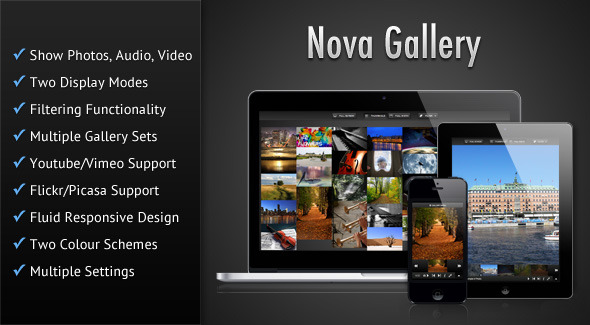
    Nova Gallery - Responsive HTML5 Multimedia Gallery

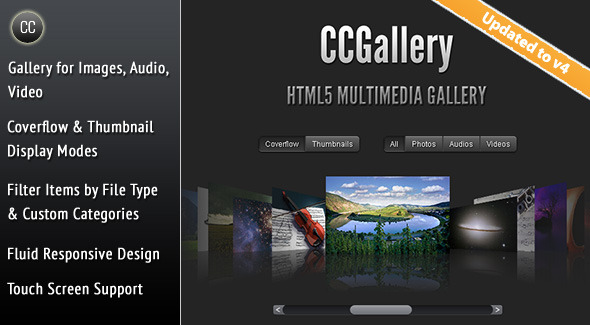
    CCGallery - HTML5 Multimedia Gallery

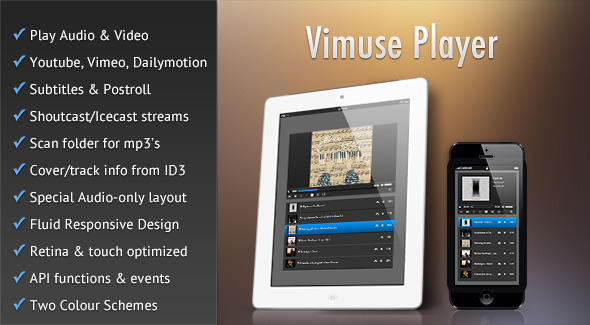
    Vimuse - HTML5 Media Player

    Download Photo Feed – Flow Gallery Exension (Images and Media)

    Custom Thank You Pages Per Product for WooCommerce (Marketing)

    The custom thank you page for WoCommerce lets you specify a custom thank you page per product. You can link to other WordPress pages or you can link to a custom URL outside of your website.

    – Link to WordPress Pages

    – Link to custom URL’s outside of your website

    – If your customer has multiple items in their cart, they will be redirected to the default WooCommerce page.

    Here are just a few ways you can use the Custom Thank You Page for WooCommerce:

    – Create upsell pages for individual products

    – Send new users of your membership site directly to their dashboard

    – Create a custom download page for products

    – Link to an affiliate website with the custom URL

    Download Custom Thank You Pages Per Product for WooCommerce (Marketing)