Online Skin/Cases Designer (Images and Media)

Online Device Skin and Case Creator Tool : An Introduction

Online Device Skin and Case Creator is a jQuery powered fully responsive online design software, incorporated with marvelous features to design/print a variety of products, including sign, greeting, labeling, photo frame, lettering, sticker and Skins. A plenty of remarkable features of this online product design tool enable the users to design & customize products exactly according to their needs. It can be used as online laptop design tool, online mobile case design tool to design creative & trendy products. Having the outstanding features to add image, text, logo and patterns, this online design tool further lets the user choose the best font, alignment, color and style from its wide library.

Enriched with flexible pricing setting, built-in SEO and cross-device compatibility facility, this t-shirt design tool is simple to install and setup, which allows the user to design any part of product according to their interests. It is a fully responsive laptop/case/CD/greeting card designer software, which makes the task of both (business owners and their customers) easy and render print-ready output in png, pdf & SVG format. This multipurpose skin design software is available with precise documentation, including online video tutorials & demos that will help you integrate this laptop skin design tool with your website in a hassle-free way.

Stunning Features of Online Device Skin and Case Creator Tool

  • Provides 3 ready to print or Direct to skin output files like svg, png and pdf
  • Use flexible pricing setting to set price on any of element such as color, pattern or text
  • Option of Google fonts can be enabled in online product customizer
  • JSON format enables to update products, fonts, pattern & more
  • Effects on images & pattern
  • User can upload their own images
  • Fully responsive & flexible product design tool
  • Vendors specified products.
  • Get smooth drag, slide, rotate and flip content functionality on tablets & smartphones as this online design tool is touch enabled
  • Share your creative design on Facebook, Twitter and email.
  • Products can be adorned with multiple colors & views
  • Drawing Area based designing which makes it best to generate output for Direct to Skin Printers
  • Simple to integrate on multiple platform
  • Great documentation
Server Requirement:

There are few important settings that must me enabled/installed on server:

  1. ioncube loader (You can see installation guide here https://www.digitalocean.com/community/tutorials/how-to-install-ioncube-loader)
  2. GD Library
  3. max upload file setting for multiple upload feature
  4. Writable permission to directories

Customer Appreciations  :) It means a lot:

Updates:

Version 1.0.0 – 24 March 15

- Published on Codecanyan

Awesome Friendly Support

If you have any questions related to this email marketing template, Feel free to email us at [email protected] or via our codecanyon.net user page contact form to get further information.


Download Online Skin/Cases Designer (Images and Media)

Custom Skin and Case Creator – Laptop | Mobile | Gaming Console (Images and Media)

Video Demonstration – Online Device Skin and Case Creator Tool

Watch Video on Youtube: Click Here

Online Device Skin and Case Creator Tool : An Introduction

Online Device Skin and Case Creator is a jQuery powered fully responsive online design software, incorporated with marvelous features to design/print a variety of products, including sign, greeting, labeling, photo frame, lettering, sticker and Skins. A plenty of remarkable features of this online product design tool enable the users to design & customize products exactly according to their needs. It can be used as online laptop design tool, online mobile case design tool to design creative & trendy products. Having the outstanding features to add image, text, logo and patterns, this online design tool further lets the user choose the best font, alignment, color and style from its wide library.

Enriched with flexible pricing setting, built-in SEO and cross-device compatibility facility, this t-shirt design tool is simple to install and setup, which allows the user to design any part of product according to their interests. It is a fully responsive laptop/case/CD/greeting card designer software, which makes the task of both (business owners and their customers) easy and render print-ready output in png, pdf & SVG format. This multipurpose skin design software is available with precise documentation, including online video tutorials & demos that will help you integrate this laptop skin design tool with your website in a hassle-free way.

Stunning Features of Online Device Skin and Case Creator Tool

  • Provides 3 ready to print or Direct to skin output files like svg, png and pdf
  • Use flexible pricing setting to set price on any of element such as color, pattern or text
  • Option of Google fonts can be enabled in online product customizer
  • JSON format enables to update products, fonts, pattern & more
  • Effects on images & pattern
  • User can upload their own images
  • Fully responsive & flexible product design tool
  • Vendors specified products.
  • Get smooth drag, slide, rotate and flip content functionality on tablets & smartphones as this online design tool is touch enabled
  • Share your creative design on Facebook, Twitter and email.
  • Products can be adorned with multiple colors & views
  • Drawing Area based designing which makes it best to generate output for Direct to Skin Printers
  • Simple to integrate on multiple platform
  • Great documentation
Server Requirement:

There are few important settings that must me enabled/installed on server:

  1. ioncube loader (You can see installation guide here https://www.digitalocean.com/community/tutorials/how-to-install-ioncube-loader)
  2. GD Library
  3. max upload file setting for multiple upload feature
  4. Writable permission to directories

Customer Appreciations  :) It means a lot:

Updates:

Version 1.0.0 – 24 March 15

- Published on Codecanyan

Awesome Friendly Support

If you have any questions related to this email marketing template, Feel free to email us at [email protected] or via our codecanyon.net user page contact form to get further information.


Download Custom Skin and Case Creator – Laptop | Mobile | Gaming Console (Images and Media)

WooCommerce Tailored Shirt Online (WooCommerce)


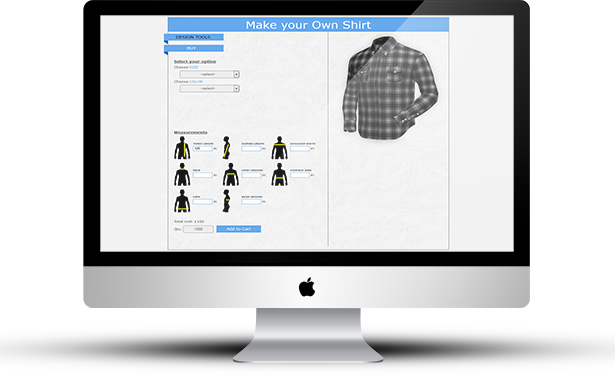
“WooCommerce Tailored Shirt Online” plugin is a WordPress Woo Commerce Plugin which is used to make or customize garments through online. You can create your own dress and have it tailored to your accurate measurements for a perfect fitting.

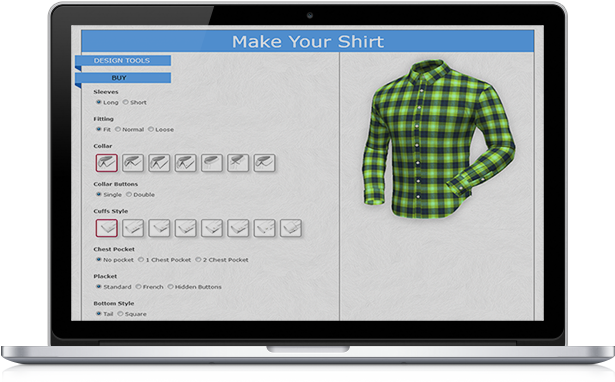
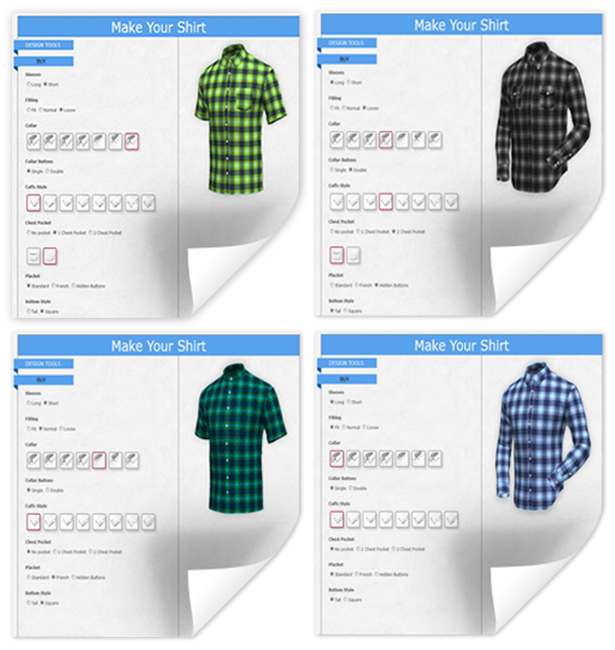
Design the garment yourself – Select your favorite fabrics then choose sleeves, fit, collar, collar button, cuffs style, chest pocket, placket, and bottom style.

“WooCommerce Tailored Shirt Online” plugin has a user-friendly interface that helps the user a potential tailoring experience.

“WooCommerce Tailored Shirt Online” plugin offers online customized tailoring for all types of user. This plugin is the complete tailoring solution that helps you to engage customers, boost your sales and revenues.

“WooCommerce Tailored Shirt Online” plugin has excellent features and very easy to install or setup. “WooCommerce Tailored Shirt Online” plugin is more flexible and compatible with many existing plugins in the WP repository. This Plugin is fully customizable. Users can easily configure the plugin into the new or existing WordPress WooCommerce sites.


  • Shoppers can easily customize garments through online.
  • Just chose a fabrics and start design.
  • Sleeves can be set for long or short.
  • Fit, normal and loose fit can be select.
  • Eight (8) types of collar can be select from design panel.
  • Collar buttons single/double option.
  • Seventeen (17) types of cuff style are available.
  • Different types of chest pocket can be select.
  • Different types of placket can be select.
  • Tail and square shaped bottom style is available.
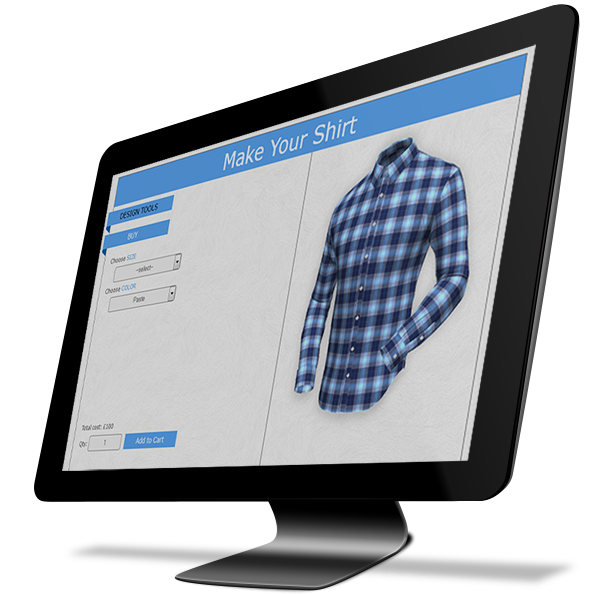
  • Shoppers can add to cart with quantity from design panel.
  • Design preview is available in cart page.

  • Enable or disable design panel for specific fabrics.
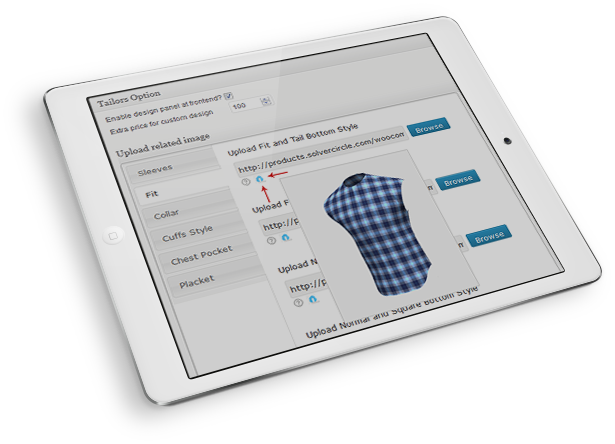
  • Extra price for custom design can be set from admin metabox area.
  • Multiple image upload option for Sleeves, fit, collar, cuffs style, chest pocket and placket.
  • Admin can view the customized products with details from WooCommerce > Orders > Order Details page.
  • Admin can print the design from order page.
  • You can change all text of design panel from admin settings.

For installation process and other information please view our online Documentation

Download WooCommerce Tailored Shirt Online (WooCommerce)

Myway, Small business management from iQDesk (Project Management Tools)

75% of all new small businesses fail in the first 5 years! Main reasons? Lack of preparation and negative cash-flow. We are here to help beat these statistics! We believe that we all deserve to be financially independent and happy. Take the first step to gain control of your business here.

The software have powerful modules
Personal tasks
Team task
Clients management
Clients Finance
Employees management
Project management
Gantt Chart
Project profit & loss
Project tasks
Project documents
Share project with clients
Clients notes on a project
Quote tool – helps you write accurate quotes and send them to clients!
Cash flow
Projected cash flow
Charts & stats

And many more features.
This is what your business needs!

Demo:
https://myway.iqdesk.net/
demo / demo

Download Myway, Small business management from iQDesk (Project Management Tools)

Virtual Tattoo (Full Applications)

By this app you can get latest tattoos anywhere on your body in one touch and without any PAIN!

Features:-

– Save images locally on your device
– Share images with your friends and mates on Social media
– A wide collection of latest tattoo designs
– Controls available to control alpha channel, zoom or rotate
– You can even use touch gestures to move or zoom the tattoo
– toggle between front and rear cameras

How To?

– Open the app – Select tattoo design – take snap, That’s it

Stay tuned with future updates!

Buy Android version here: http://codecanyon.net/item/virtual-tattoo/10769030

Play Store link (for Demo): http://goo.gl/tve8HD

You can see there are several tattoo apps in the market having millions of downloads:
https://play.google.com/store/apps/details?id=com.skollabs.tattoo&hl=en https://play.google.com/store/apps/details?id=com.nightinart.tattoocam&hl=en

Integrated almost all necessary SDKs like:

Flurry Analytics,
Parse for PUSH Notification,
StartApp Advertising,
iAd also (just uncomment the code)

Help Guide included inside codebase folder.

Very easy to re-skin! It will hardly take you 15 minutes..

Happy re-skinning :-)

Download Virtual Tattoo (Full Applications)

Medma Disable Customer Registration (Magento Extensions)

The Extension disables the functionality of Customer registration in Magento and can also disable the Guest checkout, if required. It can be very useful in cases where Admin wants to create account for customers and do not want to show the default Registration form & link on his Magento store.

Features:

No core file changed.
Admin can disable customer registration form, direct link for registration page and guest checkout functionality.
Admin can change settings differently on multiple store websites.
Admin can restrict user registration on Registration Page and Checkout Page separately.
Customers can not access direct url for account creation in Magento store.

This extension will not affect the below functionality:
1. Admin will always be able to register new customers from the Magento Admin area.
2. Existing customers will always be able to login, shop and checkout in the store.

Supported Features:

Works on Magento ver 1.9
Works on multiples store and websites
Works on Magento 1.6 and above

Installation:

Install Extension Using Magento Connect
Log out from admin and log in admin again.
Navigation to System > Configuration -> Medma Disable Registration> Settings to enable extension for any store you need

Contact Us

For any assistance, please emails us at [email protected]

Give us your valuable feedbacks to improve this extension, we will surely consider your feedback in the next release version of the extension.

Download Medma Disable Customer Registration (Magento Extensions)

Fighting Aircraft Battle – HTML5 Mobile Game (Games)

Fighting Aircraft Battle is a single touch 2d battle game you have to shoot all the incoming aircraft enemies and collect powers to use against them.

This game is build by Construct 2 Game Engine (Capx File Included)

How To Play

Drag your aircraft to move and shoot incoming aircraft enemies

Features

– HTML 5
– Ludei + Ads Supported
– Playable in all platforms (Mobile, PC, etc.)
– Including Constuct 2 file (.capx – all source)
– Easy export to Android & iOS
– Single Touch To Play

Download Fighting Aircraft Battle – HTML5 Mobile Game (Games)

WooCommerce Checkout Customizer (WooCommerce)

WooCommerce Checkout Customizer will help you to customize the default WooCommerce Checkout page and make it look the way you want so this page can become an easy step-by-step checkout.

The most rated eCommerce stores use WooCommerce Checkout Customizer and their customers are happy as purchase process has become significantly accelerated!

Plugin features are listed below:

  • Horizontal & Vertical menu orientation
  • Left & Right menu orientation
  • Every element can be customized
  • Different styles can be applied
  • Steps you don’t need can be disabled
  • Logging in can be a separate step if authorization is needed for a purchase
  • Form validation for every step
  • Compatibility with WooCommerce Checkout Field Editor (creating custom step)
  • Changing steps order
  • Accept terms & condition checkbox can be enabled for every step
  • Responsive
  • Additional style (line wizard)
  • Ability to switch steps
  • Ability to rename steps

Changelog

1.0 (March 28 2014)
* First release

Download WooCommerce Checkout Customizer (WooCommerce)

Vimeo Bot Increaser VPN + Proxy Support (Windows)

Vimeo Bot Increaser works on sockets and help your videos to get faster and better ranking.
Working with VPN and also Proxies.
We included HMA Premium proxies as well if you need to increase with proxies and you don’t have VPN.
Your video gets only valid proxies so don’t worry about bad proxies anymore.
It has automatic validator and only after it increase.

You can also increase from text file as many as URL at the same time with multithreads as well. If you PC will handle it and you have fast internet connexion, then you can increase even 1Mil views per day without any issue!

What option doest it have?
1. Multi-Threads up to 200
2. HMA Premium Proxies
3. Socks & Anon Proxies
4. Proxy Auto Validator
5. Full Length Booster
6. Different Useragents
7. Social Referers
8. Exclud China Proxies
9. Loop Schedule Timer

Download Vimeo Bot Increaser VPN + Proxy Support (Windows)

Canada Post WooCommerce Shipping with Print Label (Shipping)

Introduction

Canada Post WooCommerce Shipping plugin/method helps WooCommerce shops to streamline Canada Post shipping integration. This plugin helps you to get shipping rates from Canada Post APIs based on product weight, product dimensions, post code and other relevant details. Based on the postal codes and other parameters, all available shipping services along with the rates are listed for the customers to choose from.

To make the life of shop owners easier, Canada Post WooCommerce Shipping plugin automates the backend activities. With the click of a button on WordPress dashboard, you can create new shipping and print the shipping label. You can also fetch manifest/invoice and print them. The plugin also enables sending of shipping status notifications to the customer email.


Note: Print Label & Invoice feature not available for lettermail services. Realtime shipping rates will be available for both Contract and Non-Contract shipping. But, Print Label & Print Invoice features are available only for Contract shipping for which you need to be Canada Post commercial customer with a parcel agreement.

Features

Integrates WooCommerce to Canada Post

Once this shipping method is enabled and configured with necessary information (please visit installation section for more info), your WordPress/WooCommerce Shop will be ready to ship using Canada Post. This plugin will add Canada Post shipping method as one of the shipping methods in WooCommerce.

Calculate Real-time Shipping Rates

While checking out, a customer is presented with the available shipping services and the rates based on his/her postal code, product weight and dimensions. Customer can choose the best method that matches his requirements and proceed to payment.

Shop owner has the facility to enable/disable shipping services that is suitable for their business.

Create Shipment and Print Shipping labels from WordPress admin

Once an order is received, you can create the shipment with Canada Post from the order page on the admin side. Once shipment is created you can transmit the shipment to Canada Post.
Note: Don’t worry if you get an error saying that Fetch Manifest Failed. You can retry it by clicking ‘Fetch Manifest’

You can now view the order and use the button ‘Print Label’ to print the label which can be pasted on the parcel boxes. Without this feature the owner has to log in to the Canada Post website each time he/she want to print the label.

Fetch and print Manifest/Invoice from WordPress Admin

Canada Post WooCommerce Shipping plugin adds a ‘Print Invoice’ button in the order page in the WordPress admin. This will print the manifest/invoice which is your hard-copy proof of payment required for all shipments for pickup or drop-off to Canada Post.

Without this feature the owner has to log in to the Canada Post website each time he/she want to print the manifest/invoice.

Enable additional services such as extra coverage.

Enable/disable, edit the names of, and add costs/handling charges to services

Here you can rename, and re-order, Canada Post shipping rates and add price adjustments as a percentage or by dollar amount. These adjustments can be either positive or negative, should you want to apply discounts to shipping.

Pack items individually or using the built in box packer

You can choose from three different packing methods with Canada Post. This will affect the rates as well as label printing.

Per-Item: Each item in your cart (non virtual) will be sent to the Canada Post API. Quotes for all items will be combined for the final cost.

Weight Based: The cart will be split into 30kg packages, and each package sent to the API. No dimensions will be sent, only the weight.

Pack into boxes: Items will be packed into pre-defined boxes and sent to the API. We recommend this option. See box-packing below for more information on this.

Enables automatic notifications

Customers will get automatic email notifications about the status of their shipment.

The following services are included with the WooForce Canada Post Shipping Extension:

DOMESTIC

  • Regular Parcel
  • Expedited Parcel
  • Xpresspost
  • Xpresspost Certified
  • Priority
  • Library Books
  • Lettermail (non-api)

USA

  • Expedited Parcel USA
  • Priority Worldwide Envelope USA
  • Priority Worldwide pak USA
  • Priority Worldwide Parcel USA
  • Small Packet USA Air
  • Xpresspost USA

INTERNATIONAL

  • Xpresspost International
  • International Parcel Air
  • International Parcel Surface
  • Priority Worldwide Envelope International
  • Priority Worldwide pak International
  • Priority Worldwide parcel International
  • Small Packet International Air
  • Small Packet International Surface

Screenshot of Canada Post Shipping Plugin Admin Settings Page

wooforce canada  post settings

Download Canada Post WooCommerce Shipping with Print Label (Shipping)

Big Bold CSS Button (Buttons)


Big Bold CSS Button

Big Bold CSS Button is a sharp, easy-to-use, configurable button set made in CSS3 for use in modern browsers. It is perfect for eye-catching download buttons or call-to-actions – and comes complete with an animated ‘sheen’ effect on hover and smooth shadow effect on click.

It includes an easy-to-use and simple Button Builder HTML document, with live updating Javascript button to demonstrate how the end result looks – Just select the parameters for your button and watch as it updates before your very eyes
.

It comes with 68 preset buttons, found in the buttons document, and uses Font Awesome icons by default – additional icon fonts can be added with basic knowledge of CSS & HTML.

Features

  • Easy-to-use Button Builder to make it even easier to setup and configure buttons for use.
  • Instructional Document to explain functionality of the Button Builder.
  • 34 Rounded Preset Buttons and 34 Square Preset Buttons for a total of 68 Preset Bold CSS Buttons which are ready to use.
  • Sheen animation when hovered.
  • Shadow animation when clicked.
  • Simple and understandable CSS code.

  • Download Big Bold CSS Button (Buttons)

    Gliders | Sidebar Menu for Mobiles & Tablets (Mobile)

    An awesome sidebar navigation jQuery template that allows you to build your own template from the ground up!

  • Scrollable sidebar
  • Simple code
  • jQuery powered for fast customization
  • Documentaiton included
  • PSD files included
  • A tone of icons included ( over 200 ) to help you build an awesome menu!
  • Requires iOS 5.0 or higher, Android 4.3 or higher, Latest RIM, Windows Mobile 8!

    Download Gliders | Sidebar Menu for Mobiles & Tablets (Mobile)

    Umbraco Contact Form (Forms)

    This plugin is a module that can be installed on an existing Umbraco installation.

    The plugin provides a Contact Form delivered in form of both Code Behind and the necessary Views.

    Features:

    – Ready-to-use contact form

    – Flexible data structure (MVC)

    – Validation and exception handling

    – Bootstrap support

    – Documentation & Support

    Last Update: 22-Apr-2015 – Umbraco 7.2.1

    Download Umbraco Contact Form (Forms)