Kids Coloring Game – HTML5 Educational game (Games)

Kids Coloring book is a super fun game for children all ages.

Every children likes coloring books because it helps them imagine how things will look like. It will develop their sense of imagination. The best part of this game is that children will be able to paint with their fingers since it work perfectly in any mobile device.

Instructions to play the game:

  • Select an image
  • Select the brush size
  • Select the color
  • Use your creativity to color the best way :)

Features:

  • Ability to save the finished image to computer (MOST LIKELY WON’T WORK FOR MOBILE)
  • Mouse or touch control
  • Work on all HTML5 browser and mobile devices
  • Easy way to add/replace images
  • Different brush sizes and colors
  • High definition
  • Included Construct 2 file

What you get

  • Construct 2 File with fully commented Code
  • Image assets
  • Game demo
  • Documentation explaining the game and how to add/replace images

If you have any question, don’t hesitate in asking.

MORE GAMES

If you are interested in learning more about making games, here is another great and interesting game.

Rock Paper Scissors HTML5 Game – Mobile Optimized

Kids Puzzle Game – HTML5 Educational Game

Feed Mypetdog Number – Educational HTML5 Game

Match Mons – Puzzle Match Game

Download Kids Coloring Game – HTML5 Educational game (Games)

Typing Express (Games)

This is an javascript webapp can be use as improving word typing or it can be use as typing game.

Typing express game lets bust the letter bubble by typing the letter. As fast as you type the speed of falling bubble will increase.

It’s having 1000 levels with new word combinations. this app can be use for checking your typing speed, accuracy and mistakes.

This is something similar to typing tutor application!

Download Typing Express (Games)

WooCommerce Update Cart Item Variations (WooCommerce)

This plugin is a WooCommerce addon. You can add edit variation ajax form on cart page with this plugin. So your customer can edit product variations direct from cart page.

So if customers want to change variation of cart item than they don’t need to remove and add(with perfect variations) product again. they can change product variations from cart page.

Note: This plugin require WooCommerce. It will only work with standard woocommerce variable products.

Features

  • Edit cart variations direct from cart page.
  • Custom theme support.
  • Update cart variations with Ajax. No page load.
  • Works with standard WooCommerce variable products.
  • Admin settings panel available.
  • Fully customizable option.
  • JavaScript callback function available for developers.
  • Option to add custom css code.
  • Easy to customize.

Support

Feel free to contact us if you have any questions.

Email: [email protected]

Write Us: http://www.sbthemes.com/contact-us/

Social

Codecanyon | Facebook | Twitter | Google +

Download WooCommerce Update Cart Item Variations (WooCommerce)

Swipe It – Admob + IAP + Leaderboards (Games)


DOWNLOAD THE GAME: http://bitly.com/swipeIt (Google Play)
GAMEPLAY VIDEO: https://www.youtube.com/watch?v=JBssb_Ej4KE

Description

Swipe It is a highly addictive game where you have to swipe the dot with you finger to avoid getting hit by the black balls that are all over the place, get the rotating blue squares and get the High Score.

This game is made in Java using ANDROID STUDIO but you can also import it using ECLIPSE. The game has been made using LibGDX framework which is also made in pure java.

Features


Reskin & Customization

Swipe It has been designed so you can change anything in the game, the buttons, fonts, sounds, all images and colors that I used to make it…

The game also provides an easy way to use your own assets or images for the different elements of the game.

We have created a Configuration File and a Settings File where you can change all the values in code, and see the result on your game, there you can find all the ids that need to be changed (Admob IDs, Leaderboard IDs…)

Documentation

The online documentation will be updated with the questions of the buyers, to make it even better than it is now.
Comes with Admob Interstitial ready. It also has youtube tutorials in order to customize and import the game.
Buy Swipe It and start making money with Android Games!

Version 1.0- 5/19/2015

- First version released 1.0

More Games


Download Swipe It – Admob + IAP + Leaderboards (Games)

PicStick Image Editor App Template + AdMob/iAd (Full Applications)

PicStick – Your iOS Universal Photo Editor App

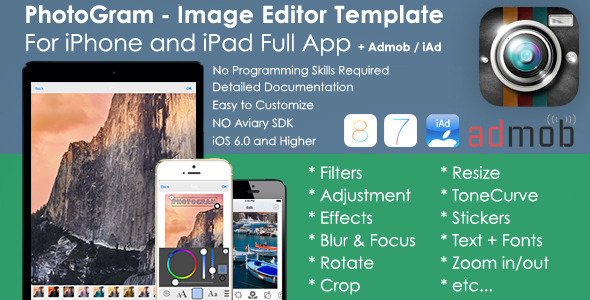
A full App Template with a Built-in image editor of Aviary SDK. No Watermark. Easy to customize colors, icons and images etc. The application is ready to upload to the App Store.
Does not require any configuration.
Video Preview: https://www.youtube.com/watch?v=TDlR0bAW4uA

  • Universal App for iPhone/iPad – iOS8 Design
  • Includes Photo Editing Tools like Filters, Effects, Enhance, Frames, Stickers, Focus/Blur, Orientation/Rotate, Whiten, Blemish, Text, Crop, Adjustment, Brightness, Saturation, Contrast, Resize, Sharpness, Splash, Draw, Meme, Redeye.
  • Capture images from your camera or your album.
  • Zoom in and out the picture you are editing
  • Social Sharing: Instagram, Facebook, Twitter, Mail etc… other photo editor applications.
  • Email , Print or Save Images to your own Library.
  • iAd and AdMob support. This template already has iAd/AdMob implemented. You can disable it with one click. Easy monetization. iAd and AdMob is only for first and second view available.
  • PicStick is currently available in more than 25 languages. Localization is built in, so there’s no extra work for you. Bulgarian (bg), Catalan (ca), Chinese (simplified) (zh_HANS), Chinese (traditional) (zh_HANT), Czech (cs), Danish (da), Dutch – Nederlands (nl), Finnish – Suomi (fi), French – Français (fr), German – Deutsch (de), Greek (el), Hebrew (he), Hungarian – Magyar (hu), Indonesian – Indonesia (id), Italian – Italiano (it), Japanese (ja), Korean (ko), Latvian – LatvieÅ¡u (lv), Lithuanian – Lietuvi (lt), Norwegian – Norsk (no), Polish – Polski (pl), Portuguese (Brazilian) – Português Brasileiro (pt_BR), Portuguese (European) – Português (pt), Russian (ru), Slovak – Slovenský (sk), Spanish – Español (es), Swedish – Svenska (sv), Turkish – Türk (tr), Vietnamese (vi)
  • No Programming Skills Required.
  • Supports iOS 6.0 and higher. (Universal App)
  • Detailed documentation. Developer PDF guide to help you get started.
  • Fast Support.
  • Easy to use. (No Issues)
  • All Image Files (Launch Images, App Icons etc…) included.
  • PicStick uses powerful Aviary SDK without Watermark such as “Powered by Aviary”. The world’s best photo editing SDK.

Please check also our other Apps


Click here for “PhotoGram Image Editor iOS Template”


Click here for “PicStick & PhotoGram Image Editor Bundle iOS Templates”


Click here for “eBook – ePub Reader Full iOS Template”


Click here for “Hotel App Full iOS Template”


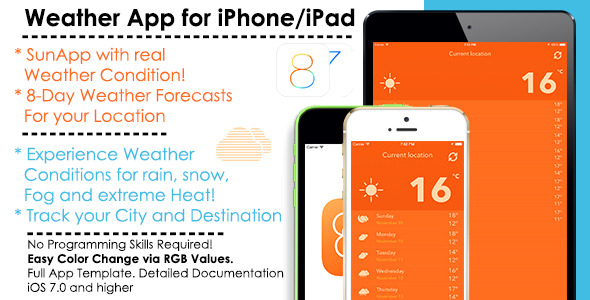
Click here for “SunApp – Weather iOS Full App Template”

Please note that if you are planning to sell in-app purchases in the App or sell the App for a price on the App Store, you will need to purchase an Extended License. See the sidebar for more details. This does not apply to AdMob or other advertisement in the App.

You have no Mac and Xcode or no Developer Account?

We will be able to compile the program for you and publish it in the App Store. (Extra Support) Just write to us.

Download PicStick Image Editor App Template + AdMob/iAd (Full Applications)

iOS News App (Full Applications)

News Application

Gmail
Facebook
Twitter
Follow us on Envato

Create user friendly and nice looking IOS News App. The App is specially optimized to be extremely easy to configure and detailed documentation is provided. You can create your own news app. Admin Add the category and its items and Viewer View that.

Features

Demo Admin Url:

http://viaviweb.in/Apps/news_app_demo/

Username: admin
password: newsq1w2

Latest News:

http://viaviweb.in/Apps/news_app_demo/api.php?latest_news=10

News Category:

http://viaviweb.in/Apps/news_app_demo/api.php

Categorywise News:

http://viaviweb.in/Apps/news_app_demo/api.php?cat_id=5

About Page

http://viaviweb.in/Apps/news_app_demo/api.php?apps_details

iOS Side

  • All iOS Device Compatible Design
  • Easy User Interface
  • Brand New Look
  • Easily Navigate With Tab
  • News Display With Category Wise
  • Recently Added News Display
  • News Display With Full Details
  • News Change with Swiping Finger
  • Add to Favorite Mode
  • Favorite News Display separate
  • Support both landscape and portrait mode
  • Check Network Availability
  • Share on Social Networks
  • Admob Integrated
  • Admin will able to Update About Us Page Content
  • Easy Admin Panel

Admin Side

  • Simple and Attractive Admin Panel
  • Display Total Category and News List Uploaded
  • Easily Add Category
  • Edit and Delete Category
  • Edit and Delete News
  • Upload Unlimited Category and its Item
  • Json Service

What You Get:

  • Full IOS Source Code
  • Full Php Code of Server Side
  • IOS Package hierarchy (that tells which class is used for what)
  • Full Document with Screen Shot

Download iOS News App (Full Applications)

Funny Face Maker – iOS (Full Applications)

MOST AWAITED APP IS ON AIR NOW

The “Funny Face Maker” is the best app for making funny photos to entertain your friends and family. Once you will start using this app, it will become addictive. You can choose your favorite funny object from a large collection of objects.

It’s very easy to use “Funny Face Maker” :

  1. Select the photo
  2. Select the funny object which you like most
  3. Resize and move objects
  4. Your funny photo is ready
  5. Save and share on social media

Want customizations ?

Features

  • Huge collection of funny objects
  • Select image from gallery or take pictures from the camera
  • Easy user interface for adding/removing funny objects
  • Multiple objects on one picture
  • Drag and Drop system for resizing and moving objects
  • Share funny photos on social media
  • Save photo to album

Video Preview

What you get

  • Full Android Source Code With Library
  • Full Document with Screen Shot – It includes detail explanation about rebranding an app and adding new images/category.

Download Funny Face Maker – iOS (Full Applications)

Order Grid Pro (Magento Extensions)

Overview

Order Grid Pro will make the magento default order grid more user <friendly and more functional.using this extension it will possible to search order by porudct by sku,coupon code,customer email,payment method etc .it is possible to show the product images and a gallery on the grid as well.

Features

  • Easy Installation
  • Possible to show product sku on the the order and search
  • Possible to show the Billing name,email,phone ,city,street etc and search feature
  • Possible to show the Shipping name,email,phone ,city,street etc and search feature
  • Possible to show Coupon code of a order and search feature
  • Possible to show Payment method of a order and search feature
  • Full setting from admin panel to display and hide the column

Download Order Grid Pro (Magento Extensions)

Twitter Conversion Tracking (Prestashop)

Twitter Conversion tracking for Prestashop enables you to measure your return on investment by tracking the actions users take after viewing or engaging with your ads on Twitter.

Track Events such as, Purchases, Home Page Visits, Product Page Visits and Any Page Visit

Demo site username and password

username [email protected] password demodemo

Download Twitter Conversion Tracking (Prestashop)

StarshineJS (JavaScript)

General Description

StarShine generates blinking stars with 6 customizable parameters. Add shiny, sexy or cartoon lights to any html element. Adjust placement, size, position, color, timing, star type.

And let it shine!

FEATURES

  • Easy to use
  • Low CPU usage
  • Responsive, mobile friendly
  • Rich customization settings
  • IE9+ and all modern browsers support
  • Well documented with code examples

TECHNOLOGY

StarshineJS works with SVG, because for today it’s best and simplest solution to created animated HTML effects. To avoid becicle development, we used SVG.JS library.

IDEA

How the idea was born? A long time ago in pre-HTML5 Flash era landing pages contained a lot of shiny flash effects, that were crashing browser.

One effect I liked more than others, that was shiny blinking stars that were bringing glamour magic touch to pictures, buttons and other elements. In new HTML5 era this effect was missing for me.

But now it’s possible to recreate this cool effects with our plugin. Make your page sexy and shiny with StarshineJS!

Download StarshineJS (JavaScript)

StarshineJS – SVG Animated Sparkling Stars HTML Effect (JavaScript)

General Description

StarShine generates blinking stars with 6 customizable parameters. Add shiny, sexy or cartoon lights to any html element. Adjust placement, size, position, color, timing, star type.

And let it shine!

FEATURES

  • Easy to use
  • Low CPU usage
  • Responsive, mobile friendly
  • Rich customization settings
  • IE9+ and all modern browsers support
  • Well documented with code examples

TECHNOLOGY

StarshineJS works with SVG, because for today it’s best and simplest solution to created animated HTML effects. To avoid becicle development, we used SVG.JS library.

IDEA

How the idea was born? A long time ago in pre-HTML5 Flash era landing pages contained a lot of shiny flash effects, that were crashing browser.

One effect I liked more than others, that was shiny blinking stars that were bringing glamour magic touch to pictures, buttons and other elements. In new HTML5 era this effect was missing for me.

But now it’s possible to recreate this cool effects with our plugin. Make your page sexy and shiny with StarshineJS!

Download StarshineJS – SVG Animated Sparkling Stars HTML Effect (JavaScript)

WooCommerce Products Filter Light (WooCommerce)

WooCommerce Products Filter Light – is a plugin that allows you filter products by products categories, products attributes, products tags, products CUSTOM taxonomies and price. Supports latest version of the WooCommerce plugin.

The Plugin Features:

  • Shortcode&Widget -> [woof]
  • Product shortcode [woof_products]
  • Uses native woocommerce API only
  • You can show your taxonomies as: radio, checkbox, color, drop-down, multi-drop-down
  • Different skins for radio and checkboxes in the plugin settings
  • AJAX shortcode
  • Dynamic products recount
  • Simple options
  • WPML compatibility

Live demo of the plugin:

WOOF - WooCommerce Shop

It is highly recommended TRY the plugin before you buy it!!

WOOF for free

Short video tutorial

Quick start with WOOF

WOOF documentation

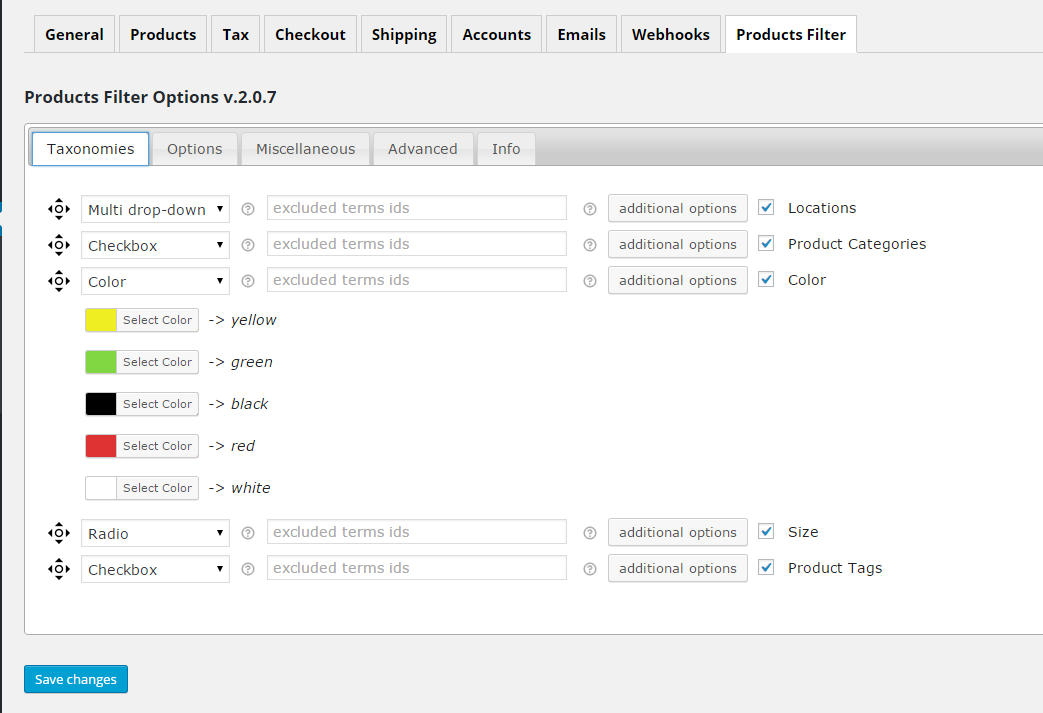
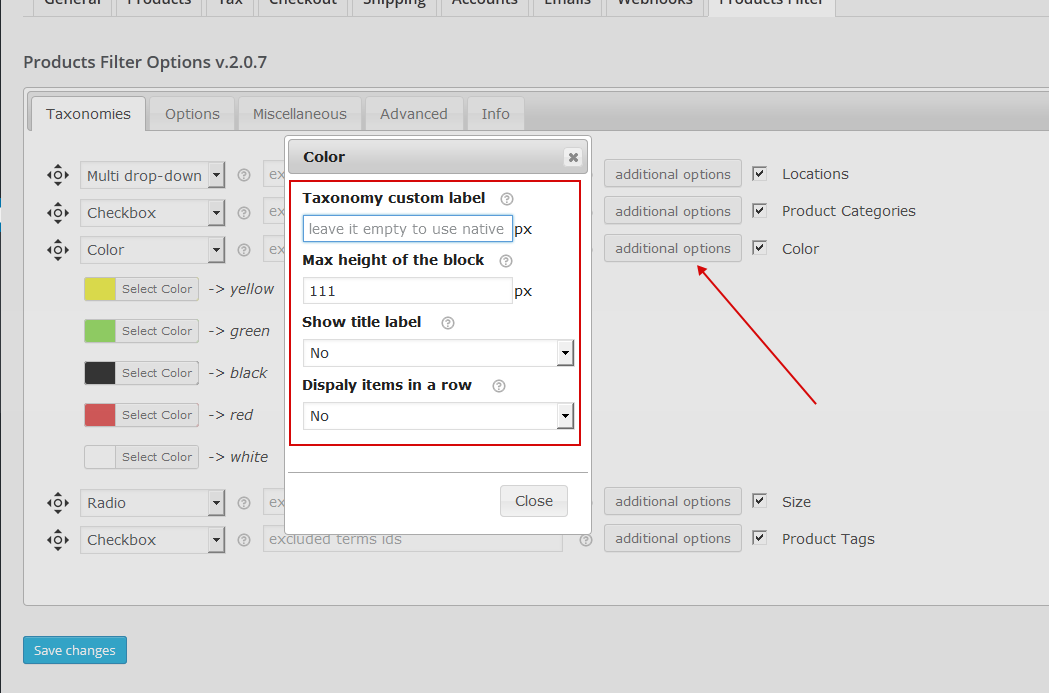
Couple of screens of the plugin backend:

WOOF backend screen
WOOF backend screen


v.2.0.7
    - release of the premium version

Download WooCommerce Products Filter Light (WooCommerce)

Responsive Timetable for WordPress (Calendars)

Responsive Timetable for WordPress

Our timetable is fully responsive and features a clean and modern flat interface. Create timetables with events in 3 different scales using a live editor in the backend. Color events individually, per column or per timetable. Click on events to open a custom link, or a responsive event popupusing a nice animation. Show a full description in the event popup, as well as an image or YouTube video. Add meta fields to your events and use them to display the event time or location, but also show characteristics of the event like number of guests, a link to make reservations, show prices, etc. There are literary an unlimited number of possibilities. Meta fields can display one of 500+ icons and show 1 or 2 lines of text/html. Configure many options in the admin panel. Finally add the timetable to your pages using shortcodes or widgets.

Modern Flat Interface


Timetables and events feature a modern and flat interface. All colors and styles can manually be changed. Select different colors for different events, or style all events the same. Choose to automatically lighten or darken the background color on hover, or set a custom background.

Select which data you want to display in the event box and tooltip. Choose between the event title, time and (short) description. Additionally you can truncate the title and description to fit into one line, or show them completely.

Event Popups


Clicking events will open event popups. Popups can feature an image or YouTube video, Meta Fields, and a full description. They’re completely responsive and mobile compatible, and are shown using a nice animation. It’s possible to disable the animations if you don’t want them, or only disable them for mobile browsers. The animations use CSS3 animations when possible to increase performance. You can also customize the styling of the popup like the text color, link color and background color.

Meta Fields


Add meta fields to your events and use them to display the event time or location, but also show characteristics of the event like number of guests, a link to make reservations, show prices, etc. There are literary an unlimited number of possibilities. Meta fields can display one of 500+ icons and show 1 or 2 lines of text/html.

Additionally you can add dynamic text inside the meta fields like {column_title} or {start_time} which will automatically output the data.

Timetable Editor


Managing your timetables and events is really easy using our built-in live editor. No more searching in tables or lists for your events, but see a live preview of your timetable while you’re editing it. Simply click on your events to edit them, and manage them in a simple to use interface. Use drag & drop to manage your columns and meta fields order. Additionally test how your timetable looks on smaller screens by changing the size of your browser while editing the timetable.

Feature List

  • Responsive Mobile-Friendly Interface
  • Timetable Shortcode Generator & Widget
  • Overrule options in the Shortcode and Widget
  • 3 Different Timetable Scales
  • Event Boxes
    • Color events individually, per column or per timetable
    • Tooltips to show full title, time and/or description
    • Automatically truncate title & description to fit into boxes
    • Align text left, center or right
  • Event Popups
    • Popup Animations
    • Responsive And Mobile Friendly
    • Set a max-width
    • Full HTML description
    • Image or YouTube Video
    • Autoplay YouTube Video
    • Show meta fields in the popup
    • Custom link color
  • Meta fields
    • Add unlimited meta fields
    • Choose between 500+ icons, or show no icon
    • Add 1 or 2 lines of text
    • Dynamic meta fields: automatically use the meta title, column title, event title, time, start time, end time
  • Event Editor
    • Responsive editor
    • Live editor: see your changes realtime
    • Timetable, column & event settings
    • Sortable columns & meta fields
  • Change Colors
    • Easily change all of the colors with a color picker
    • Reset colors to default
  • Add custom CSS
  • Add custom CSS classes to events and columns to style them individually
  • Time format
  • Show sidebar left, right, both, or hidden
  • Set background pattern colors
  • Disable animations and/or tooltips for mobile browsers

Download Responsive Timetable for WordPress (Calendars)