


Blancer.com Tutorials and projects
Freelance Projects, Design and Programming Tutorials
download PHP, ASP.NET, Java and Javascript from CodeCanyon – the marketplace for code scripts and snippets.Javascript, Java, Program, Code, Snippet, Script, Dev, Development, Codebase, MySQL, Class, Widget, System, CMS
Second part of small collection of 5 CSS animated Image Captions.
This kit stuff will save you a lot of time when creating websites! They’re really easy to use and have very nice interfaces. Enjoy!
Advantages:
– Easy to install on any site.
– Supports all versions of browsers.
– Easily customize yourself.
tFigure 1:

Expense Manager Flow
Expense Mgt : daily base all expenses and petty cash details save in this module. and whenever required total expenses by from and to date basis, category, by item bases simply filter the date and fetch the records .we have print option to take this report.
Send-Email module used to send mails.
This layers extension create a new widget which allow you to add every component and elements together in one column. component and elements such as Button, Panel, Well, Accordion, List Group, Notification, Tabs, Progressbar, Breadcrumb, Jumbotron.
IMPORTANT: To use this plugin you must have a Layers Theme (or Layers Child Theme) installed on your WordPress site!

onScreen by Silvestre Herrera
Bootstrap Theme by Bootswatch
Animate.css by Daniel Eden
2015.6.20 – version 1.0 * First Release.

With PHP Installation Manager you can improve your own project with a powerful setup system. With just few lines of code and some configuration changes, you can have an installer for your system deployment in few minutes.
Quick Video Demo: Video Demo
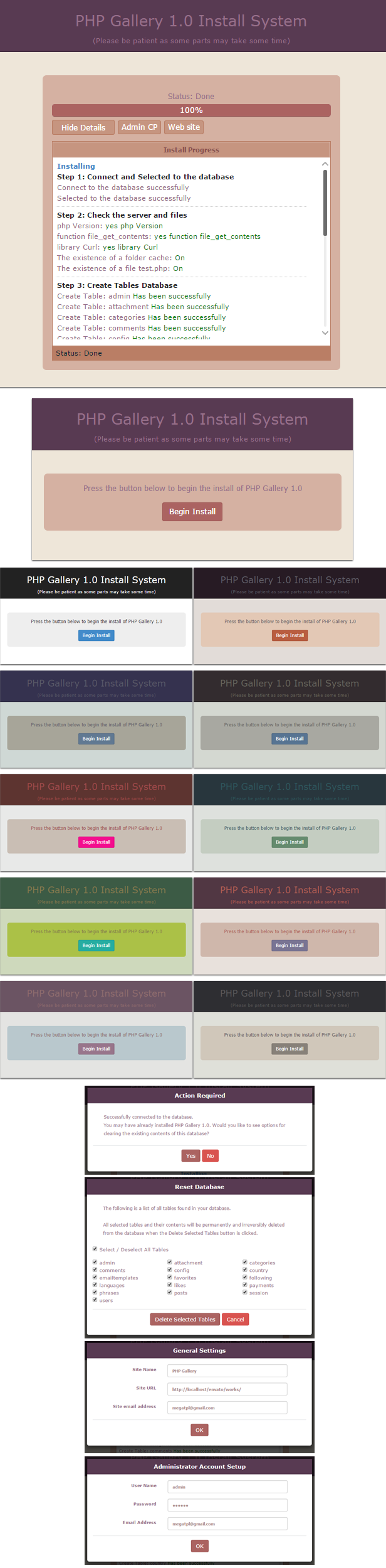
Features:
/*-----------------------------------------------*/
 * Version 1.0
 *  - Initial version.
/*-----------------------------------------------*/
WooCommerce MyMail addon integrates your WooCommerce store with the MyMail – Email Newsletter Plugin for WordPress.
This addon allows your customers to be added to a MyMail list on checkout. It also allows you to add customers who purchase a particular product to a specific list.
Gift with Purchase Extension extend the functionality of shopping cart price rule in Magento.Gift with Purchase Extension is very useful to promot your business.using this extension store owner can add coupon code for their customer to automatically add a gift to their shopping cart with other products with zero of coast.
Look like the ping pong game, when 2 balls start moving around, click/touch the mushroom to change the color between blue and pink. The ball have to be hit the right color and you will get 1 point, if it not, the game is over.
Easy to change the game image ,just replace the image file!! Customize your own Pong game!! Put it on ios or anroid!!
First of all, sorry for my english.
This is a jQuery plugin to create a Gantt model in your page.
Very simple to use and customize.
Why use it?
– elastic html
– simple to load and customize
– nice and clean and customizable style
– tested and working on IE 10, FF3 and Chrome
This plugin will help you give your blog or website a coherent look and feel by unifying the style of all your images using advanced SVG filtering technology.
Most of us aren’t professional photographers and use images on our website we take with our phones, compact cameras or borrow from the internet all the time. Even though every single image we use can be great on its own it’s not unusual to find that they just don’t go well with one another because of the differences between the different cameras we use, the color difference form a photo that was taken on a sunny day vs a cloudy day, etc. All these details make our site look unprofessional.
Ever used a template which demo content looked amazing only to realize it looked nothing like that when you uploaded your own content? Differences in your images styles were probably the reason for that!
With Image Filter Unifier not only you’ll be able to unify the style of all the images on yours site but you’ll be able to change that style on all your images in under ten seconds with just a few clicks.
Our advanced SVG filters are supper light filters that are applied on the browser side when your page renders, so there is no need to wait endless hours for images to regenerate of for you to edit every single image with Photoshop or similar software. Simply pick a style and saver your settings. Changed your mind? No problem! Pick a new style, hit save again and you are done!


Filters are supported by the following browsers. On any other browsers images will show without filters:
or if you think this list might be outdated you cal always check the browser compatibility here http://caniuse.com/#feat=css-filters

The transactional emails sent through your Magento store are critically important emails, which should convey important information to your customer. Customizing those emails is a simple and effective way to differentiate yourself from the competition. It allows you to convey the information you are trying to communicate in an effective way and generate a higher level of customer engagement.
Make them look beautiful and just like the rest of your magento store using Magento Email Templates.
==> version 1.0 - 23/JUN/2015
- Initial Release 1.0
A2Z – Bootstrap Responsive Mega Menu for Template. A2Z Mega menu make short codes for multi usages and multiple templates. All features are included in A2Z mega menu. Short codes make user friendly code and easily customizable and easily change Short Codes.
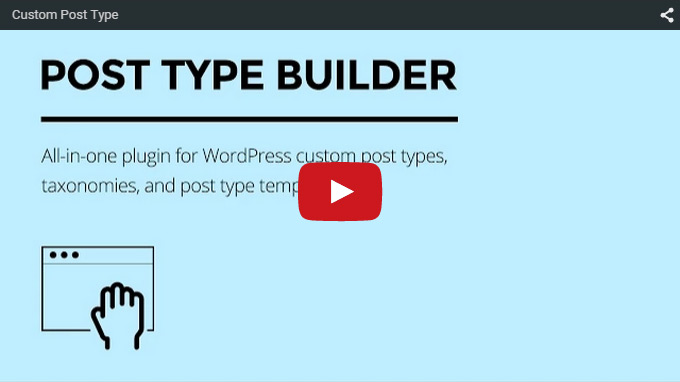
Post Type Builder is an “all-in-one” WordPress plugin for creating custom post types, taxonomies, and post type templates. Create any custom post type that you can imagine without writing any code. Everything is done seamlessly with the WordPress admin backend guiding you through step-by-step with an intuitive drag & drop interface. It works on any WordPress.org site with any theme.
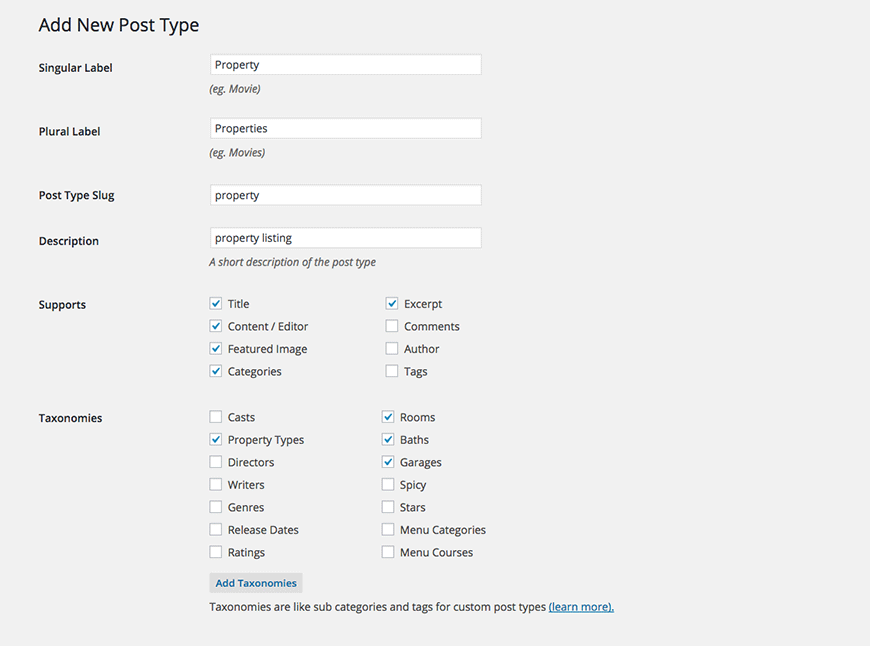
For example: let’s imagine a “Property” listing post type created with the plugin. You can enable standard post features like title, content editor, excerpt, featured image, categories, tags, etc. Custom taxonomies such as property types, number of rooms, parking spaces, and baths can be created and associated with the post type.
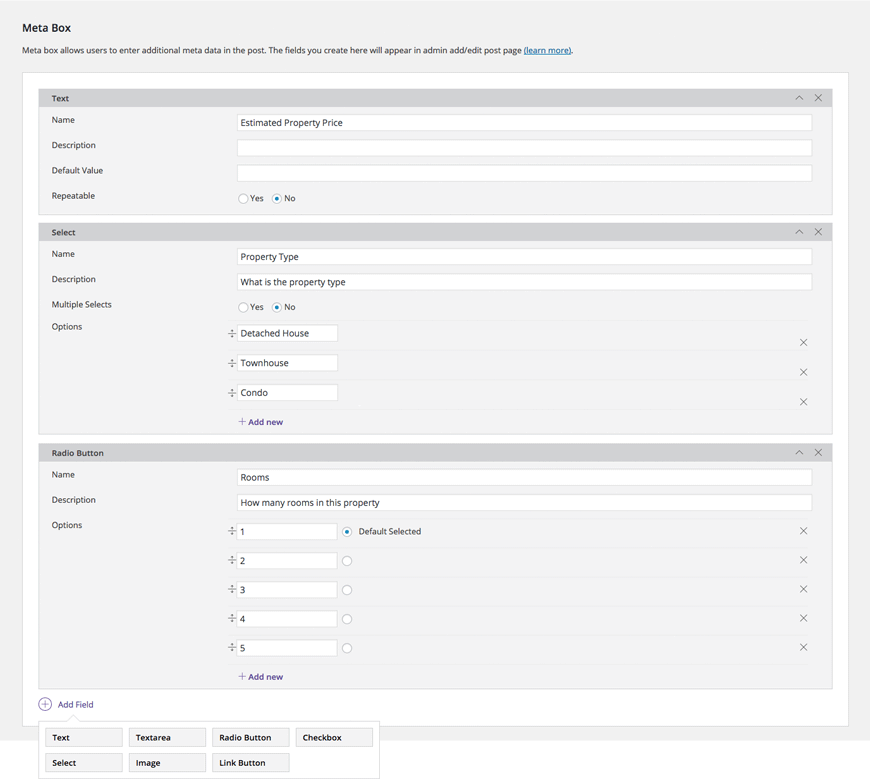
Then we set up the meta box for all of the additional meta data for the “Property” post type (eg. Property listings should have meta data like: price, size, area, lot size, property taxes, etc.). The Meta Box Builder allows you to create all sort of input types (text, textarea, radio button, checkbox, dropdown select, image, and link) in a very simple and intuitive way. You can insert as many fields as you need.
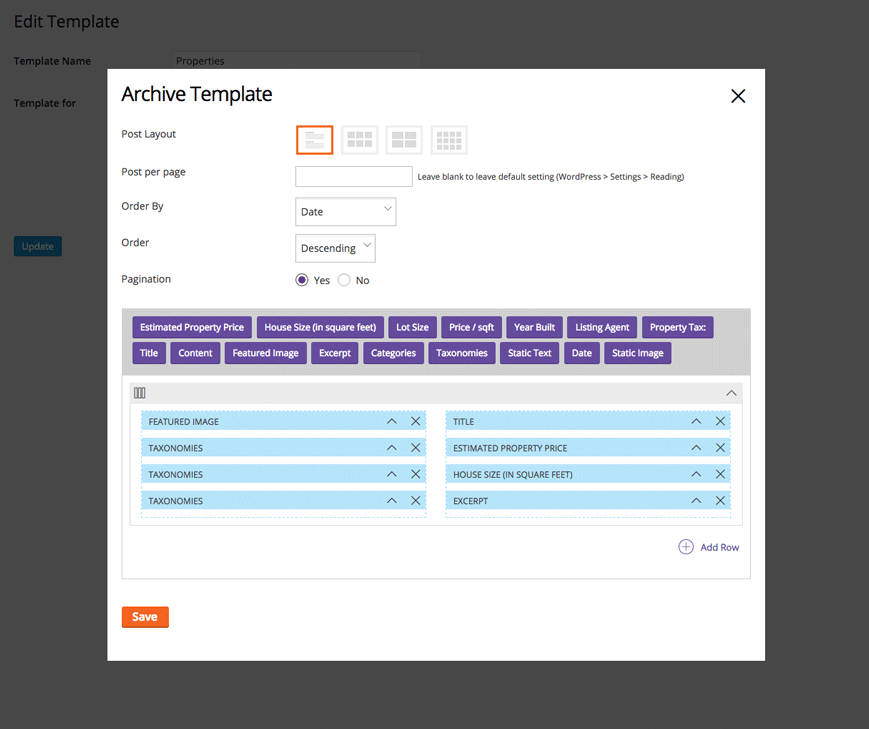
After the post type and meta box is set, you will be able to create templates using a drag & drop interface. The template builder smartly loads only the associated modules that you’ve created in the meta box, and the frontend will render the layout as dictated by your templates.
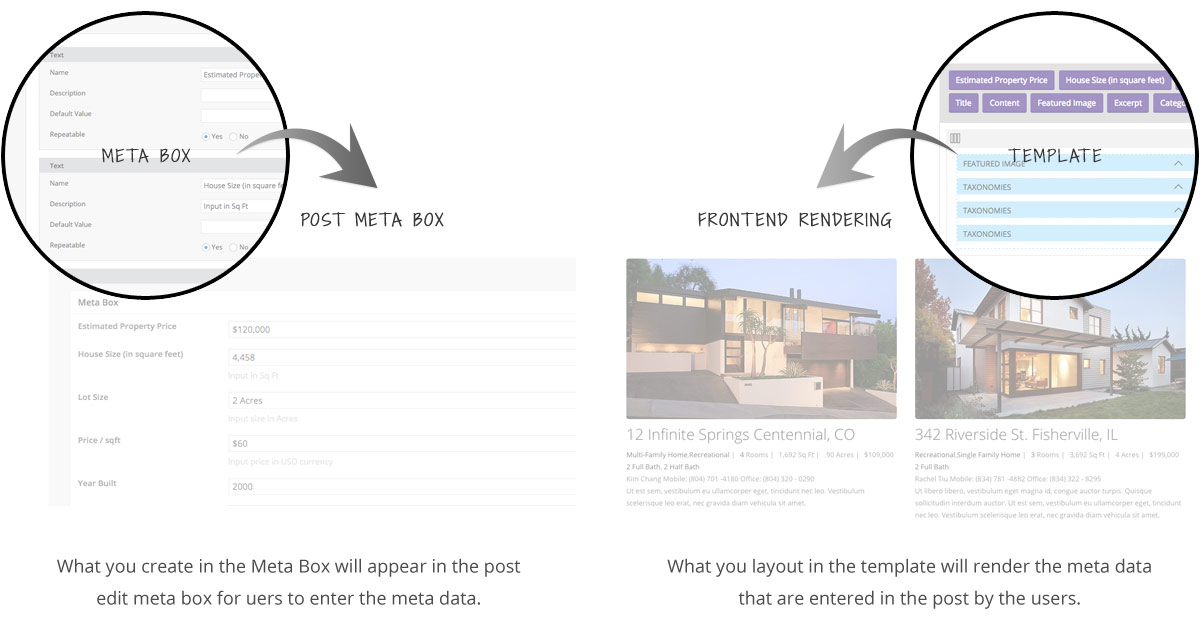
Everything is tied nicely together from post type creation to adding posts all the way to frontend rendering. All done within WordPress admin, without the need for any coding or PHP file uploads.
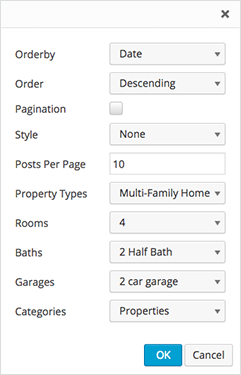
Use the built-in shortcode generator to display custom post types anywhere as you want. As before, the plugin is smart enough to pull in the associated shortcode parameters based on the post types and taxonomies that you’ve created.
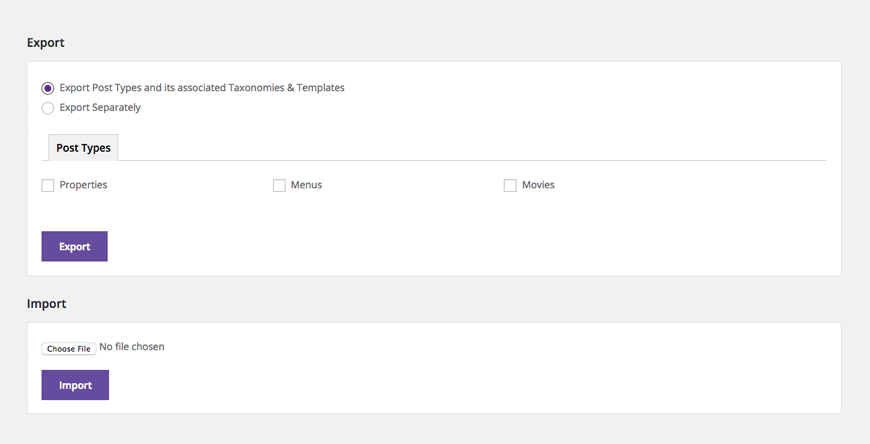
You can import/export the associated post types, taxonomies, and templates together or separately. This is great for building custom post types for multiple sites and/or clients.
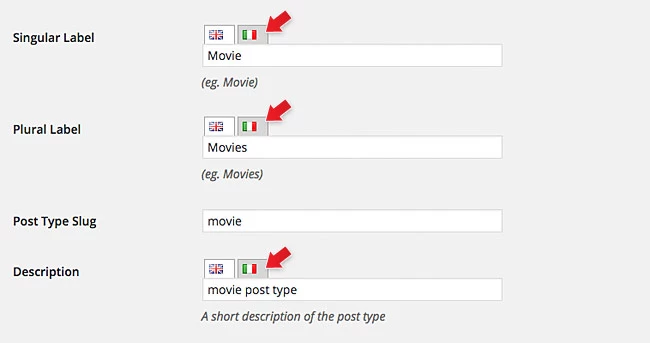
With the WPML plugin (not included), you can create multilingual custom post types. See this in action: view the demo, on the header, select “Italian” language.
Please contact us for support and plugin updates.
CS:GO Stats is a simple PHP script that reads data from Valve and then displays them in a unique and attractive design. Moreover, everything happens within 5 seconds. The script displays data about kills, weapons or maps.
Requirements:
– PHP
– cURL ( for query )
