All In One Widget for WordPress (Widgets)

What’s All In One Widget for WordPress?

All In One Widget is a multipurpose widget for WordPress that allow you to use all the power and features of normal pages in your sidebars and widgets areas.

Why All In One Widget?

All In One Widget is the best and unique widget for WordPress that support all the Power of drag & drop page editors, post translators, revisions, widget export and import and more.

Drag & Drop Page builders

All In One Widget support most of the drag and drop page builders, specially supporting WPBakery’s Visual Composer and Avada’s Fusion Builder.

Mega Menus Support

All In One Widget integrate like normal widgets in mega menu builders giving you more flexibility to design your menus with the ease of drag & drop editor like Visual Composer and Fusion Builder

WPML Support

All In One Widget content can be translated like normal WordPress posts with the most popular translation plugin; WPML. Multilingual widgets was never possible before this!

Export & Import

Using this widget plugin, you will never need to recreate your widgets when moving your content to another WordPress website, widgets content can be exported and imported by the native WordPress Tools

Avoid Widgets Duplication

When you have the same widgets in many sidebars on your website, the maintenance become a hassle, with All In One Widget you only need to edit in one place and all the same widgets will be updated automatically

What Customers Say

If you like this plugin please rate it five stars

Plugin’s Requirements

  • WordPress 3.8 or higher
  • PHP 5.3 or higher

Related Plug-ins

Visual Sidebar Editor for WordPress
Visual Composer Fullscreen Button
Visual Composer Undo/Redo Buttons

NOTICE

Visual Composer or Fusion Builder aren’t included in the plugin package and should be already installed in your website

UPDATES

Automatic updates are managed by the ERROPiX Plugins Updater tool, which is included within the downloaded package.

1.0.0 – 01 August 2015

+ Initial release

Download All In One Widget for WordPress (Widgets)

Liqpay payments (Prestashop)

This module will let you accept payment through Liqpay – Popular payment system in Ukraine!

Setting up LiqPay module

In order to start accepting payment through LiqPay you need:

1.Create LiqPay account (phone number).
2. Create store in Business tab.
3. Get Public and Private keys.

Use Public and Private keys to enter them in module’s appropriate fields. Then turn on Test Mode switch to test your, created store in LiqPay, to test payments.

The benefits for Merchants

Accept credit and debit card payments on your store from your customers in Ukraine and Russia.
Increase trust into your store to customers from Ukraine and Russia by providing secure and popular payment option.
You can add any bank card to your Liqpay account and get paid instantly.

Main features LiqPay module

– 1-click payment.
– Accepting secure payment from Liqpay account or Visa or MasterCard cards.
– Easy one click setup.
– Sandbox mode option for testing

The benefits for customers

It is backup by biggest bank in Ukraine – Privatbank.
Payment support extra security layers for bank cards: Verified by Visa, and MasterCard SecureCode.
After payment get notification on your phone through SMS or in Liqpay App.
Reliability of LiqPay has been confirmed with Verified by Visa, and MasterCard SecureCode certificates.

Download Liqpay payments (Prestashop)

Jobs Management (Miscellaneous)

Jobs Management

With this script you can create your own Jobs website.

Demo

  • Website url : http://www.jobs.uta-marian.com/
  • Candidate register : http://www.jobs.uta-marian.com/candidate
  • Company register : http://www.jobs.uta-marian.com/company
  • Admin demo :

    • All functions from demo were disabled.

  • Pages Demo :

  • Company features :

  • Manage Jobs [ add / edit / remove ]
  • View a list with users that applied
  • View each user resume
  • Print user resume
  • Candidate features :

  • Search for jobs
  • Create a full resume
  • Apply to jobs
  • Download Jobs Management (Miscellaneous)

    Multipurpose Sale Banner 001 (Ad Templates)

    MULTIPURPOSE SALE BANNER 001 – HTML5 AD BANNER BASED ON GOOGLE WEB DESIGNER

      Attractive HTML 5 based ad banner features-

    • 5 Standard Sizes (160×600, 728×90, 468×60, 300×250, 300×600)
    • HTML5/CSS3 based
    • Fully editable using Google Web Designer
    • Google based web fonts
      Download will include-

    • 5 fully editable layered PSD files.
    • 5 HTML5 ready banners editable in Google Web Designer.

    Google Fonts used-
    Josefin Sans & Oswald

    Preview Image used can be downloaded from here –
    Shopping Image- http://photodune.net/item/shopping/4763995

    Please rate us it will help us a lot :)

    Download Multipurpose Sale Banner 001 (Ad Templates)

    Downhill Bike (Games)

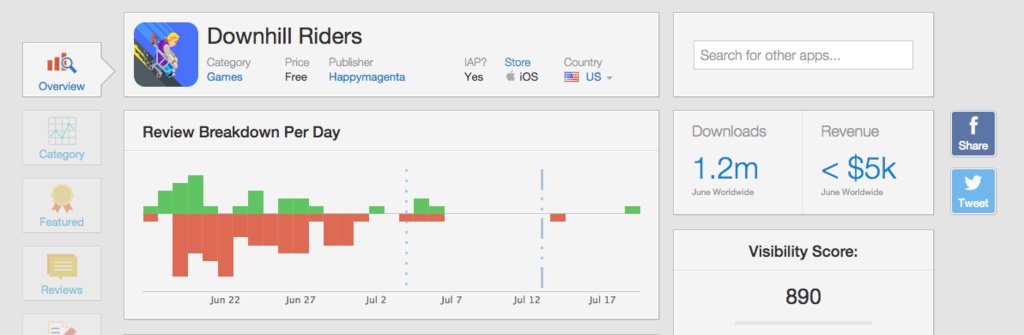
    Downhill Riders, The top app store game, now I bring you guy Downhill Bike version. Buy it now and make your money.

    App worth:

    + Written in cocos2d-x

    + Sharing Video/ Everyplay Video

    + Game Center, Leader Board

    + Vungle Video Ads

    + Chartboost Ads

    + Addictive Game Play

    + Social Sharing

    + Rate app

    + In-app Purchase

    + 30 minutes to reskin

    + Bug free warrantee!

    + Universal app, ready for Iphone and Ipad.

    Requirement:

    MACOS, Xcode 6.X

    How to Reskin:

    + Please follow the very detail document I provided within the project. It’ll help you reskin the app in 30 minutes.

    Fix for 64 bit support:

    Go to Root Project > Targets, Choose Downhill Bike IOS, then select tab “General”. Choose version 7.0 or greater on Deployment Target.

    Download Downhill Bike (Games)

    GMap Location! – Joomla Module (Joomla)

    GMap Location! is an Joomla 3.x module that allows you to easily add google maps to your website. It comes with easy to use interface and with advanced settings to help you easily customize your map apearence and controls, add unlimited number of locations and markers, add map navigatation with dark and light style.

    Set up and display google map on your joomla website in minutes!!!

    Features:

    • Unlimited number of markes and locations
    • Custom light and dark map colors
    • Predefined map color styles
    • Map controls settings
    • Custom marker image
    • Map navigation with size, position and style options
    • Responsive

    Download GMap Location! – Joomla Module (Joomla)

    Team Awesome (Utilities)

    Team Awesome is a WordPress plugin that allows you to display photos, social links and information about your team members.

    This plugin will show your awesome team in its best light!

    Features

    – Responsive Design

    – 3 Different Avatar Shapes

    – Can display HTML5 Video loop as Member Avatar

    – Unlimited Members and Categories

    – Customizable colors, fonts and dimensions

    – Google Fonts (Over 600 fonts!)

    – Skill Bars

    – Slider Blur Effect (uses SVG Filter)

    – Background Parallax feature

    – Social Buttons with 10 Social Icon Hover Animations

    Installation

    From your Admin Panel go to Plugins -> Add New -> Upload -> Browse and pick the Team Awesome archive file.

    Click “Install Now” button.

    Click “Activate Now” after the plugin has been installed.

    A new menu should now appear on your WordPress Dashboard called “Team Awesome”.

    Adding Categories

    From Dashboard go to Team Awesome -> Categories -> Create New Category.

    Enter category name and click “Save Category”.

    Adding Members

    From your Admin Panel go to Team Awesome > Members> Add New Member.

    Fill the required information and click “Save Member”.
    Displaying the plugin on the front-end

    To display the plugin simply use the shortcode [team_awesome] in your post or page.

    Shortcode examples:

    [team_awesome]
    
    [team_awesome cat=1,2,3]
    
    [team_awesome cat=1,2,3 avatar="circle"]
    

    Download Team Awesome (Utilities)

    Dont Touch The Spikes Template (iOS)

    About

    Make the bird fly! , Don’t touch the spikes! , Collect the Candy! , How far can you make it?

    Features:

    • Easy to Reskin
    • Complete Documentation and Art Assets
    • IOS Source Code
    • Game Center Integrated
    • Universal Support
    • Ads Network
    • Admob Banner
    • Chartboost
    • AdColony
    • Vungle
    • Social Sharing on Facebook and Others
    • Google Analytics
    • Game Rate Feature
    • Best Score Feature
    • Interesting GamePlay

    Download Dont Touch The Spikes Template (iOS)

    Animal Face Changer (Full Applications)

    Animal Face Changer

    This app is made for all the people out there who have a bit of a… wild side. Animal Face Changer is a photo editor specifically made for those moments where you need to let your inner animal out.Included are a handpicked selection of real animal stickers to place over your photos.This is a best photo editing app that let you choose animal head from its collection and replace with any character in photo.it also let you change size and position of head using just one finger.and you can make your own applications.

    Features:

    • Take your Picture from Camera or Gallery
    • Adjust Sticker using one finger like zooming,displacing ,deleting etc
    • Adjust the zoom and scale, rotate,zoom and place the Faces anywhere for perfect placement
    • Add/Update Faces and Sticker From Code
    • Add Stickers
    • Adjust the zoom and scale, rotate and place the Images
    • Change Background Color
    • Save or Share Photos
    • Without Internet can also use
    • Easy to use with very beautiful user interface
    • Easy To Customize
    • Eclipse Base Project
    • About Us
    • Well Documentation
    • AdMob Integrate(Banner & Interstitial)
    • Download Apk

    mockup 

    Download Apk

    Download Animal Face Changer (Full Applications)

    EU Energy Label for WooCommerce (WooCommerce)

    The EU Energy Label plugin for WooCommerce allows you to easily add class rating images and labels to existing or new product listings.

    If you own an e-commerce solution who deals with any one of the 28 EU member states, YOU NEED TO INTEGRATE THE EU ENERGY LABEL on all of your products. By not doing so you risk receiving hefty fines.

    Even if you are not within the EU and are not required by law to display the label and class rating why not offer this extra piece of information to your customers? Doing so helps your customers decide on the most energy efficient appliance which in turn could increase sales by better informing your customer base.


    Download EU Energy Label for WooCommerce (WooCommerce)

    Visual Composer Addon – Universal Video Player (Add-ons)

    \

    \
    \


    \
    IF YOU NEED ONLY THE JQUERY PLUGIN FOR THIS PRODUCT , YOU CAN DOWNLOAD IT FROM HERE : http://codecanyon.net/item/universal-video-player-youtubevimeoselfhosted/8949390


    Universal Video Player supports YouTube, Vimeo and Self-Hosted videos and is a top-notch responsive HTML5 plugin compatible with all major browsers and mobile devices.


    video tutorial

    Step 1: Installation – https://www.youtube.com/watch?v=0GxDgyUtjdc
    Step 2: Manage the categories – https://www.youtube.com/watch?v=TFJDj00PG9g
    Step 3: Manage the player playlist and settings – https://www.youtube.com/watch?v=vnaQdDdYEls


    FEATURES:

    \ YouTube, Vimeo and Self-Hosted support

    It plays YouTube, Vimeo and Self-Hosted video files. For YouTube and Vimeo, all you need to use is the video ID

    \ Responsive Design

    The plugin can be used in websites which are responsive. Optional parameter to disable responsive behavior in order to integrate it in non-responsive websites.

    \ Mobile Compatible

    It is compatible with IOS and Android operating systems.

    \ Google Analytics

    Option to activate Google Analytics tracking. You’ll be able to see how many times each video was played.

    \ Customizable Color Scheme

    Any color scheme possible, customizable from parameters, so you can integrate this audio player in any design.

    \ Option To Automatically Obtain the Video Thumbnail, Title and Description From YouTube Servers

    All you need to use is the YouTube video ID and the plugin will get these information from YouTube server. Parameters to use your own information

    \ Playlist With 3 Versions

    You can show the playlist thumb, title & description or hide one of them. Also parameters for playlist size and color.

    \ Playlist Search

    You have the option to search the playlist. The results will be displayed as you type the search term.

    \ Categories

    The playlist items can be structured in categories. A video can belong to multiple categories.

    \ Two Skins

    You can choose from the 2 skins available: back & white. Also, from parameters you can create any color scheme, having the possibility to integrate it in any design.

    \ Download Option

    Available button to download the current playing file (only for self-hosted videos). You have the option to hide the download button.

    \ Share

    You can share your video player on Facebook and Twitter. Parameters to customize the share title and description.

    \ Show/Hide Playlist

    Button to show or hide the playlist. Also option to load the player with the playlist hidden.

    \ Shuffle

    Option to shuffle the playlist.

    \ Logo/Watermark

    You can define a logo in the top & left corner. Also, option to set the link and target_self or _blank.

    \ Multiple Parameters

    Autoplay, loop, colors, dimensions etc. Over 85 parameters from where you can customize the player.

    \Lightweight

    The JS file has around 55KB

    \ Free Updates

    Once you’ve bought the product, you can download for free, from your account, all the updated versions.


    Our other Visual Composer Add-Ons

    \


    Keywords: visual composer, addon, self hosted, vimeo, search, wordpress, media, html5, plugin, mobile, player, playlist, responsive, video, video player, youtube, categories

    If you need additional information don’t hesitate to contact us at [email protected]. We’ll try to answer you as quickly as possible.

    Enjoy!

    UPDATES / RELEASE LOG

    
    ***Version 1.0 Release Date: July 28, 2015
    

    Download Visual Composer Addon – Universal Video Player (Add-ons)

    Nighty Sky Animated Backgrounds (Animations and Effects)

    2 Nighty Sky Animated Backgrounds with shiny moon and cool effects

    Features:

    • Fully responsive
    • Pure CSS3
    • Multi keyframes Interacting with each other
    • No JavaScript
    • It will not effect on your website css rules
    • Documentation and free support
    • Easy to use

    Want more CSS3 animated backgrounds ? take a look at this Collection

    Download Nighty Sky Animated Backgrounds (Animations and Effects)

    SUMO Donations – WooCommerce Donation System (Marketing)

    SUMO Donations is a Complete WooCommerce Donation System. Using this Plugin you can provide options for the users to make donations in your site. Donations can be made in the Single Product Page, Cart Page, Checkout Page, Donation Form displayed in any Page/Post using Shortcode and On Exit Fly Box in Cart Page and Checkout Page.

    Please note that the users can purchase Products in the Shop like they can always do and in addition can make a Donation as well.

    Features

    • Complete Reward Points System
    • Donation Form in any Page/Post using Shortcode
    • Donation Form in Product Page
    • Donation Form in Cart Page
    • Donation Form in Checkout Page
    • Donation Form in On Exit Fly Box in Cart Page and Checkout Page
    • Give Rewards (Free Products) for making Donations
    • Highly Customizable
    • Translation Ready
    • WPML Compatible
    • and more

    How to Upgrade to a newer version of SUMO Donations?

    If you are using an older version and want to upgrade to the latest version of SUMO Donations then please do the following steps.

    1. Deactivate and Delete the existing version of SUMO Donations in your site.
    2. Download the latest version file (sumodonations.zip) of SUMO Donations from Codecanyon.
    3. Unzip sumodonations.zip inside which you will find the Plugins files i.e. donationsystem.zip.
    4. Install the latest version of SUMO Donations i.e. donationsystem.zip using WordPress Dashboard.
    5. Activate the Plugin.

    Please note you will not lose any settings values, data etc by following the above steps.

    Support

    Please check the documentation as we have lots of information there. The documentation file can be found inside the documentation folder which you will find when you unzip the downloaded zip file.

    For support, feature request or any help, please register and open a support ticket on our site.

    Updates

    Version 1.0 on 30 July 2015
    - Initial Release 
    

    Download SUMO Donations – WooCommerce Donation System (Marketing)