Extra Category Tabs – Responsive Prestashop Module (Prestashop)

With help of Extra Category Tabs you can add beautiful responsive tabs category on your home page. Our premium quality module easy to use, fully configurable and adaptable to any mobile device. Settings for number of items to display, number of items to scroll, slider speed. Settings for slide, navigation, rewind and stop hover, auto play. Also, with this module you give users a better customer experience. It will increase your sales. Selecting to display or not, prev/next buttons, play/stop on hover. And many others customizable options for your store.

Module Features

  • Fully responsive – looks great from mobile to HD
  • Quickly configure in Admin with Ajax supported
  • Unlimited Hooks supported
  • Allow to choose which category sources to be shown
  • Allow to set number of products to be shown in the module
  • Customizable animation effects, buttons and navigation.
  • Support Prestashop 1.6.x
  • Support Responsive layout
  • Compatibility (IE9+, FireFox, Chrome, Opera, Safari…)
  • Easy installation and customization
  • Easy-to-use Admin panel interface
  • Add Hooks instantly
  • Support to open link in Same Window, New Window and Popup Window
  • Choosing the start slider when run this module at the first time
  • Change the speed of scrolling and pause on each slide
  • Support Multi-Language.
  • Support Multi-Store.
  • Touch for mobile devices.
  • Detailed documentation.
  • Free Updates and Support.
Download Extra Category Tabs – Responsive Prestashop Module (Prestashop)

WP Geo IP Action Plugin (Miscellaneous)

WPGeoIP Actions plugin provides facility to perform actions (redirection/hide/show content) on the basis of geolocation(country/region/city) of the visitor from the IP address.

Demo Details

Demo URL
username: demouser
pwd: demouser@geoipplugin

You can define many different rules(actions) as you want to apply based on the geolocation of visitor. To add rules, you need to enter the country, type of action (Redirect/Hide) and what action to be perrformed if that geolocation (Country) matched.

You can also add region/state and city if region/state and city based data is also available. To get geolocation from the IP address of the user, three different options are integrated. You can select anyone of these three options as per your convenience.

You can define different rules/actions as per different posts, posttype, category and site wide action also.

If visitor geolocation doesn’t matches any rule then you can define the mass action rule that can be defined in settings and will be applied to visitor. You can also define the pages that you want not to perform any redirection in any case like rss feeds, sitemap pages etc.

To read the complete details about plugin,
click here

See our other popular script:

SimplifiedDB

SimplifiedDB

Credits

1. Chosen

Download WP Geo IP Action Plugin (Miscellaneous)

Sweety Memory – Construct HTML5 Game (Games)

Play It Now!

Sweety Memory is a HTML5 Puzzle game. Match all identical cards before time runs out!

Please read the documentation to get more infos!

This game has been developed with Construct 2 R207 release: https://www.scirra.com/construct2


HTML5 Technology

The ZIP package contains the game at 1920×1080 resolution that automatically scales to fit current screen device and all the assets to grant complete game customization.
The game is fully compatible with all most common mobile devices. Just we can’t grante full compatibility with the audio on all devices.

Game Screenshoot


 Follow Us

 Contact Us

YOU MIGHT ALSO BE INTERESTED IN:

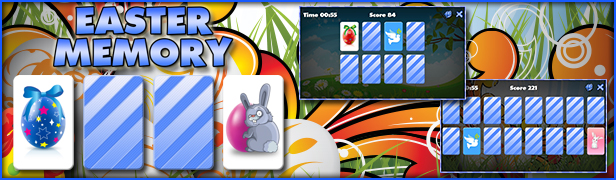
Easter Memory

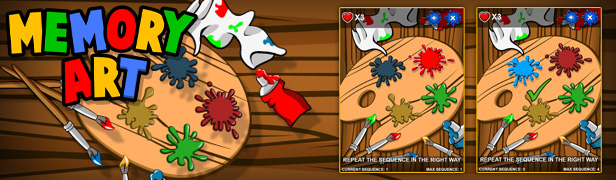
Memory Art

Sweety Mahjong

Guess Who?

Waffle

Apples

The Sorcerer

Flappy Purupuru

Pet Party Columns

Klondike

Ultimate Boxing

Slot The Fruits

BlackJack

Roulette 3D

Flag Counter

Download Sweety Memory – Construct HTML5 Game (Games)

Fitness – Hybride Mobile Application (Native Web)

We made this beautiful Fitness Club Application with idea to provide developers easy and practical way to make their apps work with wordpress backend . With our Fitness club application you don’t need to spend so much time and money for your fitness club application easy to manage and configure for both iOS and Android.We have developed this application using most popular framework Angular js and Phonegap(Cordova) .

Application is full design and developed based on the services provided by fitness clubs.

You can easily implement application from WordPress Backend and by following our huge and well organized documentation.

Easy to Develop.. Enjoy

Full feature list:
Android and iOS Application

Menu: Attractive menu with masonry effect.

Videos: Upload your fitness club video from youtube, vimeo , daily motion or MP4 and share with your app users.

Gallery: Upload your fitness club images with app users. Masonry effect for trainers images, with brand new design and beautiful selector.

Offer: Upload your special offer image so user will get updates on it with special 3D effect touch and scroll.

Trainers: Upload trainers profile with specialization, education and certificates. Masonry effect for trainers images, with brand new design and beautiful selector.

Blog: Share help tips with app users with social sharing feature.

About Fitness: Add description about fitness club with image.

Location: Google map with multiple locations. Also user is able to contact to branch using same page with call and email.

Feedback: App user easily share feedback with fitness club also that feedback store in backend for future access.

Language: Any language support.

Fees/Membership: Share your fees or membership modules with app user.

Contact Us Form: Easily contact with fitness club.

Push Notification: Send push notification to all user app using pushwoosh API.

WordPress Backend: Manage all data from most popular CMS wordpress.

WordPress Demo:
http://gymapp.excellentwebworld.info/wp-admin
Username: demo
Password: 1234567

Download Demo Android Build

Excellent Customer Support
We care about your apps as much as you and we will help you in any way possible.

FREE Lifetime Updates – get all the new features we add in each future update for free.

Contact us at [email protected]
Working hours: 10:00 – 07:30h, IST+05:30. From Monday to Friday.

Download Fitness – Hybride Mobile Application (Native Web)

Ninja Noby (Games)

NINJA NOBY – CONSTRUCT 2 GAME

Protect Ninja Noby from the savage robots.

How To Play(Phone):

  • Use the on screen arrows to control Ninja Noby
  • Tap an enemy to attack with sword.
  • Collect coins.
  • Swipe Ninja Noby to make him throw knives..
  • Purchase upgrades from the store.

How To Play(PC):

  • Use the arrow keys to control Ninja Noby
  • Tap spacebar to attack with sword.
  • Collect coins.
  • Tap the control key to make Ninja Noby throw knives..
  • Purchase upgrades from the store.

Features

  • CORDOVA exported files. AdMob ready. No Construct 2 license required!
  • Full support for Android, iOS and Windows!
  • Get Construct 2 .capx file !
  • Assets included! Easy to replace images!
  • Play on desktop and device.
  • Easy export to HTML5 for website.
  • Touch & Mouse support.
  • In-game marketplace.
  • CocoonJS ads ready.

What You Get

  • Construct 2 .capx file
  • A documentation with necessary explanations
  • Pre-exported to HTML, Cordova and CocoonJS files
  • CORDOVA exported files. AdMob ready. No Construct 2 license required!

NOTE

The splash screen image can be easily replaced by your own image. No coding changes required.
You will need Construct 2 to open the .capx file!

For any doubts/queries/help:

Check out our other cool games:


Download Ninja Noby (Games)

Keep Fresh Your Old Content with Update Boxes (Add-ons)

The main purpose of the plugin is too keep fresh your website content.
After some news happened, you create custom messages for corresponding old posts, and visitors see latest update/news message when they visit those posts.

For example: you have a lot of old posts about Pluto, and today Nasa’s New Horizon arrived Pluto. This is very important news for this topiv. So with simple update box that latest news will be shown in all posts about the Pluto.

The plugin can create the rules which can be used if –
1. You have some series of posts about something and you want to put final result link to all posts of series.
2. You have advertised or reported some campaign(contest, exam, job vacancy etc.) which deadline passed.
3. You have some old content which is not actual already. (and it is difficult to edit all of them one by one)
4. For any other kind of posts which need update messages/ps.-es/comments …

Download Keep Fresh Your Old Content with Update Boxes (Add-ons)

Multi Purpose Mobile Theme Android (Full Applications)

Multi Purpose Mobile Theme for Android

iOS and Android Versions can work with the same plist file. They are synchronized. Scroll down to download the APK!


  • Multi Purpose Theme -> Travel Agency, Portfolio, Gallery, Business…. and much more
  • Content Loaded from Server. Extremely easy to edit
  • No Coding Skills Required
  • Native Implementation
  • 1 File Customisations (Yes and Yes you can edit the content from one file)
  • Search Function
  • Image Gallery
  • Music Streaming
  • Scrollable Description Text. Add as much text as you want
  • Android 4+
  • RESPONSIVE LAYOUT -> Support all devices
  • 1 Plist file for iOS and Android version


Download Multi Purpose Mobile Theme Android (Full Applications)

WooCommerce Selective Registration (WooCommerce)

WooCommerce Selective Registration allows you to require account registration for certain products in WooCommerce. It supports both simple and variation products.

WooCommerce gives the option to enable guest checkout, which allows anyone access to purchase any published product. Alternatively, disabling guest checkout, users are not able to purchase products without registering or logging in. WooCommerce Selective Registration allows you to set which products should require a user to register and/or log in to purchase, while keeping your e-commerce shop open to guests.


Features:

  • Simple and Variable product support
  • Custom Settings Page
  • Intuitive Integration
  • On / Off switch for easy plugin toggling
  • Flexibility and Compatibility (Uses very little resources)

Changelog:

Version 1.0 (August 2015)

  • Initial release

Download WooCommerce Selective Registration (WooCommerce)

Email Based Subscriber Notification System (Miscellaneous)

Email Based Subscriber Notification System is a tool for sending out bulk e-mail messages. It has a lot of features: you can manage your mailing lists, set up email marketing campaigns in few easy steps, track results and many more.

Features

  • Import subscribers from different sources
  • Personalized templates
  • Template live preview
  • Visual and HTML editors for email template
  • Detailed statistics
  • Campaign wizard
  • Unlimited mailing list
  • Managing of mailing lists
  • Translation ready
  • Role-Based Access Control
  • Timezone configuration

Applications demo

Demo limitation

  • Every 30 minutes all the data are flushed.
  • You are unable to import more than 3 subscribers in a single group

Please read here how to manage system.

Root credentials
Login: root
Password: root

Administrator credentials
Login: admin
Password: admin

Campaign manager credentials
Login: campaign_manager
Password: campaign_manager

Designer credentials
Login: designer
Password: designer

DEMO: http://sender.php5developer.com

Installation & Documentation

All information you can find here

Requirements

  • PHP 5.3.8 or above. Important! You can find here what PHP extensions, functions, must be enabled. Also you can download PHP script which checks PHP requirements.
  • MySQL 5.0 or above
  • Possibility to run cron job every minute
  • Mail server

NOTE! I’m not responsible if your mail server listed in spam lists or emails goes to SPAM folder. Use this free online tool to check whether your mail server listed in spam lists or not. Also I’m not responsible if your hosting/server has limitations for large amount of emails.

Changelog

v 1.0 – 2015.08.11
Initial version.

Download Email Based Subscriber Notification System (Miscellaneous)

PlayBuzz Quiz Importer for SocioQuiz Script (Add-ons)

NO NEED TO EDIT YOUR SOCIOQUIZ SCRIPT

PlayBuzz Quiz Importer for SocioQuiz Script is a must have tool for anyone using “socioquiz viral social quiz script”.

If you are not familiar with the “SocioQuiz” script, here is the link:
http://codecanyon.net/item/socioquiz-viral-quiz-website-with-facebook-login/10724120

How much time it takes to create a quiz in socioquiz? 3 minutes, 5 minutes or more…?

What if you can add a new quiz in just 5 seconds? YES! 5 SECONDS

Are you still buying “Quiz Packs”? Forget about 50 or 100 quiz packs.

  • No need to buy “Quiz Packs”
  • Import as many quizes as you want, directly from PlayBuzz
  • Here is how you can impor the quiz

How It Works:

Step One

Open PlayBuzz Quiz Importer in your browser:


Step Two – Enter the quiz url (from playbuzz) in the box

Get quiz url from PlayBuzz and paste it in the box (as shown in image below) and hit the import button


Step Three – Quiz imported :)

Just wait for few seconds to let the script grab quiz data and images and post it on your quiz site.


Get thousands of quizes, no limitation.


Frequently Asked Questions:

Q. Which type of quizes I can import using this script?

You can import only “personality quizes”.

Q. Can I edit imported quizes?

Of course, YES. You can edit any quiz from your socioquiz admin panel.

Q. How many quizes I can import at once?

You can import only one quiz at a time. There is no limit on how many quizes you import.


If you have any questions, feel free to ask.

Download PlayBuzz Quiz Importer for SocioQuiz Script (Add-ons)

Restaurant Table Booking, Online Ordering & Pos (PHP Scripts)

\
\
\
\

How to create mysql database and import database file into it – watch video here

Overview

RTOP is an  Online Table Booking, POS, Online Ordering, Events Managing System which help Restaurants to Manage All Booking DetailsPOS and Sales .  Suits new or existing restaurants to increase their sales. It is User friendly platform where users easily can booking their dinner tables, check events and order online food.

Features :

  • Easy To Manage and Use.
  • Completely user oriented and can make users stay on website for a long time.
  • System is automatic , so you do not need to worry about anything : it does its calculation and building of data on its own.
  • Helps new or existing restaurants to increase their sales.
  • Its Very User Friendly.
  • Very Easy to order online food from here.
  • Here restaurants can add photos of their restaurants as many as they want.
  • Invoicing/POS for restaurants and profile management.
  • Social media integration.
  • Fast , responsive and secured.


Frontend

RTOP has some Main  Features which we would like to show you.

Main  Features : 

Home :  There is Banner of RESTAURANTE which directly come from Banner Setting in Admin.  At home there is an option from where Users can Book table for their breakfast, lunch and dinner. For Users, table booking is very easy where user just have to enter some details like Name, No. of persons, Date, time, email and phone no.

\


Event :  Event is second page of Rtop. Event is the option where Users can see all the details about upcoming events of that Restaurant with Photos. In Event Section all the details can be seen is Event Name, Event Posted by, Event’s Time, Date & Location, some importants information about event which  can be seen in Description if have any. 

\


Menu :  Menu is third page of Rtop. Menu is a place from where user can see all the Dishes which Restaurant Serves & Users can order their food. Its very easy process. User can order the food by clicking on ADD Button, then enter own address details and checkout. Their is and option OPEN FULL PAGE MENU from where we can see full menu just like a book.

\


Testimonial :  Testimonial is forth page of Rtop. Testimonial is a phase where all users see Views of clients and cutomers about Restaurant and Environment of Place, Taste and Quality of Foods, Services of Restaurant etc.

\


About :  About is  fifth  page of Rtop. About is a place where users can see information about Restaurants. Here users can see the information about restaurant like starting of restaurant, places, specialities and many other details which is provided by Manager/Owner of the restaurant.

\


Gallery :  Gallery is  sixth  page of Rtop. Gallery is where all can see all &  different photos of restaurant. Here we can see all the photos which is in gallery and provided by restaurant. We can also see photos  in big size by clicking on photos.

\


Contact : W e can see Address & other Contact details which is Email address and Phone number of Restaurant. Here we can see Opening and Closing Time of Restaurant. On the left side of page is a Contact Form by the help of it users and other restaurants can send their questions and quieries to restaurant. Icon of Fackbook, twiter etc. where we can easily contact with Social media.  

\


Admin

Admin is a place from where Rtop can be Managed. Admin Refers to administrator or staff that is responsible for maintaining the platform.  Admin is very easy to maintain.  From here administrator or staff of restaurant can Add and Manage Events, Invoices, Users, Booking of Tables and other Features of Rtop.

Admin RTOP has some  Features which we would like to show you.

Features :

Home :  Home is an main phase of admin here all the details of restaurants can be seen. 

  • Total Food Category
  • Total Food Items
  • Total Room
  • Total Tables
  • Total Clients
  • Total Invoices
  • Total Events
  • Total Testimonial
  • Invoices List

\


About Us :  About us is an place where a Restaurant can write about the details of resturant. Here a administrator or staff of restaurant can add infomation about restuarnt with formatting. Here restaurant can add information about restaurant like starting of restaurant, places, specialities and many other details.

\


Food List :  Restaurant can Add & See their all dishes which they serve in their restaurant. These dishes can be seen as a Menu in Main site. 

  • View Foods : Here Restaurants can see All menu with their information as Category of Dishes, Name, Details, Price etc.
  • Add a New Food : Restaurants can Add new dishes from here with the photos of dishes.

\

\


Bookings/Tables :  Bookings and Table is a place where a Restaurant can easily Manage Pending and Completed Bookings of customers. Three phases of this section :

  • Manage Tables : From Here Restaurants can see tables with deatils of Room no., Position of table etc.  Restaurant can Add new tables by Add a New Table option.
  • Pending Bookings : Pending bookings is a place where restaurant can see full list of their pending & new bookings of tables. From Here restaurant can Assign available table to new or pending booking clients by Assign Table option. 
  • Completed Bookings : Here Restaurant can see full list of All the Completed Booking and Mark them as Guest Arrived.

\

\

\

\

\


POS/ Invoices :  You can Add and see Invoices and bills of customers. Two phases of this section :

  • Add Invoices : From here restaurant can easily create new invoices just by Adding quantities of required dishes from menu, Select Client  from dopdown and Select type of Payment.
  • View Invoices : Here Restaurant can see All invoices list with details Date of Invoices, Client name, Payment type and prices of invoice.

\


Events :  Restaurants can See their Added events lists and Can Add New Scheduled Upcoming Events by Add Event option with Events photos if they any have.

\

\


Testimonials : You  can see Views of clients and cutomers about Restaurant, Taste and Quality of Foods, Services of Restaurant etc and Can Add New Testimonials of Clients with their photos and details by Add  Testimonial option .

\

\


Users :  Users is an place from where restaurant can see All the clients and Administrator list with their full details. Here restaurant can Add New Users by Add New User option with details Email, Phone no., password, etc. 

\

\


Gallery :  where all can see all &  different  photos of restaurant. From here restaurant can Add new photos of their restaurant as many as they want by Add Image option.

\

\


Setting : C  can add their all the details which users can find useful in Contact  page in main site and Can Add Logo and Banner of Resturant. 

  • Website Setting : In Website setting restaurant can Add their information and other contact details Email, Phone no. etc. Here Restaurant can update their logo and can set Opening and closing hours of restaurant.
  • Banner Setting : Banner setting is an option from here resturant can add main Banner of their restaurant Which can be Seen on Home page of Site.
  • Social Media : Here Restaurant can add their link of Facebook Pages, Twitter, Google+, etc Which is directly connected with Social media Icon from Cotact Page in Main site.

\

\

 \


Queries :  This is the plave here restaurant can see all the Contacts List ro Queries List of Customers.. Here restaurant can see all the Messages received from customers and other persons with their email addresses.

\


Need Help ?

Contact Us at Email : [email protected]

\

Download Restaurant Table Booking, Online Ordering & Pos (PHP Scripts)

WooCommerce AlsoViewed (Miscellaneous)

AlsoViewed – Display customers who viewed this also viewed.

What is AlsoViewed?

Take an action today and increase conversion. AlsoViewed is a light-weight plugin that displays the most viewed products in your store.

This plugin will suggest your site visitors with products which were mostly explored by other customers. These suggestions display on product pages that are based on the current product.

Download WooCommerce AlsoViewed (Miscellaneous)

Teddy Summer Dress-Up (Mobile) (Games)

Teddy Summer Dress-Up Mobile

Help the teddy bear to get a nice look on the beach. Pick a nice hat, sunglass, necklace, t-shirt and shorts. There
are 60 items available, plus you can save teddy bear’s image on desktop! The game is suitable for all age kids.

Features:

  • 800×480 Responsive game screen
  • 60 Different items
  • Includes assets for easy translation and reskining
  • Includes AdMob ads
  • Includes a desktop version source code
  • Eclipse project compatible with Android Studio
  • Written in cross-platform Pascal game engine and can be ported to iOS
  • Supports older ARMv6 CPU Android 2.3 devices

Download APK
*
??APK
*

Download Teddy Summer Dress-Up (Mobile) (Games)

Impossible Up (Games)

IMPOSSIBLE UP


Features

  • Universal ( iPhone, iPod, iPad = iPhone 4 / iPhone 5 / iPhone 6 & 6+ )
  • In-App Purchase ( Remove Ads)
  • Game Center
  • Local score
  • Rate button
  • Sharing score
  • Music/Sounds Included
  • PSD files included / Layer Mode
  • Full game and ready to upload and sell
  • Full support through the comments with screenshots and videos If It needs!

EASY SETUP

It’s a piece of cake to setup this game, you only need to open defined.h file,replace your own sign ( like AdMob,ChartBoost,In-App purchase) and choose your name and icon! here you are! upload it on the Appstore! :)

CLEAN & CLASSIFIED PSD

It’s ready easy to understand that which is which


CLASSIFIED GROUP & CLEAN CODE

FAQ

My customers always ask me

  • I need documentation to setup the game! LEO : There is file included to the project , called “defined.h” , I’ve written a good help and you only need to setup this file to our own settings such as Ads Signs,Your iTunes link for rating,Your Message which is shown when the player wanna share his/her score, ….
  • Documentation for re-skin! LEO : re-skining doesn’t need documentation, open the images which have been included to the project in a editing image (like photoshop or gimp) then change it to your own!

ADS

AdMob Banner, AdMob interstitial , iAd , ChartBoost
You can manage them easily that which one shows and after how many game overs it shows, it has been coded and you can find it in defined.h.

Re-skining

Always my customers ask “Do I have to change the graphics and re-skin?” the Answer is no! you don’t have to! you can use the default graphic without any changes and upload that on the Appstore! It is optional, if you would another graphics!

Download Impossible Up (Games)