ZCash Block Explorer (Miscellaneous)

Bitcoin Block Explorer

ZCash Block Explorer
is a web application (built with Laravel PHP framework), which pulls and displays various information from ZCash (ZEC) blockchain, such as blocks, transactions and addresses.

Features

  • Front page with ZCash blocks counter and live transactions stream.
  • Detailed ZCash block information (amount, fees, number of confirmations, difficulty, nonce, bits, size, merkleroot).
  • List of transactions included into a given ZCash block with amounts, fees, inputs and outputs.
  • Detailed ZCash transaction information (amount, fees, number of confirmations, inputs and outputs).
  • Detailed ZCash address information (received amount, pending amount, current balance, balance history chart).
  • List of transactions for a given ZCash address.
  • Search data by ZCash block number, block hash, transaction hash or address.
  • Google AdSense ad blocks.
  • Multi-language.
  • Multi-color (12 color schemes included).
  • Data caching.
  • Built-in installation script.

Admin panel features

The following app settings can be adjusted through the admin panel:

  • Color scheme
  • Default language
  • Number of live transactions on the front page
  • Website logo
  • Google Adsense settings
  • Block page cache time
  • Address page cache time
  • Transaction page cache time

System requirements

  • PHP 7.0.0 or higher.
  • PHP extensions: cURL, Mbstring, OpenSSL, PDO, Tokenizer, XML.
  • URL rewrite enabled.
  • The application should be installed to the web root folder of a domain or sub domain (it will not work if installed to a sub folder).

Warning: This is NOT a WordPress plugin or theme and can not be integrated with WordPress.

Credits

The app is built using SoChain free API.

What license is required?

The Regular license entitles you to use the product on one website / domain only. If you want to use it on multiple websites / domains you have to purchase several Regular licenses (1 website = 1 license).

If you charge website users to have access to the product or its components you need to purchase the Extended license.

You can not include this product into other products sold on Envato market and its affiliate websites.

Please adhere to these rules. Read License FAQ for more information.

Support

Rate ZCash Block Explorer

Please help us to make our product better and rate it 5 stars. Your support is priceless.
Please rate ZCash Block Explorer 5 stars

Download ZCash Block Explorer (Miscellaneous)

Dogecoin Block Explorer (Miscellaneous)

Dogecoin Block Explorer

Dogecoin Block Explorer
is a web application (built with Laravel PHP framework), which pulls and displays various information from Dogecoin (DOGE) blockchain, such as blocks, transactions and addresses.

Features

  • Front page with Dogecoin blocks counter and live transactions stream.
  • Detailed Dogecoin block information (amount, fees, number of confirmations, difficulty, nonce, bits, size, merkleroot).
  • List of transactions included into a given Dogecoin block with amounts, fees, inputs and outputs.
  • Detailed Dogecoin transaction information (amount, fees, number of confirmations, inputs and outputs).
  • Detailed Dogecoin address information (received amount, pending amount, current balance, balance history chart).
  • List of transactions for a given Dogecoin address.
  • Search data by Dogecoin block number, block hash, transaction hash or address.
  • Google AdSense ad blocks.
  • Multi-language.
  • Multi-color (12 color schemes included).
  • Data caching.
  • Built-in installation script.

Admin panel features

The following app settings can be adjusted through the admin panel:

  • Color scheme
  • Default language
  • Number of live transactions on the front page
  • Website logo
  • Google Adsense settings
  • Block page cache time
  • Address page cache time
  • Transaction page cache time

System requirements

  • PHP 7.0.0 or higher.
  • PHP extensions: cURL, Mbstring, OpenSSL, PDO, Tokenizer, XML.
  • URL rewrite enabled.
  • The application should be installed to the web root folder of a domain or sub domain (it will not work if installed to a sub folder).

Warning: This is NOT a WordPress plugin or theme and can not be integrated with WordPress.

Credits

The app is built using SoChain free API.

What license is required?

The Regular license entitles you to use the product on one website / domain only. If you want to use it on multiple websites / domains you have to purchase several Regular licenses (1 website = 1 license).

If you charge website users to have access to the product or its components you need to purchase the Extended license.

You can not include this product into other products sold on Envato market and its affiliate websites.

Please adhere to these rules. Read License FAQ for more information.

Support

Rate Dogecoin Block Explorer

Please help us to make our product better and rate it 5 stars. Your support is priceless.
Please rate Dogecoin Block Explorer 5 stars

Download Dogecoin Block Explorer (Miscellaneous)

Litecoin Block Explorer (Miscellaneous)

Litecoin Block Explorer

Litecoin Block Explorer
is a web application (built with Laravel PHP framework), which pulls and displays various information from Litecoin (LTC) blockchain, such as blocks, transactions and addresses.

Features

  • Front page with Litecoin blocks counter and live transactions stream.
  • Detailed Litecoin block information (amount, fees, number of confirmations, difficulty, nonce, bits, size, merkleroot).
  • List of transactions included into a given Litecoin block with amounts, fees, inputs and outputs.
  • Detailed Litecoin transaction information (amount, fees, number of confirmations, inputs and outputs).
  • Detailed Litecoin address information (received amount, pending amount, current balance, balance history chart).
  • List of transactions for a given Litecoin address.
  • Search data by Litecoin block number, block hash, transaction hash or address.
  • Google AdSense ad blocks.
  • Multi-language.
  • Multi-color (12 color schemes included).
  • Data caching.
  • Built-in installation script.

Admin panel features

The following app settings can be adjusted through the admin panel:

  • Color scheme
  • Default language
  • Number of live transactions on the front page
  • Website logo
  • Google Adsense settings
  • Block page cache time
  • Address page cache time
  • Transaction page cache time

System requirements

  • PHP 7.0.0 or higher.
  • PHP extensions: cURL, Mbstring, OpenSSL, PDO, Tokenizer, XML.
  • URL rewrite enabled.
  • The application should be installed to the web root folder of a domain or sub domain (it will not work if installed to a sub folder).

Warning: This is NOT a WordPress plugin or theme and can not be integrated with WordPress.

Credits

The app is built using SoChain free API.

What license is required?

The Regular license entitles you to use the product on one website / domain only. If you want to use it on multiple websites / domains you have to purchase several Regular licenses (1 website = 1 license).

If you charge website users to have access to the product or its components you need to purchase the Extended license.

You can not include this product into other products sold on Envato market and its affiliate websites.

Please adhere to these rules. Read License FAQ for more information.

Support

Rate Litecoin Block Explorer

Please help us to make our product better and rate it 5 stars. Your support is priceless.
Please rate Litecoin Block Explorer 5 stars

Download Litecoin Block Explorer (Miscellaneous)

Dash Block Explorer (Miscellaneous)

Dash Block Explorer

Dash Block Explorer
is a web application (built with Laravel PHP framework), which pulls and displays various information from Dash blockchain, such as blocks, transactions and addresses.

Features

  • Front page with Dash blocks counter and live transactions stream.
  • Detailed Dash block information (amount, fees, number of confirmations, difficulty, nonce, bits, size, merkleroot).
  • List of transactions included into a given Dash block with amounts, fees, inputs and outputs.
  • Detailed Dash transaction information (amount, fees, number of confirmations, inputs and outputs).
  • Detailed Dash address information (received amount, pending amount, current balance, balance history chart).
  • List of transactions for a given Dash address.
  • Search data by Dash block number, block hash, transaction hash or address.
  • Google AdSense ad blocks.
  • Multi-language.
  • Multi-color (12 color schemes included).
  • Data caching.
  • Built-in installation script.

Admin panel features

The following app settings can be adjusted through the admin panel:

  • Color scheme
  • Default language
  • Number of live transactions on the front page
  • Website logo
  • Google Adsense settings
  • Block page cache time
  • Address page cache time
  • Transaction page cache time

System requirements

  • PHP 7.0.0 or higher.
  • PHP extensions: cURL, Mbstring, OpenSSL, PDO, Tokenizer, XML.
  • URL rewrite enabled.
  • The application should be installed to the web root folder of a domain or sub domain (it will not work if installed to a sub folder).

Warning: This is NOT a WordPress plugin or theme and can not be integrated with WordPress.

Credits

The app is built using SoChain free API.

What license is required?

The Regular license entitles you to use the product on one website / domain only. If you want to use it on multiple websites / domains you have to purchase several Regular licenses (1 website = 1 license).

If you charge website users to have access to the product or its components you need to purchase the Extended license.

You can not include this product into other products sold on Envato market and its affiliate websites.

Please adhere to these rules. Read License FAQ for more information.

Support

Rate Dash Block Explorer

Please help us to make our product better and rate it 5 stars. Your support is priceless.
Please rate Dash Block Explorer 5 stars

Download Dash Block Explorer (Miscellaneous)

JetBlocks – the must-have headers & footers widgets for Elementor (Add-ons)

JetBlocks Overview

JetBlocks
is a much needed addon for Elementor allowing to create stylish high-end headers and footers with multiple widgets specifically cut for Elementor-based header and footer templates.


Enjoy how easy you can create headers and footers with your own logo, nav menu and hamburger menu, WooCommerce cart, login forms and other unbelievable content adding more powerful features to the existing functionality.

JetBlocks allows creating headers and footers on a professional level without ever needing to acquire coding skills. It also adds Sticky Header functionality, providing the ability to create sticky headers and make regular sections sticky when needed.

Features

Made for Elementor 2.0 PRO

JetBlocks plugin is made to be used in combination with Elementor v.2.0 PRO, as it requires an ability to build header and footer templates with Elementor. The widgets provided by JetBlocks will perfectly fit for Elementor PRO and enhance its functionality.

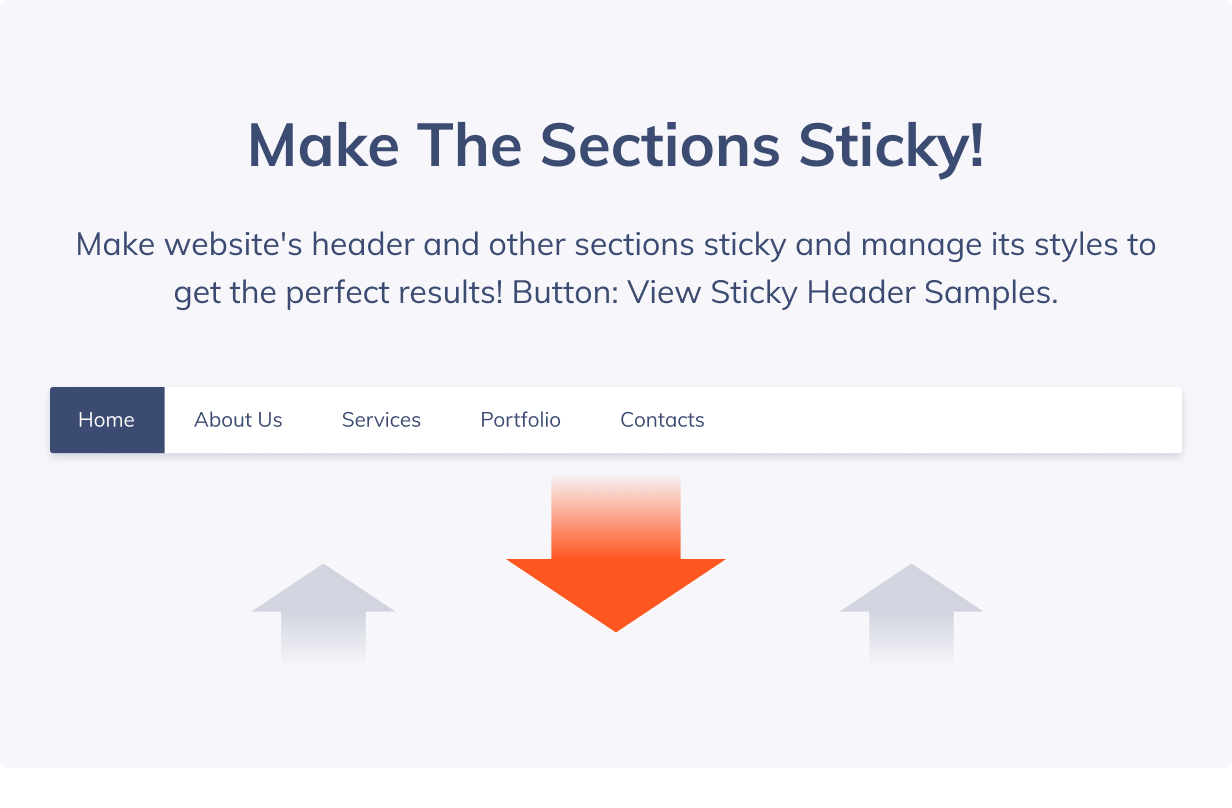
Sticky Headers & Other Sections

Meet the much-needed high-end sticky header functionality. It provides ability to make the header stay fixed to the side of the screen when the page is scrolled. You’ll be also able to make sticky practically any section and change its appearance when it is made sticky.

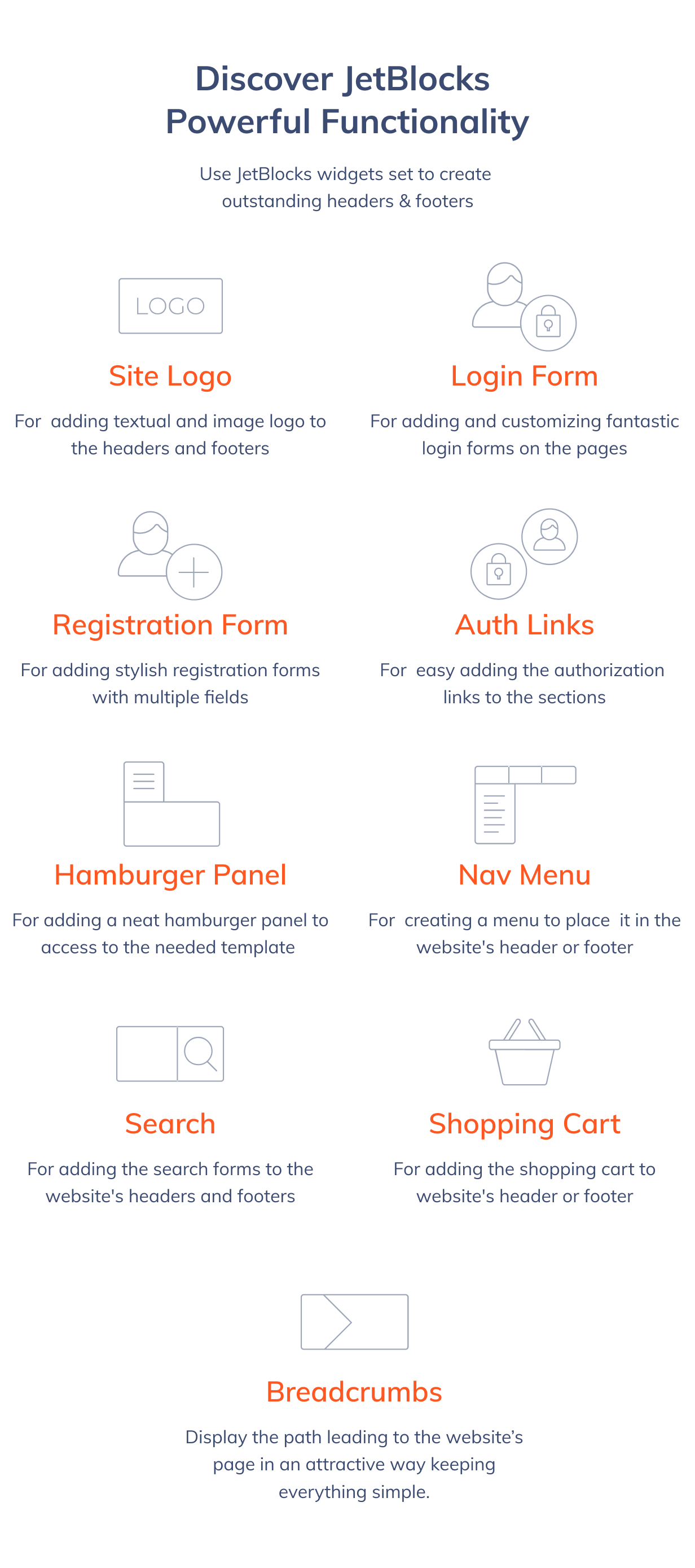
Site Logo

This widget makes it extra easy to add and customize textual and visual logo to the header or footer. It ensures that the website will have the retina and simple logo. You’ll also be able to make it linked, change its alignment, or typography in the case it is a textual logo.

Login Form

Enjoy the perfect tool for adding and customizing a login form with Elementor. It allows changing both content settings, set labels for username, password field, add a redirect after the defined event, and change the form’s styles, including the field and label text styles.

Registration Form

Get a hold on the powerful widget which allows creating and adding registration forms with specific fields. Registration Form widget makes it easy for everyone to set the field labels, as well as provides profound styles customization.

Auth Links

Use this widget in order to add a login link to the header or footer to make it simple for the visitors to log in or register on the website. It allows adding a login and logout, as well as register links, and set the icons, link texts, add prefixes to the links. There is also a huge amount of the links styles.

Breadcrumbs

Display the path to the opened page in attractive way using versatile stylization and content customization options available in Breadcrumbs widget.

Hamburger Panel

The widget provides opportunity to create a neat hamburger panel and add it to the header or any other section, depending on one’s needs. You’ll be able to set the needed appearance for the hamburger panel and then set the template to be shown when the panel opens.

Nav Menu

Meet the top-notch widget, perfect for adding clean and simple menu to the header and footer built with Elementor. Nav menu has multiple customization and style settings, proving to be a huge asset for everyone who needs to add a menu to header or footer template.

Search

The widget allows adding a Search form to the header, footer or any other section. It is really easy to add, and you’ll be able to show the Search form in the popup, change the form’s appearance, and style it up according to your needs.

Shopping Cart

Use the widget to add a stylish shopping cart to header, footer or any other section. It is easy to use and customize, providing super easy access to cart right from the website’s header.

Multiple Style Settings

Use loads of customization settings to create the needed appearance and make the content added with JetBlocks widget look fully unique and eye-catching.

Fully Responsive

JetBlocks widgets ensure that your website’s appearance will look gorgeous on all kinds of devices regardless of the screen size, and will work smoothly when resized.

Effective 24/7 Support

Professional 24/7 support team will solve any questions concerning JetBlocks plugin! We make it easy to use its widgets and build creative content for unique header & footer templates.

Clear Documentation

The detailed documentation will help everyone new to Elementor and JetBlocks understand how the widgets work, and how one can create a sticky header or section without ever touching a single line of code.

Download JetBlocks – the must-have headers & footers widgets for Elementor (Add-ons)

Event Locations – PHP/MYSQL Plugin (Miscellaneous)

Event Locations is a plugin that you can use on your own projects. It is a server-side dynamic web application conceived with PHP/MySQL, built over Google Maps API and integrated onto Bootstrap Grid Layout. It can be used to display events on your map, and also you could use it for displaying several places of your interest, just by adding markers and descriptions on it. So if you plan to use it as a feature on your website or Backoffice you’ll be able to implement it without any problems.


\

FEATURES

  • Create new Type of Event;
  • Create new Event concerned to the type created previously;
  • Manage to add fields like: Type, Map, Description, Initial Date, Final Date, Link, Photo;
  • Delete Events and Types;
  • Display Events with Modals;
  • Event Locations uses some featured and latest most used javascript files for simple integration with other projects;
  • Build on top of the Bootstrap v3.3.7;
  • Some nice javascript enhancements;
  • Easy documentation;
  • Well documented code;
  • Awesome and fast Support!

REQUIREMENTS

  • PHP 5.3+, PHP 7.0+
  • PDO PHP Extension
  • MySQL 5.x
  • Apache Mod Rewrite Enabled

TOOLS USED

  • Sweetalert
  • Font Awesome Icons
  • jQuery
  • Bootstrap
  • Bootstrap DataTables
  • Bootstrap FormValidation
  • Google Maps API

TECHNICAL FEATURES

  • 100% Responsive Design
  • Powerful Admin Panel
  • PSR2 Coding Standards Followed
  • Nice Client And Server Side Form Validations
  • Secure From SQL Injections and XSS Attacks

Download Event Locations – PHP/MYSQL Plugin (Miscellaneous)

Nimble Classified Ads Script – PHP And Laravel Geo Classified Advertisement CMS (PHP Scripts)

Nimble Classified Ads Script – PHP And Laravel Geo Classified Advertisement CMS

Nimble Classified Ads Script – PHP And Laravel Geo Classified Advertisement CMS is created to help you build a 100% responsive and exclusive classified website based on latest version of the most popular PHP framework Laravel.

Are you really forward for a powerful classified ads cms system ? The most advance Nimble Classified Ads Script – PHP And Laravel Geo Classified Advertisement CMS will meet your requirements.
It’s one of the must buy ads scripts which you can’t even resist, If you want to have a feature rich script that have got everything and includes more than 50 features which you need to build a unique classified marketplace website. All in one great looking package, Nimble classified ads script is specifically desined and developed by keeping in view the requirements and necessities of all businesses. Nimble classified ads script has very modern, unique and eyecatching design which makes it stand out at the web and is one of the most top rated classified scripts available at codecanyon. It’s great looking design and modern layout will make you fell in love with it. 100% and unique layout is reliable and user friendly, not just that its layout and design will help give your classfieds websites and it’s listings a professional appearance. With Nimble ads classified script you can make your classifieds ads national, international or even for some specified for some countries.

So what are you waiting for ! Order now

Get a unique homepage by easily stylizing & customizing each of its sections.

Demo

Live Demo URL: http://demo.ranksol.com/demos/nimble_ads/

User name: [email protected]
Password: 123456

classified application

classified application

classified application

classified application

classified application

Have A Look At It’s Key Features

  • Innovative And Powerful Admin Panel
  • Multi Skins – Easy Customization Options
  • 100% Mobile Responsive &Retina Ready
  • First Time Ever Most Unique Feature: Category & Sub Category Management
  • Post Ad With Multiple Images
  • Category Wise Ads Listing
  • User Friendly
  • Custom Fields Add On
  • Favorite Ads
  • Premium Ads System (+Google Adsense)
  • Built with PHP / MySQL / HTML 5 / CSS 3
  • Frameworks: Laravel, Bootstrap, Jquerry
  • Home page customization: (admin can change colors and order align all sections from dashboard)
  • CMS for static pages (create pages like, about us, faq, terms policy etc)
  • Front end listing submission
  • Easily installation and ready to use in just 2 minutes
  • Powerful Tracking System
  • Detailed Analytics
  • Email Verfication System
  • SEO Friendly & SEO Ready
  • Login Via Email Address
  • Social Media Sharing Options
  • Ads Upgrade System
  • Account Notifications
  • Email Notifications
  • Spam Controlling
  • Dynamic Chat System
  • Trusted Seller Badge
  • Search Filter
  • Featured Ads
  • Advance Messaging System
  • Easy To Install
  • Easy To Update
  • Sitemap
  • Maintenance Mode
  • Free Lifetime Updates And Anytime Access To Our Help And Support Portal
  • Clean Programming and source code, well organized, well documented
    Pages System
  • Contact Form
  • Trusted Seller Badge
  • Advance Profile Verification System
  • Account Upgrade
  • Spam Control System
  • Add / edit or delete expired ads

    Change Log

    30-05-2018 – Version 1.0 – 100% Working script 
    
    
  • Download Nimble Classified Ads Script – PHP And Laravel Geo Classified Advertisement CMS (PHP Scripts)

    Projectopia WP Project Management – WooCommerce Add-On (Add-ons)

    Projectopia Project Management – WooCommerce Add-On

    This add-on for the Projectopia Core plugin enables you to generate clients and projects from pre-defined templates when a user completes a WooCommerce order.

    The plugin requires Projectopia Core v4.0.7 or higher.

    Getting Started

    To install the plugin, first make sure you have Projectopia Core v4.0.7 or higher. Upload the pto-woocommerce.zip file through WordPress and Activate the plugin.

    Configuration

    Once installed you can begin to create your product links. Click on the WooCommerce link in the Projectopia Admin Menu. Choose a Product and a Milestone / Task Template and select which Team Members should be added to the generated project. You can add as many Product links as you wish.

    Orders that contain more than one linked product will apply the templates for each linked product in the list.

    That’s it, you’re ready to start selling your products!

    How does it work?

    The WooCommerce add-on has been designed to be as easy to use as possible. Everything can be run from one page.

    When an order is created in WooCommerce, the plugin checks if any of the products on the order match up to the links created in Projectopia WooCommerce.

    If they do, then the plugin checks if the email address on the order is already in the system as a PTO Client. If it isn’t then a client will be created, if it is then the resulting project will be assigned to the existing client.

    Download Projectopia WP Project Management – WooCommerce Add-On (Add-ons)

    Smart Boy : Android Game-multiple worlds-easy to reskin (Games)

    Video link : https://www.youtube.com/watch?v=OYeEU2ZiKfc

    The game Smart Boy is a game has several of adventures and the boy has several skills that help to overcom the obstacles and enemies.

    More about project: Project : For monetisation project has AdMob framework, you can easy place your admob ad networck. After game we called rate us function, also we have rate us button in main menu.

    NOTE: This game is made by Buildbox, very easy to reskin and very addicting game with .

    FEATURES :

    ANDROID Game. Eclipse Project and android studio project. AD NETWORKS ADMOB and Review Endless Game


     Follow Us


     Contact Us

    YOU MIGHT ALSO BE INTERESTED IN:


     Contact Us


     Contact Us


     Contact Us


     Follow Us


     Contact Us

    Download Smart Boy : Android Game-multiple worlds-easy to reskin (Games)

    Autolinks Manager (SEO)

    Applying autolinks in your website is a smart strategy to generate more visits on your pages, sell more products, earn money with a referral system or to improve your SEO.

    The Autolinks Manager plugin, with its advanced autolinks system and a great number of options, gives you the ability to apply this strategy at its maximum level.

    Please note that Autolinks Manager has been created by the same developers of Interlinks Manager, one the most effective and best rated SEO plugins currently available in CodeCanyon.

    Advanced Autolinks

    The total control on the application of the autolinks is what really matters in an autolink plugin.

    Unaltered HTML

    The autolinks are applied on the fly by PHP when the post are displayed in the front-end and no changes are performed on the actual HTML of the post stored in the database. So you can at anytime add, remove or modify your autolinks without negative implications for your website.

    Custom Attributes

    The HTML link elements generated with the applications of autolinks can be created with:

    • Custom Title attribute to describe the linked document
    • Custom Target attribute to open the linked document in a new window or tab
    • Custom Nofollow attribute to instruct the search engines that the link should not influence the ranking of the link’s target

    Affected Posts

    Sometimes specific autolinks should not be applied on the entire website, but only activated with specific topics.

    That’s why with this plugin for each autolink you can determine:

    • In which post types the defined keyword should be automatically converted to a link
    • In which categories the defined keyword should be automatically converted to a link
    • In which tags the defined keyword should be automatically converted to a link
    • The term group, which is a list of terms that should be compared with the ones available on the posts where the autolinks are applied

    Advanced Match

    The search for occurrences of the keyword performed by the algorithm used to apply the autolink can be tuned based on your specific needs with the following options:

    • The Case Sensitive Search option to select if the defined keyword should match or not uppercase and lowercase variations
    • The Left Boundary option to match keywords preceded by a generic boundary or by a specific character
    • The Right Boundary option to match keywords followed by a generic boundary or by a specific character
    • The Keyword Before option to match occurrences preceded by a specific string
    • The Keyword After option to match occurrences followed by a specific string
    • The Limit option to determine the maximum number of matches of the defined keyword automatically converted to a link
    • The Priority option to determine the order used to apply the autolinks on the post

    Test Mode

    This feature, if enabled through the Test Mode plugin option, allows you to apply the autolinks on the front-end of your website only to the WordPress users that have the capability required to create and edit autolinks. So you can easily test the application of the autolinks in a production environment without actually changing the content of the posts for your visitors and for the search engines.

    Random Prioritization

    The advanced Random Prioritization option is extremely useful to randomize on a per-post basis the order used to apply the autolinks with the same priority and as a consequence to ensure a better distribution of the autolinks.

    General Limit

    A limit for the maximum number of autolinks allowed in the same post can be determined with a fixed value assigned to the General Limit (Amount) option or automatically calculated based on the length of the post and the value assigned to the General Limit (Characters per Autolink) option.

    The use of the General Limit feature is recommended to limit the application of the autolinks to a reasonable amount.

    Same URL Limit

    Use this option to limit the number of autolinks with the same URL to a specified value. This option is useful when you have multiple keywords that point to the same resource and you want to limit the number of times that a resource is linked.

    Protected Tags

    With this option you can instruct the algorithm to not apply the autolinks on specific HTML tags present in your posts.

    Let’s say that you don’t want to add autolinks inside the main headings, the tables and the code snippets. Simply add the list “h1, h2, h3, table, code” in the Protected Tags option and you are done.

    Categories

    The plugin includes the possibility to categorize your autolinks, this is extremely useful when you have a high number of autolinks used for different purposes.

    For example you can:

    • Create autolinks to convert keywords that are part of a glossary and include them in the “Wiki” category
    • Create autolinks to convert keywords associated with products sold by an external website and include them in the “Referral” category
    • Create autolinks to convert keywords associated with your best articles and include them in the “Internal Links” category

    Meta box

    The Autolinks Manager meta box allows you to disable the application of the autolinks on a per-post basis. Simply visit the post where you don’t want to apply the autolinks and set to “No” the Enable Autolinks select-box available in the meta box.

    Wizard Mode

    This special menu gives you the ability to generate multiple autolinks in a single operation.

    This is a list of tasks that can be performed in few seconds in the Wizard menu:

    • Create multiple different autolinks
    • Import existing autolinks available in a spreadsheet document
    • Create multiple autolinks with the same keyword and different URLs
    • Create multiple autolinks with different keywords and the same URL

    Link Tracking

    The clicks performed by the visitors on the applied autolinks can be optionally tracked.

    The following information on the single clicks are available in the Tracking menu:

    • The ID of the tracked click
    • The IP address of the user that performed the click
    • The date on which the autolink has been clicked
    • The autolink associated with the tracked click
    • The post, page or custom post type that includes the autolink that received the click

    Please note that if you don’t want to collect personal data the plugin gives you the ability to:

    • Disable the link tracking feature
    • Delete on demand the tracked clicks associated with specific IP addresses

    Statistics

    Use the Statistics menu to generate statistics about the autolinks applied in the posts, pages and custom post types of your blog.

    For each post you will be able to know the exact number of autolinks applied and the number of clicks generated with the autolinks.

    Extremely Customizable

    With the 50 general options you can control various aspects of the plugin. You can for example set the default values for the new autolinks, control how the analysis performed on the posts should be executed, enable or disable the link tracking feature, give access to the plugin menus only to users with specific capabilities, customize the pagination system used in the back-end and control advanced aspects associated with the application of the autolinks.

    Gutenberg Ready

    WordPress is changing and the TinyMCE editor will soon be replaced with the new Gutenberg Editor, a page builder that uses blocks to create all types of content.

    This plugin allows you to select exactly on which Gutenberg blocks the autolinks should be applied. So you can be very precise in the application of the autolinks and avoid any kind of issue associated with the application of autolinks on Gutenberg blocks.

    CSV Ready

    The support for the CSV format includes two separate aspects:

    Importable Data

    From the Wizard menu you can import your existing autolinks available in a CSV archive. The process is very simple:

    1. Open the CSV file that includes your autolinks with your favorite spreadsheet editor
    2. Copy your data in the clipboard
    3. Paste the data in the spreadsheet editor embedded in the Wizard menu
    4. Click the Generate Autolinks button

    Exportable Data

    The data about your autolinks and the tracked clicks can be exported through the Export CSV section available in the plugin menus. The generated CSV files can then be imported in your favorite spreadsheet software to perform custom analyses, modify, share or print the data.

    Import and Export

    The import and export feature available in Autolinks Manager allows you to archive your collections of autolinks, categories and term groups as XML files.

    This is extremely useful because:

    • Works as backup system for your autolinks, categories and term groups
    • You can move your autolinks, categories and term groups between different websites

    Multisite Ready

    This plugin can be used on a WordPress Network, and supports both a Network Activation (the plugin will be activated on all the sites of your WordPress Network in a single step) and a Single Site Activation (the plugin will be manually activated on single sites of the network)

    Multilanguage Ready

    Autolinks Manager comes by default in English and Italian, if you want to translate the plugin in another language simply create a translation file or manually translate it with a multilanguage plugin.

    High Quality Support

    Support for this plugin is provided in English and Italian directly via email by the plugin developers. If you experience any problems or if you need detailed technical info about specific plugin parts you are in good hands

    Video Tutorials

    Credits

    This plugin makes use of the following resources:

    For each library you can find the actual copy of the license inside the folder used to store the library files.

    Do you care about your website’s SEO?

    Improve your internal links structure and get more visits on your WordPress website with the Interlinks Manager plugin.

    Implement now the hreflang attribute

    Increase the search visibility, the indexation rate, the number of impressions and avoid duplicate content by implementing hreflang with the Hreflang Manager plugin.

    Download Autolinks Manager (SEO)

    Cryptocurrency Exchanges List Pro – WordPress Plugin (Miscellaneous)

    Top Cryptocurrency Exchanges List – WordPress Plugin

    Cryptocurrency exchanges list pro WordPress plugin creates a list of 200+ best cryptocurrency exchanges by using crypto markets api data provided by coinexchangeprice.com public API. This crypto exchanges plugin uses coinexchangeprice.com public API to grab exchanges trading volume, alexa rank, market pairs & much more…

    Crypto Exchanges Plugin Features – Plugin DEMO

    • Best Exchanges List :- Create 200+ exchanges list and compare their 24H trading volume and bitcoin price in a beautiful dataTable. Check exchanges list demo here…
    • Market Pairs / Coins :- Find coins support and markets / trading pairs supported by top cryptocurrency exchange.
    • Auto-generated Exchange Pages :- This plugin automatically gernerates dynamic 200+ exchanges content pages inside your WordPress website.
    • Yoast SEO Friendly Plugin :- Fully Yoast SEO compatible plugin, every exchange page contains a unique SEO title, meta description and og:tags.
    • Smart Shortcodes :- Design single exchange page using smart crypto shortcodes that generates exchange specific dynamic content.
    • Custom Content :- Easily add custom description about crypto exchanges inside dynamic generated exchange pages and increase your website search visibility. Check exchange single page demo here…

    Special Features (If you install “Coin Market Cap & Prices” plugin with this “Crypto Exchanges” plugin)

    • 1500+ Crypto Coins List :- Display 1500+ crypto coins price list, charts & single page of every cryptocurrency (1500+ SEO friendly coin pages). Check coins price list demo here…
    • Comapre Coin Price on Exchanges / Markets :- You can compare coin price on different cryptocurrency exchanges if you use both crypto plugins. Check single crypto coin page demo here…
    • Diplay Coin Historical Price :- You can display crypto coin historical price table and chart on single coin pages.
    • Crypto Coins Calculator :- “Coin Market Cap & Prices” crypto calculator conatins 2 special features – [crypto to fiat converter] & [crypto to crypto converter].

    GDPR compliance WordPress Crypto plugin!

    CHANGELOG

    Version 1.0 – June 13, 2018

     - Initial Plugin Release
     - Plugin Approved by Envato
    

    Download Cryptocurrency Exchanges List Pro – WordPress Plugin (Miscellaneous)

    Support Ticket System (OpenCart)

    OVERVIEW

    A simple yet flexible support system to manage your eCommerce store supports. Having support ticket system integrated with eCommerce store helps in increasing sale. Give a place your customer to contact for their problems they are facing or do enquiry in better way instead of traditional contact us E-mail based system without having records of conversation. Support ticket system allows tons of support ticket handling with e-mail system and others.

    Why choose to get a Support Ticket System (Help Desk) system integration into eCommerce store?
    This module is built on believing that serving better to your customers is key to leading in now day markets. By providing professional support to your customers rapidly you can build trust of customer which again most vital part of success. For this purpose, we build powerful support ticket (Help Desk) management platform which allows you to centralise all tickets with multiple ticket status as per requirements.

    FEATURES

    1. Build trust base of your customers by helping them quickly and thoroughly
    2. Serve better your customers with minimum time-span
    3. Separate interface for support desk
    4. Customer can easily create ticket by creating an account or without it.
    5. E-mail for each ticket reply with respective ticket status
    6. Multiple departments for categorized ticket
    7. Multiple status for ticket
    8. Create articles for common problems
    9. Categorized the articles by knowledge-base sections
    10. Create visuals instead of long articles
    11. Separate profile of support users (No glitches)
    12. Multi-Language text
    13. One place for all common problems
    14. Quality code by best professionals among market
    15. Mobile Friendly (Responsive) Design
    16. Support Journal theme + All other themes
    17. Both VQMOD and ODMOD modification system available
    18. Follow OpenCart code architecture
    19. Simple module installation and enable/disable at anytime
    20. Well organize documentation and presentation
    21. Simple and easy installation
    22. Dedicated support team for free and quick extension support
    23. Stay tune with tons of new features

    TEST USER CREDENTIALS

    User: [email protected]
    Pass: test

    Download Support Ticket System (OpenCart)

    AWallZ | Native Android HD Wallpaper App with WordPress Back-end, AdMob & FCM PUSH Notification (Full Applications)

    https://drive.google.com/uc?export=download&id=1TjbX3ozmk1T3wMBmSiYAKKoTt33NrwGj

    Features

    https://drive.google.com/uc?export=1qzQonPyY8du3c4ggdQtpRSgmg4diU-Cq https://drive.google.com/uc?export=download&id=1Gm7HgbPSh8DMfCfLyMm2irVpAzp197L3
    https://drive.google.com/uc?export=1vsS_vfAffmOGLw59-j8bZbBF0Jl6aPTR https://drive.google.com/uc?export=download&id=1dVmvf0UaCqfD7T3MovHrWNjYxauOqgXn
    https://drive.google.com/uc?export=download&id=1YcEaiS4b_qkqFH7fFsEA0MJ5zOJBI_Rg https://drive.google.com/uc?export=download&id=1FrStwqV1QCrnCeOaXmZo8hkgbWaKyv-7

    Here is the detailed feature list:

    • No Programming needed
    • WordPress as Back-end
    • Works for Default WordPress Dashboard
    • Native android HTML formatted contents support
    • Unlimited wallpapers / images
    • Unlimited categories
    • Enhanced search facilities
    • Bookmark List to Bookmark wallpapers
    • Wallpaper Sharing Facilities
    • Wallpaper Set Option
    • Wallpaper Download Option
    • Supports RTL Arabic Layout
    • AdMob Ads
    • PUSH Notification
    • Material COlor theme
    • Enhanced documentation
    • 24/7 Customer Support

    Demo App Link:


    https://drive.google.com/uc?export=download&id=1RLR3SXEHVVQKm5gloptQOcdlkq_xK86_

    App Demo Video


    https://youtu.be/JDHZAPIaUDI

    No Programming Needed. Check out our Technical Documentation –

    Download AWallZ | Native Android HD Wallpaper App with WordPress Back-end, AdMob & FCM PUSH Notification (Full Applications)

    Color : Jump Ball + Admob + Multiple Characters (Android Studio + Eclipse+ Bbdoc) (Games)

    Video link : https://www.youtube.com/watch?v=bVSTSQZFJI4

    This game is made from scratch from buildbox.

    • This game is made by Buildbox, very easy to re skin and very addicting game with Flat style graphics. Buildbox is a breakthrough game creation experience. Creating games is as easy as dropping images into the software, making changes to their properties and hitting play.
      BuildBox project will allow you to edit levels and all the graphics and also export it to platforms such as Android, iOS, Windows Desktop, Windows Desktop EXE, Windows Store, Amazon and OSX.

    Features and Requirements

    REQUIREMENTS : BUILDBOX VERSION 2.8.8
    UNIVERSAL GAME PROJECT
    ANDROID PROJECT
    Eclipse

    Main Features

    Music On/Off Button
    Review Button
     Endless gameplay
    Universal (phone & tablet)
    Interstitial: Admob, 
    Rate Button
    EASY TO RESKIN

    Gameplay

    Endless

    What’s included

    Android Studio Project
    APK

    Download Color : Jump Ball + Admob + Multiple Characters (Android Studio + Eclipse+ Bbdoc) (Games)