Product Promotion2 – VIDEO HTML5 Ad Banners (Ad Templates)

Product Promotion2 – GWD Ad Banners are designed with Google Web Designer. And provided 4 most frequently used sizes in the market

Sizes

1. 300X600
2. 300X250
3. 728X90
4. 160X600

Features

A. Google Web Fonts.
B. Repeating Animation Effects.
C. Fully Editable.
D. 24X7 Support N Free Updates.

About

You can use these ad banners for any purpose, just by changing content,, it is very easy.. you can use this for many more ways.. Business, Corporate, Promotional Based etc…

Design of the ad banner is very trendy and catchy to users.. and you can change all elements as per your need.

All files are included for buyers to edit content easily.. buyers can modify content like Background-color, Titles, Logo, Images etc.. easily according to their requirement. No Need of Technical stuff.. Sources

Source

https://www.youtube.com/watch?v=0gv7OC9L2s8

Support

Feel free to ask any queries, it is our pleasure to help you..

And Ask Us For Any New Sizes, Will provide you in 24 Hrs

Download Product Promotion2 – VIDEO HTML5 Ad Banners (Ad Templates)

Modernic Pricing Tables (Pricing Tables)

Modernic Pricing Tables is a simplified CSS3 and HTML5 solution for creating responsive pricing tables with ease. The package includes multiple themes and styles plus over 80+ starter templates to get you started.

Features

  • Pure CSS3 and HTML5
  • 80+ starter templates
  • Elegant and clean design
  • Flexible responsive fluid grid
  • Build up to 6 column pricing tables
  • Available in white, grey and dark versions
  • Stylish animated CSS3 tooltips
  • CSS3 hover column animations
  • Includes basic and advanced styles
  • Compact and separated columns
  • Supports package comparison tables
  • CSS3 small and large ribbons
  • Retina high resoultion support
  • 500+ font-awesome vector icons
  • Cross browser compartiblity IE8+
  • Multiple theme color support
  • Unlimited color combinations
  • Easy to implement, customize and style
  • Featured column highlight any column
  • Column highlights supported
  • Price discount badges included
  • Well Coded and Documented

Notice: This is not a WordPress plugin

Changelog

25.09.2015 – Version 1.0

  • Initial Release

Keep in Touch! Don’t Miss an Update!


Download Modernic Pricing Tables (Pricing Tables)

Product Direct Edit Link And Ajax Delete (Prestashop)

Delete unlimited product without page refresh from front office and easily edit product from direct edit link.Easy to install and no additional settings.This module keeps your shop faster and effortless.

Features are given bellow:
>Directly go to product edit page from edit link
>Delete product via ajax without page refresh it is easy and faster
>Buttons appears only to logged in and authorized employees
>Add custom class to change buttons style and color from module
>Buttons has enable and disable option

Download Product Direct Edit Link And Ajax Delete (Prestashop)

Rain – Responsive Off-Canvas Menu (Navigation)

support

Rain is Fully responsive slide megamenu with powerful features. It comes with 20 navigation animations and 17 submenu transition animations. There are 28 color variations to chose from, along with integrated news ticker.

Rain also has 2 layouts – one with the top navigation and the second – without top bar.

To modify any option that comes with Rain, no javascript knowledge is required! You can style everything, even editing initializations options through html5 data attributes.

You can add dropdowns and animatable submenus. You can set custom animation for every submenu element, or use default one for all of them.

There are also a clickable breadcrumbs so users can navigate through unlimited depth of animated submenus with ease!

Features

  • Fully Responsive
  • 2 Layouts
  • Dropdowns & Submenus
  • Simple Markup
  • No javascript Knowledge Required
  • 20 Navigation Animations
  • 17 Submenu Animations
  • 28 Skins
  • Basic News Ticker Integrated
  • Clickable Breadcrumbs
  • Bootstrap Compatible
  • Cross Browser Compatibility

screens

Download Rain – Responsive Off-Canvas Menu (Navigation)

Flat Skin Retina for VideoJS 4 (Miscellaneous)

Features

  • Video.js that is open source HTML5 & Flash video player, as well as YouTube and Vimeo (through plugins), used on over 100,000 websites
  • Skin with Flat Style
  • Retina Ready & Fully Responsive
  • Unlimited colors – any colour you like
  • SVG and LESS files included
  • Change color in 10 seconds or less
  • 8 Different Demos
  • HTML5 & CSS3
  • Support and updates
  • Wishlist Support
  • Well Documented

Setting Custom Colors

Once you’ve chosen a skin to use with your player, it is possible to further customize the skin by setting up to three colors in the LESS configuration:

  • @primary-color
    • Active skin elements. This includes active and highlighted labels, as well scrubber time that has elapsed.
  • @primary-dark-color
    • Skin elements that are hover, as well handle time.
  • @control-bg-color
    • The background portion of the control bar.

Reference in Documentation

  • VideoJS Player Homepage
  • VideoJS Player Documentation
  • Learn more about CSS Skinning Guide
  • Learn more about Building VideoJS Skins
  • Create Custom VideoJS Player
  • Setting up volume slider vertical
  • Icons font generator using SVG files
  • PX to EM conversion made simple
  • Free Online LESS Compiler
  • Free Offline LESS Compiler
  • Learn LESS in 10 Minutes (or Less)
  • LESS for Notepad++
  • Online CSS Minifier/Compressor
  • VideoJS Source Code
  • ow to build VideoJS from source

Changelog

  • Launch: The launch of the Flat Skin Retina for VideoJS 4 project – 20 September 2015.

Other Skins

Download Flat Skin Retina for VideoJS 4 (Miscellaneous)

Advanced Contact Form Plugin (Forms)

This is a feature-rich WordPress contact form plugin that allows you to add a very powerful contact form to your Contact us page in 2 minutes!

Here are top reasons you may fall in love with this plugin!

2 minutes to setup, integrate, & style!
Fat-free! No crap included to increase sales!
Works with any theme!
Ready-made CSS3 styles!
Visual Composer support!
Unlimited number of forms
Shortcode & Widget support
Multiple recipients, with CC & BCC
File attachments, plus validation
Spam, CSRF & XSS protection!
Optional anti-Spam flood protection
E-mail & IP address blacklists
Built-in image CAPTCHA
Built-in hidden CAPTCHA (honey pot)
Built-in riddle CAPTCHA (localization-ready)
Customizable form field labels!
Customizable submit button text
Customizable e-mail subject & body!
Customizable automatic response!
Customizable subscription notification!
Customizable subscription verification!
Customizable newsletter field label
Compatible with WPML, qT, etc
Very small front-end only PO file!
           
SMTP support (with TLS\SSL support)
Customizable “From:” header!
Plain text & HTML support
Optional redirection on success
Optional last name requirement
Automatic subscriptions
Optional subscription notification
E-mail address verification
Per-form configurations
Web accessibility best practices
Optional WAI-ARIA landmark roles
Progressive enhancement
Unobtrusive JavaScript\AJAX
Unobtrusive client-side validation
Mobile-friendly
Retina-ready!
Optimized CSS, HTML, and JavaScript
Minimum HTTP requests
Least 3rd-party dependencies possible
Optional “no relay” (iPage, GoDaddy, etc)
Semantic structure
Automatic updates
Top-notch support!
And really really much more…

Don’t forget the screencasts!

Please watch our screencasts in the live preview (Screenshots tab) :)

Want Even More Features?! :D

Sure! send your feature requests via this page.

Support

Please do NOT use the comments section for support requests, use the “Support” section instead. Thank you! :)

Get notified of updates

Follow us to get notified of updates, new and freebie stuffs and more! :)

FOLLOW HTMLPIE ON CODECANYON FOLLOW HTMLPIE TWEETS ON TWITTER.COM SUBSCRIBE HTMLPIE ITEMS FEED ON CODECANYON

Download Advanced Contact Form Plugin (Forms)

WooCommerce Appointment Schedule Booking System (WooCommerce)


If this plugin is useful, could you please help us to rate it? it will be a big encouragement to improve for us.

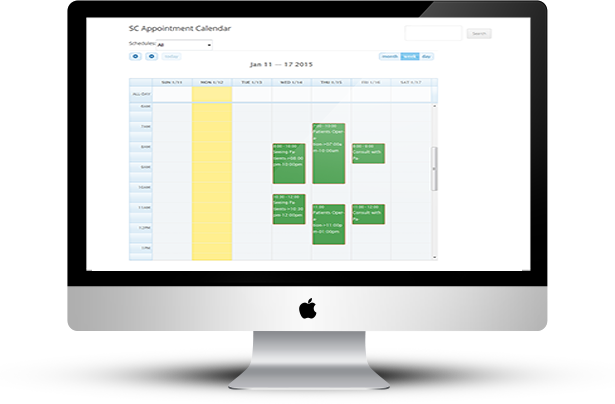
“WooCommerce Appointment Schedule Booking System” plugin is a WordPress Woocommerce appointment scheduling plugin that allows your customers to book appointments for the services directly from your website by using woocommerce payment system.

“WooCommerce Appointment Schedule Booking System” plugin is the powerful scheduling plugin which has most features and user-friendly interface with flexible admin panel.

By this plugin your customers will take a quick view on your services and can book a suitable appointment schedule in specific time and date slot.

“WooCommerce Appointment Schedule Booking System” plugin is make for service professionals like doctors, lawyer, consultants, therapists, tutors, instructors, singer, artist, photographers, stylists and others who need to schedule their time and date with clients through online. You can create your appointment schedule in a particular date and time.

“WooCommerce Appointment Schedule Booking System” plugin is integrated with WooCommerce Payment systems.

“WooCommerce Appointment Schedule Booking System” plugin is well implemented with all the necessary features that will make the online booking simpler and easier for your customers.

“WooCommerce Appointment Schedule Booking System” plugin has some excellent features and very easy to install or setup. “WooCommerce Appointment Schedule Booking System” plugin is more flexible and compatible with many existing plugins in the wordpress repository. This plugin is fully customizable. Users can easily configure the plugin into the new or existing wordpress websites.


  • Very easy to install and configure.
  • Very flexible functionality. Fit to very wide range of business.
  • All bookings and settings are stored in your DB. You don’t need third party account(s).
  • An easy to use Booking Admin Panel that displays bookings in Calendar Overview and lets you manage bookings.
  • Built with jQuery, Ajax and other technologies.
  • Easy to install and integrate into your site. Because necessary post or page will be automatically created and shortcodes will be automatically copied to page

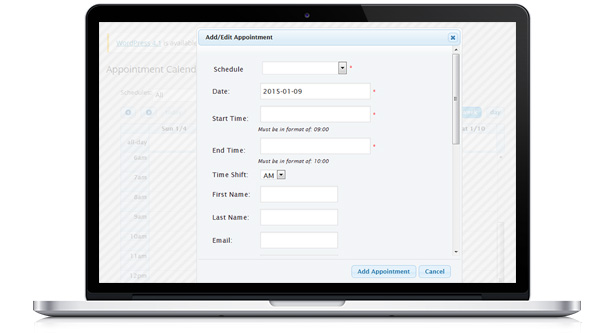
  • Make appointment schedule bookings in friendly booking interface – select the date(s) and fill form fields.
  • Prevent of double booking for already reserved schedule time (1 booking per 1 schedule or time slot for a venue).
  • Allows defining the working days, the exact time slots available.
  • Set the length of time slot for each service.
  • Add/Edit/Manage Booking from Admin Interface.
  • Insert Booking Calendar into any Post/Page using ShortCode [appoint_sccalendar].
  • Pretty modern administration interface.
  • Supports both am/pm and military time.
  • Easily add, edit or delete appointment in WP Admin.
  • Automatically page created and shortcode copied to page to generate calendar page. So it’s really easy to install and configure.
  • Variety of services to choose from – woocommerce appointment schedule booking software lets you set many services options: An appointment at your office or at your client’s location or anywhere.
  • And much more coming soon…

  • Free Installation Service.
  • Unlimited Service and Venue Entries.
  • Integrated with WooCommerce Payment System.
  • Built in Shopping Cart Enabled.
  • Manage Booking Straight From the Calendar.
  • Unlimited Background Color setting for Schedule Event.
  • Dynamic Customized date Picker for Service/Schedule wise.
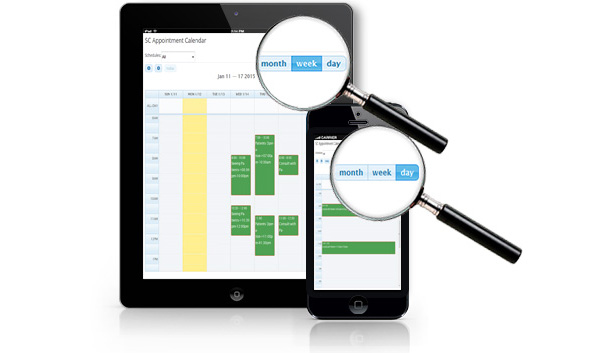
  • Appointment Scheduling Calendar month, week and day view.
  • Full Technical Support From us.

  • Comfortable Admin Panel for appointment schedule booking management. View appointment bookings in Calendar Overview Panel (Timeline) with possibility to set Day/Week/Month view or in Booking Listing Table with pagination.
  • In manage booking Search the booking(s) by different parameters, using the Filter in Admin Panel.
  • Pagination of the booking listing.
  • Administrator can edit or Delete specific bookings.
  • View the bookings in booking calendar of any month of any year.

  • Patient scheduling (Doctor, Clinic, Medical).
  • Booking calendar / availability calendar for a doctor, lawyer, therapist, gym instructor.
  • Booking calendar / availability calendar for a physiologist.
  • Booking calendar / availability calendar for a consultant.
  • Booking calendar / availability calendar for counseling.
  • A shift calendar.
  • Meeting scheduling (Coaching, Phone advice, Consulting, Law Firms, Education).
  • Client scheduling (Beauty salon, Spa management, Hairdresser, Massage therapist, Acupuncture, Photographers, Personal Trainers, Wellness, Training Institutes, Sightseeing Services, Home Repair, Auto Repair, Tuition, Financial Services).
  • Whatever you like!

For installation process and other information please view our online Documentation

Download WooCommerce Appointment Schedule Booking System (WooCommerce)

Table Rate Shipping Calculator Magento Extension (Magento Extensions)

Descriptions

Table Rate Shipping Calculator Extension helps Magento store owner to offer multiple shipping rates for his customers, these rates are based on locations, qty or price. Using this extension admin can define different types of shipping rates based on destinations, weight, price or quantity of an products being purchased.

Three ways to price shipping

There are three main ways of setting up table rates:

  • price vs. destination
  • weight vs. destination
  • number of items vs. destination

By using this Extension admin can set cheaper shipping to certain destinations if the cost of the item is high, or if the weight and number of items is low.

-Create any number of shipping methods

Magento admin can create different-different shipping methods for various types like One day delivery, ground shipping, air shipping and for express delivery. For each shipping method, he can set individual shipping rates.

-Simple import of Shipping Rates by CSV File

You can import .csv file with various shipping rates for the custom methods you created. There are also options to specify one country or all countries, using “” symbol.
By CSV files admin can define the rules under which a shipping rate will show. Each row in the CSV file defines a shipping rule.

-Zip codes range option available

-Free Shipping for Orders above an fix amount

Free shipping can be offered for the orders over a certain amount Like for example, shipping rate can be set as $0.00, when the product price is over $ 10.

Table Rate Shipping Calculator Extension helps Magento store owner to offer multiple shipping rates for his customers, these rates are based on locations, qty or price. Using this extension admin can define different types of shipping rates based on destinations, weight, price or quantity of an products being purchased.

Three ways to price shipping

There are three main ways of setting up table rates:

  • price vs. destination
  • weight vs. destination
  • number of items vs. destination

By using this Extension admin can set cheaper shipping to certain destinations if the cost of the item is high, or if the weight and number of items is low.

-Create any number of shipping methods

Magento admin can create different-different shipping methods for various types like One day delivery, ground shipping, air shipping and for express delivery. For each shipping method, he can set individual shipping rates.

-Simple import of Shipping Rates by CSV File

You can import .csv file with various shipping rates for the custom methods you created. There are also options to specify one country or all countries, using “” symbol.
By CSV files admin can define the rules under which a shipping rate will show. Each row in the CSV file defines a shipping rule.

-Zip codes range option available

-Free Shipping for Orders above an fix amount

Free shipping can be offered for the orders over a certain amount Like for example, shipping rate can be set as $0.00, when the product price is over $ 10.

General Features

  1. Easy to Install and Use
  2. 100% open source
  3. Meets Magento programming practices
  4. Life time free updates

Extension Features

  • Offers multiple shipping rates for customers
  • Different shipping rates according to the destination and shipping method
  • Zipcode filter to determine shipping charges
  • You can specify range for price, weight, or item vs destination rates
  • Unlimited Shipping methods
  • Import csv for table rates and shipping methods
  • You can manage individual shipping rates from the admin panel
  • Define the table rates and shipping method according to the store
  • It`s easy to use
  • It meets all Magento development practices
  • It`s easy to install (takes just a couple minutes)

Shipping rates can be calculated using the following criteria:

  • Destination based
  • Weight
  • Cart Price (% or flat)
  • Zipcodes

Installation

System Requirements

Magento version 1.4.x or higher
PHP version 5.2.0 or higher

Installation through Magento Connect

With these steps you will be able to install the Magento Extension in your website.

Extract the .tzg file from the zip file you have downloaded.

Disable all caches under “System > Cache Management” and make sure Magento Compilation is disabled under “System > Tools > Compilation”. This is necessary to avoid any caching problems after the installation of an extension.

Log into your Magento Connect Manager with your admin credentials.
Select the .tzg file you have extracted in step one in the browse field under the option “Direct package file upload” as shown below and then click the upload button.

Wait until the upload and installation process is finished and click the refresh button below the command line textarea afterwards.
Go the http://www.yourdomain.com/admin/ where yourdomain.com is the URL where your Magento installation is located. If you are already logged in to the backend please log out and login again as this will prevent you from getting a 404 error on the extension pages due to permissions that have not been set for the logged in user. After logging in you can enable your cache settings under “System > Cache Management” and if used enable Magento Compilation under “System > Tools > Compilation”. The installation is now completed. You can view the extension in menu “Vivacity Extension-> Flex Slider”.

DEMO: http://demo5.vivacityinfotech.net/magento/

NOTE:

Please logout and login back after installation of Extension, sometime Magento Cache having some issue.

Magento Versions Compatibility

Our Magento Extension is compatible with Magento CE:
1.9.0.1,1.9.0.0, 1.8.1.0, 1.8.0.0, 1.7.0.2, 1.7.0.1, 1.7.0.0, 1.6.2.0, 1.6.1.0, 1.6.0.0, 1.5.1.0, 1.5.0.1

Support

We provide support through our support site. Support staff working days are from Monday to Friday

Version 1.0 - Sept. 22, 2015
- 1. Initial version .

Download Table Rate Shipping Calculator Magento Extension (Magento Extensions)

WooCommerce File Sharing & Message After Chekcout (Miscellaneous)

This plugin allow admin and client to communicate and share files. It adds a button under My Account page next to ‘View’ button order like:

1-myaccount-viewandmessages


On next page, order detail client can type message or even attach files. Once the file is sent an email notification is sent to admin. Existing messages and files are listed on same area like:

2-createnew-message


Admin can see these message(s) under each order page with files and reply to client. Email notification will also sent to client with direct URL to order page.

3-admin-messages
4-client-messages-inbox


Customization

  1. Set file thumb size
  2. Set file size in mb
  3. File upload button label
  4. File types control
  5. File count control
  6. Customize email template
  7. Customize message when message sent


Installation and Startup

Just download zip file and upload into plugins section of WordPress. Once it’s activated you can access it’s setting with WooUpload Menu like:

Filters for Developers

<b>add_filter(‘wooconvo_message_subject’, ‘your_subject’, 10,2);</b>

$subject: string

$order_id: int

Above filter can be used change email subject when a message is sent


<b>add_filter(‘wooconvo_view_order_text’, ‘your_order_text’);</b>

$default: string

Above can change the default text on my account ‘View and Messages’


<b>add_filter(‘wooconvo_message_receivers’, ‘your_message_recievers’);</b>

$to: an array

Above filters can be used to add more emails to receive notification.


<b>add_filter(‘wooconvo_render_attachments’, ‘your_file_attachment’, 10,2);</b>

$html: string/html

$files: all files in array

Above filter can be used to change file attachments view in existing messages


Download WooCommerce File Sharing & Message After Chekcout (Miscellaneous)

Prestashop PDF Invoice Template Builder Module (Prestashop)

Why use Prestashop Invoice Template Builder Module – Prestashop Invoice Template Customization on your store?

Prestashop PDF Invoice – Prestashop Invoice Module requires no technical knowledge. Just fill in some information of your, you will have a professional prestashop invoice template matching your brand identity. All you have to do is pay one time for this extension, no monthly cost.

Demo: http://buy-addons.com/demo/pdf_invoice/admin410aynfei/
username: [email protected] , pass: [email protected]

Document: http://buy-addons.com/doc/invoice_builder/

Features

  • Quickly create any Prestashop Invoice Template for your company with Editor on Backoffice.
  • Customize, Sort, Change Product Information, Product Columns, Product Text Color… for Product List in Prestashop Invoice Template
  • Support Barcode in Prestashop Invoice Template
  • Add Product Image, Product Sku, Product Discounted Price, Product Reference, Product Tax, Product Tax Rate… in our module
  • Easy Print PDF invoices in frontend and backend
  • Support many types of paper size for Invoice Template.
  • Automatic paging in PDF Invoice
  • Print Prestashop PDF Invoice files with a few clicks
  • Support multiple stores, multiple languages, multiple currencies – Enable setting different PDF Invoice templates for different store views
  • Display full seller and buyer information on PDF documents
  • Show Company detailed information, including Name, Logo, Address, Email, Phone, Business ID, VAT Number and VAT Office in PDF Invoice Template.
  • Change background image, block background color and text color
  • Add free text to Sales Documents, including Footer, Notes, Terms and Conditions
  • Compatible multiple language.
  • Cache system…

OTHER FEATURES

  • Easy to install, easy to upgrade, just copy to use
  • Friendly and flexible configuration
  • HTML/CSS validation
  • Easy to customize front-end via HTML/CSS
  • Clean code

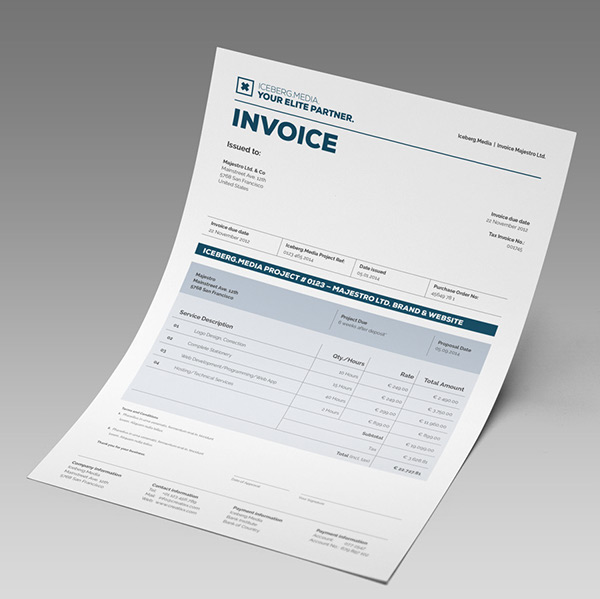
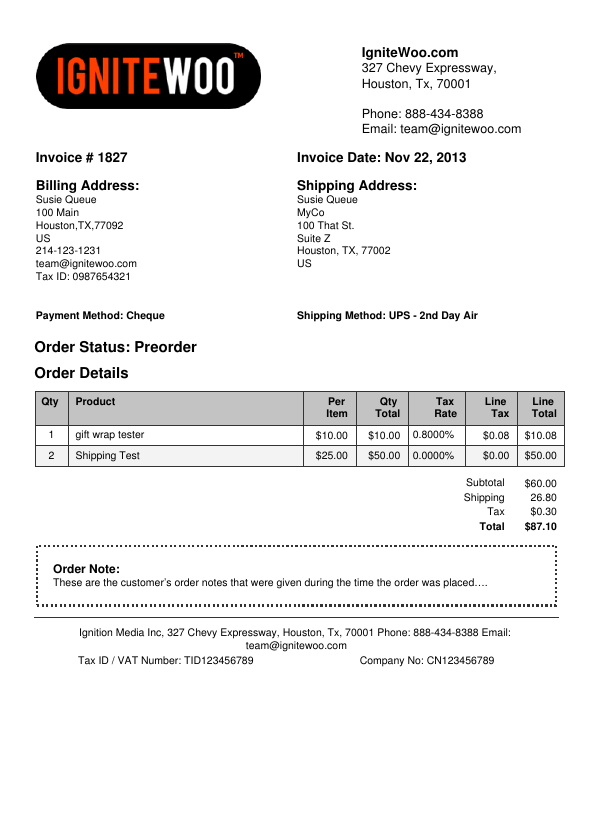
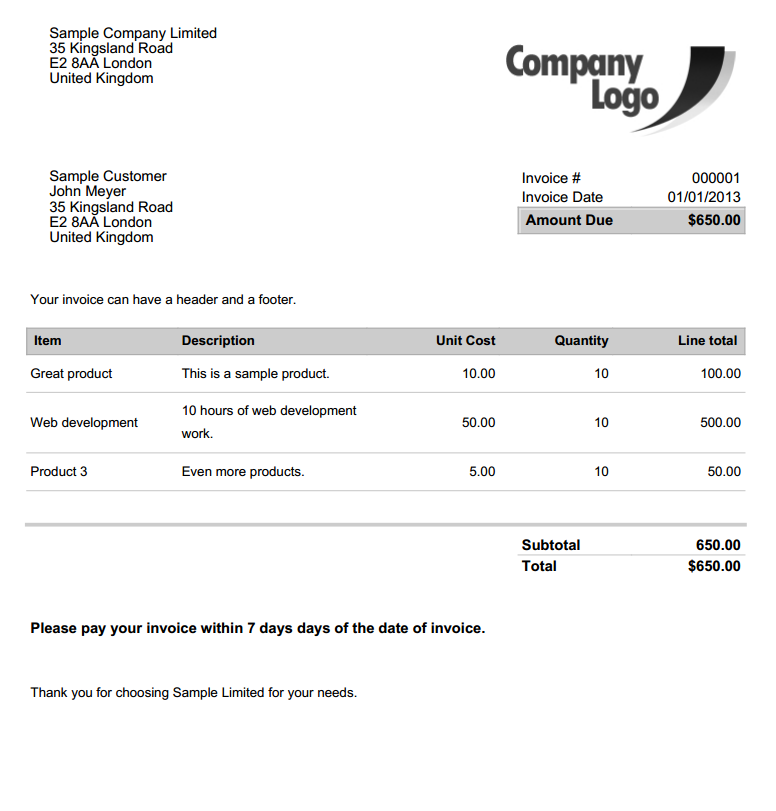
Some Prestashop Invoice Templates Demo

Download Prestashop PDF Invoice Template Builder Module (Prestashop)

Simple Markup Formatter + Highlight (Miscellaneous)

Need to format some markup for presentation, Style Guide or simply to clean up some old codes? The Simple Markup Formatter + Highlight will format your markup super quick and easily. With an added bonus, it will even color code your markup tags, attributes and attribute values.

Easily format multiple blocks of markup codes, including the entire body content.

Features includes…
– Simple 2 step install process
– Format any blocks of markup for both HTML5 and HTML4
– Format multiple blocks of markup simultaneously
– Color codes html tags, tag attributes and attribute values
– No jQuery libraries needed
– 5 Optional Callback mechanisms
– 10+ customizable settings

Download Simple Markup Formatter + Highlight (Miscellaneous)

Material WP – Material Design Dashboard Theme (Miscellaneous)

Material WP – Material Design Dashboard Theme

WordPress admin interface has been the same for ages. The version 3.8 of our beloved platform tried to bring a fresher design, but the basic idea remained the same. It’s time to bring something entirely new to the table: Material WP.

Every wonder how a Material Design version of the admin interface would look like? You now can get that look and feel right in your admin panel. Check the demo and the screenshots!

Features:

  1. Completely redesign of the admin interface,based on Material Design
  2. Drag and Drop admin menu Reorder
  3. Responsiveness
  4. Parallax Block
  5. Login Page Styles

Important

As not every WordPress plugin developer follows the WordPress guidelines on how to implement WordPress custom Admin Pages, some plugin’s admin pages may present weird pages using this theme. But fear not: just send us a message via our profile and we will do our best to add the plugin to our compatibility list. All the most commonly used plugins are already compatible, like VC, WooCommerce, bbPress, BuddyPress, Jetpack, etc

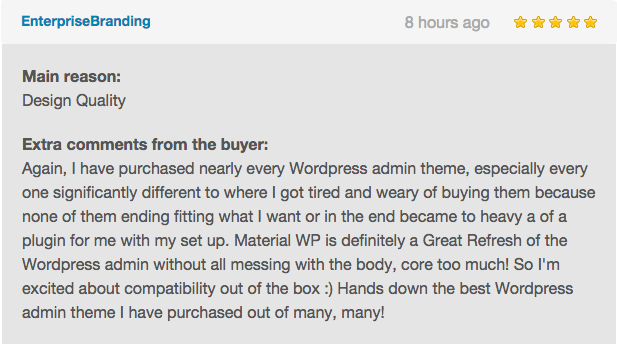
What are our buyers saying?

Our Items

Changelog

Version 0.0.1
- Initial Release on CodeCanyon.

Download Material WP – Material Design Dashboard Theme (Miscellaneous)

Stop Shapes Game For iPhone & iPad (Games)

Features :

– Written in Cocos2d
– 50 Fun Levels
– Simple Touch Gameplay
– Game Center
– ADs:
– Chartboost
– AppLovin
– iAD
– AdMob banner and interstitial
– Google Analytics
– In App Purchases with Remove Ads
– Easy to Re-Skin
– Social Sharing
– Compatible with iOS 8 & 9
– Ready to submit to the AppStore
– Documentation

Download Stop Shapes Game For iPhone & iPad (Games)

Bubble Sorcerer – HTML5 Bubble Shooter (Games)

Description

Shoot and match-3 in this fast paced bubble shooter. Infinitely generated stages and boosters included. Made with GameMaker Studio. (Mobile responsive.)

Features

  • Complete Game.
  • Infinitely generated stages and boosters for extra game content.
  • HTML5 Mobile Optimized. (Responsive)
  • Simple to Reskin using GameMaker Studio.
  • Music and Sound FX included.
  • GameMaker Studio .gmz source file included.

Supported Platforms

  • All browsers on PC.
  • Apple phones and tablets.
  • Samsung Tab 3 and higher
  • Samsung S5 and higher

Screenshots

Bubble Sorcerer

Download Bubble Sorcerer – HTML5 Bubble Shooter (Games)