Looking for something to watch this afternoon? Look no further than this collection from the Vectortuts+ archives. Today we have a 30 useful and entertaining video tutorials covering a variety of subjects from Tools and Tips to Character Design. If you enjoy them, don’t forget that you can subscribe to the Vectortuts+ Video Channel on blip.tv
We hope you enjoy the collection, be sure to send us a note in the comments section of this post if there’s any video tutorials you would like to see added in the future. Enjoy!
-

Quick Tip: Create a Shiny Shield with Illustrator
In this Quick Tip, you’ll learn how to harness the Appearance panel to make the basic structure of a shiny, beveled shield. Once the structure is in place, a few well-placed gradients are all it takes to achieve a sharp, polished look.
-

Quick Tip: Create a Wedding Ring and Wristband Using Illustrator’s 3D Effects
Easily turn a circle into a gold wedding band, or if that’s not your style, make a rubber wristband instead. It’s fast and easy with Illustrator’s 3D Extrude & Bevel effect. This is a great tutorial for beginners, let’s get started!
-

Recolor Artwork in Adobe Illustrator CS5 – Screencast
This tutorial on the Recolor Artwork dialogue box will drastically increase your ability to experiment with color and to try a variety of new color schemes quickly. In this tutorial we will cover the basics of Swatches and Color Guide and how they can be used in conjunction with the Recolor Artwork feature.
-
Quick Tip: Create a Metal Grille using the Transform Effect
Illustrator’s Transform effect makes it quick and easy to create a pattern from any object. Add some careful highlighting and gradients, and you’ve got a metallic industrial background.
-
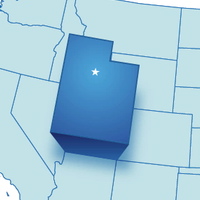
Quick Tip: How to Create a 3D Map Pullout for Information Graphics
In this Quick Tip Video, you will learn how to use a clever trick to make a map element appear to zoom out from its background. Popular with information graphics, this effect is perfect for a variety of creative uses. Let’s get started!
-

Quick Tip: How to Create a Retro Style Textured Logo
Learn how to create a retro vector seal logo in Adobe Illustrator with Ryan Quintal. Well be using simple shapes, effects, transparency masks, and a free grunge texture pack from PSD TutsPlus to create the final effect.
-

Quick Tip: How to Make Painterly Picture Frames in Adobe Illustrator
Use artistic brushes on an Opacity Mask to create painterly edges around a photo. With Illustrator, you can easily change the brush, effect and scale for infinite flexibility.
-
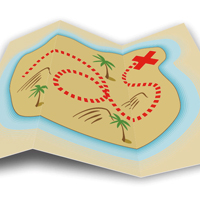
Quick Tip: How to Create a 3D Folded Map with Adobe Illustrator
Turn a simple path into a folded surface, then "map" some artwork to it, using Adobe Illustrator’s 3D Effect.
-
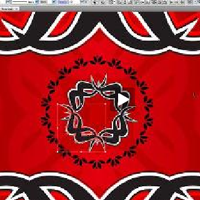
Create Your Own Gothic Looking Card Deck – Screencast
“In this tutorial, we will explain how to create an awesome card deck design. You’ll create our own brushes and design elements to achieve a cool looking card. Let’s get started!” – Simona Pfreundner
-
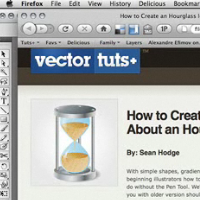
How to Create an Hourglass Icon in About an Hour – Screencast
“With simple shapes, gradients, and vector textures, this simple tutorial will show beginning illustrators how to create an hourglass icon. There is a whole lot you can do without the Pen Tool. We’ll be using Illustrator CS4 for this tutorial, but those of you with older version should be able to follow along as well. Let’s get started!” – Sean Hodge
-
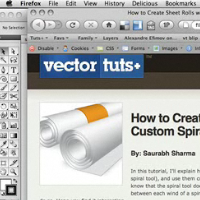
How to Create Sheet Rolls with Custom Spirals – Screencast
“In this tutorial, Ill explain how to make custom spirals (apart from the default spiral tool), and use them creatively in making rolls of paper. So far, I came to know that the spiral tool does not allow a uniform decay (equal spacing) between each wind of a spiral. In this tutorial, I will expose some basic tricks to do so. Hope you find it interesting.” – Saurabh Sharma
-
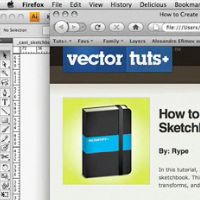
How to Create a Vector Sketchbook – Screencast
“In this tutorial, I will show you how to create a customizable vector sketchbook. This intermediate tutorial uses some basic shapes, Shear transforms, and Effects to create a leather texture. Lets get started!” – Rype
-
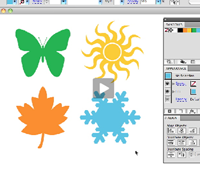
Create Flash Animations Entirely in Illustrator – Screencast
“The world of animation can seem really intimidating — between AfterEffects, Flash and everything else, there’s so much to learn. And who has time? Never fear — you can create simple Flash animations without ever leaving the familiar confines of Illustrator, and without any knowledge of Flash. Here are two easy ways to get things moving.” – Cheryl Graham
-

Quick Tip: The Tilde Key Trick
This screencast covers fun with the Tilde key and Adobe Illustrator. Works with any Shape Tool, the Line Segment Tool, the Arc Tool, the Spiral Tool, and more. Use this technique to quickly make complex shape patterns.
-

How to Create Realistic, Vector Bubbles – Screencast
“His Majesty the Bubble! In this tutorial we will learn how to create realistic colorful bubbles. Well cover numerous techniques and build this illustrations step by step. Set aside a couple hours for this one!” – Iaroslav Lazunov
-

How to Create a Stylized First Aid Icon – Screencast
Create a stylized First Aid icon from a simple rectangle, is it possible? Ryan Quintal and Vectortuts+ brings you this screencast of the popular written tutorial.
-

Quick Tip – Using the Blob Brush and Eraser for Character Lines
In this Video Quick Tip you will learn how to use a digital drawing tablet in conjunction with the Blob Brush and Eraser tools to create character outlines. If you don’t own a tablet, don’t worry, you can still follow along with this tut and achieve a great looking result. Let’s begin!
-

Quick Tip: Lightning Fast Coloring with Live Paint
The Flying Rabbit is back! This time he needs some color. In this Video Quick Tip, you will learn how to use the Live Paint Tool in conjunction with the Swatches Panel to color an illustration. Let’s get started!
-

Create a Glowing Neon Sign using the Appearance Palette – Screencast
This tutorial shows the potential the Appearance Palette in Adobe Illustrator. Well be building an elaborate neon sign, utilizing the Appearance Palette to speed up the process and remove the need of drawing complex paths.
-
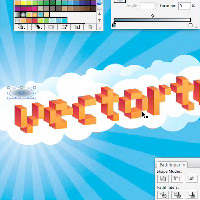
Create a Vibrant 3D Pixel Type Treatment – Video
In this tutorial, I will show you how to create a fun 3D pixel font type treatment. Using a free font, gradients, and Illustrator 3D filter, you will easily create a type treatment that you can apply to many other fonts. – Rype
-

Make an iPod Nano Using Illustrator’s 3D Effects
While Illustrator is not a true 3D application, you can still achieve sophisticated results with a few simple shapes. Both parts of this video tutorial are included in this post. In Part 1 of this tutorial, you’ll learn all about Illustrator’s 3D effects, plus a few handy tips and tricks. In Part 2, we’ll create shiny icons and a glossy screen, then put it all together using Symbols and 3D mapping. Two new time-saving tools in Illustrator CS5 will also be demonstrated.
-

Quick Tip: Put Text Into Perspective Using Illustrator CS5
When you think of drawing in perspective, you usually think of buildings and cityscapes. But live, editable type can also be used for some interesting effects. There are a couple of special things to remember when working with text on the Perspective Grid. Watch the video and find out.
-

Quick Tip: How to Draw Atmospheric Perspective
In this Quick Tip you will learn how to apply the principles of Atmospheric Perspective within Illustrator. Using Transparency Masks, simple Linear Gradients and the Hue Saturation Balance color sliders you will blend flat objects to give a scene a sense of depth. Let’s get started!
-

Quick Tip: Combine Envelope Distort with Grids
You can get some interesting effects by combining Envelope Distort with the Rectangular and Polar Grid tools. In this Quick Tip you will learn how to create a few different effects that may spark your imagination.
-
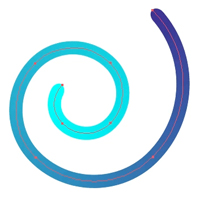
Quick Tip: A Gradient Brush?
Is it possible to stroke a path using a gradient? No. But in this Quick Tip, Cheryl Graham shows you how to fake it.
-

Quick Tip: Make a Celtic Knot With the Shape Builder Tool
The Shape Builder in Illustrator CS5 combines the best of Live Paint and the Pathfinder into one easy-to-use, intuitive tool. As we demonstrate in this video tip, the Shape Builder makes quick work of a complex Celtic knot. Let’s get started!
-

Quick Tip: The Blob Brush in Action
Illustrator’s Blob Brush settings can be confusing. Seeing it in action will help you get the most out of this fun, flexible tool. Learn how to make painterly scenes and objects with a few strokes of the Blob Brush and Eraser. You will be surprised by how fun this tool is!
-

Quick Tip: Create an Old-School Print Style Illustration
Ryan shows us how to get that old-school printed look. Mis-registered lines is key, as well as blending modes and more. You may even learn a lesson or two in the way things are printed classically. To kick us of, we will grab some resources from the Envato network.
-
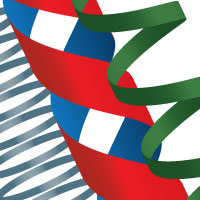
Quick Tip: How to Make 3D Ribbons in Adobe Illustrator
In today’s Quick Tip, you will learn how to map a simple Symbol to a 3D cylinder to make curly vector ribbons.
-

Quick Tip: How to Replace the Spine in Illustrator Blends
In this Quick Tip you will learn some practical and creative uses for Replacing the Spine in an Illustrator Blend. From mathematically placing elements, to making decorative ornaments, you’ll find a variety uses for this great tool.
{excerpt}
Read More