You may have noticed a few changes on the Tuts+ community of websites, one of them is the new author feeds. Subscribing is easy, and you will never miss your favorite authors tutorials again!
Where to Find the RSS Link
If you’re new to RSS, we’ve put together a quick guide that will guide you though the subscription process.
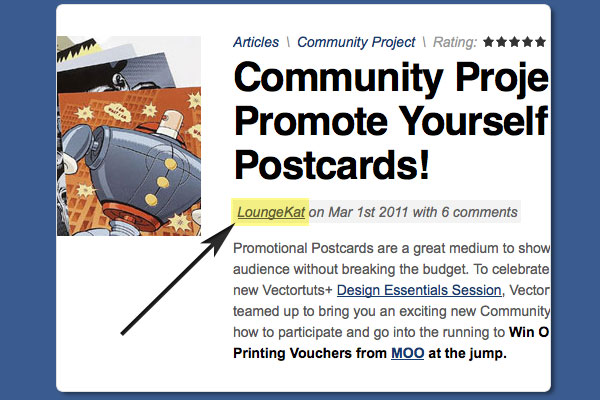
- First, navigate to the Authors profile page, the easiest way to do this is the link at the top of the post.
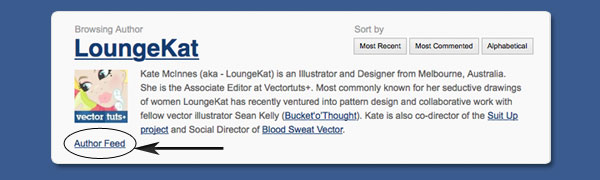
- On the Author page, under the profile, you will find an "Author Feed link", this will take you through to a list of the articles and tutorials they have written and a drop down menu to chose the platform that you wish to read the posts on.
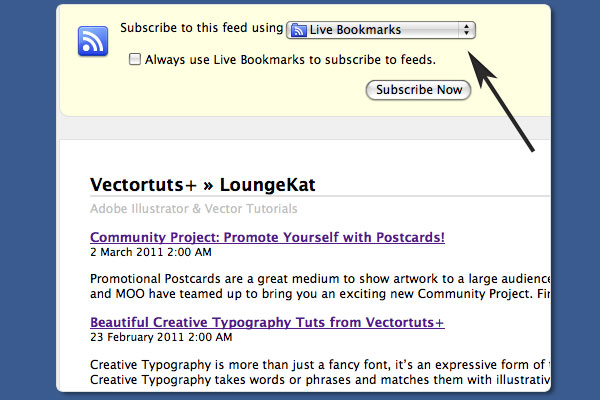
- Chose the method you would like to receive the posts, and you’re done!
The Vectortuts+ Writing Team
To get you started, here’s links to the Vectortuts+ writing team.
-

Sean Hodge
Editor of Vectortuts+
-

Kate -LoungeKat- McInnes
Associate Editor of Vectortuts+
-

Sharon Milne
-

Jesse Hora Dot Com
-

Cheryl Graham
-

Iaroslav Lazunov
-

Sonali Vora
-
Jonathan Patterson
Further Resources:
- 8 Unique RSS Readers for Mac – MacApp Storm
- Top 10 Web Based RSS Readers, Plus Some – WebApp Storm
- Introducing the Vectortuts+ Writing Team