Logic is Apple’s premiere digital audio workstation, and part of their Logic Studio pack. Last week’s article explored Logic’s history and features. This week, we will learn how to use it.
Despite the fact that the software is only available on the Apple platform, it continues to increase in popularity. The Mac continues to be popular with many creative people. Logic tutorials seem to be breeding around the Internet like rabbits. Here are eleven of the best.
This article was previously published on the AudioJungle blog, which has moved on to a new format in 2010. We’ll be bringing you an article from the AudioJungle archives each week.
The tutorials come from Apple, Youtube and Audiotuts+. As Logic Pro version 9 has only recently come onto the market, many of the best tutorials still cover Logic Pro 8.
1. Logic Pro 9 User Manual
Apple’s Logic user manual is a great place to start. You can access the manual by selecting Help / Logic Pro Help from the program, or read it online here. It is a comprehensive document that describes the Logic Pro interface, commands, and menus and gives step-by-step instructions for creating Logic Pro projects and for accomplishing specific tasks. It is written for users of all levels of experience.
It’s also worth checking out Exploring Logic Pro, a PDF manual that presents the basics of Logic Pro in an easy, approachable way. You can access the manual by selecting Help / Exploring Logic Pro from the program.
2. Apple Video Tutorials

Apple have been hard at work creating brief but detailed video tutorials for their software, including Logic Pro. These form a worthwhile (though brief) introduction to Logic and its features.
3. Logic Pro 9 Preview
Whether you’re new to Logic Pro, or wondering what’s in the newly released version, this fourteen minute preview will show you what you want to know.
4. Your 1st Hour With Logic Pro 8
A video tutorial from Future Producers Magazine that shows you how to get started with Logic. Though covering the previous version, this ten minute tutorial is still relevant.
5. Mr Mig Logic Pro 8 Tutorial
Mr. Mig is a remixer, producer and songwriter, and shows you around Logic in this 20 minute video.
Part 1
Part 2
6. How to Comp Tracks in Logic Pro 8
Jun 5th in Logic Pro, Mixing & Mastering by Björgvin Benediktsson

When tracking for your record, you may have to go through loads of takes to get that perfect track. In the old days this meant cutting up a lot of tape and pasting the right takes together — a time consuming and difficult effort. Now, in the world of wonderful digital technology, you can just cut, copy and paste to your heart’s desire, without having to worry about super-expensive tape that you could ruin with your next knife-cut. Who wants to become a surgeon when all you have to do is copy and paste?
Continue Reading
7. Using Logic Pro’s Transformer Object
May 7th in Logic Pro, Production by Toby Pitman

The Transformer object in the Environment is one of the most powerful tools Logic has to offer. With a little bit of MIDI know-how, it can become an incredibly powerful creative tool. In the second part of this Environment series we’re going to look at the basic concept of how the Transformer interprets and manipulates MIDI messages. Even if you don’t have Logic, there’s some useful information about MIDI as well.
Continue Reading
8. Understanding Logic Pro’s Environment
Apr 19th in Logic Pro, Recording by Toby Pitman

The Environment is the core of Logic. It can be the cause of a lot of confusion (and even fear!) for new and even more experienced Logic users. In the first of three tutorials that focus on the Environment I’m going to explain exactly what the Environment is and why it makes Logic the most flexible and advanced MIDI sequencing package on the market.
Continue Reading
9. Using Quick Automation Access in Logic Pro 8
Jan 30th in Logic Pro, Mixing & Mastering by Toby Pitman

The key to any polished sounding mix is the use of automation. Whether you’re on an SSL console or in Reason at some point your going to want to record fader movements or synth parameters to enhance your mix.
Mixing with a mouse isn’t very inspiring and if you don’t have a fully fledged control surface it can sometimes be the only option. Luckily Logic has a handy function to get you automating in style!
Continue Reading
10. How to Create a Custom Instrument with Logic’s EXS Sampler
Sep 19th in Logic Pro, Production by Ryan Leach
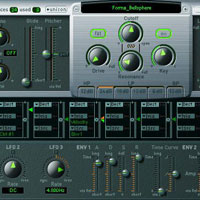
Creating custom sampled instruments using Logic’s EXS24 Software instruments that come jam packed with presets can be bittersweet; there are hundreds of ready-made sounds instantly available at your fingertips, but within months of an instrument’s release the patches become hackneyed and commonplace. What you may have thought was a unique and exciting instrument can soon become the very sound that makes your music feel just like everything else.
The solution is to develop your own unique voice using custom instruments, and thanks to Logic’s EXS24 Sampler it’s much easier to do than you might think.
Continue Reading
11. Create a Parallel Compression Bus in Logic Pro 8
Jul 16th in Logic Pro, Production by Mo Volans

When it comes to processing a drum bus, parallel compression is a technique that produces great results on just about any DAW available. Of course, the technique required differs from one application to another. Mo Volans takes the Logical route….
Continue Reading


