Articles Written

I need a 10 x 500 word articles written on breaking up with boyfriend/girlfriend. The articlse must be current and crisp ( no spinning)I need them to be 100% origanal. The Article titles will be keywords I want to rank for they are “to get back with your ex”, “steps to getting your ex back”, “how can you get your ex back”, “tricks to getting your ex back”, “getting back an ex-girlfriend”, “getting your ex girl back”,” how to get your ex-boyfriend to like you again”, “how to get your old girlfriend back”, “break up of relationship” “how to get back after a break up”

This project should be really easy for someone who is good at research and article writting.

Excellent grammer and use of the English language is required

Firefox Data Grid Plugin

A Firefox DataGrid plugin.
This plugin should view a data grid with in a web page.
The data grid should be able to load the data into the grid from a json ajax call.
The data grid should be custom-able, the columns, the columns title, columns size, number of results, sorting, resizing etc’.
There should be an interface to contact the data-grid from with in the web page. Like which row is selected. Add a checkbox and get all selected rows.

Banner Design & Graphic Fine Tuning

I’m looking for someone with excellent graphic design skills to create 20 banners for my website, 10 of which would need to be replicated in Spanish and Portuguese (same graphics, just a different text). Here are the requirements:

– 690px wide x 250px tall
– excellent image resolution
– visually appealing (these are for my homepage)
– integrate well with current website design
– download quickly

Banners will be used in a slider similar to the one at http://www.wowslider.com .

Besides the banners, I need some CSS errors fixed and a javascript conflict resolved, as explained below:

1) Talking Watch Wizard is not displaying the Submit button: http://www.assistech.com/wizard-talkingwatch.htm

2) Wizards are missing a bottom border in the fieldsets. (See talking watch wizard.)

3) Font of shopping cart data is too small. Go to http://www.assistech.com/cgi-bin/shopper.cgi?preadd=action&key=xl50 , click Add to Cart and look at the table under “Optional Accessories”. (Make sure that the fix does not interfere with the rest of the design.)

4) Move the main DIV as well as all pertinent elements about 20 pixels higher on the page.

5) Dropdown menu under “Products” is conflicting with the Virtual Light Box. In order to use VLB at http://assistech.com/portfolio I had to strip the javascript for the dropdown menu. I’d like to be able to use both on the same page. (A fix is to be made on the javascript, not on the Virtual LightBox, which uses JQuery and is copyright protected.)

PLEASE NOTICE: THIS PROJECT DOES NOT REQUIRE ANY SCRIPT INSTALLATION, ONLY UPLOAD THE FILES. I’LL DO THE INSTALL MYSELF.

Attached Files:

main.css , index.htm , portfolio.htm

Dropdown menu files: jkoutline.css jquery.min.js , jkoutlinemenu.js

Any questions, feel free to ask.

Need 4-5 Page Website

Dear Web Developers

Below you will find a detailed description outlining the parameters of the project. We apologize for reposting this project but we feel that our original description did not provide adequate information to you.

Project Details
4-5 pages
Hypertext links to internal pages, external sites and email
Web page coding language will be at your discretion

We Will Provide

1. The following assets
Hex string and/or decimal rgb color codes and/or html color codes for all content
(http://www.psyclops.com/tools/rgb/)
Font family preference
Graphic images
Link directions
Concept images
Written content and text
General Web page lay out
Meta Description for each web page
Meta keywords for each web page
Title for each web page
Google analytics tracking code

2. Web Page design in Adobe Photo Shop format
We will design the look for each page complete with images, text blocks, text, links, back ground and colors. We will email the design in Adobe Photo Shop format. It will be your job to code our design into a working web page.

We Expect
Communication via Email, Skype, Google Chat, MSN Messenger or AOL Messenger. We prefer Skype and Email
Correctly coded HTML which will be checked using W3C HTML error checker http://validator.w3.org/ (understand that some errors are non critical)
Correctly coded CSS which will be checked using CSS error checker http://jigsaw.w3.org/css-validator/ (understand that some errors are non critical)
Project completion within the agreed time frame
Placement of Google Analytics code that we will provide
Placement of StatCouner Code that we will provide
Knowledge of CSS, HTML, XHTML, Flash, Adobe illustrator and Photoshop
Secure method for payment

Thank you for your interest in our project, we look forward to your response.

Attched is an example of the home page

Avs – Fix Videos Not Conveting

Hello,

This is for an adult site running AVS, I’d prefer to hire some one who is familiar with the software.

We recently ran into a problem after doing a server migration and we need to problems fixed.

1. Videos are uploading by users no problem but not converting to the flv folder so when you go to view the video, the video player is missing.

2. Convert all already uploaded videos that are missing their flv so they work. I was told this code should work:
Go to videos folder and run this:
rm -fr flv
ln -s vid flv

I need this done as low as possible. The server admins tried fixing the issue but can’t seem to pull it off.

Thanks

Take Better Voice Notes with iTalk Recorder

When it comes to voice recording on the iPhone, there are quite a few options. There’s the built-in Voice Memos, which not only works well but is free, then there’s apps like Dragon Dictation which even transcribe recordings into text.

But for the past few years, one app has been steadily adding features and making improvements, making it one of the better options for making a recording on the go. It’s called iTalk Recorder, and some of its features are pretty impressive. So why would you want to download iTalk Recorder when you already have Voice Memos built in? Hit the jump to find out.

The Basics

Once the app is on your iPhone, fire it up and you get a giant red button that says, “Press to Record.” Choose your recording quality, give it a title if you wish, and then push the button so that you can start it up.

Recordings and uploads made easy

Recordings and uploads made easy

Looking for more? Well let’s talk about personal experiences. I’ve been conducting phone and in-person interviews for several years now, and I live by one rule: Always have backup. After all, you never know when you’ll run out of batteries in your recorder in a critical situation, and lose the interview you need to order to hit a deadline. Once iTalk Recorder came out, I decided to give it a shot, working in tandem with a Sony digital recorder. More often than not, iTalk made a better recording than the recorder, and that Sony was expensive.

What Makes It Better

First off, having this thing on hand at all times makes it one less device I have to carry to and from an appointment. Since I always have my iPhone handy, I’m always ready to make a recording. That means that if I have to do a surprise interview and I don’t have my Sony digital recorder handy, I’m still able to get the job done.

Manage Your Recordings Anytime

Manage Your Recordings Anytime

One nice thing about the Sony was that I could plug it directly into the USB port on my Mac and download the files right away. Fortunately, iTalk makes this process even easier by giving you three options to get your recordings to your Mac.

The Three Options

First, there’s iTalk Sync, the free download from Griffin. Just download the app and connect both your Mac and iPhone to the same Wi-Fi network. Once that’s done, fire up iTalk Sync and watch the magic happen.

Once Your Mac and iPhone Are On the Same Wi-Fi Network ...

Once Your Mac and iPhone Are On the Same Wi-Fi Network …

...all of Your Files Become Available For Download

…all of Your Files Become Available For Download

Now you can just drag and drop your files onto the desktop, then play them via preview or add it to iTunes.

Option 2 is e-mail. Although it’s not very fancy, just click on a file and export the thing to whoever you like, just like any picture or PDF. Then, there’s the next option, which is the biggie.

Option 3

So far I’ve talked about adding a program to your Mac to allow for downloads over your wireless network, and e-mail, both of which are very convenient options. But like many people, I spend a lot of my time working out of Dropbox. It’s a convenient place for me to keep files that I’ll need when I’m on the go, whether I’m using an office computer or just out with my MacBook Pro trying to get things done. Now, via a $1.99 in-app purchase, you can get DropBox support for iTalk Recorder as well.

Link and Unlink Your Dropbox Easily

Link and Unlink Your Dropbox Easily

This works pretty much in the way that you’d expect. Simply touch the file you want to upload, and then share it via Dropbox. Just like that, it’s on your Dropbox account and ready for sharing with friends or to be transferred to another computer. It’s that easy.

The Verdict

You may be wondering why you’d want to download yet another app for your iPhone when Voice Memos is already there. Just remember that iTalk Recorder is like Voice Memos on steroids. There are recording quality options, syncing options, and more importantly, the ability to easily transfer the voice files in a number of different ways.

Sure, you can e-mail or text message your files in Voice Memos, but syncing with Dropbox or even downloading directly to your Mac is well worth it. Besides, the app is free. If you’re like me, you can put it in a folder with your other dictation apps (Voice Memos included) and pull it out when you need it.

If you’re someone who needs to take notes frequently, record interviews or meetings, or just likes to have an audio notebook for their day, I think you’ll find that iTalk Recorder offers something that not many others do: Flexibility. It’s that flexibility that makes the app worth it to me in the long run, and one that’s stayed with me through all of the other changes. So is it worth it? In my opinion, definitely.

Quick Look: Berokyo

Quick Look posts are paid submissions offering only a brief overview of an app. Vote in the polls below if you think this app is worth an in-depth AppStorm review!

In this Quick Look, we’re highlighting Berokyo. The developer describes Berokyo as follows: Berokyo lets you organize all your favorite and frequently used contacts, documents, digital media and virtually any type of file into one or more customizable and beautiful bookshelves; and once there, they can be quickly accessed, copied, shared, viewed, played, and so much more. Berokyo definitely helps you improve your organization and productivity on the go!

Read on for more information and screenshots!

Screenshots

screenshot

Berokyo iPad

screenshot

Berokyo iPhone

About the App

Here are the top five features you can expect to see in the latest version:

  • Full Dropbox support, including offline content and uploading.
  • iTunes File Sharing support.
  • Edit mode to easily reorder, resize and remove items.
  • Quick access to call, send SMS, email and edit your contacts.
  • View images, read files, play digital media, and so much more!

Requirements: Compatible with iPad, iPhone and iPod touch. iOS 3.1 or later.
Price: $1.99
Developer: Think, Code, Release

Vote for a Review

Would you like to see us write a full review of Berokyo? Have your say in our poll:

Would you like to see Berokyo reviewed in-depth on AppStorm?survey software

Quick Look posts are paid submissions offering only a brief overview of an app. Vote in the poll if you think this app is worth an in-depth AppStorm review! If you’re a developer and would like to have your app profiled, you can submit it here.

12 Totally Epic iPhone First Person Shooters

If the words “Quake” and “Doom” make you nostalgic, or the thought of a Nintendo 64 controller coupled with the music from Goldeneye makes you smile, this post is definitely for you.

Below we’ve compiled a list of the best first-person-shooters we could find for iPhone. Games in this beloved genre almost always promise hours of intense gameplay and hopefully some sweet multiplayer action. Whether you want to destroy zombies, battle stormtroopers or relive WWII, you’ll find a game below that’s perfect for you.

Space & Future

The app store’s collection of first-person-shooter games definitely seems heavy in this specific sub-genre. Battle aliens and space cadets in futuristic settings and huge space ship levels. Notice the big name titles here like “Doom” and “Star Wars,” this is definitely a great place for FPS fans to start.

N.O.V.A. 2 – Near Orbit Vanguard Alliance

“6 years have passed since the events depicted in the first episode. Humanity is now thrown into a bloody civil war fought on one side by the central government of the Terran Orbitals and the self-appointed Human-Alien Alliance; a new organization with a mysterious origin and agenda. Kal Wardin left active service in N.O.V.A. years ago and now lives among the colonists of the desert planet Scorpius. But war never spares even the most peaceful places”

Price: $6.99
Developer: Gameloft

screenshot

N.O.V.A. 2

The Infinity Project

“This Adventure / Action FPS, is a different kind of FPS for the iPhone. This exploration / adventure game with a FPS look & feel has tons of content with hours & hours of play time. Immerse yourself in The Infinity Project. The year is 2248, Earth is at war with the Talon’s, an extremely aggressive and unknown race that attacked Earth without provocation. As Commander Ethan Avery, you’re sent to Infinity Station, a research and development facility located in deep space currently developing controversial technologies. Earth has lost contact with the Top Secret station and sends you to investigate. Explore the station to find keys that unlock the next area of the station. Unlock the mystery behind The Infinity Project.”

Price: $2.99
Developer: Crazy Robot Games

screenshot

The Infinity Project

iFPS Online

“The first and best iPhone 3D online multiplayer FPS. iFPS Online features a full 3D FPS experience. Challenge your friends to a multiplayer death match. Host a game on your device through your wifi or join a game online through your wifi or 3G! Use two intuitively designed control schemes for FPS featuring configurable multitouch controls and/or accelerometers. The controls allow you to fire while navigating. Switch controls for right or left handed play jump and fire.”

Price: $1.99
Developer: Pick Up And Play

screenshot

iFPS Online

DOOM Classic

“Welcome to Hell! Prepare to relive the First Person Shooter that defined a generation with the legendary original DOOM – now on the iPhone. As a space marine stationed on the planet Mars, you are all that stands between the armies of Hell and their invasion of planet Earth! DOOM Classic includes the original three episodes as well as Episode Four, Thy Flesh Consumed, spread across 36 levels of non-stop carnage and action. ”

Price: $6.99
Developer: id Software

screenshot

DOOM Classic

Star Wars: Imperial Academy

“Darth Vader wants you for his Imperial Academy! Compete against your fellow recruits in 4-player deathmatch battles throughout the the Star Wars universe and become an elite Storm Trooper.”

Price: Free
Developer: ngmoco, Inc.

screenshot

Star Wars: Imperial Academy

Archetype

“The best fragging deal on iPhone now includes Game Center support, unlockable story mode, and an in-app expansion pack adding Capture the Flag and a whopping 6 new levels, doubling the amount of content in the game.”

Price: $0.99
Developer: Villain

screenshot

Archetype

Zombies & Monsters

There’s something about blowing the head off a zombie that is incredibly rewarding isn’t there? Our favorite undead creatures have worked their way into countless first-person-shooters across several gaming systems and the iPhone is no exception. If you’re a third-person zombie killer type, be sure to check out Resident Evil 4 in addition to the games below.

RAGE HD

“RAGE comes to your mobile device with the hit of the wastelands, Mutant Bash TV! This intense first-person rail shooter casts you in the starring role of a post-apocalyptic game show where you’ll be stalked by hungry mutants while you scour pulse-pounding levels for ammo and cash pick-ups. Make a deal with J.K Stiles, the show’s menacing host, and see if you have what it takes to survive this carnage-filled carnival of death!”

Price: $1.99
Developer: id Software

screenshot

RAGE HD

Call of Duty: Zombies

“Call of Duty: Zombies brings the classic Call of Duty: World at War zombie-slaying game mode to the iPhone and iPod Touch. Featuring ALL 4 Zombie maps, you’ll need to bring along your friends to help push back the endless waves of attacking zombies!”

Price: $4.99
Developer: Activision Publishing, Inc.

screenshot

Call of Duty: Zombies

Half Dead – 3D Shooter

Half-Dead is a first-person shooter which places a premium on time and efficiency. As you maneuver through the grim environment you will encounter fierce enemies who shoot first and ask questions later. Your goal is to engage and eradicate all the enemies in the shortest amount of time possible. And while these foes are mighty, there are strategically placed health kits to aid you in the struggle to defeat the enemy. However, nothing will replace a quick and accurate shot, so be sure to work on your marksmanship to complete your mission!

Price: $0.99
Developer: Inner Four, Inc.

screenshot

Half Dead – 3D Shooter

Welcome To Hell

“Experience horror in stunning 3D. Destroy waves of hellish undead zombies before they destroy you. Welcome to hell…will you survive?”

Price: $2.99
Developer: DVide Arts Inc.

screenshot

Welcome To Hell

War Simulation

There’s no doubt about it, Gameloft makes great games. Below you’ll find two of their most popular iPhone shooters with names you’re sure to recognize. Modern Combat immerses you in today’s war settings and technology while Brothers in Arms is a throwback to WWII. Either way, you’ll have tons of fun taking out the bad guys and saving the day.

Modern Combat 2: Black Pegasus

“In Modern Combat 2: Black Pegasus, complete the mission unveiled in the first opus of one of the most acclaimed FPS games on the iPhone, this time on fronts all over the globe. Modern Combat 2: Black Pegasus further improves the exemplary gameplay of the first Modern Combat for an astounding immersion in a modern war experience and one of the most complete FPS multiplayer games on the iPhone.”

Price: $6.99
Developer: Gameloft

screenshot

Modern Combat 2: Black Pegasus

Brothers In Arms 2: Global Front

“The highly acclaimed Brothers in Arms series returns for its most compelling battle yet amidst the fires of WWII. For the first time, challenge up to 5 friends to multiplayer battles on a variety of five maps in 3 different modes (Free For All, Team Deathmatch, Domination). You can connect locally via Bluetooth or even go online with Wi-Fi to battle friends anywhere. The stunning graphics and authentic settings are inspired by real life battlefields from WWII and created in detailed 3D.”

Price: $4.99
Developer: Gameloft

screenshot

Brothers In Arms 2: Global Front

What Are Your Favorites?

You could easily blow a paycheck or two collecting first-person-shooters for the iPhone. Leave a comment below and let us know which you’ve tried and what you thought of them, whether they’re mentioned above or not.

Also be sure to mention any popular titles you wish had an iPhone version. For me, I’d love to see a multi-player James Bond FPS added to the mix. For now, I guess I’ll just have to hum the theme as I play Archetype!

Win One of Five Copies of ColorSchemer Touch!

Earlier this month we reviewed Color Schemer Touch, an awesome utility for creating beautiful color palettes using a number of professional tools and controls. Today we’re happy to announce that we’ve teamed up with the Color Schemer Touch developers to bring you five free copies of the app!

screenshot

Color Schemer Touch

How To Enter

All you need to do to enter is follow @iphoneappstorm on Twitter and leave a comment below listing your favorite feature from Color Schemer Touch.

We’ll select the five winning comments at random in one week, on Monday, January 24th. Good luck!

Need for Speed on the iPad: Two Must-Play Titles

The iPhone is now an established gaming platform, particularly for racing games. But what about the iPad? Does it make sense to hold the large device between your hands and turn it like a steering wheel? Electronic Arts thinks so, and they have two games from the popular Need for Speed franchise that aim to prove a point.

So we figured we’d put both Need for Speed: Shift and Need For Speed: Hot Pursuit under the magnifying glass and see if either of them can take the heat.

Need For Speed: Hot Pursuit

Everyone likes playing cops and robbers, right? Well that’s the basic premise behind Hot Pursuit, and it starts right off the bat. When you begin, you get to choose between being a cop or a street racer. The decision you make changes the way the game is played, so choose wisely.

Good or Bad? Depends on your perspective.

Good or Bad? Depends on your perspective.

Once you’ve chosen your side, it’s time to play. The interface on NFS:HP is basically the same as Shift: Rotate the iPad like a steering wheel to turn, then hit an icon near your left thumb to hit the brakes. Both games have added options like an EMP for the cops or nitrous, depending on how much money you have to spend.

Want to be a cop? Start off in a shiny 350Z

Want to be a cop? Start off in a shiny 350Z

Speaking of cars, the lineup isn’t too bad here, either. Start off in a 350Z on the cop side of things, then raise up until you can purchase a Bugatti Veyron. The stuff in between ain’t too shabby, either, including a full complement of Porsche cars and a few other high-end rides to boot.

Just like NFS: Shift, each level is a different location. To start, you wander around the coast, hunting down racers, or participating in various competitions against your fellow officers or racers. As you progress, more and more locations open up. And if you happen to beat the game as a Racer or a Cop, you can play it over again as the opposition, making this game deep.

Pick a spot and go racing.

Pick a spot and go racing.

Between Hot Pursuit and Shift, Hot Pursuit is definitely more difficult to play. The more you turn the wheel, the more the car drifts, which makes it tough to get around some of the corners without a little bit of practice. The game also seems to move quicker, which ramps up the difficulty level out of the gate. It’s a matter of preference though, because eventually, you’ll get used to one style or the other after a few laps.

Need For Speed: Shift

The difference between Shift and Hot Pursuit starts with the premise. Instead of being out on the open road, now you’re a driver pursuing a racing career, going from track to track to make ends meet. The game starts with a tutorial, and that includes green arrows that show you the optimal driving path. When you need to slow down, the arrows turn yellow and then red, which really walks you through the process. Those arrows are still present in the first few levels, and you get bonus points for hitting your marks.

One viewing option: behind the wheel.

One viewing option: behind the wheel.

Again, you get to choose what car you start with, which in this case is either a Mazda RX-8 or a Volkswagen GTI. Again, you can upgrade car models, but this happens when you win races and the cash that comes along with it. But instead of just buying new cars, there’s another option with Shift as well. Upgrades.

Upgrades include suspension, appearance, and other performance mods.

Upgrades include suspension, appearance, and other performance mods.

This adds an interesting dynamic to the game. For example, it took a few races for me to get the swing of things, but soon, I was winning each race. When I got to No. 4 though, I hit a stumbling block: I just couldn’t accelerate as fast as the opponent. I tried three times and the results were all the same, so I decided to upgrade with the cash I had from my winnings. A few grand spent later, and I won the race fairly easily.

Don't like the look of your car? Upgrade it.

Don't like the look of your car? Upgrade it.

Although Shift is easier than Hot Pursuit in driving difficulty, that doesn’t make it an easy game. The first few levels aren’t too bad, but it ramps up until each race becomes a fairly intense matchup.  That makes the game’s lifespan pretty impressive, particularly when most iOS games are intended to be temporary moments of pleasure.

Verdict

Both of these games have their merits. For me, I found that starting with NFS: Shift and progressing to NFS: Hot Pursuit made the most sense. But if I could only spend my money in one place and I had to choose between the two, it would be NFS: Shift all day long.

Why? Shift is an easier game to pick up and play, whereas Hot Pursuit feels like you need to dedicate some time to the activity. For me, easy playability is the whole point of an iOS game, and I’m not going to dedicate a few hours to spinning my iPad in the air just to race cars. And both games have depth, meaning that I can pick them up and play whenever I choose.

No matter which one you choose, both of them are worthy additions to any iOS library. Just remember to hug the corners, because it’s all about coming in first.

Quick Look: Friends Memory Match

Quick Look posts are paid submissions offering only a brief overview of an app. Vote in the polls below if you think this app is worth an in-depth AppStorm review!

In this Quick Look, we’re highlighting Friends Memory Match. The developer describes Friends Memory Match as the classic memory game where you have to match pictures but this time the photos are real faces of your friends!
It’s really amazing and fun to play with the faces of your real friends. At more advanced levels there are bonus, the faces change color, and photos are exchanged position. You can challenge your friends using your own facebook account.

Read on for more information and screenshots!

Screenshots

screenshot

Friends Memory Match

About the App

Here are the top four features you can expect to see in the latest version:

  • The photos are real faces of your friends!
  • The faces change color, and photos are exchanged position.
  • The application keeps a record of high social scores only among friends.
  • It also has a record of the highest overall scores among all users worldwide.

Requirements: iOS 3.0 +
Price: 0.99
Developer: Atenea Innova

Vote for a Review

Would you like to see us write a full review of Friends Memory Match? Have your say in our poll:

Would you like to see Friends Memory Match reviewed in-depth on AppStorm?customer surveys

Quick Look posts are paid submissions offering only a brief overview of an app. Vote in the poll if you think this app is worth an in-depth AppStorm review! If you’re a developer and would like to have your app profiled, you can submit it here.

Wikipanion: 3.5 Million Articles In Your Hand

Wikipedia now has over three and a half million articles in it’s massive database and its something most of us use every day. Whether you’re checking who the actor in that movie you just saw was or learning stoichiometry (don’t worry, i’ll wait while you Google it), Wikipedia is one site that the Internet could not be without.

Now, I don’t know about you but I use my iPad a lot for casual browsing and Wikipedia is one of those sites I browse. Sure, Wikipedia in Safari is a great experience, but native apps almost always act superior to their web counterparts. Wikipedia has a wealth of unofficial iOS apps, some of which we’ve reviewed and one that we haven’t: Wikipanion.

Wikipanion doesn’t provide any gimmicky special Wikipedia experience like rearranging it into a magazine-style layout, it just browses the site. And it does that well.

Browsing Human Knowledge: One Article at a Time

The main view of Wikipanion is simple yet functional. It displays the article (sans Wikipedia  housing) with a contents bar opposite. Selecting a title in the contents bar will make an animated skip to that relevant section. Everything you would recognise Wikipedia from (very other word linked, footnotes, etc.) all appear in the article view.

Via the three-button switch at the top of the sidebar, you can access the Related view. Here you can translate the article by jumping the source to another country’s native Wikipedia or view the other articles in a category the current article is placed in.

Wikipanion offers a native way of browsing Wikipedia's three-and-a-half million articles.

The third “mode” is the bookmarks view. This allows you to bookmark articles or pages so you can access them faster later. The process is very similar to adding a bookmark in the iPad’s native Safari.

Sharing is Caring

By selecting the cog icon on any article, a pop-up overlay appears. Here you can edit the text view by changing the font to serif or changing the font size. However, you can also search the article and lookup words in Wikipedia’s sister site Wiktionary.

However, you can also email a link to the page, open it in Safari, tweet the article and print it. Printing uses iOS’s new AirPrint feature whilst tweeting will, if you have it installed, use the official Twitter app (or at least it did for me). I assume if the app is not installed, you will be sent to the Twitter website.

Wikipanion offers numerous ways to share, print and search an article.

Wikipedia-ing On the Go

Sure the iPad is a “revolutionary” portable device but sometimes you’re out and about and you want to check up on something. Well, Wikipanion has an iPhone app too! Unfortunately, its not a universal binary (free or Plus version) meaning if you do pay the extra cost to gain additional features, you’ll have to do it twice to run on both devices.

On iPhone, the UI is more akin to Safari with most of the features located now on a bottom bar. However, the functionality of the app is pretty much the same on either device.

Wikipanion is fresh and alive on the iPhone too.

Right on Queue: Wikipanion Plus

The developer of Wikipanion, Robert Chin, also offers a “Wikipanion Plus” version at a $4.99 premium. One major feature of Plus is the queue mode that allows you to stack up articles for later viewing. For example, if you were a newcomer to Apple, you could stack up the iPhone, iPod, Mac and iPad articles in a row to view one after another. You can also save these articles to view them faster later or even have a browse whilst offline.

Saving pages creates a local cache of the links you’d like to read later. I’m sure most Wikipedia users have been on an article and whilst they’d like to continue reading it, one of those blue links calls out. In Plus, you can simply save this and have a look later on.

Conclusion

It’s hard to write a lot about this app because it’s one of these apps that does what it says on the tin, but not to it’s disadvantage. In fact, it’s simplicity and ease-of-use is very much to it’s advantage especially when you’re out and about.

As it’s mainly a free app, it’s not hard to recommend. There are many apps available to browse Wikimedia sites and if you want fast, easy browsing, Wikipanion could be for you. However, if you’re a heavy browser, Plus could help you out.

However, if you don’t want to pay the extra five dollars for local cache, an elegant solution already exists: create a book on the Wikipedia website and export as PDF. Then export it onto iBooks for easy, offline viewing later on.

If you’ve tried out Wikipanion on any platform or have another browser for everyone’s favourite online encyclopedia, drop a note in the comments and let us know!

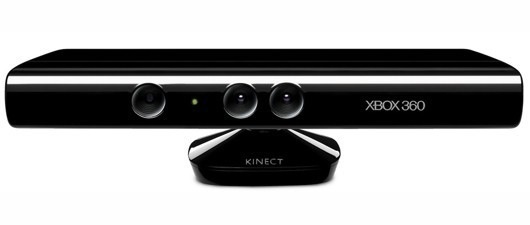
Official Kinect SDK Coming Soon

xbox360pc.jpg

Balmer let the world know during CES that Microsoft would be releasing an SDK for their popular Xbox 360 add-on the Kinect. Sources say that Microsoft may be preparing the release of the SDK sooner than they anticipated, in just a few months. “Sources familiar with the plans” told WinRumors that an official SDK and drivers are being prepped for a beta release “in the coming months,” potentially arriving with an upcoming XNA update dubbed the “Community Technical Preview.”

Ever since the release of the Kinect, hackers have been having a field day with it. Unofficial USB drivers for the Windows environment have already been developed and there are countless hacks out there from X-Ray vision to controlling World of Warcraft.

Now that Microsoft has acknowledged the popularity of the product and will be officially releasing the SDK maybe we might see another revolution in PC gaming, one that could rival the early 90′s.

tech.nocr.atOfficial Kinect SDK Coming Soon originally appeared on tech.nocr.at on 2011/01/19.

© tech.nocr.at 2011 |
Permalink |
Comments |
Read more in Gaming |
Add to del.icio.us |
Stumble it |
Digg this

Explore more in: , , ,