White Label Branding for WordPress Multisite (WordPress)

Are you running a WordPress Multisite Network? Then this is a plugin that will make your WordPress life much easier.

This plugin let you control the branding of the main site and all sub-sites in a network of websites powered by WordPress Multisite. You can create a global template with branding and menu customization that all sub-sites in the network will be using. Or you can allow each sub-site in the network to create their own branding and customize their menus for the Editor role.

Replace the WordPress logo from the log-in screen and dashboard with your own identity or even your client’s. Add custom dashboard panels viewable only to Editors or all users with your own welcome message or help.

List of features

Branding

  • Replace the standard “W” logo in the header (use any size you want)
  • Set the height of the top bar in wp-admin
  • Replace the “Thank you for creating with WordPress | Documentation | Feedback“
  • Replace the version no. in the footer (right side)
  • Add a Developer logo in the footer (left side)
  • Add Developer name and URL
  • Replace the standard WordPress login logo (use any size log you want)
  • The login logo no longer links to wordpress.org and doesn’t show “Powered by WordPress” as ALT text
  • Add Custom Background to the login screen
  • Add Custom HTML template and CSS to login screen

Login Screen Customization

  • Added option to hide Screen Options
  • Added login screen background settings
  • Added login screen HTML and CSS customization

Dashboard

  • Add your own custom dashboard panel only viewable to Editors
  • Add your own custom dashboard panel viewable to all users
  • Use HTML in the custom dashboard panel
  • Hide the “Right Now” panel
  • Hide the default dashboard panels

Menus & Sub-menus

  • Hide menus (Dynamic generated list that shows all the menus depending on which plugins you have installed).
  • Make the appearance menu visible for the users with the role Editor.
  • Hide sub-menus (Dynamic generated list that shows all the menus depending on which plugins you have installed).

Additional Settings

  • Hide the update nag message
  • Hide the update download link
  • Hide contextual help
  • Hide Favorite Actions drop-down
  • Hide Screen Options

Multisite Settings

  • Three different options for branding settings on sub-sites
  • Allow sub-site branding
  • Enable Custom Admin Dashboard Panel
  • Save settings as a global template for all sub-sites

Language Localization

  • English support
  • Spanish support
  • Portuguese support
  • German support

Changelog

1.5.0 (February 19, 2011)

* First Release
(This plugin is based on our best selling plugin White Label Branding for WordPress version 1.5. However a substantial part of the code has been changed in order to make the plugin work under WordPress Multisite).

Download White Label Branding for WordPress Multisite (WordPress)

Uploadrr – HTML5 File Uploader (Miscellaneous Apps)

Uploadrr Features:

  • Real Ajax uploads – using the HTML5 FileAPI.
  • File Drag and Drop – this allows you to select files by simply dragging them into the file upload box.
  • Multiple File Selection – this means that you can select multiple files using the “Shift” and “Control” keys.
  • Progress Bars – now you know when those uploads will finish.
  • Error Handling – If something goes wrong the user is always informed about what exactly happened.
  • Supports JQuery and Prototype.JS – Uploadrr can be used as a JQuery plugin or as a PrototypeJS class.
  • Old browser support – Uploadrr works as expected even in old browsers like IE6 .
  • Server Error Handling – If something goes wrong on the server you can easily inform the user about it by using a JSON response.

Uploadrr is cross-browser compatible and fully usable on browsers with no HTML5 /CSS3 support.
Two source code versions included: one using JQuery and one using PrototypeJS/Scriptaculous.
Please update to the latest version 1.0.2 (2011-02-23)
Feel free to contact me if you encounter any issues.

Watch a HQ preview on Screenr

Changelog

Version 1.0.2 (2011-02-23)

  • New ProgressGIF option.
  • IE IndexOf bug fix.
  • Double IE filenames bug fix.
  • Server side file extension and type checking.
  • Updated documentation.

Version 1.0.1 (2011-02-20)

  • Rebuilt as a JQuery plugin.
  • Minor perfomance fixes.
  • Progress bars act as links to the uploaded files.
  • File extension check bug fix.

Download Uploadrr – HTML5 File Uploader (Miscellaneous Apps)

Html Helper Class (Miscellaneous)

One of the things that can make your scripts really hard to read and take up much space are inline HTML tags. This helper class makes it possible to write inline html tags in a really simple an clean way.

Take for example the following code. It is used to show a select box and the selected variable is to choose a select item.

&lt;?php $selected = 'green' ?&gt;<br /><select name="colors" id="colors" /><br />    <option value="red" &lt;?php if($selected=='red') echo 'selected="selected"'; ?&gt;>Red<br />    <option value="green" &lt;?php if($selected=='green') echo 'selected="selected"'; ?&gt;>Green<br />    <option value="yellow" &lt;?php if($selected=='yellow') echo 'selected="selected"'; ?&gt;>Yellow<br />

With the Html Helper class you will use the following code to get the same result.

echo HtmlHelper::select(id, name, values array, selected item);

so this will give us the following code:

echo HtmlHelper::select('colors', 'colors', array('red' => 'Red', 'green' => 'Green', 'yellow' => 'Yellow'), 'green');

As you can see is the code with the Html Helper is much easier to understand, read and modify.

Of course does the Html Helper class not only support select but almost every Html element.

  • label
  • textfield
  • textarea
  • checkbox
  • radiobutton
  • select
  • ul
  • ol
  • img
  • a
  • img
  • style
  • script
  • swf (embed youtube, vimeo and other flash content)

Beside the above elements you can also use the openTag/closeTag or tag method to create any html element you want. All these methods and the tag methods have an extra attribute parameter. This way you can add any extra attributes that you want. For example to create the folloing div:

<div class="test" style="color: #F00">Hello world</div>

you would use the following Html Helper code

echo HtmlHelper::tag('div', 'Hello world', array('class' => 'test', 'style' => 'color: #F00'));

As last example I show you how easy it is to show a youtube video. This will also work with custom SWF files or other videos like from Vimeo. Normally you would place the following code on your website:

<object height="390" width="480"><br /><param name="movie" value="http://www.youtube-nocookie.com/v/hCLbQ2Xf9i4?fs=1&amp;hl=en_US&amp;rel=0" />
<param name="allowFullScreen" value="true" /><br /><param name="allowscriptaccess" value="always" /><br /><embed allowfullscreen="true" src="http://www.youtube-nocookie.com/v/hCLbQ2Xf9i4?fs=1&amp;hl=en_US&amp;rel=0" allowscriptaccess="always" type="application/x-shockwave-flash" height="390" width="480"></embed><br /></object>

But with the Html helper class you could use the following code:

echo HtmlHelper::swf('http://www.youtube-nocookie.com/v/hCLbQ2Xf9i4?fs=1&amp;hl=en_US&amp;rel=0', 480, 390, null, array('allowscriptaccess' => 'always', 'allowfullscreen' => 'true'));

Download Html Helper Class (Miscellaneous)

Ajax File Manager (Images and Media)


Ajax File Manager is made for easy file management purpose. It’s featured with ajax power, most of its functions are done using ajax, gives clients very neat and nice user experience.

You can use it to enpower your exsiting application, or make it your own file management wizard, in stead of using FTP or other third part softwares.

Requirement:

  1. PHP 5 .2 or higher

Features:

  1. jQuery UI CSS Framework
  2. hide certain files
  3. hide certain folders
  4. restrict file types to be uploaded
  5. show/hide system files
  6. jQuery fancy box enpowered image viewer
  7. Uploadify enpowered uploading tool
  8. super easy setup

DEMO :

Demo Page: http://www.the-di-lab.com/afm-demo/

Manual file is included in download file.

Download Ajax File Manager (Images and Media)

Brick Slide Rotator – Textual or graphical menu (Sliders)

- Handles a list of images that can have info texts and target link
- Multiple navigation methods + slideshow option
---- graphical or text buttons as navigation
---- arrows
---- optional target url or captions
- A bazillion ways to configure the block slide transition types between items.
- Set the transition types for the next and the previous item action.
- Compatible with IE6. :)
- You can customize the button appearance in the CSS... 
TAB DESIGN THEME
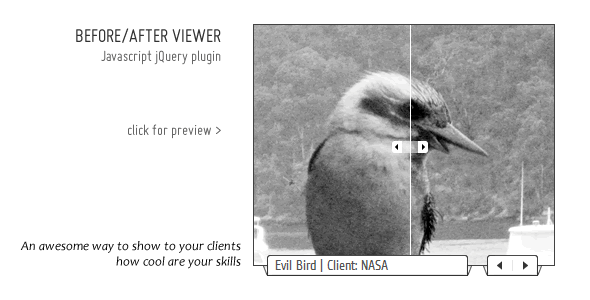
Viewer customized with css to look like a regular tab rotator, with subtitles: Tab rotator

YOU MAY ALSO BE INTERESTED IN :

Download Brick Slide Rotator – Textual or graphical menu (Sliders)

Dreamspace (Space)

FollowMe

Hi Friends, This is my latest AE project with nice atmosphere. No plugins are needed (Though CC Plugins are needed which are included in AE).Videocopilot’s optical flares plugin is used but it is prerendered. Original file is also included. It is having 6 video/photo placeholders and 16+ text placeholders. Its very simple and easy to customize also. Two resolutions included Full HD 1080p and native 720p.

The audio is from the author AudioQuattro from audiojungle.

If you like the audio you can buy it from here.

Thank You.

Features:-

  • Full HD Resolution 1920×1080 and native 1280×720
  • This Project file is CS4 and CS5 compatible
  • No need of any plugins.
  • Everything is customizable.
  • Have 6 Video/Photo and 16+ Text Placeholders.
  • PDF Help Included for customizing the Project.
  • Font info is provided in the PDF help
  • Audio not Included.
  • Video Footages used are for preview purpose only. Not Included
  • Feel free to contact me on any queries.
  • Please don’t forget to rate the project after your purchase.Thank you.

    free counters

    Download Dreamspace (Space)

    Let’s Fly Bubbles (3D, Object)

    1920×1080 FULL HD size, 30p fps (automatically convertible to 25p or 24p)
    *No plugin needed
    *Changeable background (Alpha movie included)
    *Customizable screens with size, opacity and similar transform or effects.

    – 5 Different-Colour Cube Displays
    – 5 Different-Colour Bubble Producer in of Cubes
    – Bouncing effect surface on Cubes

    BONUS : 3 Background File

    SEAMLESS ANIMATION FOR :

    Web Site Opener
    *TV Ads
    *Project Summary
    *Portfolio and Jobs Summary
    *Highlights of Brand
    *Interactive DVD Menus
    *Information Board for Events, etc.

    Note: Audio file does not included. If you want this song, please send me an email for informations.

    Thanks for watching
    Auto

    Download Let’s Fly Bubbles (3D, Object)

    Rarks & Pec (Openers)

    Intro / opener sequence modeled after the popular TV show Parks & Recreation.

    See the show/intro on Hulu – http://hulu.com/parks-and-recreation

    Now YOU can recreate this iconic intro sequence!

    This Project File is…

    1. Full HD 24 fps

    2. Easy to customize

    3. Renders quickly!

    Please rate if you like!!!

    Note: music is not included, but can be purchased here http://audiojungle.net/item/beautiful-day-joy-and-happy-motivations/26843

    Download Rarks & Pec (Openers)

    Travel (Abstract)

    – A funny Travel album with plane and photos.

    – make your own travel route.

    – contains two projects 1.needs only change images and texts. 2. you can modify route exactly as you wish, for example flight from London to Tokyo.

    – No plugins required. Only the CS4 originals.

    – 9 Placeholders for images or videos runtime 45 sec.

    – HD ( 1280 X 720 px )

    – Complete help instruction

    – Images used in the project are not included, easily replace by yours.

    -Thanks! you can find this great music at http://audiojungle.net/item/four-background-loops/120292

    – Images are from http://imagebase.davidniblack.com/main.php

    – Fonts
    Font family: ‘Bleeding Cowboys’, Font style: ‘Regular’
    Font family: ‘Bradley Hand ITC ’, Font style: ‘Regular’
    Font family: ‘Geo_Arial’, Font style: ‘Regular’
    Font family: ‘NowTheWeather’, Font style: ‘Regular’from dafont.com

    Download Travel (Abstract)

    Gears and lights logo reveal (Technology)

    Simple, stylish and elegant Logo reveal. Stylized with custom Lens flares. Reveal your logo and slogan or website.
    Easy to customize. Add your logo and slogan and you’re ready to render. No additional plugins needed. Video tutorial included
    Music in the preview is NOT included. But if you like, you can buy on
    http://audiojungle.net/item/radio-cuts-17/149911

    Download Gears and lights logo reveal (Technology)

    Design Spectrum (Corporate)

    Hello friends :)

    This is my latest project. It’s universal with lots of potential uses. Original concept and creative ideas with each frame. Hope you find it useful.

    Main features are:

    • No plug ins required
    • HD resolution (720p)
    • 15 placeholders
    • 45 seconds long
    • Useful video tutorial showing how to edit the template
    • Audio is provided by SonicCube @ audiojungle.net. You can get it here
    • please rate if you like it :)
    • If you need help customizing the project drop me an email.
    • NOTE : The cinematic 3D logo reveal in the beginning is exclusively created for “inlifethrill designs”. It is not included in the download.

    Images cam be purchased at http://eu.fotolia.com/

    HD RESOLUTION RENDERS IN LESS THAN 30 MINUTES (.MOV, PHOTO -JPG 75%) on Intel i7 Quad Core, 6gb ram, Windows 7, 64 bit

    Download Design Spectrum (Corporate)

    Fullscreen HD Dynamic Displays (Abstract)

    FULLSCREEN HD Dynamic Displays is an Adobe AE CS4 HD package coming with two different projects files. First one (without the All Media Ending Scene) has a duration of 1 min. 36 sec. and the second one (with the ALL Media Ending Scene) has a duration of 2 min. 05 sec.. Strongly structured project and detailed PDF Help file. Very easy customization. Great for all your corporate or personal slideshows presentations.

    On VideoHive, the preview displays the project with the “All Media Scene” (2 min. 05 sec). You can take a look at the other project file preview on VIMEO , by clicking here. Able to manage 12 media placeholders, one logo placeholder and numerous texts palceholders.

    The used music track for the preview (“DON’T STOP Remix of PLASTIC3 ) isn’nt included in this VH package. You can buy/listen to it on Audiojungle, by clicking here. The soundsFX used in the preview file are included in this VH package. Tahe a look at the amazing PORTFOLIO of PLASTIC3 .

    A Presets system was implemented in these project files. With two click you are able to change the global FX applied to all the displayed media in the whole project.

    No third party plug=in needed.

    PLEASE DON ’T FORGET TO RATE THIS PROJECT ON VIDEOHIVE .

    free counters

    Please take a look at the following projects:


    diplays, fullscree, big, screen, corporate, personal, business, slideshows, diaporamas, dynamic

    Download Fullscreen HD Dynamic Displays (Abstract)

    Cool Businessman Showing Boardsigns Animation (Corporate)

    Hi this is an after effects project of a cartoon businessman character with a city background, that shows 4 Signboards. This is ideal for you to present your brand, show your thoughts, logo, slogan on it, and introduce your company to the world, in a short way.
    Things you can change in the file:
    -You can replace the png called logo.png with your own (of course the same size in pixels) and vuala! you can render your own video. simply select the file called logo.png on your proyect tab, right click on it -replace file -file, then search for your new logo.

    -You can replace the content the four compositions named “Boardsign” with your own text or graphics, it is very easy and you can do it by doble clicking on any of the green layers (named; Boardign 1, Boarsign 2, Boardsign 3, Boarsign 4) these layers are precomp so you can put your own contet inside and they will automatically animate with the character.
    -You could also change the color of the tie of the businessman so that it matches the color of your logo, simply select the layer called tie_animation.mov and open your effects control panel (next to your proyect tab), then play around with the options until you have the desired color on the tie (make sure you are on the very first frame of the timeline when you change the values).
    -You can also change the background city for you own background, simply select the file called city_bg_b&w.png on your proyect tab, right click on it -replace file -file, then search for your new background wich have to be the same size in pixels. As a bonus there is a city background in color blue.
    It will take you like 3 minutes to make these adjustments, and before you know you’re ready to export your movie. Feel free to ask if you have any doubt, I hope you like it.
    Font used:
    http://www.fonts101.com/fonts/view/Standard/14292/Myriad_Web.aspx

    Download Cool Businessman Showing Boardsigns Animation (Corporate)