Support
Ionic 2 App Support Documentation
Features
- Angular 2 + Ionic 2 + Typescript + i18n Full App (Latest Ionic v2.0.0 rc.4)
- Professional Module Architecture (15+ Modules) – Module-based Architecture Ionic 2 App as each App Page is a Module (@ngModule). Architecture is following the official Angular 2 Modularity patterns (AppModule, CoreModule, SharedModule, Feature Modules) https://angular.io/docs/ts/latest/guide/ngmodule.html
- Component declarations/exports in Modules (30+ Components)
- Placeholder Module as a basis for your new App Modules
- Multiple Languages (i18n) – An implementation of Angular 2 translate (ng2-translate) with unlimited languages support (global translate pipe support)
- Introducing a custom Translate Loader for Ionic 2
- UI Language Switcher – Change the Ionic 2 App Language through the Settings Component (Settings Module)
- WordPress REST API Version 2 Integration https://wordpress.org/plugins/rest-api/ (WordPress Module)
- WordPress Posts
- WordPress Favorite Posts (Ionic Storage)
- WordPress Post
- WordPress Post Preview (Ionic 2 Native InAppBrowser)
- WordPress Post Social Share (Ionic 2 Native Social Share)
- WordPress Post Comments
- WordPress Categories
- WordPress Search (Searchbar: ion-searchbar)
- WordPress Feature Media (Component)
- WordPress Pages
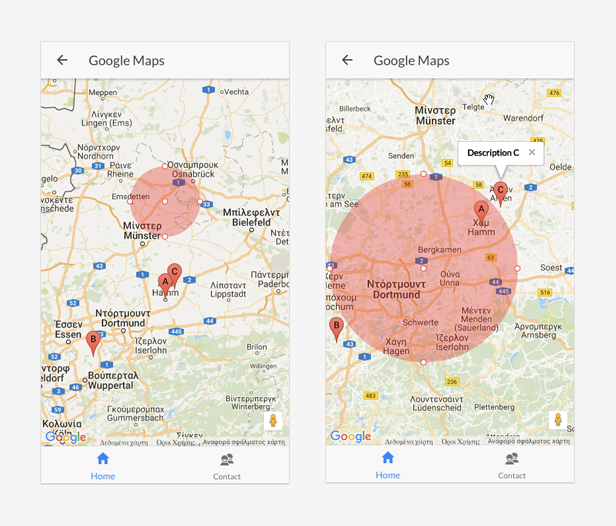
- Google Maps (Google Maps Module)
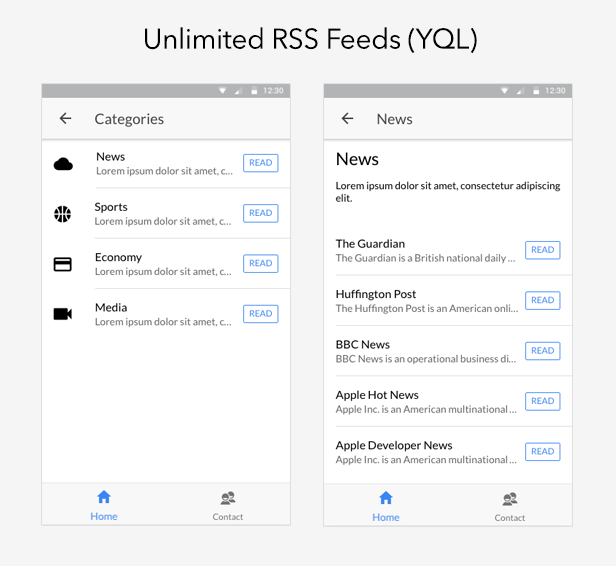
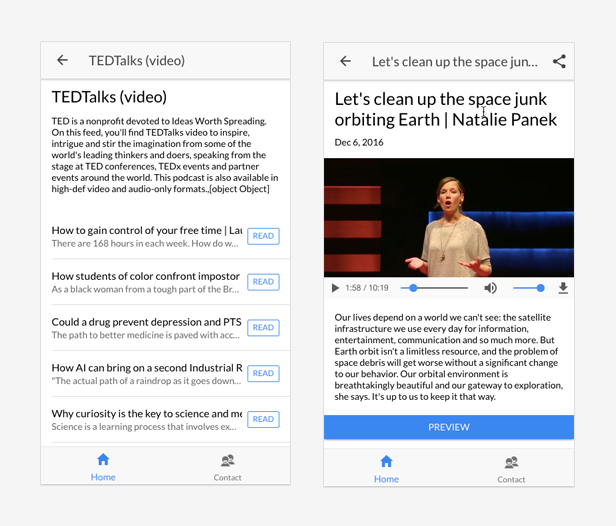
- Unlimited RSS Feeds with the extra support/feature of Categorized Feeds (Feeds Module)
- Get Unlimited Atom, RSS, or Media RSS Feeds, Micro Formats and more using the Yahoo Query Language (YQL)
- Define all your Feed Categories and Feed Sources just by editing a JSON file (assets/data/json/feeds.json)
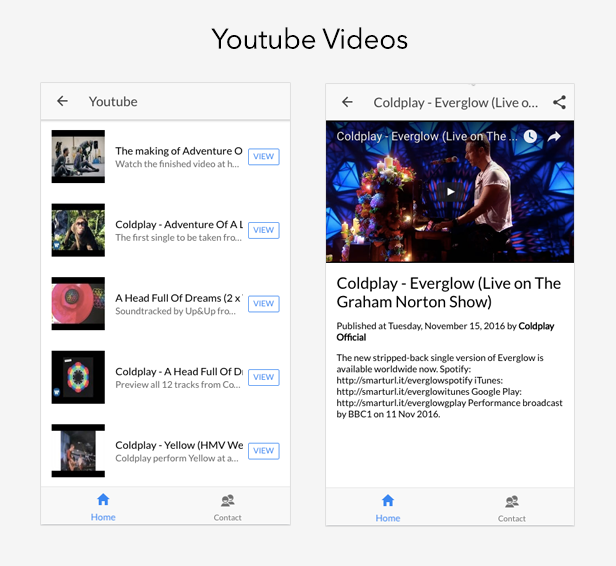
- Youtube Videos with Username or Playlist Id (Youtube Module)
- Angular 2 Trusting safe values (IFrame source) by injecting Dom Sanitizer
- Ionic 2 Storage
- Favorite implementation with Set/Get/Remove/Clear from Storage (part of the WordPress module)
- Ionic 2 Native
- InAppBrowser
- Social Sharing
- Barcode Scanner
- Barcode Scanner
- This plugin provides cross-platform BarcodeScanner for Cordova / PhoneGap. The following barcode types are currently supported from the plugin: Android: QR_CODE, DATA_MATRIX, UPC_E, UPC_A, EAN_8, EAN_13, CODE_128, CODE_39, CODE_93, CODABAR, ITF, RSS14, PDF417, RSS_EXPANDED – iOS: QR_CODE, DATA_MATRIX, UPC_E, UPC_A, EAN_8, EAN_13, CODE_128, CODE_39, ITF
- Ionic Components implementations
- Navigation, Menu, List, Searchbar, Loading Controller, Toast Controller, Infinite Scroll, Item Options, Storage, Datetime, Slides, Tabs
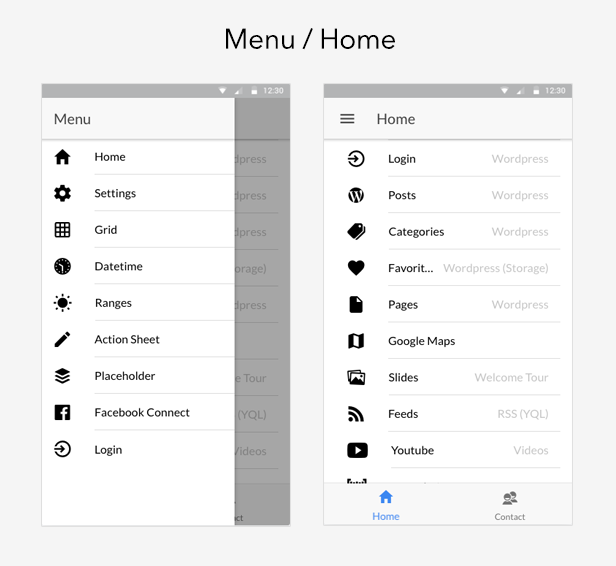
- Side-menu navigation support – Menu is a side-menu navigation that can be dragged out or toggled to show. The content of a menu will be hidden when the menu is closed.
Ionic 2 + Angular 2 Modules (15+ modules)
Angular 2 + Ionic 2 Modules help organize an application into cohesive blocks of functionality.
An Angular Module is a class adorned with the @NgModule decorator function. @NgModule takes a metadata object that tells Angular how to compile and run module code. It identifies the module’s own components, directives and pipes, making some of them public so external components can use them.
Modules: IonicModule.forRoot(MyApp), SharedModule, HomeModule, TabsModule, GoogleMapsModule, WordPressModule, SlidesModule, GridModule, SettingsModule, FeedsModule, YoutubeModule, AboutModule, ContactModule, DatetimeModule, RangesModule, ActionSheetModule, BarcodeScannerModule, PlaceholderModule
Multiple Languages (i18n)
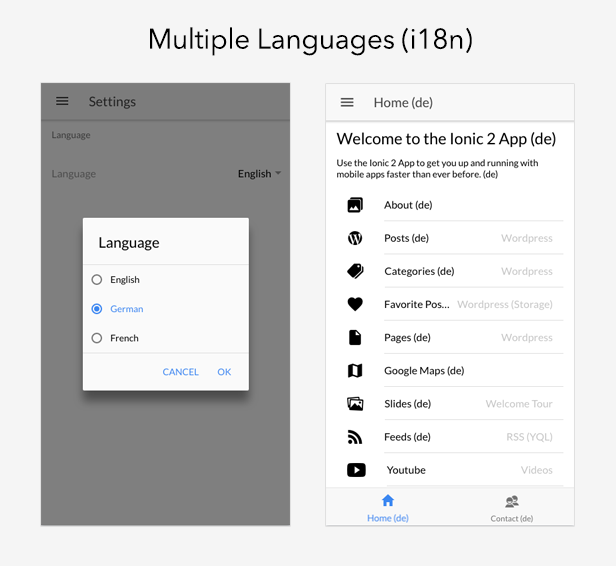
Ionic 2 App comes with Multi Languages support. Best practices and proven techniques are packed together so as to implement a real case scenario providing by default (English/German/French) a great implementation for the Internationalization of your App.
You can translate your App to multiple languages in parallel. The Ionic 2 App comes by design with the en.json, de.json and fr.json files providing you a full translation mechanism.
WordPress REST API Version 2
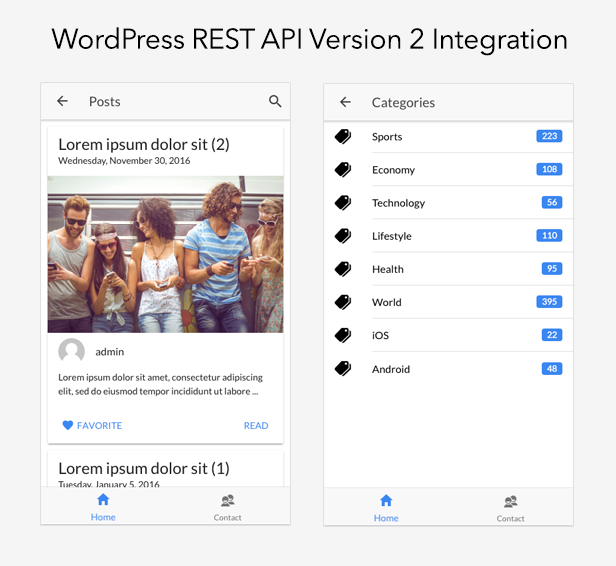
Ionic 2 App comes with WordPress REST API Version 2 Integration (/wp-json/wp/v2) https://wordpress.org/plugins/rest-api/
- WordPress Posts
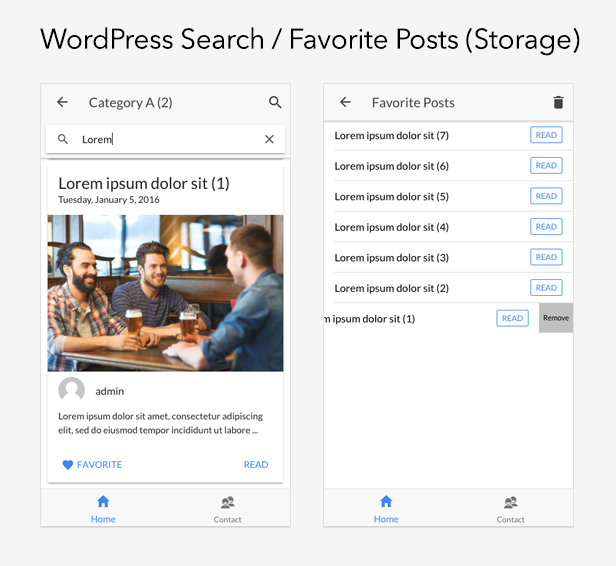
- WordPress Favorite Posts (Ionic Storage)
- WordPress Post
- WordPress Post Preview (Ionic 2 Native InAppBrowser)
- WordPress Post Social Share (Ionic 2 Native Social Share)
- WordPress Post Comments
- WordPress Categories
- WordPress Search (Searchbar: ion-searchbar)
- WordPress Feature Media (Component)
- WordPress Pages
Unlimited RSS Feeds (with extra support of Categorized Feeds)
Ionic 2 App implements a Feeds Module a based on the Yahoo Query Language (YQL). Yahoo Query Language (YQL) https://developer.yahoo.com/yql/ allows you to access atom, rss, micro formats and more. YQL is an alternative to Google Feed API https://developers.google.com/feed/ as this is officially deprecated.
Youtube Videos with Username or Playlist Id
Ionic 2 App comes with full Youtube Videos integration. Additionally you can share your videos through the Ionic Native Social Sharing. All the Youtube configuration is exposed to the main App Configuration app.config.ts:
export class Config {

    public youtubeKey = 'AIzaSyClMa-MaKro_m95tb--4LaAorl-NmGPJxc';

    public youtubeApiUrl = 'https://www.googleapis.com/youtube/v3/';

    public youtubeUsername = 'ColdplayVEVO';

    public youtubeResults = 50;

}
Google Maps
Ionic 2 App comes with Google Maps integration and it contains also the Google Maps module declaring/exposing Angular 2 components for Google Maps. Please you just need to define your Google Map key into the google-maps/google-maps.module.ts module. The Google Map key should be created here https://developers.google.com/maps/documentation/javascript/get-api-key
Installation
#Install Ionic 2

$ npm install -g ionic@latest
#Browse the App
$ cd ioni2app
#Install package.json dependencies
$ npm install
#Install Cordova/PhoneGap plugins (cordovaPlugins pakage.json branch dependencies)
$ ionic state restore
#Test your app on multiple screen sizes and platform types by starting a local development server
$ ionic serve
or
$ ionic serve --lab
#Build iOS
$ ionic platform add ios
$ ionic build ios
#Build Android
$ ionic platform add android
$ ionic build android
#Deploying/Running on emulator
$ ionic run android --prod
Ionic View
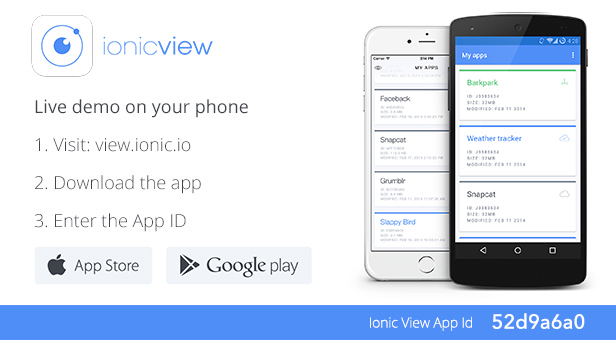
You have always the option to try the Ionic WooCommerce API App by downloading the Ionic View (http://view.ionic.io/). Then, use the following App Id to fetch a preview of the app: 52d9a6a0
APK
Ionic 2 + Angular 2 + Typescript UAC: Useful Articles Collection
https://docs.google.com/document/d/1DGka2qg5bacJw_jgVvsXDo-2g7AW0ffjjxNUtGlcEqM
Releases
1.0.0
- Initial release