Overview
Magento 2 CE does not allow user manage customer & address attribute. In real, the merchant always has particular customers and need more information than default. To custom the system, most of merchant hire an experienced developer, however, that is take time and not save.
For marketing, shipping or other purposes, user can add new attribute. The Customer Attribute System help the merchant customize the system easier.
Demo Version
Frontend
Register page: http://demo.x-mage2.com/customer/account/create/
Demo customer account:
Email: [email protected]
Password: xmage2demouser04
You can change account information and customer address on account page.
Product Features
- Show list of attributes (Customer & Address)
- Attribute Filter
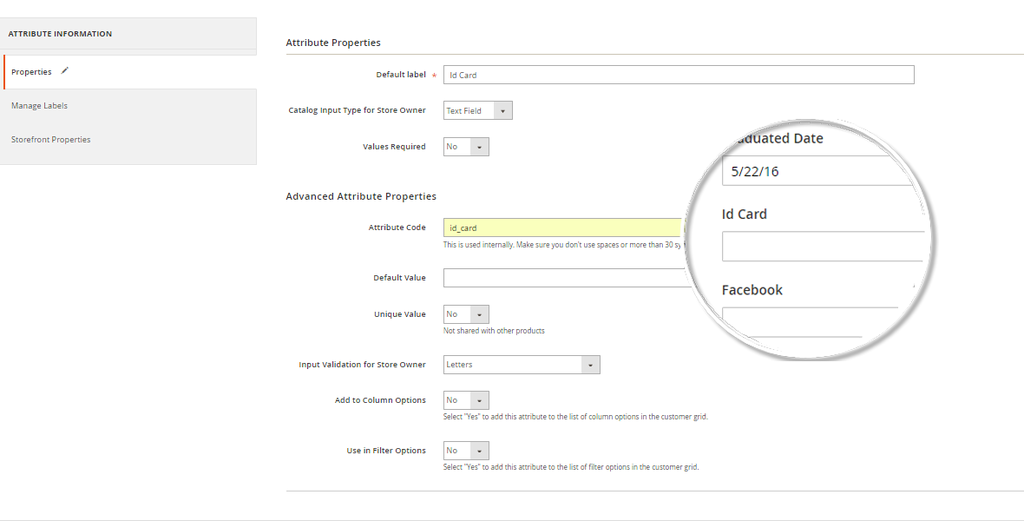
- Create attribute “Text Field”
- Create attribute “Textarea ”
- Create attribute “Date”
- Create attribute “Yes/no”
- Create attribute “Dropdown”
- Select input validation, support 6 types: Decimal, Integer, Email, Url, Letters, Letters (a-z, A-Z) or Numbers (0-9)
- Show attribute on customer information grid
- Show attribute on customer filter options.
- Support label for attribute in multiple store: User can change frontend label of attribute for each store
- Allow attribute to show on customer register page and account edit page
- Allow attribute to show on address create page and address edit page
- Able to change datetime format of attribute.
- Able to change header text of additional information panel.
- User can add attribute to customer address templates.
- Able to change entity type of attribute, customer => address and vice versa.
Version / Compatibility
Magento 2 Community Edition 2.0, 2.0.2, 2.0.4, 2.0.6
Request Support
Feel free to get support via email: [email protected]