Dungeon Fighter Online comes to iOS in a Slayer Edition

Hot on the heels of its success with Kart Rider Rush, Nexon has brought another one of its free-to-play MMO titles to iOS. Dungeon Fighter Online is one of the most popular titles in the lineup, save for another game called MapleStory. Dungeon Fighter Online is a free-to-play 2D action RPG that came to North America on the PC last year, and now it’s out on the iPhone as Dungeon Fighter Slayer Edition, a version that seems to be a more offline-centric setup of the popular MMORPG. Just like the original game, the action is in 2D and fast and furious, but this version costs US$4.99 outright. While there is Game Center integration, it’s not clear how this ties into the PC MMO, if at all.

Unfortunately, the reviews on iTunes aren’t great. The game currently carries a 2-star rating, so it doesn’t seem like Nexon has been able to bring over what made the original version of the game so popular. There are in-app purchases in the game for expanding your inventory and some extra in-game cash, but it’s interesting that the company chose not to try for the full MMO experience, especially when games like Pocket Legends have proved that it does work.

We’ll have to see how the game goes as it moves forward. Nexon undoubtedly has even more plans for the App Store, but this may be one title that doesn’t pan out.

Update: Apparently the game’s been pulled — it’s no longer on the US App Store. Maybe after the slow reception, Nexon has headed back to the drawing board

Dungeon Fighter Online comes to iOS in a Slayer Edition originally appeared on TUAW on Sat, 26 Mar 2011 10:00:00 EST. Please see our terms for use of feeds.

Source | Permalink | Email this | Comments

iRig Mic: A hands-on review of a hot iOS accessory

If there’s one group that has taken to the iPad, iPhone, and iPod touch in a big way, it’s the worldwide community of musicians. From amateurs who just want to play with making music electronically to professionals who have recorded albums on iOS devices, musicians love the way they can take advantage of the light weight, power, and music-related apps that have been developed for the iOS platforms.

IK Multimedia has come to the rescue of musicians who wish to use their iOS devices to perform and record music with a number of cool and useful software and hardware products. At Macworld Expo 2011, I had the opportunity to interview Starr Ackerman of IK Multimedia about these products including one that hadn’t yet been released: the iRig Mic (US$59.99).

The iRig Mic is a high-quality handheld condenser microphone that can be used with any iOS device for audio input. Whether you’re using it to record a video interview with an iPhone 4 or iPod touch, or to record vocals for your latest GarageBand song, the iRig Mic is a great asset for musicians and podcasters who want to improve their audio.

Continue reading iRig Mic: A hands-on review of a hot iOS accessory

iRig Mic: A hands-on review of a hot iOS accessory originally appeared on TUAW on Sat, 26 Mar 2011 08:00:00 EST. Please see our terms for use of feeds.

Source | Permalink | Email this | Comments

ScanDrop comes to Mac: makes scanning to cloud services simple

I’ve been a fan of a paperless workflow for a couple of years now, and I rely heavily on Evernote for organizing everything scannable that crosses my desk. One of the tools I’ve found invaluable for speeding up the scan and filing process is ScanDrop, as it allows me to scan a document and do basic image editing. I can also send a PDF to Evernote with a name, tags, and the appropriate Notebook setup without having to juggle files between multiple applications.

Unfortunately, this has also kept my scanning leashed to Windows, since ScanDrop didn’t exist for Mac OS X. I was delighted to find out that OfficeDrop has debuted a Mac OS X version on the Mac App Store at the bargain launch price of US$1.99. If you aren’t an Evernote user, ScanDrop also works directly with Google Docs and OfficeDrop’s own commercial cloud service, or you can scan files to any location on your drive, enabling you to sync documents to Dropbox, iDisk or similar solutions.

The only downside is ScanDrop depends on the service to do optical character recognition (OCR), so you’ll need to be an Evernote Premium user, a subscriber to OfficeDrop, or put up with the limitations with Google Docs’ OCR. If you’re saving to your drive, you may need to find an additional tool for OCR or live without searchable text documents.

Make sure to read over the details about scanner support to make sure ScanDrop will work with your hardware before you click purchase.

ScanDrop comes to Mac: makes scanning to cloud services simple originally appeared on TUAW on Sat, 26 Mar 2011 06:00:00 EST. Please see our terms for use of feeds.

Source | Permalink | Email this | Comments

Apple airs new ‘Retina’ iPhone 4 commercial

Apple has released another commercial in the “If you don’t have an iPhone” series of ads. This commercial, titled “Retina,” shows off the Retina Display on the iPhone 4. The ad cycles through the Photos, iPod (movies), Maps, and Mail apps. The latest ad comes just one day afterApple released an iPhone 4 ad showcasing Game Center. Apple seems to release iPhone ads in groups of twos or threes, so it’s likely that another one may hit the airwaves soon.

Apple airs new ‘Retina’ iPhone 4 commercial originally appeared on TUAW on Sat, 26 Mar 2011 04:00:00 EST. Please see our terms for use of feeds.

Source | Permalink | Email this | Comments

Jailbreak iPhone 4, 3GS iOS 4.3.1 with Sn0wBreeze 2.4b [Guide]

Sn0wBreeze 2.4b is out to jailbreak iOS 4.3.1 on iPhone 4, 3GS, iPod Touch 4G, 3G, and iPad 1. These are the steps to jailbreak iPhone 4, iPhone 3GS on iOS 4.3.1 firmware with Sn0wBreeze 2.4b but first read the IMPORTANT part.

Important

  • Sn0wBreeze 2.4 is still in beta.
  • Sn0wBreeze 2.4b provides a tethered jailbreak. You will need your computer every time you reboot for it to work.
  • ultrasn0w now works for basebands (01.59.00 / 04.26.08 / 05.11.07 / 05.12.01 / 05.13.04 / 06.15.00)
  • ultrasn0w is NOT compatible with the following basebands! (02.10.04 / 03.10.01 / 04.10.01 / 05.14.02 / 05.15.04)
  • iPhone 3GS users can upgrade to 06.15.00 baseband now under Unlocks section in Expert. Upgrading your iPhone 3GS baseband to the 06.15.00 iPad baseband hack to unlock MAY cause you to lose your GPS!
  • Sn0wBreeze is available for Windows OS only.
  • Steps to jailbreak all iDevices using Sn0wbreeze are almost identical.

Supported Devices

Let’s jailbreak iPhone 3GS, iPhone 4 iOS 4.3 firmware using Sn0wbreeze jailbreak.

How to Jailbreak iPhone 4, 3GS iOS 4.3 with Sn0wBreeze

Step 1

Download the required stuff linked below and put them on your desktop.

Step 2

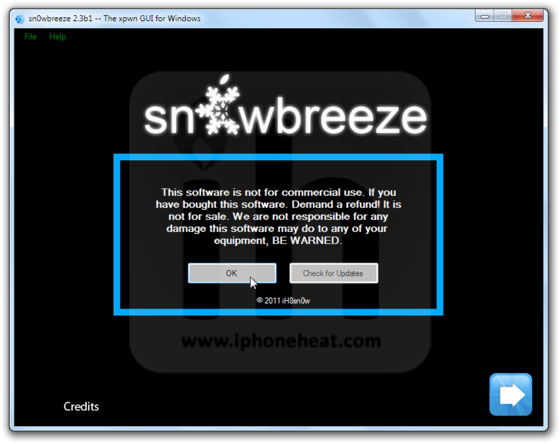
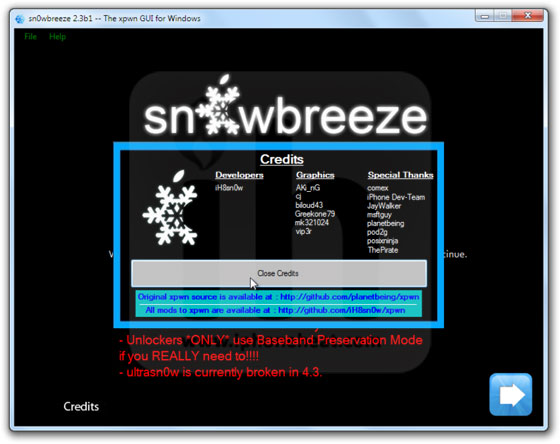
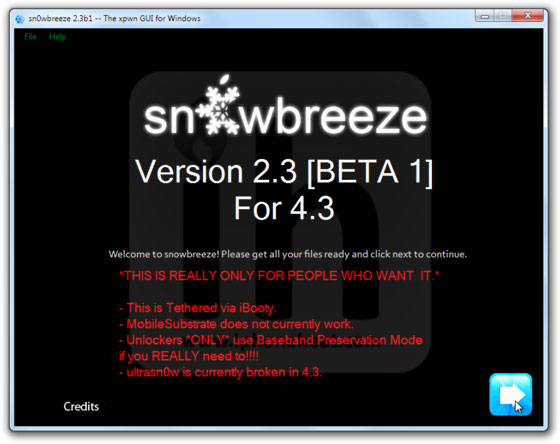
Run the Sn0wBreeze.exe. Hit Ok and then Close Credits button. and then hit the next button.

jailbreak ios 4.3 sn0wbreeze (17)jailbreak ios 4.3 sn0wbreeze (16)jailbreak ios 4.3 sn0wbreeze (15)

Step 3

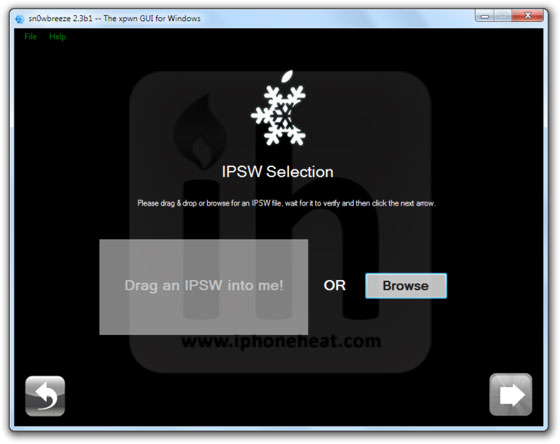
Either drag & drop the iOS 4.3.1 firmware file in the given drop-box on Sn0wbreeze window or hit the Browse button and select the downloaded iOS 4.3.1 IPSW file for your iDevice.
Sn0wBreeze will identify the IPSW firmware file. When done, hit the next button.

jailbreak ios 4.3 sn0wbreeze (14)jailbreak ios 4.3 sn0wbreeze (13)jailbreak ios 4.3 sn0wbreeze (12)

Step 4

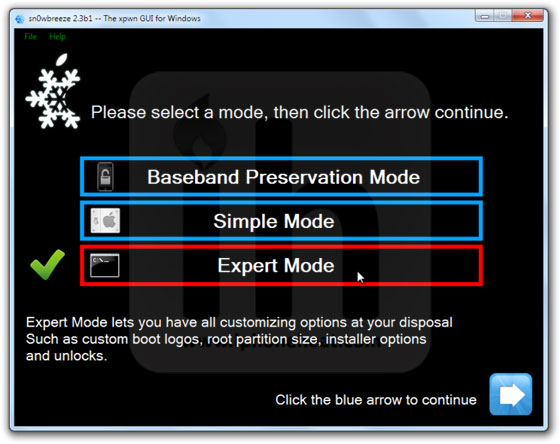
Now select the Expert Mode and Hit next button.
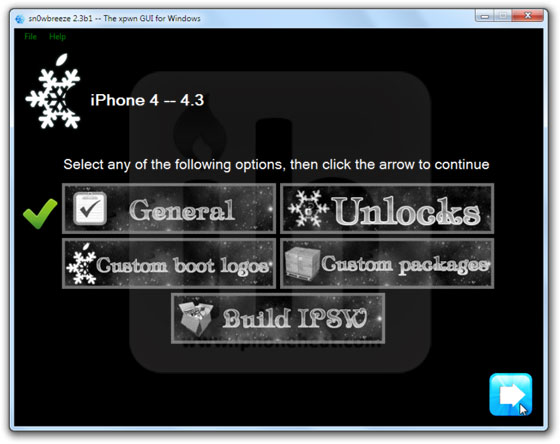
Then select General.

jailbreak ios 4.3 sn0wbreeze (11)jailbreak ios 4.3 sn0wbreeze (10)

Step 5

iPhone Users:

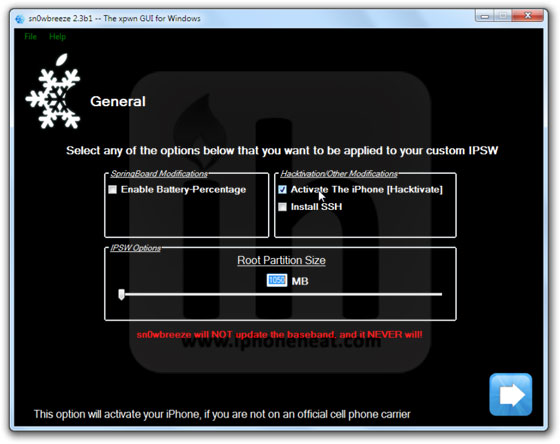
**If you depend on unlock make sure Activate The iPhone [Hacktivate] option is checked/selected.
Then keep hitting Next.

jailbreak ios 4.3 sn0wbreeze (9)jailbreak ios 4.3 sn0wbreeze (8)

Step 6

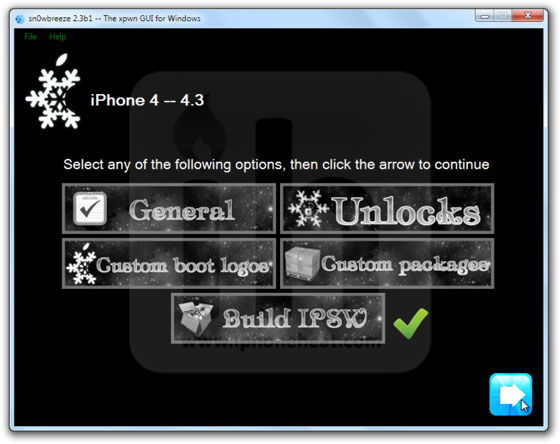
Now select the Build IPSW option and hit next.
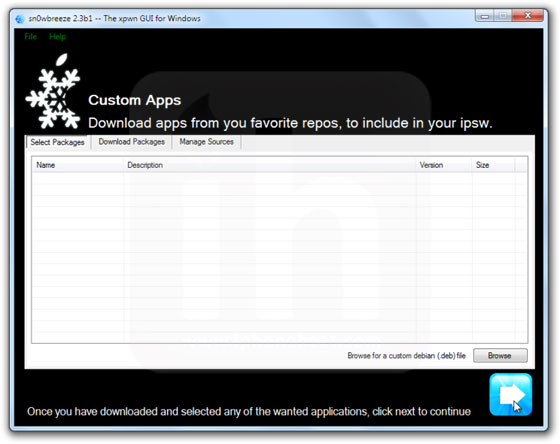
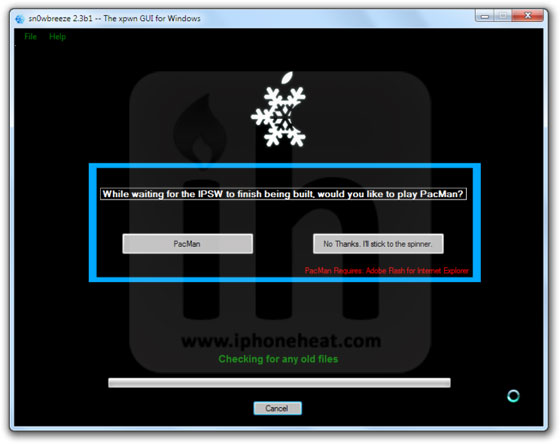
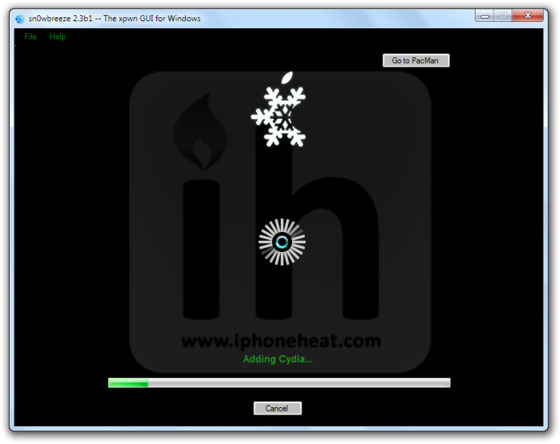
Sn0wBreeze will start building custom firmware to jailbreak your iPhone 4, 3GS, idevice. Since the building process takes several minutes to complete, you can either choose to play PacMan or stick with the Spinner.
Once Done! Hit the OK button. (Custom firmware can be found on desktop along with iBooty folder)

jailbreak ios 4.3 sn0wbreeze (7)jailbreak ios 4.3 sn0wbreeze (6)jailbreak ios 4.3 sn0wbreeze (5)

Step 7

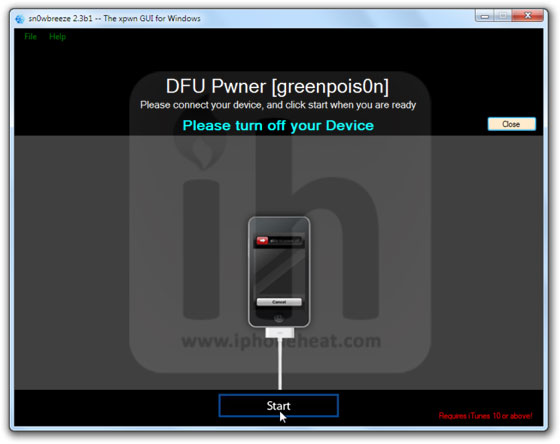
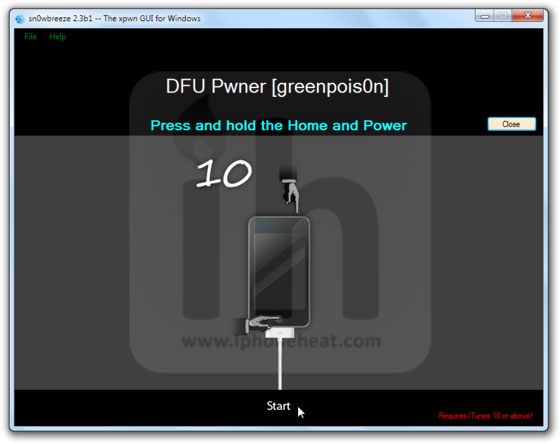
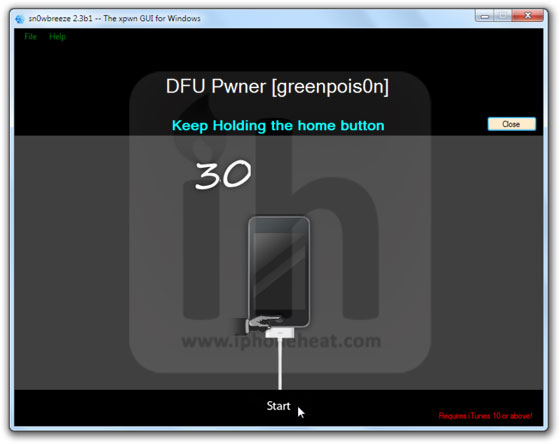
Now follow the on screen instructions to put your iDevices into Pwned State. Sn0wBreeze instructions are important to follow because this will put iDevice into Pwned DFU state NOT the simple DFU mode.

  • Hold Power + Home buttons for 10 seconds
  • Now release the Power button but keep holding the Home button for 10-30 more seconds
  • Your device should now be in DFU mode

jailbreak ios 4.3 sn0wbreeze (4)jailbreak ios 4.3 sn0wbreeze (2)jailbreak ios 4.3 sn0wbreeze (1)

Sn0wBreeze will prompt you once you’re into Pwned DFU state.

Step 8

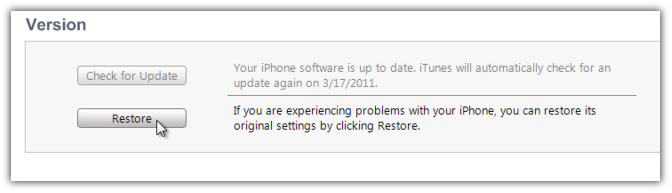
Now open iTunes, Hold down the Shift key and hit the Restore button.
Browse and select the custom firmware that we just created, from the desktop.

iTunes will start restoring iOS 4.3.1 on your iPhone/iPad/iPod Touch. Once the restore process is complete, your device might stuck at the Apple logo. Don’t panic, follow the next step.

Step 9 – Booting in Tethered Mode

Like I told you earlier, it’s a tethered jailbreak.

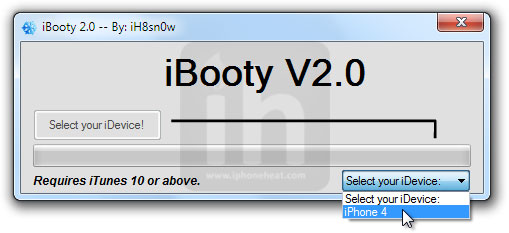
On your desktop, there’ll be a new folder named iBooty-for-4.3.1. Open the folder and run the iBooty.exe.
Select your device from the drop down menu (bottom-right) and hit the start button.

Follow the on screen instructions to put your iDevice into DFU mode.

  • Hold Power + Home buttons for 10 seconds
  • Now release the Power button but keep holding the Home button for 10-30 more seconds
  • Your device should now be in DFU mode

Once you’re into DFU mode, iBooty will do the rest and your iPhone, iPad or iPod touch will boot into jailbroken state!

You can follow us on Twitter, Join us at Facebook, and also Subscribed to RSS Feed to receive latest updates.

Digg
Twitter
StumbleUpon
Facebook
Reddit
del.icio.us

Download Sn0wbreeze 2.4b1 – iOS 4.3.1 Jailbreak [Windows]

iH8sn0w has just pushed the Sn0wbreeze 2.4 beta to jailbreak iOS 4.3 firmware on iPhone 4, 3GS, iPod Touch 4G, 3G and iPad 1. You can download ?Sn0wbreeze 2.4b from the link below.


Sn0wbreeze, just like PwnageTool, creates a custom firmware to jailbreak iPhone, iPad and iPod Touch and also preserves iPhone baseband so you may unlock iPhone using UltraSn0w. But unlike PwnageTool, Sn0wbreeze works under Windows environment only.

Supported devices

Sn0wbreeze 2.4beta can jailbreak iOS 4.3.1 firmware on

NOTE: Sn0wbreeze 2.0 will also hacktivate all above mentioned devices. It provides tethered solution for now.

Download Sn0wBreeze 2.4

Download Sn0wbreeze 2.4 for Windows [Mirror 1] [Mirror 2]

Download iOS 4.3.1

Detailed guides on how to jailbreak iOS 4.3 on iPhone 4, 3GS, iPod Touch 4G, 3G will be posted shortly.

You can follow us on Twitter, Join us at Facebook, and also Subscribed to RSS Feed to receive latest updates.

Also checkout:

Downgrade iOS 4.3.1 to 4.3, 4.2.1, 4.x on iPhone 4, 3GS, iPad 2, iPad, iPod touch 4G, 3G [How to Guide]

Digg
Twitter
StumbleUpon
Facebook
Reddit
del.icio.us

Downgrade iOS 4.3.1 to 4.3, 4.2.1, 4.x on iPhone 4, 3GS, iPad 2, iPad, iPod touch 4G, 3G [How to Guide]

You can downgrade iOS 4.3.1 to iOS 4.3, 4.2.1, 4.1 on iPhone 4, 3GS, iPod Touch 4G, 3G and iPad 2, iPad. Follow the steps below to downgrade iOS 4.3.1 to 4.3/4.2.1/4.1 firmware using Tinyumbrella and editing Hosts file.

We’ll discuss following two methods to downgrade iOS 4.3.1 on iPhone, iPad and iPod Touch:

  1. Using TinyUmbrella (Recommended)
  2. By Editing Hosts file

IMPORTANT: You can downgrade iPhone 4, 3GS, iPod Touch 4G, 3G and iPad 2, iPad to iOS 4.3, 4.2.1 or older only if you have SHSH blobs saved for 4.3/4.1/4.2.1 firmware in order to downgrade from iOS 4.3.

How to: Save SHSH blobs for iPhone, iPod Touch

How to Downgrade iOS 4.3.1 to 4.3, 4.2.1, 4.x

Download your desired firmware for which you’ve SHSH blobs saved and want to downgrade to:

Method 1: Using TinyUmbrella

Download TinyUmbrella

If you’ve SHSH blobs saved on Saurik’s server via Cydia, download them into your computer first. To do that:

Connect your device, Fire up the TinyUmbrella and Check mark the Advanced Options.
Select your device and hit the save SHSH button. that’s it.

Step 1 – DFU Mode

Put your iPhone into DFU Mode (How to: enter DFU Mode)

Step 2 – Start TSS Server

Run the TinyUmbrella
select your device from the left pane and make sure that downloaded SHSH blobs has been cached (right pane) by TinyUmbrella for iOS 4.3, 4.2.1, 4.1 or older.
Now hit the Start TSS Server button.

Step 3 – Restoring The Firmware

Open the iTunes
Hold down the Shift (Windows)/Alt (Mac) key and hit the Restore button.
Select the downloaded firmware (iOS 4.3, iOS 4.2.1, iOS 4.1 or older) and let the restore process complete.
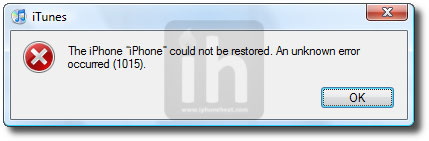
iTunes should bring up the error 1015, 1013 or 1011 message. Don’t worry, it’s normal. You’ve successfully downgraded your iPhone/iPod Touch firmware.

Step 4 – Getting Out Of Recovery

Now in order to get out of recovery mode, hit the “Kick Device Out of Recovery” button on TinyUmbrella right below the Start TSS Server button or you can also use RecBoot. That’s it!

__________________________________________________________________________________
__________________________________________________________________________________

Method 2: Edit Hosts File

**We assume that you’ve SHSH blobs saved via Saurik’s Cydia server.

Download your desired firmware for which you’ve SHSH blobs saved and want to downgrade:

Step 1 – DFU Mode

Put your iPhone into DFU Mode (How to: enter DFU Mode)

Step 2 – Editing Hosts File

Now we are going to redirect iTunes from Apple Servers to Saurik’s server.

————————————

Windows:

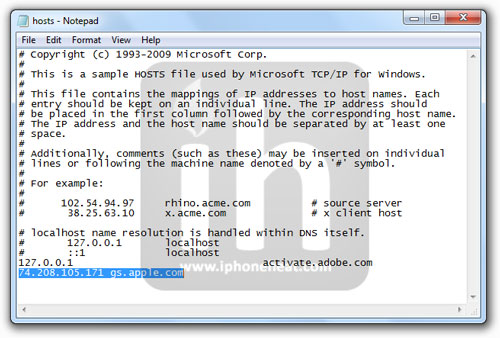
Go to C:\Windows\System32\drivers\etc\ and locate hosts file.
Open and edit the hosts file in Notepad.

NOTE: Win 7 and Vista users MUST run Notepad with admin privileges. Right click on Notepad app and select Run as Administrator.

Mac OS X:

Go to \etc\ directory and locate hosts file. Copy it on your desktop
Open the hosts file in TextEdit.

————————————

Add the following line at the end of the hosts file and then save and close the file:

74.208.105.171 gs.apple.com

Mac OS X users needs to copy the edited hosts file from desktop back to /etc/ directory and replace the older one.

Step 3 – Restoring The Firmware

Now Open the iTunes.
Hold down the Shift (Windows)/Alt (Mac) key and hit the Restore button.
Select the downloaded firmware (iOS 4.1, iOS 4.0.1 or older) and let the restore process complete.
iTunes will bring up error 1015, 1013 or 1011 message. Don’t worry, it’s normal. You’ve successfully downgraded your iPhone/iPod Touch/iPad 2, 1 firmware.

Step 4 – Getting Out Of Recovery

Now in order to get out of recovery mode, hit the “Kick Device Out of Recovery” button on TinyUmbrella right below the Start TSS Server button or you can also use RecBoot. That’s it!

Note: You must now remove 74.208.105.171 gs.apple.com line from the host file and save it. Doing this will let iTunes to prompt you about future updates from Apple.

You can follow us on Twitter, Join us at Facebook, and also Subscribed to RSS Feed to receive latest updates.

Digg
Twitter
StumbleUpon
Facebook
Reddit
del.icio.us

Cydia 1.1.1 Goes Live – Faster, Slimmer, and more Stable

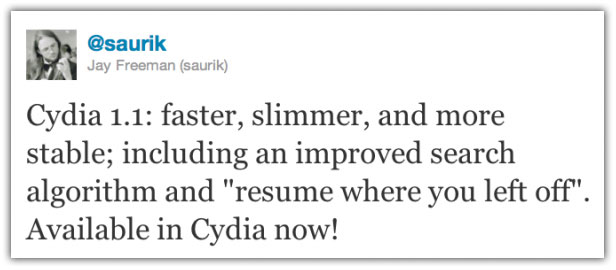
Saurik finally released Cydia 1.1.1. The new build comes with speed improvement, resume and multiple language support. According to Saurik, Cydia 1.1 is faster, slimmer, and more stable; including an improved search algorithm and “resume where you left off”.

In case you don’t know, Cydia is a jailbreak App Store that brings you all those apps which could not make their way into the iTunes AppStore.

Cydia 1.1.1 Features include:

  • The ability to run and operate Activator, libstatusbar, and SimulatedKeyEvents while Cydia is running
  • an overall speed improvement, including the “Loading Changes” dialog
  • “much less” memory usage
  • A more advanced search mechanism with a new relevancy algorithm
  • Better management of broken repositories
  • Read our previous post for full details about what’s new in Cydia.

To update to Cydia 1.1.1:

  1. Simply launch Cydia from your jailbroken iDevice
  2. Refresh your packages (done automatically)
  3. You will be prompted to upgrade “Essential packages” or “Complete Upgrade”. Select “Complete Upgrade”.
  4. Cydia will be updated to version 1.1.1 and then will require you to restart Cydia.

[Thanks iDB]

You can follow us on Twitter, Join us at Facebook, and also Subscribed to RSS Feed to receive latest updates.

Digg
Twitter
StumbleUpon
Facebook
Reddit
del.icio.us

Download iOS 4.3.1 Firmware for iPhone, iPad, iPod Touch [IPSW]

iOS 4.3.1 firmware for iPhone 4, iPhone 3GS, iPad 2, iPad, and iPod touch 4G, 3G is now available for download. You can download iOS 4.3.1 firmware IPSW build 8G4 from the links below. iOS 4.3.1 is comes with patches for security loop holes, fixes for minor bugs and battery life n all iOS devices.

How to Install iOS 4.3.1

*** iOS 4.3.1 requires iTunes 10.2.1

To install iOS 4.3.1 on your device, connect your iPhone/iPod Touch/iPad to iTunes 10.2.1, new firmware availability message will appear then hit the “Download and Install” button. (Not recommended for jailbreakers and unlockers)

You can also download iOS 4.3 firmware from the links below. Hold down the Shit (Windows) or Alt/Option (Mac) key and hit the restore button on iTunes and select the downloaded IPSW file.

WARNING: Jailbreakers/Unlockers MUST stay away from iOS 4.3.1 until further notice.

Download iOS 4.3.1 Firmware

You can download iOS 4.3.1 firmware (IPSW files) for iPhone 4, iPhone 3GS, iPad 2, 1 and iPod Touch 4G and 3G from the links below.

Download iOS 4.3.1 For IPhone 4

Download IOS 4.3.1 For IPhone 3GS

Download IOS 4.3.1 For IPod Touch 4G

Download IOS 4.3.1 For IPod Touch 3G

Download IOS 4.3 For IPad 2

Download IOS 4.3.1 For IPad

iTunes 10.2.1

You can download the latest iTunes 10.2.1 from the link below:

We’ll keep you updated as soon as iOS 4.3.1 jailbreak tools are available for download along with detailed step by step instructions.

Also checkout:

How to: Downgrade iOS 4.3 to iOS 4.2.1

You can follow us on Twitter, Join us at Facebook, and also Subscribed to RSS Feed to receive latest updates.

Digg
Twitter
StumbleUpon
Facebook
Reddit
del.icio.us

Unlock iPhone 4, 3GS iOS 4.3 with UltraSn0w after Sn0wbreeze 2.3b Jailbreak

Sn0wbreeze 2.3b4 comes with MobileSubstrate and Ultrasn0w unlock fix for iOS 4.3 on iPhone 4 and 3GS. UltraSn0w is currently broken on iOS 4.3 firmware Because of MobileSubstrate issues. However, iH8Sn0w has fixed it for you guys and now UltraSn0w can unlock iPhone 4, 3GS (old basebands) iOS 4.3 after jailbreaking with Sn0wBreeze 2.3b.

Before unlocking iPhone 4, 3Gs on iOS 4.3 please read the important part below.

Important

  • Ultrasn0w works for following basebands: 01.59.00 | 04.26.08 | 05.11.07 | 05.12.01 | 05.13.04 | 06.15.00 (How to check iPhone baseband)
  • Ultrasn0w is NOT compatible with the following basebands: 02.10.04 | 03.10.01 | 04.10.01 | 05.14.02 | 05.15.04
  • Upgrading your iPhone 3GS baseband to the 06.15.00 iPad baseband hack to unlock MAY cause you to lose your GPS! (How to: Update iPhone 3GS to Baseband 06.15.00)
  • Sn0wbreeze 2.3b provides a tether jailbreak solution for iPhone 4, 3GS, iPod Touch 4G, 3G and iPad 1.

Follow the steps below to unlock iPhone 4, 3GS 4.3 with UltraSn0w after Sn0wbreeze 2.3b Jailbreak…

How to Unlock iPhone 4, 3GS 4.3 with UltraSn0w

Step 1

First of all jailbreak your iPhone 4 and 3GS on iOS 4.3 firmware using Sn0wBreeze 2.3b. we have already posted a detailed guide on how to create custom firmware using sn0wbreeze and jailbreak iPhone 4 and 3GS here:

How to: Jailbreak iOS 4.3 with Sn0wBreeze 2.3b

Step 2

Once your iPhone 4 or 3GS is jailbroken, you can now unlock iPhone 4, 3GS iOS 4.3 with UltraSn0w 1.2. To do so:

***T-Mobile USA users please disable 3G network first. (Settings >General >Network and turn the “Enable 3G” switch to OFF.)

  • Open the Cydia.
  • Go to manage Tab at bottom.
  • Hit the big Sources button.

unlock ios 4.3 ultrasn0w (3)

  • Hit the Edit button on Top-Right
  • Then Hit the Add button on Top-Left
  • Then Enter the following URL: http://repo666.ultrasn0w.com and hit the Add Source button.

unlock ios 4.3 ultrasn0w (2)

  • Once the Source is added to the Cydia, hit the big return to Cydia button at bottom of the screen and then Done button.
  • Go to Search tab and search for ultrasn0w and install it.

unlock ios 4.3 ultrasn0w (1)

Installing UltraSn0w will unlock iPhone 3GS baseband 04.26.08, 05.11.07, 05.12.01, 05.13.04, 06.15.00 or iPhone 4 with baseband 01.59.00. Once the installation is completed, respring your iPhone.

Voila! You have unlocked iOS 4.3 on iPhone 4/3GS/with UltraSn0w and can use SIM from any carrier now.

You can follow us on Twitter, Join us at Facebook, and also Subscribed to RSS Feed to receive latest updates.

Also checkout:

Digg
Twitter
StumbleUpon
Facebook
Reddit
del.icio.us

iOS 4.3.1 Coming within 2 Weeks to Fix Jailbreak Vulnerability?

Boy Genius Report, who has a good track record on iOS firmware related rumors, reports that iOS 4.3.1 is coming withing next 2 weeks with minor fixes for the baseband and to patch iPad 2 jailbreak vulnerability.


According to their source, here are the changes from iOS 4.3:

  • Baseband updates for the 3GS and iPad (original)
  • Fixed memory hang that results in memory corruption when reading large files from USIM filesystem
  • Fixed problem with NTLM authentication in apps and on websites
  • Fixed issue with the Springboard and 3rd party apps not recgonizing the gyroscope on the iPad 2
  • Fixed iPad 2 jailbreak vulnerability

There’s no word on Verizon iPhone 4 firmware 4.3.1 update. iOS 4.3 firmware was released on March 9th ahead of the iPad 2 launch.

We’ll update you as the iOS 4.3.1 update goes live. stay Tuned!

You can follow us on Twitter, Join us at Facebook, and also Subscribed to RSS Feed to receive latest updates.

Also checkout:

Digg
Twitter
StumbleUpon
Facebook
Reddit
del.icio.us

AT&T Acquires T-Mobile USA from Deutsche Telekom for $39 billion

AT&T Mobility, the 2nd largest US mobile provider has announced that they will be acquiring T-Mobile USA, the 4th largest carrier in USA, from Deutsche Telekom for $39 billion worth of cash and stock options.


The deal is expected to be completed in the next 12 months. The purchase price will include $25 billion in cash and the remaining in AT&T stock. After this acquisition, AT&T will become the largest US carrier with 130 million user-base, leaving Verizon Wireless at 2nd spot with 90 million subscribers.

with this news, many existing T-Mobile users started wondering if T-Mobile is finally getting the iPhone. To clear up the situation, T-Mobile has published a FAQ on its site which explains:

Is T-Mobile USA getting the iPhone?

T-Mobile USA remains an independent company. The acquisition is expected to be completed in approximately 12 months. We do not offer the iPhone. We offer cutting edge devices like the Samsung Galaxy S 4G and coming soon our new Sidekick 4G.

So, T-Mobile won’t be getting iPhone and T-Mobile will remain an independent company during these 12 months of transition.

Full Press Release

DALLAS, TEXAS AND BONN, GERMANY — March 20, 2011— AT&T Inc. (NYSE: T) and Deutsche Telekom AG (FWB: DT) today announced that they have entered into a definitive agreement under which AT&T will acquire T-Mobile USA from Deutsche Telekom in a cash-and-stock transaction currently valued at approximately $39 billion. The agreement has been approved by the Boards of Directors of both companies.

AT&T’s acquisition of T-Mobile USA provides an optimal combination of network assets to add capacity sooner than any alternative, and it provides an opportunity to improve network quality in the near term for both companies’ customers. In addition, it provides a fast, efficient and certain solution to the impending exhaustion of wireless spectrum in some markets, which limits both companies’ ability to meet the ongoing explosive demand for mobile broadband.

With this transaction, AT&T commits to a significant expansion of robust 4G LTE (Long Term Evolution) deployment to 95 percent of the U.S. population to reach an additional 46.5 million Americans beyond current plans – including rural communities and small towns. This helps achieve the Federal Communications Commission (FCC) and President Obama’s goals to connect “every part of America to the digital age.” T-Mobile USA does not have a clear path to delivering LTE.

“This transaction represents a major commitment to strengthen and expand critical infrastructure for our nation’s future,” said Randall Stephenson, AT&T Chairman and CEO. “It will improve network quality, and it will bring advanced LTE capabilities to more than 294 million people. Mobile broadband networks drive economic opportunity everywhere, and they enable the expanding high-tech ecosystem that includes device makers, cloud and content providers, app developers, customers, and more. During the past few years, America’s high-tech industry has delivered innovation at unprecedented speed, and this combination will accelerate its continued growth.”

Stephenson continued, “This transaction delivers significant customer, shareowner and public benefits that are available at this level only from the combination of these two companies with complementary network technologies, spectrum positions and operations. We are confident in our ability to execute a seamless integration, and with additional spectrum and network capabilities, we can better meet our customers’ current demands, build for the future and help achieve the President’s goals for a high-speed, wirelessly connected America.”

Deutsche Telekom Chairman and CEO René Obermann said, “After evaluating strategic options for T-Mobile USA, I am confident that AT&T is the best partner for our customers, shareholders and the mobile broadband ecosystem. Our common network technology makes this a logical combination and provides an efficient path to gaining the spectrum and network assets needed to provide T-Mobile customers with 4G LTE and the best devices. Also, the transaction returns significant value to Deutsche Telekom shareholders and allows us to retain exposure to the U.S. market.”

As part of the transaction, Deutsche Telekom will receive an equity stake in AT&T that, based on the terms of the agreement, would give Deutsche Telekom an ownership interest in AT&T of approximately 8 percent. A Deutsche Telekom representative will join the AT&T Board of Directors.

Competition and Pricing
The U.S. wireless industry is one of the most fiercely competitive markets in the world and will remain so after this deal. The U.S. is one of the few countries in the world where a large majority of consumers can choose from five or more wireless providers in their local market. For example, in 18 of the top 20 U.S. local markets, there are five or more providers. Local market competition is escalating among larger carriers, low-cost carriers and several regional wireless players with nationwide service plans. This intense competition is only increasing with the build-out of new 4G networks and the emergence of new market entrants.

The competitiveness of the market has directly benefited consumers. A 2010 report from the U.S. General Accounting Office (GAO) states the overall average price (adjusted for inflation) for wireless services declined 50 percent from 1999 to 2009, during a period which saw five major wireless mergers.

Addresses wireless spectrum challenges facing AT&T, T-Mobile USA, their customers, and U.S. policymakers
This transaction quickly provides the spectrum and network efficiencies necessary for AT&T to address impending spectrum exhaust in key markets driven by the exponential growth in mobile broadband traffic on its network. AT&T’s mobile data traffic grew 8,000 percent over the past four years and by 2015 it is expected to be eight to 10 times what it was in 2010. Put another way, all of the mobile traffic volume AT&T carried during 2010 is estimated to be carried in just the first six to seven weeks of 2015. Because AT&T has led the U.S. in smartphones, tablets and e-readers – and as a result, mobile broadband – it requires additional spectrum before new spectrum will become available. In the long term, the entire industry will need additional spectrum to address the explosive growth in demand for mobile broadband.

Improves service quality for U.S. wireless customers
AT&T and T-Mobile USA customers will see service improvements – including improved voice quality – as a result of additional spectrum, increased cell tower density and broader network infrastructure. At closing, AT&T will immediately gain cell sites equivalent to what would have taken on average five years to build without the transaction, and double that in some markets. The combination will increase AT&T’s network density by approximately 30 percent in some of its most populated areas, while avoiding the need to construct additional cell towers. This transaction will increase spectrum efficiency to increase capacity and output, which not only improves service, but is also the best way to ensure competitive prices and services in a market where demand is extremely high and spectrum is in short supply.

Expands 4G LTE deployment to 95 percent of U.S. population – urban and rural areas
This transaction will directly benefit an additional 46.5 million Americans – equivalent to the combined populations of the states of New York and Texas – who will, as a result of this combination, have access to AT&T’s latest 4G LTE technology. In terms of area covered, the transaction enables 4G LTE deployment to an additional 1.2 million square miles, equivalent to 4.5 times the size of the state of Texas. Rural and smaller communities will substantially benefit from the expansion of 4G LTE deployment, increasing the competitiveness of the businesses and entrepreneurs in these areas.

Increases AT&T’s investment in the U.S.
The acquisition will increase AT&T’s infrastructure investment in the U.S. by more than $8 billion over seven years. Expansion of AT&T’s 4G LTE network is an important foundation for the next wave of innovation and growth in mobile broadband, ensuring the U.S. continues to lead the world in wireless technology and availability. It makes T-Mobile USA, currently a German-owned U.S. telecom network, part of a U.S.-based company.

An impressive, combined workforce
Bringing AT&T and T-Mobile USA together will create an impressive workforce that is best positioned to compete in today’s global economy. Post-closing, AT&T intends to tap into the significant knowledge and expertise held by employees of both AT&T and T-Mobile USA to succeed. AT&T is the only major U.S. wireless company with a union workforce, offering leading wages, benefits, training and development for employees. The combined company will continue to have a strong employee and operations base in the Seattle area.

Consistent with AT&T’s track record of value-enhancing acquisitions
AT&T has a strong track record of executing value-enhancing acquisitions and expects to create substantial value for shareholders through large, straightforward synergies with a run rate of more than $3 billion, three years after closing onward (excluding integration costs). The value of the synergies is expected to exceed the purchase price of $39 billion. Revenue synergies come from opportunities to increase smartphone penetration and data average revenue per user, with cost savings coming from network efficiencies, subscriber and support savings, reduced churn and avoided capital and spectrum expenditures.

The transaction will enhance margin potential and improve the company’s long-term revenue growth potential as it benefits from a more robust mobile broadband platform for new services.

Additional financial information
The $39 billion purchase price will include a cash payment of $25 billion with the balance to be paid using AT&T common stock, subject to adjustment. AT&T has the right to increase the cash portion of the purchase price by up to $4.2 billion with a corresponding reduction in the stock component, so long as Deutsche Telekom receives at least a 5 percent equity ownership interest in AT&T.

The number of AT&T shares issued will be based on the AT&T share price during the 30-day period prior to closing, subject to a 7.5 percent collar; there is a one-year lock-up period during which Deutsche Telekom cannot sell shares.

The cash portion of the purchase price will be financed with new debt and cash on AT&T’s balance sheet. AT&T has an 18-month commitment for a one-year unsecured bridge term facility underwritten by J.P. Morgan for $20 billion. AT&T assumes no debt from T-Mobile USA or Deutsche Telekom and continues to have a strong balance sheet.

The transaction is expected to be earnings (excluding non-cash amortization and integration costs) accretive in the third year after closing. Pro-forma for 2010, this transaction increases AT&T’s total wireless revenues from $58.5 billion to nearly $80 billion, and increases the percentage of AT&T’s total revenues from wireless, wireline data and managed services to approximately 80 percent.

This transaction will allow for sufficient cash flow to support AT&T’s dividend. AT&T has increased its dividend for 27 consecutive years, a matter decided by AT&T’s Board of Directors.

Conditions
The acquisition is subject to regulatory approvals, a reverse breakup fee in certain circumstances, and other customary regulatory and other closing conditions. The transaction is expected to close in approximately 12 months.

Advisors
Greenhill & Co., J.P. Morgan and Evercore Partners acted as financial advisors and Sullivan & Cromwell LLP, Arnold & Porter, and Crowell & Moring provided legal advice to AT&T.

Conference Call/Webcast
On Monday, March 21, 2011, at 8 a.m. ET, AT&T Inc. will host a live video and audio webcast presentation regarding its announcement to acquire T-Mobile USA. Links to the webcast and accompanying documents will be available on AT&T’s Investor Relations website. Please log in 15 minutes ahead of time to test your browser and register for the call.

For dial-in access, please dial +1 (888) 517-2464 within the U.S. or +1 (630) 827-6816 outside the U.S. after 7:30 a.m. ET. Enter passcode 8442095# to join or ask the conference call operator for the AT&T Investor Relations event.

The webcast will be available for replay on AT&T’s Investor Relations website on March 21, 2011, starting at 12:30 p.m. ET through April 21, 2011. An archive of the conference call will also be available during this time period. To access the recording, please dial +1 (877) 870-5176 within the U.S. or +1 (858) 384-5517 outside the U.S. and enter reservation code 29362481#.

Transaction Website
For more information on the transaction, including background information and factsheets, visitwww.MobilizeEverything.com.

About AT&T
AT&T Inc. (NYSE:T) is a premier communications holding company. Its subsidiaries and affiliates – AT&T operating companies – are the providers of AT&T services in the United States and around the world. With a powerful array of network resources that includes the nation’s fastest mobile broadband network, AT&T is a leading provider of wireless, Wi-Fi, high speed Internet, voice and cloud-based services. A leader in mobile broadband and emerging 4G capabilities, AT&T also offers the best wireless coverage worldwide of any U.S. carrier, offering the most wireless phones that work in the most countries. It also offers advanced TV services under the AT&T U-verse® and AT&T ?DIRECTV brands. The company’s suite of IP-based business communications services is one of the most advanced in the world. In domestic markets, AT&T Advertising Solutions and AT&T Interactive are known for their leadership in local search and advertising.

Additional information about AT&T Inc. and the products and services provided by AT&T subsidiaries and affiliates is available at http://www.att.com. This AT&T news release and other announcements are available athttp://www.att.com/newsroom and as part of an RSS feed at www.att.com/RSS. Or follow our news at @ATT.

About Deutsche Telekom
Deutsche Telekom is one of the world’s leading integrated telecommunications companies with around 129 million mobile customers, approximately 36 million fixed-network lines and more than 16 million broadband lines (as of December 31, 2010). The Group provides products and services for the fixed network, mobile communications, the Internet and IPTV for consumers, and ICT solutions for business customers and corporate customers. Deutsche Telekom is present in over 50 countries and has around 247,000 employees worldwide. The Group generated revenues of EUR 62.4 billion in the 2010 financial year – more than half of it outside Germany (as of December 31, 2010).

About T-Mobile USA
Based in Bellevue, Wash., T-Mobile USA, Inc. is the U.S. wireless operation of Deutsche Telekom AG. By the end of the fourth quarter of 2010, approximately 129 million mobile customers were served by the mobile communication segments of the Deutsche Telekom group – 33.7 million by T-Mobile USA – all via GSM and UMTS, the world’s most widely used digital wireless standards. Today, T-Mobile operates America’s largest 4G network, and is delivering a compelling 4G experience across a broad lineup of leading devices in more places than competing 4G services. T-Mobile USA’s innovative wireless products and services empower and enable people to stay connected and productive while mobile. Multiple independent research studies continue to rank T-Mobile USA as a leader in customer care and customer satisfaction. For more information, please visit http://www.T-Mobile.com. T-Mobile is a federally registered trademark of Deutsche Telekom AG. For further information on Deutsche Telekom, please visitwww.telekom.de/investor-relations.

Cautionary Language Concerning Forward-Looking Statements
Information set forth in this news release contains financial estimates and other forward-looking statements that are subject to risks and uncertainties, and actual results may differ materially. In addition to these factors, there are risks and uncertainties associated with the T-Mobile business, the pendency of the T-Mobile acquisition and the ability to realize the benefits of the integration of the T-Mobile business. A discussion of factors that may affect future results is contained in AT&T’s filings with the Securities and Exchange Commission. AT&T disclaims any obligation to update or revise statements contained in this news release based on new information or otherwise. This news release may contain certain non-GAAP financial measures. Reconciliations between the non-GAAP financial measures and the GAAP financial measures are available on the company’s website at www.att.com/investor.relations.

© 2011 AT&T Intellectual Property. All rights reserved. Mobile broadband not available in all areas. AT&T, the AT&T logo and all other marks contained herein are trademarks of AT&T Intellectual Property and/or AT&T affiliated companies.

Leave your views in the comments section below about the US cellular market which is already short on competition. We would also like to hear what the US iPhone users think of this acquisition.

You can follow us on Twitter, Join us at Facebook, and also Subscribed to RSS Feed to receive latest updates.

Digg
Twitter
StumbleUpon
Facebook
Reddit
del.icio.us

20 Stunning iPad 2 Wallpapers

If you’ve bought the new iPad 2 or planning to get one soon, you might also be interested in iPad 2 wallpapers. We have complied a list of 20 iPad 2 wallpapers for you. Hit the jump to checkout all the iPad 2 wallpapers…
iPad 2 Wallpapers
You can download these iPad 2 wallpapers by hitting the wallpaper. We have also zipped all these wallpapers and have provided a download link at the bottom of this post.

iPad 2 Wallpapers

iPad Wooden Wallpaper

Wallpaper for the new iPad 2 and iPad 1:

ipad 2 wallpapers (1)

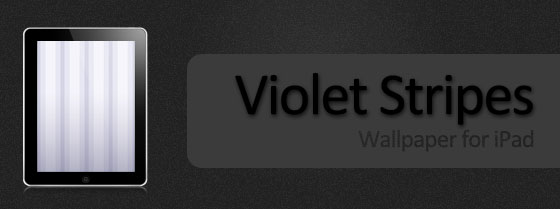
Violet Stripes

Violet Stripes wallpaper for your iPad 2:

ipad 2 wallpapers (2)

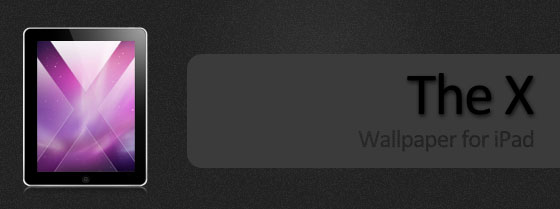
The X

Mac OS X styled iPad 2 wallpaper:

ipad 2 wallpapers (3)

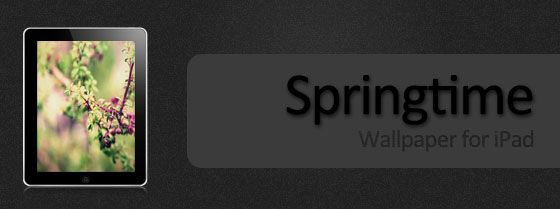
Springtime

Available for both the iPad and iPhone.

ipad 2 wallpapers (4)

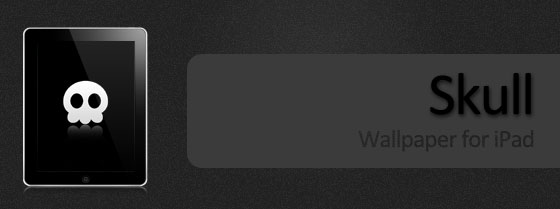
Skull

Well, the iPad 2 is here, and a new and revolutionary device from Apple can’t come out with his proper Skull Wallpaper, huh?

ipad 2 wallpapers (5)

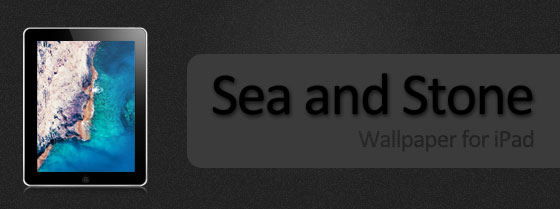
Sea and Stone

Sea and stone display for your iPad 2.

ipad 2 wallpapers (6)

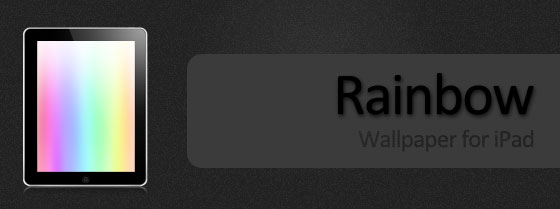
Rainbow Bright

An iPad 2 wallpaper with rainbow effect.

ipad 2 wallpapers (7)

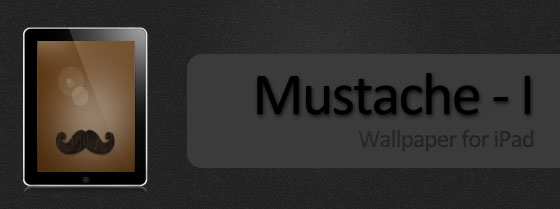
iPad Mustache-I

Mustache iPad wallpaper (1024×1024). The license allows you to use this wallpaper in your commercial and personal projects.

ipad 2 wallpapers (8)

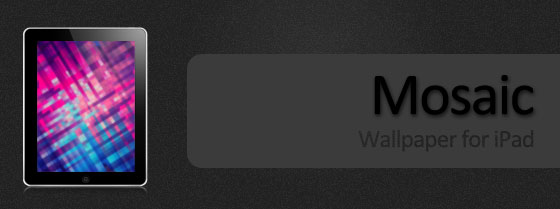
Mosaic

This iPad 2 wallpaper is also available for iPhone 4, 3GS, and 3G.

ipad 2 wallpapers (9)

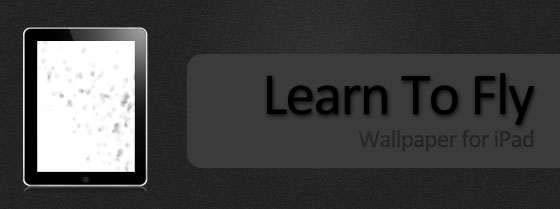
Learn to Fly

Learn to Fly, a bright wallpaper for iPad 2.

ipad 2 wallpapers (10)

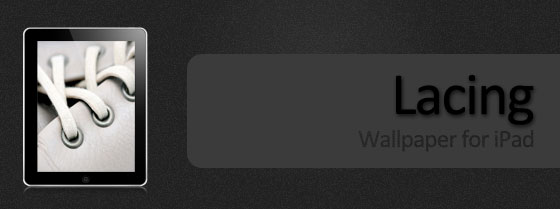
Lacing

ipad 2 wallpapers (11)

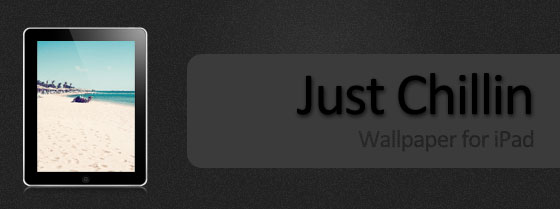
Wallpaper 4 – Just Chillin

ipad 2 wallpapers (12)

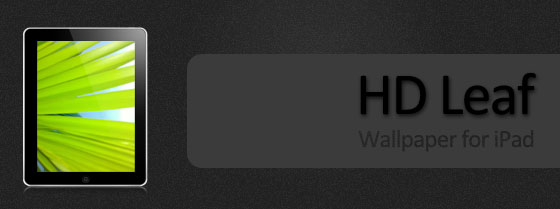
HD Leaf

ipad 2 wallpapers (13)

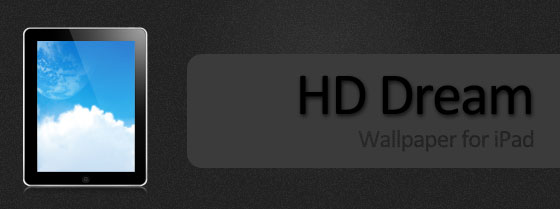
HD Dream for iPad 2

ipad 2 wallpapers (14)

Funkeey Lines – iPad 2 Wallpapers

ipad 2 wallpapers (15)

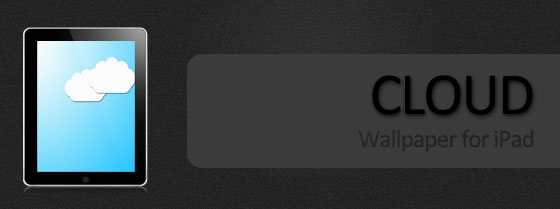
Cloud

ipad 2 wallpapers (16)

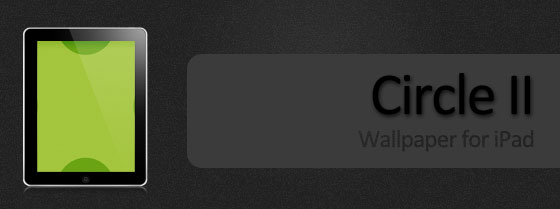
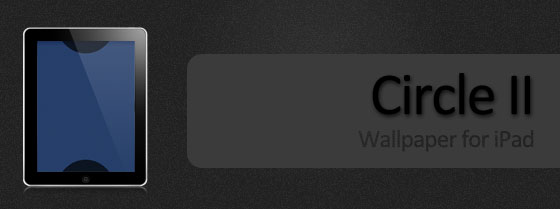
Circle II iPad Wallpaper

ipad 2 wallpapers (17)

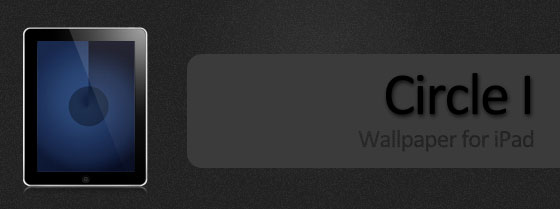
Circle I iPad Wallpaper

ipad 2 wallpapers (18)

Circle II iPad  2 Wallpaper

ipad 2 wallpapers (19)

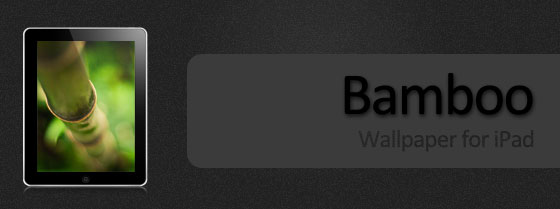
Bamboo for iPad 2

ipad 2 wallpapers (20)

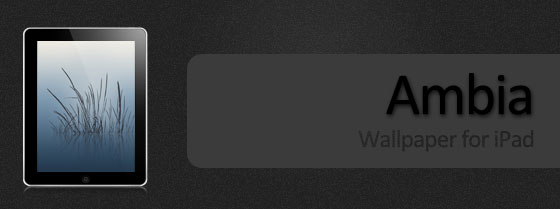
Ambia Wallpaper

ipad 2 wallpapers (21)

You can follow us on Twitter, Join us at Facebook, and also Subscribed to RSS Feed to receive latest updates.

Also checkout:

Digg
Twitter
StumbleUpon
Facebook
Reddit
del.icio.us

Gevey SIM Interposer Unlocks iPhone 4 on 02.10.04, 03.10.01 Baseband [Video]

The Gevey team introduces Gevey SIM Interposer, a small chip to unlock iPhone 4 on 02.10.04, 03.10.01 Baseband. This reminds me of the good old TurboSIM days, a popular method for unlocking iPhone 2G in 2008.2.

Gevey SIM Interposer can unlock iPhone 4 up to iOS 4.3. It forces the iPhone 4 baseband activation using the emergency dialer which is vulnerable up to iOS 4.3. This is how it works: Just like the TuboSIM, an EEPROM chip is added to your SIM card, then call 112 from the Emergency Dialer screen and hang up once the call is connected, toggle Airplane mode ON and OFF, You’ll be unlocked as soon as the network connection resumes.

MuscleNerd finds Gevey SIM Interposer Unlocking method interesting however, its legality is still questionable.

Laforet of Singularity Blog has detailed how the SIM interposer works:

How did It Work?

SIM card holds many different types of information, but the part most involved with carrier lock is the IMSI number, which is a unique code that corresponds to your account in the mobile carrier’s database.

A sample IMSI might look like this

310 150 987654321

The first two segments are known as Mobile Country Code (MCC) and Mobile Network Code (MNC) respectively, and in the example above the IMSI indicate the SIM is from USA (310) AT&T (150).

When the iPhone baseband is loaded into memory, it checks the MCC and MNC against its own network lock state stored in the seczone. If the combination is allowed, the cell radio is activated and vice versa.

The earliest iPhone baseband revisions only check IMSI twice following a restart, therefore it is very easy to send spoof information in order to bypass the check. Nevertheless, the baseband was soon updated to validate SIM more aggressively and the method soon became obsolete.

What does it mean to unlockers?

  1. It works if A.your network handles 112 calls properly according to the GSM standard; B.they are tolerant to TSMI spoofing and does not actively validate your SIM again for incoming calls.
  2. Unlike its ancestors, the i4 SIM interposer is not a drop-in-and-forget device. The exact precedure must be performed should the device restart, lose reception for an extended period of time or move to another PLMN. In all situations the TMSI expires and has to be obtained again. Theoretically it is possible for a daemon to automate the process similar to ZeroG, but that only makes thing more convoluted.
  3. It is, without question, unethical or downright illegal to use the technique anywhere 112 is a legitmate emergency number. Not a huge issue in China where the number is only used for informative purpose; the providers has no immediate incentive to fix the loophole.
  4. All firmware/baseband combinations for the i4 up to iOS4.3 are vulnerable, however the exploit may be patched in any future software updates or via the carrier. If apple can influence providers to block Cydia it is not impossible for them to press them to fix the exploit. The only way to permanently unlock your baseband is via NCK.
  5. SIM interposer should not harm your phone hardware, however your network could request IMEI and identify your device during the emergency call. Your identity cannot be faked and it is possible that they will ban your account. There is a reason why SIM cards remain legally the property of the service provider: you are not supposed to tamper with them without breaching contract.
  6. Notwithstanding all the problems, SIM interposer does not cause any battery drain since it is only active transiently, nor would it cause signal loss because it does not change cellular transmission other than the initial validation step.

Can’t wait for UltraSn0w or any other software unlock for iPhone 4? Gevey SIM Interposer may be a possible solution. However, questionable legal status we won’t recommend it. Better wait for an UltraSn0w or a new software unlock solution.
Gevey SIM Interposer in Action

You can follow us on Twitter, Join us at Facebook, and also Subscribed to RSS Feed to receive latest updates.

Digg
Twitter
StumbleUpon
Facebook
Reddit
del.icio.us

Sn0wbreeze 2.3 b2 – Adds Multitouch Gestures and Mobile Substrate Patch for iOS 4.3

iH8sn0w has updated Sn0wbreeze 2.3, the iOS 4.3 jailbreak for iPhone, iPad and iPod touch, to beta 2. Sn0wbreeze 2.3 b2 lets you enable Multitouch Gestures, patches Mobile Substrate on iOS 4.3, and also fixes iBooty and iBSS bugs.

Detailed Sn0wbreeze 2.3b2 change-log after the jump…

Sn0wbreeze 2.3 b2 change-log

  • Adds Multitasking Gestures option in Settings App.
  • iBooty bug fixes (Includes iBSS issues).
  • iBooty is EVEN faster.
  • MobileSubstrate is now working.
  • Sleep bug in iPod Touches is fixed.
  • Rare iPad 1G issues resolved.
  • Added iREB to top bar for future re-runs within sn0wbreeze.
  • ultrasn0w is STILL broken! Unlockers STAY AWAY!

Note

Even though the Mobile Substrate has been fixed for iOS 4.3, UltraSn0w is still broken. You won’t be able to unlock even if you’ve preserved your baseband. So, unlockers, STAY AWAY from iOS 4.3. Sn0wbreeze 2.3 b2 provides a tether iOS 4.3 jailbreak.
Steps to jailbreak iOS 4.3 are exactly similar to the guide posted earlier. Sn0wbreeze 2.3 b2 download link and step-by-step instruction to jailbreak iPhone 4, 3GS, iPod Touch 4G, 3G and iPad 1 running iOS 4.3 firmware are linked below.

Download Sn0wBreeze 2.3b2
Download iOS 4.3
How to:Jailbreak iOS 4.3 with Sn0wBreeze 2.3

You can follow us on Twitter, Join us at Facebook, and also Subscribed to RSS Feed to receive latest updates.

Also checkout:

Digg
Twitter
StumbleUpon
Facebook
Reddit
del.icio.us