Stylus, Yet Functional

Years ago, I settled on a few trusted input devices. At the office, I use a Kensington Orbit trackball and a Griffin PowerMate for scrolling. At home, I use an Apple Magic Mouse. On the road, I use nothing more than my laptop’s trackpad.

I consider these things old friends (even the youngish Magic Mouse) and I’ve been loath to switch. But switch I did.

Wacom, longtime leaders in the tablet market (not the Android/iPad kind, but the pen-and-slate kind your design nerd friends use in place of a mouse) has revamped its consumer line of Bamboo tablets, and I decided to dive in fingers-first.

Wacom loaned me the Bamboo Connect, its new entry-level pen-only tablet that retails for $80. Also debuting this week is the Capture ($100), a tablet which combines pen input and touch input so you can use gestures, and the Create ($200), a larger version of the Capture. Both higher-end tablets have programmable buttons next to the touch-sensitive surface so you can set up hotkeys and other shortcuts. Both higher-end Bamboos also have the option to go wireless via a tiny add-on module ($40), but otherwise connect over USB.

I spent a full month testing the basic, pen-only Connect, which is meant to replace the mouse. It seemed like the best fit for a tablet newbie like myself. The slightly rubberized stylus is very light and comfortable to hold. It’s about twice the girth of a normal ballpoint pen and operates without a battery. To move the cursor on the screen, you just slide your hand around, letting the tip of the pen float a half-centimeter over the tablet’s surface. A tap of the pen translates to a mouse click. Tap and drag, and you get a marquee selection.

There’s a rocker switch on the pen that sits beneath your fingertips. It feels like an oversized version of the volume rocker on a smartphone. Rock it toward the pen’s tip and it goes into scroll mode — the cursor stays put, but the movements of the pen instead let you scroll through pages or lists. Rock the switch towards the back of the pen and it acts like a right-click, bringing up context-sensitive menus. You can change all of these behaviors in the settings — if you are drawing with it in Sketchbook Pro, you can set the rocker to act as an eraser instead of a right-click, for example.

Some of my friends are tablet devotees, and they all told me it would take a week or two to get comfortable with the pen. And they were so very right. I struggled the first few days, not only with accuracy, but with rhythm — when you’re typing and you want to point at something, you have to stop, reach over and pick up the pen. This slowed me down and bugged me at first, but it soon became second nature. But by week two, my penmanship almost matched my mousemanship, touchscreenmanship and trackballmanship.

I say almost because, even after a full month on my desk, the pen still feels a bit twitchy. It’s too responsive. I have to slow down and really concentrate when selecting text, clicking and dragging in Photoshop, or when working in Google Spreadsheets.

Maybe I’m the odd man out here, using it for regular desktop office stuff — dealing with text files and browsing the web — and only just dipping into digital imaging and drawing. Needless to say, it’s the most natural feel I’ve ever experienced trying to draw something freehand on a computer, and it’s a dream tool in Photoshop, swooping around with the lasso tool.

The Bamboo comes with custom drivers (I was using Mac OS X but it also supports most Windows flavors, including Windows 8). To combat the shakes, I opened up the settings dialog and experimented with both pen mode, which relies on absolute cursor positioning, and mouse mode, which gives you a more mouse-like freedom of movement.

Either way, switching input devices is a trying experiment. It’s akin to cutting off a foot and learning how to walk with a prosthetic (or so I imagine — no offense meant to the disabled). The language is the same and movements are familiar, but everything is a little different.

I can recommend the Bamboo Connect, which only uses the pen for input, to those who are more comfortable with traditional mice than touchscreens or gesture-enabled trackpads. But to the rest of us, the $100 Capture or the $200 Create would be the better fit.

During the first few days of my testing, I could barely resist the urge to drop the pen and just use my fingers to do the two-finger swipe scroll, or the pinch-to-zoom thing. In the era of touchscreen phones, these gestures are all too natural. The extra $20 to add that stuff is, in my mind, money well spent.

WIRED Refined design is compact and comfortable to use. Entirely battery-free in USB mode. Pen has 1,024 levels of pressure sensitivity, same as the more expensive models. Can be set up for righties and lefties. Supports digital ink functions in MS Office. Comes with drivers, tutorials and a copy of Autodesk Sketchbook Express.

TIRED You’ll miss those touch-based gestures unless you pony up the extra $20 for a Capture. Wireless option only available on higher-end choices. Learning curve is a turn-off for casual users. Hypersensitive pen requires more concentration for finite movements. A tricky bit of finger-squirming is needed to reach that rocker switch.

Photo by Jon Snyder/Wired

A Sporty Compact Lost in Transmission

<< Previous
|
Next >>


2012 Ford Focus

<< Previous
|
Next >>

The annals of marketing and design are filled with tales of products that gained widespread popularity for unintended uses. Bubble wrap was originally created as a textured plastic wallpaper, text messages were developed so wireless carriers could alert customers of service interruptions and virtually every caramel-colored carbonated drink that came out of the Deep South was advertised with some pseudo-scientific medical benefit.

Such is the case with the 2012 Ford Focus. Sure, it’s got a wheelbase, fuel economy and price that’ll appeal to Joe Commuter, but the chassis and powerplant are better suited to weekend jaunts on winding roads than workday slogs on the freeway. Just make sure to opt for a stick shift.

All new for 2012, the Focus features a sportier design, a strengthened chassis and a direct gasoline injected DOHC 2.0 liter four-cylinder engine. The redesigned car is also Ford’s first global Focus, ending the bizarre divergence that for years left North Americans with a reheated leftover of the European model.

Though the base Focus starts at $16,500, my tester — an SEL sedan with Ford’s PowerShift dual-clutch six-speed automatic transmission (I’ll get to that later) and Sync — was optioned out to a sticker price of $22,455. Higher-priced cars feature navigation, a power moonroof and even a self-park feature passed down from the Lincoln MKS. Where the previous-generation US-spec Focus’ exterior seemed to be tailored to the tastes of GSA fleet managers, the redesigned car is downright European. The triptych of air dams in the front gives even the base model a sporty appearance, and my tester’s blacked-out wheels and “Blue Candy” cerulean paint job had me looking for a coffee-can muffler and massive spoiler bolted onto the decklid.

Is it fast? Well, with 160 horsepower under the hood and a zero-to-60 time of around 8.3 seconds, no, it’s not. But the whole package is energetic enough that it doesn’t feel slow. And in this price range, tossable beats straight-line fast any day.

Behind the wheel, the Focus is point-and-shoot. The stiffened chassis was immediately apparent, as if the whole thing had been Saran-wrapped like a gas station sandwich. Even the electric power steering, a rack-drive unit from TRW, was surprisingly responsive and weighty, especially at higher speeds. The Focus also features a brake-based stability control system that Ford’s slapped the trendy “torque vectoring” label on, even though that’s somewhat of a misnomer as it can’t send more power to wheels when they need it. Essentially the evil twin of safety-minded electronic stability control (ESC), Ford’s system pulses the brakes on the inside wheel if necessary to keep the car going in the direction you intended. And while I didn’t break out the accelerometer, it sure felt grippy enough on back roads.

Is it fast? Well, with 160 horsepower under the hood and a zero-to-60 time of around 8.3 seconds, no, it’s not. But I will say that the whole package is energetic enough that it sure doesn’t feel slow. And in this price range, tossable beats straight-line fast any day.

Sounds just about as close to perfection as you can get for under $25K new, right? Well, like Fergie bursting onto the stage to ruin another Black Eyed Peas tune, the PowerShift transmission manages to be the weakest link in an otherwise outstanding powertrain. Sure, the whole setup has been geared for the best possible fuel economy, but that’s not the problem there. The dual-clutch six speed ain’t too proud to rev, especially in lower gears, but it sure can’t make up its mind. It’s less noticeable in the higher gears but in around-town driving, the tester I drove felt like the shift points were just plain wrong. Upshifts feel like a 10-year-old kid is rowing the gears while his dad works the third pedal, and the downshifts must have been programmed by a long-haul trucker with a fondness for engine braking.

This is hardly an enthusiast’s quibble: Stop-and-go traffic is utterly nauseating as the car lurches while hunting for gears in the low range. That’s not ideal for a mainstream car aimed at commuters. And while Studebaker debuted a hill-holder clutch in 1939, the Focus somehow still rolls back a few inches at uphill stoplights just like Bill Cosby’s old Volkswagen. Unfortunately, the six-speed is the only option for the SEL and Titanium trim levels. I never thought I’d write these words, but even a CVT would be a more welcome option here.

Inside, Ford unfortunately gave the Focus a Fiesta-style dashboard makeover that replaced function with frivolity, ostensibly to make the car more appealing to young adults. I say this is a miscalculation, as the current economy has formerly well-heeled middle-aged folks looking at entry-level small cars, and young people searching for the least rusty ‘98 Corolla. Nearly identical buttons are at odd angles, and there are no fewer than three D-pads with an “OK” button in the middle, each of which agrees to prompts on separate screens. Trying to get my gas mileage (a respectable 33 mpg) to display on the gauge cluster, I felt like Tommy playing pinball. Steering wheel controls are tremendously touchy and maddeningly multi-purpose — I dare you to parallel park without accidentally changing the radio station or making a phone call. At least the HVAC controls remain straightforward.

Nostalgia for horizontal speedometers and twin-knob radios aside, the seats are supportive and plastics are of a high grade, although the cubby holes for storage seem better sized to fit a StarTAC than an iPhone. It’s a better interior than the Impreza or Elantra, but it can’t match the Cruze or even the Civic.

So, what was intended to be a mass-market small car does a decent job at its intended function when compared to the competition. But for those who want a compact that can be an absolute blast to drive, despite some funky styling and transmission programming, the Focus is an excellent choice. It’s not fast, but it’s as poised and confident as cars double the price. If the vehicle dynamics of the SEL are any indication of how the 247 horsepower, turbocharged ST model will handle when it debuts as a 2013 model, it should strike fear in the hearts of Subaru and Volkswagen sales teams.

Thankfully, it’ll only come with a six-speed manual.

WIRED Sporty, small car fun in an attractive package. “Torque vectoring” helps with corner control. Sync.

TIRED Clunky PowerShift should learn to drive a stick. Interior is a cluttered maze of buttons.

Photos courtesy Ford Motor Company

Big Name, Bigger Display

<< Previous
|
Next >>


Phone front

Photo by Jon Snyder/Wired
<< Previous
|
Next >>

The Samsung Galaxy S II Epic 4G Touch is the smartphone equivalent of a runway model. It’s gorgeous to look at. It’s a bit larger than life, yet still maintains a trim figure. And it has a name so long you need to take a gulp of air when you’re done speaking.

But it’s not some brainless looker — the phone’s performance is every bit as stellar as its figure. Powered by a 1.2 GHz dual-core processor and rigged up for Sprint’s 4G network, it’s a spritely, responsive handset capable of some very fast data speeds.

The Epic 4G Touch is Sprint’s version of Samsung’s next-gen Galaxy S II phone. Other carriers are picking up the hardware, though each of them is adding its own modifications. Sprint’s build is slim, with a tapered silhouette that fits comfortably in the palm of your hand. Both the power button and the standard volume rocker are positioned on the sides, near the top, so you can reach them when you’re holding the phone in either hand. Nice touch.

Watching streaming Netflix movies was more enjoyable on the vivid, 4.52-inch Super AMOLED screen than on just about every other smartphone screen I’ve seen.

The phone is surprisingly light for its size, since most of the case is molded in high-quality textured plastic. And don’t worry about the fragility of the large screen — it took two tumbles off my bed onto a hardwood floor and didn’t blink an eye. By comparison, my iPhone 4 took the same drop and suffered a dented corner.

The Epic 4G Touch runs Android 2.3.4 with Samsung’s own TouchWiz skin layered on top. Also sprinkled in are some Sprint-centric apps. Sprint Zone gives you a list of recommended apps (meh), and Sprint ID lets you switch between different home screen layouts for different experiences, like games or social networking. It also comes with Sprint TV, which offers streaming movie and television titles. That video content, however, is so compressed it’s almost unwatchable. Stick with Netflix, HDYouTube offerings, and your own HD rips. In fact, watching streaming Netflix movies was more enjoyable on the vivid, 4.52-inch Super AMOLED screen than on just about every other smartphone screen I’ve seen.

Like we noted in the hands-on, the lock screen is kind of funky and takes a bit of practice to master. Rather than a short swipe, you have to grab and drag the screen all the way to the edge of the screen. If you let go too soon, it’ll stutter as it shunts off-screen, or it will (annoyingly) snap back into place. If you have big hands, you’ll be OK. But in general, in all the places where you may be used to navigating with side-to-side flicks and swipes, like in the photo gallery app, a slightly longer drag is required.

Speaking of photos, the Galaxy S II’s 8-megapixel rear-facing camera is fantastic. Pictures are crisp and subtly over-saturated. The camera app itself features a good autofocus mechanism and a super-charged LED flash. There’s also a separate photo-editing app if you want to tweak things like brightness, saturation, and contrast, crop a photo, or add a blur effect (it’s no Photoshop). My only complaint is that it takes too long to actually snap a photo — with the flash on, attempting to take pictures of my cat’s face resulted in half a dozen pictures of the side of her head as she tried to run away from the blinding brightness. 1080p video recording and playback are superb.

I found the phone’s touchscreen keyboard to be roomy and easy to type with in landscape mode, but not so much in portrait mode. Again, maybe you’ll fare better if you have larger hands.

Some other keyboard notes. Although you can press the symbol button to swap out alphabet keys for numerical and punctuation keys, there are shortcuts — simply holding down the respective key for an extra second will let you swap A for an ampersand, or F for a 5. Also, the default is for auto-correcting text input to be off, but it’s actually pretty good. I recommend switching it on in the device settings.

You’ll look mildly ludicrous holding this giant smartphone up to your ear, but voice performance is decent. Call quality is about average, and Sprint’s voice coverage here in downtown San Francisco is good. The on-board speakers don’t get particularly loud, and are ill-suited to playing audio or using the speakerphone if more than one or two people are listening in.

As I mentioned, there are several flavors of Galaxy S II phones on the way for different networks. This flavor of Galaxy runs on Sprint’s CDMA/WiMAX 3G and 4G networks. Although 4G coverage was spotty around the Bay Area, I found web pages loaded speedily and apps downloaded quickly regardless. But (perhaps we should call this “the curse of 4G”) extensive use of the 4G radio to stream media and push gobs of data will cause your battery life to plummet. Unless you alter your network and brightness settings, like we recommend on other 4G phones, you may find yourself with a useless candybar of glass and plastic before the end of the day. Keep the screen brightness reined in and only surf 4G when you need it, however, and it’ll definitely last a good 12-18 hours.

Overall the (deep breath) Samsung Galaxy S II Epic 4G Touch (whew!) is a smart option if Sprint’s service fares well in your area. But if you aren’t planning on watching movies or TV on your smartphone, then that rich, spacious screen will go to waste.

WIRED The 1.2 GHz dual-core processor provides standout performance — apps open and close quickly, transitions are smooth and gameplay is great. One of the better smartphone cameras. Big screen is fantastic for games and videos.

TIRED Battery life is a drag. Onscreen keyboard is difficult to type on in portrait mode. Will go in a pocket, but doesn’t exactly “fit” in a pocket. Badly in need of a nickname.

Adidas’ Post-Workout Threads Put Your Body Under Pressure

Sports equipment companies like to make the everyday Joe Athlete feel like he’s Dwight Howard.

Not in terms of talent — unless Nike or Under Armour or another entity is developing some sort of radical garment I’m not privy to — but in regards to how someone dresses when exercising. It’s an empowering feeling for a weekend warrior to witness Howard or another pro athlete working out in a shirt or a pair of shorts in an advertisement, then to wear that same gear to the gym hours later.

Now, Adidas is giving folks the option to dress like a pro athlete not only during a workout, but after one as well, via a new line of Recovery garments specially made to help you bounce back from the drain of physical activity.

Adidas’ various Recovery compression tops, long and short tights, arm and calf sleeves and socks build upon the German giant’s TechFit line of training garmets, operating under the same principle but improving the form and materials.

You may already be familiar with compression gear, as several manufacturers are making them. These special, tight-fitting threads are intended to improve blood circulation and oxygen flow in key parts of the body. Improved circulation speeds up the rate that lactic acid, which builds up during a workout, is forced out of those areas. The result is a reduction in muscle soreness and fatigue.

Here’s the point where you’re probably asking yourself, “Yeah, but does it work?” The answer is yes — sort of.

To call it compression gear doesn’t do justice to how tight the fit is. The Recovery long-sleeve top ($60) and pair of long tights ($65) took an unusual amount of coaxing for me to fit them over my 160-pound frame. (I’m definitely not built like Dwight Howard.) They were decidedly uncomfortable at first. I felt as though I should’ve had a bunch of white balls attached to me for motion-capture analysis.

Ten minutes later, I was surprised to find the top and the tights had grown much more comfortable (Adidas recommends you stay suited up for 20 minutes). Since the gear is literally skin-tight, some strategically positioned vent pockets have been added to encourage air flow and to prevent the body from overheating.

Detecting the areas of compression is easier with the top than for the tights. The biceps, back of the shoulders and the areas underneath the armpits — the lats, or latissimus dorsi muscles — were most noticeably compressed. The two big air vents in the lat areas, as well as one in the middle of the back, provided a pleasant cooling sensation as I walked around my apartment.

And there is the rub: You don’t necessarily have to channel your inner-Clark Kent and swap your gym garb for Recovery immediately following a workout, but it behooves anybody seeking maximum benefits to change into their Recovery items of choice rather soon after exercising. That can be a turn-off, especially if your workout routine involves showering as quickly as possible and slipping back into business casual mode.

Adidas says the company’s own research (performed in a sponsored study at the University of Calgary) shows its gear helps increase the post-workout recovery process by 5.1 percent and delays fatigue by 5.6 percent.

Since the study was funded by Adidas, you should take those numbers with a grain of salt. But other studies have arrived at similar conclusions.

Regardless, if you can accurately gauge that you feel 5.1 percent more recovered from a strenuous cardio session by sporting Recovery gear, then you’re far more adept at understanding your body than I am of mine.

I had slightly less muscle soreness than I remember having before I tried Recovery, but I can’t say with confidence that the gear had a noticeable effect. Of course, I can never tell how effective it is to drink water after a workout, or how many times my stretching routine has prevented an injury. My assumption is those methods of protection work, just as I suspect people might assume Recovery improves blood circulation and oxygen flow to stifle oncoming muscle soreness and fatigue.

My view is that unless you’re a serious athlete who engages in high-intensity workouts, Recovery won’t provide the benefit for you that it does for, say, Dwight Howard.

WIRED Vents bring in air flow for cooling effect. An easy transition for people who wear compression gear while exercising. Colors are bold and designs are interesting without looking too tech-y. Surprisingly comfortable to wear after a few tries.

TIRED Expensive. Difficult to put on and take off. Awkward to wear in public during post-workout errands. Might feel like another post-workout chore. Could feel stifling for those inexperienced with compression clothing.

Photo by Jon Snyder/Wired

A Smartphone With a Smarter Camera

<< Previous
|
Next >>


myTouch Slide 4G open

Photo by Jon Snyder/Wired
<< Previous
|
Next >>

Smartphones can pull off all sorts of parlor tricks these days, but point-and-shoot cameras they ain’t.

Fingering the culprit is a little tricky. Most notably, there are myriad hardware limitations: tiny sensors, sub-par lenses, lack of storage space, and poor battery life top of the list. Also, most of us already own a decent pocket-sized shooter, so if you want to take a great photo instead of a “good enough to get the point” photo, it’s only a matter of swapping devices for a few seconds.

Until mobile phone cameras get way better, that’s the world most of us live in — two devices for two situations.

HTC’s myTouch 4G Slide — with its large image sensor and bevy of shooting modes — is one of the few phones trying really hard to bridge this chasm. Like most Android phones, it handles basics like e-mail, chat, GPS navigation, web surfing and good old phone calls just fine. But where it really shines is with its forward-thinking camera optics and user-friendliness as a consumer-level shooter.

Let’s dive into the vitals first.

If you’re just wanting a 4G Android slider (and don’t mind a little extra heft), this myTouch is an attractive option. For everyone else, the real draw is going to be the phone’s sweet, sweet 8-megapixel camera.

Like the Infuse 4G and newer 4G EVO phones, the Slide is yet another full-featured fattie. Inside the bulky body hides a pleasantly clicky slide-out QWERTY keyboard, along with the usual suspects: a middling 3.7-inch display, a sliver of navigational hotkeys and a front-facing VGA camera. Rounded corners and a khaki-colored plastic back lend it that “consumerific” camera look, but for the most part, the Slide sticks to it roots and looks like a smartphone.

Deeper down the rabbit hole hides a punchy 1.2GHz dual-core Snapdragon processor and 768MB of RAM. Though I’ve never been a huge fan of the chirpy presentation of HTC’s Sense UI Android skin, it hardly detracts from the raw power of this phone. Even with all the animations, extra features, and a handful of apps running at full tilt, overall navigation and performance kept pace with my feverish finger taps during testing. It’s not invincible though; sadists like myself can most certainly bring the phone to its knees for kicks (Rdio+Google Reader+Navigation+Netflix). But in reality, that level of regular abuse is beyond the average user.

So, if you’re just wanting a 4G Android slider (and don’t mind a little extra heft), it’s an attractive option. For everyone else, the real draw is going to be the myTouch Slide’s sweet, sweet 8-megapixel camera.

From the get-go, it’s clear the device has shooting on the mind. The machined metal of the dedicated shutter button not only feels solid, but it’s also responsive. And pressing the button not only wakes up the phone, it bypasses the generic unlock screen and goes straight to the action, bringing up the camera UI immediately. Security mavens and the absent-minded needn’t worry, the shutter button won’t bypass the unlock screen if you’ve set up a lock code.

The first time I launched the camera, a tutorial video offered a great primer on the phone’s advanced photo features. I usually roll my eyes when urged to RTFM, but I actually found this video crash course surprisingly useful. Shooting modes like Auto, SweepShot, HDR, Burst, Night, Action, Macro, Portrait, and Manual control are packed into this phone, and the guided tour was great for getting the lay of the land. The Slide helps you along in little ways, too. Each shooting mode has its own Cover Flow-esque slide in the menu, which provides both an example image and a detailed explanation of the mode’s ideal shooting conditions.

Though these sound like small features on their own, the sum of their parts makes for one of the most user-friendly camera experiences I’ve ever encountered. After poking around in the menus for a couple minutes, I was armed with enough info and options to not only shoot some (fantastically crisp!) photos, but also employ modes like “Action” to capture alternate perspectives of my subjects. The control scheme was flexible as well, letting me use the shutter key, an on-screen button, or the phone’s otherwise-awkward optical touchpad for triggering the almost-zero-lag shutter. By the fifteen-minute mark, I was getting saucy with the depth of focus and stitching together panoramic shots of my neighborhood. Stopping short of turning me into Diane Arbus, this is exactly what a camera phone should do — leverage software to create a simple (yet powerful) point-and-shoot experience.

The Slide’s hardware is a big part of this equation too. HTC took a page from the pro-sumer playbook and beefed up the phone’s imaging guts. Like the EVO 4G and the iPhone 4, the Slide incorporates a back-illuminated image sensor and throws in a wide f/2.2 lens to boot. In addition to some wide angle action, this arrangement allows for more light to hit the sensor, thus producing the better low-light images.

For the most part, the Slide followed through. Night shots of Oakland’s skyline looked crisp and showed minimal graininess. Even tight, low-light portraits produced impressive amounts of detail for a smartphone. Night shooters will also dig the dual LED flash, though I personally would’ve preferred a little more illuminating oomph. But for daytime shooting (and especially quick candids of the TwitPic variety) the Slide delivers.

There are still a few quibbles. Portrait mode — which keeps the object in the foreground in sharp focus while blurring everything else — provides mixed results. Although the software savvily lets you adjust the size of the crystal clear “sweet spot,” everything beyond that boundary is artificially fuzzed in an attempt to force the depth-of-field effect. To be honest, it’s a little conflicting. On one hand, it’s great the phone offers such a creative shooting mode, but it’s disappointing that the execution is so heavy-handed. Hardcore photo enthusiasts are likely to find this aspect of the Slide irritating, and it’s fair to say that when a device tries to straddle the fun/functional line, there are a few casualties.

From my perspective, this issues largely resolves itself. If you know your way around a camera and demand flawless exposures, use the DSLR or compact system camera you most likely already own. If your goal to is to finally ditch your point-and-shoot, or to snap quick candids and occasionally noodle with filters and effects — but you still want your basic photo subjects to look good — then the Slide is a great fit. It isn’t necessarily a camera-killer or the most powerful camera phone on the market — I still like the iPhone 4’s HDR software trick better, and Nokia’s 12MP N8 has a sharper camera. But the Slide has a great camera mounted on a good phone and is loaded with imaging software that’s as user-friendly as it comes.

WIRED Shoots like a camera, thinks like a smartphone. Quick on the draw with barely perceptible shutter lag. Solid color in still images. Smooth 1080p video is better than most other smartphone offerings. Responsive and fast across a number of applications. Android Gingerbread (2.3.4) ships with Netflix app installed.

TIRED Feature set calls for more than an 8GB memory card. No optical zoom. Power users may find photo effects too hands-on. Slow to boot. Ho-hum 400×800 resolution display. Optical trackpad is mostly useless. Generic Android “Search” key replaced with an imposter dubbed the “Genius Button” for launching voice-activated controls — no thanks. Mediocre battery life.

Daily Crunch: Sabre Rattling

1430

Here is a selection of yesterday’s Gadgets stories:

HTC Vigor Packs Beats Audio, LTE, But No DROID Branding?
Samsung Asks To Ban iPads, iPhones In The Netherlands
Blockbuster Movie Pass: Dish Network’s $10/Month Answer To Netflix
Watch Out For Lightsabers In Tokyo’s Subway Cars
Murata’s Flexible Remote Lets You Control Your TV With Bending And Twisting Motions


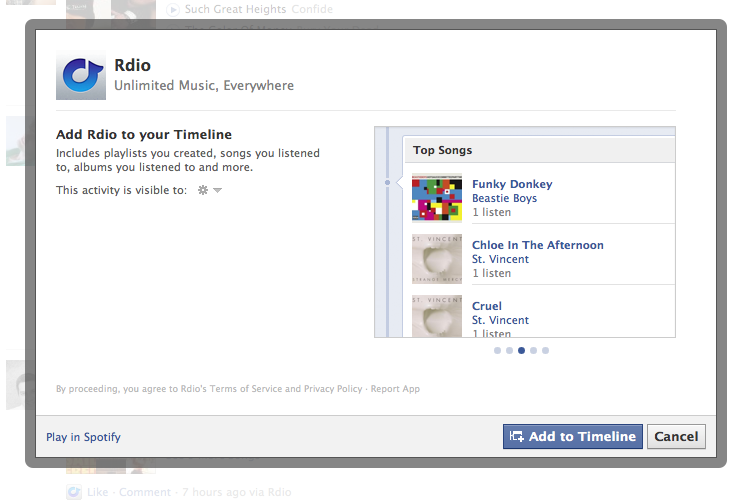
Go Beyond Ticker, Use Facebook Music Dashboard To See What Your Friends Listen To

Screen Shot 2011-09-23 at 10.02.13 PM

After yesterday’s announcement of its expanded Open Graph capabilities, Facebook has been sharing your music listening activity over its News Ticker, allowing for music discovery and the realization that as TechCrunch co-founder Michael Arrington put it, “A lot of you have just really terrible taste in music.”

Well, in case you want to further delve into your friends’ terrible music taste, Facebook has just launched its Music Dashboard as a permanent bookmark in your profile’s left side bar.  Inside Facebook’s Josh Constine points out that you can access it and dock it on your sidebar by clicking through to a friend’s Playlist or through this direct link here.

Right now the Music Dashboard shows you what songs your friends are listening to — aggregating friend listening patterns by band–  as well as Top Songs and something called Featured Music Services which for me at least is currently advertising Earbits and Spotify.

While it seems like you must have at least one music playing partner app to listen to music through Dashboard, one of its coolest and most seamless features is that if you click on a song from a music player you don’t currently have Facebook gives you the, albiet mitigated, option to listen to it in your preferred player.

Of course because it’s Facebook you can like or comment on user music listening activity, and also judge your friends on their song selections because, as we all know, Dave Matthews is lame. But, before you judge too harshly, please keep in mind the serious serious issue with all this music integration …

As Philip Kaplan notes, “The problem with this Spotify integration is that I end up clicking a lot of friends’ terrible selections (out of curiosity) and then it looks like they’re *my* pics .”

So, yeah, be care before you click on your old college roommate’s update that they’re listening to the Divinyls ”I touch myself.” Openness is a double-edged sword.


Company:
Facebook
Website:
facebook.com
Launch Date:
January 2, 2004
Funding:
$2.34B

Facebook is the world’s largest social network, with over 500 million users.

Facebook was founded by Mark Zuckerberg in February 2004, initially as an exclusive network for Harvard students. It was a huge hit: in 2 weeks, half of the schools in the Boston area began demanding a Facebook network. Zuckerberg immediately recruited his friends Dustin Moskowitz and Chris Hughes to help build Facebook, and within four months, Facebook added 30 more college networks.

The original idea for the term…

Learn more


Motor City Mojo: The Startup Renaissance In Detroit

detroit

Editor’s note: This post is authored by guest contributor Jon Bischke. Jon is a founder of RG Labs and is an advisor to several startups. You can follow Jon on Twitter here.

I heard them say they’re shutting Detroit down.
But I won’t leave ‘cause this is my hometown.

– Kid Rock, “Times Like These”

San Francisco. Palo Alto. New York. Cambridge. Austin. Boulder. Detroit. One of those doesn’t seem to fit in there right? After all, Detroit’s a mess isn’t it? The median house price in Detroit is $6,000. Half of the adults in the city are functionally illiterate. 48% of children live below the poverty line. Some people would say that Detroit epitomizes what is wrong with America.

But for a group of talented and motivated entrepreneurs in Detroit it’s something else. It’s a chance to show what’s right about America. Last week I had the pleasure of meeting with a dozen of Detroit’s top founders to discuss what it’s like to start a company in what’s probably the most economically depressed city in the country. While their businesses were different and they didn’t agree on everything, they all shared one thing: a strong feeling that the Detroit of the future will be better than the Detroit of the present.

The meetup came together in large part due to the efforts of Ben Bator, the founder of Texts from Last Night, a somewhat random idea that spawned a website with four million monthly unique visitors, a book and a development deal with Sony Television. Ben is the kind of the guy who could start a company anywhere but instead has chosen to grow his company in Detroit and help to provide jobs in the community that he grew up in.

If that attitude sounds familiar it might be because of a guy named Dan Gilbert. Gilbert, a Detroit native, founded Rock Financial back in the 80s and the company was acquired in 2000 by Intuit and rebranded as Quicken Loans. In 2010, Quicken Loans moved its headquarters and 1,700 employees to downtown Detroit and plans to move an additional 2,000 people downtown by the end of this year. Estimates of Gilbert’s wealth have exceeded a billion dollars, plenty of money for him to buy the Cleveland Cavaliers and perhaps more importantly plow some of his cash back into the Detroit startup scene through Detroit Venture Partners (DVP).

Jake Cohen, who joined DVP in November, feels that Detroit is on the verge of a startup renaissance. “There are a number of advantages to starting a company in Detroit including lower costs, strong talent at the local schools like the University of Michigan, Michigan State and the College for Creative Studies at Wayne State and an an opportunity to fill a local hiring void left by the downsizing of the auto industry.” DVP has written checks for 10 companies in the last year alone and the company’s roster of investors includes impressive guys including Josh Linkner, DVP’s CEO and founder of the ePrize and, most recently, Michigan’s favorite son, Magic Johnson, who joined as a General Partner in July.

The renaissance in Detroit is one that spans generations. It includes guys like Andrew Rauh, a guy who Peter Thiel should be actively recruiting for his 20 Under 20 program. Andrew, a freshman at the University of Michigan, has already started one company and been featured by Fast Company. Andrew’s resume is one of the most impressive of any teenager I’ve encountered and includes being published by Johns Hopkins University, finishing 3rd in an International Science Fair and raising money for Haiti after the earthquake.

But it’s not just young guys starting companies in Detroit. Hossein Nivi might be a bit older than your average tech entrepreneur but he’s no less visionary. Hossein is attempting to disrupt education and training through Pendaran. Imagine a cross between a flight simulator, a boot camp and a business school and you have a highly effective training model that’s been used within a number of corporations. And if Hossein’s surname is recognizable, it’s likely because you’ve seen the work of his sons out in San Francisco, Babak (“Nivi”), the founder of AngelList, and Farbood, the founder of Grockit.

So while it’s easy to look at Detroit and feel discouraged by what’s going on, spend an hour with one of Detroit’s entrepreneurs and your mindset will change. Raji Bedi, the founder of doingtonight (think Plancast for where you’re going out tonight), put it well with an emphatic statement. “We don’t want your pity or to be someone’s charity project. We want Detroit’s startup companies to stand on their own.”

After spending time with the founders of other innovative companies like Are You a Human (game-based CAPTCHA), Gumshoe (a social game best described as “Clue meets The Amazing Race”), HealPay (disruptive play in the collections space) and Own Point of Sale (social point of sale) and with the people behind incubators like Detroit Labs and Tech Town I was left with a strong sense of hope for Detroit. The numbers are pretty clear. Job growth comes from startups. So if Detroit is to come back it’ll be the founders that assembled last week (and hopefully many more who will follow in their footsteps) who will be part of driving that job growth.

No pity here. The kids in Detroit are definitely alright.

Excerpt image courtesy of Detroit Cash Flow Properties


Netflix’s Pain Is Blockbuster’s Gain

Qwikster

Editor’s note: Guest author Tien Tzuo is the CEO of Zuora, a subscription billing company. Previously, he was chief strategy officer and employee No. 11 at Salesforce.com.

For years, I’ve pointed to Netflix as one of the shining examples of the Subscription Economy. But in two painfully long weeks, Netflix has taken a huge misstep, violated the trust of its customers and even opened the door to its supposedly long-vanquished elder, Blockbuster!

Few remember this. Netflix started out as DVD by mail, but with the same restrictions as a retail Blockbuster experience (e.g. late fees, etc.). Then Netflix realized something important that changed the company forever. Success wasn’t tied to the number of DVDs it shipped. It was the number of customers they had and could hold onto. Rabid customer loyalty was key to its success then and it still is today.

That’s what the Subscription Economy is all about: building and monetizing long term customer relationships. And customers need to feel as though they are in control of the relationship, not the provider. If the provider makes unilateral changes to the relationship, and pricing is a big one, you have violated that relationship and violated the customer’s trust. If you don’t give me a choice, then it’s not a relationship.

Netflix knew this price increase and division of streaming and DVD-by-mail was going to be disastrous. As a provider, you cannot take the customer relationship for granted, and that’s just what Netflix did.

Netflix’s move also has opened the door for Lazarus (i.e., Blockbuster) to jump back in as a legitimate player. Streaming and DVD-by-mail for $10/month for Dish subscribers? Looks like Blockbuster just taught Netflix the power of packaging and pricing in the Subscription Economy. They just gave Netflix’s 24 million customers another choice.

Sure, Blockbuster is nowhere near Netflix in terms of a library of titles, devices and availability. But Amazon Prime is. While everyone is writing that Netflix dodged a bullet, the clock is ticking. Choice is a click away and Netflix better be concerned with how to rebuild trust with its customers.


Company:
Netflix
Website:
netflix.com
Launch Date:
September 24, 1997
IPO:

NASDAQ:NFLX

With more than 23.3 million members in the United States and Canada, Netflix, Inc. is the world’s leading Internet subscription service for enjoying movies and TV shows. For $7.99 a month, Netflix members in the U.S. can instantly watch unlimited movies and TV episodes streaming right to their TVs and computers and can receive unlimited DVDs delivered quickly to their homes. In Canada, streaming unlimited movies and TV shows from Netflix is available for $7.99 a month. There are…

Learn more

:
Website:

Learn more

Person:
Tien Tzuo
Website:
Companies:
Zuora

Tien Tzuo, widely recognized as one of the thought leaders in the software-as-a-service industry, founded Zuora in 2008 and serves as Chief Executive Officer.

Before joining Zuora, Tzuo had witnessed a shift to a new business model where both consumers and businesses favored a subscription model verses a one time transaction. It was clear that this shift was going to drastically change the way companies do business and a need would evolve for a service to enable these companies to…

Learn more


TechCrunch Founder Michael Arrington Launches A New Blog, Uncrunched

uncrunched2

TechCrunch founder Michael Arrington, who recently left the company he founded over six years ago, is back in action. Or at least, he has proven that he still knows how to set up a WordPress blog.

Arrington just tweeted a link to Uncrunched, which will be his personal blog from here on out. There isn’t really much there yet, save for his first post titled, ‘Here I Am’. That’s it — the post consists of just the title — but presumably his later posts will be a little more content-heavy (fingers crossed that this new role as General Partner at CrunchFund is just a ploy to unearth all of Silicon Valley’s dark secrets).

Which brings us to the comments.

Arrington has apparently decided to use the basic WordPress commenting system. It’s a brave move (you may remember the TechCrunch comments of yore), but the trolls haven’t overwhelmed the blog just yet.

In keeping with time-honored Internet tradition, the first comment on the blog is “omg. first.” — congratulations to former TC developer and Cake Health cofounder Andy Brett for claiming the top spot. And an ‘A’ for effort to Philip Kaplan, who wrote “first” despite being the blog’s twelfth comment. The remainder of the comments are generally positive, though there are a few outliers, like the one embedded below.

Disclosure: Arrington was my boss for a long time and I ate a lot of his cereal when TC was still based out of his house.


J. Michael Arrington (born March 13, 1970 in Huntington Beach, California) is a serial entrepreneur and the founder of TechCrunch, a blog covering startups and technology news.

Arrington attended Claremont McKenna College (BA Economics, 1992) and Stanford Law School (JD, 1995), and practiced as a corporate and securities lawyer at two law firms: O’Melveny & Myers and Wilson Sonsini Goodrich & Rosati. His clients included idealab, Netscape, Pixar, Apple and a number of startups, venture funds and investment banks. He…

Learn more


HTC Vigor Packs Beats Audio, LTE, But No DROID Branding?

beatslte

Here’s a noodle-scratcher to ponder over the weekend: the HTC Vigor was supposedly going to hit Verizon as the Droid Incredible HD, but files leaked from the forthcoming device hint that the phone may not carry the Droid distinction after all.

Someone who was lucky enough to have a Vigor in their possession managed to rip the device’s boot sequence, wallpapers, and sound files, and shared their findings with AndroidPolice.

When the Vigor is fired up, it runs through the HTC, Beats, and Verizon LTE logos in quick succession, but something is strangely absent. The animation lacks the traditional giant red eye that has graced all of Verizon’s Droid series phones. Considering that the eye has been a strong part of Verizon’s Droid branding efforts, it doesn’t make sense to ditch it so unceremoniously. On top of that, the phone’s notification sounds were also released, and to my dismay there was no “DRROOOOOOID” sound to be found.

It’s possible that the eye is to be added to the boot sequence later, and the sounds weren’t properly dumped, but it looks at this stage that the Bionic will rule the Droid roost for the time being.

Though the boot sequence manages to raise a question or two, the wallpapers that come with the phone manage to answer one. The wallpapers are all 1440×1280 in size, meaning that it’s quite possible the Vigor’s display will run at the reported 1280×720, making it one of the first 720p Android phones.

Unless something gets changed between now and the phone’s release, these files cast quite a bit of doubt on last week’s leaked Verizon document. I’m still holding out hope that it’s real though, if only because I do so love the idea of an October launch.


Groupon Loses Second COO This Year — And Restates Revenue

screen-shot-2011-04-21-at-11-01-15-am

Groupon has lost its second COO in six months.

Back in March of this year, Rob Solomon, who joined the company in March 2010, announced that he would be leaving the company. A month later, Groupon hired former Google VP Margo Georgiadis to replace him.

And today, just five months after she joined the executive team, Groupon is announcing that Georgiadis is leaving the company to re-join Google as President, Americas. Given that Groupon is currently in the process of going public, this doesn’t seem to bode well for the company. In the blog post announcing the news, Groupon CEO Andrew Mason vaguely attributes the departure to the fact that Groupon added 8 members to its executive team since the beginning of the year, and says that it’s rare for any company to “bat 1000%”.

In addition to announcing Georgiadis’s departure, Groupon has also filed an amended S-1, which includes revised revenue numbers based on a change in accounting. In its previous filing, Groupon reported that it had $1.5B in revenue for the six months ended in June — it now reports $688M for the same time period. The key difference: before now, Groupon has included the full value of a purchased Groupon as part of its revenue figures, and now it’s only considering the portion of the Groupon that they actually keep (a significant percentage of each Groupon goes back to the merchant).

Finally, the revised S-1 also discusses Andrew Mason’s internal memo that leaked last month.

Here’s the Groupon blog post announcing Georgiadis’s departure:

As a fast-growing company, we’ve done a lot of hiring this year, including on our senior executive team. Since the beginning of this year, we’ve made a total of 8 additions – that’s 57% of the total executive team. It would have been great if I could say that we batted 1,000%, but that’s rarely the case; after five months at Groupon, Margo Georgiadis, our COO, has decided to return to Google (her former employer) in a new role as President, Americas.

We’ve built a fantastic team that has proven itself highly capable, so this change won’t have an impact on operations. In fact, we are using it as an opportunity to reorganize in a way that reflects our evolving strategic priorities. Sales, Channels, International, and Marketing will now report directly to me.

Here’s a note from Margo: “Groupon is a great company and I feel privileged to have worked there even for a short time. It was a hard decision to leave as the company is on a terrific path. I have complete confidence in the team’s ability to realize its mission.” We wish her well.


Company:
Groupon
Website:
groupon.com
Launch Date:
November 11, 2008
Funding:
$1.14B

Groupon features a daily deal on the best stuff to do, see, eat, and buy in more than 565 cities around the world. By promising businesses a minimum number of customers, Groupon can offer deals that aren’t available elsewhere.

Groupon brings buyers and sellers together in a fun and collaborative way that offers the consumer an unbeatable deal, and businesses a large number of new customers. To date, it has saved consumers more than $300 million and claims it…

Learn more


Imagine K12?s 2011 Startup Class Aims To Invigorate Education With Technology

k12

One of my favorite bits from Disrupt SF was the set of rapid-fire presentations from Imagine K12, an incubator for education-related startups. We heard in June that some 200 applicants had been narrowed down to 10 companies, and those 10 made brief presentations in front of the audience at Disrupt. We couldn’t write them up at the time, so here is a belated rundown of these interesting new companies and services.

I urge our readers to watch the video or at least skim our summaries and evaluations. Startups too seldom directly address social issues like this, and one of these services might be something that can really benefit you or your kids.

I’ll go through these in the order they gave presentations, and I’ll give timecodes for each so you can skip directly to them if you like.

Hmm. It doesn’t work. Hi everyone, I’m Geoff Ralston from Imagine K12. I’m the co-founder of Imagine K12, which is an educational technology incubator, and I’m going to be very, very brief, but first I wanted to thank Mike Arrington and Disrupt for giving us this incredible opportunity for this time and space.

So I was thinking it’s almost exactly thirty years ago today that Ronald Reagan’s Secretary of Education created a national committee on excellence in education to assess the quality of education in America at the time. Two years later, about two years later, the committee came out with this report and they called it “A Nation at Risk”, and the chairman concluded that, if an unfriendly power had imposed on America, the level of education mediocrity that exists today, we might have viewed that as an act of war.

So, one thing that’s pretty much agreed upon within the education space today is that the situation today that that statement is as true today as it was 30 years ago. The, you’ve all seen the statistics. Our children are falling behind, compared to other nations, in math, in science and even in reading.

If you look at the recent drop out in our schools or even when kids complete, the, uh, the schools, they’re hopefully unprepared to contribute to the world today. In the intervening 30 years since that date, amazing things had happened. We’ve created the world wide web, extraordinary technologies have been developed, and we as a country have failed to in any way deal with the risks pointed out 30 years ago.

In fact, we failed so many children, too many children. My co-founders Allen Louie, Tim Brady, and I at Imagine K12 don’t believe we have another 30 years to waste. We also believe that the application of technology and Silicon Valley innovation to the problem of education has to be part of the solution.

So it’s with a lot of real pride and hope we present you these 10 companies, the first graduating class from Imagine K12, all of whom are working to improve education in America to improve the lives of teachers and parents and above all, to improve the outcomes for our children. Hi, I’m Daniel, and I built Goalbook.

Goalbook is making it possible for the very first time in education to allow every student to have their own personal learning plan. Before coming to Imagine K12, I was a special education teacher and a district administrator. I saw the powerful impact it could have on a student’s life when a group of caring adults personalized the education for that student and really knew them as an individual.

And this has been a trend in education. Education is no longer an individual effort. is a team sport, a team of specialists collaborating to try to meet a variety of different students needs and learning styles but there’s a problem. The problem is that there’s no efficient way for these teams of educators to collaborate around individual students.

Right now, their only solutions are having a face-to-face meeting around a conference table, or passing around packets of information with student data. If you’ve been to a parent conference, parent-teacher conference recently, you know exactly what I’m talking about. Goalbook changes that. This is Goalbook, it’s different.

It’s a private social network centered around individual students. Now students are no longer packets of papers or a row in the teacher’s gradebook. They have a living profile that is updated continuously with their personal information and progress. This is Brandon, a student in Goalbook. This is his personal learning team, the group of educators And his parents, who are working together to help him achieve his personal learning goals.

This is the activity stream for Brandon’s profile, where different members of team can update each other synchronously without having to have a face to face meeting. And all those packets of papers are gone. Because this is a personal learning goal for Brandon in Goalbook that his team has developed with him together.

They can come together, update progress, with the latest information about how Brandon is achieving his personal goals. We’re on our way to build the largest repository of personalized learning goals in education and building a recommendation engine to drive these goals and connect them to the products, services, and curriculum that are gonna help Brandon and his teams be successful.

We’ve launched, with 7 institutional customers in the Bay area, ranging from large public schools to small private schools. All were innovative who want to personalize education for their students. Also, we’re excited by the fact that managing personalized learning plans and personalized services is a huge opportunity, in many other large markets, beyond education, and we think Goalbook can go here next.

I’m Daniel, I built Goalbook, and we’re personalizing education for all students. Thank you.

Hello my name’s Jason Lang. I’m the CEO and co-founder of Formative Learning. Research shows that teacher quality is the single greatest driver for student achievement in the classroom, yet developing great teachers is actually really hard, cause there’s no formula for it. Every teacher’s different and therefore every teacher needs individualized support.

But the system we’ve used to develop teachers is fundamentally broken. It’s a one size fits all seminar-based model that rarely leads to teacher improvement. Yet because it’s a system that’s credit hour driven, thirteen billion dollars is spent annually in this manner. but the problem isn’t that the content’s bad, it’s rather the tools that administrators use to determine which teachers shouldshould get which training, is actually broken.

You see, the current process is a paper-based one, and what you see here is actually a magnetic whiteboard application that’s meant to provide, and put this entire process, and support this entire process, for one school. But the promise, there’s actually huge promise is for a really effective teacher developer, development and support system.

All you have to do to see this is look at the five billion dollars the race to the top wouldn’t play to support this process. And it really fundamentally outlines the main drivers that this system needs to look like. Number one, we need to provide teachers with high-quality feedback on their actual practice, and we need to track data on their effectiveness and actually see monitor their improvement overtime, and number 2 we needed to confirm, number 2, we need to use that data, not against teachers in a punitive way, but rather in support of teachers, to provide individualized recommendations to help them improve.

And that’s what we do at informative learning. We worked with some of the absolute thought leaders in the market to build an observation system that allows that takes this entire mandated, paper-based process and puts it online, and we make it as easy as a checklist, and then we use that data and we actually make the entire process free, which means we don’t actually have to sell to schools, and we can avoid the long sales cycle associated with that.

We then take that data and use it to inform an Amazon-like marketplace, where we can provide hosting abilities for content providers and provide a distribution channel for content providers which we can then monetize, by providing individualized recommendations for teachers, as to what support and what training would help the most.

We’ve been really fortunate, and I’m really honored to have worked with so amazing customers in the process of developing what we could what we have, and our customers are actually so excited and passionate about what we’re doing that they’ve already committed, or they’ve committed, more than three hundred and fifty thousand dollars in contracts even before we launch with a single user.

And I’m excited that we’re gonna be able to drive that to north of $750,000 by the the time we launch next year. Thank you very much. My name’s Jason Lang. We’re Formative Learning. Hi. My name is Brett Kauff, and I co-founded a company called Remind 101. with my brother David. A good way to think of us is Twitter for teachers, but the difference is, we’re private and safe.

Teachers don’t have have a good way to communicate with their students and parents after school. Let me explain why. They can’t use Twitter, because Twitter’s not safe. The whole world can’t know what’s going on in their classroom. The state of Missouri just banned the use of social media between teachers and students.

So you’re probably wondering here, okay Brett, what’s the big deal? Why can’t the teacher just email the student? Well, cause an email is ineffective; it has a 22 percent open rate and we all know that kids don’t check email. A text message, however, has a 98 percent open rate. It’s the signal that gets through the noise.

So this is great. We’ve covered that text messaging is effective, it’s quick, and students love it, right? But there’s a problem. It is a bad idea for a teacher to use their personal cell phone to communicate with a student. What a teacher really wants is a product that’s private, effective, and safe, where they don’t have to share their personal phone number.

And that’s precisely what we’ve built at Remind 101. Let me show you. This is Remind 101. On the top-left of the screen you’ll see that teachers can easily manage their classes, and on the bottom-left, they can see any students, or parents subscribed. And notice, that we don’t list any phone numbers.

This is a big deal to teachers. We made it ridiculously simple for a teacher to send a message. All they have to do is type in their message, hit the send button, and it instantly delivers to any students, or parents subscribing. via text message, it’s that simple. Teachers love this product, and it shows, because we are growing fast.

Since launching three weeks ago, we’ve had over 1500 teachers, more than 15,000 students and parents, and I’m really excited to say that we have sent over 100,000 messages. Thank you, thank you! Actually, it’s a 130,000 as two days ago, I couldn’t update the slide. We’re going to remove this wall.

When a teacher, a student and a parent communicate after school, it will be over their Remind 101 platform. Thank you so much. I’m Chris. I’m a co-founder of Tutor Cloud and we are disrupting the eight billion dollar private tutoring industry. When Brent and I were students at Stanford we started tutoring agency to connect our class classmates with students in the area.

And we saw two interested things, students really liked working with college tutors because they were more relatable and our classmates would rather tutor than work at the bookstore for nine dollars an hour. So we looked around, and we saw an army of bright, capable tutors, not just at Stanford, but at colleges across the country.

And we thought, if we could take this resource that is currently inaccessible and make it widely available by putting it online we could reinvent tutoring. So far, no one has gotten the experience for online tutoring right. For online tutoring to take off, there needs to be a company with the same insane focus on customer experience that allowed Amazon to change the market for books, or Zappos to change the market for shoes.

Let’s take a look at the Tutor Cloud experience. Tammy is looking for a chemistry tutor for her son. She goes to Tutor Cloud, searches for chemistry, and Owen here is the top result. Now it’s no mistake that Owen’s at the the top, he’s a chemical engineering major at Stanford, and he has twelve reviews from parents, saying he’s a great chemistry tutor.

So he knows his stuff. But tutoring is 60% more effective When students have something in common with their tutor. So we’re building personality profiles for all of our tutors using data we collect from the Facebook Connect API. So that means that very soon we’ll be able to find you not just a great Chemistry tutor but a great Chemistry tutor that shares your interest in Xbox or soccer or dance.

Now, once we’ve found you that perfect tutor, we make it really easy to connect. Just send on a message, and our software goes to work and tracks them down. Gets him on the phone with you within 15 minutes. All the communication happens through our system so nobody has to exchange the personal contact information.

And we can track how long it takes tutors to respond, and adjust their search ranking accordingly. One of the coolest things about TutorCloud is that students can meet for as long as they want, whether that be for an hour or for 15 minutes. We’re TutorCloud and we are reinventing tutoring. Thank you!

Hi. My name is Api, and I’m the founder of Brain Nook. Brain Nook is an educational game that’s changing the way kids spend their time online. This is Meg. Meg is eight years old, and, like the typical child in the US, Meg spends over an hour every day playing games across platforms like PCs, tablets, and mobile devices.

Now, this worries her mom and her teacher because they see that she isn’t really learning anything from these games. In fact 59 percent of US parents think that games don’t teach kids critical thinking skills. At Brain Nook, we think this is a huge problem and it’s something we want to fix. Brain Nook is a new kind of learning game kids, parents, and teachers together.

In Brain Nook, Meg gets a great game experience just like in all of the online games that she plays. But she’s learning at the same time. And her mom and her teacher get the kinds of tools they need to understand and to improve her performance. In Brain Nook, Meg can explore dozens of colorful virtual worlds, she can interact safely with her friends, and we make sure that these interactions online are safe.

And she can complete missions, win badges, customize her character, level up, play games in real time against kids from around the world. All of these great activities that kids know and love from all of the games that they play. And in addition to all of that, we’ve added in over a hundred standards aligned math and language games that help make the reinforce the concepts that she’s learning in school.

These are things like addition, visualization, spelling, word building. All of these great topics that are absolutely essential for any elementary school child. And because all of the content in Brain Nook is standard and aligned, we can give Meg’s mom and her teacher just the tools they need to understand how she’s doing.

So her mom can see progress reports and her teacher can give her assignments right through BrainNook, that keep her engaged at home with what she’s been doing in the classroom. Now kids games are both very engaging and very profitable. Moshi monster this year will generate over a hundred million dollars in gross sales revenue and in Pop Tropica which has one hundred and seventy million users.

The average child spends almost half an hour each time they come to the site. An amazing level of engagement. Of course, these are all fun games, so, can we really make an educational game that’s this much fun? Well, the good news is, that in Brain Nook we’ve done just that because in Brain Nook the average child spends twenty-eight minutes each time they come to the site compared to twenty-nine minutes for Pop Shop and it’s thirteen minutes for Moshi Monsters.

So, with Brain Nook we have an educational game that kids love playing just as much as the leading non-educational kids games. Brain Nook is the new generation of learning games for young kids. My name is Api, and you can check us out on the web at BrainNook.com. Hi, I’m Stuart Frye, CEO and co-founder of Eduvant.

At Eduvant we’re transforming the way schools use data.

You see, schools are squandering one of the most valuable resources they have, data they already collect. There is a reason for that.

School data systems were designed mainly for compliance, or administrative functions. So we ended up with student, employee, financial, outcome measures sitting in unlinked silos, just for databases. To link those up, and to derive decision making value from those systems schools had two options.

The first was to hire a bunch of statisticians and build a research department. the second was to build a multi-million dollar data warehouse. These solutions have their strengths but they have three really important problems. The first is they are outdated. It could be 1980 or 1990, and I could be talking to you about research departments and data warehouses.

And the usability and effectiveness of these solutions reflects that twenty year time lag. The second is access. The people that need this data to make decisions every day, principals, teachers, counselors, simply don’t have timely access to it. And the third is an economics problem, a vast majority of Irish nations, 16,000 school districts simply don’t have the dollars or the shooting capital to pull either one of these off.

So they’re not doing anything anything with that data. That’s why Edge Avant has developed a third solution. We have a lightweight, open development platform. It sits in the cloud and extracts the twenty percent of data that drives eighty percent of the analytical value for school leaders and educators.

Now that platform a countless number of Apps. At edge Avant, we have a core sweep we’ve developed. But because our platform is open, any developer can build integrated data solution for schools. Now to give you a better sense for the Apps that we’re developing I want to show you our principal dashboard.

This is a tool we developed because research shows principals on average have two minutes a day for data use. So, we put operational, student, and intelligence, all in one screen. With communicative data visualizations that help them make the most of that two minutes. But our platform is not just about chopping up information you already have.

It allows you to create new Apps with new analytics that integrates seamlessly within information, you’re already collecting. Like this tool we built for counselors. They can create new referrals, integrate with their list of student names, auto populate with important demographic information. It has their schedule, their teachers.

It makes it insanely easy to create a new referral, and because behavior is such a important tracking tool we have a reporting interface that let’s them see trends in their school across schools and across districts. People want what we’re building. We’ve got pilots in two districts, with reach to thousand students and the educators that teach them.

Just since we’ve launched we’ve got a 130k in revenue and we’ve got the right team to pull this off. Twelve years start-up experience with our co-founders. Remember, we’re Edge Avant. Schools deserve accessible, innovative tools for their data. Hi, I’m Eric Simons and I am the founder of Class Connect.

When I was in high school, which was about a year ago, I wasn’t the most engaged, organized student. My teachers tried really hard keep me interested in their classes and help me stay organized. But with budget cuts class sizes are getting bigger and bigger, which means that this problem is just getting worse.

And I was just one of many students that needed their assistance. So the problem is that teachers simply don’t have enough time to teach and engage their students as well as manage and organize their classroom. Because teachers are expected to do a lot. And the tech savvy teachers have turned to technology to help them be more productive and they use a ton of different services to do this.

Now, although these teachers can put this together and make it work, it’s actually very painful to do this. Because none of these services were built to work together. For example, if I add an assignment into my class calendar saying my students have to complete a quiz, I can’t actually directly link to the quiz on KIA.

And actually to better illustrate this, this is what the desktop looks like of a productive tech savvy teacher. Or maybe counter productive. So although the tech savvy teachers are able to figure this out and make these services work together, most teachers just give up. and so I thought there has to be a better way where teachers can complete everything that they need to do in one simple package that’s so easy to use that any teacher can use it.

And at ClassConnect that’s what we do; we build tools that make teachers more productive. And we started by streamlining classroom management. On ClassConnect teachers can take all their course content and put it into one place whether it be files, videos, Google docs, websites and more. And they can share this with their classes with just a click, and our grey book attendance and calendar system are seamlessly integrated with our other tools.

So if I put an assignment into my calendar I can actually directly link to any of the files that are associated with it, right. These are seamlessly connected, but we didn’t stop with streamlining classroom management because we feel that there’s a lot of potential to enhance the way that teachers spend instructional time.

And so we looked at the way that teachers give lectures and we realized they are very boring. They’re just PowerPoints and bullet points on a slide and the teachers talking. So we thought, let’s make it really easy to create engaging lectures that will actually captivate students. And that’s what we did.

We created a brand new presentation tool. And with it you can put interactive content directly into your slides. And while a teacher moves to the lecture the students follow along in real time they can actually explore the content that their teacher’s talking about. This is adding an entire new dimension into the way that we teach and the way that we learn, and we’re not the only ones who think that.

In the past months, we’re now powering over thousand classrooms on Class Connect and the feedback we’ve received has just been remarkable. These teachers don’t just want to use Class Connect, they need to use Class Connect to do their jobs effectively. And this quote from one of the teachers that uses Class Connect, summarizes our company better than anything I’ve ever seen.

Because this is Class Connect and this is what we do. Thank you! Hi I’m Wade Roberts, CEO and co-founder of Educ Creations. You know every so often a product is introduced that makes it really simple for all of us to create and share online in an entirely new way. And every now and then when this happens the companies that create these products, become tremendously valuable.

Because when it’s really easy for all of us to create and share online. The online crowd creates an unbelievable amount of great content, and entire industries are changed forever. We think teaching and learning are next, and we’ve created the software platform that’s going to make this happen. Websites like Khan Academy have shown us all the incredible potential of using short video tutorials to engage students and let them all learn at their own pace.

And we talked to a lot of teachers who would love to provide their own students with any kind of access to their own lessons on the web. But the truth is, today this is too complicated and time consuming. You’ve got to use a lot of different applications and it would take most teachers and hour just to create just a 5 minute lesson doing it this way.

We’ve solved this problem, we think creating a great 5 minute lesson should take you 5 minutes and it should be as simple as visiting a website are picking up an iPad, pressing a record button and then you just start to teach, this is what we’ve built at Edu Creations. Everything a teacher needs to create and share a great lesson on the web is right here in a single application.

She’s got a great image or a power point she’d like to use, she can really easily pull that in and she can draw on top of everything as she explains her main point. Everything she says, everything she writes, every interaction she has on the program is recorded. And it is automatically posted in educreations.com, which has been a to where all of our teachers, all of our students can watch it at any time.

Now it’s really important to us that anybody can do this, so we have created a web app that runs in any web browser. As well as an Ipad app . And on top of that, our software is fully compatible with all of the interactive white boards that are already installed in over 30% of U.S. classrooms. We’ve designed this enclosed collaboration with teachers.

It’s really important to us that we solve a problem that they really have, and the teachers that have used this love it. In fact, four teachers from Los Altos were the first teachers last year in the country, to pilot Khan Academy in their classrooms. This year all four of those teachers are using Educreations in their classrooms, cause they and their students want to create their own videos.

And we’ve got the right team to pull this off. Chris and I have a deep background in building user generated content applications at massive scale. I recently created a Facebook application called Pieces of Flair. This grew to over 20 million users who created over 15 million items of content. Rocky acquired this company in 2008.

And Rocky on that Chris who’s a rock star engineer. He was an essential member of the back end team, and scaled Rocky’s databases to over a hundred million users across all their social properties. Today we’re working really hard to make it simple for anybody to teach what they know, and learn what they don’t, anytime, anyplace, on any device.

Come check us out at Educreations.com. Thanks! Good morning. We at Eleven Learning believe that the textbook industry is fundamentally broken. And it’s not time to fix it, it is time to blow it up. Between K to twelve and higher ed, this is a thirteen billion dollar business, and the reason it’s so big is because textbooks are breathtakingly expensive.

and their also breathtakingly inadequate. Today’s textbooks are not what the students want to read, they’re not what schools want to buy and they’re not even what authors want to write. And all these problems stem from the way that textbooks are made. The big publishers have a slow, expensive system that can only produce giant, expensive books.

They spend three years and over a million dollars on each title that they publish. And that’s where we come in. We have built a platform that makes textbook publishing scalable. Start to finish it takes us six months and our fixed cost earned her five thousand dollars per title. Essentially every book is like a lean start up.

The heart of our platform is our crowdsourced editing system. Let’s take a look at the recent activity for one of our computer science books. We have 15 professors who are reading through the entire book. They’re investing dozens of hours and making hundreds of improvements and they’re doing this because they want this textbook in their classroom.

Essentially we have taken the academic peer view process, we made it social, and then we applied it to textbooks. So it’s familiar to academics and it’s far more effective than what the legacy publishers do. Authors are flocking to us, because they know that we are not going to make them write some giant milquetoast textbook.

They control what goes in their book. Authors are lining up and we are filling huge pent up demand. This chart shows what we’ve done just this summer with one guy spreading the word about us. Each one of these books is worth between 40 and $100,000 in revenue. The books that we’ve signed so far are worth over a half million dollars.

And we are not forgetting about the students either. using our online rating app, they can read socially and share their notes with classmates. And our content is interactive and designed to take advantage of the web. We’re offering both print and online editions. The print book is 75% less expensive than traditional text books.

Soon we’re going to introduce our “freemium” online edition but we will always have a fully free version. The team that we have assembled knows how to grow this business. Dev and I lost a social network with over 3 million monthly uniques and Steven spent 15 years with Legacy Publishers before he came over from the dark side.

Textbooks are a huge industry. It is being disrupted right now and we are th ecompany that’s doing it. Thank you. Hi everyone. I’m Sam the co-founder of Class Dojo. We’re making software that fixes bad behavior in class. and we’re using real time feedback to do it. In the 4 weeks since we’ve launched, we’re being used in 3 1/2 thousand classrooms with more then 70,000 students.

I’m gonna talk more about this but I’m gonna start with the problem. Behavior management. Behavior management is one of the most difficult things that new teachers do. I was a former teacher and something that I struggled with and I am not a learner. It turns out there’s very few tools that help teachers do this well, every teacher has at their own way, but the really terrifying thing is that this problem wastes up to 50% of class time so they show this.

That’s half a school year gone with no teaching, and no learning taking place. We need a solution to this problem. And the Class Dojo is that solution. It’s the first scalable behavior management tool that actually improves behavior in real time. Let me show you how it works, teachers can customize the behaviors they want to reward.

So for example participation or teamwork or creativity and then in class, this is what gets displayed on a whiteboard or a projector. And a teacher can award a student for a specific behavior or accomplishment using just one click of a smart phone or a laptop, so that Allen knows he’s one step closer to his participation badge, or Jeff knows that disruption isn’t always a good thing, as you’ll see.

Feedback, real-time feedback, actually improves behavior over time. And the basic game dynamics we’ve built in, make this engaging for the students as well. But the really cool thing about ClassDojo is that while the teacher is using it to teach, it’s generating, it’s analyzing all the data that the teacher is generating, so it automatically produces reports and analytics for each student without any additional data entry needed by the teacher.

And these reports are already being shared the parents at home. So for the first time we are getting real time data out of the classroom on something that was really difficult to measure, and we’re making teachers lives easier by doing it. And teachers love this.

In the four weeks since we’ve launched, we’re being used in three and a half thousand classrooms, with more than 70,000 students. And I’m proud to say that as of this morning, two Class Dojo points are being awarded every second.

It turns out there’s a huge market for this, because behavior isn’t just a problem at school, It’s a problem at home as well, and that’s where Class Dojo’s going next.

So, that’s Class Dojo in three minutes.

Remember we’re fixing bad behavior in class, one of the biggest barriers to learning. We’re seeing incredible traction, and we’re going off to a huge market.

Come and check us out, Classdojo.com.

Thank you.

Good . Well, listen, thanks so much again to Jeff and the K-12 team for giving us their demos this morning. Terrific initiative.

For the first time all week we are actually running a few minutes ahead of schedule, so we’re actually gonna take a five minute break, don’t go too far.

Goalbook

(4:33) The disconnect between group-based teaching and individual learning is addressed by Goalbook, which hopes to produce for every student a single, shared learning plan. The alternative, parent-teacher conferences and counselor meetings, is totally out of date, and simple social networking tools can improve the situation significantly, in their opinion. Instead of a file in a cabinet somewhere and a few notes jotted on attendance sheets or classwork, every student is a node in a network of educators, administrators, and parents. A database of goals, strategies, and so on will be used to create a recommendation engine for helping students. They’re launching in a number of Bay Area districts and private schools.

The question for me is whether teachers will in fact have the time or inclination to do much more than rubber stamp this profile when homework is or isn’t put in, when they do or don’t attend, and so on. Rich data is a good thing, but someone has to create it, and teachers are already hard up for time.

Formative Learning

(7:45) Training of teachers, while an expensive and highly necessary process, is stuck in the past, with paper-based tracking and feedback, and irregular goals and recommendations. Formative learning hopes to put all this teacher training in a single location, where everything is done in a universally-understood way and that data is used to recommend courses, videos, and so on to improve teaching.

Naturally this is only one part of the training process, and the most important bit is still attracting and retaining motivated teachers. And no matter how right-on your recommendations are for this or that skill, hands-on learning and a supportive, happy staff is going to be more key. Of course, that’s a whole other problem.

Remind101

(11:03) There are a number of reasons why the means of communication between teacher, student, and parent are limited. There are questions of authority, privilege, and so on. Yet effective and timely communication is an important part of education, and something that’s far more likely to be found in small class sizes and private schools. Remind101 wants to provide a safe and effective tool for this using a form of communication kids seem to prefer over face-to-face interaction anyway: text messages. The founder describes it as “Twitter for teachers,” but with careful controls to make it secure and private. Instead of having teachers use personal cell phone numbers and so on, Remind101 acts as an middle man between teachers, their students, and the parents of those students.

I honestly can’t think of any drawbacks to this. It’s safe, it’s simple, and it uses existing infrastructure. It can be integrated with school databases in a day and engagement level is up to the participants. We did a follow-up interview with Remind101′s founder here.

TutorCloud

(13:30) Crowdsourcing tutoring, who’d have thunk? TutorCloud thinks that they’re going to be the ones who make the $8 billion tutoring market a little more modern and accessible. Their service works as a marketplace for college students hoping to shop themselves out as tutors to younger kids or peers who can’t quite get the hang of organic chemistry. They use the Facebook Connect API to make personality matches as well as subject and pricing. All the communication happens within the system so personal information remains secure, and more responsive tutors get higher rankings. The actual tutoring occurs via video chat with a shared whiteboard space.

The marketplace for tutors sounds fine, but to be honest, I don’t think video-based tutoring is going to engage enough to make people want it over a real-life person, the advantages of which are many. I’m afraid parents would rather pay for a tutor’s gas or drive their kid to the library for a meetup. Perhaps as online collaboration tools become richer and more accepted this will seem more of a viable option.

BrainNook

(17:05) Kids these days don’t play Carmen Sandiego or Mavis Beacon, and that’s a tragedy, but they do like to play games online. Why shouldn’t these games be interesting, social, competitive, and educational? BrainNook is putting together a lot of new games and experiences aimed at elementary-level kids that hopes to be engaging while providing some standard lessons in arithmetic, spelling, and so on. The information from these games would be available to kids’ parents and teachers.

I have to admit here that I’m a bit disconnected from the world of online kids’ games. But BrainNook sounds like a great thing to have available to teachers for extra credit. Miss a homework assignment? Get to level 3 in the math game. Home sick? Sign in and talk to your friends in the virtual classroom. Whether they can actually make the games fun is a question yet to be answered, however. Kids are fickle creatures. What BrainNook needs is personality.

Eduvant

(20:09) Schools collect a ton of data just in order to be compliant with various laws and regulations: keep this many years of counselor records, teacher evaluations, etc. on file in case they need to be checked. But all these years of data, from which something meaningful might be gleaned or trends detected, are sitting in drawers or stuck in separate databases. Few schools really organize this information well or provide access to people like teachers and administrators. Eduvant integrates all this data into a single platform. You can put all kinds of data and analytics in one place with quick, browser-based access. There are tools for creating new data as well — referrals for counseling and such.

Again, my issue is that producing this data may be more work that teachers and others in the system can’t handle. The principal dashboard they showed would be handy, but how live is it? Who is generating that data? Who’s scanning in paper reports? Expecting a quick changeover to this online system is optimistic in my opinion, as useful as it could be. But whether it’s Eduvant or one of its descendants, I definitely see systems like this in place a few years from now when these hurdles have been cleared.

ClassConnect

(24:20) There are a number of services available to teachers for various in-class tasks like putting together quizzes, distributing work and resources, and receiving homework online. Unfortunately, they lack connectivity, and one useful tool may not communicate to another, or it may require extra work on the part of the teacher. ClassConnect wants to offer a one-size-fits-all package that lets teachers create lectures, test and assess students, and manage class content. They also made a rich lecture presentation tool that lets students interact with the content.

The trouble here is that it requires a certain level of savvy on the part of students as well as teachers. Students who aren’t motivated will take the path of least resistance, and that will likely be the old tools: paper, pencil, and excuses. And underprivileged kids and districts are going to be left out of this, so it’s going to be hard to make it a standard tool. That said, the easy creation and sharing of class data could shave precious minutes off teachers’ schedules and leave more time for the all-important in-person interactions.

Educreations

(27:47) The creation and distribution of rich educational media is a space Educreations feels is going to blow up, but the tools required to effectively make content are disconnected and not aimed at beginners. They’ve created a simple online service where you can draw, type, and bring in external content that gets automatically encoded and shared in a single place. It’s like an Open Khan Academy.

I have no doubt of the company’s ability to deliver what they’re describing, but is it really that valuable? This form of visual aid (essentially a whiteboard recording) may or may not be a good match for the content teachers are presenting. I feel like they’re hitching their wagon to the nearest star, and not looking forward far enough. Also, writing with a mouse sucks.

11 Learning

(30:55) The $13 billion textbook industry is ripe for disruption, says 11 Learning’s founder. The existing system of working for perhaps years on a single large volume is inefficient and expensive. They’ve put together a platform on which authors can create and edit textbooks and publish them for minimal cost.

If I’m not mistaken, this whole startup is essentially valuing the contributions of authors and professors at zero. A few professors may be okay with donating some of their time to editing a textbook, but are the 40 or 50 overworked profs, copy editors, and artists really going to continue giving away their work with the promise of some rev share later on? 11 Learning’s $5000 “fixed cost” figure is meaningless. Producing high-quality content is time-consuming and expensive because the people who create that content value their time. Furthermore, many subjects simply do not lend themselves to “crowdsourced” editing and content creation. And the way teaching is moving, centralizing content is on its way out anyway. This is like making improvements to steam engine production lines when the automobile is about to make its debut.

ClassDojo

(33:55) Managing student behavior is a major problem in our school systems, wasting tons of class time and monopolizing the attention of new teachers in particular. In ClassDojo, students in classes are publicly awarded points and badges via a web or smartphone app, and that data (+1 for answering, -1 for passing notes) is automatically tracked and shared with parents.

From the moment this guy said “we’re making software that fixes bad behavior in class,” I was skeptical. And when he said it “improves behavior in real time,” my alarms went off. This is just gold star stickers in a web app. It’s a huge overpromise that relies on way too many assumptions and ignores the realities of bad behavior. If students behave poorly because they don’t respect the teacher or value their time in school, that’s not something that will be fixed by a simplistic virtual point system — it will be either ignored or resented by the majority of students. Real behavior problems and real behavior management require time and work. There’s no way around that, especially not with something as flimsy as this.


The test for many of these startups is whether they last beyond the trial phase, which all of them are clearly in. The big numbers they’re seeing are like the initial bump in any new service. You hear about it (in this case Imagine K12 certainly pitched the local districts), you give it a try, and then, organically, you either continue or stop using it.

Some I can see truly picking up. Remind101, Eduvant, and ClassConnect I give a good chance of being picked up, if at first only for a fraction of what they do. I think some of these may be forced to fold or pivot when confronted with non-theoretical use scenarios. And of course every teacher and school is different, and has different requirements, so support is going to be a full-time job.

Also, and I recognize this is an industry-wide problem with young startups, but it would help to have a little more proving time under their belts. Sure, a few weeks or months in however many districts is good, but what these guys really need is to pick two or three very different classrooms and work very closely with them for an entire school year, or failing that, at least half of one. What they need isn’t skyrocketing user counts, which often fall under the cooked numbers category, but real-life case studies. No principal is going to care that you have 10,000 classrooms being tracked by your tools. They will, however, care when you tell them about one classroom that dramatically improved engagement, or showed a 50% increase in parent involvement, or what have you. Too many of these startups are under the impression that a burst of momentum in the beginning means their service is effective. Not true. The service is effective if it is effective, and education isn’t a sprint, it’s a long haul.

Even though I don’t agree with the ideas or execution of all the companies in this first “class” of Imagine K12 companies, I’m all admiration at the fact that they are being attempted at all. Too much of startup culture is focused on bleeding-edge consumption, totally ignoring areas where even minimal applications of the tech we take for granted could improve conditions significantly in education, social services, and so on. I look forward to the next generation of Imagine K12 startups.


KISSmetrics Helps You Hone In On Stats That Actually Matter With Cohort Reports

www.kissmetrics

Kissmetrics, an analytics startup that helps you keep tabs on how your users are using your website, is adding a new tool to its suite of products today: Cohort Analysis.

Cohorts, for those that aren’t familiar with them, are groups of users who sign up during a given time period (say, everyone who signed up between January 1 and 7, 2011). And analyzing them can offer some valuable insight into how people are using (or have stopped using) your service. Kissmetrics cofounder Neil Patel explains that the vanity metrics we often see being discussed in the press, like total user count, can be misleading. For example, your site might have growing overall usage each month, but that growth may be fueled entirely by a rise in new signups — who could mask the fact that your older users are fading away.

That’s where cohort reports come in handy: they’ll let you break your overall user base into different groups, then see how each of those groups use the service during, say, the following six months. This can be helpful both to gauge the lifetime value of users, and to see how much of an impact new features are having on each group of users. Kissmetrics will also let you further break your users out into cohorts based on how they were referred to your site.

Patel acknowledges that there are other services that have set out to offer Cohort Reports as well, including Mixpanel and RJMetrics, but says that their products, at least as far as cohorts are concerned, give users less flexibility (he also believes Kissmetrics is easier to use). Patel says one key feature offered by Kissmetrics that the others don’t have is the ability to ‘zoom in’ on each cohort down to the individual user level.

Kissmetrics is available for free for a 30 day free trial, with premium plans available after that beginning at $29/month (prices increase depending on the size of your size and how many datapoints you’re tracking).

If you’re interested in learning more about cohorts, Evernote CEO Phil Libin has previously spoken in detail about how his company uses this kind of data.


:
Website:

Learn more


350Green To Add 400 More EV Charging Stations Across U.S.

350Green logo

California-based electric vehicle charging station developer 350Green will purchase and install over 400 charging stations from manufacturer Coulomb Technologies, the company has announced. The new additions will be rolled out across the U.S. to help build out 350Green’s network to over 1,000 stations. In addition, the stations will be powered by the ChargePoint Network, Coloumb’s EV-charging infrastructure which also includes online portals for use by hosts, fleet managers, drivers and utilities.

350Green currently has projects in New York, Pennsylvania, Illinois, Indiana and California. It’s in the process of installing Level 2 and DC Fast chargers in various consumer-friendly locations like Walgreens drug stores and at properties owned by real estate developers like the Simon Property Group, which owns hundreds of malls, outlets and stores across the U.S.

Walgreens had previously awarded a contract to Miami-based Car Charging Group, a move which could indicate that a single EV charging station provider can’t handle an entire nationwide rollout on its own. (Car Charging Group’s stations will also support the ChargePoint Network).

Meanwhile, Coulomb, which charges over 26,000 vehicles in 14 countries worldwide, will be providing its ChargePoint Network services to 350Green’s new stations. The ChargePoint Network will allow 350Green to track revenues, fees, costs, utilization and other EV services. Drivers will be able to use ChargePoint’s 24/7 support, billing options and mobile apps (iPhone, Android, BlackBerry) that offer charging status, plus station location, availability and navigation.

According to a recent report, anywhere from 13 to 40 million plug-in electric vehicles will be on the road by 2030, including models like the Nissan LEAF, GM Chevrolet Volt, Fisker Karma, Tesla Model S, Ford Focus EV and others. Station rollouts like this will be critical to help make the transition more feasible for drivers.