Is This Really the Tablet Everyone’s Talking About?

When all those people who pre-ordered the Kindle Fire receive their tablets in the mail this week, they will rip open their new toy’s bespoke cardboard packaging — it looks nothing like a typical Amazon shipping box — and be greeted by a playful home screen that comes personalized with their very own name.

These lucky few will bask in early adopter bliss. They will issue themselves hearty high-fives for having the foresight to purchase the year’s hottest gadget, sight unseen. And then they will marvel at a device that really does bring something fresh and clever to the tablet space — namely, an insanely low price.

The Fire is a fiendishly effective shopping portal in the guise of a 7-inch slate.

But everything I describe above accounts for just the first five minutes of Kindle Fire use. The Fire isn’t a dud, but its real-world performance and utility match neither the benchmarks of public expectation, nor the standards set by the world’s best tablets.

The Fire’s 7-inch, 1024×600 screen is too small for many key tablet activities. The Fire’s processor, a 1GHz dual-core chip, appears all but insufficient for fluid, silky-smooth web browsing, an area where I found performance to be preternaturally slow. And unlike most of its tablet competitors, the Fire lacks a camera, 3G data connectivity, and a slot for removable storage.

As an assembly of physical components, the Fire lives at the bottom of the tablet food chain — and this limits what the Fire can actually do as a piece of mobile hardware. But all those consumers who pre-ordered the Fire knew this going in, right?

Hardware, Schmardware — Let’s Sell Some Content
The business press has celebrated the $200 Kindle Fire as an iPad killer — a loss-leading product that’s been priced to lure away potential iPad customers, with Amazon making back all its money (and then some) by selling untold petabytes of content from its own digital storefront. In effect: Amazon may not make margins on the tablet itself, but the Fire will catapult the company’s digital sales sky-high, and lob a Nelson Muntzian “Ha-hah!” directly in the face of Apple.

But that’s a business story. And it’s a story that may have left some consumers confused. The press has lauded Amazon’s strategy to goose digital sales, but the accolades shouldn’t have been interpreted as explicit endorsements of, well, a device that people might actually want to use in the real world.

I’ve been testing a Kindle Fire loaner unit for the last five days, and I’m impressed by how it elegantly repackages and streamlines every phase of the familiar Amazon purchasing experience. Indeed, the Fire is a fiendishly effective shopping portal in the guise of a 7-inch slate. It’s also a winning video playback device that uses Netflix, Hulu Plus, and Amazon’s own digital storefront to deliver hundreds of thousands of movies and TV shows, many of them free.

And, yes, the Fire is pretty good bargain for anyone who’s only comfortable with cautious toe-dipping in our presently murky (and expensive) tablet waters. At $200, the Fire crosses an impulse-buy threshold — albeit a steep one — that Apple’s $500 entry-level iPad 2 can’t even approach.

All these enticing features are topped off by a free one-month subscription to Amazon Prime, the company’s premium membership service. Prime provides free two-day shipping on all physical deliveries, free access to some 13,000 streaming videos, and free access to Amazon’s Kindle Owners Lending Library. This library lets you borrow e-books from a selection of more than 5,000 titles, including 100-plus current and former New York Times bestsellers — one e-book at a time, and one borrow per month, but with no pesky due dates.

In total, Prime alone would seem to justify a Kindle Fire purchase — if not for the fact that the service is open to all Amazon customers for just $79 a year. This means one month of free Amazon Prime access is just a $6.58 value-add for anyone who buys the Kindle Fire.

All of which leads us back to what the Fire can actually do as a day-in, day-out mobile workhorse. Is it tablet that people will grab again and again for web browsing, book and magazine reading, casual gaming, and more?

No. It’s not that kind of tablet.

Don’t Sit Under The Apple Screen With Anyone Else But Me

If computer hardware could spoon, this is what it would look like.

Iomega’s Mac Companion hard drive has a case shaped exactly like the base of the iMac and Apple’s latest displays. It nestles there right under the screen’s “chin,” conforming perfectly to the curves of the base, but leaving enough room for the screen to comfortably swing forward and aft on its hinge.

It’s a 2TB drive, so it practically begs to be used as a Time Machine backup. I partitioned my tester, setting up a little more than half of the space to serve as a Time Machine drive (tweaking my settings with Time Machine Editor) on my iMac with 1TB of internal storage. The rest was used as extra storage.

The drive connects either via USB 2.0 or via FireWire. You get faster transfer speeds with the FireWire 800 connection, but using the USB cable instead yields some nice extras. The drive also acts as a USB hub, so even though you’re taking up a USB port on the back of your computer, you get two more ports on the back of the drive. Furthermore, there’s an additional 2.1 amp “sync and charge” port on the side of the drive where you can plug in an iPhone or an iPad. I had some difficulty getting my iPad to sync properly when plugged into the “sync and charge” port, though the extra port had no problems charging my tablet.

Iomega ships the Mac Companion’s 7,200rpm, 3.5-inch hard drive formatted as a Mac-native HFS+ drive, but of course it can be easily reformatted if you have a Windows PC. The drive doesn’t ship with any protection or management software, but you can download some for free from Iomega with proof of purchase (No, thanks).

It’s a bummer the drive’s sync/charge USB port doesn’t work when it’s connected over FireWire 800, but such is the nature of devices with dual busses.

The bigger bummer is that you’ll pay out the nose for it — about $230 for 2TB. You can buy the same amount of storage for less than half that price if you look at other products, though you won’t get the extra USB features. Still, for the Mac owners who love the hardware’s clean lines, paying a premium for the form-fitting design may be a non-issue.

WIRED A perfect fit for owners of iMacs and Mac displays. Fast and quiet. Sync and charge port on the side makes it easy to juice up your Apple mobiles. Choose between FireWire 400/800 and USB 2.0, with all the cables included. Doubles as a USB hub when connected over USB. LED lights on the front indicate capacity status. Available in 2TB or 3TB models.

TIRED Pricey — you pay for the design and the USB extras. “Sync and charge” port is fickle, doesn’t always want to sync even though it was always ready to charge. Loses both USB hub and sync/charge port when connected over FireWire. LED drive capacity meter needs a software install on the host computer to work. 3-year warranty requires registration.

Wireless Storage Drive Puts Your Movies in iPad’s Orbit

This drive is made specifically to serve your mobile fix, and will be of particular interest to iPad owners.

Seagate’s GoFlex Satellite is a 500GB drive with a Wi-Fi radio inside. Connect to it wirelessly wherever you are and partake in the movies, shows or music stored within.

You hook it up to your computer using USB (it acts just like a standard hard drive) then fill it up with media files and charge the LithiumIon battery inside. Then, you pull the USB assembly off the back and carry the drive around. When you want to watch a movie or listen to some music, you plop the drive on the table in front of you and turn it on. Whip out your tablet or phone, then switch your connection from your regular Wi-Fi network to the ad hoc network created by the drive.

To access your files, you can use Seagate’s free app for iOS, which has a nice embedded player for watching the videos and playing the songs stored on the drive. Android users (and anyone else) can use the web browser.

The battery lasted about 4 or 5 hours in our testing, and there’s a car charger in the box for keeping it alive during road trips. The Seagate player app was mostly painless to set up and use on an iPad.

One hiccup — the Satellite is an NTFS volume, and works flawlessly on Windows PCs. But if you’re a Mac owner, you have to install a small piece of commercial software (from Paragon) on your main computer that gives you NTFS read/write capabilities. Otherwise, the drive is read-only on a Mac, and reformatting it cripples its functionality as a Wi-Fi drive. You can side-step this limitation using free software or command-line tools, but our mileage with those varied. So if you have multiple Macs in your house, it’s a struggle to load files onto the drive from any computer that doesn’t have Paragon’s NTFS tools installed. The drive comes with one Paragon license, but additional licenses are $20 each. On a Windows PC, this headache is non-existent. Still, these issues keep us from recommending it to less-techy users — nerds only!

WIRED A go-anywhere “real” storage device built for iPad, iPhone and Android. USB 3.0. 3-year warranty. Internal Wi-Fi lets three different people connect to the drive at once. Makes you look smart for going with the 8GB tablet instead of the 32GB version.

TIRED If your tablet is Wi-Fi only, you have to disconnect from the rest of the world to access your files. NTFS-formatted drive means headaches for Mac compatibility.

Ultrabooks for Everyone: Toshiba Joins the Fray

Nothing gets the gadget fiend excited as much as the phrase, “A Best Buy Exclusive.”

Expectations could not have been lower for this machine, seeing as it’s headed into that electronic dumping ground: Holiday season at big box retailers.

Sure enough, Toshiba’s Portege Z835 looks at first blush like just another knock-off of the MacBook Air, stripped down, all plastic, and price-slashed to bring it down to a super-cheap $900, exactly in line with the new Acer Aspire S3. And yet the Portege offers some very compelling upgrades to the package.

To start with, although it is configured with just a 1.4GHz Core i3 CPU and 4GB of RAM, it’s significantly faster than the Acer — about 30 percent faster on general apps — and roughly on par with the Aspire as a gaming machine. Why then is it so speedy compared to the i5-powered Aspire? Probably due to the 128GB SSD drive, a feature you rarely see on machines this inexpensive.

Connectivity is also better than usual. You get both VGA and HDMI output, three USB ports instead of the usual two (one is USB 3.0 and one is chargeable), plus Ethernet, separate headphone and microphone jacks, and an SD card reader. The 13.3-inch screen (1366×768 pixels) is also substantially brighter than both the Aspire and the Sony Z Series ultrabook.

The kicker, though, is this: At 2.4 pounds this is the lightest ultrabook we’ve seen to date, lighter even than the 2.5-pound ultra-luxe Sony Z Series… which is nearly triple the price.

So far it sounds like a miracle machine, so what’s not to love? The keyboard isn’t too pretty, with nearly-no-travel keys and uneven backlighting that comes off looking cheap. The trackpad is nice, but the buttons are tiny and hard to press, as they’re both stiff and slightly recessed into the chassis, making them difficult to reach. My biggest complaint, though, has to be against the Z835’s lack of stability. I had far more than my fair share of inexplicable problems simply installing apps and more getting them to run successfully. While all the crashes were eventually recoverable, I found I wasted a lot of time troubleshooting issues I really shouldn’t have had to deal with at all.

Aside from the keyboard, the Z835 looks good — and professional — and feels impossibly lightweight. If the crash issues can be remedied (driver updates, perhaps?), Toshiba’s got a surprisingly near-perfect and world-class ultrabook on its hands.

WIRED Gorgeous display, great performance, ultra-cheap price, and dazzlingly light weight. More port options than most ultrabooks. Sleek and sophisticated looks despite the plastic construction. Above-average battery life at over 5 hours.

TIRED More crashes than you can shake a MacBook Air at. Screen flexes ominously. Weak keyboard with ugly backlighting. Ports (almost all in the rear) are difficult to reach.

Photos by Ariel Zambelich/Wired

What Should You Drink While Listening To Your Favorite Music? Ask Drinkify.

Screen shot 2011-11-11 at 10.11.43 PM

When it comes to music and drinking, these activities are best enjoyed in the company of others — hopefully friends. But, when combining music and libations, it’s not always easy to know just what kind of drink should be sipped while listening to your favorite Barry White tunes. Courvoisier? Personally, I prefer a Fresca for music of every single stripe, but people want choice, and they want to match the best of both music and spirits.

Last weekend, The Echo Nest, the music intelligence company that connects app developers to music and music data, organized a “hackday” in Boston for developers, coders, and hacking supastars looking to bring their skills to bear upon the current array of problems besetting the music industry to start creating apps, products, and more to solve those problems.

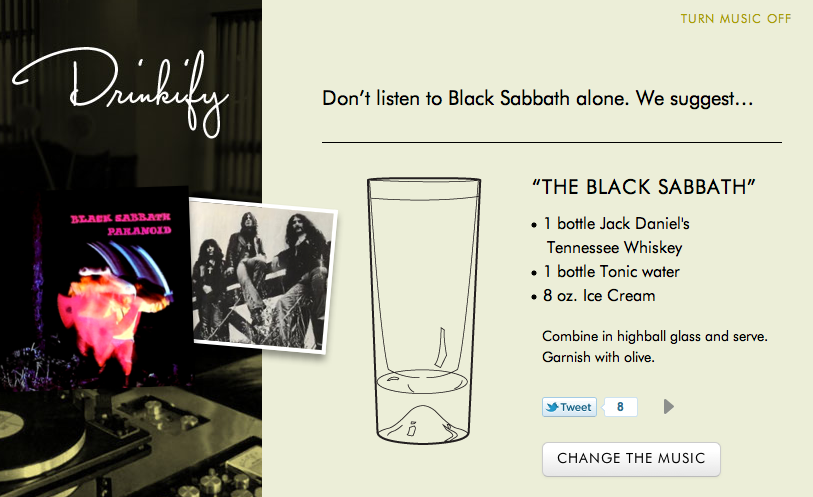
The weekend produced a number of cool hacks, but I thought one in particular was worth sharing to get this weekend (or any weekend for that matter) off on the right foot. Drinkify is a new website that, simply put, tells you what to drink while you’re listening to certain types of music. Enter “Justin Bieber”, and Drinkify tells you what kind of libation is best enjoyed while listening to the Biebs’s greatest hit. In this case, it’s 8 ounces of Red Bull. I would have said a “Shirley Temple”, but what do I know?

It’s fairly straightforward. According to the developers, Matthew Ogle, Hannah Donovan, and Lindsay Eyink, the best hacks should be about something one loves — they should scratch an itch and solve one of our myriad personal problems. Maybe it was a result of a hangover, maybe not, but drinks were on their minds. They wanted some hair-of-the-dog style recommendations, and so Drinkify (formerly “Boozi.ly”) was born.

As for the technical side, the Drinkify creators used the Echo Nest’s API for lists of terms and genres that describe artists and audio summaries of top tracks (whether the songs are slow or fast, etc.), the Last.fm API for artist and album images, name spelling, most-played tracks for individual artists, and, of course, the proprietary Drinkify database, because, as the Drinkifiers say, “booze still doesn’t have an API”. And it’s a damn shame.

Obviously, this was a hack created over a very short period of time, so it’s far from perfect. Many of the drinks paired with artists are seriously lacking in creativity, and some just flat out don’t make sense. But there are some that do, like Slayer, Edith Piaf, and Bob Dylan. Black Sabbath is pretty hilarious, too. I like the “garnish with olive” — that really topped it off nicely.

In terms of the recommendations, “stirring speed” is tied to the average beats per minute (i.e. tempo) of the artist’s top song. This is a somewhat clever quick-fix, but obviously for many artists, their top song may not always be indicative of their entire catalog.

The Drinkify founders said that they’ve had bands and artists reaching out to them on Twitter to tell them what their favorite drinks are, and in some cases, they’ve been changing them to reflect that where it made sense to associate them with their tipples of choice. Hey, maybe Drinkify could even charge these artists to do just that. Or simply paste the entire site in booze-related display ads, though I hope to God that’s not the case.

Even in spite of some imperfections, Drinkify racked up over 5 million page views in only three days. Clearly, it has a few addictive ingredients — and if it refines itself from Carlo Rossi into a fine California merlot, maybe it’s got a shot at the big time.

Let us know what you think, and try not to throw all your rotten vegetables at once.


WhereIsTheCool.com: A Lazier Pinterest for Men

Where Is The Cool Dot Com

With its pink and white color scheme and emphasis on self expression, Pinterest has found a rapidly growing audience of women, and investors are lining up. But guys might not find content for them on Pinterest’s home page. Hell, even its Cars & Motorcycles channel is filled with hot pink Hummer limos. Enter WhereIsTheCool.com, a black and red site of photos showing off the lifestyle men aspire to —  speed boats, surfboards, and slick tuxedos. It’s designed for laid-back browsing like a men’s style magazine, rather than something you have invest time in like a girlfriend.

Originally, founder Jack Archer (even his name is stylish) tried to translate GQ into a iPad magazine with monthly editions. Turns out the market wasn’t ready for an all digital mag in 2010, so he redesigned it as a photostream website that constantly updates. This feeds the content addiction of the modern man, and now the site has over a million page views a month and 27,000+ Tumblr subscribers.

Where Is The Cool’s home page displays roughly 20 penthouse apartments, rugged actors, and the women those come with. Another page of what’s crave-worthy is a click away. An infinite scroll option would be faster, but so much vivid content could get overwhelming. Visitors can click through the photos to view them full size, share them through social media, and check out where they were first posted. That’s it, no flashy tech, just good taste and good design.

Archer has it tough. His job is to scour the internet for what’s cool, and sift it out of user submissions. The “Contribute” page features an ugly, old-school web form that should really just let you enter URLs of photos, as most entries on the site don’t include any text. While he’s got a team providing support, its essentially a one-man, bootstrapped operation.

To monetize, Archer sprinkles in the occasional sponsored photo from men’s fashion retailers like Mr. Porter whose products could just as easily hit the site organically. Where Is The Cool has also signed big buys for banner ads with brands like Land Rover and Banana Republic.

Even if its visitors can’t afford the fighter jets or vacation home it shows, just activating desire for such objects can be a satisfying, masculine experience. In a culture of men lusting for distraction, Where Is The Cool wins with simplicity.


Peter Thiel Says He Looks For Platforms Big Amongst Small Businesses, Not Consumers

Peter Thiel Speaks

While plenty of platforms can go viral with consumers, VC idol Peter Thiel said today that he’s impressed by platforms adding legions of small businesses. Speaking at the healthtech conference hosted by electronic medical record platform Practice Fusion, Thiel explained “High paid sales people can get big companies, mass marketing can get consumers, but it’s difficult to get small businesses”. If you see a platform managing to sign lots of small businesses, it could be a winner. Investors take note.

Thiel continued that in addition to being hard to reach, small businesses have historically been resistant to change. To convince them, a product must be “a quantum step better” than their existing solution. He cited Intuit’s QuickBooks and PayPal for eBay sellers as examples of companies able to provide that drastic upgrade, and that subsequently succeeded.

In terms of areas where there’s potential to make those quantum steps, Thiel said “there are tremendous problems to solve in the developed world” specifically in healthtech. He followed that “the single lowest hanging fruit in the US” is in process automation.”The first step in automation is getting everything on a single platform. Practice Fusion has the potential to be the platform company in the electronic record space, and that’s going to be an unbelievably important place to be.”

Thiel is a top investor in Practice Fusion, which now hosts 25 million EMRs, more than any other company in the U.S. It followed his model, growing from 70,000 health care providers in April, to 100,000 in September, to 130,000 now. Part of his due diligence on Practice Fusion? “I talked to my doctor. He said ‘this represents a key improvement.’”


Giftly Now Lets You Give The Gift Of Discovery (And Some Money, Too)

giftlyshot

San Francisco-based startup Giftly is looking to help you kill two birds with one stone: quickly give your friends and family gift cards via the web, and introduce them to interesting new restaurants and venues that they (or you) have never heard of. The company is also announcing that it’s raised an additional $600K, which comes on top of a $1.8 million round last March.

Since launching, Giftly has made it easy to send virtual gift cards to friends. But it doesn’t focus on just sending the money — you’re supposed to tell your friends where they should spend it. Which can be an issue, if you, say live in another city. So this week the site launched a ‘Gift Ideas’ section: Giftly is now employing curators who bundle together various activities and restaurants your friends may enjoy in their city.

For those who haven’t tried Giftly, here’s how the process works:

Say you wanted to give your friend $20 for their birthday. First, you’d head to Giftly.com and choose how much you wanted to give. Next, you’d specify up to three places where your friend could redeem that gift — be it a restaurant, a retail outlet, or whatever else you’d like. Finally, you send the Giftly via Facebook or email. You also can attach an image and a message to help spruce things up a bit.

Giftlys are redeemed via a smartphone app — you just tap a button and your credit card gets credited with the amount of the gift.  The service doesn’t use any merchant API or interface with your credit card company, so you don’t have to figure out which card to use or show anything to the merchant. This also means you could actually just redeem your Giftly immediately and have the amount added to your credit card, without using it at one of the venues your friend originally suggested.

Which seems a little counterintuitive. So why is Giftly using this setup?

CEO Timothy Bentley says that this system has a couple of benefits. The first is that because Giftly isn’t actually dealing with any of the merchants, it doesn’t need a sales force, and it’ll work anywhere — you can specify any venue, activity, or restaurant you’d like. And second, he says that restricting the use of gift cards to a given merchant is a practice that has value for the merchant, but doesn’t provide any value to the consumer.

The service originally did used to check your phone’s location data to verify your purchase was at the venue your friend had previously chosen, but it decided that if people want to spend the money elsewhere, they can.  And while you can use a Giftly anywhere, he says that most people still wind up using it at one of the venues their friends originally suggested (I suspect this is because the site implies that they have to do that).

Giftly has several competitors that are also trying to innovate around gifting and gift cards, including Giftiki (which lets friends band together to give one large gift) and Treatful (which focuses on restaurants).


Practice Fusion, #1 in EMR With 25M Electronic Medical Records, Debuts iPad App

Logo_PracticeFusion_Sm

With great power comes great responsibility, and in few places is that more true than the healthtech industry. Practice Fusion is the leading provider of electronic medical records, now helping 130,000 doctors to track records for 25 million patients, CEO Ryan Howard told me today. That’s over 3x the EMRs hosted by Kaiser Permanente or the VA. Practice Fusion is free for doctors and patients. It monetizes through a marketplace for labs, pharmacies, and drug companies who pay for preferred placement in front of doctors who direct a staggering $40 billion in spend a year through the platform. Its new iPad app, debuted today at Practice Fusion’s annual conference, will let these doctors access records while out of the office.

In addition to saving lives, the average doctor in California directs about $2.3 million a year in spend. Just imagine how much decision and recommendation power doctors have: “take this pill not that one”, “pick it up from this pharmacy”, “your test is being analyzed by this lab”. By next year, Howard tells me that figure will have grown well past the $60 billion a year spent through eBay. These medical service providers buy expensive banner ads in the Practice Fusion platform to ensure doctors choose them, and it’s making the company a lot of money.

Practice Fusion’s doctor and record uptake rate is growing exponentially. It counted 70,000 clients in April when it raised a $23 million series B, and by September when it took $6 million more in funding it had 100,000 health care providers on board. Now Practice Fusion is at 130,000, and with each new doctor comes roughly 2,000 new patients who can access their own medical records from anywhere. Doctors can begin using the product in minutes, and can pay to have all their existing paper records scanned in over a few days. Practice Fusion’s competitors can take 6 months or longer to get doctors set up.

Howard tells me “We’re effectively the Salesforce for doctors, and the Facebook for health.” He explains that through its APIs, Practice Fusion will become the hub for personal medical data from consumer devices and services such as FitBit and wireless weight scales. This includes 100Plus, the personalized health prediction platform Howard co-founded with funding from Peter Thiel and Founders Fund to let people see how healthy decisions can expand their lifespan. That hub could become another lucrative medical advertising magnet. More altruistically, Practice Fusion is working with Palantir and the CDC to power disease outbreak detection with its data.

At its core, though, Practice Fusion’s goal is to make medical record access instant and efficient. That’s why it debuted an iPad app for doctors on the go, designed by Cooper, the firm headed by Alan Cooper, the father of Visual Basic. It securely provides access to records so if a doctor gets an after-hours call about a patient, they have all their necessary medical data at hand so they can make informed decisions.

Prioritizing usability, doctors can see their day’s appointments and instantly dive into each patient’s chief complaint, allergies, problems, medications, family history, hospitalizations, and more. Doctors can record patient dictations of their symptoms, and combine their own assessment and treatment plan with pre-defined treatment plans for common ailments to minimize typing. They can also view lists of tasks, and receive push notifications of updates from their office.

Practice Fusion’s team is changing healthcare, and Howard says doctors love them for it. With strong growth, client loyalty, expanding revenue streams, and an ambitious vision, Practice Fusion is on its way to making us all healthier, and its investors richer.


How To Be An Optimist In A Pessimistic Time

Gapminder World

Editor’s note: Contributor David Kirkpatrick the author of The Facebook Effect and founder of the Techonomy Conference, taking place Nov. 13-15 in Arizona.

It’s no secret to most readers at TechCrunch that technology is changing the world. Unfortunately, there are a surprising number of people who don’t get it. Many of them, even more unfortunately, are important leaders in business, other powerful institutions, and?most?governments. To meet the challenges that face us?whether as leaders of organizations, as leaders of countries, or as the global community addressing our collective challenges?we will only be successful if we unreservedly embrace technology and innovation as essential tools.

For those of us who believe in the vast potential of technology to solve problems, it is both an exciting and a frustrating time. The world’s people are embracing cellphones. More than two billion people use the Internet. Facebook continues its extraordinary user-empowering spread, and the Weibos fill a similar role in China. Advanced companies around the world are redesigning their systems and management to accommodate the new realities of a flattened, technologized business environment. The people of the world have recognized that technology can alter and improve their lives.

Those tech-empowered billions in the developing world will not be satisfied languishing in second-class status. They know about what we have in the developed world and they want more of it for themselves. Fair enough. But how can they get it? How can access to food, shelter, transport, healthcare, and education expand rapidly enough to satisfy the justifiable demands of the world’s people? How can we produce enough energy for a globally-rising standard of living without choking on the fumes? And if we do not succeed in doing so, what are the consequences for global stability? What happens to the world if the scales of wealth do not begin to balance? At present we are not leveraging our resources quickly enough?or efficiently enough?for all the planet’s people.

Worse, the world lacks enough leaders who understand the potential for new, technology-driven solutions for global problems. To the degree that there is such leadership, it is concentrated in the business community. But even there, an understanding of tech’s potential is disturbingly uneven. Some companies thrive by embracing new methods of marketing, managing, developing products, and engaging with society. Others, by contrast, steadfastly operate in the old ways.

Compounding the complexities is a growing geographic disequilibrium. The U.S., Western Europe, and Japan dither over how to address their severe economic problems, often beset by political gridlock. China, by contrast, with almost one-fifth of the world’s people, forges ahead, installing high-speed trains, energy-efficient power plants, and planned cities. China just does it, democracy be damned. This is unnerving to the rest of the world, which cannot help noticing that China’s economy, along with India’s, Brazil’s, and a few others, isn’t enduring the same economic malaise.

Despite all, there is great cause for optimism: technology writ large—not just IT and the Internet but energy tech, biotech, civil engineering, and science-based progress generally—can revitalize growth and help create a more just, interesting, and prosperous world.


In effect, the fastest-growing resource in the world is computing power and storage. At a time when resource consumption is growing faster in general than resource production, it is incumbent upon all leaders to take advantage of the resource that technology presents us. The countries where that is understood are the ones investing aggressively in technological R&D and in education, especially for science, math, and engineering.

It is in large part the fear that existing resources cannot match human needs that drives the thick cloud of pessimism that prevails today in the world. The Greeks may no longer be able to retire young, enjoy their social democratic benefits, and still pay their bills, because there is not enough wealth to go around. Italy may follow, and some say France could be next. What if we closed ranks around what we know technology can do to improve the efficiency of literally everything? What kind of world could we create?

Technology-driven progress is rapidly reducing the global economic divide. This has in fact been true for a long time. If you doubt it, go to gapminder.org and look at the data. (Load Gapminder World, watch the animation of “Health and Wealth of Nations,” and be amazed at the progress.)

Those of us who are technological optimists also see plenty of ways that tech can help enormously with our other grave challenges?climate change, cultural misunderstanding, food shortages, inadequate housing, antiquated transportation, and reliance on unsustainable energy sources.

Change from now on is likely to be bottom-up—driven by people empowered by iPhones and Android devices, and by Facebook, Apple, Amazon, and Google. It is a new environment for business and for government, and our transition into it is fitful, incomplete, and sometimes frightening. But people are not going to accept the old answers. It is an enormously exciting time. Tunisia was exciting. The cost-of-living protests in Israel were exciting. And both the Tea Party and Occupy Wall Street are exciting. All these developments show that ordinary people are paying closer attention to what’s happening in the world, and demanding more from their ostensible leaders. People no longer feel powerless and they are taking action.

The most exciting thing about technology-based development is that it is not zero-sum . Rapid progress in other parts of the world does not mean a decline in already-developed countries, though that is what is more or less happening at present. We have been given a great gift by the exponential rate at which technology improves, undergirded by that old standby, Moore’s Law. As the speeds and power of hardware improve, we can do more with software. With better software we can design better and more efficient vehicles and buildings and cities and healthcare systems and chemical plants.

Despite all our optimism, tech is no panacea. There are real and troubling questions emerging globally about the impact of tech on jobs, for example. It seems more and more likely that while technological progress improves productivity, global GDP, and aggregate social wealth, it will replace more jobs than it creates. Separately, security concerns are growing almost as fast as new technological capabilities. We can see a new world of efficiency and connectedness coming into view. But there is the real risk it could be undermined or even stopped by those who do not want global prosperity?be they criminals, terrorists, or renegade governments.

But if all of us who believe in technology’s promise organize our voices more effectively, and work together to understand and exploit its macro impact, there should be wonderful days ahead for the world. Our job is to keep pointing a big neon arrow towards technology as an underutilized tool. There are plenty of reasons to be an optimist in a pessimistic time.


In Defense Of The Stylus

header

A little while back, I got an email from Atmel, one of the leading touchscreen makers, asking if I wanted to check out their latest creation: a new active stylus that works with an improved touchscreen, for stylus actions alongside normal finger-touches and technologies like palm rejection. I passed, because to be honest, it didn’t sound very exciting.

It has shown up at a few other websites, though, and I thought (slightly apologetically) that I should at least watch the video. I did. And — it’s not very exciting.

Yet despite being a third-class citizen in our world of capacitive touchscreens, being publicly ridiculed by Steve Jobs, and generally being considered a nuisance, the stylus isn’t something we should relegate to the company of floppy disks and CRT monitors just yet. Here’s why we can’t write it off.

The first styli, strictly speaking, were used by the Romans, since they invented the word. But cuneiform writing was performed with a primitive stylus as well, and certainly it was used before then, though they were probably used more for scraping marrow from mammoth bones or the like. The point is they’ve been around for a long time because they have always offered certain advantages. They still offer them now.

First, a stylus amplifies your input. With a stylus you can make quick and precise movements of a number of sizes. Ever wonder why nobody writes longhand with their finger? By amplifying small but precise movements that can be done rapidly, handwriting was made possible in the first place, as well as things like detailed drawings and paintings. Even if you’re drawing in the dirt, you do it with a stick.

Second, it dampens your input. This seeming contradiction is at the heart of why a stylus, pen, brush, or what have you is so powerful. While it allows you to amplify the movements you make by extending their effective range, it also allows for more precise control by utilizing the gamma motoneuron system. This is (if I remember correctly) a sort of global tension control in your motor system that allows you to ratchet up the tension in lots of muscles in order to have more precise control over them. Have you ever noticed that you were unconsciously clenching your jaw or tightening your neck muscles while performing an action that required great precision and concentration? That’s the gamma system’s effects spilling over onto adjacent systems while it ups the quality of your hand’s movements.

We use this system while we write and draw; haven’t you ever noticed how tightly some people grip their pen or pencil? By overshooting the tension required, the gamma system allows for tiny adjustments and quick but exact actions. The fine controls of our hands and fingers, however, are designed more around gripping and applying various amounts of pressure, not making tiny movements.

Third, you can see what’s under the stylus. This is essential to artists, of course, but it also completes a simple visual feedback loop in which you can tell what you’re touching. With a fingertip, past a certain point it’s guesswork. You see the button, you move your finger, and then you hope. But with a stylus, pen, or cursor, you see the button, you see where your control point is, you move it closer, you see it’s closer, you move it on, you see it on, and you click, or write a check mark, or tap.

You can see that these advantages aren’t just, say, 20th-century advantages, for generations that needed pen and paper to record things. A surgeon uses a sharp stylus to perform surgery. A painter uses a soft stylus to make strokes. We all use stylii with special tips to screw in screws, flip eggs, eat chinese food. The stylus isn’t a holdover from an earlier age; it’s a fundamental add-on to human physiology.

So why did Jobs mock it and leave it behind? For some time before the iPhone came out, the stylus was used because it was the only option. Capacitive screens were too expensive, or not precise enough. Resistive screens offered a compelling alternative to d-pad-based navigation, and the best way to interact with resistive screens is a stylus, not your fingertip. Jobs wasn’t ragging on the stylus, he was ragging on an old solution to a problem, a solution people hadn’t bothered updating. The uses and form factors of mobile phones are such that a stylus isn’t the best solution when it isn’t the only solution; a fingertip serves much better in most cases. But there are just as many cases, as with the mouse and the trackpad, where the opposite is true.

Think about the Courier and the Noteslate, both of which generated a froth of enthusiasm despite not being real. The idea was a sort of next-generation paper notebook, stylus and all. You wrote things, you circled things, you touched them with your finger if that worked, you used the stylus if that worked. Some might say it was more of a throwback than a look forward, a product that clung to outdated notions of how we interact with information. Outdated as opposed to when – now? Does this imaginary interlocutor think that in 20 years, we’ll all still be using 10-inch glass screens, running our fingers across them, doing pinch-to-zoom? This excellent “brief” rant on interaction design points out just how shortsighted today’s devices are: entirely abstract, using next to no natural inputs or gestures, and totally inflexible. Seeing the things cooked up with a Kinect suggest a fusion of the virtual and the real that makes a tablet’s flat, static window look positively primitive.

But clearly, to return to the topic at hand, Atmel’s state of the art touch solution isn’t what we’ve been waiting for. An improvement to be sure, but it’s a far cry from the level of detail possible with a Bic and a sheet of paper, and until the stylus and screen pass that level of usefulness, the applications are limited (though it will likely work nicely with Windows 8). What needs to happen before the stylus becomes truly relevant again?

One thing I saw earlier this year at Mobile World Congress in Barcelona was a touch system by Atmel’s arch-enemy Synaptics that fairly blew me away. A capacitive screen that could detect both conductive and non-conductive items (say, a gloved hand or stylus), but passively, unlike Atmel and others’ active solutions (this has its own substantial shortcomings).

Latency was also reduced by integrating the touch sensor with the display sensor. You have probably noticed that when you write something with a pen, the line appears immediately. The fact that it doesn’t do so when you use a stylus on a touchscreen is probably more disorienting than you think; you can’t error-check your own small movements at your own rate, you must wait for the machine to catch up. Low latency is a step in the right direction, and it’s one place where high-Hz display rates could be truly useful.

Resolution is also important, as in so many other things to do with exactness and design. When I draw a short line and the aliasing makes it look like a tiny lightning bolt, I feel like giving up. The rumors of an iPad with a vastly higher resolution are nice, but they don’t help the stylus, since Apple has inoculated itself, rightly or wrongly, against stylus support for the rest of time. But Apple doesn’t make the displays, and these mega-resolution screens could help make the stylus worth using again.

The touch ecosystem and the people within it need to realize their limitations, as well. Right now finger-based interaction is still novel, still being fleshed out (so to speak), optimized, still being applied to different models. But we’re already bumping into the borders beyond which this kind of touch, the iPhone kind of touch, will be useless.

For typing, it has already proven a painful technology to use — so we have an accessory, not unlike the stylus we have mocked, for this basic act of computing. For any kind of actions that require precision, such as illustration, the capacitive screen is also useless, failing as it does to provide that feedback loop. Our interactions with tablets and phones are for the most part coarse and inexact, and entire UIs (witness iOS, which some would argue falls more on the side of simplicity than elegance) have been designed around this fact.

We’ve gotten around some of these problems with clever little tricks, and we’re constantly trying to invent new ones to expand the capabilities of what must be recognized as a very limited interaction method. Sooner or later someone will stand on a stage, as Jobs did, and ask “why are we still pointing and jabbing at our icons and applications like kindergarteners doing finger-painting?” And maybe he’ll show us, as Jobs did, how long we’d been rationalizing our poor choice in interface. Will it be Atmel on stage? Synaptics? E-Ink? Microsoft?

Whoever it is, it won’t be for a while. The stylus today, let us admit, is impractical for a number of reasons, both design and technical, as Atmel’s video and every device available shows. But as touch goes from novel to normal to mundane, the angst of users stymied by its limitations will grow, and with that angst, demand for something new. The mouse rode a wave in the 80s. The iPhone rode the wave a few years ago, leaving the mouse behind. The next one will leave the iPhone behind, an artifact of the late aughts. What of the stylus? If we have truly exhausted the its applications, it won’t return, but I think it’s manifest that we have not.

That was a long and winding rationalization for a perhaps irrational love of the stylus. But I firmly believe that its days are not done. Its weaknesses became a problem before its strengths were given a chance to shine. The stylus is as ageless as the wedge, the wheel, the projectile. We’ve reinvented all these multiple times. When technology catches up yet again to the pen, the pen will be ready.


Why Mobile Flash Died: An Adobe Employee Speaks Out

adobe2

Adobe’s mobile Flash efforts have recently gone the way of the western black rhino, and Principal Product Manager Mike Chambers isn’t too pleased with how the Adobe chose to break the news. In fact, he feels so strongly about it that he’s offered up his own clarifications on the matter.

“Our goal was to be very clear about WHAT we were doing, but in doing so, we didn’t pay enough attention to explaining WHY we were doing it,” he said on his blog today. Fair enough — the official Adobe announcement was pretty abrupt. So, now that everyone’s settled down a bit, why did Adobe really pull the plug?

Well, for one thing, Adobe realized that Flash would never reach the same kind of ubiquity in the smartphone space that its enjoys on PCs. Adobe’s own statistics indicate that the company’s Flash Player is installed on a staggering 99% of all Internet-enabled PCs. Meanwhile, their smartphone penetration numbers were considerably less impressive.

To absolutely no one’s surprise, the iPhone played a crucial role here. With Steve Jobs and company having fully turned their backs on Flash, further attempts by Adobe to push Flash onto other smartphones would mean that developers would have to craft online experiences for two opposing tribes. That’s where Adobe’s focus on HTML5 comes in.

Mobile browsers have grown to be incredibly savvy in recent years, a far cry from the dumbed-down WAP views we previously had to deal with. Considering that most major mobile browsers pack support for HTML5, trying to shoehorn Flash into the mobile content mix is fighting an uphill battle. According to Chambers, “on mobile devices HTML5 provides a similar level of ubiquity that the Flash Player provides on the desktop. It is the best technology for creating and deploying rich content to the browser across mobile platforms.”

There’s also the issue of how users consume content on their devices. Smartphone users have the concept of “apps” drilled into their heads before they can even take their phones home, so it’s no surprise that they’ll turn to their respective app stores if they want to play a game. I sincerely doubt that average customers knew (or cared) that their devices played well with Flash, save for a few highly specialized circumstances.

Lastly, it was a simple matter of manpower. Adobe has been a fan of HTML5 for quite a while now, and it’s stronger position in the mobile space has become more and more apparent. Rather than devote time and energy to working on a platform that 1) needed to be tweaked for different OSs and hardware configurations and 2) would never be as widely-used as they would like, Adobe decided that those resources would be better spent furthering HTML5 development.

So, there we have it. Mobile Flash died a quiet death, which is perhaps fitting because it never made much of a splash while it was alive. Here’s to Adobe moving on to bigger and better things.


Yes, Android’s New Face Unlock Feature Can Be Fooled With A Photo

unlock

Within minutes of our big ol’ Android 4.0 (Ice Cream Sandwich) demo video going online, one question barraged my inbox: could the new facial recognition-based unlocking feature be tricked with a photo?

Google’s response on this was anything but solid. They kind of tip-toed around it when I asked, saying just that the feature “will only get better”. Meanwhile, Google’s Tim Bray implied that they’d most certainly thought of that.

At long last, someone has managed to answer the question with video proof. Turns out: Yep, photos work.

Check out the video below, courtesy of Malaysia’s SoyaCincau :

As a few folks have doubted the tester’s methods, they went on to add:

While some of you think that it is a trick and I had set the Galaxy Nexus up to recognise the picture, I assure you that the device was set up to recognise my face.

Of course, this is still Beta software we’re talking about. The Galaxy Nexus won’t ship until later this month — so if this portrait trickery does work consistently (and this wasn’t just a fluke), there’s no saying it’ll still work in the final software. Third party facial unlocking systems have done things like requiring certain facial expressions or waiting for the user to blink — which, while not infallible, at least makes sneaking in more complicated.

In the mean time: if you’re carrying anything sensitive on your phone (and really, with all of the accounts we sync to our smartphones these days, who isn’t?) it’s probably a good idea to avoid using face unlock as anything but a neat party trick.


Rovio Opens The World’s First Angry Birds Store In Finland

Angry birds 2

Look out, Sanrio. After dominating the mobile world for just shy of two years (haters be damned), Angry Birds is movin’ on up into its own retail space.

While Rovio plans on opening up shop in China (where the brand is huge, but next to all of the available merchandise is fake) sometime next year, this first store is on their home turf in Helsinki, Finland. It’s got a massive slingshot!

Sadly, sad slingshot doesn’t appear to actually… you know, sling. Presumably because they’d rather not have an 8 year old fire his shoes through the storefront window, the slingshot instead acts as a swinging bench for those lookin’ for a new Facebook profile shot.

Of course, it’s probably worth noting that the variety of Angry Birds wares available on Day 1 isn’t exactly.. diverse. They’ve got the Angry Birds cookbook (yep), and the Angry Birds pencil/eraser school kit… but for the most part, the shelves are stacked edge to edge with the line of plush toys they launched last year. Come on, Peter: Get to ripping off those pirates!

Best of luck to all of the employees on not going absolutely insane after hearing the Angry Birds theme for the 37,000th time.


Google Employee Nigel Tufnel Sends Invites For Mysterious Android Event November 16

nigel

As you’ve likely heard by now, today is Nigel Tufnel day. Tufnel, who revolutionized the music world in the early-80s with the introduction of volume knobs that go to 11 (rather than a mere 10), is being honored worldwide because of today’s date: 11/11/11.

It’s a nice gesture, but Tufnel’s current employer, Google, apparently isn’t giving him the day off: he just sent me an email invite to a special event that’s being held next week in Los Angeles. Thankfully Google’s at least let him inject some personality into the invite: the top of the invite fittingly says “These Go To Eleven” at the top, though it gives little indication as to what to expect.

The event will be held November 16,and will be livestreamed at YouTube.com/Android — which, presumably, means that it’s going to be Android related.

My hunch? I think we’re going to see some of the fruits of Google’s @Home project, which was announced at Google I/O this year. @Home is the Android platform for connecting ‘real-world’ devices, like speakers, lights, and all sorts of other things up with Android — sort of like Apple’s AirPlay, but for all kinds of applications beyond audio and video.

Or, as the comments point out, it probably would make more sense for this to be related to Google Music, which is rumored to be getting new features over the current version, including the ability to actually buy songs. I still want my Android speakers, though.

Here’s a video embed of a documentary covering Tufnel and his band, Spinal Tap, in which he explains the origins of his 11-digit knobs: