Backed By Former Google Exec & More, Twigmore Brings Travel Networking To Facebook

Screen shot 2011-11-18 at 5.34.29 PM

There are a lot of sites popping up these days trying to make travel recommendations better and more precise. Some, like Triposo, are making travel apps based on algorithms, while Trippy wants to give you social, “friendsourced” recommendations via Facebook, or rapidly growing sites like Gogobot, which provides a gamified, Yelp-like platform where you can leave reviews of destinations you visit and get recommendations from your friends.

These are all great options, but sites like Trippy, CouchSurfing, and more are off-Facebook platforms that connect to the social network through Facebook Login. A new travel site launching today, called Twigmore is cutting out the middle man and launching a travel network directly on Facebook. Twigmore Co-founder and CEO Stephen Smyth tells us that many feel that travel network is a natural extension of the Facebook platform but they don’t want to sign up through an off-site application to get their recommendations.

Smyth says that, with Twigmore, he wants to put people, not places, at the heart of a travel platform; while most travel websites focus on places, offering pictures of hotels, restaurants, etc., Smyth says that it’s not only friends and people we inherently trust that give us the best travel recommendations — the best insight and tips come from people who actually live at these destinations.

The problem is, however, that it’s hard for travelers to find trusted locals who can answer questions, show them around, or just help when things come up. Twigmore wants to tackle this obstacle by connecting travelers with locals through friends. That’s where the co-founder thinks they can gain a leg-up on other travel sites: By helping travelers find real people on the ground wherever they travel.

On Twigmore, when a user is planning a trip to Berlin, for example, they may discover that a friend knows someone who’s currently living in the city. If the traveler likes live music, with a couple of clicks through their Facebook profile, they can discover what kind of music the person likes, get introduced to the local contact for a scoop on concerts, and perhaps even go see a concert with the person when they get to Berlin — and make a friend in the process. What’s more, Twigmore users can get notified if other friends are going to be in the city at the same time.

Smyth says that the idea for Twigmore was inspired by the Facebook-focused professional networking approach of Branchout, which is basically like LinkedIn for Facebook. In the same way, Twigmore wants to become Lonely Planet for Facebook.

Twigmore also wants to offer its own recommendations for things to do when people arrive at their destination, a starter kit, if you will. They’ve just begun adding features there, and have started with Groupon Deals for some discounted activities for people to during their stay in 100+ U.S. destinations.

Smyth also said that he wants the product to be 100 percent personalized, and thus far users can only interact with friends or friends-of-friends in Twigmore — no strangers to be found. He also said that he sees an opportunity (a la Airbnb) for the platform to become a place where people can find homestays with trusted friends (and friends-of-friends) while they’re traveling so they can save money on hotels and lodging.

Twigmore was founded in October 2009 in New York City by media executives Stephen Smyth and Peter Baer, formerly of Thomson Reuters and Warner Brothers, respectively, and in just a few months of beta testing, Twigmore users have already built a database of over 1.7 million local contacts in over 38,000 cities around the world.

The startup has raised $275,000 to date from angel investors including Shaun Abrahamson (investor in Zocdoc, Trialpay), ex-Googler Ien Cheng, and Glenn Asano.

For more, check out the site on Facebook here. Let us know what you think.


When Social Ads Backfire

Research Poll

The goal of social advertising is to amplify positive word-of-mouth. Ads show that your friend mentioned a company, checked in to a business, or that thousands have +1′d an ad, and you’re more likely to believe the brand’s message and become a customer. But when brands pay to distribute user-generated content, there’s a chance for an epic fail of promoting negative word-of-mouth. Unlike fire-and-forget traditional ads, social ads must be monitored.

[Update: This poll is a limited audience research poll conducted by Facebook in partnership with Nielsen, and it was not an ad buy from Warner Bros. I’ve made significant edits to this article to reflect this, but the principle holds true that while social ads can be a powerful tool for brands, they need to be monitored or filtered through sentiment analysis engines to ensure they’re promoting positive mentions.]

Facebook used this home page Research Poll to ask users if they planned to go see Happy Feet 2. This information could help it determine what demographics might be receptive to family film ads. However, 41% of respondents said they “Definitely won’t” go see Happy Feet 2, and though the poll only reached a limited audience, it was giving off a poor impression of the film. With the results skewing so negative, it may have been best for Facebook to pull the poll.

Facebook offers premium social polls and Sponsored Stories that allow brands to pay to ask users questions or convert user-authored news feed stories into side bar ads. Similar issues could arise with these ad units, where poll results are negative or insults to a brand are amplified. If Advertising channels like Facebook want these units to catch on with advertisers, they have to ensure them that automated systems will detect social ad fails, and pause the campaigns for review automatically. Advertisers should also keep a close eye on their social campaigns and intervene when necessary.

Third-parties ads tech providers are stepping up to prevent fiascos. Wildfire Interactive’s Storyteller app for Facebook Pages asks users questions and turns their answers into Sponsored Stories ads, but responses are run through sentiment analysis and negative responses get filtered out.

Social context has the potential to make advertising a lot more relevant, producing more qualified clicks at a lower cost. But brands can also fall on this double-edged sword if not protected by sentiment analysis or human monitors.


Netflix Makes Up For All Its Past Mistakes By Resurrecting Arrested Development

netflix_arrested_development

Remember when Netflix piled blunder upon blunder and lost something like a million subscribers? And the bottom dropped out? And the CEO was forced to admit he’d made a huge mistake?

Yeah, none of that matters now. Because they’re bringing back Arrested Development. Glad to see they’re taking our advice.

We had heard that the show would be coming back in film form, and that there would possibly be a pre-film limited series, but this confirmation means a lot. And coming from Netflix, it’s like flowers and a box of chocolates from someone who you put in the doghouse. Will we take them back? Well damn it, we’re going to have to!

Production will be starting soon, and episodes will begin showing in 2013. We haven’t heard much about Netflix’s other big-ticket exclusive series, House of Cards, but it could be that Netflix is planning a content blitz with full seasons of both these shows and whatever else they’ve secretly licensed.

The show will be produced by Fox and presumably the original cast and writers will be reunited. More information at Netflix’s press release.


The Jerk

jerk

Like everyone else in the tech world, I’ve been reading Walter Isaacson’s Steve Jobs biography. Simultaneously, I’ve been reading the reactions to it. The one that seems to stand out above all others amounts to: “wow, Steve Jobs was a jerk”. Those who have followed Apple closely throughout the years have heard dozens if not hundreds of stories of Jobs berating employees. Isaacson’s book brings a handful of these stories to the masses, and it’s rubbing some people the wrong way.

Here’s the thing: the tech world could probably use more jerks.

I’ve been thinking about this since reading Robert Scoble’s post a couple days ago entitled “Why I’m treating startups more critically lately“. Depending on who you ask, Scoble is a lot of things. But I don’t think anyone would call Scoble a jerk. In fact, most would probably say he has the opposite problem. He tends to puff up startups into thinking they’re the best thing in the world. (A social network for your Roomba to take pictures of food? Brilliant! Game-changing!” — Okay, I exaggerate. Slightly.) That’s great. For five minutes. After that, reality often sets in.

That’s why Scoble’s post was important. Even he’s starting to realize that being a “yes” man really isn’t all that helpful. What startups and tech companies need are doses of reality.

The truth is that it’s a hell of a lot easier to be a “yes” man than to be a jerk. You’re the nice guy, you’re everybody’s friend, you say winning things, you make everyone feel great. Meanwhile, the jerk makes every situation awkward. Both sides feel bad. It sucks.

But I’d argue that the latter is actually much more helpful. It sounds like Scoble would argue that now as well. And I think Steve Jobs would argue that as well.

Obviously, Jobs is an extreme. Some contend that he would say extremely harsh things to people just because he could, or because it was therapeutic against his own personal demons in some way. Other descriptions seem to border on the definition of a sociopath. But I also think his abrasiveness, whether a conscious on his part or not, provided something of value, at least in the workplace.

By saying something is “shit”, no matter how good it actually is, you force people to reexamine their work. The end result is usually better.

There are also stories of Jobs telling people that an idea is “shit” — and then coming back a few days later with the same idea. It seems that his default was to call something “shit”, maybe without even really thinking about it.

Is that helpful? Not on the surface, but the truth is that nothing is perfect. Something can always be made better. And people wrapped up in their own idea or product often lose perspective. They may believe what they’ve done is perfect — or at the very least, the best they can do. But it’s often not. They can do better. It’s all about motivation.

A “yes” man provides zero motivation. “What do you think?” “That’s awesome.” Great, done.

Meanwhile, the jerk tackles the same question. “What do you think?” “It’s shit.” Really? Oh. Hm. What can I do better?

Oddly enough, this reminds me of my early days at TechCrunch. I’d publish something and Mike Arrington would come over and tell me how badly I screwed up the story. The truth, as I only later found out, was that he probably didn’t even read it. Maybe he didn’t see it on Techmeme. Or maybe someone tweeted something negative about it. Or maybe the problem was that no one said anything at all. It didn’t matter. It was all about motivating people to do better. It certainly made me better at my job. As a writer covering the tech space, you’re often surrounded by sycophants. What you need is often the opposite motivation.

The same is true for startups. Especially now in this age of plentiful funding, there are a ton of “yes” men out there. The space would benefit from a few more jerks. Ideally, honest jerks, but any type of jerk should do. Let the public be the “yes” men after jagged rocks have been turned into polished stones.

The same is also true in the broader tech space. Apple is an outlier in that they’ve benefitted the past several years despite gathering little or no outside perspective before a product launch. But they didn’t need to. They had Jobs. “It’s shit” — until it’s ready to launch. It will be interesting to see how they handle the post-Jobs era in that regard.

Hopefully not like Google, a company famous for “dogfooding” their own products before launch. It’s “yes” men re-enforcing “yes” men. Google Wave was an awesome product according to internal tests. Same with Google Buzz — hell, I think they still use it internally. What would those products have evolved into if someone was there telling them they were “shit” every step of the way? Something better, I imagine.

Google+ has been largely positive for the company. Part of it may be because they brought in outside tech luminaries to consult on the product and give honest feedback as they built it. No, I don’t believe Steve Jobs was one of those, but I was told some time ago that an initial version of Google+ was more or less called “shit” by someone who saw it. That feedback was taken into account and the product that launched was something completely different.

Thinking about all of this, I also (again, oddly) found myself think of Manny Pacquiao’s fight against Juan Manuel Marquez this past weekend. By most accounts, Marquez was winning the fight going into the final round. Apparently, his corner even told him as much. He went on to play it safe and lost the last round. As a result, he lost fight itself in a split decision (which was still controversial).

Imagine if Marquez’s corner hadn’t told him he was winning? What if they told him he was fighting like “shit”? They would have been lying, but that’s not the important thing. Motivation is the important thing. Again, you can always do better. In this case, “better” may have well resulted in him winning the WBO welterweight title.

Marquez needed a jerk in his corner.


Potential Dell Ultrabooks Hit The FCC

dell1

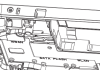
A couple of what appear to be ultrabooks from Dell have snuck into the FCC for a bit of quiet emissions testing. The devices, spotted by Wirelesss Goodness, are pictured only partially, and in schematic form no less, so it’s hard to draw too many conclusions.

One thing you can tell for sure, though, is that these are thin buggers. That’s an ethernet port on the corner there, which puts the total height of the laptop at around 20mm. That doesn’t include the display, of course, but it’s still very much ultrabook material.

The design is interesting: the HDMI and ethernet ports are diagonal to the body on the edges, there — personally, I think this would have made more sense for the power cord, but far be it from me to pass judgment. There is also a wealth of other ports, including what looks like some Mini DisplayPorts. And as you can see in the picture, there is a compartment conspicuously labeled “SATA Flash,” though whether the devices will be all-flash or only partially is anyone’s guess.

The two models, which from what I can tell are mostly identical, are called the Dalmore 14 and 15. Dalmore, curiously, is the name of a single-malt Scotch whiskey. Maybe it’s what they were drinking when they decided to put HDMI ports on the corners. I kid, I kid. But really, it’s a little mystifying.

We’ll be on the lookout for more info on these. Hopefully Dell is including the best of the Adamo DNA, but the aesthetic does appear to be much different.


Keen On… David Kirkpatrick: The Two Competing Futures Of Facebook

Screen Shot 2011-11-18 at 9.34.26 AM

“As Mark decides, so will Facebook go,” David Kirkpatrick told me about the future of Facebook at his Techonomy conference earlier this week. Kirkpatrick, the author of the excellent The Facebook Effect and the world’s leading authority on the history of Facebook, believes that Mark Zuckerberg now has to make a clear choice about his company’s future. The young multi-billionaire has to choose, Kirkpatrick says, between making money and making the world a more open and connected place. And this choice, Kirkpatrick believes, will have a significant impact not only on Facebook, but also on the Internet economy and perhaps even the future of global democracy.

Reflecting the generally anti Wall Street sentiment at Techonomy (see, for example, Elevation Partners’ Roger McNamee embrace of Occupy Wall St), Kirkpatrick believes that a focus on the short-term financial goals of the public markets will not ultimately be in Facebook’s interest. So, Kirkpatrick suggested, if Facebook is going to become the social operating system of the Internet and have a grand social and political purpose, it has to escape Wall St’s myopically short-termed revenue obsession.

This is my concluding interview from Techonomy. It has established itself on the calender as a major event about the economic and political impact of technology and I very much look forward to attending many more Techonomies in the future. Below is a list of my interviews from the event.


Apple Rumors: The MacBook Pro Shrinks, iPad And iPhone Grow

whispers

I suspect we’ll have to start picking and choosing our Apple rumor posts carefully in the coming months as the speculations begin flying fast and free, but until then a bit of gossip portending the next year’s changes won’t hurt anybody.

iLounge is hawking some intel from their “most reliable source,” who claims to have the inside scoop on Apple’s upcoming revisions. It’s nothing mind-blowing, but it might be enough to make you unconsciously start saving money.

The MacBook Pro redesign we’ve heard about before. Other sources have it rolling out in March, but supply line data is unreliable unless bulk orders are indicated. The flatter, more Air-like redesign is practically a certainty at this point. The question is a few of the system details: storage (I’m guessing hybrid), processor (Ivy Bridge and a discrete GPU), ports (two Thunderbolts, one USB, one Ethernet, one SD), and optical drive (none).

Most interesting to me personally is the report that the iPad will be a little thicker, in order to allow for the extra lighting necessitated by the high-resolution screen I’ve been crowing about at every opportunity for almost a year now. Any indications of this mythical high-definition screen are welcome, as I think it will make the device a far, far better one for all kinds of tasks, consumption and creation. The increase in thickness is said to be only 0.7mm, so still thinner than the original iPad by several millimeters. Whether this change is too much for iPad 2 accessories is probably a case-by-case thing.

More suspicious is the report that the iPhone will be getting a size bump to a 4″ screen, making the device as a whole 8mm longer. Not only that, but it’s supposed to hit in the Summer. Now, Apple has worked very hard for years to make the iPhone an iconic device, and part of that is its size, now petite compared to many Android phones. But in a case like the iPhone, Apple doesn’t feel pressure from outside. Or at least it would never admit it. Jobs (probably channeling Ive) was always very vehement about the design choices they’d made with the iPhone and iPad: lots of testing went into it, and 3.5″ and 9.7″ were the perfect sizes. But four years on, it could be that they must acknowledge changes in the market (towards streaming media consumption, for instance, and photos) and the benefits of a larger screen. Still, 4″ is rather a big jump, and the resolution question is also a factor.

One thing I am optimistic about is the metal case, reportedly aluminum. The original iPhone was a wonderful piece of human-centered design and the backs developed a beautiful patina. We need to bring that back. And Apple has probably had enough shattered iPhones to last them for a while.

No doubt these rumors will be corroborated or contradicted in the coming months, and we’ll sound our own sources as well. None of these items are set to break cover for a couple months, at any rate, so there’s plenty of time for evidence to appear.


Oh, You Don’t Have A Galaxy Nexus Yet? Because Woz Does.

woz_ics

Woz Spotting. It’s something of a tradition amongst tech circles — or, at least, amongst my particularly geeky tech circle. Any time someone spots Woz wozzin’ his way around the Valley, it feels weird not to tell everyone you know. It’s like spotting Kanye West, except instead of Kanye West it’s someone that people actually like.

While Woz spottings rarely bubble up to the pages of TechCrunch, today’s sighting is particularly neat: he was on the Google campus. Better yet, he apparently left with a phone that pretty much no one else in the US has yet: the Galaxy Nexus.

The photos, posted by Android UI Engineer Kirill Grouchnikov , show Wozniak holdin’ his Galaxy Nexus and what is said to be an Ice Cream Sandwich-themed shirt.

So, how’d Woz pull it off? All it took (besides, you know, helping to invent the modern personal computer) was a tweet. From yesterday:

Wozniak’s shiny new Nexus isn’t exactly a world exclusive — they started shipping in the UK about 24 hours ago. In the US, however, the Nexus is still limited to Googlers/Samsungers and a handful of lucky press folk (yes, including one of our own). There’s still no concrete word of a local release date.

Now, if someone could tell me where to get one of those ICS shirts…


TC Cribs: Eventbrite Gives Us A Backstage Pass To Their House Of Orange

We’re back for a new episode of TC Cribs, and it’s one of our most colorful yet: Eventbrite. The company, which offers a variety of ways to coordinate events and sell tickets, has a penchant for orange — and it shows.

Their office is nestled in San Francisco’s SOMA district and has an office loaded with goodies that include everything from train sets to nap rooms… and random people walking around in costume (huh?)

Hey look, that’s me in a tiara. Tune in!

Credit to Ashley Pagán and John Murillo for the camera work, and to Mr. Murillo for the great editing.

Here are the previous episodes of TC Cribs, check ‘em out:


Corpulent, But Not Confident

If you haven’t been following the controversy surrounding the recent redesign of the 2012 Volkswagen Passat, I’ll sum it up for you: In its quest to dominate worldwide automotive sales, VW decided the Euro-spec sedan wouldn’t do for the U.S. market. Designers penned a new, Americanized Passat that’s bigger, blander and cheaper, a Euro-parody of the demands of the typical American consumer. It’s only German understatement that left out the high-fructose corn syrup dispenser, gun rack and lethal injection kit.

Even before the first cars came off the line at Volkswagen’s all-new Passat plant in Chattanooga, TN, some Vee-Dubistas cried foul, alleging the new car had lost its soul. Others welcomed a German interloper that would siphon off buyers from Japanese, Korean and American midsizers. Not since OJ’s white Bronco crept down the 405 has such a nondescript car captivated the attention of so many.

Not since OJ’s white Bronco crept down the 405 has such a nondescript car captivated the attention of so many.

That’s because the Passat has flown under the radar for years, a cult car preferred by grown-up hipsters and mid-to-upper-income folks with a disdain for extravagance. It’s the only well-equipped European sedan you can buy that doesn’t carry the baggage of a high-end brand, and for that it’s gained legions of fans among no-nonsense CEOs, public school principals and senior managers at non-profits. Tampering with such a formula could make the Passat dull or, worse, give it mass appeal.

That sure seems to be Volkswagen’s strategy. With base prices ranging from $20,000 for a bare-bones 5-cylinder, 5-speed base model to $32,950 for a SEL Premium with a V6 mated to a direct-shift gearbox (DSG), there’s a wide range of Passats out there, including a diesel version that’s the only diesel sedan in its class.

Just this week at the Los Angeles Auto show, the 2012 Passat cemented its status as Volkswagen’s golden child by winning Motor Trend’s Car of the Year award. The diesel version was one of the five finalists for 2012 Green Car of the Year.

It’s a marketer’s dream: After national ad campaigns and award placings hype the hell out of the V6 and the diesel, local dealers can rope ‘em in with a newspaper ad touting a single car with a base price of $20k (plus the destination fee, of course).

I suspect the majority of cars on dealer lots will be similar to the car I drove, which mated a 5-cylinder engine to an automatic transmission. With neither the fuel economy of a diesel or the acceleration of the V6, the SEL-trim Reflex Silver specimen ($28,395) that arrived in my driveway was also the most anonymous three-box sedan I’d seen since the 2010 Kia Optima. Ask a toddler to draw the outline of a car, and this is what you’d get: nose down, symmetrical, tall greenhouse. An episode of Happy Days could offend more people.

None More Black

Samsung’s Series 9 was one of the first Windows-based ultrabooks out of the gate during the 2011 revival of the category, and little has changed since its launch early this year.

And who can blame Samsung for its unabashed focus to out-design the MacBook Air with a different, snazzier, curvier, blacker look?

At its core, the machine doesn’t wander far from its inspiration: Same 2.9-pound weight, nearly the same dimensions (though, like most PC ultrabooks, it isn’t tapered), and a near-identical keyboard layout, complete with the weirdly conjoined, half-sized up- and down-arrow keys. Like the air, the Series 9 is made from aluminum, but the metal is covered with a powder coating that, for better or worse, feels exactly like slick plastic. This is not necessarily a bad thing on, say, the palm rest. On the whole the machine is sturdy, with the notable exception of the LCD lid, which flexes a bit more than it should (and far more than the Air’s screen does).

Under the hood, the Series 9 comes in a variety of configurations. Our setup included a 1.4GHz Core i5 CPU, 4GB of RAM, and a 128GB SSD — almost the same as the lower-tier Air but with a slightly slower CPU. The large clickpad and backlit keyboard are also familiar accoutrements. Even the power brick, which attaches directly to the wall instead of sitting in between two cables, is clearly inspired by Apple.

The only differences you’ll readily find here are the slightly lower screen resolution — at 1366 x 768 pixels, it’s got the same resolution as all other PC ultrabooks — plus Ethernet available (via an included dongle), an upgrade of one of the two USB ports to a chargeable USB 3.0 port, and the subbing in of a mini-HDMI port for the Mac’s Thunderbolt connection. Samsung also goes for a microSD card slot instead of the full-sized SD reader on the Air, which is probably less of a drawback than it seems given our rapidly shrinking tech world. In a curious move, the Series 9 secrets all of its ports behind flip-down covers. If you look at the laptop from either side, you’ll see no exposed wiring.

These distinctions aren’t that substantial, but there are also some non-trivial performance differences between the two machines. In Windows-based benchmarks, the Air was about 30 percent faster at general apps, and twice as speedy or more at gaming and graphical tests. In fact, the Series 9 is easily the pokiest of all ultrabooks we’ve reviewed when it comes to gaming — though at least it managed to crawl to a finish in most of our tests.

But for the most part, Samsung gets the equations right. The laptop looks good (especially the ultra-bright display) and stays both cool and quiet, the feel and action of the keyboard are solid, and the audio is plenty loud. The clickpad has its problems when multiple fingers get involved, but that’s about par for the course.

All of this brings us down to what has to be the true Achilles’ heel of the Series 9: the price.

Considering it’s substantially slower and lower in resolution than the Air, I was hoping for an Acer-like price tag (in the realm of $900), but that’s not to be. At $1,650, the Series 9 costs $350 more than the similarly equipped Air. I expect Samsung will start slashing prices to something more appropriate as more sub-$1,000 ultrabook competition arrives on the market, but for now this machine’s performance just can’t back up its hefty outlay.

WIRED An all-around capable ultrabook, with thoughtful features and a quality design. Dazzlingly bright screen. Average battery life (about 4.5 hours).

TIRED Much too expensive. Surprisingly lackluster performance, particularly at graphical tasks. SOL if you need a full SD card reader. Bummer clickpad problems.

Photos by Jon Snyder/Wired

Your Phone Is Too Fat


When Motorola first launched its original, iconic Razr phone in 2004, it set the bar for thin.

Big surprise: Seven-plus years later, thin is still very much in. Eager to show its design chops haven’t withered, Motorola has brought the Razr brand back, pasting it onto an Android phone that’s beautiful, extremely slim and remarkably powerful. Sort of like a ’60s-era Twiggy, only transported to 2011 and juiced out of her gourd on Muscle Milk.

At its thickest point, the Droid Razr’s profile is no wider than a CD jewel case. The handset weighs less than five ounces. It’s airy and seemingly delicate, like a high-tech trinket you have to keep away from the children.

Yet the waif-like exterior says almost nothing of its durability. A triumph of industrial design, the phone is housed in sculpted Kevlar — you know, the stuff they make bullet-proof vests out of — and the innards are sealed inside a stainless-steel chassis to give it extra shock-absorbency and all-around toughness. The Razr is well-equipped to take a beating (though admittedly, probably not a shooting). It stood up to my “back-pocket tests,” sitting on it multiple times in uncomfortably hard chairs.

But we’ve seen “thin” and “tough” marketed on a slew of other smartphones, and it takes more than a sexy design to compel the savvy consumer. Like a parent would say when consoling an ugly child, it’s what’s inside that really matters.

The standout feature is Moto’s new Smart Actions app, a user-friendly scripting tool to control all the actions that suck down your phone’s battery life.

The Razr’s insides are gorgeous. 1.2GHz dual-core TI processor, 1GB of RAM and 32GB of storage (16GB care of a microSD card) — all at the high end of current smartphone hardware. And it performs well — I swept through menu screens and launched processor-intensive apps with relative ease. The camera is very responsive and the touchscreen keyboard exhibits almost no lag.

The Razr comes with a lot of preloaded software — some worthwhile, others fairly crappy. The standout feature, however, is Moto’s new Smart Actions app, a user-friendly scripting tool to control all the actions that suck down your phone’s battery life. Using Smart Actions, you can set up automatic tripwires that will adjust screen brightness, Wi-Fi, 4G and GPS settings when power conservation becomes critical. For example, you can set the Razr to automatically lower its display brightness as soon as battery life drops below 30 percent.

Smart Actions can also contain settings that have nothing to do with battery conservation — for example, automatically switching your phone from vibrate to ringing mode when GPS detects that you’ve arrived at home. How ’bout them apples, Siri?

Like Motorola’s other high-end phones of late, namely the Atrix 2 and the Droid Bionic, the Razr launches with a gaggle of peripherals. Back again is the lapdock, and also the webtop docking station, two add-ons that allow you to use the phone as a makeshift computer. Moto’s patented webtop environment blows Android up into a nifty desktop-style interface, complete with the ability to run apps, type on a full-size keyboard and surf the web using Mozilla’s Firefox Browser.

Check out Wired’s Smartphone Buying Guide

The novelty of using your phone as a PC aside, I can hardly see any of Moto’s set-ups replacing my current laptop while I’m on the road. The company continues to push these various external hook-ups with every new high-end Android phone, yet has failed to convince me of any real added value proposition. Would you eschew your notebook for a lapdock? How about losing your PC for the webtop dock? In my view, neither approach is worthy of your attention or money yet, but it is an interesting push into new territory.

At $300 (with a 2-year Verizon contract), Motorola’s new Razr requires a bigger investment than other phones on the market, which can be had for $100 less. But it is an excellent phone, and I’d recommend taking it for a spin. Just make sure it gets enough to eat.

WIRED Verizon 4G LTE radio means fast, fast, fast data connection speeds. Chassis boasts engineering feats of strength that puts even the fiercest competition to shame. Decent battery life (for a 4G device, that is) at 10.5 hours under normal use.

TIRED The $300 price tag isn’t exactly “giving away the razors,” if you catch our drift. Peripherals remain largely pointless.

Photos by Michael Calore/Wired

Lenovo Thinks Thin

Maybe it’s a cliché that big things come in small packages, but with its IdeaPad U300s, Lenovo proves there’s truth in them there words.

The latest entry into the increasingly crowded ultrabook market, Lenovo takes the high (end) road, offering a well-thought-out feature set while keeping costs — if not exactly cheap — at a reasonable level.

Fully loaded, the high-end version of the U300s largely mimics the high-end version of the MacBook Air, with a 1.7GHz Core i7 CPU, 4GB of RAM and a blazing-fast 256GB SSD hard drive. Even the port selection is a close approximation of the Air, with two USB ports (one USB 3.0), an HDMI port, and a headphone/microphone combo jack. No Ethernet, and no SD card slot.

The U300s’s keyboard [is] one of the best-designed and most thoughtfully laid-out ultrabook keyboards I’ve encountered from this recent bumper crop.

As expected, the U300s is a stunning performer. While the Sony Vaio Z Series has more power, it’s only 10 percent faster … and $1,000 more expensive. Gaming, of course, isn’t the U300s’s strong suit, and battery life is a touch on the weak side for the category, barely hitting four hours.

The look of the U300s is a bit different than most ultrabooks. It’s actually quite eye-catching, taking its design cue from a hardcover book, complete with “covers” that slightly overhang the rest of the unit, both on the top and bottom. It’s a cute design idea but it’s also surprisingly functional, making it really easy to open the LCD one-handed. Like the Air, the all-metal design also adds to the unit’s sturdiness, but Lenovo still manages to keep overall weight at just 2.9 pounds, a shade under the Air.

Adding to the plus column is the U300s’s keyboard, one of the best-designed and most thoughtfully laid-out ultrabook keyboards I’ve encountered from this recent bumper crop. Key travel is solid and even the arrow keys, normally useless on these machines, are well placed, full sized, and easy to reach. The only issue: No backlighting.

Only two problems earned this machine its demerits. First is the display, which is by far the dimmest ultrabook LCD I’ve encountered, and one of the dimmest screens altogether I’ve seen in years. It’s not so dark as to be unreadable, but it’s a big disappointment on an otherwise stellar unit.

Problem number two involves the clickpad. While it’s spacious to the point of near-enormity, tracking is skittish, gestures are erratic, and, more importantly, clicks are frequently missed. Lenovo has had problems with buttonless clickpads since it started experimenting with them at the beginning of the year. The quirkiness on the U300s has me wondering if it’s time to hang it up and just go back to, you know, actual buttons.

All of this clocks in at $1,500, which is a $100 price cut in comparison to the highest-end MacBook Air, with which it shares a lot of DNA. For the record, that’s probably still more than most people want to pay, but if you’re not interested in the MacOS and want a metal-chassis design, this good-looking Lenovo is a really compelling machine.

WIRED Solid construction, solid performance, solid feature set. Keyboard is as good as it gets on an ultrabook. OneKey rescue button to restore/rebuild the laptop is a neat idea — but do we really need a standalone, physical button on the side for this? It’s the only ultrabook available in beautiful orange today.

TIRED What’s up with the backlighting? Minimal port selection, with USB ports on opposite sides of the machine. Weak clickpad.

Buying Guide: Choosing a Smartphone

<< Previous
|
Next >>


Buying Advice

Dozens of phones come out every season, and most of them are very closely matched on features. There are a few stand-outs, so if you’re in the market, we’ve got some recommendations.

The Basics

iOS vs. Android vs. Windows Phone
We recommend Apple’s iOS if you’d prefer a clean, polished UI and access to the most popular games and apps. We recommend Android as the best alternative, especially if you crave the faster data speeds of 4G networks, if you want more hardware choices, or if you require more customization and control over the inner workings of your handset. Windows Phone is still young and currently only installed on about 5 percent of smartphones, but it’s a beautifully designed operating system. We expect big things from it — an OS refresh, better hardware and improved apps — in the coming year.

4G
4G is a loose term for the fourth generation of cellular communications, offering speeds that are about 10 times faster than they are on third-generation, or 3G, networks. These higher data speeds are making smartphones much more comparable to PCs, giving them better multimedia capabilities and faster web browsing. They are also causing strains on phone batteries, since 4G requires more power. The iPhone doesn’t connect to 4G networks yet, but all the top Android phones can take advantage of 4G.

Buying Advice

Should I Wait for the New iPhone?
If this is your first iPhone or if you’re at the end of a contract, then no, don’t wait. If you want an iPhone, just buy one now and start using it and enjoying it today. Most iPhone users skip every other generation — anyone who bought the 3G most likely skipped the 3GS and bought a 4, and is now skipping the 4S and waiting for whatever’s next. There’s a pretty big jump in performance every two years (the length of your carrier contract) but it’s not astronomical, so the phone you buy today will still be awesome in a year when the next one comes out. After two years, you’ll be ready for a new iPhone, but you won’t be truly hurting.

Choosing Hardware
Though they were rare just 12 months ago, dual-core processors have quickly become commonplace, and will soon be replaced by quad-core processors. But that shift won’t happen on a large scale for a while. Don’t buy a phone without at least a dual-core chip. Likewise, don’t settle for less than 1GB of RAM if you can help it. Corning’s Gorilla Glass is the preferable touchscreen material for most smartphones — it’s durable, scratchproof and shatterproof.

Android phones typically come with less on-board storage than iPhones, but most non-Apple devices use removable microSD cards for boosting capacity. You can buy the cards separately depending on your needs. Not so with Apple’s sealed handset. Don’t be afraid to spend extra on storage. Yes, cloud services like iCloud and Google Music that store your data off the phone are all the rage, but you’re better off having the extra space and never running out than constantly banging your head against the ceiling.

If you take a lot of photos or shoot video, don’t dip below 8MP for your camera. There are plenty of phones with 8MP cameras to choose from (some even come with two cameras, so you can shoot in 3-D).

Carriers
The physical location of your home and your workplace are probably the biggest deciding factors in choosing a carrier. After that, look at cost — study up on data plans and what your typical monthly bill will look like. There are ways to reduce usage by offloading tasks like voice calls and text messages to third-party apps, but you’ll still end up using a lot of data.

Start by asking your friends which plans they have, and what they typically use their phones for — do they mostly talk and text, or are they streaming music and browsing the web? Also, most carriers let you switch to higher or lower pricing tiers mid-contract. Pick what makes sense, then monitor your usage closely to see if there’s a different tier that saves you money.

Photo by Ariel Zambelich/Wired

<< Previous
|
Next >>

Buying Guide: External Hard Drives

<< Previous
|
Next >>


Buying Advice

Of all your computer’s accessories, an external storage drive is the most important. Speakers and LCD screens can be replaced. But data? Not so much. Keeping your bits safe, secure and recoverable is absolutely critical.

The Basics

Really? Even in The Age of The Cloud?
While cloud-based backups are inexpensive (as little as $5 or $10 a month) and make mobile computing easier, it’s still a very good idea to have a local drive for dedicated storage. You can restore a toasted computer from a local drive more quickly and with less hassle. But also consider this: you don’t just use storage drives for backup. You use them to hold movies, music, working files, and other things that just make more sense to keep within reach. It’s a pain to stream a movie you’ve stashed in the cloud when you could just load it from a USB drive sitting next to your computer.

Connection Types
USB is the most common interface for storage drives. Almost everything out there has a USB 2.0 port that can transfer data at 480 Mbps, which is fast enough to not cause excessive pain. The newer USB 3.0 standard is roughly eight to ten times faster than USB 2.0, but it isn’t as widespread. USB is a backwards-compatible standard, so USB 3.0 drives will work with computers that only have USB 2.0. FireWire is fading into obscurity, so stay away from FireWire drives. Thunderbolt is the most advanced option. The new standard developed by Intel first showed up on Apple computers, but it isn’t widely adopted yet. There are very few peripherals utilizing Thunderbolt, and what’s out there is expensive. The cables are also rare and costly ($50 each). But you can read from or write to a Thunderbolt drive at a very fast 10Gbps, which makes the extra dollars worth it.

Put the Network to Work
The proliferation of network-connected tablets, consoles and TVs means that a good hard drive should be able to throw media files to more places than just your PC’s desktop. Network Attached Storage drives (NASes) can dish out files to any device on your network — these are a good choice if you want one, massive central storage device to stay in one place and hold all your movies and other media, no matter how many computers you have. There are also set-top boxes that double as NASes, so you can store terabytes of data and stream web videos or watch Netflix movies all using one box that connects to your TV. Another option is a Wi-Fi drive, a new class of ultra-portable hard drive with a battery and a Wi-Fi radio inside. These devices link up to your laptop or tablet via an ad hoc network connection.

Buying Advice

Basic USB hard drives are cheap, and they’re the best choice for local backups. If you need portability, choose a USB drive that doesn’t require its own power supply. If you need network connectivity for passing movies around the house, get something with a network port and a USB port. If you’re using the storage mostly for videos, a set-top box with a big drive, some embedded streaming software and an HDMI port will only make your life easier.

Which brand to buy? Everyone has a horror story about a drive from Company X or Company Y going south on them, along with a warning to steer clear of everything with a particular brand name on it. But the truth is all drives fail at some point, no matter who makes them. Your primary concerns should be the size of the actual drive and the warranty period. 500GB and 1TB drives have been around for a long time and are well-proven. 2TB drives are newer but are now considered by most consumer watchdogs to be just as reliable as 1TB drives. Stay away from 3TB drives for the time being until they’ve been proven in the field. A 2-year warranty is standard for most hard drives, but 3-year warranties are quickly becoming more common.

<< Previous
|
Next >>